
ASP.NET MVC5+EF6+EasyUI 后台管理系统(56)-插件---单文件上传与easyui使用fancybox
https://yunpan.cn/cZVeSJ33XSHKZ 访问密码 0fc2
今天整合lightbox插件Fancybox1.3.4,发现1.3.4版本太老了。而目前easyui 1.4.x的jquery的版本已经到达1.11.x以上。
本以为不能再使用这个插件,但是发现还是有人重写了插件的方法让其支持jquery 1.11.x以上,最上面是下载地址。
不过有收费插件fancybox2.0,本身支持高版本的jquery,大家可以使用
使用fancybox非常简单。解压包下的index基本有所有例子
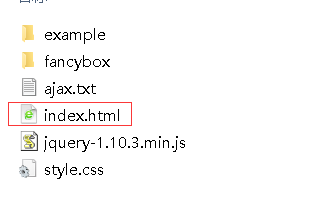
直接运行结果:
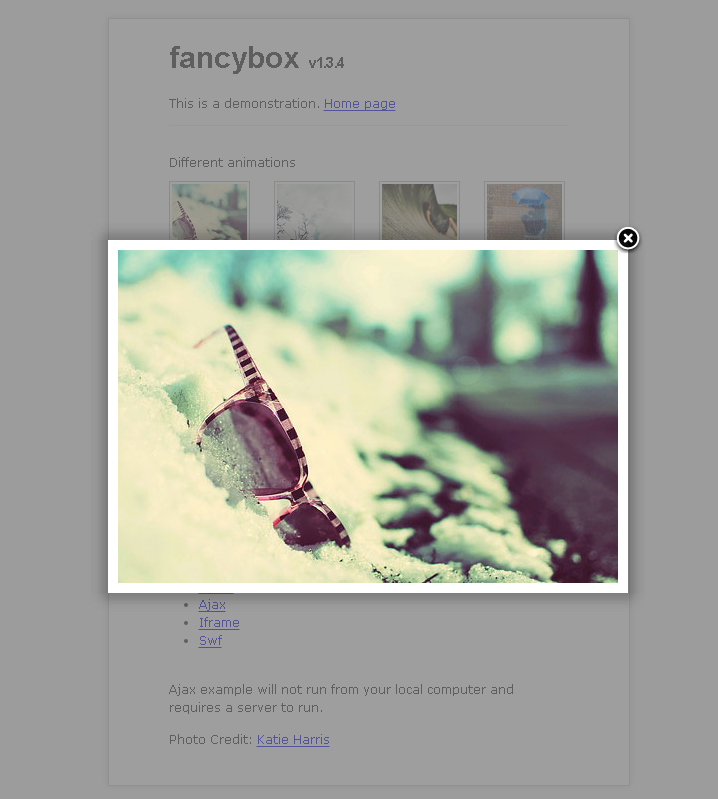
显示非常动感。
以SysSample例子为例子 构建ASP.NET MVC4+EF5+EasyUI+Unity2.x注入的后台管理系统(8)-MVC与EasyUI DataGrid 分页
必须让SysSample支持上传文件上传 构建ASP.NET MVC4+EF5+EasyUI+Unity2.x注入的后台管理系统(32)-swfupload多文件上传[附源码]
我之前只发布过多文件上传的源码,实际多文件上传里面也包含了单文件上传。
(整合你自己项目时候忽略easyui。可能是的表格插件是datatable,jqgrid,extjs等,但是基本同理)
修改Create.cshtml代码
 <tr>

                <td style="width:100px; text-align:right;">

                    @Html.LabelFor(model => model.Photo):

                </td>

                  <td>

                      @Html.TextBoxFor(model => model.Photo)

                    </td>

                <td>

                    @Html.ValidationMessageFor(model => model.Photo)

                </td>

            </tr>
为
 <tr>

                <th>

                    @Html.LabelFor(model => model.Photo):

                </th>

                <td>

                    @Html.HiddenFor(model => model.Photo)

                    <img class="expic" src="/Content/Images/NotPic.jpg" /><br />

                    <a href="javascript:$('#FileUpload').trigger('click');" class="files">

                        <input type="file"  id="FileUpload" name="FileUpload" onchange="Upload('SingleFile', 'Photo', 'FileUpload','1','1');" />

                    </a><span class="uploading">请稍候...</span>

                    @Html.ValidationMessageFor(model => model.Photo)

                </td>

            </tr>
NotPic.jpg图片为 ,这个是我自己PS的丑图片(没有上传时显示的照片)

//文件上传

function Upload(action, repath, uppath, iswater, isthumbnail, filepath) {

    var sendUrl = "/Core/upload_ajax.ashx?action=" + action + "&ReFilePath=" + repath + "&UpFilePath=" + uppath;

    //判断是否打水印

    if (arguments.length == 4) {

        sendUrl = "/Core/upload_ajax.ashx?action=" + action + "&ReFilePath=" + repath + "&UpFilePath=" + uppath + "&IsWater=" + iswater;

    }

    //判断是否生成宿略图

    if (arguments.length == 5) {

        sendUrl = "/Core/upload_ajax.ashx?action=" + action + "&ReFilePath=" + repath + "&UpFilePath=" + uppath + "&IsWater=" + iswater + "&IsThumbnail=" + isthumbnail;

    }

    //自定义上传路径

    if (arguments.length == 6) {

        sendUrl = filepath + "tools/upload_ajax.ashx?action=" + action + "&ReFilePath=" + repath + "&UpFilePath=" + uppath + "&IsWater=" + iswater + "&IsThumbnail=" + isthumbnail;

    }

    //开始提交

    $("form").ajaxSubmit({

        beforeSubmit: function (formData, jqForm, options) {

            //隐藏上传按钮

            $("#" + repath).nextAll(".files").eq(0).hide();

            //显示LOADING图片

            $("#" + repath).nextAll(".uploading").eq(0).show();

        },

        success: function (data, textStatus) {

            if (data.msg == 1) {

                $("#" + repath).val(data.msgbox.split(",")[0]);

                $("#" + repath).next("img").attr("src", data.msgbox.split(",")[0]);

            } else {

                alert(data.msgbox);

            }

            $("#" + repath).nextAll(".files").eq(0).show();

            $("#" + repath).nextAll(".uploading").eq(0).hide();

        },

        error: function (data, status, e) {

            alert("上传失败,错误信息:" + e);

            $("#" + repath).nextAll(".files").eq(0).show();

            $("#" + repath).nextAll(".uploading").eq(0).hide();

        },

        url: sendUrl,

        type: "post",

        dataType: "json",

        timeout: 600000

    });

};
UploadJS方法
后台方法提取32节的upload_ajax.ashx文件即可
这样就完成支持单文件上传了
别忘记加入CSS
a.files, a.files input{ outline:none;/*ff*/hide-focus:expression(this.hideFocus=true);/*ie*/ }

.uploading{ float:left; background:url(loading2.gif) no-repeat left center; padding-left:18px;display:none; line-height:24px; height:24px; color:#333; }

.expic{cursor: pointer; width: 140px; height: 140px; border: 1px #ccc solid;}

.uploading{ float:left; background:url(Images/loading2.gif) no-repeat left center; padding-left:18px;display:none; line-height:24px; height:24px; color:#333; }

#FileUpload{ width:140px;}
运行结果:
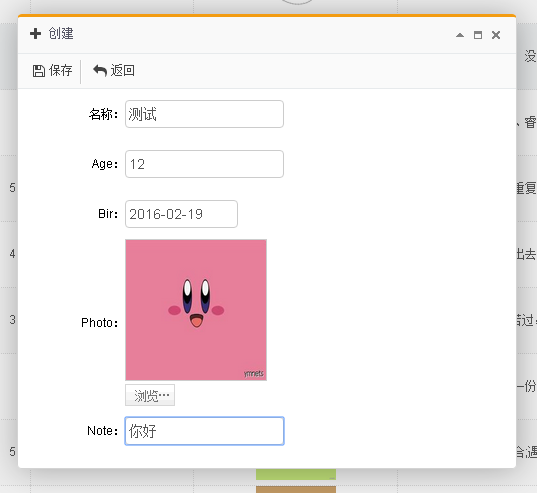
记得添加多点数据,这样才比较好看
运行结果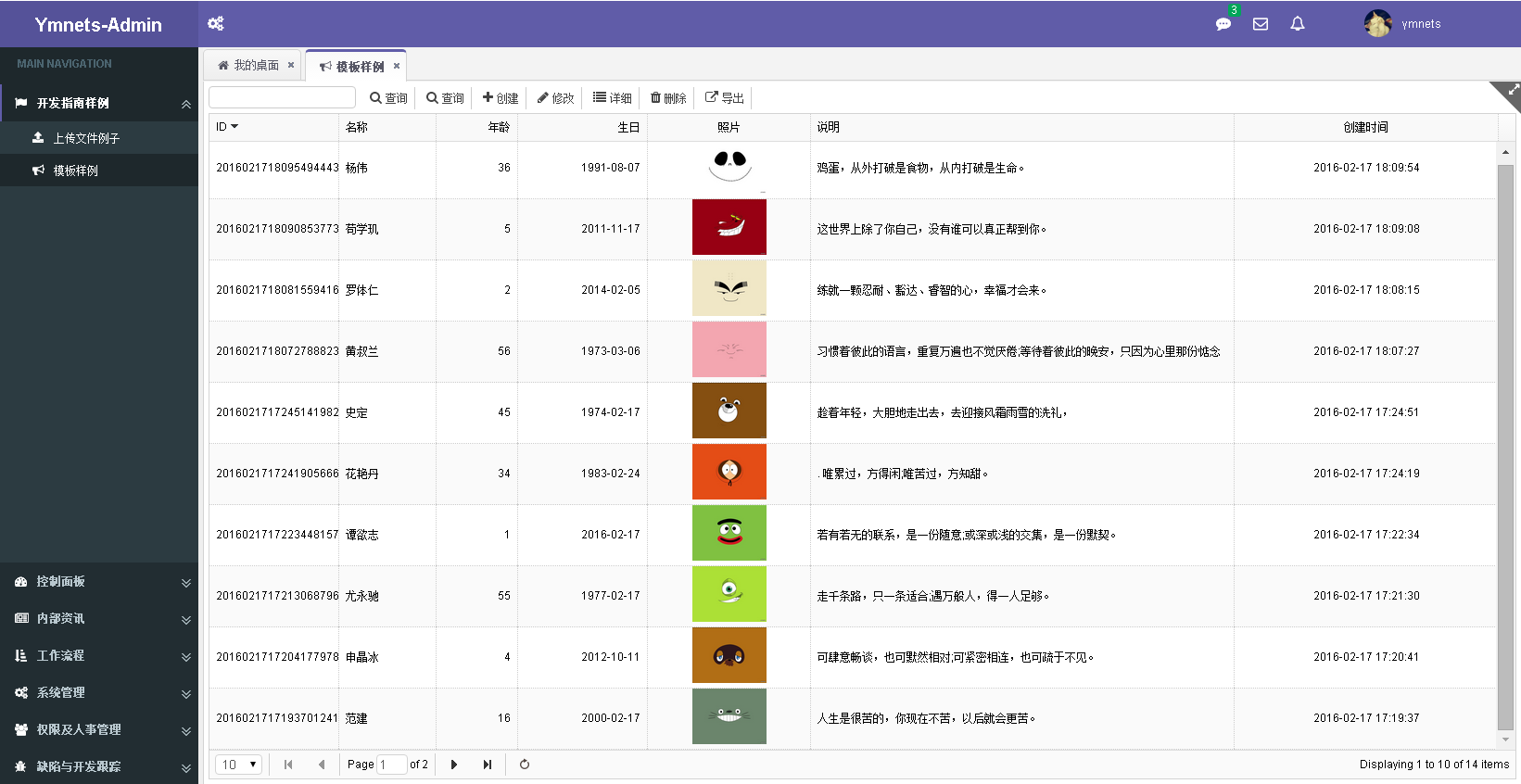
datagrid代码
$('#List').datagrid({

            url: '/SysSample/GetList',

            width: SetGridWidthSub(10),

            methord: 'post',

            height: SetGridHeightSub(39),

            fitColumns: true,

            sortName: 'Id',

            sortOrder: 'desc',

            idField: 'Id',

            pageSize: 10,

            pageList: [10, 20, 30, 40, 50],

            pagination: true,

            striped: true, //奇偶行是否区分

            singleSelect: true,//单选模式

            //rownumbers: true,//行号

            onLoadSuccess: function (data) {

                $("a.example").fancybox();

            },

            columns: [[

                { field: 'Id', title: '@Resource.TitleID', width: 80,sortable: true },

                { field: 'Name', title: '@Resource.TitleName', width: 60 },

                { field: 'Age', title: '年龄', width: 50, align: 'right' },

                { field: 'Bir', title: '生日', width: 80, align: 'right', formatter: function (value) { return SubStrYMD(value) } },

                {

                    field: 'Photo', title: '照片', width: 100, align: 'center', formatter: function (value, row, index) {

                        return '<a class="example" title="'+row.Note+'" href="' + value + '"><img width="80px" alt="example" src="' + value + '" /></a>';

                    }

                },

                { field: 'Note', title: '@Resource.TitleRemark', width: 260 },

                { field: 'CreateTime', title: '@Resource.TitleCreateTime', width: 160, align: 'center' }

            ]]

        });
index.cshtml
 {

                    field: 'Photo', title: '照片', width: 100, align: 'center', formatter: function (value, row, index) {

                        return '<a class="example" title="'+row.Note+'" href="' + value + '"><img width="80px" alt="example" src="' + value + '" /></a>';

                    }

                },
核心代码解析。这段代码来源于fancybox插件的第一个样例代码。
但是插件代码只演示了ID方式的显示,我们需要变通一下用class而已(下面是easyui逐行生成后的代码)
<a class="example" title="这世界上除了你自己,没有谁可以真正帮到你。" href="/upload/201602/17/201602171809062531.jpg"><img width="80px" alt="example" src="/upload/201602/17/201602171809062531.jpg"></a>
所以我们在初始化时候必须使用class方式:即
$("a.example").fancybox();
代码必须写在datagrid加载之后。不能写在$(function(){});里面。因为$(function(){});比datagrid初始化可能更快
onLoadSuccess: function (data) {
$("a.example").fancybox();
},
运行结果:
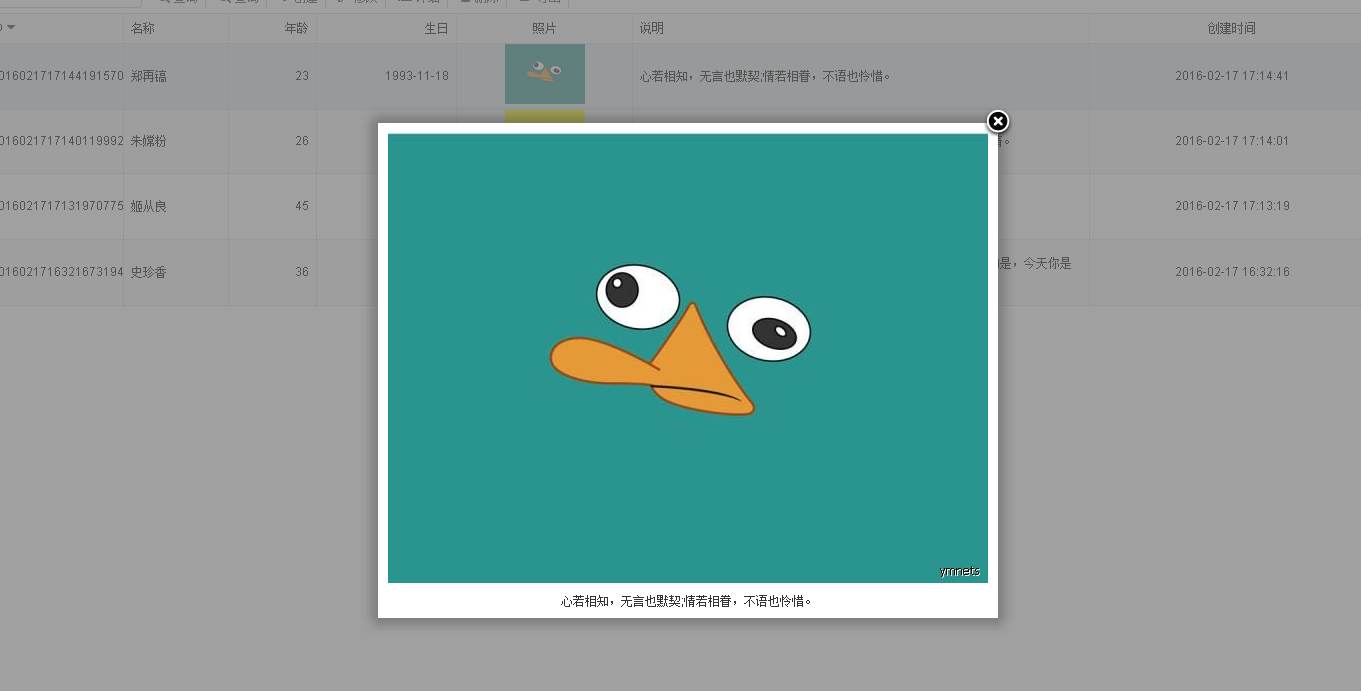
如果你的记录支持多张图片。那么必须再新建一张图片子表来关联。
然后用到样例中的:多张显示

代码用组的方式:
$("a[rel=example_group]").fancybox({
'transitionIn' : 'none',
'transitionOut' : 'none',
'titlePosition' : 'over',
'titleFormat' : function(title, currentArray, currentIndex, currentOpts) {
return '<span id="fancybox-title-over">Image ' + (currentIndex + 1) + ' / ' + currentArray.length + (title.length ? ' ' + title : '') + '</span>';
}
});
本文到此为止!有兴趣下载32节代码。来改装一下
ASP.NET MVC5+EF6+EasyUI 后台管理系统(56)-插件---单文件上传与easyui使用fancybox的更多相关文章
- 2014-07-23 利用ASP.NET自带控件实现单文件上传与下载
效果图 上传文件页面: 下载文件页面: 1.母版页site.Master <%@ Master Language="C#" AutoEventWireup="tr ...
- Asp.Net Core 3.0 学习3、Web Api 文件上传 Ajax请求以及跨域问题
1.创建Api项目 我用的是VS2019 Core3.1 .打开Vs2019 创建Asp.Net Core Web应用程序命名CoreWebApi 创建选择API 在Controller文件夹下面添加 ...
- wsl 2 unbuntu 部署 asp.net core 使用 nginx 做反向代理,调试文件上传失败
继上一篇 asp.net core 3.1多种身份验证方案,cookie和jwt混合认证授权 的公司内部项目上线后发现文件上传功能有问题. 上传的文件超过50M以后前端就报错了,没有状态返回,也没有响 ...
- asp.net.mvc 的单文件上传和多文件上传的简单例子
首先打开vs2012,创建空的mvc4项目,名称为MVCStudy,选择基本模板
- ASP.NET MVC5+EF6+EasyUI 后台管理系统(1)-前言与目录(持续更新中...)
开发工具:VS2015(2012以上)+SQL2008R2以上数据库 您可以有偿获取一份最新源码联系QQ:729994997 价格 666RMB 升级后界面效果如下: 任务调度系统界面 http: ...
- 构建ASP.NET MVC5+EF6+EasyUI 1.4.3+Unity4.x注入的后台管理系统
开篇:从50开始系统已经由MVC4+EF5+UNITY2.X+Quartz 2.0+easyui 1.3.4无缝接入 MVC5+EF6+Unity4.x+Quartz 2.3 +easyui 1.4. ...
- ASP.NET MVC5+EF6+EasyUI 后台管理系统(1)-前言与目录(转)
开发工具:VS2015(2012以上)+SQL2008R2以上数据库 您可以有偿获取一份最新源码联系QQ:729994997 价格 666RMB 升级后界面效果如下: 日程管理 http://ww ...
- 用VSCode开发一个asp.net core2.0+angular5项目(5): Angular5+asp.net core 2.0 web api文件上传
第一部分: http://www.cnblogs.com/cgzl/p/8478993.html 第二部分: http://www.cnblogs.com/cgzl/p/8481825.html 第三 ...
- 在EasyUI项目中使用FileBox控件实现文件上传处理
我在较早之前的随笔<基于MVC4+EasyUI的Web开发框架形成之旅--附件上传组件uploadify的使用>Web框架介绍中介绍了基于Uploadify的文件上传操作,免费版本用的是J ...
随机推荐
- NodeJs之调试
关于调试 当我们只专注于前端的时候,我们习惯性F12,这会给我们带来安全与舒心的感觉. 但是当我们使用NodeJs来开发后台的时候,我想噩梦来了. 但是也别泰国担心,NodeJs的调试是很不方便!这是 ...
- Summary of Critical and Exploitable iOS Vulnerabilities in 2016
Summary of Critical and Exploitable iOS Vulnerabilities in 2016 Author:Min (Spark) Zheng, Cererdlong ...
- Hyper-V3:虚拟机的配置
在Hyper-V成功新建一台虚拟机,在正式使用之前,必须配置VM使用的硬件资源,并授予用户访问VM的权限等,本文罗列出一些常见的配置,供读者参阅. 一,为虚拟机分配使用的内存 在Hyper-V Man ...
- OpenCV人脸识别Eigen算法源码分析
1 理论基础 学习Eigen人脸识别算法需要了解一下它用到的几个理论基础,现总结如下: 1.1 协方差矩阵 首先需要了解一下公式: 共公式可以看出:均值描述的是样本集合的平均值,而标准差描述的则是样本 ...
- PHP-----文件系统的交互
本文讲解php中于文件交互中所使用的函数 代码示例 <html> <head> <title> File Detail </title> </he ...
- 设计模式之创建类模式大PK
创建类模式大PK 创建类模式包括工厂方法模式.建造者模式.抽象工厂模式.单例模式和原型模式,他们能够提供对象的创建和管理职责.其 ...
- javascript中变量提升的理解
网上找了两个经典的例子 var foo = 1; function bar() { if (!foo) { var foo = 10; } alert(foo); } bar(); // 10 var ...
- Hadoop学习之旅二:HDFS
本文基于Hadoop1.X 概述 分布式文件系统主要用来解决如下几个问题: 读写大文件 加速运算 对于某些体积巨大的文件,比如其大小超过了计算机文件系统所能存放的最大限制或者是其大小甚至超过了计算机整 ...
- java统计字符串单词的个数
在一些项目中可能需要对一段字符串中的单词进行统计,我在这里写了一个简单的demo,有需要的同学可以拿去看一下. 本人没怎么写个播客,如果有啥说的不对的地方,你来打我啊 不说废话了直接贴代码: 实现代码 ...
- 中文 iOS/Mac 开发博客列表
中文 iOS/Mac 开发博客列表 博客地址 RSS地址 OneV's Den http://onevcat.com/atom.xml 一只魔法师的工坊 http://blog.ibireme.com ...