
springBoot整合Listener
新建项目

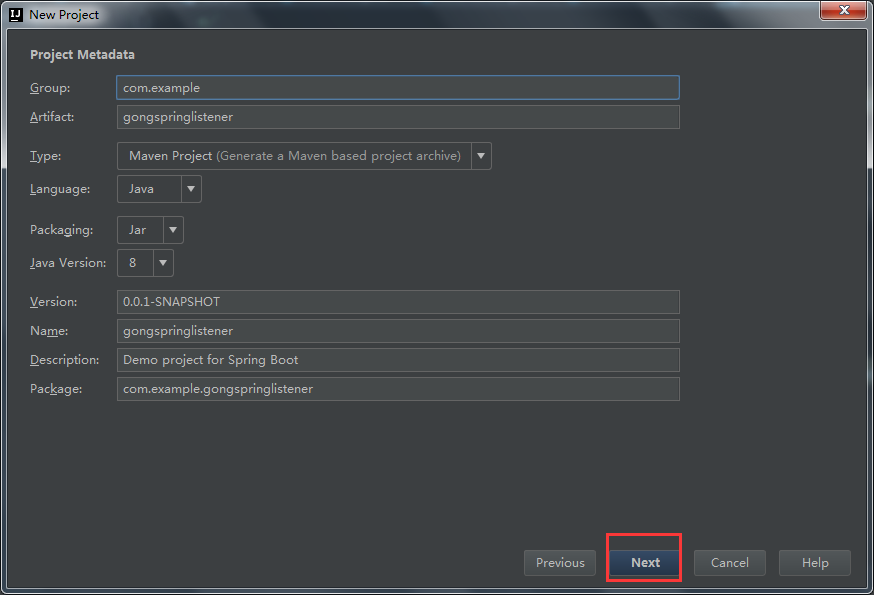


这个是pom文件
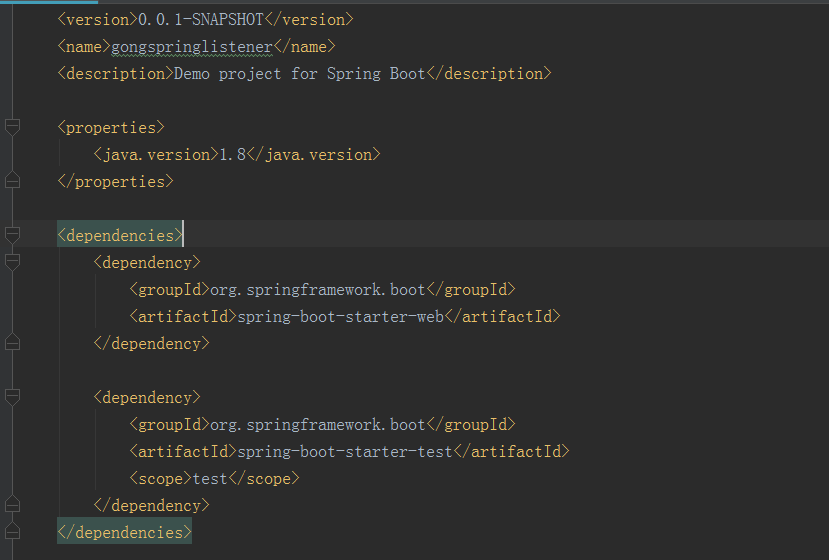
<properties>

        <java.version>1.8</java.version>

    </properties>

    <dependencies>

        <dependency>

            <groupId>org.springframework.boot</groupId>

            <artifactId>spring-boot-starter-web</artifactId>

        </dependency>

        <dependency>

            <groupId>org.springframework.boot</groupId>

            <artifactId>spring-boot-starter-test</artifactId>

            <scope>test</scope>

        </dependency>

    </dependencies>
新建FirstListener类

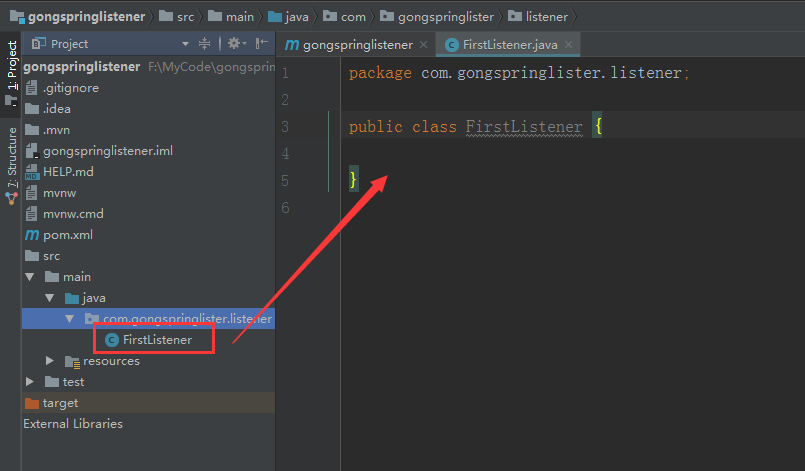
FirstListener.java
package com.gongspringlister.listener;

import javax.servlet.ServletContextEvent;

import javax.servlet.ServletContextListener;

import javax.servlet.annotation.WebListener;

/**

 * springBoot 整合 Listener

 * *

 <listener>

 * <listener-class>com.bjsxt.listener.FirstListener</listener-class>

 *</listener>

 */

@WebListener

public class FirstListener implements ServletContextListener {

    @Override

    public void contextDestroyed(ServletContextEvent arg0) {

    }

    @Override

    public void contextInitialized(ServletContextEvent arg0) {

        System.out.println("Listener...init......");

    }

}
新建App.java启动类

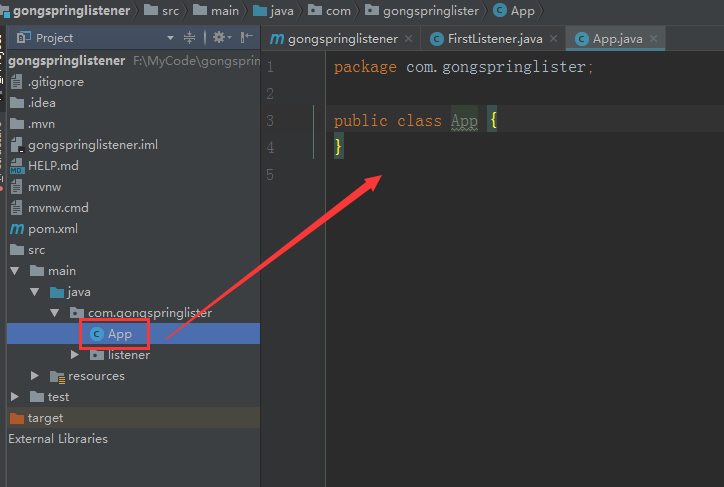
App.java
package com.gongspringlister;

import org.springframework.boot.SpringApplication;

import org.springframework.boot.autoconfigure.SpringBootApplication;

import org.springframework.boot.web.servlet.ServletComponentScan;

/**

 * springBoot 整合 Listener 方式一

 ** *

 */

@SpringBootApplication

@ServletComponentScan

public class App {

    public static void main(String[] args){

        SpringApplication.run(App.class,args);

    }

}
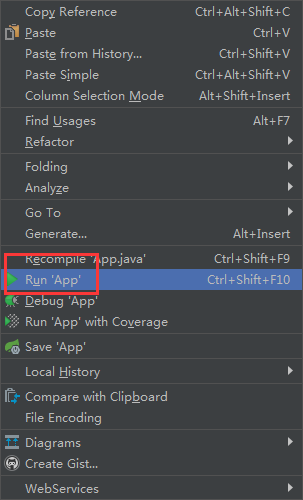
运行启动类

SpringBoot 整合 Listener 方式二
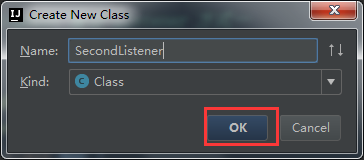
新建SecondListener类

SecondListener.java
package com.gongspringlister.listener;

import javax.servlet.ServletContextEvent;

import javax.servlet.ServletContextListener;

import javax.servlet.annotation.WebListener;

/**

 * springBoot 整合 Listener 方式二

 * * *

 */

@WebListener

public class SecondListener implements ServletContextListener {

    @Override

    public void contextDestroyed(ServletContextEvent arg0) {

    }

    @Override

    public void contextInitialized(ServletContextEvent arg0) {

        System.out.println("Listener...init......");

    }

}
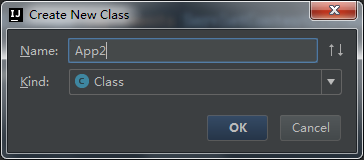
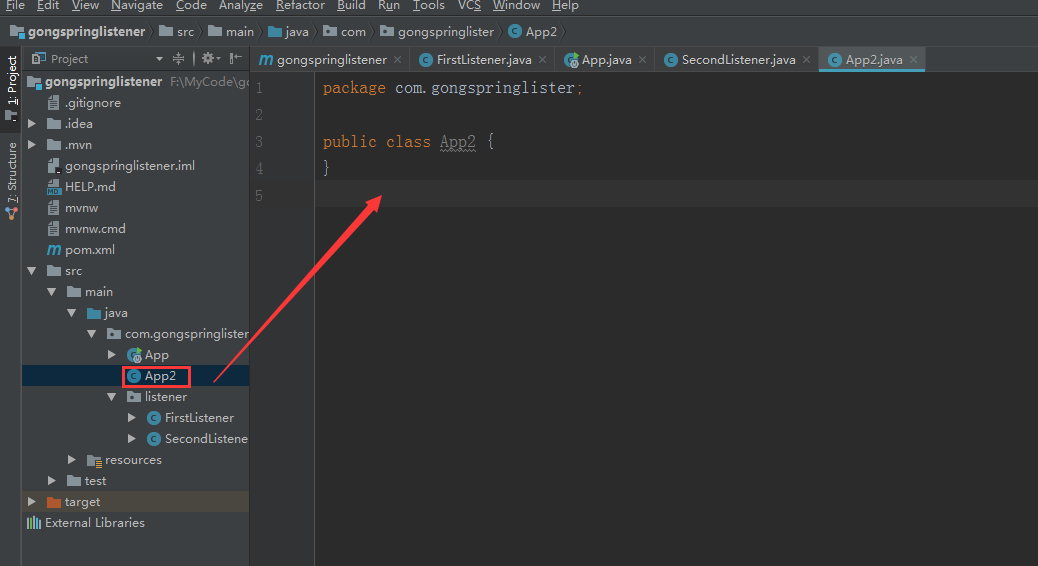
编写启动类App2.java
App2.java
package com.gongspringlister;

import com.gongspringlister.listener.SecondListener;

import org.springframework.boot.SpringApplication;

import org.springframework.boot.autoconfigure.SpringBootApplication;

import org.springframework.boot.web.servlet.ServletListenerRegistrationBean;

import org.springframework.context.annotation.Bean;

/**

 * SpringBoot 整合 Listener 方式二* * *

 */

@SpringBootApplication

public class App2 {

    public static void main(String[] args){

        SpringApplication.run(App2.class,args);

    }

           /**

            * 注册 listener

          */

    @Bean

    public ServletListenerRegistrationBean<SecondListener>

    getServletListenerRegistrationBean(){

        ServletListenerRegistrationBean<SecondListener> bean= new ServletListenerRegistrationBean<SecondListener>

                (new SecondListener());

        return bean;

    }

}
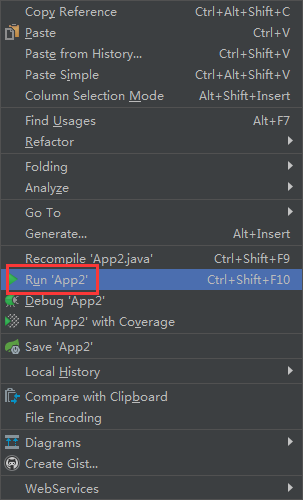
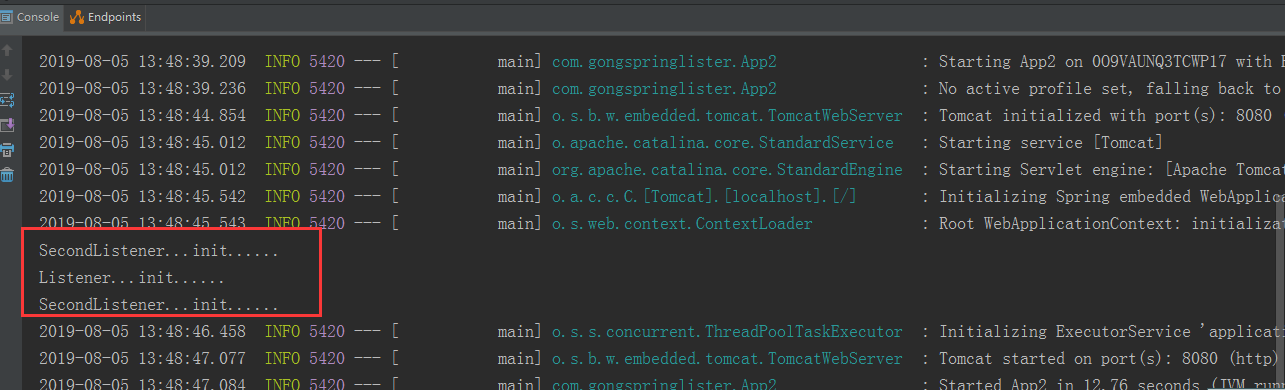
运行启动类App2.java
springBoot整合Listener的更多相关文章
- 02-03:springboot 整合listener
1.通过注解扫描完成Listener组件的注册 1.1 编写listener /** * Springboot 整合listener */ import javax.servlet.ServletCo ...
- 【使用篇二】SpringBoot整合Listener(3)
两种方式: 通过注解扫描完成 Listener 组件的注册 通过方法完成 Listener 组件注册 一.通过注解扫描完成 Listener 组件的注册 1. 编写Listener类 /*** spr ...
- 【SpringBoot】05.SpringBoot整合Listener的两种方式
SpringBoot整合Listener的两种方式: 1.通过注解扫描完成Listener组件的注册 创建一个类实现ServletContextListener (具体实现哪个Listener根据情况 ...
- SpringBoot学习4:springboot整合listener
整合方式一:通过注解扫描完成 Listener 组件的注册 1.编写listener package com.bjsxt.listener; import javax.servlet.ServletC ...
- SpringBoot: 4.SpringBoot整合listener(转)
整合方式一:通过注解扫描完成 Listener 组件的注册 1.编写listener package com.bjsxt.listener; import javax.servlet.ServletC ...
- SpringBoot整合三大组建(Servlet、Listener、Filter)
>[更多资源和教程请关注公众号:**非科班的科班**.如果觉得我写的还可以请给个赞,谢谢大家,你的鼓励是我创作的动力](https://blog.csdn.net/qq_43255017)## ...
- SpringBoot整合JavaWeb
一.SpringBoot整合Servlet的两种方式 1.通过注解扫描完成Servlet组件的注册 编写Servlet package com.example.demo.servlet; import ...
- springboot整合web开发(整合servlet、filter、listener、访问静态、文件上传)
整合servlet 1.继承HttpServlet 2.添加@WebServlet注解 @WebServlet(name="FirstServlet",urlPatterns=&q ...
- SpringBoot整合RabbitMQ-整合演示
本系列是学习SpringBoot整合RabbitMQ的练手,包含服务安装,RabbitMQ整合SpringBoot2.x,消息可靠性投递实现等三篇博客. 学习路径:https://www.imooc. ...
随机推荐
- 小米oj 组长偏头痛(二分)
组长偏头痛 序号:#28难度:非常难时间限制:1000ms内存限制:10M 描述 临近年底,组长突然患上了偏头痛的毛病,因为他最近从产品经理那里收到了好多需求,需要按排组员尽快完成. 现在用一个数组 ...
- 微信打开手机内置浏览器跳转手机默认浏览器打开html网页
微信上进行的网页宣传.游戏传播.APP下载各类活动很多,但是各位朋友肯定经常会遇到一些特殊需求,网页需要在手机默认浏览器打开而不是微信内置浏览器.这个问题怎么解决呢? 斗在微信营销的浪潮中 解决方案: ...
- codeforces#999 E. Reachability from the Capital(图论加边)
题目链接: https://codeforces.com/contest/999/problem/E 题意: 在有向图中加边,让$S$点可以到达所有点 数据范围: $ 1 \leq n \leq 50 ...
- 【Redis 设置Redis使用LRU算法】
转自:http://ifeve.com/redis-lru/ 本文将介绍Redis在生产环境中使用的Redis的LRU策略,以及自己动手实现的LRU算法(php) 1.设置Redis使用LRU算法 L ...
- CTF中PHP反序列化和命令注入的一次简单利用
代码来自第六届防灾科技学院网络安全技能大赛,侵删. 目标 获取Linux服务器根目录下的flag 代码 /*home.php*/ class home{ private $method; privat ...
- linux环境下使用jmeter进行压力测试
linux环境下使用jmeter进行压力测试 linux环境下使用就meter进行压力测试: linux环境部署: 在Linux服务器先安装jdk: 2.以jdk-8u172-linux-x64.ta ...
- centOS7搭建hadoop,zookeeper,hbase
1.配置ssh免密登录 (本人使用的是centOS7虚拟机) (本人未在root用户下安装,建议使用root用户,不然很麻烦!!) ① 本机无密钥登录 1.进入~/.ssh目录(若无,则执行一次ssh ...
- 使用create-react-app创建项目(一)——端口配置
在package.json文件中找到 "scripts",在start中添加"set PORT=8000" "scripts": { &qu ...
- react-native(ios)简单配置环境(mac)
1.首先全局安装react-native-cli npm install -g react-native-cli 2.安装xcode(appStore) 3.打开xcode,检查一下是否装有某个版本的 ...
- CSS3 新特性
~平时喜欢逛博客,看别人的学习总结和遇到的问题解决办法,恰好最近在做书签整理,翻到了之前一个前辈移动前端的总结,所以我就按他的总结模块对自己的知识进行了梳理,不过由于都是手写的,为了方便,下面的都是平 ...