
vue 页面间传值
使用params传参 ,不能使用path 只能使用name
使用params传参,刷新参数会消失
router/index.js
import Vue from 'vue'

import Router from 'vue-router'

import login from '@/components/login/login'

import index from '@/components/index/index'

import HelloWorld from '@/components/HelloWorld'

Vue.use(Router)

export default new Router({

  routes: [

    {

      path: '/',

      redirect: '/login'

    },

    {

      path:'/index',

      name : 'index',

      component : index

    },

    {

      path:'/login',

      name : 'login',

      component : login

    }

  ]

})
login页面(params传参)
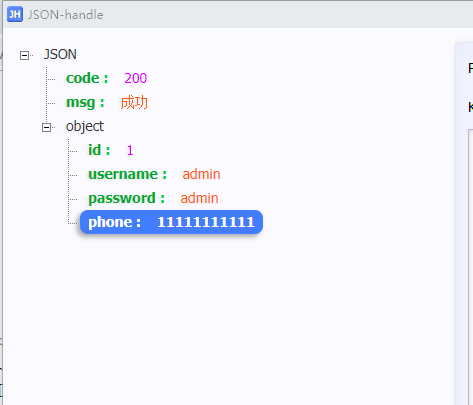
this.$router.replace({name:'index',params:{

                       username:successResponse.data.object.username,

                       phone:successResponse.data.object.phone

                       }

                       })
index页面
<template>

    <div>

        <hr>

        <div>

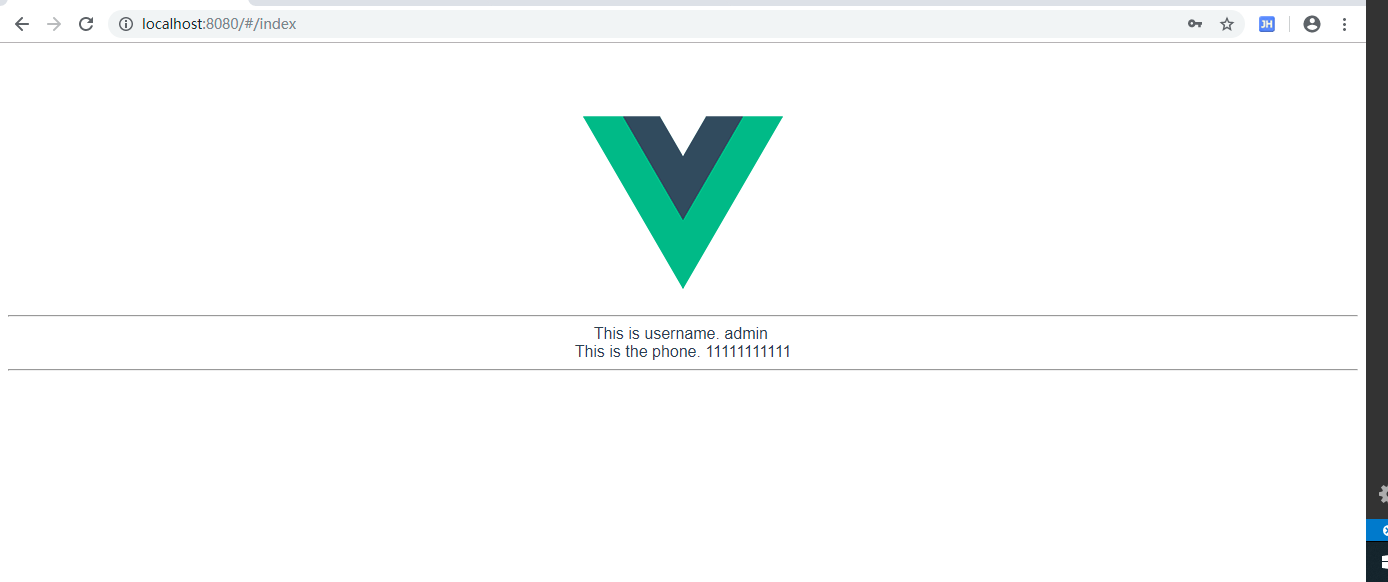
            This is username. <span v-text="username"> </span>  <br>

            This is the phone. <span v-text="phone"> </span> <br>

             This is also username {{$route.params.username}}

        </div>

        <hr>

    </div>

</template>

<script>

export default {

    name : 'index',

    //created  钩子函数  Vue 初始化时执行

    created:function() {

        this.getParams();

    },

    watch:{

        //监测路由变化,只要变化了就调用路由参数方法将数据存储本组件即可

        '$route':'getParams'

    },

    methods:{

        getParams:function() {

            //取得路由带过来的参数

            let routeUsername = this.$route.params.username

            let routePhone = this.$route.params.phone

            //将数据放在当前组件的数据内

            this.username = routeUsername

            this.phone = routePhone

        },

    }

}

</script>
login页面(query传参)
this.$router.replace({path:'/index',query:{

                       username:successResponse.data.object.username,

                       phone:successResponse.data.object.phone

                       }

                       })
index页面
<template>

    <div>

        <hr>

        <div>

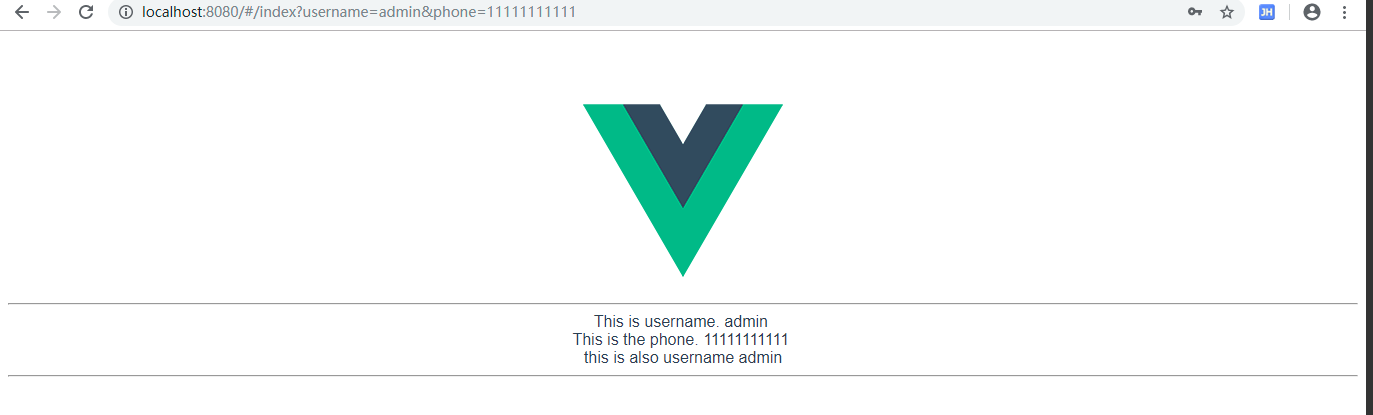
            This is username. <span v-text="username"> </span>  <br>

            This is the phone. <span v-text="phone"> </span> <br>

             This is also username {{$route.query.username}}

        </div>

        <hr>

    </div>

</template>

<script>

export default {

    name : 'index',

    //created  钩子函数  Vue 初始化时执行

    created:function() {

        this.getQuerys();

    },

    watch:{

        //监测路由变化,只要变化了就调用路由参数方法将数据存储本组件即可

        '$route':'getQuerys',

    },

    methods:{

        getQuerys:function() {

            //取得路由带过来的参数

            let routeUsername = this.$route.query.username

            let routePhone = this.$route.query.phone

            //将数据放在当前组件的数据内

            this.username = routeUsername

            this.phone = routePhone

        },

    }

}

</script>
vue 页面间传值的更多相关文章
- Vue页面间传值,以及客户端数据存储
初学Vue,遇到了页面传值的问题,大概网上学习了解了一下,在此跟大家分享一下学习心得,欢迎批评指正. 一.参数传值 如果是简单的页面传值,比如传一个id到详情页等等,推荐使用参数传值. 这里页面是通过 ...
- iOS页面间传值的方式(Delegate/NSNotification/Block/NSUserDefault/单例)
iOS页面间传值实现方法:1.通过设置属性,实现页面间传值:2.委托delegate方式:3.通知notification方式:4.block方式:5.UserDefault或者文件方式:6.单例模式 ...
- iOS页面间传值的方式(NSUserDefault/Delegate/NSNotification/Block/单例)
iOS页面间传值的方式(NSUserDefault/Delegate/NSNotification/Block/单例) 实现了以下iOS页面间传值:1.委托delegate方式:2.通知notific ...
- 【转】iOS页面间传值的方式(Delegate/NSNotification/Block/NSUserDefault/单例)-- 不错
原文网址:http://www.cnblogs.com/JuneWang/p/3850859.html iOS页面间传值的方式(NSUserDefault/Delegate/NSNotificatio ...
- iOS 页面间传值 之 单例传值 , block 传值
ios 页面间传值有许多,前边已经分享过属性传值和代理传值,今天主要说一下单例传值和 block 传值 单例传值:单例模式一种常用的开发的模式,单例因为在整个程序中无论在何时初始化对象,获取到的都是同 ...
- iOS 页面间传值 之 属性传值,代理传值
手机 APP 运行,不同页面间传值是必不可少,传值的方式有很多(方法传值,属性传值,代理传值,单例传值) ,这里主要总结下属性传值和代理传值. 属性传值:属性传值是最简单,也是最常见的一种传值方式,但 ...
- iOS页面间传值的方式 (Delegate/NSNotification/Block/NSUserDefault/单例)
iOS页面间传值的方式(Delegate/NSNotification/Block/NSUserDefault/单例) iOS页面间传值的方式(NSUserDefault/Delegate/NSN ...
- iOS页面间传值的五种方式总结(Delegate/NSNotification/Block/NSUserDefault/单例)
iOS页面间传值的方式(Delegate/NSNotification/Block/NSUserDefault/单例) iOS页面间传值的方式(NSUserDefault/Delegate/NSNot ...
- mui框架如何实现页面间传值
mui框架如何实现页面间传值 我的传值 listDetail = '<li class="mui-table-view-cell mui-media>">< ...
随机推荐
- HTML中的图片标签的用法!
在HTML中<img>这个标签是定义文本中的图片标签,它的作用就比如说可以提供图片的名字.提供图片的尺寸大小和提供图片的一些图片属性,比如Alt这个属性,可以给图片一个名称来告诉朋友们.这 ...
- 在SAP除了使用Cordova生产移动应用外,还有这种方式
本文和Jerry过去的文章不太一样,算不上Jerry的知识分享,只是记录一下Jerry用React-Native把应用安装到Android手机上遇到的一些问题,方便以后查看. Jerry的同事Leo用 ...
- 【清单】值得「等待」的12个指示加载状态的 js 库
以下优选 GitHub 上高 star 的指示加载状态的 JavaScript 库.另外这里还有10个有意思的 JavaScript 实战小项目供大家学习. 上期入口:一份数据分析学习清单.xls M ...
- 【OF框架】配置信息Config添加配置和代码调用api
一.配置规范 配置信息全部写在OF.WebShell项目文件config.json中 配置键使用OF.开头,配置格式如下: { "OF.IgnoredUrl": "log ...
- GPT分区格式
1. GPT定义 全局唯一标识分区表(GUID partition table, 缩写:GPT)是一个实体硬盘的分区表的结构布局的标准.它是可扩展固件接口(UEFI)标准的一部分,被用于替代BIOS系 ...
- appium webdriver 基本操作及小例子等
#encoding=utf-8 ''' ''' #driver新建 driver=webdriver.Remote('http://localhost:4723/wd/hub',caps) #关闭dr ...
- 大数据之路week07--day03(Hadoop深入理解,JAVA代码编写WordCount程序,以及扩展升级)
什么是MapReduce 你想数出一摞牌中有多少张黑桃.直观方式是一张一张检查并且数出有多少张是黑桃. MapReduce方法则是: 1.给在座的所有玩家中分配这摞牌 2.让每个玩家数自己手中的牌有几 ...
- python基础--数据类型、运算符、流程控制
原文地址:https://www.liaoxuefeng.com/wiki/0014316089557264a6b348958f449949df42a6d3a2e542c000/00143165862 ...
- TCP,UDP,IP数据包的大小限制
1.概述 首先要看TCP/IP协议,涉及到四层:链路层,网络层,传输层,应用层. 其中以太网(Ethernet)的数据帧在链路层 IP包在网络层 TCP或UDP包在传输层 TCP或UDP中的数据(Da ...
- Centos 拒绝ssh远程暴力破解方法
佳木斯SEO摘要 有一天突然收到一封邮件,邮件内容告知我的ECS服务器作为肉鸡在攻击别的机器,期初一想,一定是我机器的账号密码被泄露,或者是被人暴力破解,于是乎,我就查询了一下我机器的账号登录记录. ...