
ssh密码登录+ Google Authenticator 实现双向认证
通常我们直接通过ssh输入密码连接服务器,但这样很容易出现暴力破解情况,所以我们可以结合google的动态认证+ssh密码,这样能够大大的提升登陆的安全。
简单来说,就是当用户通过ssh登陆系统时,先输入google的随机验证码,然后在输入服务器的ssh密码
1.安装依赖包,环境属于centos7,centos6请自行查阅网上资料
[root@bgx ~]# yum -y install wget gcc make pam-devel libpng-devel pam-devel2.安装Google Authenticator PAM插件安装
[root@bgx ~]# wget https://github.com/google/google-authenticator-libpam/archive/1.04.tar.gz

[root@bgx ~]# tar xf 1.04.tar.gz

[root@bgx ~]# cd google-authenticator-libpam-1.04/

[root@bgx google-authenticator-libpam-1.04]# ./bootstrap.sh

[root@bgx google-authenticator-libpam-1.04]# ./configure

[root@bgx google-authenticator-libpam-1.04]# make && make install

[root@bgx google-authenticator-libpam-1.04]# cp /usr/local/lib/security/pam_google_authenticator.so /lib64/security/
3.初始配置 Google Authenticator
[root@bgx google-authenticator-libpam-1.04]# google-authenticator是否基于时间的认证,为了防止不同跨时区的问题,这里选择n
Do you want authentication tokens to be time-based (y/n) n然后会跳出一个google的二维码
红色框框是: 生成的密钥
绿色框框是: 生成的5个一次性紧急验证码,用于紧急情况下,使用过一次后该验证码即失效了。
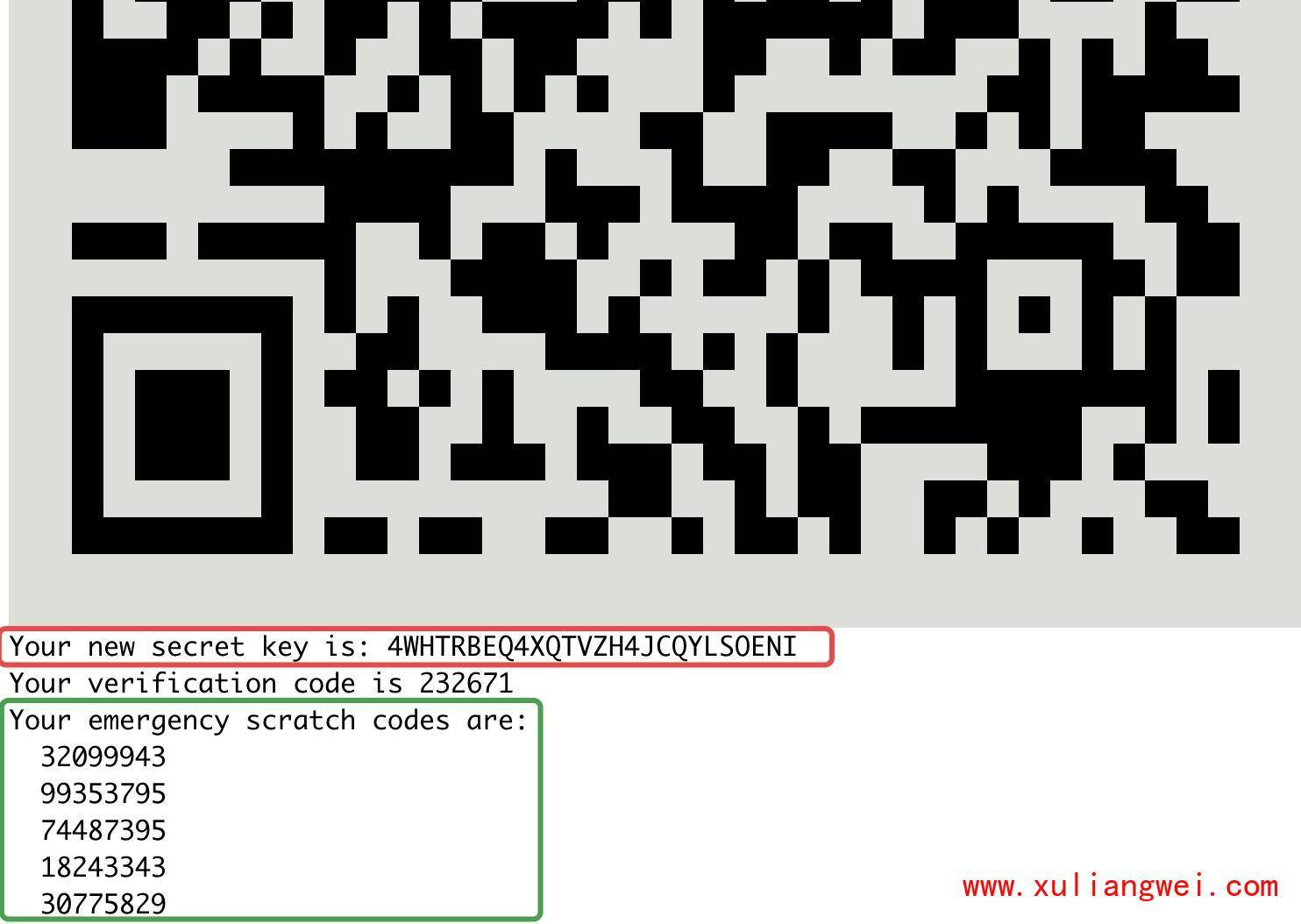
是否更新用户的 Google Authenticator 配置文件,选择 y 才能使上面操作对当前 root
用户生效,其实就是在对应用户的 Home 目录下生成了一个 .google_authenticator 文件,如果你想停用这个用户的
Google Authenticator 验证,只需要删除这个用户 Home 目录下的 .google_authenticator
文件就可以了。
Do you want me to update your "/root/.google_authenticator" file? (y/n) y每次生成的认证码是否同时只允许一个人使用?这里选择 y。
Do you want to disallow multiple uses of the same authentication

token? This restricts you to one login about every 30s, but it increases

your chances to notice or even prevent man-in-the-middle attacks (y/n) y
每次生成的令牌30s生成一次,最高允许存在误差4分钟。
By default, a new token is generated every 30 seconds by the mobile app.

In order to compensate for possible time-skew between the client and the server,

we allow an extra token before and after the current time. This allows for a

time skew of up to 30 seconds between authentication server and client. If you

experience problems with poor time synchronization, you can increase the window

from its default size of 3 permitted codes (one previous code, the current

code, the next code) to 17 permitted codes (the 8 previous codes, the current

code, and the 8 next codes). This will permit for a time skew of up to 4 minutes

between client and server.

Do you want to do so? (y/n) y
4.SSH调用及客户端配置,添加pam认证,在第一行添加
[root@bgx ~]# vim  /etc/pam.d/sshd  #添加如下行

auth       required     pam_google_authenticator.so
5.修改sshd配置,关联google认证
[root@bgx ~]# vim /etc/ssh/sshd_config

ChallengeResponseAuthentication yes     #修改为yes

[root@bgx ~]# systemctl restart sshd    #重启sshd服务
6.客户端通过ssh连接服务器测试
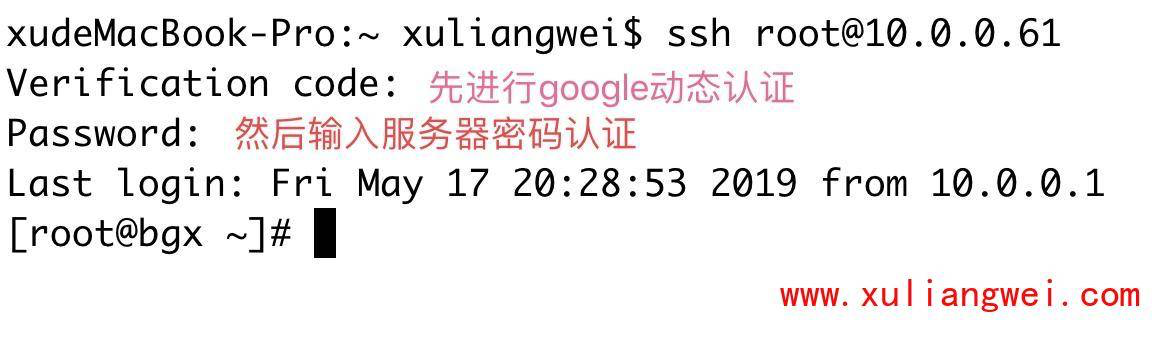
需要输入动态密码,动态密码通过手机获取如下图所示
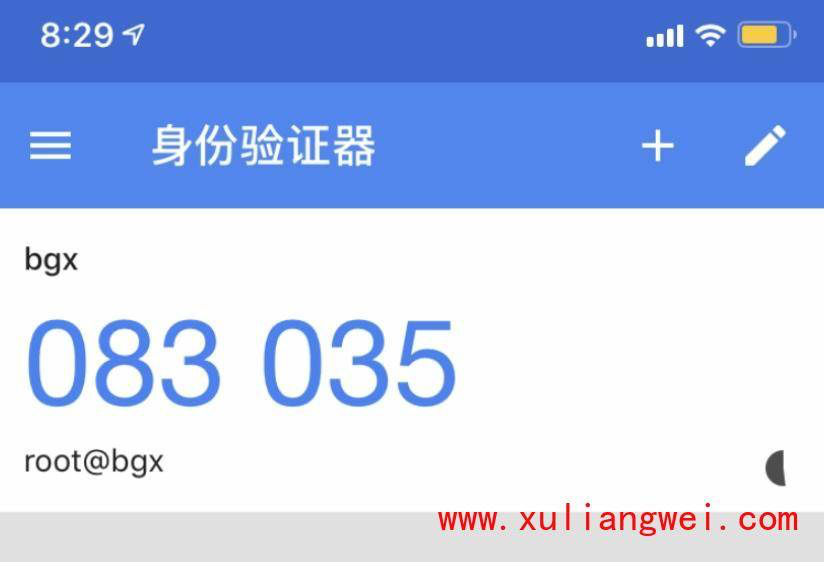
7.查看服务端的安全日志文件,可以看到是先进程google动态密码认证

8.注意事项:
1.用password + google authenticator,如果使用公钥登录的话,会跳过google authenticator验证直接登录服务器的。
2.如果是内网测试使用,建议安装google authenticator 浏览器插件实践。如果是公网服务器建议安装手机版的Authenticator
9.安装Google authenticator
Andorid版: “自行百度”
iOS版: 下载 “Authenticator”
chrome浏览器有google authenticator的插件
ssh密码登录+ Google Authenticator 实现双向认证的更多相关文章
- 关闭ssh密码登录
我们经常使用SSH登录管理服务器,在享受便利的同时也会遇到一些安全隐患,最常见的就是SSH密码被暴力破解.如果我们将SSH密码设置的过于复杂,又不容易记,因此限制SSH登录方式,只能使用key登录是一 ...
- Linux免SSH密码登录
SSH免密码登录,做个总结吧! 1.安装SSH服务(略过) 2.场景:需要配置主机A无密码登录主机B 在主机A上执行如下: cd ~/.ssh ssh-keygen -t rsa 生成密钥文件 cp ...
- 配置SSH密码登录
在客户端生成公钥: ssh-keygen –t rsa 生成的公钥默认位置在~/.ssh/目录 把公钥上传到服务器端: scp id_rsa.pub root@ip地址:文件保存路径 cat id_r ...
- python批量操作Linux服务器脚本,ssh密码登录(执行命令、上传、下载)(一)
-*- paramiko.util.log_to_file( ssh = paramiko.SSHClient() ssh.set_missing ...
- ssh密码登录
https://stackoverflow.com/a/16928662/8025086 https://askubuntu.com/a/634789/861079 #!/usr/bin/expect ...
- 【Linux】使用Google Authenticator 实现ssh登录双因素认证
一般来说,使用ssh远程登录服务器,只需要输入账号和密码,显然这种方式不是很安全.为了安全着想,可以使用GoogleAuthenticator(谷歌身份验证器),以便在账号和密码之间再增加一个验证码, ...
- Linux下部署SSH登录时的二次身份验证环境记录(利用Google Authenticator)
一般来说,使用ssh远程登录服务器,只需要输入账号和密码,显然这种方式不是很安全.为了安全着想,可以使用GoogleAuthenticator(谷歌身份验证器),以便在账号和密码之间再增加一个验证码, ...
- Linux下使用Google Authenticator配置SSH登录动态验证码
1.一般ssh登录服务器,只需要输入账号和密码.2.本教程的目的:在账号和密码之间再增加一个验证码,只有输入正确的验证码之后,再输入密码才能登录.这样就增强了ssh登录的安全性.3.账号.验证码.密码 ...
- 为效率而生:开源Mac版Google Authenticator认证客户端GoldenPassport
最近运维同学为了提高安全性,用Google Authenticator对服务器加了双重认证,此后登录服务器需要先输入动态密码,在输入服务器密码.Google Authenticator相当于软toke ...
随机推荐
- C# word格式转换为pdf
引用 Microsoft.Office.Interop.Word 这个dll,可以在解决方案浏览器中搜索到并下载. 源码如下: public bool WordToPDF(string sourceP ...
- wcf序列化嵌套类(如TreeNode)异常原因
循环引用类在WCF中的传递 循环引用类在WCF中的传递问题,例如: [DataContract] public class AB { public string name { ...
- 《EOPL》: 实现了惰性求值的两种参数传递策略
call-by-need 不过是比 call-by-name 多了一个 memorization 的步骤
- Java自学-I/O 缓存流
Java 缓存流BufferedReader,PrintWriter 以介质是硬盘为例,字节流和字符流的弊端: 在每一次读写的时候,都会访问硬盘. 如果读写的频率比较高的时候,其性能表现不佳. 为了解 ...
- idea中Entity实体中报错:cannot resolve column/table/...解决办法。
idea中Entity实体中报错:cannot resolve column/table/...解决办法. 若idea中Entity实体中报错: cannot resolve column.... c ...
- cpio建立、还原备份档
1. 简介 加入.解开cpio或tar备份档内的文件 与tar相似,将文件归档到硬盘或磁带等存储设备中 2. tar比较 在所处理的文件类型方面,它比tar更全面,但也更复杂 cpio比tar更为可靠 ...
- C# 连接数据操作的时候抛异常,连接超时
先说说我的业务.我在发送优惠券的时候,同时给6千多个会员发送优惠券,执行了update 和insert语句,这写语句都是通过字符串拼接而来的.update和insert语句加起来一共是一万多条语句.在 ...
- eclipse IDE 32位汉化方法及常用软件汉化包寻找办法
今天听说小组开发人员遇到安装eclipse不能汉化问题.了解到其他同事用的都是64位操作系统,这个同事用的32位系统.通常情况下常用软件都有各路大神发的成熟汉化包,不会出现无法安装汉化包的情况. 先找 ...
- OpenLDAP 安装教程
OpenLDAP 安装教程 本文原始地址:https://sitoi.cn/posts/48217.html 在centos7上安装OpenLDAP 环境准备 两台虚拟机 node01 IP:192. ...
- python实现生产者消费者模型
生产者消费之模型就是,比如一个包子铺,中的顾客吃包子,和厨师做包子,不可能是将包子一块做出来,在给顾客吃,但是单线程只能这麽做,所以用多线程来执行,厨师一边做包子,顾客一边吃包子,当顾客少时,厨师做的 ...