
Linux下用命令来执行kettle文件资源库的文件ktr与kjb的方法
1. 准备工作
一个简单的job,一个简单的trans。
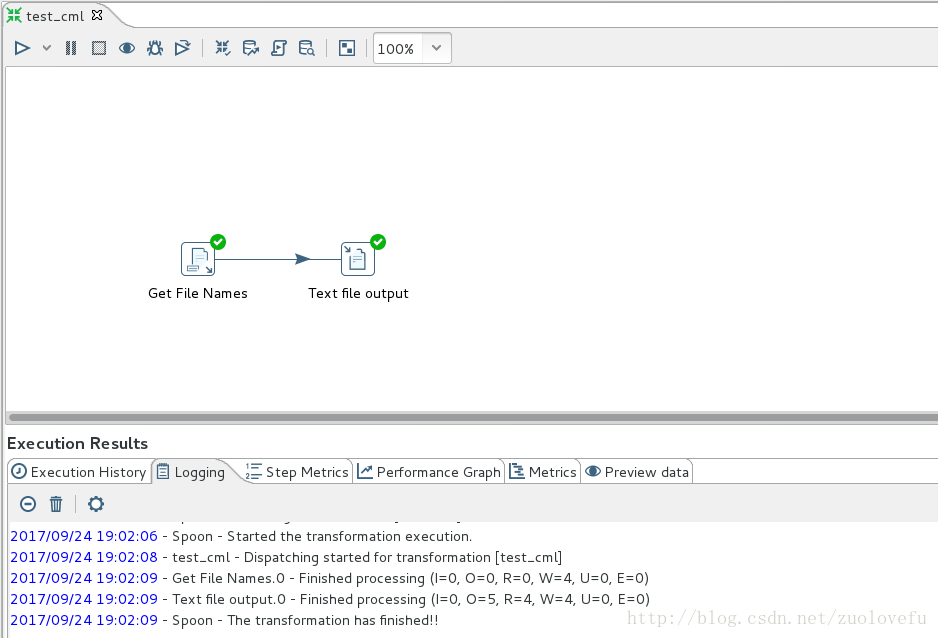
trans:读取download目录下的所有文件名,输出为文件。【界面情况下测试成功】
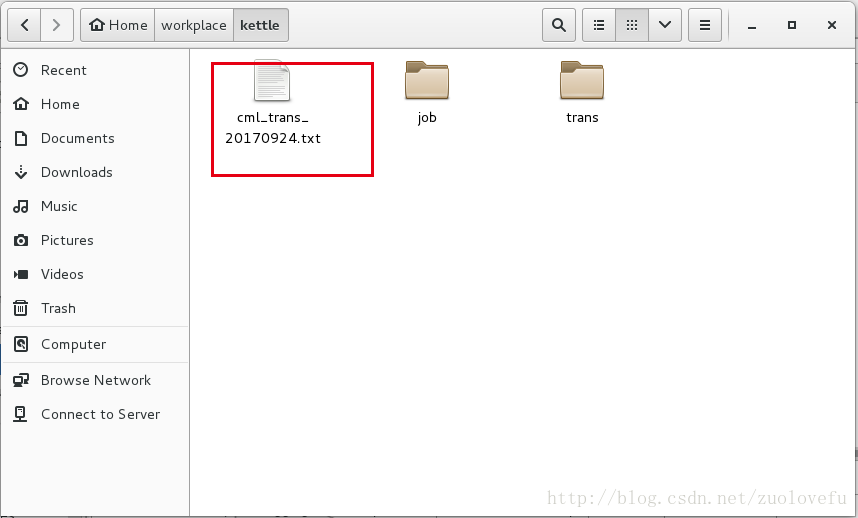
成功生成目标文件:
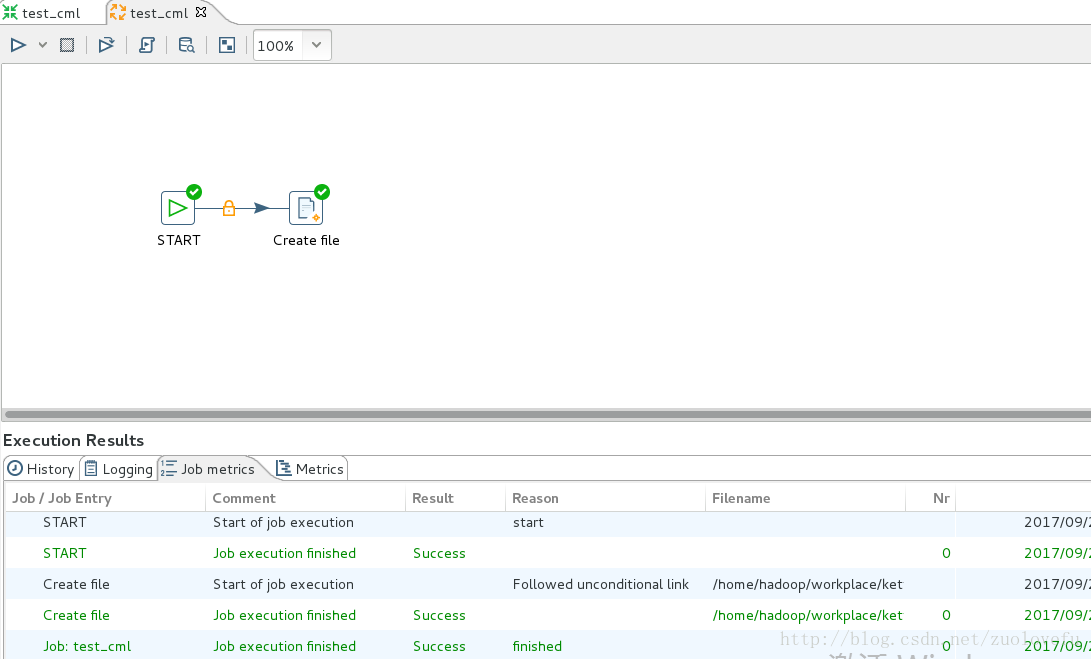
job:创建文件。【界面模式测试执行成功】
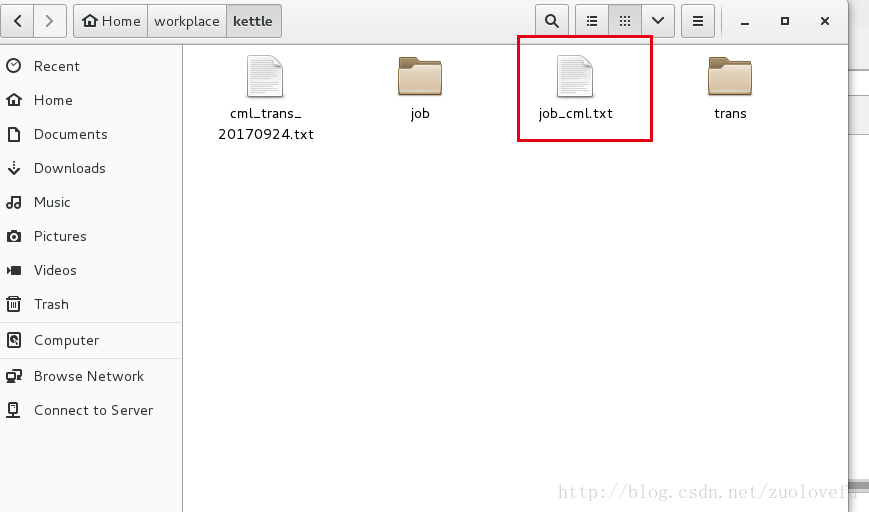
执行结果:
把界面执行测试结果文件删除,以免影响观察。
2. linux环境以命令行方式执行job和trans
    Pan是用于执行trans的PDI命令行工具。

    Kitchen是用于执行作业的PDI命令行工具。
- 1
- 2
a. Pan的命令行选项和语法
语法:
pan.sh -option=value arg1 arg2
- 1
命令行参数:
| Switch | Purpose |
|---|---|
| rep | Enterprise or database repository name, if you are using one |
| user | Repository username |
| pass | Repository password |
| trans | The name of the transformation (as it appears in the repository) to launch |
| dir | The repository directory that contains the transformation, including the leading slash |
| file | If you are calling a local KTR file, this is the filename, including the path if it is not in the local directory |
| level | The logging level (Basic, Detailed, Debug, Rowlevel, Error, Nothing) |
| logfile | A local filename to write log output to |
| listdir | Lists the directories in the specified repository |
| listtrans | Lists the transformations in the specified repository directory |
| listrep | Lists the available repositories |
| exprep | Exports all repository objects to one XML file |
| norep | Prevents Pan from logging into a repository. If you have set the KETTLE_REPOSITORY, KETTLE_USER, and KETTLE_PASSWORD environment variables, then this option will enable you to prevent Pan from logging into the specified repository, assuming you would like to execute a local KTR file instead. |
| safemode | Runs in safe mode, which enables extra checking |
| version | Shows the version, revision, and build date |
| param | Set a named parameter in a name=value format. For example: -param:FOO=bar |
| listparam | List information about the defined named parameters in the specified transformation. |
| maxloglines | The maximum number of log lines that are kept internally by PDI. Set to 0 to keep all rows (default) |
| maxlogtimeout | The maximum age (in minutes) of a log line while being kept internally by PDI. Set to 0 to keep all rows indefinitely (default) |
示例:
sh pan.sh -rep=initech_pdi_repo -user=pgibbons -pass=lumburghsux -trans=TPS_reports_2011
- 1
本地trans调用示例:
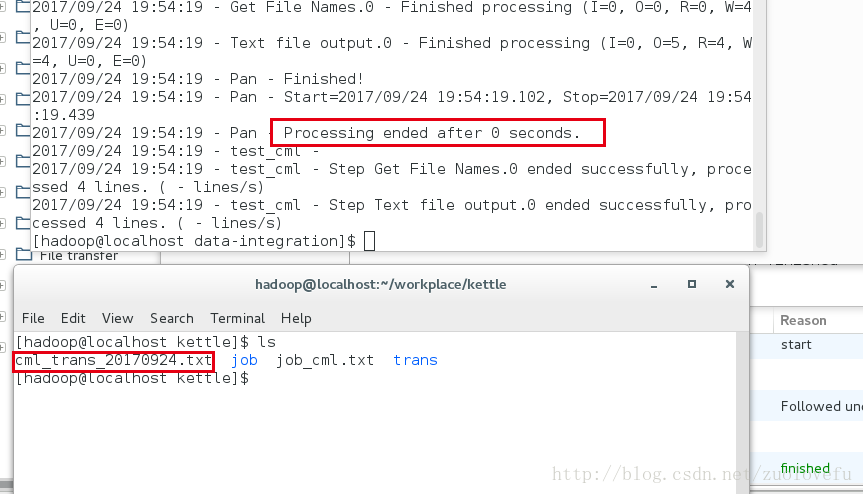
./pan.sh -file=/home/hadoop/workplace/kettle/trans/test_cml.ktr -norep
- 1
b.Kitchen的命令行参数及语法:
语法与Pan一样,参数有点不同。
| Switch | urpose |
|---|---|
| rep | Enterprise or database repository name, if you are using one |
| user | Repository username |
| pass Repository | password |
| job | The name of the job (as it appears in the repository) to launch |
| dir | The repository directory that contains the job, including the leading slash |
| file | If you are calling a local KJB file, this is the filename, including the path if it is not in the local directory |
| level | The logging level (Basic, Detailed, Debug, Rowlevel, Error, Nothing) |
| logfile | A local filename to write log output to |
| listdir | Lists the sub-directories within the specified repository directory |
| listjob | Lists the jobs in the specified repository directory |
| listrep | Lists the available repositories |
| export | Exports all linked resources of the specified job. The argument is the name of a ZIP file. |
| norep | Prevents Kitchen from logging into a repository. If you have set the KETTLE_REPOSITORY, KETTLE_USER, and KETTLE_PASSWORD environment variables, then this option will enable you to prevent Kitchen from logging into the specified repository, assuming you would like to execute a local KTR file instead. |
| version | Shows the version, revision, and build date |
| param | Set a named parameter in a name=value format. For example: -param:FOO=bar |
| listparam | List information about the defined named parameters in the specified job. |
| maxloglines | The maximum number of log lines that are kept internally by PDI. Set to 0 to keep all rows (default) |
| maxlogtimeout | The maximum age (in minutes) of a log line while being kept internally by PDI. Set to 0 to keep all rows indefinitely (default) |
执行本地job的命令行语句:
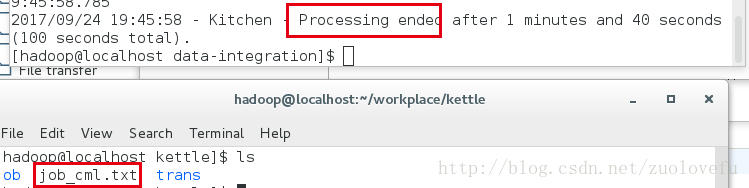
/home/kettle/data-integration/kitchen.sh -file=/home/kettle/transition/move.kjb -log=log.log
- 1
形式:
$kitchen路径 -file=$job路径 log=$log路径
- 1
调用pan结果:
调用kitchen结果:
3.个人常用命令选项
由于我当前的工作环境都是执行本地的job和trans文件,所以常用的命令选项有:
| 命令 | 描述 |
|---|---|
| -file | job或trans文件路径 |
| -norep | 标明不是资源库里的文件 |
| -param | 参数设置 |
| -logfile | log输出文件名 |
| -level | log级别 (Basic, Detailed, Debug, Rowlevel, Error, Nothing) |
Linux下用命令来执行kettle文件资源库的文件ktr与kjb的方法的更多相关文章
- linux下rm命令删除文件名中包含特殊字符的文件【转】
转自:http://blog.itpub.net/143526/viewspace-1060083/ 1. 删除带“-”的文件名的方法 2. 删除包含其它特殊字符的文件 3. 删除系统打不出的乱码文件 ...
- Linux下pecl命令无法执行的解决
pecl install swoole 提示如下错误:bash: pecl: command not found执行yum install php-pear生效
- linux下svn命令使用大全
最近经常使用svn进行代码管理,这些命令老是记不住,得经常上网查,终于找了一个linux下svn命令使用大全:1.将文件checkout到本地目录 svn checkout path(path是服务器 ...
- [转载]linux下svn命令使用大全
原文地址:http://blog.chinaunix.net/uid-22150747-id-189264.html 最近经常使用svn进行代码管理,这些命令老是记不住,得经常上网查,终于找了一个li ...
- Linux下scp命令使用
linux下scp命令主要是用来远程拷贝文件,下面介绍两种使用方法 1,拷贝本机文件到远程文件 举例子:把我本地的change目录下的changeFile.txt上传到远程192.168.2.88的k ...
- LINUX学习笔记——LINUX下EXP命令全库备份数据库文件
LINUX下EXP命令全库备份数据库文件 1)建立备份目录,目录操作权限授权给Oracle用户 mkdir /backup --创建backup文件夹 cd / --进入cd语句 ls -l ...
- Linux下的命令,删除文件夹下的所有文件,而不删除文件夹本身
Linux下的命令,删除文件夹下的所有文件,而不删除文件夹本身 rm -rf *
- 在Linux下使用命令行打印文件
近期需要将数学笔记打印出来复习,才发现Linux KDE环境下的默认PDF软件Okular根本无法将我在GoodNotes B5大小的页面写下的内容自适应地放大到A4纸上,只能以页面的原始尺寸打印.然 ...
- 例解 Linux 下 Make 命令
Linux 下 make 命令是系统管理员和程序员用的最频繁的命令之一.管理员用它通过命令行来编译和安装很多开源的工具,程序员用它来管理他们大型复杂的项目编译问题.本文我们将用一些实例来讨论 make ...
随机推荐
- MySQL两地三中心方案初步设计【转】
整体内容会按照如下的方式来进行设计: 首先说下方案的背景,我参考了一些资料(参见附件). 方案背景 随着互联网业务快速发展,多IDC的业务支撑能力和要求也逐步提升,行业内的“两地三中心”方案较为流行. ...
- npm install 时 No matching version found for react-flow-design@1.1.14
执行 npm install时报错如下: 4017 silly pacote range manifest for react-highcharts@^16.0.2 fetched in 19ms40 ...
- ModSecurity:一款优秀的开源WAF
一.ModSecurity3.0介绍 ModSecurity是一个开源的跨平台Web应用程序防火墙(WAF)引擎,用于Apache,IIS和Nginx,由Trustwave的SpiderLabs开发. ...
- oracle11g 查询临时表空间的使用率和正在使用临时表空间的用户
转: oracle11g 查询临时表空间的使用率和正在使用临时表空间的用户 原创 Oracle 作者:记录每一次错误 时间:2018-12-21 15:46:33 11179 0 今天开发反映说临时表 ...
- 记一次haproxy反向代理配置
首先借用一下前辈的话,解释下反向代理是什么? 反向代理:以代理服务器来接受internet上的连接请求,然后将请求转发给内部网络上的服务器,并将从服务器上得到的结果返回给internet上请求连接的客 ...
- osgearth 编译日志
1>------ 已启动生成: 项目: ZERO_CHECK, 配置: Debug x64 ------1> Checking Build System1> CMake does n ...
- 搭建iscsi存储系统(一)
(1).DAS.SAN.NAS三种存储方式 参考:https://blog.csdn.net/qq_23348071/article/details/73963407 DAS全称Direct-Atta ...
- jQuery根据style筛选元素
<div style="display:block;"> <input/> </div> <div style="display ...
- kafka删除topic后再创建同名的topic报错(ERROR org.apache.kafka.common.errors.TopicExistsException)
[hadoop@datanode3 logs]$ kafka-topics.sh --delete --zookeeper datanode1:2181 --topic firstTopic firs ...
- Java以UTF-8格式读写及追加写文件示例
package test; import java.io.BufferedReader; import java.io.File; import java.io.FileInputStream; im ...