
Struts2数据封装
首先是简单数据类型的封装
jsp页面
<%@ page contentType="text/html;charset=UTF-8" language="java" %>

<%@ taglib prefix="s" uri="/struts-tags" %>

<html>

<head>

    <title>Title</title>

</head>

<body>

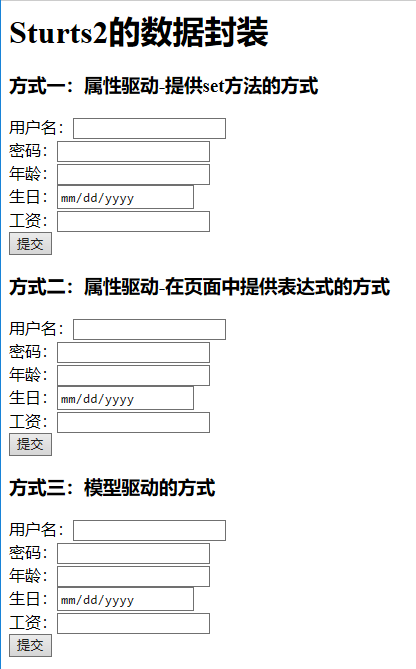
<h1>Sturts2的数据封装</h1>

<h3>方式一:属性驱动-提供set方法的方式</h3>

<s:fielderror/>

<form action="${pageContext.request.contextPath}/userAction1.action" method="post">

    用户名:<input type="text" name="username"><br/>

    密码:<input type="password" name="password"><br/>

    年龄:<input type="text" name="age"><br/>

    生日:<input type="date" name="birthday"><br/>

    工资:<input type="text" name="salary"><br/>

    <input type="submit" value="提交">

</form>

<h3>方式二:属性驱动-在页面中提供表达式的方式</h3>

<form action="${pageContext.request.contextPath}/userAction2.action" method="post">

    用户名:<input type="text" name="user.username"><br/>

    密码:<input type="password" name="user.password"><br/>

    年龄:<input type="text" name="user.age"><br/>

    生日:<input type="date" name="user.birthday"><br/>

    工资:<input type="text" name="user.salary"><br/>

    <input type="submit" value="提交">

</form>

<h3>方式三:模型驱动的方式</h3>

<form action="${pageContext.request.contextPath}/userAction3.action" method="post">

    用户名:<input type="text" name="username"><br/>

    密码:<input type="password" name="password"><br/>

    年龄:<input type="text" name="age"><br/>

    生日:<input type="date" name="birthday"><br/>

    工资:<input type="text" name="salary"><br/>

    <input type="submit" value="提交">

</form>

</body>

</html>
struts.xml
<?xml version="1.0" encoding="UTF-8"?>

<!DOCTYPE struts PUBLIC

        "-//Apache Software Foundation//DTD Struts Configuration 2.5//EN"

        "http://struts.apache.org/dtds/struts-2.5.dtd">

<struts>

    <package name="demo2" extends="struts-default" namespace="/">

        <global-results>

            <result name="input">/</result>

        </global-results>

        <action name="userAction1" class="com.jinke.domain.UserAction1"/>

        <action name="userAction2" class="com.jinke.domain.UserAction2"/>

        <action name="userAction3" class="com.jinke.domain.UserAction3"/>

    </package>

</struts>
实体类
import java.util.Date;

public class User {

    private String username;

    private String password;

    private Integer age;

    private Date birthday;

    private Double salary;

    public String getUsername() {

        return username;

    }

    public void setUsername(String username) {

        this.username = username;

    }

    public String getPassword() {

        return password;

    }

    public void setPassword(String password) {

        this.password = password;

    }

    public Integer getAge() {

        return age;

    }

    public void setAge(Integer age) {

        this.age = age;

    }

    public Date getBirthday() {

        return birthday;

    }

    public void setBirthday(Date birthday) {

        this.birthday = birthday;

    }

    public Double getSalary() {

        return salary;

    }

    public void setSalary(Double salary) {

        this.salary = salary;

    }

    @Override

    public String toString() {

        return "User{" +

                "username='" + username + '\'' +

                ", password='" + password + '\'' +

                ", age=" + age +

                ", birthday=" + birthday +

                ", salary=" + salary +

                '}';

    }

}
简单数据封装的三种方式
import com.opensymphony.xwork2.ActionSupport;

import java.util.Date;

/**

 * 数据封装的方式一:提供属性的set方法

 */

public class UserAction1 extends ActionSupport {

    private String username;

    private String password;

    private Integer age;

    private Date birthday;

    private Double salary;

    @Override

    public String execute() throws Exception {

        //接收数据

        System.out.println(username);

        System.out.println(password);

        System.out.println(age);

        System.out.println(birthday);

        System.out.println(salary);

        //封装数据

        User user = new User();

        user.setUsername(username);

        user.setPassword(password);

        user.setAge(age);

        user.setBirthday(birthday);

        user.setSalary(salary);

        return NONE;

    }

    public void setUsername(String username) {

        this.username = username;

    }

    public void setPassword(String password) {

        this.password = password;

    }

    public void setAge(Integer age) {

        this.age = age;

    }

    public void setBirthday(Date birthday) {

        this.birthday = birthday;

    }

    public void setSalary(Double salary) {

        this.salary = salary;

    }

}
import com.opensymphony.xwork2.ActionSupport;

/**

 * 数据封装的方式二:属性驱动-在页面中提供表达式的方式

 */

public class UserAction2 extends ActionSupport {

    //提供一个User对象

    private User user;

    public void setUser(User user) {

        this.user = user;

    }

    public User getUser() {

        return user;

    }

    @Override

    public String execute() throws Exception {

        System.out.println(user.toString());

        return NONE;

    }

}
import com.opensymphony.xwork2.ActionSupport;

import com.opensymphony.xwork2.ModelDriven;

/**

 * 数据封装的方式三:模型驱动的方式

 */

public class UserAction3 extends ActionSupport implements ModelDriven<User> {

    private User user = new User();//手动实例化User

    @Override

    public String execute() throws Exception {

        System.out.println(user.toString());

        return NONE;

    }

    //模型驱动需要使用的方法

    @Override

    public User getModel() {

        return user;

    }

}
结果
下面是复杂数据类型的封装
jsp页面
<%@ page contentType="text/html;charset=UTF-8" language="java" %>

<html>

<head>

    <title>Title</title>

</head>

<body>

<h1>Struts2复杂类型的数据封装</h1>

<h3>封装到List集合中:批量插入商品</h3>

<form action="${pageContext.request.contextPath}/productAction1.action" method="post">

    商品名称:<input type="text" name="products[0].name"><br/>

    商品价格:<input type="text" name="products[0].price"><br/>

    商品名称:<input type="text" name="products[1].name"><br/>

    商品价格:<input type="text" name="products[1].price"><br/>

    商品名称:<input type="text" name="products[2].name"><br/>

    商品价格:<input type="text" name="products[2].price"><br/>

    <input type="submit" value="提交">

</form>

<h3>封装到Map集合中:批量插入商品</h3>

<form action="${pageContext.request.contextPath}/productAction2.action" method="post">

    商品名称:<input type="text" name="map['one'].name"><br/>

    商品价格:<input type="text" name="map['one'].price"><br/>

    商品名称:<input type="text" name="map['two'].name"><br/>

    商品价格:<input type="text" name="map['two'].price"><br/>

    商品名称:<input type="text" name="map['three'].name"><br/>

    商品价格:<input type="text" name="map['three'].price"><br/>

    <input type="submit" value="提交">

</form>

</body>

</html>
struts.xml
<?xml version="1.0" encoding="UTF-8"?>

<!DOCTYPE struts PUBLIC

        "-//Apache Software Foundation//DTD Struts Configuration 2.5//EN"

        "http://struts.apache.org/dtds/struts-2.5.dtd">

<struts>

    <package name="demo3" extends="struts-default" namespace="/">

        <action name="productAction1" class="com.jinke.product.ProductAction1"/>

        <action name="productAction2" class="com.jinke.product.ProductAction2"/>

    </package>

</struts>
实体类
public class Product {

    private String name;

    private Double price;

    public String getName() {

        return name;

    }

    public void setName(String name) {

        this.name = name;

    }

    public Double getPrice() {

        return price;

    }

    public void setPrice(Double price) {

        this.price = price;

    }

    @Override

    public String toString() {

        return "Product{" +

                "name='" + name + '\'' +

                ", price=" + price +

                '}';

    }

}
数据保存到List中
import com.opensymphony.xwork2.ActionSupport;

import java.util.List;

/**

 * 负责类型数据封装到List中

 */

public class ProductAction1 extends ActionSupport {

    private List<Product> products;

    public void setProducts(List<Product> products) {

        this.products = products;

    }

    public List<Product> getProducts() {

        return products;

    }

    @Override

    public String execute() throws Exception {

        for (Product product : products) {

            System.out.println(product);

        }

        return NONE;

    }

}
数据保存到Map中
import com.opensymphony.xwork2.ActionSupport;

import java.util.Map;

/**

 * 负责类型数据封装到Map中

 */

public class ProductAction2 extends ActionSupport {

    private Map<String, Product> map;

    public Map<String, Product> getMap() {

        return map;

    }

    public void setMap(Map<String, Product> map) {

        this.map = map;

    }

    @Override

    public String execute() throws Exception {

        for (String key : map.keySet()) {

            Product product = map.get(key);

            System.out.println(product.toString());

        }

        return NONE;

    }

}
结果

欢迎关注我的微信公众号:安卓圈

Struts2数据封装的更多相关文章
- JAVA框架Struts2 数据封装
一.strust2封装数据包含二部分: 数据在到Action类的时候,会经过拦截器,拦截器会有很多功能:比如数据封装.类型转换等. 我可以查看下strust-default.xml文件,看那些拦截器默 ...
- Struts2的数据封装
在很多的实际开发场景中,页面提交请求参数Action ,在Action中接收参数并对接收的数据进行封装.封装到一个JavaBean中,将JavaBean传递给业务层中.Struts2数据封装分为两类: ...
- Struts2基础学习(三)—Result和数据封装
一.Result Action处理完用户请求后,将返回一个普通的字符串,整个普通字符串就是一个逻辑视图名,Struts2根据逻辑视图名,决定响应哪个结果,处理结果使用<result&g ...
- Struts2中类数据封装的方式
第一种方式:属性驱动提供对应属性的set方法进行数据的封装.表单的哪些属性需要封装数据,那么在对应的Action类中提供该属性的set方法即可.表单中的数据提交,最终找到Action类中的setXxx ...
- java框架之Struts2(2)-访问Servlet API及请求数据封装
准备 为后面测试示例编写代码及配置如下: package com.zze.bean; import java.util.Date; public class User { private String ...
- Struts2框架的数据封装一之属性封装(属性封装的第二种方式:封装成javaBean)
Struts2中提供了两类数据封装的方式? 第一种方式:属性驱动(有两种方式:一个对属性,另外一个是将参数封装到javaBean中) B. 在页面上,使用OGNL表达式进行数据封装.(将参数封装到ja ...
- Struts2框架的数据封装一之属性封装(属性封装的第一种方式:对参数进行封装)
request带着参数来,aciton对其进行处理.在学习action之前,使用的是servlet对request进行处理.request请求时会带有参数,所以我们要对这些参数进行封装. 1. 为什么 ...
- struts2学习笔记(四)——访问Servlet的API&结果跳转&数据封装
一.Struts2访问Servlet的API 前面已经对Struts2的流程执行完成了,但是如果表单中有参数如何进行接收?又或者我们需要向页面保存一些数据,又要如何完成呢?我们可以通过学习Struts ...
- Struts2中数据封装机制
Struts2当中数据封装的三种机制:属性驱动.标签驱动.模型驱动.下面来一一介绍. 一.属性驱动 1.需要提供对应属性的set方法进行数据的封装. 2.表单的哪些属性需要封装数据,那么在对应的Act ...
随机推荐
- 汇编 JMP 详解
汇编 JMP 详解 关键词说明 RVA: 相对虚拟地址(Relative Virtual Address),在内存中相对于PE文件装入地址的偏移位置,是一个相对地址. JMP 的 3 种类型 短跳转( ...
- Spring Cloud 之 Hystrix 知识点:隔离、熔断、降级
Hystrix 是隔离.熔断以及降级的一个框架. Hystrix 的隔离: Hystrix 会搞很多个小小的线程池,比如订单服务请求库存服务是一个线程池,请求仓储服务是一个线程池,请求积分服务是一个线 ...
- springBoot 日志中关于profiles设置的源码解读
在启动SpringBoot应用是看到到如下日志,于是出于好奇查看了下源代码: 首先,StartpInfoLogger类,采用jcl-over-slf4j[即Apache Common Log]中的Lo ...
- Internal.Cryptography.CryptoThrowHelper+WindowsCryptographicException 拒绝访问 / 出现了内部错误 c# – 当使用X509Certificate2加载p12/pfx文件时出现
环境:iis/netcore 2.2 初始调用:X509Certificate2 certificate = new X509Certificate2(input.Path, CER_PASSWORD ...
- 彻底掌握网络通信(七)ConnectionReuseStrategy,ConnectionKeepAliveStrategy解析
网络通信系列文章序 彻底掌握网络通信(一)Http协议基础知识 彻底掌握网络通信(二)Apache的HttpClient基础知识 彻底掌握网络通信(三)Android源码中HttpClient的在不同 ...
- Hibernate——离线查询
1.Criteria查询方式: (1)一般方式: 缺点:每一次查询dao层都需要书写对应的方法,离线查询可以解决这个问题. (2)离线方式: 2.离线查询 用DetachedCriteria来构造查询 ...
- yugabyte 安装pg extention
前段时间在学习yugabyte 发现yugabyte 是直接复用了pg server的源码,所以当时就觉得大部分pg extension 也是可用. 今天看到了官方文档中有关于如何安装的,发现还得多看 ...
- 用于C# 的异步,持久的键值存储 Akavache 使用
Akavache是一个异步的,持久的(即写入磁盘)键值存储,用于在C#中编写桌面和移动应用程序,基于SQLite3.Akavache非常适合存储重要数据(即用户设置)以及过期的缓存本地数据. 开源 ...
- 洛谷 P2815 IPv6地址压缩 题解
P2815 IPv6地址压缩 题目背景 (友情提示:IPv6基础知识曾多次出现在NOIP初赛中)Internet Protocol,互联网协议,即为我们常说的IP.我们目前常说的IP主要指它的第四版, ...
- 组件&Props
组件允许你将Ui拆分为独立可复用的代码片段,并对每个片段进行独立构思.本指南只在介绍组件的相关概念.你可以参考详细组件 API. 组件,从概念上类似与JavaScript函数.它接受任意的入参(既“p ...