
mysql数据库的安装和连接测试并给root用户赋密码
一、mysql数据库的安装
Windows下MySQL的配置
以 MySQL 5.1 免安装版为例, 下载 mysql-noinstall-5.1.69-win32.zip ( 官方下载页: http://dev.mysql.com/downloads/mysql/5.1.html#downloads )
1.打开mysql-5.0.18-win32文件夹,然后点击setup.exe
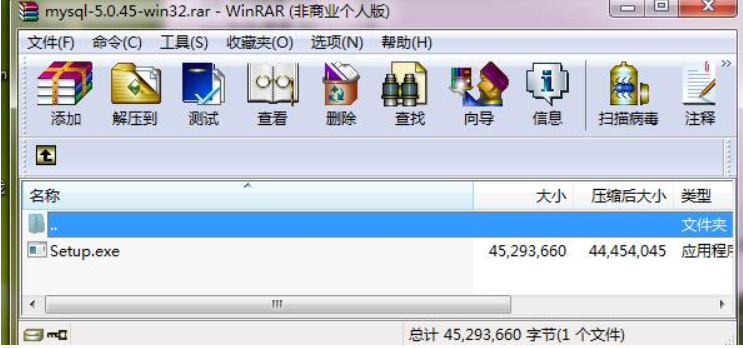
2、点击next
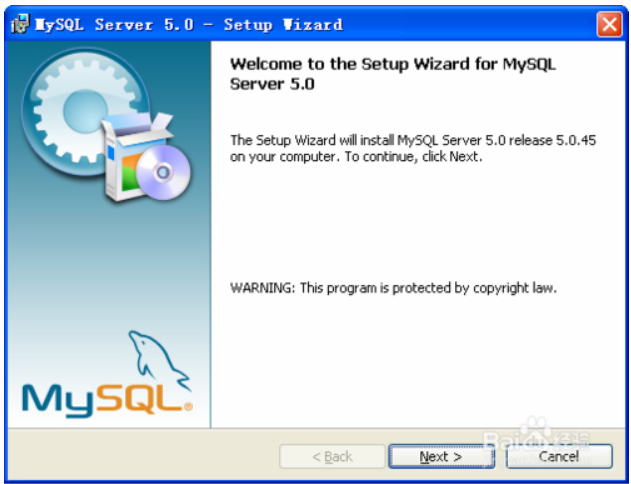
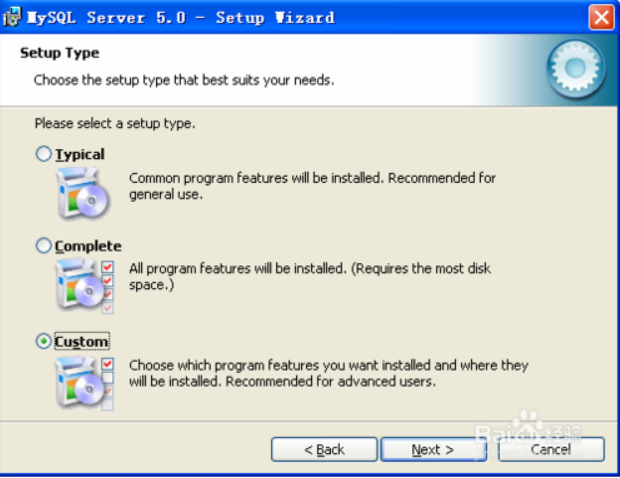
3、选取“custom”,点击next
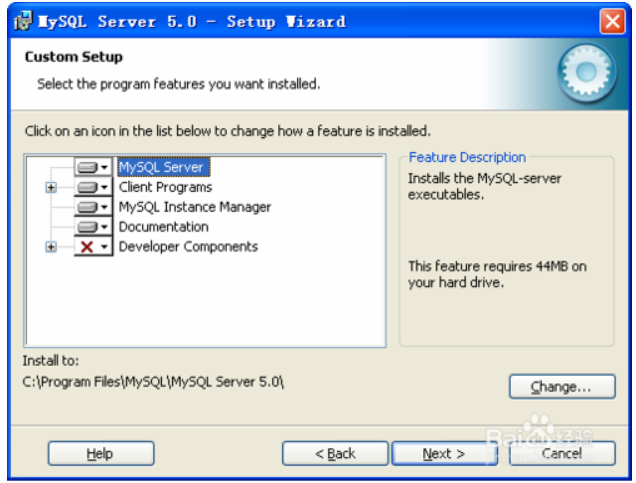
4、点击“change”,改变安装路径,然后点击next
5、点击“install”后,等待几秒钟,出现图

6、点next
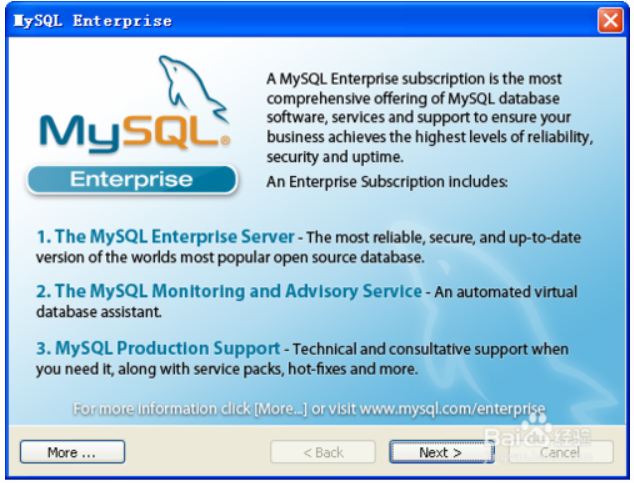
7、点next
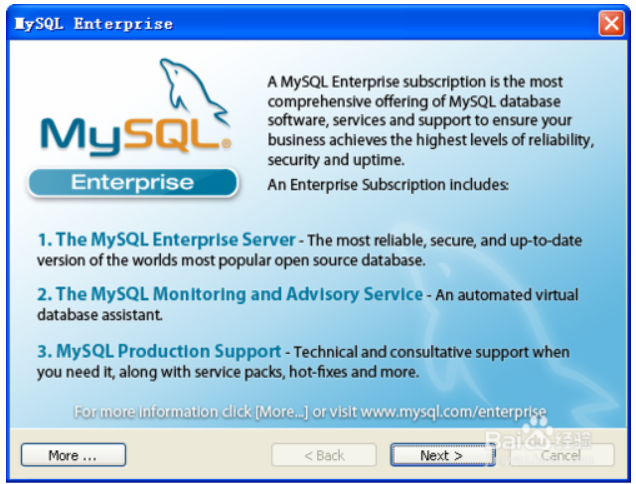
8、点“finish”,进入数据库配置
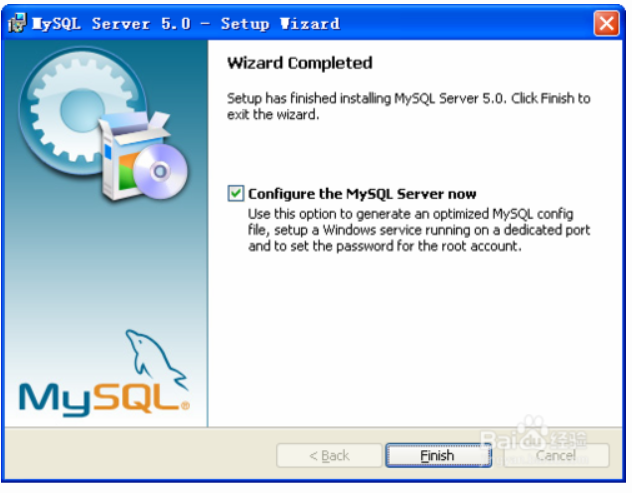
9、点next

10、点next
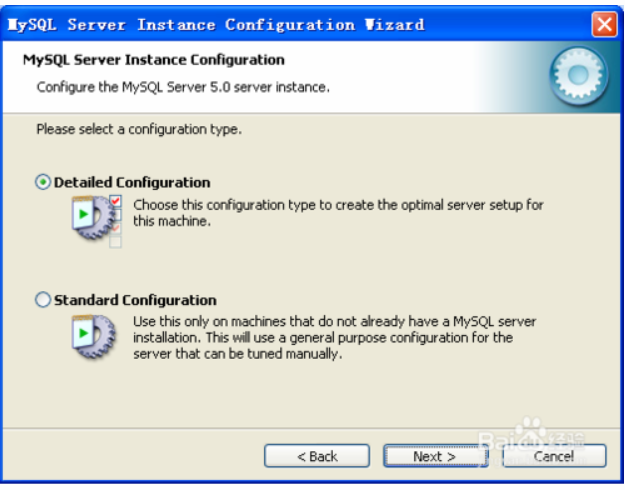
11、选取“Server Machine”,点“next”
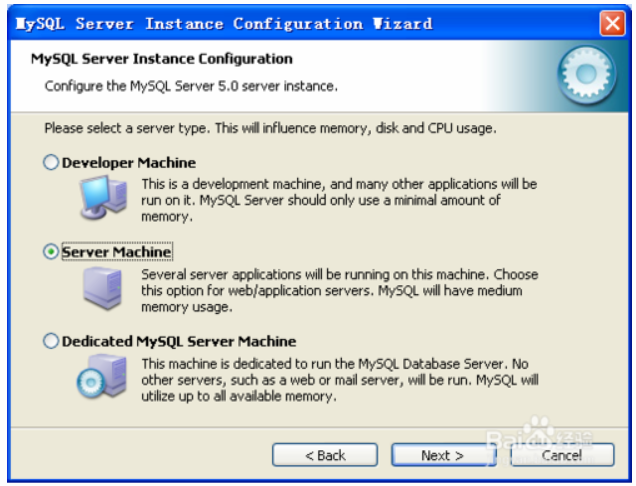
12、点“next”
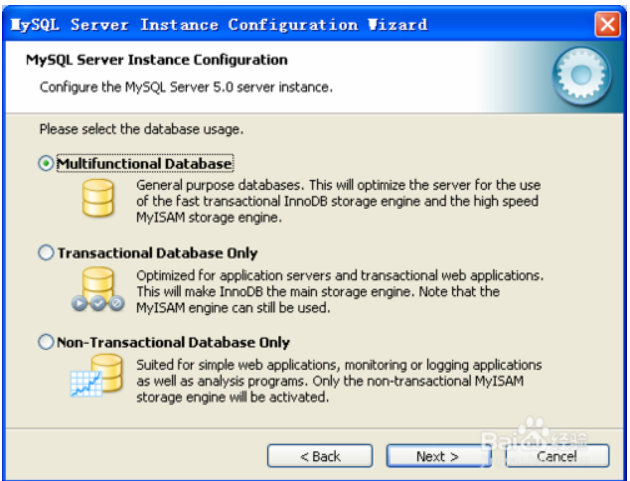
13、点“next”
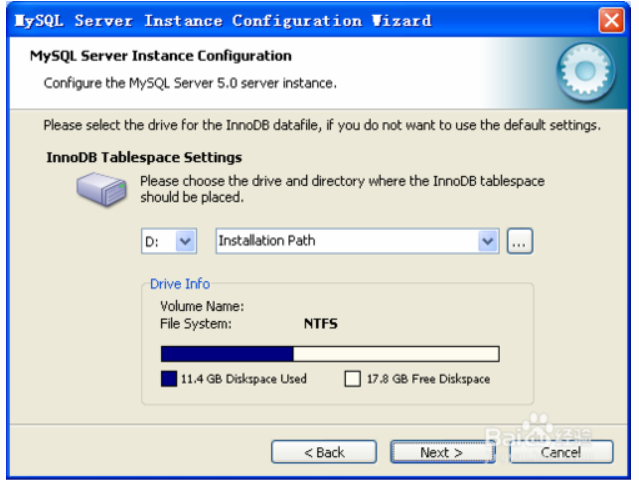
14、点“next”
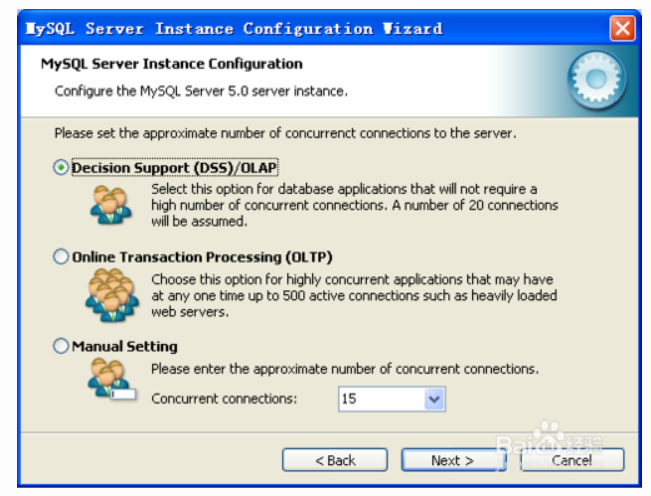
15、点“next”
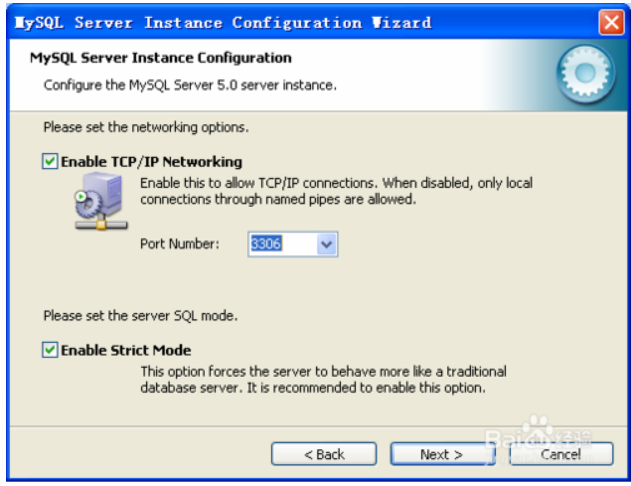
16、选取“Manual Selected Default Character Set /Collation”,然后选取字符集为“GBK”,点“next”

17、修改ServiceName mysql5018,点“next”(注:此处贵行需写的是mysql5018,因为现在你要装的是mysql 5.0.18版本的mysql)
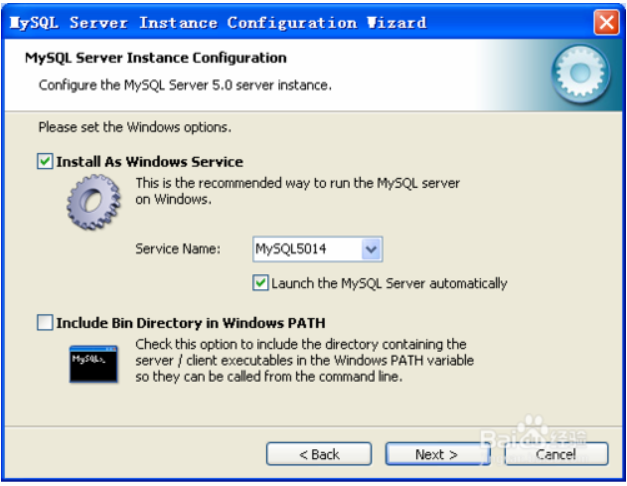
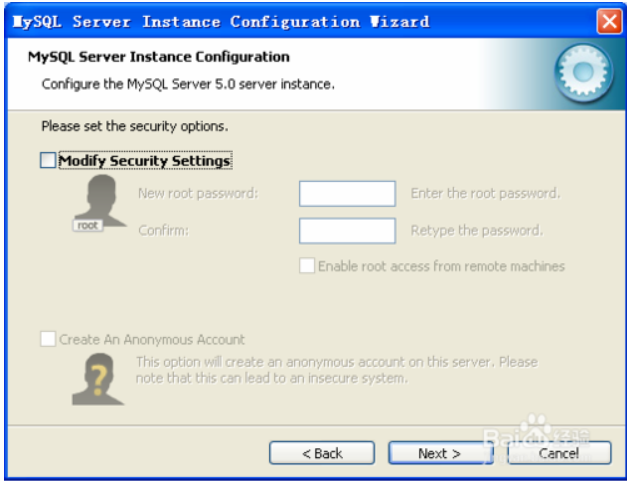
18、去掉“Modify Security Settings”选取,点Next
19、点击Execute
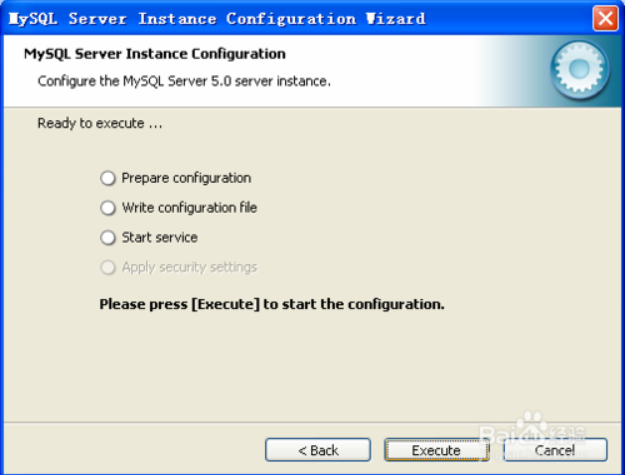
20、Mysql 安装完毕
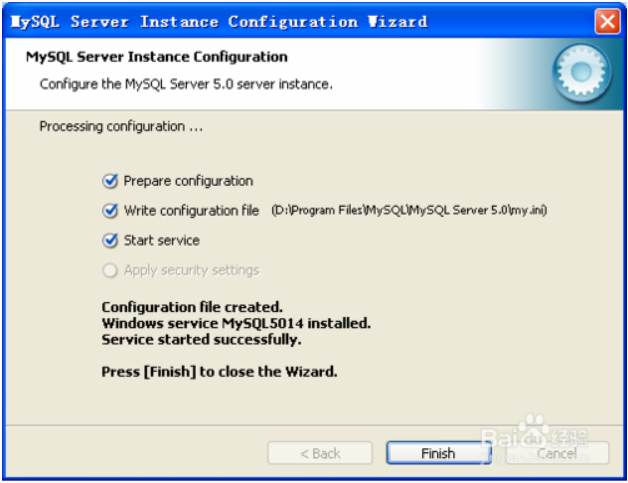
二、测试是否能连接上数据库,刚装好数据库没有密码
→ Window+R 输入cmd 打开dos
→ C:\Users\Dell>cd/
→ C:\>d:
→ D:\>cd D:\Program Files\MySQL\MySQL Server 5.0\bin
→ D:\Program Files\MySQL\MySQL Server 5.0\bin>mysql -uroot
Welcome to the MySQL monitor. Commands end with ; or \g.
Your MySQL connection id is 3
Server version: 5.0.45-community-nt MySQL Community Edition (GPL)
Type 'help;' or '\h' for help. Type '\c' to clear the buffer.
→ mysql>
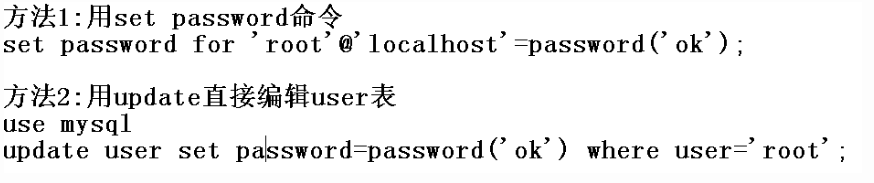
三、给root用户添加密码root
方法1:
→ D:\Program Files\MySQL\MySQL Server 5.0\bin>mysqladmin -u root -p password
Enter password: ****
mysqladmin: Too few arguments to change password
→ D:\Program Files\MySQL\MySQL Server 5.0\bin>mysql -u root -proot
Welcome to the MySQL monitor. Commands end with ; or \g.
Your MySQL connection id is 9
Server version: 5.0.45-community-nt MySQL Community Edition (GPL)
Type 'help;' or '\h' for help. Type '\c' to clear the buffer.
→mysql>
mysql数据库的安装和连接测试并给root用户赋密码的更多相关文章
- 1、MySql的安装和连接测试并给root用户赋密码
一.mysql数据库的安装 Windows下MySQL的配置 以 MySQL 5.1 免安装版为例, 下载 mysql-noinstall-5.1.69-win32.zip ( 官方下载页: http ...
- MYSQL数据库配置安装、重置密码以及工具连接
一.下载mysql安装包 下载地址:https://dev.mysql.com/downloads/mysql/ 下载解压好之后,就是一个文件夹的形式. 二.配置环境变量 环境变量的配置,就是把MyS ...
- 在centos7中使用yum安装mysql数据库并使用navicat连接
1.安装 1.查看yum列表,发现没有mysql [root@server-mysql src]# yum list mysql 已加载插件:fastestmirror Repodata is ove ...
- CentOS6.4/6.7下Mysql数据库的安装与配置(转载)
通过RPM方式 给centos 安装mysql 最好有光盘,呵呵,网络也可以下载rpm安装包,不过文件较大. 1 挂载光盘 mount /dev/cdrom /mnt/cdrom/mount: b ...
- mysql数据库的安装与配置
mysql数据库的安装与配置及workbench的简单使用 mysql数据库社区版下载:https://dev.mysql.com/downloads/installer/ 我这里选的是社区安装版(适 ...
- centos6.5 MySQL数据库的安装
<div id="home"><div id="header"> <div id="blogTitle"> ...
- MySQL数据库的安装教程及相关问题
MySQL数据库的安装教程及相关问题 2018-07-13 MySQL数据库的下载及安装教程 问题1:Authentication plugin 'caching_sha2_password' can ...
- CentOS6.4下Mysql数据库的安装与配置
原文连接:http://www.cnblogs.com/xiaoluo501395377/archive/2013/04/07/3003278.html 说到数据库,我们大多想到的是关系型数据库,比如 ...
- mysql学习笔记之mysql数据库的安装
1.执行mysql安装包选择自己定义安装(安装路径不要带中文,否则安装会出错! ) 2.一个mysql想要操作成功须要有三部分:server端,数据段,数据. 3.server软件文件夹: 4.数据文 ...
随机推荐
- 一种SpaceClaim抽取流道的方法——利用缺失的面功能
针对不干净的几何,内部存在诸多碎面小缝隙,采用此方法可能会有较好的效果,不过需要耐心. 测试几何需要SpaceClaim19.0以上软件可以打开,下载链接: https://pan.baidu.com ...
- mariadb新安装解决远程访问以及root登录
mariadb新安装解决远程访问以及root登录一.修改/etc/mysql/my.conf找到bind-address = 127.0.0.1这一行直接#掉或者改为bind-address = 0. ...
- 暑假gosh计划
[要参与的事项]: 1.大创 2.CTF 3.ACM 4.自己的巴拉巴拉巴 [基本目标]: 1.大创 学完一本Java入门教材 学习Material Design,了解典型交互,进行ui初步设计 2. ...
- Unable to resolve dependency for ':app@debug/compileClasspath' could not resolve com.android.support:design:28.0.0
使用AndroidStudio3.2报这个错 配置 解决方法 1)去掉代理 gradle目录的下代理属性也 注销掉. 2)项目的gradle设定 3)设定项目的gradle-wrapper.pro ...
- javascript的Map使用
setExpenseAndAmountSum: function() { var detailList = vehicleVueObj.vehicleData; var expenseAmountSu ...
- kaggle, gmail, 烟雨朦胧
kaggle, gmail, 烟雨朦胧 刚才为了体验kaggle,用gmail重新登录,需要验证十几年前在桂林使用的手机号,竟然找到了,终于又可以上了. 那是一个在烟雨江南里努力奋斗而又迷失自我不堪回 ...
- sumdoc t3 final dir.txt
C:\Users\zhoufeiyue\Documents\sumdoc t3 final\sumdoc t3 final dir.txtC:\Users\zhoufeiyue\Documents\s ...
- ireport5.6.0分组显示
一,ireport中分组 二,java调用实现分组 一,ireport中分组: 1,新建模板文件,纸张随意,名称随意,路径随意 2,连接要分组的数据源 3,添加测试表和数据 CREATE TABLE ...
- MyBatis踩坑之SQLProvider转义字符被删除问题
目录 踩坑背景 问题描述 原因追踪 解决方案 方法一 方法二 踩坑背景 项目架构:Spring Boot + MyBatis + MySQL. 使用MyBatis作为ORM框架,jdbc驱动使用的是m ...
- Windows Server 2008 R2怎样设置自动登陆(登录)
方法一: 打开电脑“菜单”,右键点击“运行”,在对话框输入“control userpasswords2”,点击“确定”. 弹出的窗口取消勾选“要使用本机用户必须输入用户名和密码”,取消后点击“确定” ...