
promise封装小程序的蓝牙类
// pages/bluetooth/bluetooth.js

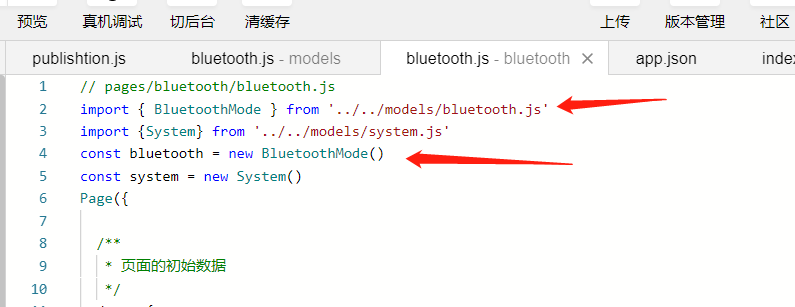
import { BluetoothMode } from '../../models/bluetooth.js'

import {System} from '../../models/system.js'

const bluetooth = new BluetoothMode()

const system = new System()

Page({

  /**

   * 页面的初始数据

   */

  data: {

    devicesData: [],

    sys: {}

  },

  /**

   * 生命周期函数--监听页面加载

   */

  onLoad: function (options) {

    const res=system.getSync()

    this.setData({

      sys:res

    })

  },

  // 点击连接蓝牙设备

  connectionBluetooth: function (e) {

    const deviceId = e.currentTarget.dataset.id

    bluetooth.connect(deviceId).then(res => {

      wx.setStorageSync('serviceData', res)

      // 停止搜索 减少资源

      bluetooth.stop()

      wx.navigateTo({

        url: '../device/device?name=' + e.currentTarget.dataset.name,

      })

    })

  },

  // 扫描设备

  startBluetooth() {

    this._initBluetooth()

  },

  //初始化蓝牙适配器

  _initBluetooth: function () {

    // 调用蓝牙子类的初始化事件

    bluetooth.initBluetooth().then(res => {

      // 监听发现新的设备

      bluetooth.on('newDevice',data => {

        this.setData({

          devicesData:data

        })

      })

    })

  },

})
1.继上一篇文章中的观察者模式
import {

  PublishtionModel

} from 'publishtion.js'

const tips = {

  0: '正常',

  10000: '未初始化蓝牙适配器',

  10001: '当前蓝牙适配器不可用,请打开手机蓝牙后重试',

  10002: '没有找到指定设备',

  10003: '连接失败',

  10004: '没有找到指定服务',

  10005: '没有找到指定特征值',

  10006: '当前连接已断开',

  10007: '当前特征值不支持此操作',

  10008: '其余所有系统上报的异常',

  10009: 'Android 系统特有,系统版本低于 4.3 不支持 BLE',

  10012: '连接超时',

  10013: '连接 deviceId 为空或者是格式不正确',

  20000: '蓝牙适配器不可用,蓝牙可能被关闭',

}

class BluetoothMode extends PublishtionModel {

  //获取搜索到的蓝牙设备

  data = []

  //初始化蓝牙适配器

  initBluetooth() {

    return new Promise((resolve, reject) => {

      this._initBluetooth().then(res => {

        this._getBluetoothState()

        return this._search()

      }).then(res => {

        // 开启监听

        this._onDFound()

        resolve(res)

      })

    })

  }

  _initBluetooth() {

    return new Promise((resolve, reject) => {

      wx.openBluetoothAdapter({

        success: res => {

          console.log(res)

          console.log('初始化蓝牙模块成功')

          resolve()

        },

        fail: error => {

          console.log(error)

          this._showTips(error.errCode)

        }

      })

    })

  }

  // 连接低功耗蓝牙

  connection(deviceId) {

    return new Promise((resolve, reject) => {

      wx.createBLEConnection({

        deviceId,

        success: res => {

          console.log(res)

          this._setDevice(deviceId)

          // 暂停搜索

          this.stop()

          resolve({

            res,

            deviceId

          })

        },

        fail: res => {

          console.log(res)

        }

      })

    })

  }

  connect(deviceId) {

    return new Promise((resolve, reject) => {

      this.connection(deviceId).then(res => {

        return this.getServiceList(res.deviceId)

      }).then(res => {

        let promiseList = []

        for (var i in res.services) {

          promiseList.push(this.getBLEDeviveChar({

            deviceId,

            serviceId: res.services[i].uuid

          }))

        }

        return Promise.all(promiseList)

      }).then(res => {

        resolve(res)

      })

    })

  }

  // 启用低功耗蓝牙设备特征值变化时的 notify 功能,订阅特征值。

  // 注意:必须设备的特征值支持 notify 或者 indicate 才可以成功调用。

  notify({

    deviceId,

    serviceId,

    characteristicId

  }) {

    return new Promise((resolve, reject) => {

      wx.notifyBLECharacteristicValueChange({

        state: true, // 启用 notify 功能

        // 这里的 deviceId 需要已经通过 createBLEConnection 与对应设备建立链接

        deviceId,

        // 这里的 serviceId 需要在 getBLEDeviceServices 接口中获取

        serviceId,

        // 这里的 characteristicId 需要在 getBLEDeviceCharacteristics 接口中获取

        characteristicId,

        success(res) {

          resolve(res)

          console.log('notifyBLECharacteristicValueChange success', res.errMsg)

        }

      })

    })

  }

  // 获取服务列表

  getServiceList(deviceId) {

    return new Promise((resolve, reject) => {

      wx.getBLEDeviceServices({

        // 这里的 deviceId 需要已经通过 createBLEConnection 与对应设备建立链接

        deviceId,

        success(res) {

          console.log('device services:', res.services)

          resolve({

            services: res.services,

            deviceId

          })

        }

      })

    })

  }

  // 获取蓝牙设备某个服务中所有特征值 getBLEDeviceCharacteristics

  getBLEDeviveChar({

    deviceId,

    serviceId

  }) {

    return new Promise((resolve, reject) => {

      wx.getBLEDeviceCharacteristics({

        // 这里的 deviceId 需要已经通过 createBLEConnection 与对应设备建立链接

        deviceId,

        // 这里的 serviceId 需要在 getBLEDeviceServices 接口中获取

        serviceId,

        success(res) {

          resolve(res)

          console.log('device getBLEDeviceCharacteristics:', res.characteristics)

        }

      })

    })

  }

  // 断开与低功耗蓝牙设备的连接。

  closeConnection() {

    wx.closeBLEConnection({

      deviceId,

      success(res) {

        console.log(res)

      }

    })

  }

  //向低功耗蓝牙设备特征值中写入二进制数据。

  write({

    deviceId,

    serviceId,

    characteristicId,

    value

  }) {

    //传入String 返回 ArrayBuffer类型

    let abf = this.__hexStringToArrayBuffer(value)

    return new Promise((resolve, reject) => {

      wx.writeBLECharacteristicValue({

        // 这里的 deviceId 需要在 getBluetoothDevices 或 onBluetoothDeviceFound 接口中获取

        deviceId,

        // 这里的 serviceId 需要在 getBLEDeviceServices 接口中获取

        serviceId,

        // 这里的 characteristicId 需要在 getBLEDeviceCharacteristics 接口中获取

        characteristicId,

        // 这里的value是ArrayBuffer类型

        value: abf,

        success(res) {

          resolve(res)

          console.log('writeBLECharacteristicValue success', res.errMsg)

        }

      })

    })

  }

  // 停止搜寻附近的蓝牙外围设备

  stop() {

    return new Promise((resolve, reject) => {

      wx.stopBluetoothDevicesDiscovery({

        success(res) {

          console.log(res)

          resolve(res)

        }

      })

    })

  }

  // 关闭蓝牙适配器

  close() {

    wx.closeBluetoothAdapter()

  }

  // 获取设备Id

  getDevice() {

    return wx.getStorageSync('deviceId')

  }

  // 开启蓝牙搜索

  _search() {

    wx.showLoading({

      title: '正在扫描中...',

    })

    return new Promise((resolve, reject) => {

      wx.startBluetoothDevicesDiscovery({

        success: res => {

          console.log(res)

          resolve(res)

        },

        fail: err => {

          console.log(err)

        },

        complete: res => {

          setTimeout(() => {

            wx.hideLoading()

          }, 2000)

        }

      })

    })

  }

  //返回ArrayBuffe

  _hexStringToArrayBuffer(str) {

    if (!str) {

      return new ArrayBuffer(0);

    }

    var buffer = new ArrayBuffer(str.length);

    let dataView = new DataView(buffer)

    let ind = 0;

    for (var i = 0, len = str.length; i < len; i += 2) {

      let code = parseInt(str.substr(i, 2), 16)

      dataView.setUint8(ind, code)

      ind++

    }

    return buffer;

  }

  // 开启监听获取到新的设备

  _onDFound() {

    wx.onBluetoothDeviceFound(devices =>{

      this._getDevices().then(res=>{

        // console.log(this)

        this.publish(this.data,'newDevice')

      })

      // console.dir(devices)

    })

  }

  // 获取寻找的所有设备

  _getDevices() {

    return new Promise((resolve, reject) => {

      wx.getBluetoothDevices({

        success: res => {

          // console.log(res)

          let array = []

          for (var x in res.devices) {

            if (res.devices[x].name != '未知设备') {

              res.devices[x].advertisData = this._ab2hex(res.devices[x].advertisData)

              array.push(res.devices[x])

            }

          }

          // console.log(array)

          this.data = array

          resolve(array)

        }

      })

    })

  }

  // 获取蓝牙适配器的状态

  _getBluetoothState() {

    const that = this

    wx.onBluetoothAdapterStateChange(res => {

      console.log(res)

      if (res.available) {

        console.log('蓝牙模块可用')

      } else {

        wx.showModal({

          title: '提示',

          content: '蓝牙已被关闭',

          showCancel: false,

          success(res) {

            if (res.confirm) {

              console.log('用户点击确定')

            } else if (res.cancel) {

              console.log('用户点击取消')

            }

          }

        })

        this._showTips(20000)

        console.log('蓝牙模块不可用')

      }

      if (res.discovering) {

        console.log('蓝牙适配器处于搜索状态')

      } else {

        console.log('蓝牙适配器不处于搜索状态')

      }

    })

  }

  // ArrayBuffer转16进度字符串示例

  _ab2hex(buffer) {

    var hexArr = Array.prototype.map.call(

      new Uint8Array(buffer),

      function(bit) {

        return ('00' + bit.toString(16)).slice(-2)

      }

    )

    return hexArr.join('');

  }

  // 错误提示

  _showTips(code) {

    code && wx.showToast({

      title: tips[code],

      icon: 'none'

    })

  }

  // 储存设备Id

  _setDevice(id) {

    wx.setStorageSync('deviceId', id)

  }

}

export {

  BluetoothMode

}
2.在需要使用的页面中调用
promise封装小程序的蓝牙类的更多相关文章
- promise封装小程序的请求类(request,清爽易懂)
话不多说直接上代码,清爽易懂: import { config } from '../config.js' const tips = { 1:'抱歉出现了一个错误', 2:'网络错误', 1005:' ...
- 超简单 Promise封装小程序ajax 超好用 以及封装登录
//网络类 //封装网络请求 const ajax = (ajaxData, method) => { wx.showLoading({ title: '加载中', mask: true }); ...
- 小程序-promise封装小程序的请求方法
// 在utils-->base.js中,封装一个Base类,有一个axios方法 class Base{ constructor(){ } axios(method,url,data){ co ...
- 微信小程序开发-蓝牙功能开发
0. 前言 这两天刚好了解了一下微信小程序的蓝牙功能.主要用于配网功能.发现微信的小程序蓝牙API已经封装的很好了.编程起来很方便.什么蓝牙知识都不懂的情况下,不到两天就晚上数据的收发了,剩下的就是数 ...
- 微信小程序调用蓝牙功能控制车位锁
第一次学用微信小程序,项目需要,被逼着研究了一下,功能是调用微信小程序的蓝牙功能,连接上智能车位锁,控制升降,大概步骤及调用的小程序接口API如下: 1.打开蓝牙模块 wx.openBluetooth ...
- 微信小程序之蓝牙开发(详细读数据、写数据、附源码)
本文将详细介绍微信小程序的蓝牙开发流程(附源码)准备:微信只支持低功耗蓝牙也就是蓝牙4.0,普通的蓝牙模块是用不了的,一定要注意. 蓝牙可以连TTL接到电脑上,再用XCOM调试 一开始定义的变量 va ...
- 微信小程序退款 处理类
<?php /** * 微信小程序退款 处理类参考https://www.cnblogs.com/afei-qwerty/p/7922982.html * */ class WeixinRefu ...
- 基于promise对小程序http请求方法封装
原因是我不想每次请求都复制粘贴那么长的请求地址,所以我把前边那一坨请求地址作为基础地址,只传后台给的路由就ok,而且,并不是每次请求都要显示正在加载,这对小程序体验很差,所以,我加了个形参,用来判断是 ...
- 微信小程序初探【类微信UI聊天简单实现】
微信小程序最近很火,火到什么程度,只要你一打开微信,就是它的身影,几乎你用的各个APP都可以在微信中找到它的复制版,另外官方自带的跳一跳更是将它推到了空前至高的位置.对比公众号,就我的感觉来说,有以下 ...
随机推荐
- Ffmpeg移植S3C2440
Ffmpeg移植过程: FFmpeg是一个开源免费跨平台的视频和音频流方案,属于自由软件,采用LGPL或GPL许可证.它的移植同样遵循LGPL或GPL移植方法:configure.make.make ...
- bzoj 4766: 文艺计算姬 矩阵树定理
题目: 给定一个一边点数为\(n\),另一边点数为\(m\),共有\(n*m\)条边的带标号完全二分图\(K_{n,m}\) 计算其生成树个数 \(n,m,p \leq 10^{18} ,p为模数\) ...
- 一步一步学RenderMonkey
http://blog.csdn.net/tianhai110/article/details/5668832 转载请注明出处:http://blog.csdn.net/tianhai110/ 网上一 ...
- 常用排序算法总结(C语言描述)
最近又把排序给复(yu)习(xi)了一遍,在此总结一下~具体理论思想持续补充完善中... 1.交换排序 (1)普通冒泡 时间复杂度:最差.平均都是O(n^2),最好是O(n) 空间复杂度:O(1) # ...
- nginx与apache 限制ip连接数和带宽方法
今天有个人问我,nginx怎么限制ip连接数,突然想不起来了,年龄大了,脑子不怎么好使了.还要看一下配置才想起了.那个人又问我,你测试过的吗?一下子把我问蒙了,我真没测试过了,也不知道启作用了没有. ...
- html中插入css和js
插入css: HTML周明华添加css样式的方法有很多种,常见的有一下几种:. 1.直接标签后添加如: <html> <div style="background:red; ...
- oracle--视图(2)---
Oracle---视图 视图是基于一个表或多个表或视图的逻辑表,本身不包含数据,通过它可以对表里面的数据进行查询和修改.视图基于的表称为基表,Oracle的数据库对象分为五种:表,视图,序列,索引和同 ...
- Python模块-chardet模块
chardet模块用来获取文件的编码 # -*- coding:utf-8 -*- __author__ = "MuT6 Sch01aR" import chardet f = o ...
- Python-编写一个mysql注入漏洞检测工具
判断mysql网站是否存在注入漏洞的几个方法: 注入点后加上一个单引号会报错 and 1=1返回正常页面,and 1=2返回的页面不同于正常页面 and sleep(3) 网页会等待3秒左右 根据返回 ...
- VC6.0 工程转到VS2010一些问题的描述及解决方法
下列为VC6.0 工程转到VS2008一些问题的描述及解决方法 //////////////////////////////////////////////////////////////////// ...