
drawRect中抗锯齿
在开始之前,我们需要创建一个DrawRectView
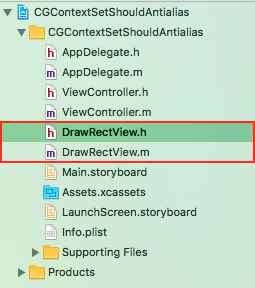
其初始代码为
//

//  DrawRectView.h

//  CGContextSetShouldAntialias

//

//  Created by YouXianMing on 2017/8/30.

//  Copyright © 2017年 TechCode. All rights reserved.

//

#import <UIKit/UIKit.h>

@interface DrawRectView : UIView

@end
//

//  DrawRectView.m

//  CGContextSetShouldAntialias

//

//  Created by YouXianMing on 2017/8/30.

//  Copyright © 2017年 TechCode. All rights reserved.

//

#import "DrawRectView.h"

@implementation DrawRectView

- (instancetype)initWithFrame:(CGRect)frame {

    if (self = [super initWithFrame:frame]) {

        self.backgroundColor   = [UIColor clearColor];

        self.layer.borderWidth = 0.5f;

        self.layer.borderColor = [UIColor redColor].CGColor;

    }

    return self;

}

@end
在ViewController中使用(尺寸为100x100并居中)
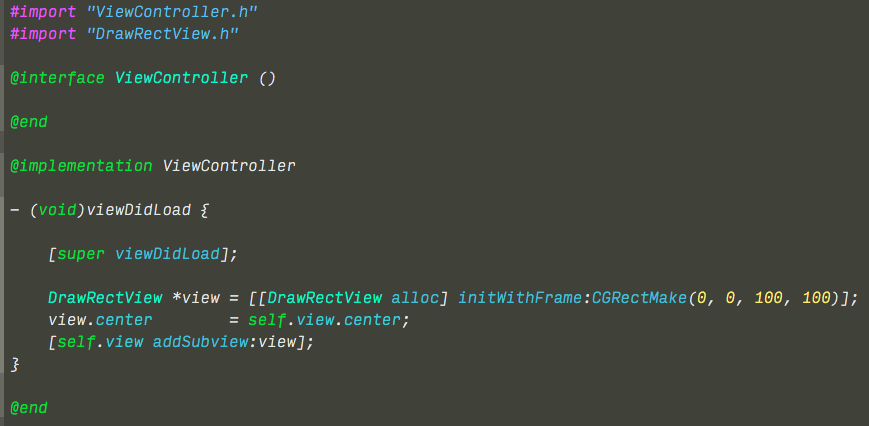
显示效果如下(用红色边框显示边界)

修改DrawRectView.m代码如下
//

//  DrawRectView.m

//  CGContextSetShouldAntialias

//

//  Created by YouXianMing on 2017/8/30.

//  Copyright © 2017年 TechCode. All rights reserved.

//

#import "DrawRectView.h"

@implementation DrawRectView

- (instancetype)initWithFrame:(CGRect)frame {

    if (self = [super initWithFrame:frame]) {

        self.backgroundColor   = [UIColor clearColor];

        self.layer.borderWidth = 0.5f;

        self.layer.borderColor = [UIColor redColor].CGColor;

    }

    return self;

}

- (void)drawRect:(CGRect)rect {

    // Set stroke color

    [[UIColor blackColor] setStroke];

    // Draw 7 lines.

    for (int i = ; i < ; i++) {

        UIBezierPath *path = [UIBezierPath bezierPath];

        path.lineWidth     = 0.5f;

        [path moveToPoint:CGPointMake(,  + i * 10.3)];

        [path addLineToPoint:CGPointMake( + ,  + i * 10.3)];

        [path stroke];

    }

}

@end
其实就添加了下面的绘图代码而已,绘制7条线条,每条线条的宽度为0.5
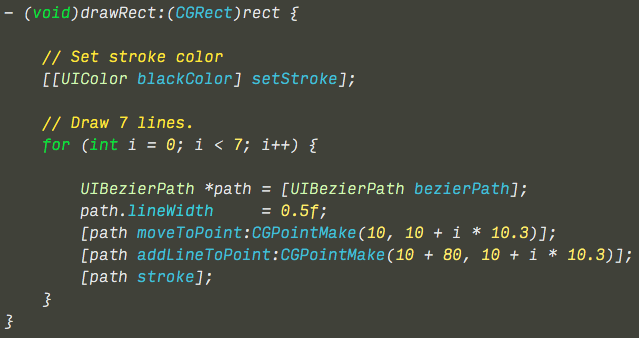
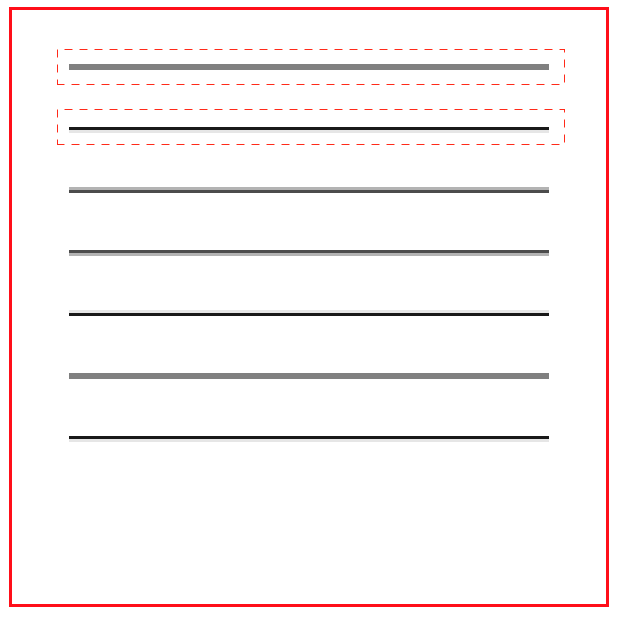
效果如下
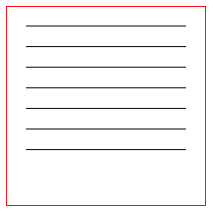
将图片放大后会发现,线条的宽度并不一致,有的颜色深,有的颜色浅,这就是开了抗锯齿之后的效果
修改代码关闭抗锯齿
//

//  DrawRectView.m

//  CGContextSetShouldAntialias

//

//  Created by YouXianMing on 2017/8/30.

//  Copyright © 2017年 TechCode. All rights reserved.

//

#import "DrawRectView.h"

@implementation DrawRectView

- (instancetype)initWithFrame:(CGRect)frame {

    if (self = [super initWithFrame:frame]) {

        self.backgroundColor   = [UIColor clearColor];

        self.layer.borderWidth = 0.5f;

        self.layer.borderColor = [UIColor redColor].CGColor;

    }

    return self;

}

- (void)drawRect:(CGRect)rect {

    // Get context.

    CGContextRef context = UIGraphicsGetCurrentContext();

    // Sets anti-aliasing on.

    CGContextSetShouldAntialias(context, NO);

    // Set stroke color

    [[UIColor blackColor] setStroke];

    // Draw 7 lines.

    for (int i = ; i < ; i++) {

        UIBezierPath *path = [UIBezierPath bezierPath];

        path.lineWidth     = 0.5f;

        [path moveToPoint:CGPointMake(,  + i * 10.3)];

        [path addLineToPoint:CGPointMake( + ,  + i * 10.3)];

        [path stroke];

    }

}

@end
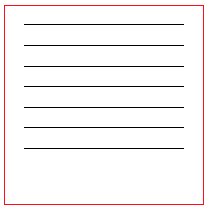
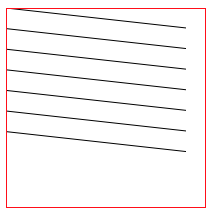
显示效果
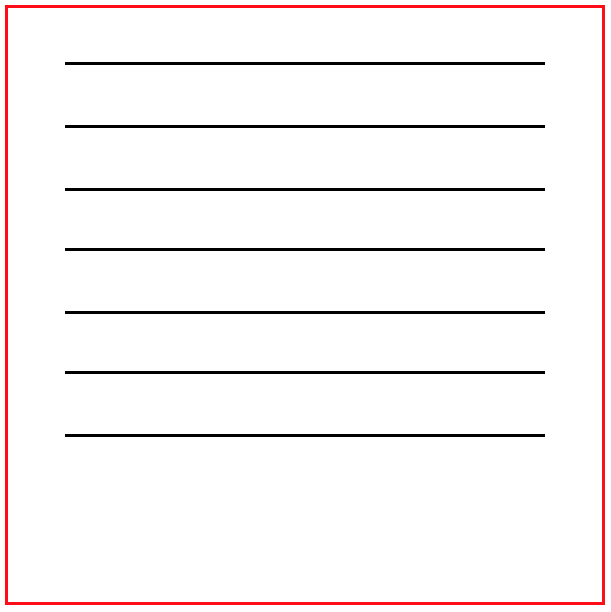
图片放大后,线条宽度一致
结论
开了抗锯齿后,系统会对绘制的线条进行一定的模糊处理,来达到不容易看到狗牙的目的,什么是狗牙?你可以运行以下代码来看看两者之间的区别
//

//  DrawRectView.m

//  CGContextSetShouldAntialias

//

//  Created by YouXianMing on 2017/8/30.

//  Copyright © 2017年 TechCode. All rights reserved.

//

#import "DrawRectView.h"

@implementation DrawRectView

- (instancetype)initWithFrame:(CGRect)frame {

    if (self = [super initWithFrame:frame]) {

        self.backgroundColor   = [UIColor clearColor];

        self.layer.borderWidth = 0.5f;

        self.layer.borderColor = [UIColor redColor].CGColor;

    }

    return self;

}

- (void)drawRect:(CGRect)rect {

    // Get context.

    CGContextRef context = UIGraphicsGetCurrentContext();

    // Sets anti-aliasing off.

    CGContextSetShouldAntialias(context, NO);

    // Set stroke color

    [[UIColor blackColor] setStroke];

    // Draw 7 lines.

    for (int i = ; i < ; i++) {

        UIBezierPath *path = [UIBezierPath bezierPath];

        path.lineWidth     = 0.5f;

        [path moveToPoint:CGPointMake(,  + i * 10.3)];

        [path addLineToPoint:CGPointMake( + ,  + i * 10.3)];

        [path stroke];

    }

}

@end
关闭抗锯齿后不会出现模糊现象,都会出现锯齿,俗称狗牙

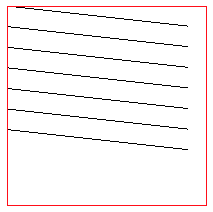
打开抗锯齿功能之后线条会模糊,锯齿得到了一些缓解,称作抗锯齿

drawRect中抗锯齿的更多相关文章
- CxImage图像库的使用 .
http://blog.csdn.net/wangjie0377/article/details/7830405 CxImage图像库 CxImage下载地址:http://www.codeproje ...
- 【转】CxImage图像库的使用
CxImage下载地址:http://www.codeproject.com/KB/graphics/cximage/cximage600_full.zip 作者:Davide Pizzolato C ...
- 【ShaderToy】基础篇之谈谈点、线的绘制
写在前面 写前面一篇的时候,发现还是不够基础.因此打算增加几篇基础篇,从点线面开始,希望可以更好理解. 其实用Pixel Shader的过程很像在纸上绘画的过程.屏幕上的每一个像素对应了纸上的一个方格 ...
- 【视频开发】 十全大补:CxImage图像处理类库
十全大补:CxImage图像处理类库 转载IT168 CxImage是一个可以用于MFC 的C++图像处理类库类,它可以打开,保存,显示,转换各种常见格式的图像文件,比如BMP, JP ...
- android.graphics(1) - Paint, Canvas, drawLine, drawPoint, drawRect, drawRoundRect, drawCircle, drawOval, drawArc
一.Paint与Canvas 像我们平时画图一样,需要两个工具,纸和笔.Paint就是相当于笔,而Canvas就是纸,这里叫画布. 所以,凡有跟要要画的东西的设置相关的,比如大小,粗细,画笔颜色,透明 ...
- Qt 2D绘图之二:抗锯齿渲染和坐标系统
一.抗锯齿渲染 1.1 逻辑绘图 图形基元的大小(宽度和高度)始终与其数学模型相对应,下图示意了忽略其渲染时使用的画笔的宽度的样子. 1.2 物理绘图(默认情况) 在默认的情况下,绘制会产生锯齿,并且 ...
- drawRect
1) 画笔设置 Paint.Style.STROKE 中空模式 paint = new Paint(); //新建一个画笔对象 paint.setAntiAlias(true);//抗锯齿功能 pai ...
- 用drawRect的方式实现一个尺子
用drawRect的方式实现了一个尺子选择器,demo在这里:https://github.com/Phelthas/LXMRulerView 效果如图: 如果不考虑复用的问题,我感觉最简单的实现 ...
- UIView的layoutSubviews和drawRect方法何时调用
首先两个方法都是异步执行.layoutSubviews方便数据计算,drawRect方便视图重绘. layoutSubviews在以下情况下会被调用: 1.init初始化不会触发layoutSubvi ...
随机推荐
- 【Android】性能优化的一些方法
1.采用硬件加速,在androidmanifest.xml中application添加 android:hardwareAccelerated="true".不过这个需要在and ...
- 通俗理解webService及.net中的使用方法
什么是WebService? WebService两个关键字:HTTP.接口 WebService就是一个接口,与普通接口的区别就是:普通接口只能本地调用:WebService可以远程调用. WebS ...
- 黑色半透明镂空遮罩指引效果实现jQuery小插件
/*! * by zhangxinxu(.com) 2017-05-18 * 新版上线时候的黑色半透明镂空遮罩指引效果实现jQuery小插件 * 兼容到IE8+ * MIT使用协议,使用时候保留版权 ...
- Codeforces 1016G Appropriate Team 数论 FWT
原文链接https://www.cnblogs.com/zhouzhendong/p/CF1016G.html 题目传送门 - CF1016G 题意 给定 $n,x,y$ ,以及一个含有 $n$ 个元 ...
- oracle中date数据的转换问题
(TO_NUMBER(TO_CHAR(FP.KPRQ, 'HH24')) >= 18 kprq >= to_DATE ('2017-01-12 18:00:00','yyyy-MM-dd ...
- [ 高危 ] my存在sql注入
rank和金币这算RMB为700 这算一个手机端的网站,往往手机端的功能和PC端的功能可能代码写的不一样,接口不一. 登录后,在xxx.maoyan.com/authcenter/wxpay/m?ap ...
- python 元类的简单解释
本文转自博客:http://www.cnblogs.com/piperck/p/5840443.html 作者:piperck python 类和元类(metaclass)的理解和简单运用 (一) p ...
- Vue项目History模式404问题解决
本文主要解决Vue项目使用History模式发布到服务器Nginx上刷新页面404问题.(由于每个项目的情况都不尽相同,本方案已经完美解决本在所使用项目,具体情况可能还需要修改.) 1.项目背景分析 ...
- SpringBoot使用Mybatis-PageHelper
前言 之前一篇文章介绍了<SpringBoot+Mybatis+MySql学习>的整合,这一片扩展一下Mybatis的分页插件-Mybatis-PageHelper. 新建项目 首先,po ...
- 自己总结的C#编码规范--1.命名约定篇
命名约定 我们在命名标识符时(包括参数,常量,变量),应使用单词的首字母大小写来区分一个标识符中的多个单词,如UserName. PascalCasing PascalCasing包含一到多个单词,每 ...