
go微服务框架kratos学习笔记九(kratos 全链路追踪 zipkin)
go微服务框架kratos学习笔记九(kratos 全链路追踪 zipkin)
当代的互联网的服务,通常都是用复杂的、大规模分布式集群来实现的。互联网应用构建在不同的软件模块集上,这些软件模块,有可能是由不同的团队开发、可能使用不同的编程语言来实现、有可能布在了几千台服务器,横跨多个不同的数据中心。因此,就需要一些可以帮助理解系统行为、用于分析性能问题的工具。
本节简单搭建一下zipkin,zipkin是Twitter基于google的分布式监控系统Dapper(论文)的开发源实现,zipkin用于跟踪分布式服务之间的应用数据链路,分析处理延时,帮助我们改进系统的性能和定位故障。
同时kratos基于opentracing语义,可以将zipkin集成了进去
搭建 Zipkin ,启动一个zipkin服务,最简单的办法是直接使用 Zipkin 官方的 Docker 镜像。
如果只是为了测试用,可以pull 下来直接启动一个,数据会在内存里面,我这里docker pull需要翻墙.
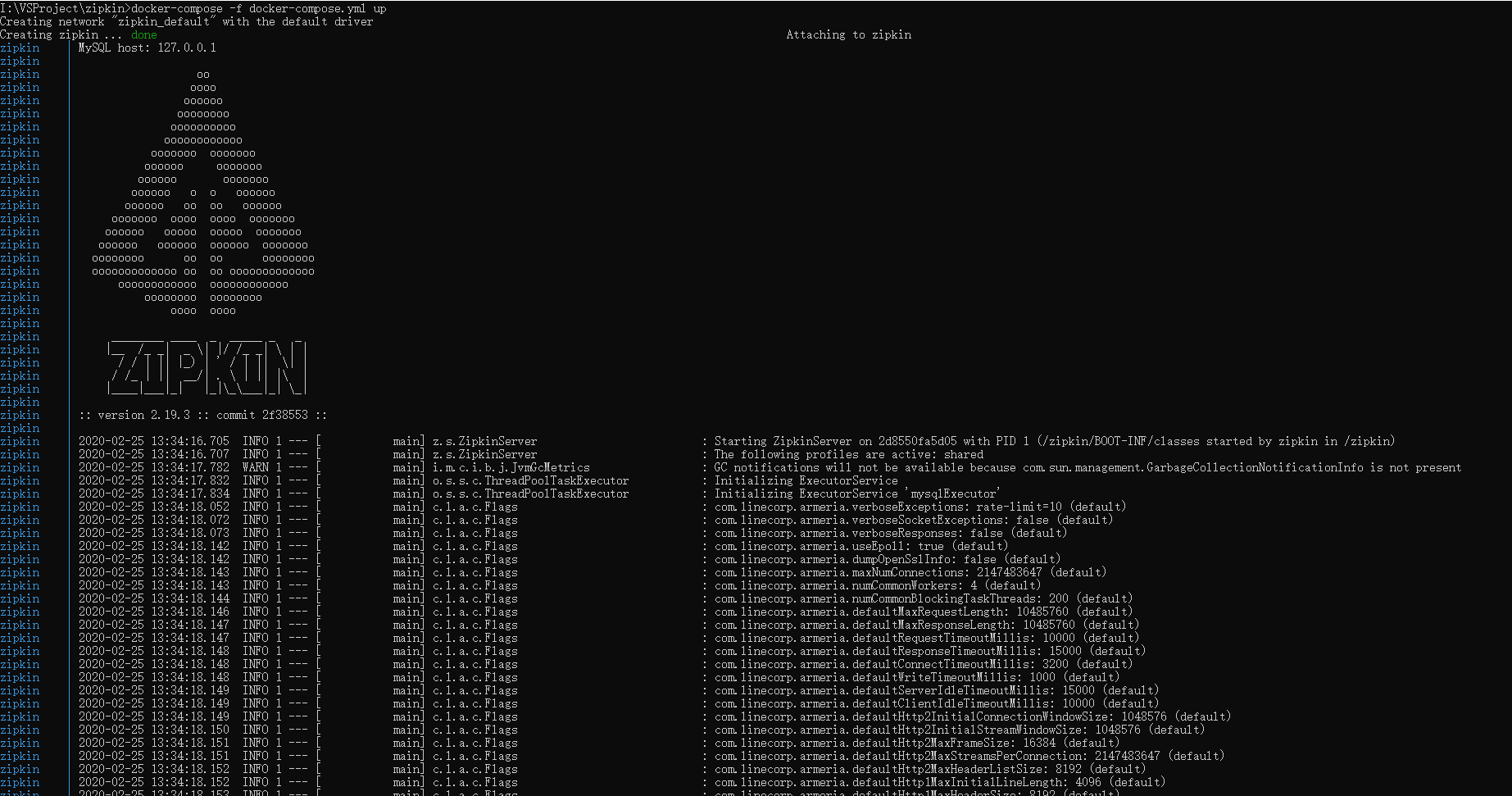
启动zipkin
docker run -d --restart always -v /etc/localtime:/etc/localtime:ro -p 9411:9411 --name zipkin openzipkin/zipkin
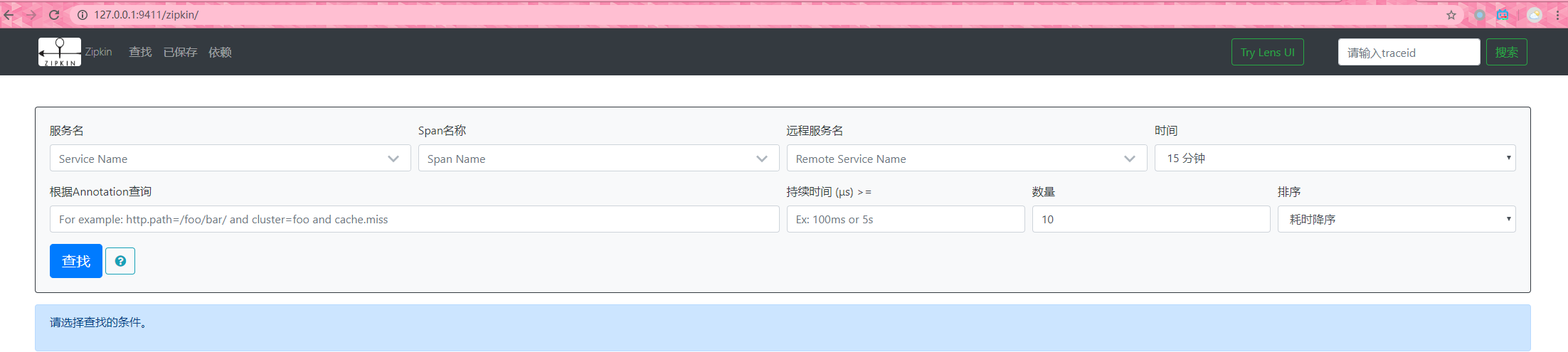
127..0.0.1:9411查看
zipkin使用demo
照惯例new 一个demo 服务
在main函数内进行初始化,添加如下代码:
func main(){

    zipkin.Init(&zipkin.Config{

        Endpoint: "http://localhost:9411/api/v2/spans",

    })

    // 忽略其他代码

}
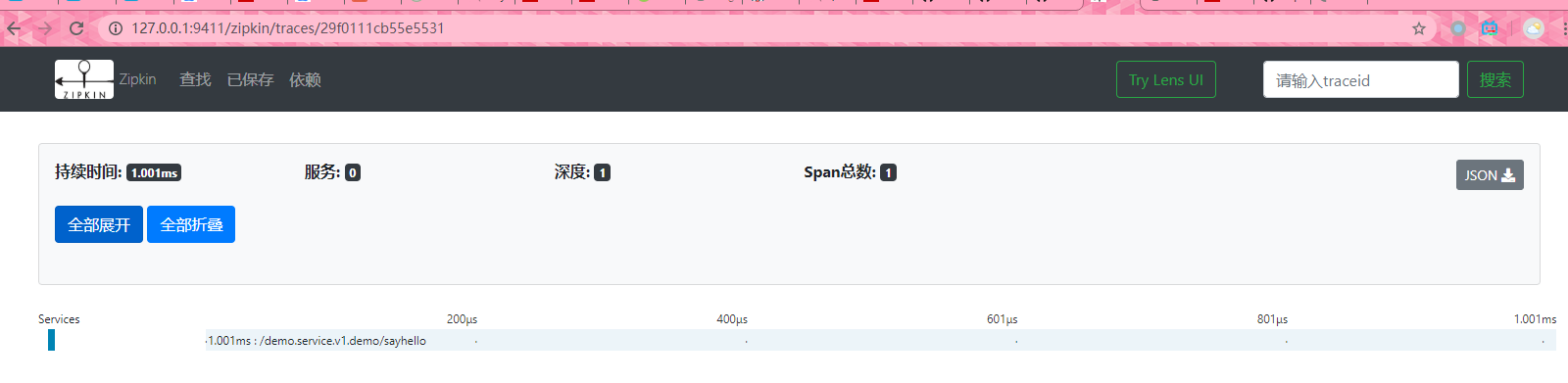
调用一下sayhello接口

再看看zipkin 是否有数据
数据持久化
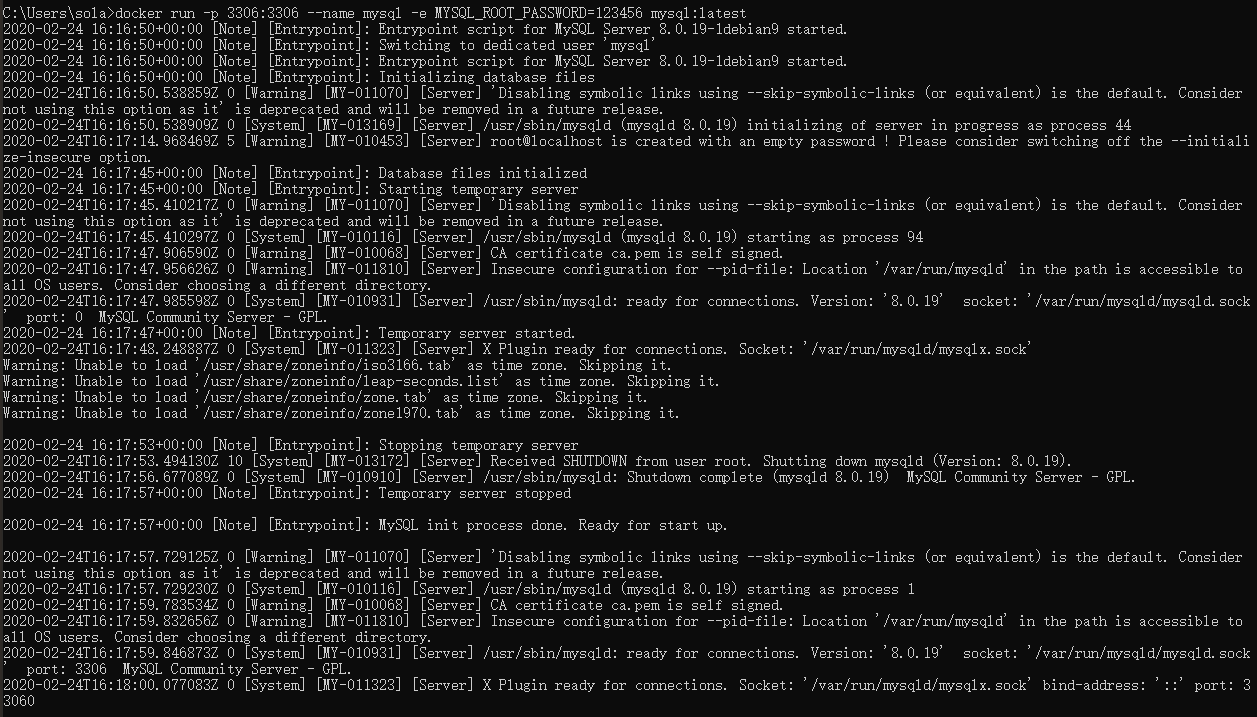
生产环境中,可能会需要做数据的持久化,官方提供了很多支持,这里举例mysql、同样docker运行一份mysql服务。
docker run -p 3306:3306 --name mysql -e MYSQL_ROOT_PASSWORD=123456 mysql:latest
官方建表语句 : mysql.sql
--

-- Copyright 2015-2019 The OpenZipkin Authors

--

-- Licensed under the Apache License, Version 2.0 (the "License"); you may not use this file except

-- in compliance with the License. You may obtain a copy of the License at

--

-- http://www.apache.org/licenses/LICENSE-2.0

--

-- Unless required by applicable law or agreed to in writing, software distributed under the License

-- is distributed on an "AS IS" BASIS, WITHOUT WARRANTIES OR CONDITIONS OF ANY KIND, either express

-- or implied. See the License for the specific language governing permissions and limitations under

-- the License.

--

CREATE TABLE IF NOT EXISTS zipkin_spans (

  `trace_id_high` BIGINT NOT NULL DEFAULT 0 COMMENT 'If non zero, this means the trace uses 128 bit traceIds instead of 64 bit',

  `trace_id` BIGINT NOT NULL,

  `id` BIGINT NOT NULL,

  `name` VARCHAR(255) NOT NULL,

  `remote_service_name` VARCHAR(255),

  `parent_id` BIGINT,

  `debug` BIT(1),

  `start_ts` BIGINT COMMENT 'Span.timestamp(): epoch micros used for endTs query and to implement TTL',

  `duration` BIGINT COMMENT 'Span.duration(): micros used for minDuration and maxDuration query',

  PRIMARY KEY (`trace_id_high`, `trace_id`, `id`)

) ENGINE=InnoDB ROW_FORMAT=COMPRESSED CHARACTER SET=utf8 COLLATE utf8_general_ci;

ALTER TABLE zipkin_spans ADD INDEX(`trace_id_high`, `trace_id`) COMMENT 'for getTracesByIds';

ALTER TABLE zipkin_spans ADD INDEX(`name`) COMMENT 'for getTraces and getSpanNames';

ALTER TABLE zipkin_spans ADD INDEX(`remote_service_name`) COMMENT 'for getTraces and getRemoteServiceNames';

ALTER TABLE zipkin_spans ADD INDEX(`start_ts`) COMMENT 'for getTraces ordering and range';

CREATE TABLE IF NOT EXISTS zipkin_annotations (

  `trace_id_high` BIGINT NOT NULL DEFAULT 0 COMMENT 'If non zero, this means the trace uses 128 bit traceIds instead of 64 bit',

  `trace_id` BIGINT NOT NULL COMMENT 'coincides with zipkin_spans.trace_id',

  `span_id` BIGINT NOT NULL COMMENT 'coincides with zipkin_spans.id',

  `a_key` VARCHAR(255) NOT NULL COMMENT 'BinaryAnnotation.key or Annotation.value if type == -1',

  `a_value` BLOB COMMENT 'BinaryAnnotation.value(), which must be smaller than 64KB',

  `a_type` INT NOT NULL COMMENT 'BinaryAnnotation.type() or -1 if Annotation',

  `a_timestamp` BIGINT COMMENT 'Used to implement TTL; Annotation.timestamp or zipkin_spans.timestamp',

  `endpoint_ipv4` INT COMMENT 'Null when Binary/Annotation.endpoint is null',

  `endpoint_ipv6` BINARY(16) COMMENT 'Null when Binary/Annotation.endpoint is null, or no IPv6 address',

  `endpoint_port` SMALLINT COMMENT 'Null when Binary/Annotation.endpoint is null',

  `endpoint_service_name` VARCHAR(255) COMMENT 'Null when Binary/Annotation.endpoint is null'

) ENGINE=InnoDB ROW_FORMAT=COMPRESSED CHARACTER SET=utf8 COLLATE utf8_general_ci;

ALTER TABLE zipkin_annotations ADD UNIQUE KEY(`trace_id_high`, `trace_id`, `span_id`, `a_key`, `a_timestamp`) COMMENT 'Ignore insert on duplicate';

ALTER TABLE zipkin_annotations ADD INDEX(`trace_id_high`, `trace_id`, `span_id`) COMMENT 'for joining with zipkin_spans';

ALTER TABLE zipkin_annotations ADD INDEX(`trace_id_high`, `trace_id`) COMMENT 'for getTraces/ByIds';

ALTER TABLE zipkin_annotations ADD INDEX(`endpoint_service_name`) COMMENT 'for getTraces and getServiceNames';

ALTER TABLE zipkin_annotations ADD INDEX(`a_type`) COMMENT 'for getTraces and autocomplete values';

ALTER TABLE zipkin_annotations ADD INDEX(`a_key`) COMMENT 'for getTraces and autocomplete values';

ALTER TABLE zipkin_annotations ADD INDEX(`trace_id`, `span_id`, `a_key`) COMMENT 'for dependencies job';

CREATE TABLE IF NOT EXISTS zipkin_dependencies (

  `day` DATE NOT NULL,

  `parent` VARCHAR(255) NOT NULL,

  `child` VARCHAR(255) NOT NULL,

  `call_count` BIGINT,

  `error_count` BIGINT,

  PRIMARY KEY (`day`, `parent`, `child`)

) ENGINE=InnoDB ROW_FORMAT=COMPRESSED CHARACTER SET=utf8 COLLATE utf8_general_ci;
zpkin : docker-compose.yml :
version: '2'

services:

  # The zipkin process services the UI, and also exposes a POST endpoint that

  # instrumentation can send trace data to. Scribe is disabled by default.

  zipkin:

    image: openzipkin/zipkin

    container_name: zipkin

    environment:

      - STORAGE_TYPE=mysql

      # Point the zipkin at the storage backend

      - MYSQL_DB=zipkin

      - MYSQL_USER=root

      - MYSQL_PASS=123456

      - MYSQL_HOST=127.0.0.1

      - MYSQL_TCP_PORT=3306

      # Uncomment to enable scribe

      # - SCRIBE_ENABLED=true

      # Uncomment to enable self-tracing

      # - SELF_TRACING_ENABLED=true

      # Uncomment to enable debug logging

      # - JAVA_OPTS=-Dlogging.level.zipkin=DEBUG -Dlogging.level.zipkin2=DEBUG

    ports:

      # Port used for the Zipkin UI and HTTP Api

      - 9411:9411

      # Uncomment if you set SCRIBE_ENABLED=true

      # - 9410:9410

    #networks:

    #  - default

    #  - my_net #创建网路 docker network create my_net 删除网络 docker network rm my_net

#networks:

  #my_net:

    #external: true
go微服务框架kratos学习笔记九(kratos 全链路追踪 zipkin)的更多相关文章
- go微服务框架kratos学习笔记五(kratos 配置中心 paladin config sdk [断剑重铸之日,骑士归来之时])
目录 go微服务框架kratos学习笔记五(kratos 配置中心 paladin config sdk [断剑重铸之日,骑士归来之时]) 静态配置 flag注入 在线热加载配置 远程配置中心 go微 ...
- # go微服务框架kratos学习笔记六(kratos 服务发现 discovery)
目录 go微服务框架kratos学习笔记六(kratos 服务发现 discovery) http api register 服务注册 fetch 获取实例 fetchs 批量获取实例 polls 批 ...
- go微服务框架kratos学习笔记七(kratos warden 负载均衡 balancer)
目录 go微服务框架kratos学习笔记七(kratos warden 负载均衡 balancer) demo demo server demo client 池 dao service p2c ro ...
- go微服务框架kratos学习笔记四(kratos warden-quickstart warden-direct方式client调用)
目录 go微服务框架kratos学习笔记四(kratos warden-quickstart warden-direct方式client调用) warden direct demo-server gr ...
- go微服务框架kratos学习笔记八 (kratos的依赖注入)
目录 go微服务框架kratos学习笔记八(kratos的依赖注入) 什么是依赖注入 google wire kratos中的wire Providers injector(注入器) Binding ...
- 微服务框架surging学习之路——序列化 (转载https://www.cnblogs.com/alangur/p/10407727.html)
微服务框架surging学习之路——序列化 1.对微服务的理解 之前看到在群里的朋友门都在讨论微服务,看到他们的讨论,我也有了一些自己的理解,所谓微服务就是系统里的每个服务都 可以自由组合.自由组 ...
- golang微服务框架go-micro 入门笔记2.4 go-micro service解读
本章节阐述go-micro 服务发现原理 go-micro架构 下图来自go-micro官方 阅读本文前你可能需要进行如下知识储备 golang分布式微服务框架go-micro 入门笔记1:搭建go- ...
- golang微服务框架go-micro 入门笔记2.3 micro工具之消息接收和发布
本章节阐述micro消息订阅和发布相关内容 阅读本文前你可能需要进行如下知识储备 golang分布式微服务框架go-micro 入门笔记1:搭建go-micro环境, golang微服务框架go-mi ...
- golang微服务框架go-micro 入门笔记2.2 micro工具之微应用利器micro web
micro web micro 功能非常强大,本文将详细阐述micro web 命令行的功能 阅读本文前你可能需要进行如下知识储备 golang分布式微服务框架go-micro 入门笔记1:搭建go- ...
随机推荐
- [CCPC2019 ONLINE]H Fishing Master
题意 http://acm.hdu.edu.cn/showproblem.php?pid=6709 思考 先考虑所有鱼的烹饪时间小于k的情况.将T从大到小排序后,煮一条鱼相当于将其时间补齐至k. 由于 ...
- python HelloWorld 的 4 种姿势,你知道几种
安装完 Python 之后该干啥,当然是要 say HelloWorld 了. python.exe 就是个普通程序 和其它所有命令一样,在命令行中敲下 python 并回车的时候,操作系统去 PAT ...
- SpringCloud与微服务Ⅶ --- Feign负载均衡
官方文档:https://projects.spring.io/spring-cloud/spring-cloud.html#spring-cloud-feign 一.Feign是什么 Feign是一 ...
- linux之samba使用
工作中,很多时候,我导出文件,或者上传文件的时候经常失败,报samba fail,但我并不知道samba是干什么用的,也老是听同事说什么samba没有挂载,但我基本上不知道什么是samba,更不要说什 ...
- vue2.x中使用三元表达式绑定class的时候遇到的坑
这个确实是个坑,而且是来自文档的坑. 首先先看文档对这个的解释: 从实际的代码书写上,文档中的写法,vs code没报错,但是浏览器报了一堆的错. 我试了很多遍,发现类名必须是要用引号引起来,页面上语 ...
- ubuntu系统下安装pip3及第三方库的安装
ubuntu系统下会自带python2.x和python3.x坏境,不需要我们去安装.并且ubuntu系统下还会自动帮助我们安装python2.x坏境下的pip安装工具, 但是没有python3.x坏 ...
- 源码级别gdb远程调试(实现OS简单内核)
最近在学着编写一个操作系统的简单内核,需要debug工具,我们这里使用gdb来进行调试,由于虚拟机运行和本机是两个部分,所以使用 gdb 的远程调试技术,这里对 gdb 常见调试以及远程调试方式做一个 ...
- Android头像更换之详细操作
Android开发之头像的更换(拍照,从手机照片中选择) 先说一下昨天未解决的问题:原因是自己在获取对象时,没有将新加的图片属性加到该对象里,导致一直爆空指针异常. 接下来分析一下头像更换的具体操作: ...
- 机器学习(ML)七之模型选择、欠拟合和过拟合
训练误差和泛化误差 需要区分训练误差(training error)和泛化误差(generalization error).前者指模型在训练数据集上表现出的误差,后者指模型在任意一个测试数据样本上表现 ...
- 基于TensorFlow的MNIST手写数字识别-初级
一:MNIST数据集 下载地址 MNIST是一个包含很多手写数字图片的数据集,一共4个二进制压缩文件 分别是test set images,test set labels,training se ...