
MyBatis---使用MyBatis Generator生成Dto、Dao、Mapping
由于MyBatis属于一种半自动的ORM框架,所以主要的工作将是书写Mapping映射文件,但是由于手写映射文件很容易出错,
所以查资料发现有现成的工具可以自动生成底层模型类pojo类、Dao接口mapper类、甚至Mapping映射文件xml。
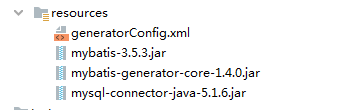
生成代码需要的文件和jar包:
(上图文件下载地址:http://download.csdn.net/detail/u012909091/7206091)
其中有mybatis框架的jar包,数据库驱动程序jar包以及MyBatis生成器jar包。其中的generatorConfig.xml是需要我们来配置的文件,配置如下:
随便从本地仓库找这几个jar,版本不同也没关系。
generatorConfig.xml
<?xml version="1.0" encoding="UTF-8"?>

<!DOCTYPE generatorConfiguration

        PUBLIC "-//mybatis.org//DTD MyBatis Generator Configuration 1.0//EN"

        "http://mybatis.org/dtd/mybatis-generator-config_1_0.dtd">

<generatorConfiguration>

    <!--数据库驱动-->

    <classPathEntry location="mysql-connector-java-5.1.6.jar"/>

    <context id="DB2Tables" targetRuntime="MyBatis3">

        <commentGenerator>

            <property name="suppressDate" value="true"/>

            <!--是否去除自动生成的注释 true:是 : false:否 -->

            <property name="suppressAllComments" value="true"/>

        </commentGenerator>

        <!--数据库链接URL,用户名、密码 -->

        <jdbcConnection driverClass="com.mysql.jdbc.Driver" connectionURL="jdbc:mysql://192.168.0.82:13306/program_shopcart" userId="sa" password="">

        </jdbcConnection>

        <javaTypeResolver>

            <property name="forceBigDecimals" value="false"/>

        </javaTypeResolver>

        <!--生成模型的包名和位置-->

        <javaModelGenerator targetPackage="tb.db.mysql.shopcart.mybatis.pojo" targetProject="D:\temp\mysql_mybatis_shopcart">

            <property name="enableSubPackages" value="true"/>

            <property name="trimStrings" value="true"/>

        </javaModelGenerator>

        <!--生成映射文件的包名和位置-->

        <sqlMapGenerator targetPackage="tb.db.mysql.shopcart.mybatis.xml" targetProject="D:\temp\mysql_mybatis_shopcart">

            <property name="enableSubPackages" value="true"/>

        </sqlMapGenerator>

        <!--生成DAO的包名和位置-->

        <javaClientGenerator type="XMLMAPPER" targetPackage="tb.db.mysql.shopcart.mybatis.mapper" targetProject="D:\temp\mysql_mybatis_shopcart">

            <property name="enableSubPackages" value="true"/>

        </javaClientGenerator>

        <!-- 要生成的表 tableName是数据库中的表名或视图名 domainObjectName是实体类名-->

        <table tableName="account_group" domainObjectName="Account_group" enableCountByExample="false" enableUpdateByExample="false" enableDeleteByExample="false" enableSelectByExample="false" selectByExampleQueryId="false"></table>

        <table tableName="account_grouppermissionassign" domainObjectName="Account_grouppermissionassign" enableCountByExample="false" enableUpdateByExample="false" enableDeleteByExample="false" enableSelectByExample="false" selectByExampleQueryId="false"></table>

        <table tableName="account_permission" domainObjectName="Account_permission" enableCountByExample="false" enableUpdateByExample="false" enableDeleteByExample="false" enableSelectByExample="false" selectByExampleQueryId="false"></table>

        <table tableName="account_role" domainObjectName="Account_role" enableCountByExample="false" enableUpdateByExample="false" enableDeleteByExample="false" enableSelectByExample="false" selectByExampleQueryId="false"></table>

        <table tableName="account_rolepermissionassign" domainObjectName="Account_rolepermissionassign" enableCountByExample="false" enableUpdateByExample="false" enableDeleteByExample="false" enableSelectByExample="false" selectByExampleQueryId="false"></table>

        <table tableName="account_user" domainObjectName="Account_user" enableCountByExample="false" enableUpdateByExample="false" enableDeleteByExample="false" enableSelectByExample="false" selectByExampleQueryId="false"></table>

        <table tableName="account_usergroupassign" domainObjectName="Account_usergroupassign" enableCountByExample="false" enableUpdateByExample="false" enableDeleteByExample="false" enableSelectByExample="false" selectByExampleQueryId="false"></table>

        <table tableName="account_userpermissionassign" domainObjectName="Account_userpermissionassign" enableCountByExample="false" enableUpdateByExample="false" enableDeleteByExample="false" enableSelectByExample="false" selectByExampleQueryId="false"></table>

        <table tableName="account_userroleassign" domainObjectName="Account_userroleassign" enableCountByExample="false" enableUpdateByExample="false" enableDeleteByExample="false" enableSelectByExample="false" selectByExampleQueryId="false"></table>

    </context>

</generatorConfiguration>
1、生成mybatis文件(在IDEA的命令行里面执行)
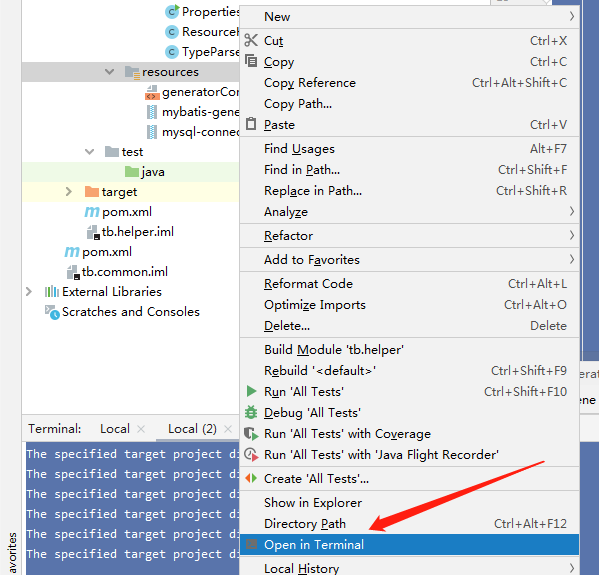
java -jar mybatis-generator-core-1.4..jar -configfile generatorConfig.xml -overwrite
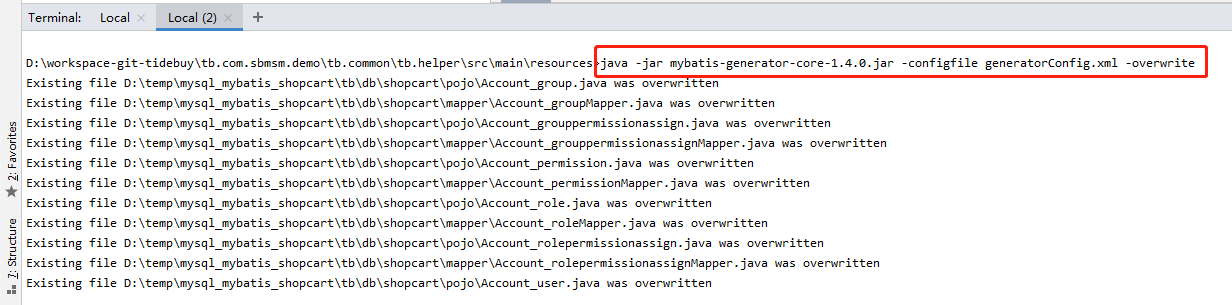
2、生成mybatis文件(在控制台里面执行),进入mybatis-generator-core-1.4.0.jar所在的目录下,执行脚本:
java -jar mybatis-generator-core-1.4.0.jar -configfile generatorConfig.xml -overwrite
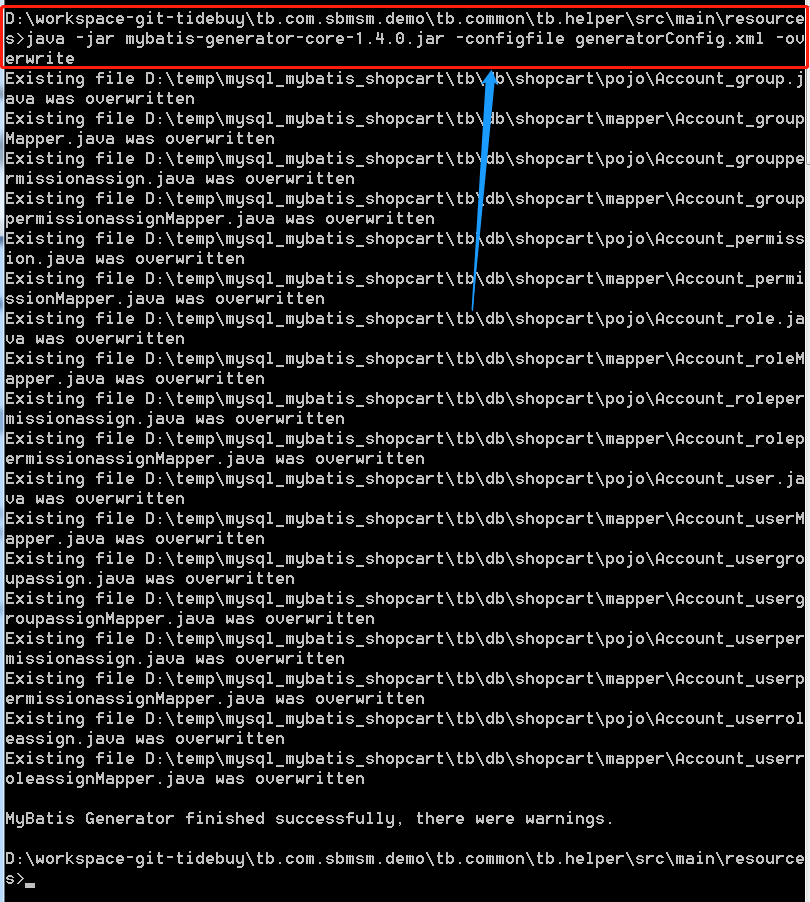
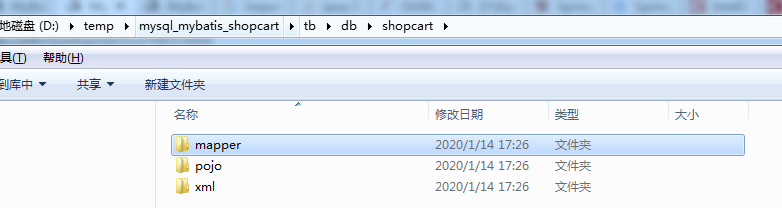
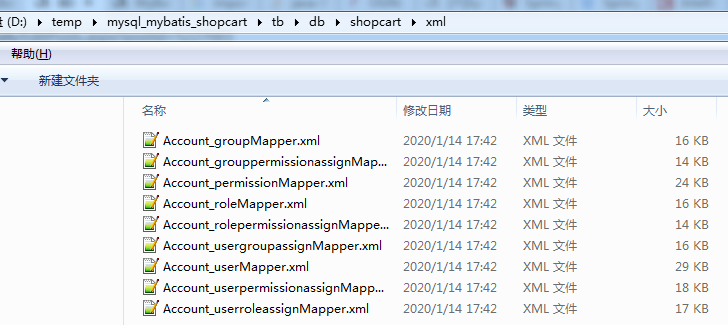
生成好的文件存放在磁盘目录里


MyBatis---使用MyBatis Generator生成Dto、Dao、Mapping的更多相关文章
- mybatis generator.xml 配置 自动生成model,dao,mapping
generator.xml文件: <?xml version="1.0" encoding="UTF-8"?> <!DOCTYPE gener ...
- MyBatis学习---使用MyBatis_Generator生成Dto、Dao、Mapping
由于MyBatis属于一种半自动的ORM框架,所以主要的工作将是书写Mapping映射文件,但是由于手写映射文件很容易出错,所以查资料发现有现成的工具可以自动生成底层模型类.Dao接口类甚至Mappi ...
- Mybatis 自动从数据库生成entity,mapping,dao接口
1.下载需要的jar包 mybatis-generator-core-1.3.2.jar,mysql-connector-java-5.1.39.jar 2.把上面的jar包放到某个目录,并在该目录下 ...
- mybatis自定义代码生成器(Generator)——自动生成model&dao代码
花了两天的时间研究了下mybatis的generator大体了解了其生成原理以及实现过程.感觉generator做的非常不错,给开发者也留足了空间.看完之后在generator的基础上实现了自定义的生 ...
- MyBatis generator 生成生成dao model mappper
MyBatis GeneratorXML配置文件参考 在最常见的用例中,MyBatis Generator(MBG)由XML配置文件驱动. 配置文件告诉MBG: 如何连接到数据库 什么对象要生成,以及 ...
- MyBatis Generator生成DAO——序列化
MyBatis Generator生成DAO 的时候,生成的类都是没有序列化的. 还以为要手工加入(開始是手工加入的),今天遇到分页的问题,才发现生成的时候能够加入插件. 既然分页能够有插件.序列化是 ...
- springboot学习随笔(四):Springboot整合mybatis(含generator自动生成代码)
这章我们将通过springboot整合mybatis来操作数据库 以下内容分为两部分,一部分主要介绍generator自动生成代码,生成model.dao层接口.dao接口对应的sql配置文件 第一部 ...
- mybatis Generator生成代码及使用方式
本文原创,转载请注明:http://www.cnblogs.com/fengzheng/p/5889312.html 为什么要有mybatis mybatis 是一个 Java 的 ORM 框架,OR ...
- Mybatis Generator生成工具配置文件详解
<?xml version="1.0" encoding="UTF-8"?> <!DOCTYPE generatorConfiguration ...
随机推荐
- 10 个超炫绘制图表图形的 Javascript 插件【转载+整理】
原文地址 现在,有很多在线绘制图表和图形(Charts and Graphs)的 JavaScript 插件,这些插件还都是免费,以及图表库.这些插件大量出现的原因是基于一个事实:人们不再依赖于 Fl ...
- iOS NSNotificationCenter 最基本使用
NSDictionary *dic = [NSDictionary dictionaryWithObjectsAndKeys: [NSNumber numberWithInt:] , @"a ...
- VS2015 之 多行缩进
VS2015工具栏缺少“多行缩进工具”,经查阅资料总结如下: 首先,选中需要缩进的行代码: 1.增大缩进:“Tab”键 2.减小缩进:“Shift”键 + “Tab”键
- 通过HttpClient4.5模拟Form表单文件上传
public static void main(String[] args) { CloseableHttpClient httpclient = HttpClients.createDefault( ...
- 算法笔记_203:第四届蓝桥杯软件类决赛真题(C语言B组)
目录 1 猜灯谜 2 连续奇数和 3 空白格式化 4 高僧斗法 5 格子刷油漆 6 农场阳光 前言:以下代码仅供参考,若有错误欢迎指正哦~ 1 猜灯谜 标题:猜灯谜 A 村的元宵节灯会上有一迷题: ...
- 修改浏览器Cookie
Firefox:安装 Web Developer 插件,装完重启之后会出现一排新的工具栏,点击 Cookies -> Add Cookie… 即可增加/修改一个Cookie了. Opera:Op ...
- RN API备忘
1:Alert:启动一个提示对话框,包含对应的标题和信息. 2:Animated:动画效果. 3:AppRegistry:React Native应用的入口.应用的根组件应当通过AppRegistry ...
- J2EE框架知识清单
1:Struts MVC.JVC 2:struts action 3:struts 1.0和2.0区别 4:Spring 核心机制:依赖注入 5:使用Spring容器 6:AOP的概念与应用 7:IO ...
- Java ReEntrantLock (Java代码实战-001)
Lock类也可以实现线程同步,而Lock获得锁需要执行lock方法,释放锁需要执行unLock方法 Lock类可以创建Condition对象,Condition对象用来使线程等待和唤醒线程,需要注意的 ...
- Android玩转百度地图Sha1获取正确姿势?
场景一 由于近期项目钟要用到定位功能因此肯定须要用到地图以及地位功能,相信大家也知道眼下国内比較出名的地图像百度.高德.腾讯等这些还是用到比較多的.于是思考了一下决定还是用百度,相信老司机们都知道的哈 ...