
QT QGraphicsProxyWidget对象可选择或移动的一些tricks
我在QT图形视图框架中使用QGraphicsProxyWidget嵌入widget,但是无法使其和其它的QGraphicsItem一样可以选择或移动,使用如下语句无效:
|
1
2 3 4 5 6 7 8 9 10 11 12 |
// Create new QGraphicsScene and assign to graphicsView
scene = new QGraphicsScene(this); ui->graphicsView->setScene(scene); // Create widget and add to scene // Make selectable |
于是,我尝试继承QGraphicsProxyWidget获得自己的ProxyWidget,并通过重写鼠标事件响应函数来实现,在具体的实现中我尝试过调用QGraphicsProxyWidget的鼠标事件函数,也尝试过调用QGraphicsItem的鼠标事件函数,但是仅仅能捕获鼠标按下事件(mousePressEvent),其它诸如移动和释放均无法响应。
紧接着,我去Stack Overflow上查找解决方案,倒是有一些方案,纯属tricks性的现在总结如下:
实例1:给代理widget设置一个比其大一点的父类QGraphicsWidget充当拖拽处理效果

|
1
2 3 4 5 6 7 8 9 10 11 12 13 14 15 16 17 18 19 20 21 22 23 |
int main(int argc, char *argv[])
{ QApplication a(argc, argv); QGraphicsScene scene; view.setFixedSize(QSize()); return a.exec(); |
实例2:给代理widget设置一个比其大一点的QGraphicsRectItem充当窗口标题栏样式的拖拽处理效果
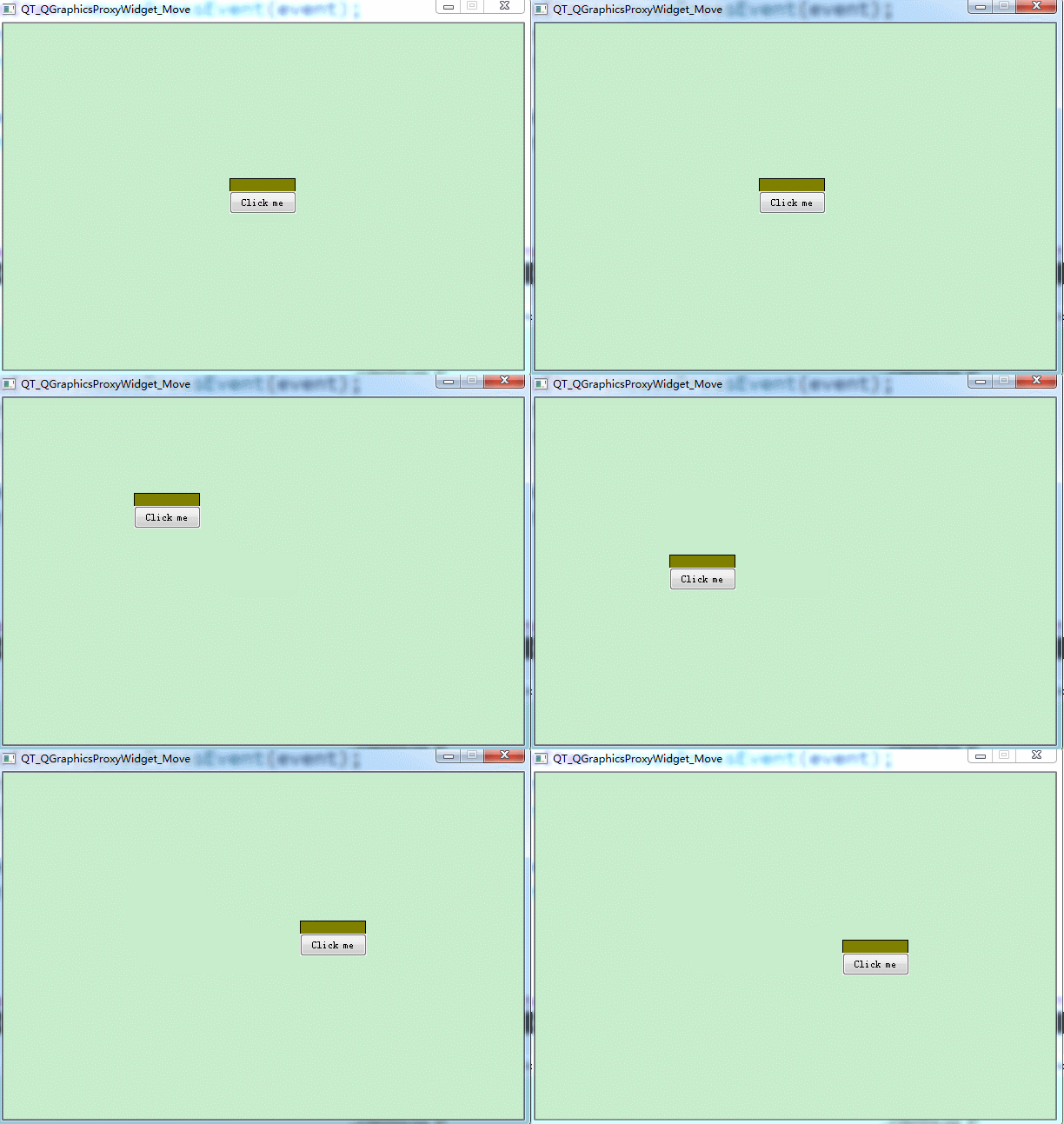
|
1
2 3 4 5 6 7 8 9 10 11 12 13 14 15 16 17 18 19 20 21 22 |
int main(int argc, char *argv[])
{ QApplication a(argc, argv); QGraphicsScene scene; ); view.setFixedSize(QSize()); return a.exec(); |
实例3:给代理widget设置一个比其大一点的QGraphicsRectItem充当边缘的拖拽处理效果
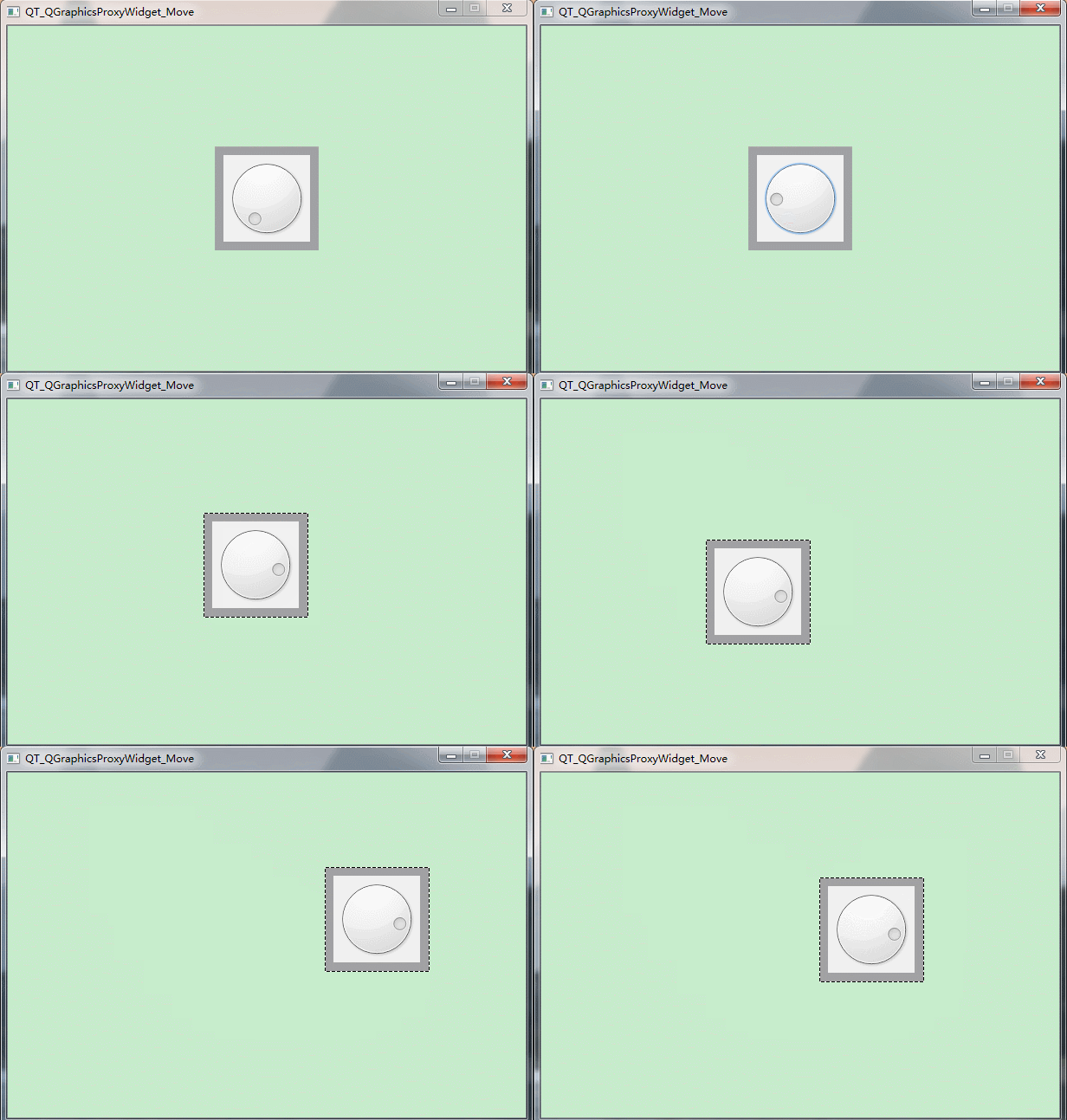
|
1
2 3 4 5 6 7 8 9 10 11 12 13 14 15 16 17 18 19 20 21 22 23 24 25 |
int main(int argc, char *argv[])
{ QApplication a(argc, argv); QGraphicsScene scene; auto *dial= new QDial(); // The widget dial->setGeometry(); view.setFixedSize(QSize()); return a.exec(); |
勉勉强强可以实现拖拽的效果吧!
更直接的效果请期待后续博文深入研究!
QT QGraphicsProxyWidget对象可选择或移动的一些tricks的更多相关文章
- QT 实现QGraphicsProxyWidget对象可选择或移动(item管理实现)
上篇博文<QT QGraphicsProxyWidget对象可选择或移动的一些tricks>介绍了实现QT QGraphicsProxyWidget对象可选择或移动的一些小的第三方技巧,但 ...
- Qt持久性对象进行序列化
Mfc和Java中自定义类的对象都可以对其进行持久性保存,Qt持久性对象进行序列化当然也是必不可少的.不过这个问题还真困扰了我很长时间……Mfc通过重写虚函数Serialize().Java则是所属的 ...
- Qt持久性对象进行序列化(同时比较了MFC与Java的方法)
Mfc和Java中自定义类的对象都可以对其进行持久性保存,Qt持久性对象进行序列化当然也是必不可少的.不过这个问题还真困扰了我很长时间……Mfc通过重写虚函数Serialize().Java则是所属的 ...
- 哪一个不是EL定义的隐式对象?(选择1项)
哪一个不是EL定义的隐式对象?(选择1项) A cookie B.pageContext C.attributes D initParam 解答:C 1)pageContext:JSP 页的上下文.它 ...
- Qt jsoncpp 对象拷贝、删除、函数调用 demo
/*************************************************************************************************** ...
- Qt 元对象系统(Meta-Object System)(不管是否使用信号槽,都推荐使用)
Qt 元对象系统(Meta-Object System) Qt的元对象系统基于如下三件事情: 类:QObject,为所有需要利用原对象系统的对象提供了一个基类. 宏:Q_OBJECT,通常可以声明在类 ...
- 为基于OpenCV的图像处理程序编写界面—关于QT\MFC\CSharp的选择以及GOCW的介绍
基于OpenCV编写图像处理项目,除了算法以外,比较重要一个问题就是界面设计问题.对于c++语系的程序员来说,一般来说有QT/MFC两种考虑.QT的确功能强大,特别是QML编写andr ...
- 【4opencv】为基于OpenCV的图像处理程序编写界面—关于QT\MFC\CSharp的选择以及GOCW的介绍
基于OpenCV编写图像处理项目,除了算法以外,比较重要一个问题就是界面设计问题.对于c++语系的程序员来说,一般来说有QT/MFC两种考虑.QT的确功能强大,特别是QML编写andr ...
- Qt界面对象的事件调用
QMetaObject::invokeMethod(m_mainToolBarItem, "change2DesktopMode", Q_ARG(QVariant, m_curMo ...
随机推荐
- mac OS X中升级php5.5至php5.6 or php7
在做php项目中,提示“Warning. PHP 5.6 or newer is required. Please, upgrade your local PHP installation.” 通过p ...
- [note]What I’ve learnt from working on startups
What I've learnt from working on startups 从失败里学到了什么,六次创业失败. 企业家不是与生俱来的,也是靠学来的. 想的太多,做的太少.
- Quartz Trigger Priority 触发器优先级
Quartz Trigger Priority 触发器优先级 当多个触发器在一个相同的时间内触发,并且调度引擎中的资源有限的情况下,那么具有较高优先级的触发器先触发. 需要将配置文件中的org.qua ...
- Android控件GridView之仿支付宝钱包首页带有分割线的GridView九宫格的完美实现
Android控件GridView之仿支付宝钱包首页带有分割线的GridView九宫格的完美实现 2015-03-10 22:38 28419人阅读 评论(17) 收藏 举报 分类: Android ...
- Struts2技术详解
1, 当Action设置了某个属性后,Struts将这些属性封装一个叫做Struts.valueStack的属性里.获取valueStack对象: ValueStack vs = (ValueStac ...
- ViewPager一屏显示多个item,及边缘滑动事件优化
关于ViewPager显示两边的item方法,网络上是方法都在ViewPager外包一个Layout, 然后设置ViewPager和外面的Layout的clipChildren="false ...
- Androidn Notification的使用,解决找不到setLatestEventInfo方法
转自:http://blog.csdn.net/songyachao/article/details/51245370#comments 今天使用4.0.3使用 Notification notifi ...
- linux c 检测网络状态
转自:http://stackoverflow.com/questions/808560/how-to-detect-the-physical-connected-state-of-a-network ...
- 自然语言交流系统 phxnet团队 创新实训 个人博客 (十三)
关于java socket的一些总结: Java Socket通信有很多的时候需要我们不断的学习.方面效率虽然不及C与C++但它以灵活语言优势,为大家广为使用. 本文就对在使用java做通信方面程序时 ...
- 自然语言交流系统 phxnet团队 创新实训 个人博客 (三)
因为需要处理自然语言的括号切分问题,专门记录下. import java.util.Scanner; import java.util.Stack; /** * @author Owner * */ ...