
人生就要挑战新难度——记zxing的深化
首先,我们来看看zxing一些基本介绍。
ZXing是一个开放源码的,用Java实现的多种格式的1D(注1d条码主要常见的条码)
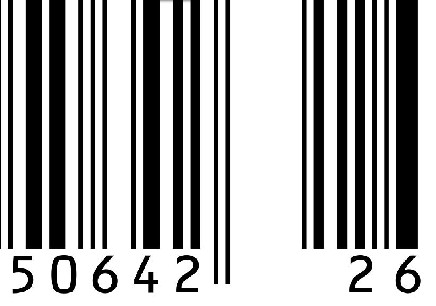
/2D条码(主要是二维码)

图像处理库,它包含了联系到其他语言的端口。Zxing可以实现使用手机的内置的摄像头完成条形码的扫描及解码。该项目可实现的条形码编码和解码。我们目前支持以下格式:
package com.easyoa.test;

import java.awt.image.BufferedImage;

import java.io.File;

import java.io.IOException;

import java.util.Hashtable;

import javax.imageio.ImageIO;

import com.google.zxing.BarcodeFormat;

import com.google.zxing.BinaryBitmap;

import com.google.zxing.DecodeHintType;

import com.google.zxing.LuminanceSource;

import com.google.zxing.MultiFormatReader;

import com.google.zxing.MultiFormatWriter;

import com.google.zxing.Reader;

import com.google.zxing.ReaderException;

import com.google.zxing.Result;

import com.google.zxing.client.j2se.BufferedImageLuminanceSource;

import com.google.zxing.common.ByteMatrix;

import com.google.zxing.common.HybridBinarizer;

public class Test {

   private static final int BLACK = 0xff000000;

   private static final int WHITE = 0xFFFFFFFF;

 /**

  * @param args

  */

 public static void main(String[] args) {

  Test test=new Test();

  test.encode();

 test.decode();

 }

 //编码

 /**

  * 在编码时需要将com.google.zxing.qrcode.encoder.Encoder.java中的

  *  static final String DEFAULT_BYTE_MODE_ENCODING = "ISO8859-1";修改为UTF-8,否则中文编译后解析不了

  */

 public void encode(){

  try {

   String str = "姓名:曾驰文,性别:男,年龄:27,籍贯:湖南长沙,";// 二维码内容

   String path = "D://test.png";

   ByteMatrix byteMatrix;

   byteMatrix= new MultiFormatWriter().encode(str, BarcodeFormat.QR_CODE, 200, 200);

   File file = new File(path);

      writeToFile(byteMatrix, "png", file);

  } catch (Exception e) {

   e.printStackTrace();

  }

 }

 public static void writeToFile(ByteMatrix matrix, String format, File file)

 throws IOException {

BufferedImage image = toBufferedImage(matrix);

ImageIO.write(image, format, file);

}

 public static BufferedImage toBufferedImage(ByteMatrix matrix) {

     int width = matrix.getWidth();

     int height = matrix.getHeight();

     BufferedImage image = new BufferedImage(width, height, BufferedImage.TYPE_INT_ARGB);

     for (int x = 0; x < width; x++) {

       for (int y = 0; y < height; y++) {

         image.setRGB(x, y, matrix.get(x, y) == 0 ? BLACK:WHITE);

       }

     }

     return image;

   }

 //解码

 public void decode(){

  try{

   Reader reader = new MultiFormatReader();

   String imgPath = "D://test.png";

   File file = new File(imgPath);

   BufferedImage image;

   try {

    image = ImageIO.read(file);

    if (image == null) {

    System.out.println("Could not decode image");

    }

    LuminanceSource source = new BufferedImageLuminanceSource(image);

    BinaryBitmap bitmap = new BinaryBitmap(new HybridBinarizer(source));

    Result result;

    Hashtable hints= new Hashtable();

    hints.put(DecodeHintType.CHARACTER_SET, "utf-8");

    //解码设置编码方式为:utf-8,

    result = new MultiFormatReader().decode(bitmap,hints);

    String resultStr = result.getText();

    System.out.println("解析后内容:"+resultStr);

   } catch (IOException ioe) {

    System.out.println(ioe.toString());

   } catch (ReaderException re) {

    System.out.println(re.toString());

   }

  }catch(Exception ex){

   System.out.println(ex.toString());

  }

 }

}
通过代码,我们可以得出下列的结论:
为了更好的生成相应的二维码,我们需要将相应的二维码内容转换成相应的流对象,将流对象转换成相应的图片,这图片是不同部分变成黑白的图片。
相应的解析的结果是:姓名:曾驰文,性别:男,年龄:27,籍贯:湖南长沙,
解析二维码
下面是 二维码从图片解析内容的分析与实现
解码的流程大致分成以下几个步骤:
1:获取摄像头byte[] data
2:对数据进行解析
在zxing客户端源码中
PreviewCallback 摄像头回调 data就是出自这里
PlanarYUVLuminanceSource 继承与LuminanceSource不同的数据原 YUV RGB
RGBLuminanceSource
AutoFocusCallback 自动对焦。不能自动对焦的手机zxing就不能发威了(这个处理相应的摄像头的过程中,在android系统下,由于是调用硬件设备,往往系统调度无法处理,从而实现后退键反映不及时的结果)
CameraManager 摄像头管理类。打开,关闭
DecodeThread 线程管理主要利用到了CountDownLatch
DecodeHandler 数据传输中枢。我理解DecodeThread控制线程,DecodeHandler发送数据
DecodeFormatManager 这个配置解码格式。一维码,二维码等
CaptureActivityHandler 这个是解码与avtivity中介。解码成功,失败都用她回调
ViewfinderView 我们看到的扫描框,搞花样就从她入手
同样,我们来看看源代码:
public class DecodeImageHandler {

    private static final String TAG = DecodeImageHandler.class.getSimpleName();

    // 解码格式

    private MultiFormatReader multiFormatReader;

    private static final String ISO88591 = "ISO8859_1";

    // private Context mContext;

    public DecodeImageHandler(Context context) {

        // 解码的参数

        Hashtable<DecodeHintType, Object> hints = new Hashtable<DecodeHintType, Object>(2);

        // 能解析的编码类型 和 解析时使用的编码。

        Vector<BarcodeFormat> decodeFormats = new Vector<BarcodeFormat>();

        decodeFormats.addAll(DecodeFormatManager.ONE_D_FORMATS);

        decodeFormats.addAll(DecodeFormatManager.QR_CODE_FORMATS);

        decodeFormats.addAll(DecodeFormatManager.DATA_MATRIX_FORMATS);

        hints.put(DecodeHintType.POSSIBLE_FORMATS, decodeFormats);

        hints.put(DecodeHintType.CHARACTER_SET, ISO88591);

        init(context, hints);

    }

    public DecodeImageHandler(Context context, Hashtable<DecodeHintType, Object> hints) {

        init(context, hints);

    }

    private void init(Context context, Hashtable<DecodeHintType, Object> hints) {

        multiFormatReader = new MultiFormatReader();

        multiFormatReader.setHints(hints);

        // mContext = context;

    }

    public Result decode(Bitmap bitmap) {

        // 首先,要取得该图片的像素数组内容

        int width = bitmap.getWidth();

        int height = bitmap.getHeight();

        //--------------------------------------------------

        //rgb模式

        int[] data = new int[width * height];

        bitmap.getPixels(data, 0, width, 0, 0, width, height);

        Result rgbResult = rgbModeDecode(data, width, height);

        if (rgbResult != null) {

            data = null;

            return rgbResult;

        }

        //----------------------------------------------------

        //yuv

        byte[] bitmapPixels = new byte[width * height];

        bitmap.getPixels(data, 0, width, 0, 0, width, height);

        // 将int数组转换为byte数组

        for (int i = 0; i < data.length; i++) {

            bitmapPixels[i] = (byte) data[i];

        }

        //        ByteArrayOutputStream baos = new ByteArrayOutputStream();

        //        bitmap.compress(Bitmap.CompressFormat.JPEG, 100, baos);

        Result yuvResult = yuvModeDecode(bitmapPixels, width, height);

        bitmapPixels = null;

        return yuvResult;

    }

    //    public Result decode(String path) throws IOException {

    //        // 解析图片高和宽

    //        BitmapFactory.Options options = new BitmapFactory.Options();

    //        options.inJustDecodeBounds = true;

    //        BitmapFactory.decodeFile(path, options);

    //

    //        //从图片直接获取byte[]

    //        File file = new File(path);

    //        FileInputStream is = new FileInputStream(file);

    //        ByteArrayOutputStream os = new ByteArrayOutputStream();

    //        int len = -1;

    //        byte[] buf = new byte[512];

    //        while ((len = is.read(buf)) != -1) {

    //            os.write(buf, 0, len);

    //        }

    //        //关闭流

    //        try {

    //            is.close();

    //        } finally {

    //            if (is != null) {

    //                is.close();

    //            }

    //        }

    //

    //        //解析

    //        return decode(os.toByteArray(), options.outWidth, options.outHeight);

    //    }

    public Result rgbModeDecode(int[] data, int width, int height) {

        Result rawResult = null;

        RGBLuminanceSource source = new RGBLuminanceSource(width, height, data);

        BinaryBitmap bitmap = new BinaryBitmap(new HybridBinarizer(source));

        try {

            rawResult = multiFormatReader.decodeWithState(bitmap);

        } catch (ReaderException re) {

            // continue

        } finally {

            multiFormatReader.reset();

        }

        //转换乱码

        if (rawResult != null) {

            return converResult(rawResult);

        }

        return rawResult;

    }

    public Result yuvModeDecode(byte[] data, int width, int height) {

        Result rawResult = null;

        PlanarYUVLuminanceSource source = new PlanarYUVLuminanceSource(data, width, height, 0, 0, width, height);

        BinaryBitmap bitmap = new BinaryBitmap(new HybridBinarizer(source));

        try {

            rawResult = multiFormatReader.decodeWithState(bitmap);

        } catch (ReaderException re) {

            // continue

        } finally {

            multiFormatReader.reset();

        }

        //转换乱码

        if (rawResult != null) {

            return converResult(rawResult);

        }

        return rawResult;

    }

    /**

     * 使用ISO88591进行解码,然后通过ISO88591在进行转换乱码

     */

    private Result converResult(Result rawResult) {

        //复制一个Result,并转码

        String str = rawResult.getText();

        String converText = null;

        try {

            converText = BarcodeUtils.converStr(str, ISO88591);

        } catch (UnsupportedEncodingException e) {

            Logger.getInstance(TAG).debug(e.toString());

        }

        //        FIXME 转化失败--》1:结果置空

        //                     --》2:把未解码的内容返回

        if (converText != null) {

            return serResultText(rawResult, converText);

        } else {

            return rawResult;

        }

    }

    private Result serResultText(Result rawResult, String converText) {

        Result resultResult = new Result(converText, rawResult.getRawBytes(), rawResult.getResultPoints(),

                rawResult.getBarcodeFormat(), System.currentTimeMillis());

        resultResult.putAllMetadata(rawResult.getResultMetadata());

        return resultResult;

    }

}
我们可以看出:
①指定相应的系统的参数来解码byte数组中的内容。
②这样数组往往会出现乱码,我们需要经过crc等等的编码格式的校正。
③把相应的文字赋值给对话框。
这就是我对zxing的理解。
人生就要挑战新难度——记zxing的深化的更多相关文章
- 目标决定人生——没有目标就失去一切 (没有目标的奋斗是浪费青春,比如交了钱却不去参加考试、让时间白白溜走。根据目标与定位来选择最合适的企业。人生要算总账)good
没有目标就失去一切 刚毕业那会儿,幼稚得可笑,老跟同学打电话,明面上聊聊近况,暗地里比较.你要比我工资多一百块,心里特不平衡,凭什么呀,在学校那会儿公认的我比你强.你要带个头衔,而我啥也不是,普通员工 ...
- 专访Facebook HipHop作者/阿里研究员赵海平:生物与计算机交织的独特人生
3 月 26 日,杭州的天阴沉沉,这是一种山色空蒙雨亦奇的美丽,还是雾霭笼罩下的怪异,对于来访阿里巴巴西溪园区的人们来说,没人关心这些.人们行色匆匆,兴奋地往各自目的地奔赴而去.我也来不及细思这些,因 ...
- Mila Fletcher :其实高度自律的人生并没有那么难养成
在日常生活中,我们经常会发现,不论是学习,考证,工作,都需要坚持付出.但是很多人都没有办法在枯燥的学习过程中持续下去,这通常是因为不够自律导致的.但是尽管大家都知道自律是多么重要,却没有几个人可以真正 ...
- XSS挑战第一期Writeup
0x00 起因 这期 XSS 挑战的起因是在阅读“Modern Web Application Firewalls Fingerprinting and Bypassing XSS Filters”过 ...
- 科学家有了钱以后,真是挺吓人的——D.E.Shaw的牛逼人生
科学家有了钱以后,真是挺吓人的——D.E.Shaw的牛逼人生 黑科技,还是要提D.E.Shaw Research这个奇异的存在. 要讲这个黑科技,我们可能要扯远一点,先讲讲D.E. Shaw这个人是怎 ...
- 新路由3newifi3路由器刷机newifi3breed解锁小白刷机教程路由器刷breed老毛子Padavan固件
路由刷机围观33696次5条评论日期:2018-11-23字体:大中小 此教程只针对新三路由器小白玩家,大神勿喷,非常详细. 先说一下,本人2018年11月22日新入手了个新三路由器,收到货晚上8 ...
- 18岁,赚到了人生中的第一个10W!
大家好,我是九歌 今年我18岁,赚到了我人生中的第一个10W 截至2019年10月14日,我已经做了43天的公众号啦,粉丝也悄然增长到了1W8,感谢各位读者朋友给我的支持和鼓励. 相信大部分读者都是从 ...
- [置顶] IT老男人读《因为痛,所以叫青春》
最近偶然,从别人的书桌上看到这本书,其中有个关于时间的解释,很是让为成功焦虑的老男人受用. 因此,我喜欢将人生的80年跟一天中的24小时进行对照. 人生时钟的计算方法十分简单.24小时相当于144 ...
- 数据分析侠A的成长故事
数据分析侠A的成长故事 面包君 同学A:22岁,男,大四准备实习,计算机专业,迷茫期 作为一个很普通的即将迈入职场的他来说,看到周边的同学都找了技术开发的岗位,顿觉自己很迷茫,因为自己不是那么喜欢钻 ...
随机推荐
- 在vi 按了Ctrl s 之后..
习惯了在windows下写程序,也习惯了按ctrl+s 保存代码,在用vi的时候,也习惯性的按了ctrl+s 然后vi终端就像卡住了一样. 原来: ctrl+s 终止屏幕输出(即停止回显),你敲的依然 ...
- VC6微软正则表达式greta使用案例
#include <string> #include "regexpr2.h" using namespace std; using namespace regex;/ ...
- struts2中ognl标签具体解释
<body> <s:set name="age" value="61" /> <!-- if elseif else 參数test ...
- android图片的缓存--节约内存提高程序效率
如今android应用占内存一个比一个大,android程序的质量亟待提高. 这里简单说说网络图片的缓存,我这边就简单的说说思路 1:网络图片,无疑须要去下载图片,我们不须要每次都去下载. 维护一张表 ...
- TWebHttpRequest使用
TWebHttpRequest使用 TWebHttpRequest通过HTTP GET方法,向中间件REST API申请数据. procedure TForm1.WebButton1Click(Sen ...
- NGINX前端代理TOMCAT取真实客户端IP
nginx前端代理tomcat取真实客户端IP 使用Nginx作为反向代理时,Tomcat的日志记录的客户端IP就不在是真实的客户端IP,而是Nginx代理的IP.要解决这个问题可以在Nginx配置一 ...
- git push origin master:master
$git push origin master:master (在local repository中找到名字为master的branch,使用它去更新remote repository下名字为mast ...
- 创建、修改、删除ORACLE表空间
//创建表空间 create tablespace MyFirstSpace datafile '/opt/oracle/app/oracle/product/9.2.0/dbs/MyFirstSpa ...
- log4j生成有日期的日志文件名
有任务需求,需要输出日志为 文件名+日期格式作为文件保存. 解决方法很简单: log4j.appender.file=org.apache.log4j.DailyRollingFileAppender ...
- 管理Mysql常用指令
知识会更新,数据库系统也一样,本文只保证对Mysql 5.7以及MariaDB 10有效. 编码篇 展示当前默认的编码和字符集 SHOW VARIABLES LIKE 'char%'; 修改服务器默认 ...