
修改TOMCAT默认主页
1、默认的项目都在目录:apache-tomcat-9.0.0.M22\webapps\ROOT下
2、该目录下有一个index.jsp是tomcat的默认主页,如下
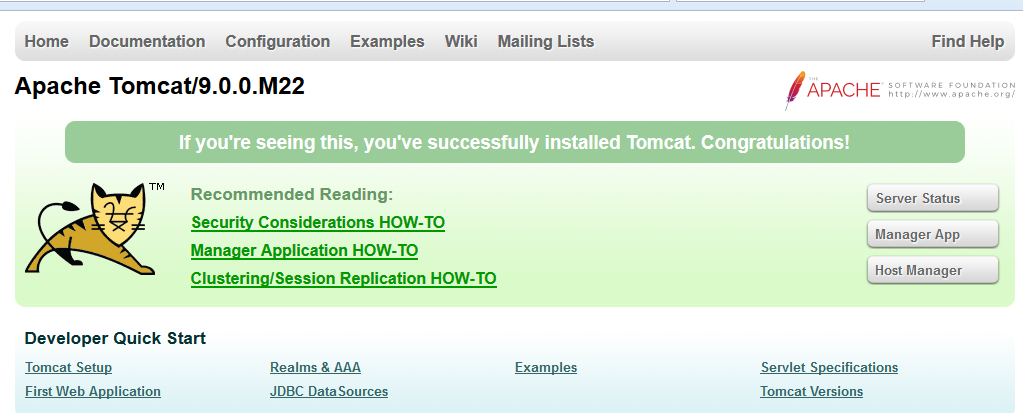
3、现在需要修改这个默认主页,改成自己的主页
(1)修改配置文件server.xml(在conf目录下),找到如下代码:
<Host name="172.18.0.5"  appBase="webapps"

            unpackWARs="true" autoDeploy="true">

<Context path="" docBase="C:\apache-tomcat-9.0.0.M22\webapps\ROOT"/>
修改第三行为<Context path="" docBase="C:\apache-tomcat-9.0.0.M22\webapps\ROOT\1" debug="0"/>
其中C:\apache-tomcat-9.0.0.M22\webapps\ROOT\1就是你想设置的网站根目录,我这里的根目录就是1
(2)修改配置文件web.xml,找到如下代码:
<welcome-file-list>

    <welcome-file>index.html</welcome-file>

        <welcome-file>index.htm</welcome-file>

        <welcome-file>index.jsp</welcome-file>

    </welcome-file-list>
在第一行添加上指定文件,如<welcome-file>work_detail.html</welcome-file>,注意:work_detail.html是目录1下的文件
    <welcome-file-list>

        <welcome-file>work_detail.html</welcome-file>

        <welcome-file>index.html</welcome-file>

        <welcome-file>index.htm</welcome-file>

        <welcome-file>index.jsp</welcome-file>

    </welcome-file-list
4、重启tomcat,访问172.18.0.5:8080
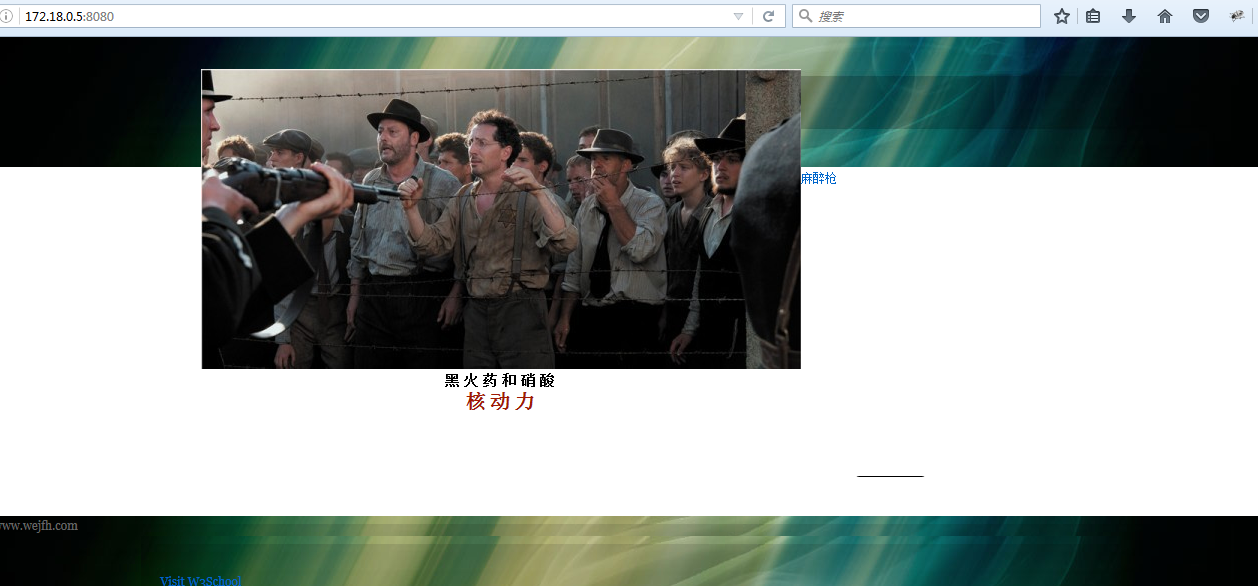
OK,访问的根目录就是刚刚设置的目录文件了
修改TOMCAT默认主页的更多相关文章
- 怎么修改tomcat默认访问首页
一般情况下安装好tomcat之后我们的默认访问首页是index了,但我们如果要修改或增加一个默认首页,我们可参考下面办法来解决. 通过 ip:port 访问到的是 tomcat 的管理页面,其他常规部 ...
- RK3288 修改浏览器默认主页和书签
path:packages/apps/Browser/res/values/strings.xml 修改浏览器默认主页: <!-- The default homepage. --> &l ...
- 修改Tomcat默认端口号,避免与IDEA冲突
修改Tomcat默认端口号,避免与IDEA冲突 APT安装默认位置如下 /var/lib/tomcat8/conf 修改server.xml中的8080端口为8088或其他. 重启服务,试试看效果. ...
- 修改tomcat默认的端口号
协同管理系统黙认使用Tomcat默认的端口8080,除8080端口外Tomcat还会占用8005,8009和8443端口.如果这4个端口已被占用,可以将协同管理系统修改为使用其它端口. 修改方法如下: ...
- eclipse配置tomcat及修改tomcat默认根目录
1.安装eclipse for j2ee和tomcat: 2.下载tomcat对eclipse的插件:http://www.eclipsetotale.com/tomcatPlugin.html 下载 ...
- 修改Tomcat默认连接数
<Connector port=" protocol="HTTP/1.1" connectionTimeout=" redirectPort=" ...
- 修改tomcat默认端口号
修改tomcat端口号 端口修改tomcat tomcat服务器的默认端口号是8080 1 只启动一个tomcat的情况 当我们不想使用8080端口,需要修改为其他端口时,我们可以: 1, 打开tom ...
- 【修改编码】修改tomcat默认的编码方式
默认情况下,tomcat使用的的编码方式:iso8859-1 修改tomcat下的conf/server.xml文件 找到如下代码: <Connector port="8080& ...
- 修改tomcat默认端口号8080
1.背景 在默认情况下,tomcat的端口是8080,使用了两个tomcat,那么就需要修改其中的一个的端口号才能使得两个同时工作. 2.方法 2.1改动一 那么,如何修改tomcat的端口号呢?首先 ...
随机推荐
- Java(16-19)
0. 正则表达式: str.matches() //判断字符串是否匹配 str.split() // 根据给定正则表达式的匹配规则.拆分此字符串,返回字符串数组. str.replaceAll() ...
- react脚手架构建工程
https://blog.csdn.net/qtfying/article/details/78665664 第二步:安装less包: https://segmentfault.com/a/11900 ...
- mustache多次渲染和多个赋值
mustache多次渲染和多个赋值, html页面的script标签中的代码,设置多个键: <!-- 项目列表 --> <script type="text/x-templ ...
- Linux服务器配置---ftp配置
FTP其他配置 在配置文件中,还有一些关于vsftpd的其他设置,这里列出来 # Example config file /etc/vsftpd/vsftpd.conf # Allow anonymo ...
- iOS之第三方库以及XCode插件介绍
前言 第三方库是现在的程序员离不开的东西 不光是APP开发 基本上所有的商业项目 都会或多或少的使用到第三方库 Github上Star>100的开源库数量如下 可以看到JS以绝对的优势排名第一 ...
- ELK学习笔记之ELK分析syslog日志
0x00 配置FIlebeat搜集syslog并发送至 #配置 mv /etc/filebeat/filebeat.yml /etc/filebeat/filebeat.yml.bak vim /et ...
- 20145322 Exp5 MS08_067漏洞测试
20145322何志威 Exp5 MS08_067漏洞测试 实验过程 kali ip:172.20.10.4 windows 2003 ip:172.20.10.2 在控制台内使用search ms0 ...
- IntelliJ IDEA 连接数据库 详细过程
IntelliJ IDEA集成了众多插件,方便开发者使用,使用其自带的Database模块就可以很方便的配置.连接到数据库,本次操作以MySQL为例,其中testjdbc数据库已经提前建好,里面有两张 ...
- python装饰器,其实就是对闭包的使用。
装饰器 理解装饰器要先理解闭包(在闭包中引用函数,可参考上一篇通过例子来理解闭包). 在代码运行期间动态增加功能的方式,称之为“装饰器”(Decorator). 装饰器的实质就是对闭包的使用,原函数被 ...
- Sizeof与Strlen的区别【转】
本文转载自:http://www.cnblogs.com/carekee/articles/1630789.html Sizeof与Strlen的区别与联系 一.sizeof sizeof(.. ...