
jest ignore
jest ignore
modulePathIgnorePatterns

https://jestjs.io/docs/en/configuration
modulePathIgnorePatterns [array]
https://jestjs.io/docs/en/configuration#modulepathignorepatterns-arraystring
// Default

[]

// Example

["<rootDir>/build/"]
testPathIgnorePatterns [array]
https://jestjs.io/docs/en/configuration#testpathignorepatterns-arraystring
// Default

["/node_modules/"]

// Example

["<rootDir>/build/", "<rootDir>/node_modules/"].
coveragePathIgnorePatterns [array]
https://jestjs.io/docs/en/configuration#coveragepathignorepatterns-arraystring
// Default

["/node_modules/"]

// Example

["<rootDir>/build/", "<rootDir>/node_modules/"].
watchPathIgnorePatterns [array]
https://jestjs.io/docs/en/configuration#watchpathignorepatterns-arraystring
// Example

["<rootDir>/node_modules/"].
transformIgnorePatterns [array]
https://jestjs.io/docs/en/configuration#transformignorepatterns-arraystring
// Default

["/node_modules/", "\\.pnp\\.[^\\\/]+$"]

// Example

["<rootDir>/bower_components/", "<rootDir>/node_modules/"].
https://jestjs.io/docs/en/tutorial-react-native#transformignorepatterns-customization
demos
modulePathIgnorePatterns: ["directoryNameToIgnore"]

# OR

modulePathIgnorePatterns: ["<rootDir>/dist/"]
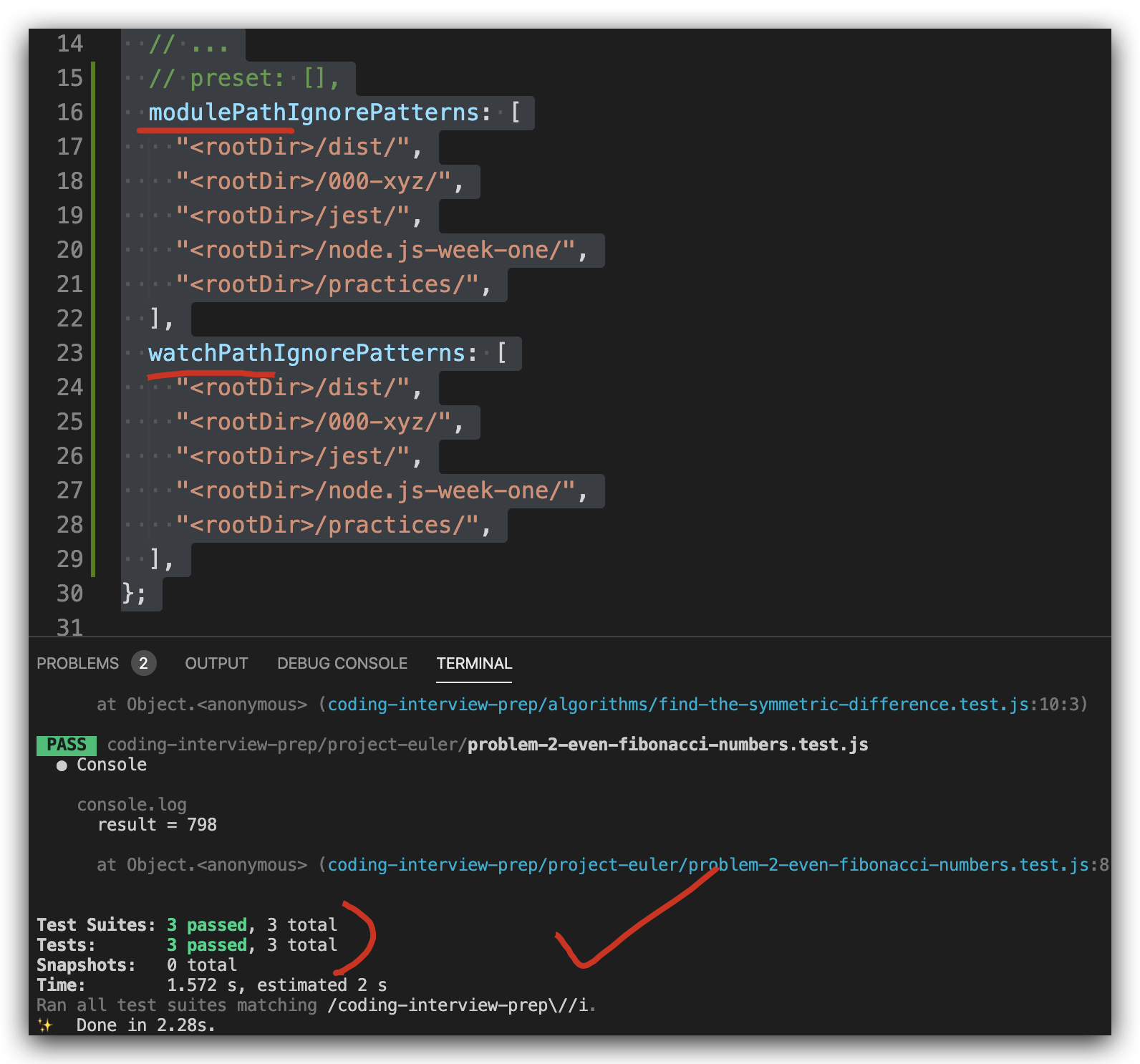
jest.config.js
// jest.config.js

const {defaults} = require('jest-config');

module.exports = {

  // ...

  moduleFileExtensions: [

    ...defaults.moduleFileExtensions,

    'js',

    'mjs',

    // 'jsx',

    // 'ts',

    // 'tsx',

  ],

  // ...

  // preset: [],

  modulePathIgnorePatterns: [

    "<rootDir>/dist/",

    "<rootDir>/000-xyz/",

    "<rootDir>/jest/",

    "<rootDir>/node.js-week-one/",

    "<rootDir>/practices/",

  ],

  watchPathIgnorePatterns: [

    "<rootDir>/dist/",

    "<rootDir>/000-xyz/",

    "<rootDir>/jest/",

    "<rootDir>/node.js-week-one/",

    "<rootDir>/practices/",

  ],

  testPathIgnorePatterns: [

    "<rootDir>/build/",

    "<rootDir>/node_modules/",

  ],

  coveragePathIgnorePatterns: [

    "<rootDir>/build/",

    "<rootDir>/node_modules/",

  ],

};
exclude/ignore file(s) from coverage
{

  "jest": {

    "collectCoverageFrom": [

      "src/**/{!(ignore-me),}.js"

    ]

  }

}
/* istanbul ignore file */
/* istanbul ignore next */

function myFunc() {

  console.log(

    "Not covered but won't appear on coverage reports as such"

  );

}
refs
https://www.cnblogs.com/xgqfrms/tag/jest/
https://stackoverflow.com/questions/40486567/how-to-exclude-files-from-jest-watch
https://codewithhugo.com/jest-exclude-coverage/
https://codewithhugo.com/run-skip-single-jest-test/
https://github.com/facebook/jest/issues/1815
xgqfrms 2012-2020
www.cnblogs.com 发布文章使用:只允许注册用户才可以访问!
jest ignore的更多相关文章
- 基于Typescript和Jest刷题环境搭建与使用
写在前面 前几个月在公司用vue3和ts写项目,想巩固一下基础,于是我想起了去年基于JavaScript和Jest搭建的刷题环境,不如,给它搞个加强版,结合Typescript和Jest 搞一个刷题环 ...
- AutoMapper:Unmapped members were found. Review the types and members below. Add a custom mapping expression, ignore, add a custom resolver, or modify the source/destination type
异常处理汇总-后端系列 http://www.cnblogs.com/dunitian/p/4523006.html 应用场景:ViewModel==>Mode映射的时候出错 AutoMappe ...
- cin.ignore()函数的用法
cin.ignore(a,ch)方法是从输入流(cin)中提取字符,提取的字符被忽略(ignore),不被使用.每抛弃一个字符,它都要计数和比较字符:如果计数值达到a或者被抛弃的字符是ch,则cin. ...
- iOS8: Ignore manifest download, already have bundleID
在企业分发的app下载过程中,iOS8发现挂在官网上的企业版的app点击了提示是否安装应用程序,但始终安装不上程序,的device console发现安装的时候出现 LoadExternalDownl ...
- svn ignore
工程名为simple,采用maven进行依赖管理,在check in时我不想工程下maven产生的target目录被提交到SVN(包括目录下所有文件和目录本身). 解决方法: 要被忽略的目录必须是未版 ...
- git ignore
我最初将整个项目push到远程仓库,但是项目代码里面有大文件,从而传输太费时间了. 看网上的说法,可以通过ignore文件达到不提交某些文件的效果,尝试了一下发现不行. 后来尝试清除缓存 $ git ...
- MySQL中的insert ignore into, replace into等的一些用法总结
在MySQL中进行条件插入数据时,可能会用到以下语句,现小结一下.我们先建一个简单的表来作为测试: CREATE TABLE `books` ( `id` INT(11) NOT NULL AUTO_ ...
- 解决git .ignore文件无效
在用 Git 进行代码管理的时候,我们会用 .gitignore 文件来描述哪些文件是不需要进行版本管理的,也就是被忽略掉. 如果我们在第一次提交的时候,忘记添加 .gitignore 文件或者在首次 ...
- Force StyleCop to Ignore a File
You can quickly force StyleCop to ignore files in a project by manually modifying the project file, ...
随机推荐
- 解析MySQL中存储时间日期类型的选择问题
解析MySQL中存储时间日期类型的选择问题_Mysql_脚本之家 https://www.jb51.net/article/125715.htm 一般应用中,我们用timestamp,datetime ...
- 理解 async/await以及对Generator的优势
async await 是用来解决异步的,async函数是Generator函数的语法糖使用关键字async来表示,在函数内部使用 await 来表示异步async函数返回一个 Promise 对象, ...
- libuv事件循环中的三种句柄
1.说明 本文会简单介绍 libuv 的事件循环,旨在入门级别的使用,而不做深入探究,简单来说就是,会大概用就行,先用熟练了,再去探究原理和源码 下图为官网的 libuv 的不同部分及其涉及的子系统的 ...
- LOJ10138
ZJOI 2008 树上的统计 一树上有 n 个节点,编号分别为 1 到 n,每个节点都有一个权值 w.我们将以下面的形式来要求你对这棵树完成一些操作: CHANGE u t :把节点 u 权值改为t ...
- Excel 常用数据类型、自定义格式、特殊值等等
常用数据类型: 常规: 常规单元榴格式不包含慑拍H靛的数字格式. 数值: 可以设置小数位数,是否使用千位分割符,以及负数样式 货币: 可以设置小数位数,货币符号,以及负数样式 会计专用: 可以设置小数 ...
- 二:SpringBoot-配置Log4j2,实现不同环境日志打印
SpringBoot-配置Log4j2,实现不同环境日志打印 日志打印之外观模式 1.日志配置 2.Log4j2的配置文件 3.简单的测试程序 日志打印之外观模式 每一种日志框架都有自己单独的API, ...
- MySql(四)SQL注入
MySql(四)SQL注入 一.SQL注入简介 1.1 SQL注入流程 1.2 SQL注入的产生过程 1.2.1 构造动态字符串 转义字符处理不当 类型处理不当 查询语句组装不当 错误处理不当 多个提 ...
- logstash的S3 input插件
logstash从AWS S3获取日志信息的常用方法有两种,一种是利用AWS lambda,另一种就是利用logstash的S3 input插件. 插件github:https://github.co ...
- Django (auth模块、User对象、用户认证、线上-用户认证)
一.auth模块 django.contrib.auth中提供了许多方法,这里主要介绍其中的三个: authenticate() 提供了用户认证,即验证用户名以及密码是否正确,一般需要usern ...
- mysql高级day2
Mysql高级-day02 1. Mysql的体系结构概览 整个MySQL Server由以下组成 Connection Pool : 连接池组件 Management Services & ...