
VC++调节显示器的亮度SetDeviceGammaRamp
出处:http://www.nirsoft.net/vc/change_screen_brightness.html
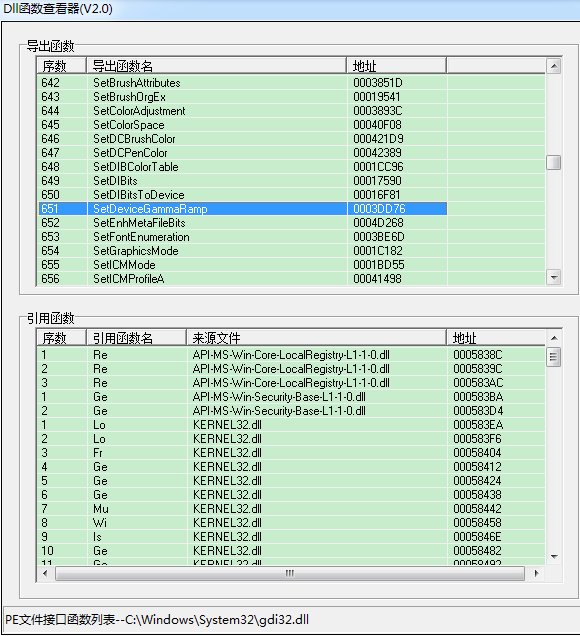
SetDeviceGammaRamp API函数位于Gdi32.ll中,接收一个256*3 RGB值的数组。
增加这个数组中的值会使屏幕更亮,而减少这些值会使屏幕变暗。
可以通过增加或减少的红/绿/蓝成分的值来显示影响。例如:在所有RGB值中增加蓝色分量将增加整个显示的蓝色。
下面的类封装调用GetDeviceGammaRamp和SetDeviceGammaRamp,并设置屏幕的亮度,提供setbrightness功能。
|
1
2 3 4 5 6 7 8 9 10 11 12 13 14 15 16 17 18 19 20 21 22 23 24 25 26 27 28 29 30 31 32 33 34 35 36 37 38 |
#ifndef GAMMARAMP_H_
#define GAMMARAMP_H_ /* Encapsulates the Gamma Ramp API and changes the brightness of Written by Nir Sofer. */ class CGammaRamp Type_GetDeviceGammaRamp pGetDeviceGammaRamp; public: CGammaRamp(); }; |
|
1
2 3 4 5 6 7 8 9 10 11 12 13 14 15 16 17 18 19 20 21 22 23 24 25 26 27 28 29 30 31 32 33 34 35 36 37 38 39 40 41 42 43 44 45 46 47 48 49 50 51 52 53 54 55 56 57 58 59 60 61 62 63 64 65 66 67 68 69 70 71 72 73 74 75 76 77 78 79 80 81 82 83 84 85 86 87 88 89 90 91 92 93 94 95 96 97 98 99 100 101 102 103 104 105 106 107 108 109 110 111 112 113 114 115 116 117 118 119 120 121 122 123 124 125 126 127 128 129 130 131 132 133 134 135 136 137 138 139 140 141 142 143 144 145 146 147 148 149 150 151 152 153 154 155 156 157 158 159 160 161 162 163 164 165 166 167 168 169 170 |
#include <windows.h>
#include "gammaramp.h" /* Encapsulates the Gamma Ramp API and changes the brightness of Written by Nir Sofer. */ CGammaRamp::CGammaRamp() CGammaRamp::~CGammaRamp() BOOL CGammaRamp::LoadLibrary() FreeLibrary(); return bReturn; void CGammaRamp::FreeLibrary() BOOL CGammaRamp::LoadLibraryIfNeeded() if (hGDI32 == NULL) if (pGetDeviceGammaRamp != NULL && pSetDeviceGammaRamp != NULL) return bReturn; BOOL CGammaRamp::SetDeviceGammaRamp(HDC hDC, LPVOID lpRamp) BOOL CGammaRamp::GetDeviceGammaRamp(HDC hDC, LPVOID lpRamp) } BOOL CGammaRamp::SetBrightness(HDC hDC, WORD wBrightness) The wBrightness value should be a number between 0 and 255. If hDC is NULL, SetBrightness automatically load and release */ //Load the display device context of the entire screen if hDC is NULL. if (hGammaDC != NULL) ; iIndex++) ) GammaArray[][iIndex] = //Set the GammaArray values into the display device context. if (hDC == NULL) return bReturn; |
|
1
2 3 4 5 6 7 8 9 10 11 12 13 14 15 16 17 18 19 20 21 22 23 24 25 26 27 |
#include <Windows.h>
#include "gammaramp.h" int WINAPI WinMain( CGammaRamp GammaRamp; //Make the screen darker: //Wait 3 seconds: //Return back to normal: ; |
VC++调节显示器的亮度SetDeviceGammaRamp的更多相关文章
- android开发之GestureDetector手势识别(调节音量、亮度、快进和后退)
写UI布局: <?xml version="1.0" encoding="utf-8"?> <LinearLayout xmlns:andro ...
- js调节图片的亮度
js调节图片的亮度:(使用CSS3的滤镜) 1.实现点亮图标.熄灭图标的效果 效果图: 页面代码: <!DOCTYPE html> <%@ page language="j ...
- ubuntu 设置显示器的亮度
ubuntu电脑重新启动后,亮度都变成了最亮.似乎也没胡地方可以设置.只好通过写个脚本来做这个事了. # -*- coding: utf-8 -*- import dbus bus = dbus.Se ...
- 解码红外遥控信号——使用遥控器的按键来调节LED的亮度
程序开始时,提示遥控键0~4的代码,然后程序通过设置LED的亮度来对被按下的按钮作出响应,以0关闭LED,1~4提供增加的亮度. 代码如下:(需要使用IRremote库,可在库管理中搜索该库进行下载后 ...
- WIN10 困扰多时的屏幕亮度 终于可以调节了-完美 -更新2018年2月28日
总结:很多问题是自己认知不够造成的, -- 问题解决在 修复经历二,可直接跳过去看 修复经历二. 首先看你屏幕亮度是集成还是独立显卡决定的(一般是集成),所以下面 修复经历一折腾独立显卡驱动没什 ...
- [转发]dsdt解决睡眠唤醒死机
登录 注册 首页 热门话题 最新发布 简单模式 详细模式 dsdt解决睡眠唤醒死机 Leave a reply 首先,感谢x5115x提供了一个相对比较完整的THINKPAD T410在MAC下的 ...
- [转]WIN7服务一些优化方法
本文转自:http://bbs.cfanclub.net/thread-391985-1-1.html Win7的服务,手动的一般不用管他,有些自动启动的,但对于有些用户来说是完全没用的,可以考虑禁用 ...
- win7 服务详解-系统优化
Adaptive Brightness监视氛围光传感器,以检测氛围光的变化并调节显示器的亮度.如果此服务停止或被禁用,显示器亮度将不根据照明条件进行调节.该服务的默认运行方式是手动,如果你没有使用触摸 ...
- vc++ 调用winapi调节屏幕亮度
!!版权声明:本文为博主原创文章,版权归原文作者和博客园共有,谢绝任何形式的 转载!! 作者:mohist ---- 已经更正文章中错误的地方, 时间: 10/10/2020--------- 自己封 ...
随机推荐
- 生成批量删除多个表sql语句
--批量删除多个表 select 'drop table ' +name from sysobjects where type = 'U' order by name
- jboss部署web应用
http://liufei-fir.iteye.com/blog/759772初次部署jboss的web应用,把tomcat/weblogic下的工程移植到jboss上发布 一.修改JBOSS应用服务 ...
- Could not create and/or set value back on to object .
严重: Error building beanorg.springframework.beans.factory.UnsatisfiedDependencyException: Error creat ...
- oracle聚合函数及行专列,pivot rollup cube
1.原始数据 --方法-: --以单位分组,计算每类特殊情况的合计以及按照单位的小计数 with a as (SELECT b.szfz, case when tsqk is not null th ...
- Mongodb的CRUD
1.查询 使用db.collection.find()方法进行查询.db.collection.findOne()返回单个文档.mongodb的所有查询操作都是针对单个collection > ...
- LINQ - 在Where條件式中使用in與not in(转载)
算算時間,接觸LINQ也有一個月的時間了,可以算是落伍兼新生,不過最近在寫專案的時候,遇到了在LINQ的Where條件式中要如何使用in與 not in呢!? 這時候真的只能坐在位子上仰天長笑,開始懷 ...
- UIView的使用setNeedsDisplay
1,UIView的setNeedsDisplay和setNeedsLayout方法 首先两个方法都是异步运行的.而setNeedsDisplay会调用自己主动调用drawRect方法.这样能够拿到 ...
- 自己定义滑动删除item的ListView。
首先继承创建继承ListView和实现OnTouchListener,OnGestureListener的类. 会使用到AbsList中的pointToPosition(int x, int y)方法 ...
- 蓝牙(CoreBluetooth)-概述
蓝牙(CoreBluetooth)-概述 通过此框架可以让你的Mac和iOS应用程序与外部蓝牙设备通信 外部设备: 就是需要通过iOS App控制器的其他设备: 例如:心率检测仪.数字温控器 蓝牙通讯 ...
- CCNA2.0笔记_WAN技术-帧中继
帧中继 -使用虚电路进行连接: -提供面向对象的服务 -帧中继 PVC 由 DLCI 标识,PVC 的状态通过 LMI 协议报告 Frame Relay NBMA连接引起的路由协议问题: -水平 ...