
VC++调节显示器的亮度SetDeviceGammaRamp
出处:http://www.nirsoft.net/vc/change_screen_brightness.html
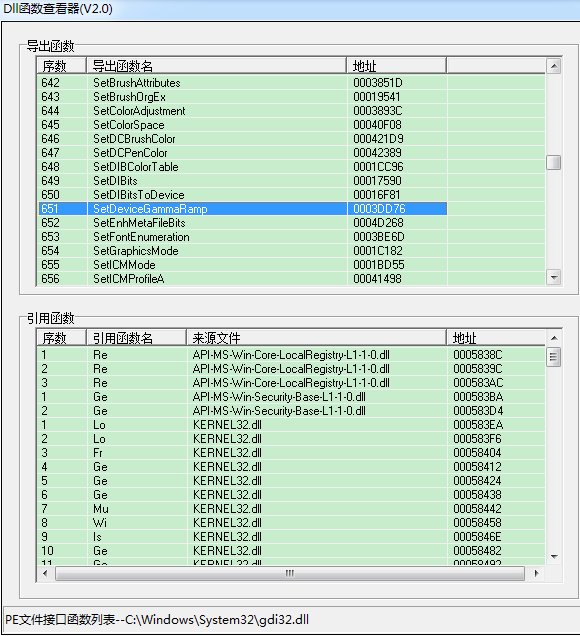
SetDeviceGammaRamp API函数位于Gdi32.ll中,接收一个256*3 RGB值的数组。
增加这个数组中的值会使屏幕更亮,而减少这些值会使屏幕变暗。
可以通过增加或减少的红/绿/蓝成分的值来显示影响。例如:在所有RGB值中增加蓝色分量将增加整个显示的蓝色。
下面的类封装调用GetDeviceGammaRamp和SetDeviceGammaRamp,并设置屏幕的亮度,提供setbrightness功能。
|
1
2 3 4 5 6 7 8 9 10 11 12 13 14 15 16 17 18 19 20 21 22 23 24 25 26 27 28 29 30 31 32 33 34 35 36 37 38 |
#ifndef GAMMARAMP_H_
#define GAMMARAMP_H_ /* Encapsulates the Gamma Ramp API and changes the brightness of Written by Nir Sofer. */ class CGammaRamp Type_GetDeviceGammaRamp pGetDeviceGammaRamp; public: CGammaRamp(); }; |
|
1
2 3 4 5 6 7 8 9 10 11 12 13 14 15 16 17 18 19 20 21 22 23 24 25 26 27 28 29 30 31 32 33 34 35 36 37 38 39 40 41 42 43 44 45 46 47 48 49 50 51 52 53 54 55 56 57 58 59 60 61 62 63 64 65 66 67 68 69 70 71 72 73 74 75 76 77 78 79 80 81 82 83 84 85 86 87 88 89 90 91 92 93 94 95 96 97 98 99 100 101 102 103 104 105 106 107 108 109 110 111 112 113 114 115 116 117 118 119 120 121 122 123 124 125 126 127 128 129 130 131 132 133 134 135 136 137 138 139 140 141 142 143 144 145 146 147 148 149 150 151 152 153 154 155 156 157 158 159 160 161 162 163 164 165 166 167 168 169 170 |
#include <windows.h>
#include "gammaramp.h" /* Encapsulates the Gamma Ramp API and changes the brightness of Written by Nir Sofer. */ CGammaRamp::CGammaRamp() CGammaRamp::~CGammaRamp() BOOL CGammaRamp::LoadLibrary() FreeLibrary(); return bReturn; void CGammaRamp::FreeLibrary() BOOL CGammaRamp::LoadLibraryIfNeeded() if (hGDI32 == NULL) if (pGetDeviceGammaRamp != NULL && pSetDeviceGammaRamp != NULL) return bReturn; BOOL CGammaRamp::SetDeviceGammaRamp(HDC hDC, LPVOID lpRamp) BOOL CGammaRamp::GetDeviceGammaRamp(HDC hDC, LPVOID lpRamp) } BOOL CGammaRamp::SetBrightness(HDC hDC, WORD wBrightness) The wBrightness value should be a number between 0 and 255. If hDC is NULL, SetBrightness automatically load and release */ //Load the display device context of the entire screen if hDC is NULL. if (hGammaDC != NULL) ; iIndex++) ) GammaArray[][iIndex] = //Set the GammaArray values into the display device context. if (hDC == NULL) return bReturn; |
|
1
2 3 4 5 6 7 8 9 10 11 12 13 14 15 16 17 18 19 20 21 22 23 24 25 26 27 |
#include <Windows.h>
#include "gammaramp.h" int WINAPI WinMain( CGammaRamp GammaRamp; //Make the screen darker: //Wait 3 seconds: //Return back to normal: ; |
VC++调节显示器的亮度SetDeviceGammaRamp的更多相关文章
- android开发之GestureDetector手势识别(调节音量、亮度、快进和后退)
写UI布局: <?xml version="1.0" encoding="utf-8"?> <LinearLayout xmlns:andro ...
- js调节图片的亮度
js调节图片的亮度:(使用CSS3的滤镜) 1.实现点亮图标.熄灭图标的效果 效果图: 页面代码: <!DOCTYPE html> <%@ page language="j ...
- ubuntu 设置显示器的亮度
ubuntu电脑重新启动后,亮度都变成了最亮.似乎也没胡地方可以设置.只好通过写个脚本来做这个事了. # -*- coding: utf-8 -*- import dbus bus = dbus.Se ...
- 解码红外遥控信号——使用遥控器的按键来调节LED的亮度
程序开始时,提示遥控键0~4的代码,然后程序通过设置LED的亮度来对被按下的按钮作出响应,以0关闭LED,1~4提供增加的亮度. 代码如下:(需要使用IRremote库,可在库管理中搜索该库进行下载后 ...
- WIN10 困扰多时的屏幕亮度 终于可以调节了-完美 -更新2018年2月28日
总结:很多问题是自己认知不够造成的, -- 问题解决在 修复经历二,可直接跳过去看 修复经历二. 首先看你屏幕亮度是集成还是独立显卡决定的(一般是集成),所以下面 修复经历一折腾独立显卡驱动没什 ...
- [转发]dsdt解决睡眠唤醒死机
登录 注册 首页 热门话题 最新发布 简单模式 详细模式 dsdt解决睡眠唤醒死机 Leave a reply 首先,感谢x5115x提供了一个相对比较完整的THINKPAD T410在MAC下的 ...
- [转]WIN7服务一些优化方法
本文转自:http://bbs.cfanclub.net/thread-391985-1-1.html Win7的服务,手动的一般不用管他,有些自动启动的,但对于有些用户来说是完全没用的,可以考虑禁用 ...
- win7 服务详解-系统优化
Adaptive Brightness监视氛围光传感器,以检测氛围光的变化并调节显示器的亮度.如果此服务停止或被禁用,显示器亮度将不根据照明条件进行调节.该服务的默认运行方式是手动,如果你没有使用触摸 ...
- vc++ 调用winapi调节屏幕亮度
!!版权声明:本文为博主原创文章,版权归原文作者和博客园共有,谢绝任何形式的 转载!! 作者:mohist ---- 已经更正文章中错误的地方, 时间: 10/10/2020--------- 自己封 ...
随机推荐
- 【Spring实战】—— 6 内部Bean
本篇文章讲解了Spring的通过内部Bean设置Bean的属性. 类似内部类,内部Bean与普通的Bean关联不同的是: 1 普通的Bean,在其他的Bean实例引用时,都引用同一个实例. 2 内部B ...
- Spring bean注入方式
版权声明:本文为博主原创文章,如需转载请标注转载地址. 博客地址:http://www.cnblogs.com/caoyc/p/5619525.html Spring bean提供了3中注入方式:属 ...
- hibernate session的load和get方法
@Test public void testLoad() { Session session = sessionFactory.getCurrentSession(); session ...
- RS:推荐系统中的数据稀疏和冷启动问题
如何在没有大量用户数据的情况下设计个性化推荐系统并且让用户对推荐结果满意从而愿意使用推荐系统,就是冷启动问题. 冷启动问题主要分为三类: (1) 用户冷启动:如何给新用户做个性化推荐的问题,新用户刚使 ...
- Spring 框架的搭建及测试
1.项目结构如下: 2.com.sxl.pojos==>Student.java package com.sxl.pojos; public class Student { private in ...
- 补习知识:Entity Framework Code First属性映射约定
Entity Framework Code First与数据表之间的映射方式有两种实现:Data Annotation和Fluent API.本文中采用创建Product类为例来说明tity Fram ...
- 计算机原理--cpu篇
简介 本文的目的是为了能够对特定的计算模型估算所需的CPU规格,个数. 这里主要介绍CPU的基本工作原理,指令集.(仅以X86体系结构的CPU为例 )
- Mac 全局变量 ~/.bash_profile 文件不存在的问题
不存在就新建呗~ $ cd ~/ $ touch .bash_profile $ open -e .bash_profile 然后输入以下内容 # set color的部分是配置iterm2的字体颜色 ...
- Visual Studio 2010以及TeamFoundationServer 2010 MSDN免Key版地址分享(转载)
以下链接转自互联网,已经下载验证SHA1码和MSDN公布的一致,跟我一样不喜欢下试用版再自己动手的同学,请使用最新版的BT工具或者迅雷下载(需要支持Magnet协议) Download Visual ...
- IIS8.5设置 MVC HTTP 错误 404.0 - Not Found
0. 确认 设置IIS的“ISAPI和CGI限制”中的“ASP.NET v4.0.0.30319”为允许 1. 解决方案 <system.webServer> <modules ...