
10.Query an Array-官方文档摘录
1.插入
db.inventory.insertMany([

   { item: "journal", qty: 25, tags: ["blank", "red"], dim_cm: [ 14, 21 ] },

   { item: "notebook", qty: 50, tags: ["red", "blank"], dim_cm: [ 14, 21 ] },

   { item: "paper", qty: 100, tags: ["red", "blank", "plain"], dim_cm: [ 14, 21 ] },

   { item: "planner", qty: 75, tags: ["blank", "red"], dim_cm: [ 22.85, 30 ] },

   { item: "postcard", qty: 45, tags: ["blue"], dim_cm: [ 10, 15.25 ] }

]);
2.匹配数组
db.inventory.find({tags:["red","blank"]})
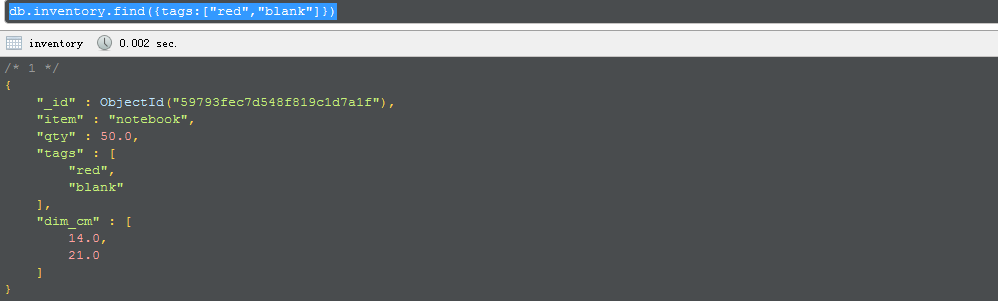
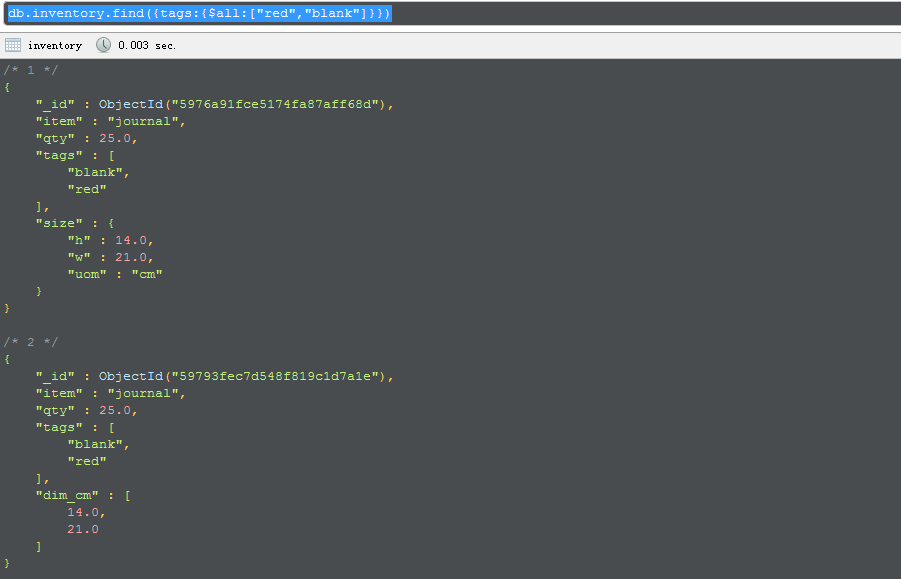
使用$all可以找到自己制定包含在数据中的元素
db.inventory.find({tags:{$all:["red","blank"]}})
test@gzxkvm52> db.inventory.find( { dim_cm: { $gt: 15, $lt: 20 } } )

{ "_id" : ObjectId("59793fec7d548f819c1d7a1e"), "item" : "journal", "qty" : 25, "tags" : [ "blank", "red" ], "dim_cm" : [ 14, 21 ] }

{ "_id" : ObjectId("59793fec7d548f819c1d7a1f"), "item" : "notebook", "qty" : 50, "tags" : [ "red", "blank" ], "dim_cm" : [ 14, 21 ] }

{ "_id" : ObjectId("59793fec7d548f819c1d7a20"), "item" : "paper", "qty" : 100, "tags" : [ "red", "blank", "plain" ], "dim_cm" : [ 14, 21 ] }

{ "_id" : ObjectId("59793fec7d548f819c1d7a22"), "item" : "postcard", "qty" : 45, "tags" : [ "blue" ], "dim_cm" : [ 10, 15.25 ] }

test@gzxkvm52> db.inventory.find( { dim_cm: { $elemMatch: { $gt: 15, $lt: 20 } } } )

{ "_id" : ObjectId("59793fec7d548f819c1d7a22"), "item" : "postcard", "qty" : 45, "tags" : [ "blue" ], "dim_cm" : [ 10, 15.25 ] }

如果使用{“x”:{"$gt":10, "$lt":20}进行查询,只会匹配“X”键的值大于等于10并且小于等于20的文档。但是假如某个文档的x字段是一个数组,

如果x的键的某一个元素与查询的任何一条语句相匹配,那么这个文档就会返回luoxi

 $elemMatch 和 $slice运算符是对数组进行projection的唯一途径
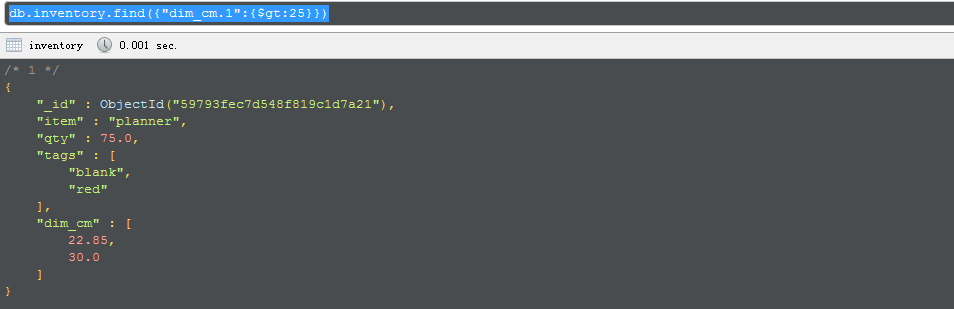
可以根据数组索引位置查找元素
db.inventory.find({"dim_cm.1":{$gt:25}})
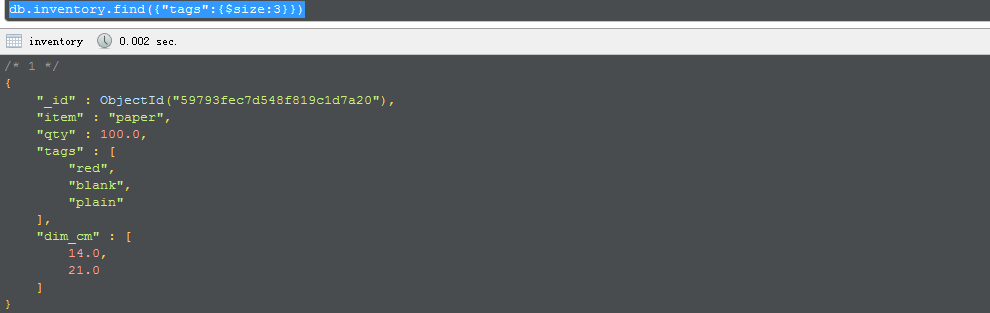
通过数组长度查询
db.inventory.find({"tags":{$size:3}})
This page provides examples of query operations on array fields using the db.collection.find() method in the mongo shell. The examples on this page use the inventory collection. To populate the inventorycollection, run the following:
db.inventory.insertMany([

   { item: "journal", qty: 25, tags: ["blank", "red"], dim_cm: [ 14, 21 ] },

   { item: "notebook", qty: 50, tags: ["red", "blank"], dim_cm: [ 14, 21 ] },

   { item: "paper", qty: 100, tags: ["red", "blank", "plain"], dim_cm: [ 14, 21 ] },

   { item: "planner", qty: 75, tags: ["blank", "red"], dim_cm: [ 22.85, 30 ] },

   { item: "postcard", qty: 45, tags: ["blue"], dim_cm: [ 10, 15.25 ] }

]);
You can run the operation in the web shell below:
Match an Array
To specify equality condition on an array, use the query document { <field>: <value> } where<value> is the exact array to match, including the order of the elements.
The following example queries for all documents where the field tags value is an array with exactly two elements, "red" and "blank", in the specified order:
db.inventory.find( { tags: ["red", "blank"] } )
If, instead, you wish to find an array that contains both the elements "red" and "blank", without regard to order or other elements in the array, use the $all operator:
db.inventory.find( { tags: { $all: ["red", "blank"] } } )
Query an Array for an Element
To query if the array field contains at least one element with the specified value, use the filter { <field>:<value> } where <value> is the element value.
The following example queries for all documents where tags is an array that contains the string "red" as one of its elements:
db.inventory.find( { tags: "red" } )
To specify conditions on the elements in the array field, use query operators in the query filter document:
{ <array field>: { <operator1>: <value1>, ... } }
For example, the following operation queries for all documents where the array dim_cm contains at least one element whose value is greater than 25.
db.inventory.find( { dim_cm: { $gt: 25 } } )
Specify Multiple Conditions for Array Elements
When specifying compound conditions on array elements, you can specify the query such that either a single array element meets these condition or any combination of array elements meets the conditions.
Query an Array with Compound Filter Conditions on the Array Elements
The following example queries for documents where the dim_cm array contains elements that in some combination satisfy the query conditions; e.g., one element can satisfy the greater than 15 condition and another element can satisfy the less than 20 condition, or a single element can satisfy both:
db.inventory.find( { dim_cm: { $gt: 15, $lt: 20 } } )
Query for an Array Element that Meets Multiple Criteria
Use $elemMatch operator to specify multiple criteria on the elements of an array such that at least one array element satisfies all the specified criteria.
The following example queries for documents where the dim_cm array contains at least one element that is both greater than ($gt) 22 and less than ($lt) 30:
db.inventory.find( { dim_cm: { $elemMatch: { $gt: 22, $lt: 30 } } } )
Query for an Element by the Array Index Position
Using the dot notation, you can specify query conditions for an element at a particular index or position of the array. The array uses zero-based indexing.
The following example queries for all documents where the second element in the array dim_cm is greater than 25:
db.inventory.find( { "dim_cm.1": { $gt: 25 } } )
Query an Array by Array Length
Use the $size operator to query for arrays by number of elements. For example, the following selects documents where the array tags has 3 elements.
db.inventory.find( { "tags": { $size: 3 } } )
Additional Query Tutorials
For additional query examples, see:
10.Query an Array-官方文档摘录的更多相关文章
- Cocos Creator 加载和切换场景(官方文档摘录)
Cocos Creator 加载和切换场景(官方文档摘录) 在 Cocos Creator 中,我们使用场景文件名( 可以不包含扩展名)来索引指代场景.并通过以下接口进行加载和切换操作: cc.dir ...
- ng的概念层次(官方文档摘录)
官方文档是这么说的: You write Angular applications by: composing HTML templates with Angularized markup, writ ...
- Cocos Creator 使用计时器(官方文档摘录)
在 Cocos Creator 中,我们为组件提供了方便的计时器,这个计时器源自于 Cocos2d-x 中的 cc.Scheduler,我们将它保留在了 Cocos Creator 中并适配了基于组件 ...
- Cocos Creator 生命周期回调(官方文档摘录)
Cocos Creator 为组件脚本提供了生命周期的回调函数.用户通过定义特定的函数回调在特定的时期编写相关 脚本.目前提供给用户的声明周期回调函数有: onLoad start update la ...
- angular 模板语法(官方文档摘录)
https://angular.cn/guide/template-syntax {{}} 和"" 如果嵌套,{{}}里面求完值,""就是原意 <h3&g ...
- 2017.4.10 spring-ldap官方文档学习
官网:http://www.springframework.org/ldap 官方文档及例子(重要):http://docs.spring.io/spring-ldap/docs/2.1.0.RELE ...
- Qt元类型(MetaType)注册入门(附一些官方文档的关键摘录)
昨天调试项目时,突然发现如下消息: QObject::connect: Cannot queue arguments of type 'ERROR_LEVEL' (Make sure 'ERROR_L ...
- 【pytest官方文档】解读fixtures - 10. fixture有效性、跨文件共享fixtures
一.fixture有效性 fixture有效性,说白了就是fixture函数只有在它定义的使用范围内,才可以被请求到.比如,在类里面定义了一个fixture, 那么就只能是这个类中的测试函数才可以请求 ...
- [翻译]PyMongo官方文档
PyMongo官方文档翻译 周煦辰 2016-06-30 这是本人翻译的PyMongo官方文档.现在网上分(抄)享(袭)的PyMongo博客文章很多,一方面这些文章本就是抄袭的,谈不上什么格式美观,另 ...
- 《Apache Velocity用户指南》官方文档
http://ifeve.com/apache-velocity-dev/ <Apache Velocity用户指南>官方文档 原文链接 译文连接 译者:小村长 校对:方腾飞 Qui ...
随机推荐
- PHP中的正则表达式及模式匹配
PHP中的正则表达式及模式匹配 PHP中对于正则处理文本提供了两种方式,一种是PCRE方式(PCRE库是一个实现了与perl 5在语法和语义上略有差异(详见下文)的正则表达式模式匹配功能的函数集. 当 ...
- django中使用POST方法 使用ajax后出现“CSRF token missing or incorrect”
这个是因为在django的ajax中默认添加了token,因此需要在cookie中增加token头信息. 首先使用JavaScript函数获取token: function getCookie(nam ...
- ORACLE中NVL和COALESCE的区别
nvl(COMMISSION_PCT,0)如果第一个参数为null,则返回第二个参数如果第一个参数为非null,则返回第一个参数 COALESCE(EXPR1,EXPR2,EXPR3...EXPRn) ...
- ListView嵌套GridView使用详解及注意事项
ListView嵌套GridView即ListView的每个Item中都包含一个GridView:需要注意的是由于ListView和GridView都是可滑动的控件. 所以需要自定义GridView, ...
- uinty实现玩家尾随鼠标位置平滑旋转角度
首先我们要在场景中加入一个quad平面作为地板, 然后指定Layer为Floor,然后移除mesh renderer组件 然后加入脚本 脚本主要思想是从屏幕中心投出一条射线到地板, 然后获取相应坐标, ...
- dirname(__FILE__) 的使用总结 2(转)
比如当前文件是放在(d:\www\)下,文件名是test.php. 测试的代码如下: 复制代码 代码如下: <?php echo __FILE__ ; // 取得当前文件的绝对地址,结果:D:\ ...
- yii save model return id null
/** * Creates a new model. * If creation is successful, the browser will be redirected to the 'view' ...
- js常用API汇总(转)
typeof(); 检测数据类型 String(); 转换成字符串 parseInt(); 解析出一个string或number的整数部分 parseFloat(); 解析出一个string的浮点数部 ...
- FireBug与FirePHP
a.FireBug,平时用的比较多.就是在客户端调试代码.如:hTML ,CSS,JS等 b.FireBug安装较容易. b-1,打开火狐浏览器 b-2,打开“附加组件” b-3.搜索“firebug ...
- 详略。。设计模式2——单例变形(多例).。。。studying
★ 缓存在单例中的使用("单例+缓存"技术) 缓存在编程中使用非常频繁,有着非常关键的数据,它可以帮助程序实现以空间换取时间, 通常被设计成整个应用程序所共享的一个空间,现要求实现 ...