
UITableViewCell状态切换效果
UITableViewCell状态切换效果

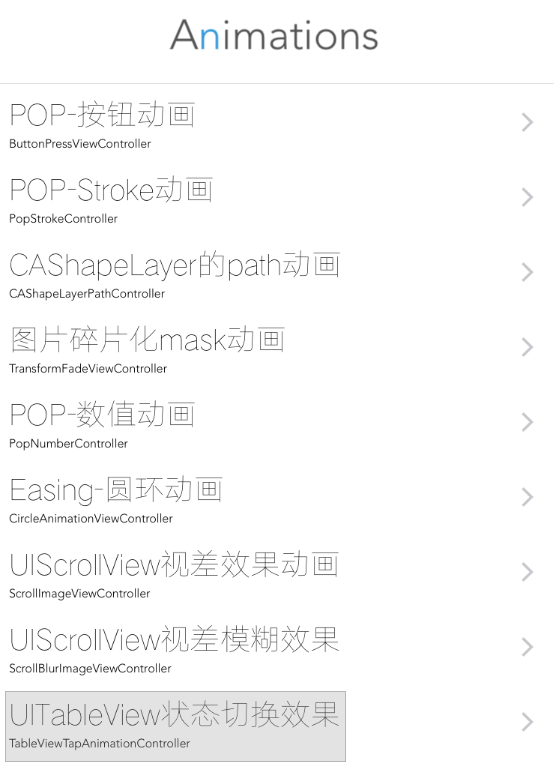
效果图

源码
https://github.com/YouXianMing/Animations
//

//  TableViewTapAnimationController.m

//  Animations

//

//  Created by YouXianMing on 15/11/27.

//  Copyright © 2015年 YouXianMing. All rights reserved.

//

#import "TableViewTapAnimationController.h"

#import "TableViewTapAnimationCell.h"

#import "UIView+SetRect.h"

#import "TapAnimationModel.h"

@interface TableViewTapAnimationController () <UITableViewDataSource, UITableViewDelegate>

@property (nonatomic, strong) UITableView   *tableView;

@property (nonatomic, strong) NSArray       *dataArray;

@end

@implementation TableViewTapAnimationController

- (void)viewDidLoad {

    [super viewDidLoad];

}

- (void)setup {

    [super setup];

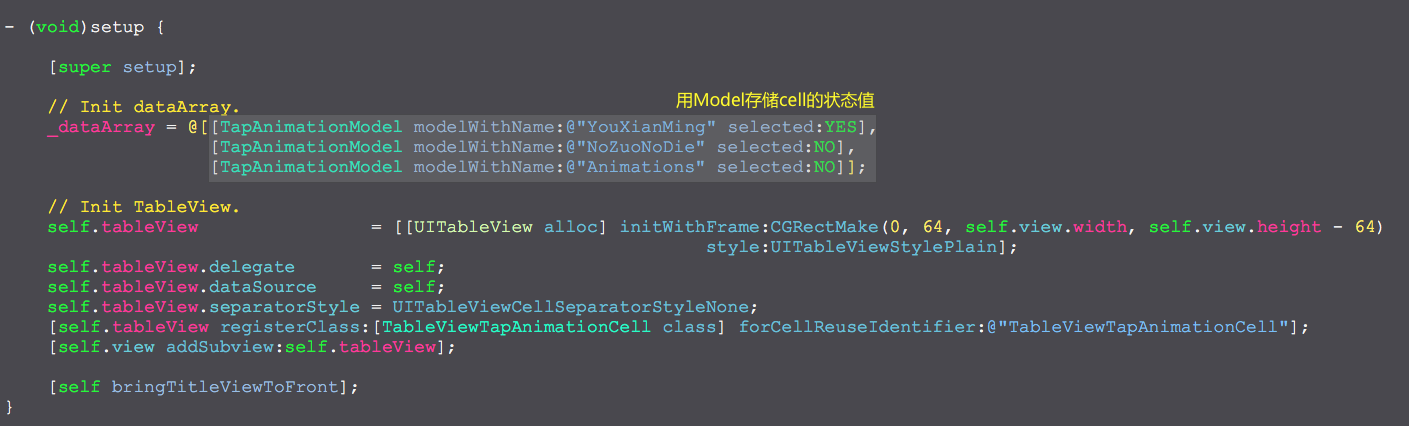
    // Init dataArray.

    _dataArray = @[[TapAnimationModel modelWithName:@"YouXianMing" selected:YES],

                   [TapAnimationModel modelWithName:@"NoZuoNoDie" selected:NO],

                   [TapAnimationModel modelWithName:@"Animations" selected:NO]];

    // Init TableView.

    self.tableView                = [[UITableView alloc] initWithFrame:CGRectMake(, , self.view.width, self.view.height - )

                                                                 style:UITableViewStylePlain];

    self.tableView.delegate       = self;

    self.tableView.dataSource     = self;

    self.tableView.separatorStyle = UITableViewCellSeparatorStyleNone;

    [self.tableView registerClass:[TableViewTapAnimationCell class] forCellReuseIdentifier:@"TableViewTapAnimationCell"];

    [self.view addSubview:self.tableView];

    [self bringTitleViewToFront];

}

#pragma mark - TableView相关方法

- (NSInteger)tableView:(UITableView *)tableView numberOfRowsInSection:(NSInteger)section {

    return _dataArray.count;

}

- (UITableViewCell *)tableView:(UITableView *)tableView cellForRowAtIndexPath:(NSIndexPath *)indexPath {

    TableViewTapAnimationCell *cell = [tableView dequeueReusableCellWithIdentifier:@"TableViewTapAnimationCell"];

    cell.data                       = _dataArray[indexPath.row];

    [cell loadContent];

    [cell changeStateAnimated:NO];

    return cell;

}

- (void)tableView:(UITableView *)tableView didSelectRowAtIndexPath:(NSIndexPath *)indexPath {

    TableViewTapAnimationCell *cell = (TableViewTapAnimationCell *)[tableView cellForRowAtIndexPath:indexPath];

    [cell showSelectedAnimation];

    [cell changeStateAnimated:YES];

    [tableView deselectRowAtIndexPath:indexPath animated:YES];

}

- (CGFloat)tableView:(UITableView *)tableView heightForRowAtIndexPath:(NSIndexPath *)indexPath {

    return .f;

}

@end
细节
UITableViewCell状态切换效果的更多相关文章
- Swift - UITableView状态切换效果
Swift - UITableView状态切换效果 效果 源码 https://github.com/YouXianMing/Swift-Animations // // TableViewTapAn ...
- [Swift通天遁地]九、拔剑吧-(7)创建旋转和弹性的页面切换效果
★★★★★★★★★★★★★★★★★★★★★★★★★★★★★★★★★★★★★★★★➤微信公众号:山青咏芝(shanqingyongzhi)➤博客园地址:山青咏芝(https://www.cnblogs. ...
- 使用ViewPager+Fragment实现选项卡切换效果
实现效果 本实例主要实现用ViewPage和Fragment实现选项卡切换效果,选项卡个数为3个,点击选项卡或滑动屏幕会切换Fragment并实现选项卡下方下边框条跟随移动效果. 本程序用androi ...
- WPF 编辑状态切换
有时候DataGrid编辑的时候一个属性需要根据别的属性呈现不同的编辑状态.这就需要一个做一个状态切换.比如地址是1的时候,读写类型是读写.只读.只写.地址是2的时候,就只读.状态栏切换为TextBo ...
- 巧用ViewPager 打造不一样的广告轮播切换效果
一.概述 如果大家关注了我的微信公众号的话,一定知道我在5月6号的时候推送了一篇文章,文章名为Android超高仿QQ附近的人搜索展示(一),通过该文可以利用ViewPager实现单页显示多个Item ...
- UIVIewController自定义切换效果-b
之前介绍动画时提过UIView的转场动画,但是开发中我们碰到更多的viewController的切换,ios中常见的viewcontroller切换有四种:模态视图,导航栏控制器,UITabBar ...
- Android实现程序前后台切换效果
本文演示如何在Android中实现程序前后台切换效果. 在介绍程序实现之前,我们先看下Android中Activities和Task的基础知识. 我们都知道,一个Activity 可以启动另一个Act ...
- 利用jquery写的一个TAB页切换效果
函数如下 /** *切换效果 */ function switab(tab,con,tab_c_css,tab_n_css,no) { $(tab).each(function(i){ if(i == ...
- Fragment保持状态切换,fragment状态切换
在使用Activity管理多个Fragment时,每次切换Fragment使用的是replace,结果导致出现xxx is not currently in the FragmentManager异常 ...
随机推荐
- Sourcetree使用 - git图形化工具(三)
前面两个章节总结了Sourcetree的安装与配置Sourcetree密钥,这个章节主要讲如何使用Sourcetree.以前呢,都是使用git Bash进行命令行方式进行操作git,感觉部分时间浪费在 ...
- hdu 5078(2014鞍山现场赛 I题)
数据 表示每次到达某个位置的坐标和时间 计算出每对相邻点之间转移的速度(两点间距离距离/相隔时间) 输出最大值 Sample Input252 1 9//t x y3 7 25 9 06 6 37 6 ...
- CF 577A 分解因数
输入一个n 构成一个n*n的表 这个表里的数 第i行j列的值为i*j 问x在这个表里出现了几次 Sample test(s)input10 5output2input6 12output4input5 ...
- IIS部署asp.net MVC 出现错误 403.14-Forbidden解决办法
可能性一: <system.webServer> <validationvalidateIntegratedModeConfiguration="false" ...
- day6面向对象
面向对象介绍(http://www.cnblogs.com/alex3714/articles/5188179.htm) 世界万物,皆可分类 世界万物,皆为对象 只要是对象,就 ...
- 【LOJ】#2306. 「NOI2017」蔬菜
题解 从后往前递推 如果我们知道了第i天的最优方案和第i天选择的蔬菜,加入第i天选择的蔬菜数量为S,我们只需要减去最小的S - (i - 1) * M 个蔬菜即可 所以我们只要求出最后一天的蔬菜选择 ...
- USACO 5.1 Starry Night
Starry NightIOI 98 High up in the night sky, the shining stars appear in clusters of various shapes. ...
- 初始Winsock编程
1.套接字的创建和关闭 使用套接字之前,必须使用socket函数创建一个套接字,此函数调用成功将返回一个套接字句柄. 1 SOCKET socket( 2 int af, //用来指定套接字使用的地址 ...
- 再议js的传递和深复制
病理 基本类型的传递就是按值传递,比如说 var a = 1; var b = a; b = 3; console.log(a,b);//1,3 很明显,a的值并未因为b的值改变而变化,这是因为a只是 ...
- ASP.NET MVC中在Action获取提交的表单数据方法
有Index视图如下: 视图代码如下: <%@ Page Language="C#" MasterPageFile="~/Views/Shared/Site.Mas ...