
Bechmarksql
使用方法
1、配置JDK环境
JDK最好是1.5以上的版本
JAVA_HOME=/usr/java/jdk1.6.0_22
PATH=$PATH:$JAVA_HOME/bin
2.准备工作
把要测试的数据库的JDBC DRIVER放到./BenchmarkSQL-2.3.2/lib目录下
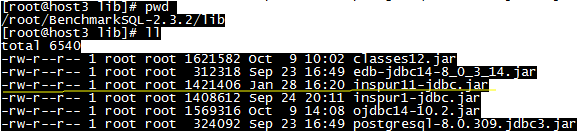
在run/目录下的 runSQL.sh 、 loadData.sh 、 runBenchmark.sh三个文件中加入要测试的数据库的JDBC DRIVER的位置,如下图所示:



3.测试步骤
(1)配置数据库的JDBC连接信息
[root@host3 run]# cp oracle.properties kdbnew.properties
[root@host3 run]# vi kdbnew.properties
driver=com.inspur.jdbc.KdDriver
conn=jdbc:inspur:thin:@localhost:8629:kdb
user=sys
password=kdb
(2)创建初始表
[root@host3 run]# ./runSQL.sh kdbnew.properties sqlTableCreates
(3)添加初始数据
./loadData.sh tibero.properties numWarehouses= 10
注意:等号与后面的数字之间一定要添加一个空格
10warehouse=1G
numWarehouse指的是仓库数(具体含义见上篇博文),默认为1,导入9张表的数据大小大概70多M,当 numWarehouse为10时,数据大小可以近似当作1GB数据。
(4)创建索引
./runSQL.sh kdbnew.properties sqlIndexCreates
(5)开始测试
./runBenchmark.sh kdbnew.properties
在没有建索引的情况下不会产生tpmc值,太慢了
注意:在执行此命令之前,先用root用户执行xhost +,普通用户才可能显示图形界面
不要忘记设置图形界面的仓库数时要与第3步中设置的数量相符;此外,测试的结果报告除了显示在图形界面有显示以外,还在run/reports目录下有备份,随时可以查阅
如果图形化界面无法显示:
[root@host3 ~]# cd /etc/ssh
[root@host3 ssh]# ls
moduli sshd_config ssh_host_dsa_key.pub ssh_host_key.pub ssh_host_rsa_key.pub
ssh_config ssh_host_dsa_key ssh_host_key ssh_host_rsa_key
[root@host3 ssh]# more sshd_config
# The default is to check both .ssh/authorized_keys and .ssh/authorized_keys2
# but this is overridden so installations will only check .ssh/authorized_keys
AuthorizedKeysFile .ssh/authorized_keys
#AllowAgentForwarding yes
#AllowTcpForwarding yes
#GatewayPorts no
X11Forwarding yes
#X11DisplayOffset 10
#X11UseLocalhost yes
#PrintMotd yes
#PrintLastLog yes
#TCPKeepAlive yes
#UseLogin no
UsePrivilegeSeparation sandbox # Default for new installations.
# no default banner path
#Banner none
# override default of no subsystems
Subsystem sftp /usr/libexec/openssh/sftp-server
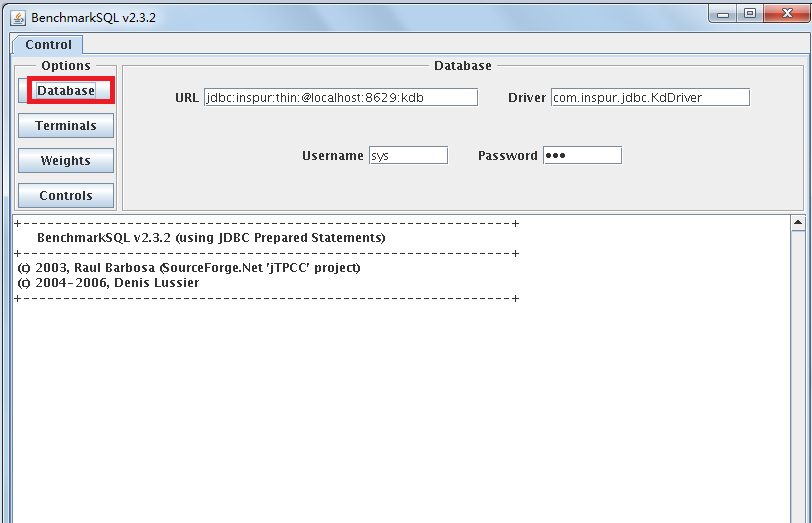
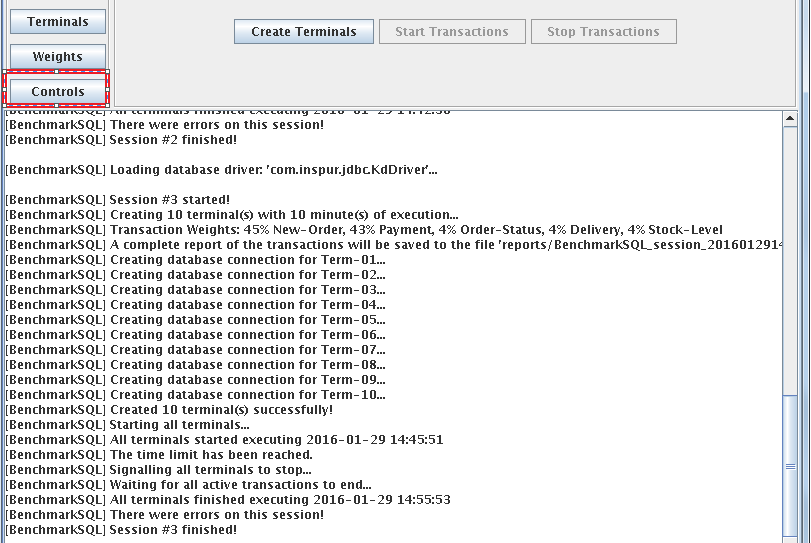
Control-Database:配置所要链接的数据库,默认会读取之前我们修改的配置文件,故此处不用动
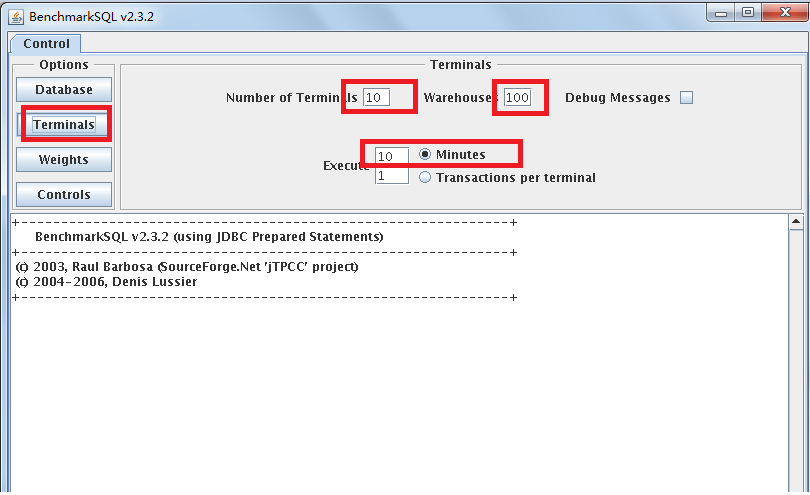
Control-Terminals:配置终端数,仓库数,是否显示Debug信息,选择执行是分钟还是每终端事务数
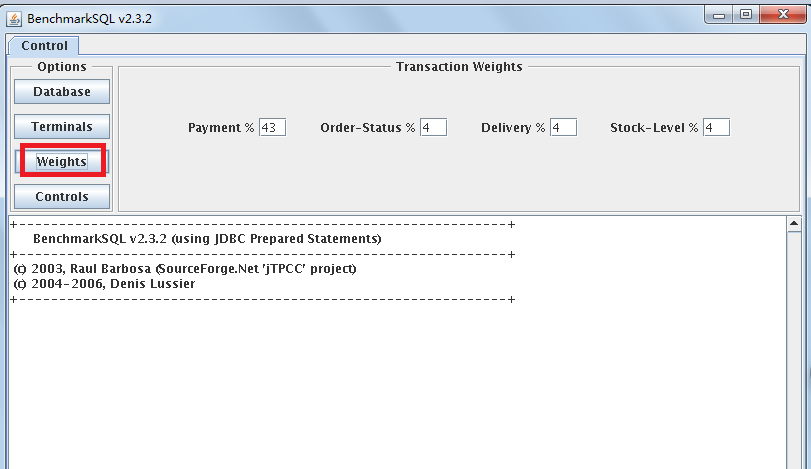
Control-Weights:配置TPC-C测试中五种事务的比重(界面中只要配置4种),一般按默认比例测试即可
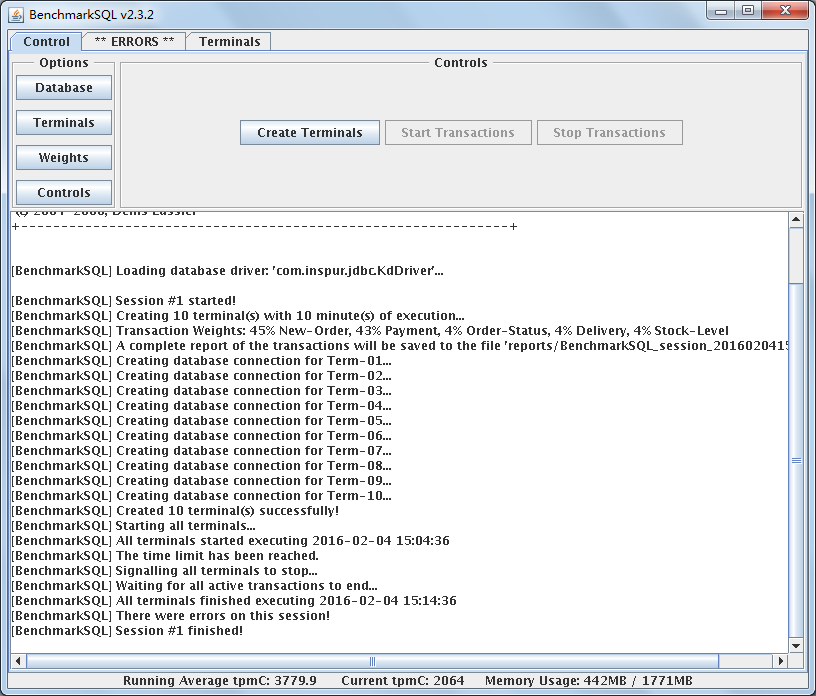
[BenchmarkSQL] Session #1 started!
[BenchmarkSQL] Creating 10 terminal(s) with 10 minute(s) of execution...
[BenchmarkSQL] Transaction Weights: 45% New-Order, 43% Payment, 4% Order-Status, 4% Delivery, 4% Stock-Level
[BenchmarkSQL] A complete report of the transactions will be saved to the file 'reports/BenchmarkSQL_session_20160129150651.txt'
[BenchmarkSQL] Creating database connection for Term-01...
[BenchmarkSQL] Creating database connection for Term-02...
[BenchmarkSQL] Creating database connection for Term-03...
[BenchmarkSQL] Creating database connection for Term-04...
[BenchmarkSQL] Creating database connection for Term-05...
[BenchmarkSQL] Creating database connection for Term-06...
[BenchmarkSQL] Creating database connection for Term-07...
[BenchmarkSQL] Creating database connection for Term-08...
[BenchmarkSQL] Creating database connection for Term-09...
[BenchmarkSQL] Creating database connection for Term-10...
[BenchmarkSQL] Created 10 terminal(s) successfully!
[BenchmarkSQL] Starting all terminals...
[BenchmarkSQL] All terminals started executing 2016-01-29 15:06:54
[BenchmarkSQL] The time limit has been reached.
[BenchmarkSQL] Signalling all terminals to stop...
[BenchmarkSQL] Waiting for all active transactions to end...
[BenchmarkSQL] All terminals finished executing 2016-01-29 15:16:54
[BenchmarkSQL] There were errors on this session!
[BenchmarkSQL] Session #1 finished!
run/reports下的后面的截取:
Measured tpmC =60000*149708/600157
Session Start 2016-01-29 15:06:54
Session End 2016-01-29 15:16:54
Transaction Count 333804
注意:
1. 测试完后在界面下方会显示简要的测试结果,包括平均tpmC值(每分钟执行的事务数),当前tpmC值,内存使用情况等等;出结果以后尽量记录下来,因为之后如果乱点界面按钮的话,测试结果将会被重写(感觉是一个bug);
2.运行过程中如果想要修改终端数等参数,最好关闭GUI界面,重新运行runBenchmark.bat
tpmc值越高说明联机处理事务能力越强
导入数据后如果再用原来的导入数据的方法追加数据的话,数据会被覆盖
Bechmarksql的更多相关文章
随机推荐
- js检测上传文件大小
前言: 项目中经常用到需要上传文件.照片等功能,同时需要限制所上传文件的大小.很多插件都会采用后台请求验证,前端Js校验比较少.本篇介绍一个前端JS便捷判断上传文件大小的方法. 代码很简单,关键就是怎 ...
- 深入浅出JavaScript之跨域总结
什么是跨域 1.document.domain+iframe的设置 2.动态创建script 3.利用iframe和location.hash 4.window.name实现的跨域数据传输 5.使用H ...
- <转>Android开发使输入框点击弹出日期选择对话框的方法
非常简单直接上代码: 转自:http://blog.sina.com.cn/s/blog_4ac1b5f60102vgnx.html final EditText et1=(EditText)find ...
- windows 下 react-native(v0.56) Android 环境搭建踩坑记录
debugservicereact-native 安装官网 https://reactnative.cn/docs/getting-started.html 根据官网步骤一步步执行下去.还能碰到一些问 ...
- HDU 2102 A计划 (深搜)
题目链接 Problem Description 可怜的公主在一次次被魔王掳走一次次被骑士们救回来之后,而今,不幸的她再一次面临生命的考验.魔王已经发出消息说将在T时刻吃掉公主,因为他听信谣言说吃公主 ...
- Sublime遇见中文乱码问题?
今天在写demo的时候,突然发现html页面上的中文在浏览器上显示乱码~!!!!! 这时,我根据网上的提示安装了两个插件:converttoUtf-8,support Gbk ~~~然而,好像无济于事 ...
- Python概念-反射之文化底蕴版:反正射了
什么是反射 光在两种物质分界面上改变传播方向又返回原来物质中的现象,叫反射! 以上,是反射的物理定义,与python中的反射概念,完全没有任何关系 书归正传:反射 就是通过字符串的形式,操作对象相关的 ...
- lucene总结——(十七)
(01)rownum和rowid有何区别? rownum在表结构中是看不见的,只能在select中明确写出rownum方可显示 rownum与不同的表绑定在一起,每张表都有自已的r ...
- gcc编译选项【转】
转自:https://blog.csdn.net/rheostat/article/details/19811407 常用选项 -E:只进行预处理,不编译-S:只编译,不汇编-c:只编译.汇编,不链接 ...
- 编译安装 zbar 时两次 make 带来的惊喜
为了装 php 的条形码扩展模块 php-zbarcode,先装了一天的 ImageMagick 和 zbar.也许和我装的 Ubuntu 17.10 的有版本兼容问题吧,总之什么毛病都有,apt 不 ...