
图片轮播插件-carouFredSel
carouFredSel图片轮播插件基于Jquery,比较常规的轮播插件,支持滚轮及键盘左右按键,加入其它插件可实现更加复杂的特效。
主页地址:http://caroufredsel.dev7studios.com/
例子:
html:
 <!DOCTYPE html PUBLIC "-//W3C//DTD XHTML 1.0 Transitional//EN" "http://www.w3.org/TR/xhtml1/DTD/xhtml1-transitional.dtd">

 <html xmlns="http://www.w3.org/1999/xhtml">

 <head>

     <title>充电站GIS分布-实景图</title>

     <meta http-equiv="pragma" content="no-cache" />

     <meta http-equiv="cache-control" content="no-cache" />

     <meta http-equiv="expires" content="0" />

     <link rel="stylesheet" type="text/css" href="../../Scripts/jquery-easyui-1.3.1/themes/default/easyui.css" />

     <link rel="stylesheet" type="text/css" href="../../Scripts/jquery-easyui-1.3.1/themes/icon.css" />

     <link href="../../Styles/PictureChargStation.css" rel="stylesheet" type="text/css" />

     <script src="../../Scripts/jquery-easyui-1.3.1/jquery-1.8.0.min.js" type="text/javascript"></script>

     <script src="../../Scripts/jquery-easyui-1.3.1/jquery.easyui.min.js" type="text/javascript"></script>

     <script src="../../Scripts/jquery-easyui-1.3.1/locale/easyui-lang-zh_CN.js" type="text/javascript"></script>

     <script src="../../Scripts/jquery-easyui-1.3.1/jquery.form.js" type="text/javascript"></script>

     <script src="../../Scripts/coolcarousel/jquery.carouFredSel-6.0.4-packed.js" type="text/javascript"></script>

     <script src="../../Scripts/pictureChargStation/pictureChargStation.js" type="text/javascript"></script>

 </head>

 <body class="easyui-layout">

     <div data-options="region:'center',title:'实景图'">

         <table class="tb-style">

             <tr class="trpile">

                 <td class="tdPile">

                     选择充电站:

                 </td>

                 <td class="tdselect">

                     <select id="chargstation" name="chargstation" onchange="chargstation_onchanged()">

                     </select>

                 </td>

                 <td class="address">

                     地址:

                 </td>

                 <td>

                     <input id="csaddress" readonly="readonly" type="text" />

                 </td>

                 <td>

                     当月运行概况:充电桩总数量:

                 </td>

                 <td>

                     <input id="cscount" readonly="readonly" type="text" />

                 </td>

                 <td>

                     当月累计充电电量:

                 </td>

                 <td>

                 </td>

             </tr>

         </table>

         <div id="wrapper">

             <div id="images">

             </div>

             <div id="thumbs">

             </div>

             <a id="prev" href="#"></a><a id="next" href="#"></a>

             <div class="pagination" id="foo2_pag"></div>

         </div>

     </div>

 </body>

 </html>
css:
 html, body

 {

     height: 100%;

     padding:;

     margin:;

 }

 body

 {

     min-height: 600px;

     background-color: #e6e6e6;

 }

 body *

 {

     font-family: Arial, Geneva, SunSans-Regular, sans-serif;

     font-size: 14px;

     color: #333;

     line-height: 22px;

 }

 #wrapper

 {

     background-color: #fff;

     width: 960px;

     height: 575px;

     margin: -300px 0 0 -225px;

     position: absolute;

     top: 50%;

     left: 25%;

 }

 #wrapper img

 {

     display: block;

     float: left;

 }

 #images, #thumbs

 {

     height: 350px;

     overflow: hidden;

 }

 #images

 {

     width: 350px;

     margin: 50px 0 25px 305px;

 }

 #thumbs

 {

     width: 450px;

     height: 100px;

 }

 #thumbs img

 {

     border: 1px solid #ccc;

     padding: 14px;

     margin: 0 12px 0 12px;

     cursor: pointer;

 }

 #thumbs img.selected, #thumbs img:hover

 {

     border-color: #333;

 }

 #prev, #next

 {

     width: 15px;

     height: 21px;

     display: block;

     text-indent: -999em;

     background: transparent url(../../Scripts/coolcarousel/img/carousel_control.png) no-repeat 0 0;

     position: absolute;

     bottom: 85px;

 }

 #prev

 {

     background-position: 0 0;

     left: 15px;

 }

 #prev:hover

 {

     left: 14px;

 }

 #next

 {

     background-position: -18px 0;

     right: 15px;

 }

 #next:hover

 {

     right: 14px;

 }

 #prev.disabled, #next.disabled

 {

     display: none !important;

 }

 .pagination

 {

     text-align: center;

 }

 .pagination a

 {

     background: url(../../Scripts/coolcarousel/img/miscellaneous_sprite.png) 0 -300px no-repeat transparent;

     width: 15px;

     height: 15px;

     margin: 15px 5px 0 0;

     display: inline-block;

 }

 .pagination a.selected

 {

     background-position: -25px -300px;

     cursor: default;

 }

 .pagination a span

 {

     display: none;

 }

 #source

 {

     text-align: center;

     width: 400px;

     margin: 0 0 0 -200px;

     position: absolute;

     bottom: 10px;

     left: 50%;

 }

 #source, #source a

 {

     color: #999;

     font-size: 12px;

 }

 #donate-spacer

 {

     height: 100%;

 }

 #donate

 {

     border-top: 1px solid #999;

     width: 750px;

     padding: 50px 75px;

     margin: 0 auto;

     overflow: hidden;

 }

 #donate p, #donate form

 {

     margin:;

     float: left;

 }

 #donate p

 {

     width: 650px;

 }

 #donate form

 {

     width: 100px;

 }

 .tdPile

 {

     text-align: center;

 }

 #chargstation

 {

     width: 200px;

 }

 #cscount

 {

     border: none;

     width: 50px;

     background: none;

 }

 .address

 {

     width: 50px;

     text-align: center;

 }

 #csaddress

 {

     border: none;

     background: none;

     width: 200px;

 }

 .tb-style

 {

     width: 100%;

     height: 30px;

     background-color: #efefef;

 }
js:
 var myurl;

 var mydata;

 var mytype = "POST";

 var jsonType = "json";

 var htmlType = "html";

 var commonType = "application/json; charset=utf-8";

 var editIndex = undefined;

 //--------------------------------------------------------------

 $(function () {

     getChargStationPicture();

     initcoolcarousel();

     bindChargStation();

 });

 function initcoolcarousel() {

     $('#images').carouFredSel({

         circular: false,

         auto: false,

         items: {

             visible: 1

         },

         scroll: {

             fx: 'directscroll'

         }

     });

     $('#thumbs').carouFredSel({

         circular: false,

         infinite: false,

         auto: false,

         width: 960,

         items: {

             visible: {

                 min: 1,

                 max: 7

             }

         },

         prev: '#prev',

         next: '#next',

         pagination: "#foo2_pag"

     });

     $('#thumbs img').click(function () {

         $('#images').trigger('slideTo', "#" + this.alt);

         $('#thumbs img').removeClass('selected');

         $(this).addClass('selected');

         return false;

     });

 }

 function bindChargStation() {

     myurl = "../../WebService/PictureChargStationService.ashx";

     mydata = { action: 'getChargStation' };

     var data = getData();

     $("#chargstation").empty();

     var length = data.rows.length;

     $("#chargstation").append("<option value='0'>—请选择—</option>");

     if (length == 0) {

         return;

     }

     for (var i = 0; i < length; i++) {

         $("#chargstation").append("<option value='" + data.rows[i].ZHAN_BH + "'>" + data.rows[i].ZHUAN_MC + "</option>");

     }

 }

 function getChargStationPicture() {

     myurl = "../../WebService/PictureChargStationService.ashx";

     mydata = { action: 'getChargStationFile', id: $("#chargstation option:selected").val() };

     var data = getData();

     var imagesHtml = "", thumbsHtml = "";

     if (!data || data == "empty" || data.rows.length == 0) {

         imagesHtml += "<img id='non-img' src='../../images/noimage.png' alt='non-img' width='350' height='350' />";

         thumbsHtml += "<img src='../../images/noimage.png' alt='non-img' width='70' height='70' />";

     }

     else {

         for (var i = 0; i < data.rows.length; i++) {

             imagesHtml += "<img id='ek-aanhanger' src='../../Scripts/coolcarousel/img/large/ek-aanhanger.gif' alt='ek-aanhanger' width='350' height='350' />";

             thumbsHtml += "<img src='../../Scripts/coolcarousel/img/small/ek-aanhanger.gif' alt='ek-aanhanger' width='70' height='70' />";

         }

     }

     $("#images").append(imagesHtml);

     $("#thumbs").append(thumbsHtml);

 }

 //----------------------------------------------------------------------------------------------------

 function chargstation_onchanged() {

     myurl = "../../WebService/PictureChargStationService.ashx";

     mydata = { action: 'getAddress', id: $("#chargstation option:selected").val() };

     var data = getData();

     if (data.rows.length == 0) {

         $("#csaddress").val("");

         $("#cscount").val("");

         return false;

     }

     $("#csaddress").val(data.rows[0].XIANGXI_DZ);

     mydata = { action: 'getChargPileCount', id: $("#chargstation option:selected").val() };

     data = getData();

     $("#cscount").val(data);

     getChargStationPicture();

     return true;

 }

 //----------------------------------------------------------------------------------------------------

 function getData() {

     var value;

     $.ajax({

         url: myurl,

         type: mytype,

         async: false,

         data: mydata,

         dataType: htmlType,

         success: function (data) {

             if (data) {

                 var val = "";

                 var ret = data.split("|")[0];

                 eval("val=" + ret);

                 var res = data.split("|")[1];

                 if (ret == "0") {

                     value = "0";

                 } else {

                     value = val;

                 }

             }

         },

         error: function () {

             parent.messager("提示", "error");

         }

     });

     return value;

 }
webservice:
 using System;

 using System.Collections.Generic;

 using System.Linq;

 using System.Web;

 using ChargingPile.BLL;

 using ChargingPile.Model;

 using log4net;

 namespace ChargingPile.UI.WEB.WebService

 {

     /// <summary>

     /// Summary description for PictureChargStationService

     /// </summary>

     public class PictureChargStationService : IHttpHandler

     {

         protected ILog Log = LogManager.GetLogger("PriceAdjustmentService");

         readonly OprLogBll _oprLogBll = new OprLogBll();

         public void ProcessRequest(HttpContext context)

         {

             context.Response.ContentType = "text/plain";

             var action = context.Request.Params["action"];

             var str = string.Empty;

             switch (action)

             {

                 case "getChargStation":

                     str = GetChargStation(context);

                     break;

                 case "getAddress":

                     str = GetAddress(context);

                     break;

                 case "getChargPileCount":

                     str = GetChargPileCount(context);

                     break;

                 case "getChargStationFile":

                     str = GetChargStationFile(context);

                     break;

             }

             context.Response.Write(str);

         }

         /// <summary>

         /// 获取充电站

         /// </summary>

         /// <param name="context"></param>

         /// <returns></returns>

         public string GetChargStation(HttpContext context)

         {

             var chargstationbll = new ChargStationBll();

             var chargstation = new ChargStation();

             string str;

             var count = ;

             try

             {

                 var dt = chargstationbll.Query(chargstation);

                 str = ConvertToJson.DataTableToJson("rows", dt);

                 str += "|";

             }

             catch (Exception e)

             {

                 Log.Error(e);

                 throw;

             }

             return str;

         }

         /// <summary>

         /// 获取充电站地址

         /// </summary>

         /// <param name="context"></param>

         /// <returns></returns>

         public string GetAddress(HttpContext context)

         {

             var chargstationbll = new ChargStationBll();

             var chargstation = new ChargStation

                 {

                     ZhanBh = Int32.Parse(context.Request.Params["id"])

                 };

             string str;

             try

             {

                 var dt = chargstationbll.Query(chargstation);

                 str = ConvertToJson.DataTableToJson("rows", dt);

                 str += "|";

             }

             catch (Exception e)

             {

                 Log.Error(e);

                 throw;

             }

             return str;

         }

         /// <summary>

         /// 获取充电桩数量

         /// </summary>

         /// <param name="context"></param>

         /// <returns></returns>

         public string GetChargPileCount(HttpContext context)

         {

             var chargstationbll = new ChargStationBll();

             var id = Int32.Parse(context.Request.Params["id"]);

             string str = null;

             try

             {

                 var count = chargstationbll.FindByChargPileCount(id);

                 str += count + "|";

             }

             catch (Exception e)

             {

                 Log.Error(e);

                 throw;

             }

             return str;

         }

         /// <summary>

         /// 获取充电站全景图片

         /// </summary>

         /// <param name="context"></param>

         /// <returns></returns>

         public string GetChargStationFile(HttpContext context)

         {

             var chargstationfilebll = new ChargStationFileBll();

             var id = context.Request.Params["id"];

             if (string.IsNullOrEmpty(id))

             {

                 return "{\"total\":0,\"rows\":[],\"msg\":\"error\"}"; ;

             }

             var chargstationfile = new ChargStationFile

             {

                 ZhanBh = Int32.Parse(id)

             };

             string str;

             try

             {

                 var dt = chargstationfilebll.Query(chargstationfile);

                 str = ConvertToJson.DataTableToJson("rows", dt);

                 str += "|";

             }

             catch (Exception e)

             {

                 Log.Error(e);

                 throw;

             }

             return str;

         }

         public bool IsReusable

         {

             get

             {

                 return false;

             }

         }

     }

 }
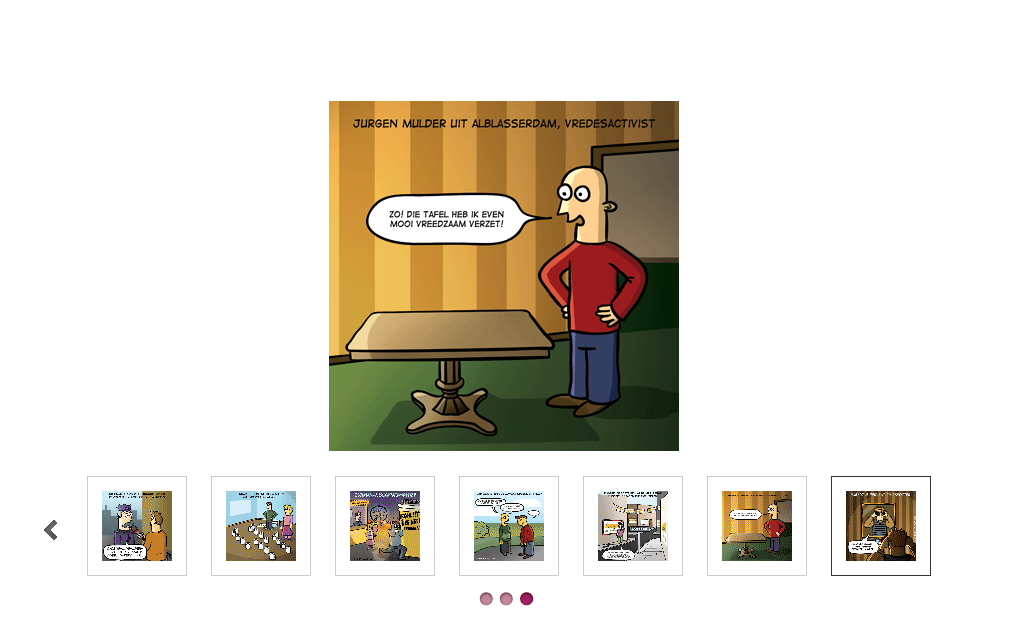
效果:
图片轮播插件-carouFredSel的更多相关文章
- PgwSlideshow-基于Jquery的图片轮播插件
0 PgwSlideshow简介 PgwSlideshow是一款基于Jquery的图片轮播插件,基本布局分为上下结构,上方为大图轮播区域,用户可自定义图片轮播切换的间隔时间,也可以通过单击左右方向按键 ...
- 12款经典的白富美型—jquery图片轮播插件—前端开发必备
图片轮播是网站中的常用功能,用于在有限的网页空间内展示一组产品图片或者照片,同时还有非常吸引人的动画效果.本文向大家推荐12款实用的 jQuery 图片轮播效果插件,帮助你在你的项目中加入一些效果精美 ...
- Nivo Slider - 世界上最棒的 jQuery 图片轮播插件
Nivo Slider 号称世界上最棒的图片轮播插件,有独立的 jQuery 插件和 WordPress 插件两个版本.目前下载量已经突破 1,800,000 次!jQuery 独立版本的插件主要有如 ...
- JQuery插件之图片轮播插件–slideBox
来源:http://www.ido321.com/852.html 今天偶然发现了一个比较好用的图片轮播插件—slideBox 先看看效果:http://slidebox.sinaapp.com/ 代 ...
- 纯js写图片轮播插件
最近终于写成了自己创作的图片轮播插件,使用原生js编写.与目前网上流行的轮播插件相比,功能和效果稍弱,但是使用起来相当方便. 先看html代码 <!DOCTYPE html> <ht ...
- jQuery.YesShow - 图片轮播插件(带图片放大功能)
jQuery.YesShow - 图片轮播插件(带图片放大功能) 使用简单,原文件只要这样就可以了:<div id="yes"> <ul> ...
- Javascript和jQuery WordPress 图片轮播插件, 内容滚动插件,前后切换幻灯片形式显示
用于在有限的网页空间内展示一组产品图片或者照片,同时还有非常吸引人的动画效果.本文向大家推荐12款实用的 jQuery 图片轮播效果插件,帮助你在你的项目中加入一些效果精美的图片轮播效果,希望这些插件 ...
- 图片轮播插件 Slides-SlidesJS-3
图片轮播插件 Slides-SlidesJS-3 demo document 地址: http://slidesjs.com/
- 图片轮播插件Nivo Slider
推荐:图片轮播插件Nivo Slider 因为项目需要一款切换样式多一些的轮播插件,不经意找到了NivoSlider,非常好用,比bootstrap要好用,而且样式丰富.值得注意的是, ...
随机推荐
- 简洁的drag效果,自由拖拽div的实现及注意点
偶然间看到了以前做的一个简洁的div拖拽效果,修改了一下加点注释,经测试完美通过firefox/chrome/ie6-11,现拿来分享一下. 先说一下实现原理及要点,最主要的有三步.第一步是mouse ...
- 关于Windows® API Code Pack for Microsoft® .NET Framework
相比之前的操作系统,Window 7(or Vista)提供了很多新特性,我们在应用实现中可以利用这些特性来提升用户体验. 这些特性主要包括以下几个方面: Shell Enhancements Dir ...
- javascript将浮点数转换成整数的三个方法
浮点数转换成整数方法有很多,本例为大家介绍常用的三个方法,如果读者想到其他好用方法,也可以交流一下 Summary 暂时我就想到3个方法而已.如果读者想到其他好用方法,也可以交流一下 parseI ...
- iOS中关于.pch的新建与配置问题
以前版本的Xcode新建一个项目都会自动生成.pch,这个文件的好处是,里面添加的东西会自动添加到每个类中,也就是说我们可以把要用的宏定义,和多个头文件等放到.pch中,这样我们就不需要重复的在每个类 ...
- tslib 移植问题与解决方法
问题一.执行脚本.提示出错,错误有"cann't exec aclocal" ,错误提示最多的是关于aclocal的问题,查资料显示这个文件是automake必备一个文件,好吧,那 ...
- JAVA:类,对象,成员属性,成员方法,构造方法,类变量,类方法<2>
一.类的定义 一个全面的类定义是比较复杂的, 定义如下:
- 《JavaScript高级程序设计》心得笔记-----第三篇章
第十章 1. DOM1级定义了一个Node接口,以Node类型实现(除IE以外),为了确保跨浏览器兼容,最好用nodeType属性与数字数值进行比较(someNode. nodeType==1) ...
- 一步一步学习C++
根据<C++ primer>第五版 总结学习心得. 在实践中,不必全面地使用C++语言的各种特性,而应根据工程的实际情况,适当取舍(譬如动态类型信息,虚拟继承.异常等特性的使用,很值得商榷 ...
- iOS 系统架构及常用框架
1.iOS基于UNIX系统,因此从系统的稳定性上来说它要比其他操作系统的产品好很多 2.iOS的系统架构分为四层,由上到下一次为:可触摸层(Cocoa Touch layer).媒体层(Media l ...
- 10.NFS V4.2
这里只演示使用keytab,也就是客户端与服务端进行keberos进行安全验证连接(注意时间服务器要同步!如果不同步,Kerberos无法通过验证) server端:192.168.1.109 1.y ...