
OpenResty安装与hello world
安装环境:CentOS 7.0
1、 安装编译工具、依赖库
yum -y install readline-devel pcre-devel openssl-devel gcc
2、 下载openresty-1.13.6.1.tar.gz 源码包,并解压;下载ngx_cache_purge模块,该模块用于清理nginx缓存;下载nginx_upstream_check_module模块,该模块用于ustream健康检查
wget https://openresty.org/download/openresty-1.13.6.1.tar.gz

tar -zxvf openresty-1.13.6.1.tar.gz

cd openresty-1.13.6.1/bundle

wget http://labs.frickle.com/files/ngx_cache_purge-2.3.tar.gz

tar -zxvf ngx_cache_purge-2.3.tar.gz

wget https://github.com/yaoweibin/nginx_upstream_check_module/archive/v0.3.0.tar.gz

tar -zxvf v0.3.0.tar.gz
3、配置需安装的模块
./configure --prefix=/usr/local/openresty --with-luajit --with-http_ssl_module --user=root --group=root --with-http_realip_module --add-module=./bundle/ngx_cache_purge-2.3/ --add-module=./bundle/nginx_upstream_check_module-0.3./
4、编译安装
make -j2 && make install
5、编写nginx配置文件
cd /usr/local/openresty/nginx/conf/

vim nginx.conf
添加这一段
   location /hello {

            default_type text/html;

            content_by_lua '

                ngx.say("<p>hello, world</p>")

            ';

        }
然后测一下
[root@VM_0_10_centos conf]# curl 127.0.0.1/hello

<p>hello, world</p>
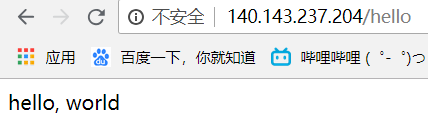
6、还有另一种方式,使用lua文件
继续编写nginx配置文件
location /hello {
content_by_lua_file /usr/local/openresty/nginx/conf/lua/hello.lua;
}
编写hello.lua文件
ngx.say('<p>hello world!</p>')
检查语法
./nginx -t -c /usr/local/openresty/nginx/conf/nginx.conf
重启nginx
./nginx -s reload -c /usr/local/openresty/nginx/conf/nginx.conf
测试一下
[root@VM_0_10_centos conf]# curl 127.0.0.1/hello
<p>hello world!</p>
成功输出了hello world!
OpenResty安装与hello world的更多相关文章
- mac下openresty安装
//openresty安装 http://openresty.org/ brew updatebrew install pcre openssl ./configure --prefix=/usr/l ...
- OpenResty 安装 drizzle-nginx-module
1.下载drizzle模块 wget http://openresty.org/download/drizzle7-2011.07.21.tar.gz 2.安装drizzle模块 tar zxvf d ...
- Openresty安装及使用配置(OPENRESTY+NGINX)
Openresty 简介 Openresty是一个基于NGINX和Lua的高性能Web平台,内部有大量的Lua库和第三方模块,能够很方便的搭建处理高并发,扩展性高的Web平台和动态网关,充分利用 Ng ...
- Openresty 安装第三方插件
Openresty 安装第三方插件 程序媛没有夜生活 2016.08.02 15:33* 字数 167 阅读 1283评论 0喜欢 2 在安装之前,我们先来看一下我们现有的模块. 1.将需要安装的插件 ...
- OpenResty 安装配置
0. 说明 1. Windows 下安装 下载软件包 openresty-1.13.6.1-win32.zip ,解压即可食用. [开启] 直接运行 nginx.exe 在 Windows 的命令窗口 ...
- openresty安装文档
一.OpenResty简介 OpenResty是一个基于 Nginx与 Lua的高性能 Web平台,其内部集成了大量精良的 Lua 库.第三方模块以及大多数的依赖项.用于方便地搭建能够处理超高并 ...
- CentOS7上OpenResty安装
1,OpenResty安装 通过repl源安装: sudo yum-config-manager --add-repo https://openresty.org/yum/cn/centos/Open ...
- openresty安装笔记
目录 安装步骤: openresty安装在ubuntu下的安装 参考 安装OpenResty(Nginx+Lua)开发环境 安装步骤: # 创建目录/usr/servers,以后我们把所有软件安装在此 ...
- OpenResty 安装及使用(第一篇安装)
OpenResty搭建 1.openResty介绍 OpenResty (也称为 ngx_openresty)是一个全功能的 Web 应用服务器.它打包了标准的 Nginx 核心,很多的常用的第三方模 ...
- Openresty 安装教程
Openresty的简单安装方法,如需高级编译安装,请参照安装选项 1.安装配置好Yum源,不赘述此步骤 2.安装必要组件 yum install pcre-devel openssl-devel g ...
随机推荐
- Table中采用JQuery slideToggle效果的问题
需求:用JQuery实现,点击最上边的粗加号时,对所有含有子表的Tr进行展开,点击 + 号时,只对当前Tr的下一个tr内容的动态隐藏和显示: 问题:JQuery的slideToggle() slide ...
- java.lang.ClassNotFoundException:org/apache/commons/collections/CursorableLinkedList
明明有 commons-collections.jar 将jar包复制到Tomcat的WEB-INF/lib下就可以了...
- 更改placeholder样式
/*不要将选择器进行组合*/ /* IE 10-11 */ :-ms-input-placeholder { color: #aaa; } /* webkit */ ::-webkit-input-p ...
- SAP云平台CloudFoundry中的用户自定义变量
CloudFoundry应用的manifest.xml里的env区域,允许用户自定义变量,如下图5个变量所示. 使用cf push部署到CloudFoundry之后,在SAP Cloud Platfo ...
- Python开发第三篇
函数 一.函数参数传值 形参:函数在定义的时候给定的参数 实参:函数在运行时赋给的参数: def func(i):#i为定义时的参数,为形参 pass func(name)#name为运行时的参数,为 ...
- POJ-1149 PIGS---最大流+建图
题目链接: https://vjudge.net/problem/POJ-1149 题目大意: M个猪圈,N个顾客,每个顾客有一些的猪圈的钥匙,只能购买这些有钥匙的猪圈里的猪,而且要买一定数量的猪,每 ...
- 【转】操作系统Unix、Windows、Mac OS、Linux的故事
电脑,计算机已经成为我们生活中必不可少的一部分.无论是大型的超级计算机,还是手机般小巧的终端设备,都跑着一个操作系统.正是这些操作系统,让那些硬件和芯片得意组合起来,让那些软件得以运行,让我们的世界在 ...
- 机器学习_线性回归和逻辑回归_案例实战:Python实现逻辑回归与梯度下降策略_项目实战:使用逻辑回归判断信用卡欺诈检测
线性回归: 注:为偏置项,这一项的x的值假设为[1,1,1,1,1....] 注:为使似然函数越大,则需要最小二乘法函数越小越好 线性回归中为什么选用平方和作为误差函数?假设模型结果与测量值 误差满足 ...
- click
click简介 Click是一个Python包,用于以可组合的方式创建漂亮的命令行界面,只需要很少的代码.这是“命令行界面创建工具包”.它具有高度可配置性,但具有开箱即用的合理默认值. 点击三点: 任 ...
- char的有无符号类型
char 分为有符号性(signed)和无符号型(unsigned)两种: Ø若是signed型,就意味着取值范围为[-128,127]: Ø若是unsigned型,就意味着取值范围为[0,255]: ...