
使用python实现滑动验证码
首先安装一个需要用到的模块
pip install social-auth-app-django
安装完后在终端输入pip list会看到
social-auth-app-django 3.1.

social-auth-core       3.0.
然后可以来我的github,下载关于滑动验证码的这个demo:https://github.com/Edward66/slide_auth_code
下载完后启动项目
python manage.py runserver
启动这个项目后,在主页就能看到示例
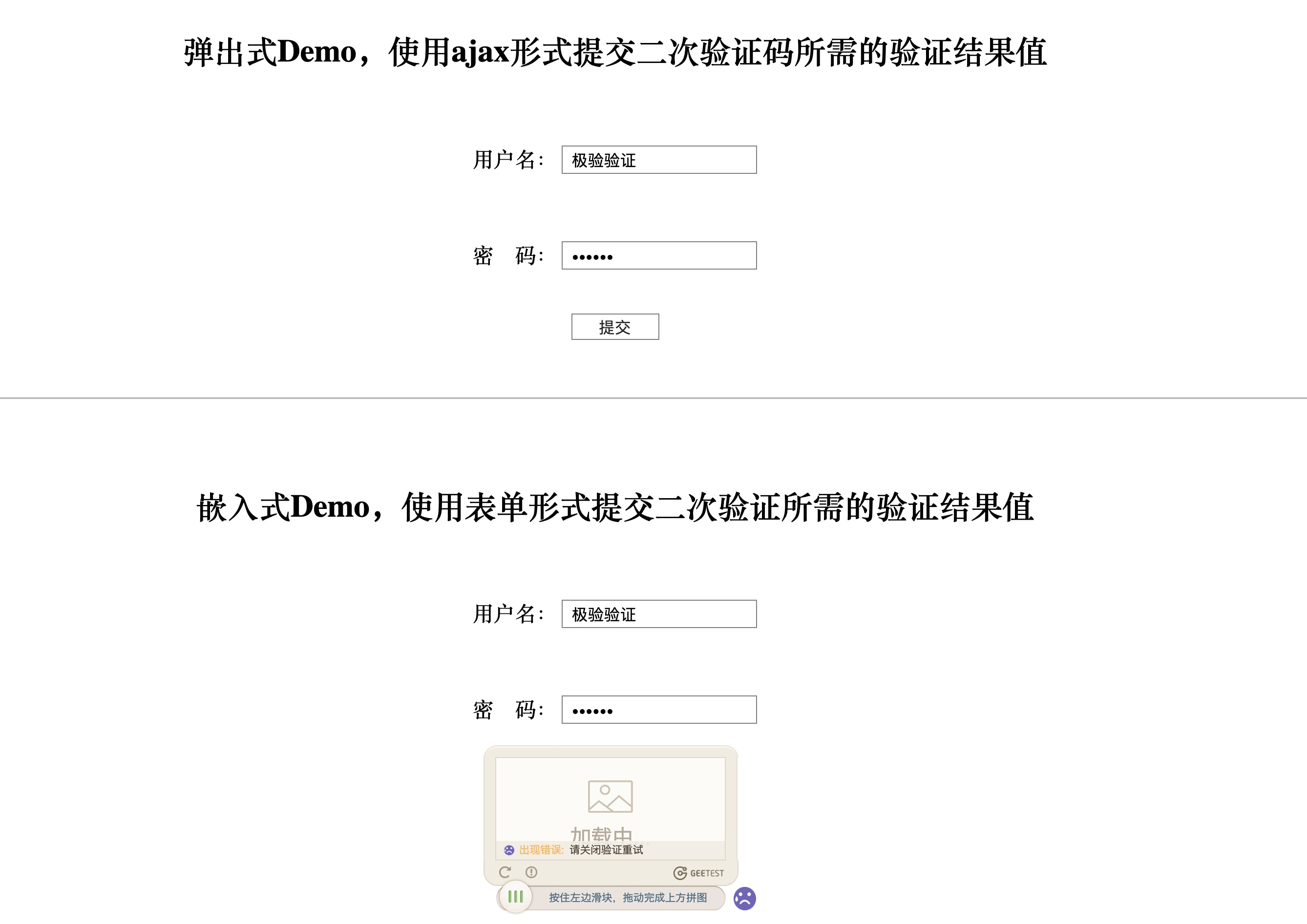
前端部分
随便选择一个(最下面的是移动端,不做移动端不要选)把html和js代码复制过来,我选择的是弹出式的。这里面要注意他的ajax请求发送的网址,你可以把这个网址改成自己视图函数对应的网址,自己写里面的逻辑,比如我是为了做用户登陆验证,所以我是写的逻辑是拿用户输入的账号、密码和数据库里的做匹配。
login.html
<!DOCTYPE html>

<html lang="en">

<head>

    <meta charset="UTF-8">

    <title>登陆页面</title>

    <link rel="stylesheet" href="/static/blog/css/slide_auth_code.css">

    <link rel="stylesheet" href="/static/blog/bs/css/bootstrap.css">

</head>

<body>

<h3>登陆页面</h3>

<div class="container">

    <div class="row">

        <div class="col-md-6 col-md-offset-3">

            <div class="popup">

                <form id="fm">

                    {% csrf_token %}

                    <div class="form-group">

                        <label for="id_user">用户名:</label>

                        <input name="user" id="id_user" class="form-control" type="text">

                    </div>

                    <div class="form-group">

                        <label for="id_pwd">密码:</label>

                        <input name="pwd" id="id_pwd" class="form-control" type="password">

                    </div>

                    <input class="btn btn-default" id="popup-submit" type="button" value="提交">

                    <span id="error-info"></span>

                    <a href="{% url 'blog:register' %}" class="btn btn-success pull-right">注册</a>

                </form>

                <div id="popup-captcha"></div>

            </div>

        </div>

    </div>

</div>

<script src="/static/blog/js/jquery-3.3.1.js"></script>

<script src="/static/blog/js/gt.js"></script>

<script src="/static/blog/js/slide_auth_code.js"></script>
login.js
let handlerPopup = function (captchaObj) {

    // 成功的回调

    captchaObj.onSuccess(function () {

        let validate = captchaObj.getValidate();

        $.ajax({

            url: "", // 进行二次验证

            type: "post",

            dataType: "json",

            data: $('#fm').serialize(),

            success: function (data) {

                if (data.user) {

                    location.href = '/index/'

                } else {

                    $('#error-info').text(data.msg).css({'color': 'red', 'margin-left': '10px'});

                    setTimeout(function () {

                        $('#error-info').text('');

                    }, 3000)

                }

            }

        });

    });

    $("#popup-submit").click(function () {

        captchaObj.show();

    });

    // 将验证码加到id为captcha的元素里

    captchaObj.appendTo("#popup-captcha");

    // 更多接口参考:http://www.geetest.com/install/sections/idx-client-sdk.html

};

// 验证开始需要向网站主后台获取id,challenge,success(是否启用failback)

$.ajax({

    url: "/pc-geetest/register?t=" + (new Date()).getTime(), // 加随机数防止缓存

    type: "get",

    dataType: "json",

    success: function (data) {

        // 使用initGeetest接口

        // 参数1:配置参数

        // 参数2:回调,回调的第一个参数验证码对象,之后可以使用它做appendTo之类的事件

        initGeetest({

            gt: data.gt,

            challenge: data.challenge,

            product: "popup", // 产品形式,包括:float,embed,popup。注意只对PC版验证码有效

            offline: !data.success // 表示用户后台检测极验服务器是否宕机,一般不需要关注

            // 更多配置参数请参见:http://www.geetest.com/install/sections/idx-client-sdk.html#config

        }, handlerPopup);

    }

});
注意:我是把ajax请求的url改成了当前页面的视图函数。另外原生代码是全部写在html里的,我把它做了解耦。还有原生代码用的是jquery-1.12.3,我改成了jquery-3.3.1,也可以正常使用。
后端部分
urls.py
由于后端的逻辑是自己写的,这里只需要用到pcgetcaptcha这部分代码,来处理验证部分。
首先在urls.py里加入路径
from django.urls import path, re_path

from blog.views import slide_code_auth

# 滑动验证码

path('login/', views.login),

re_path(r'^pc-geetest/register', slide_code_auth, name='pcgetcaptcha'),

# slide_auth_code是我自己写的名字,原名是pcgetcaptcha
我把pcgetcaptcha的逻辑部分放到了utils/slide_auth_code.py里面,当做工具使用
utils/slide_auth_code.py
from blog.geetest import GeetestLib

pc_geetest_id = "b46d1900d0a894591916ea94ea91bd2c"

pc_geetest_key = "36fc3fe98530eea08dfc6ce76e3d24c4"

def pcgetcaptcha(request):

    user_id = 'test'

    gt = GeetestLib(pc_geetest_id, pc_geetest_key)

    status = gt.pre_process(user_id)

    request.session[gt.GT_STATUS_SESSION_KEY] = status

    request.session["user_id"] = user_id

    response_str = gt.get_response_str()

    return response_str

# pc_geetest_id和pc_geetest_key不可省略,如果做移动端要加上mobile_geetest_id和mobile_geetest_key
views.py
from django.contrib import auth

from django.shortcuts import render, HttpResponse

from django.http import JsonResponse

from blog.utils.slide_auth_code import pcgetcaptcha

def login(request):

    if request.method == "POST":

        response = {'user': None, 'msg': None}

        user = request.POST.get('user')

        pwd = request.POST.get('pwd')

        user = auth.authenticate(username=user, password=pwd)

        if user:

            auth.login(request, user)

            response['user'] = user.username

        else:

            response['msg'] = '用户名或密码错误'

        return JsonResponse(response)

    return render(request, 'login.html')

# 滑动验证码

def slide_code_auth(request):

    response_str = pcgetcaptcha(request)

    return HttpResponse(response_str)

def index(request):

    return render(request, 'index.html')
注意:不一定非要按照我这样,根据自己的需求选择相应的功能并做出相应的修改
**修改相应代码,把滑动验证用到注册页面**
register.js
// 头像预览功能

$('#id_avatar').change(function () {   // 图片发生了变化,所以要用change事件

    // 获取用户选中的文件对象

    let file_obj = $(this)[0].files[0];

    // 获取文件对象的路径

    let reader = new FileReader();  // 等同于在python里拿到了实例对象

    reader.readAsDataURL(file_obj);

    reader.onload = function () {

        // 修改img的src属性,src = 文件对象的路径

        $("#avatar_img").attr('src', reader.result);  // 这个是异步,速度比reader读取路径要快,

                                                      // 所以要等reader加载完后在执行。

    };

});

// 基于Ajax提交数据

let handlerPopup = function (captchaObj) {

    // 成功的回调

    captchaObj.onSuccess(function () {

        let validate = captchaObj.getValidate();

        let formdata = new FormData();  // 相当于python里实例化一个对象

        let request_data = $('#fm').serializeArray();

        $.each(request_data, function (index, data) {

            formdata.append(data.name, data.value)

        });

        formdata.append('avatar', $('#id_avatar')[0].files[0]);

        $.ajax({

            url: '',

            type: 'post',

            contentType: false,

            processData: false,

            data: formdata,

            success: function (data) {

                if (data.user) {

                    // 注册成功

                    location.href = '/login/'

                } else {

                    // 注册失败

                    // 清空错误信息,每次展示错误信息前,先把之前的清空了。

                    $('span.error-info').html("");

                    $('.form-group').removeClass('has-error');

                    // 展示此次提交的错误信息

                    $.each(data.msg, function (field, error_list) {

                        if (field === '__all__') {  // 全局错误信息,在全局钩子里自己定义的

                            $('#id_re_pwd').next().html(error_list[0]);

                        }

                        $('#id_' + field).next().html(error_list[0]);

                        $('#id_' + field).parent().addClass('has-error');  // has-error是bootstrap提供的

                    });

                }

            }

        })

    });

    $("#popup-submit").click(function () {

        captchaObj.show();

    });

    // 将验证码加到id为captcha的元素里

    captchaObj.appendTo("#popup-captcha");

    // 更多接口参考:http://www.geetest.com/install/sections/idx-client-sdk.html

};

// 验证开始需要向网站主后台获取id,challenge,success(是否启用failback)

$.ajax({

    url: "/pc-geetest/register?t=" + (new Date()).getTime(), // 加随机数防止缓存

    type: "get",

    dataType: "json",

    success: function (data) {

        // 使用initGeetest接口

        // 参数1:配置参数

        // 参数2:回调,回调的第一个参数验证码对象,之后可以使用它做appendTo之类的事件

        initGeetest({

            gt: data.gt,

            challenge: data.challenge,

            product: "popup", // 产品形式,包括:float,embed,popup。注意只对PC版验证码有效

            offline: !data.success // 表示用户后台检测极验服务器是否宕机,一般不需要关注

            // 更多配置参数请参见:http://www.geetest.com/install/sections/idx-client-sdk.html#config

        }, handlerPopup);

    }

});
views.py
根据需求自己写逻辑
总结:滑动验证主要用到的是js部分,只需修改ajax里传递的值就好,后台逻辑自己写。
使用python实现滑动验证码的更多相关文章
- python爬虫21 | 对于b站这样的滑动验证码,不好意思,照样自动识别
今天 要来说说滑动验证码了 大家应该都很熟悉 点击滑块然后移动到图片缺口进行验证 现在越来越多的网站使用这样的验证方式 为的是增加验证码识别的难度 那么 对于这种验证码 应该怎么破呢 接下来就是 学习 ...
- python验证码识别(2)极验滑动验证码识别
目录 一:极验滑动验证码简介 二:极验滑动验证码识别思路 三:极验验证码识别 一:极验滑动验证码简介 近些年来出现了一些新型验证码,不想旧的验证码对人类不友好,但是这种验证码对于代码来说识别难度上 ...
- 用Python写一个滑动验证码
1.准备阶段 滑动验证码我们可以直接用GEETEST的滑动验证码. 打开网址:https://www.geetest.com/ ,找到技术文档中的行为验证,打开部署文档,点击Python,下载ZIP包 ...
- Python 破解极验滑动验证码
Python 破解极验滑动验证码 测试开发社区 1周前 阅读目录 极验滑动验证码 实现 位移移动需要的基础知识 对比两张图片,找出缺口 获得图片 按照位移移动 详细代码 回到顶部 极验滑动验证码 以 ...
- Python——破解极验滑动验证码
极验滑动验证码 以上图片是最典型的要属于极验滑动认证了,极验官网:http://www.geetest.com/. 现在极验验证码已经更新到了 3.0 版本,截至 2017 年 7 月全球已有十六万家 ...
- python模拟网站登陆-滑动验证码
普通滑动验证 以http://admin.emaotai.cn/login.aspx为例这类验证码只需要我们将滑块拖动指定位置,处理起来比较简单.拖动之前需要先将滚动条滚动到指定元素位置. impor ...
- selenium篇之滑动验证码
一.介绍 现在出现了一种通过用户鼠标移动滑块来填补有缺口图片的验证码,我们叫做滑动验证码.它的原理很简单,首先生成一张图片,然后随机挖去一块,在页面展示被挖去部分的图片,再通过js获取用户滑动距离,以 ...
- 爬虫(十二):图形验证码的识别、滑动验证码的识别(B站滑动验证码)
1. 验证码识别 随着爬虫的发展,越来越多的网站开始采用各种各样的措施来反爬虫,其中一个措施便是使用验证码.随着技术的发展,验证码也越来越花里胡哨的了.最开始就是几个数字随机组成的图像验证码,后来加入 ...
- selenium处理极验滑动验证码
要爬取一个网站遇到了极验的验证码,这周都在想着怎么破解这个,网上搜了好多知乎上看到有人问了这问题https://www.zhihu.com/question/28833985,我按照这思路去大概实现了 ...
随机推荐
- pat1055. The World's Richest (25)
1055. The World's Richest (25) 时间限制 400 ms 内存限制 128000 kB 代码长度限制 16000 B 判题程序 Standard 作者 CHEN, Yue ...
- xmanger图形化登陆远程服务器
由于网上的资料比较杂,经过本人整理实际操作验证,保证ok 本人的服务器系统为centos5.8 下面的都是centos服务器上的操作,需要简单的配置下: win客户端使用xmanger软件:首先是服 ...
- linux下使用shell脚本批处理命令
1.新建脚本touch first.sh 2.写入命令vi first.sh #!/bin/bash #publish service and api echo "copy file&quo ...
- springBoot 定时器任务
1.新建一个计划任务类(只能和主类平级或在主类的下级) import java.text.SimpleDateFormat; import java.util.Date; import org.slf ...
- ansible基本操作
ansible优点:redhat自带工具,可通过rpm或yum直接安装:客户端免安装:操作通过ssh验证操作:可以通过自定义hosts文件对可操作主机进行分类,方便批量操作 #ansible操作格式, ...
- jsop解析获得htmldome
package com.open1111.jsoup; import org.apache.http.HttpEntity;import org.apache.http.client.methods. ...
- C#,什么是Attribute?什么特性?怎么被调用?
定制特性attribute,本质上是一个类,其为目标元素提供关联附加信息,并在运行期以反射的方式来获取附加信息(获取到特性类),相当于优雅的为元素添加了一个tag,这个tag是一个类. Attribu ...
- ADO.NET #3-1 (GridView + DataReader + SqlCommand)完全手写Code Behind
[C#] ADO.NET #3-1 (GridView + DataReader + SqlCommand)完全手写.后置程序代码 之前有分享过一个范例 [C#] ADO.NET #3 (GridVi ...
- c++ vector & 二维数组 & MessageBox
vector: https://www.cnblogs.com/mr-wid/archive/2013/01/22/2871105.html c++ 二维数组: int **p; p = new in ...
- Redis基础对象
Redis 中每个对象都由一个 redisObject 结构表示 typedef struct redisObject { //类型 unsigned type:; //编码 unsigned enc ...