
weex splash页面
1.Splash.vue
<!-- splash页面 -->

<template>

  <div class="wrap" @focus="rotate" @load="rotate">

    <!-- logo图标 -->

    <div class="logo_wrap">

      <image class="img_logo" :src="splash_logo" @click="rotate" />

    </div>

    <!-- 旋转动画 -->

    <div id="animation" style="transform-origin:center center" ref="anim">

      <image class="img_circle" @focus="rotate" :src="splash_circle" @click="rotate" />

    </div>

  </div>

</template>

<style scoped>

  .wrap{

    align-items: center;

    justify-content: center;

    background-color: #000;

  }

  /*logo图标*/

  .logo_wrap {

    width: 300px;

    height:300px;

  }

  .img_logo {

    width: 300px;

    height:300px;

  }

  /*旋转图标*/

  .img_circle {

    width: 400px;

    height:400px;

    align-items: center;

    justify-content: center;

  }

</style>

<script>

  // 动画模块

  const animation = weex.requireModule('animation');

  // 弹窗

  const modal = weex.requireModule('modal');

  export default {

    data() {

      return {

        splash_circle:'//duqian291902259.github.io/dusan/oair/splash_circle.png',

        splash_logo:'//gw.alicdn.com/tps/i2/TB1DpsmMpXXXXabaXXX20ySQVXX-512-512.png_400x400.jpg',

        current_rotate: 0,

        current_scale: 1

      }

    },

    mounted() {

       this.rotate();

    },

    methods: {

      goSite() {

        // 页面跳转

        this.$router.push({path:'/login'});

      },

      // 动画

      anim(styles, timingFunction, duration, callback) {

        var anim = this.$refs.anim;

        // 动画效果

        animation.transition(anim, {

          styles: styles,

          duration: duration, //ms

          timingFunction: timingFunction,

          needLayout:false,

          delay: 0 //ms

        }, callback);

      },

      // 旋转

      rotate() {

        var self = this;

        self.current_rotate += 30;

        self.anim({

          transform: 'rotate(' + self.current_rotate + 'deg)'

        }, 'ease-in-out', 100, function() {

          if (self.current_rotate === 360) {

            self.current_rotate = 0;

            // 页面跳转

            self.goSite();

          }else if (self.current_rotate === 180){

            self.scale();

          }else{

            self.rotate();

          }

        });

      },

      // 缩放

      scale() {

        var self = this;

        self.current_scale = 0.3;

        self.anim({

          transform: 'scale(' + self.current_scale + ')'

        }, 'linear', 500, function() {

            self.current_scale =1;

            // 调用旋转

            self.rotate();

        });

      }

    }

  };

</script>
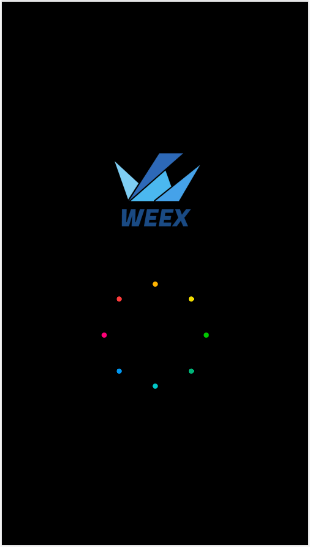
2.效果图
weex splash页面的更多相关文章
- Android 手机卫士1--实现splash页面
1.minSdkVersion.targetSdkVersion.maxSdkVersion.target API level四个数值到底有什么区别? minSdkVersion, maxSdkVer ...
- Xamarin.Android splash页面瞬间响应_避免APP启动闪白屏
Application和Activity中的onCreate都进行了优化,基本没有耗时操作,但是启动应用之后还是会闪现一下白色背景,然后才进入Splash页面,对比了一下QQ.微信.微博等客户端,点击 ...
- 项目Splash页面的开发与设计
项目Splash页面的开发与设计 首先建立一个安卓的项目,然后修改manifest.xml文件,修改应用程序的logo和显示名称,效果图如下: 对应的代码如下: 1 <?xml version= ...
- Android之Splash页面
在继上个任务没有解决之后,心灰意冷之后,现在的我在跟着视频学习开发一个手机卫士的软件.在写自己的笔记之前,我先来展示一下我的结果. 下面我来总结一下我跟随视频学习到的知识点: 一.代码的组织结构: 1 ...
- 【手机安全卫士01】项目Splash页面的开发与设计
首先建立一个安卓的项目,然后修改manifest.xml文件,修改应用程序的logo和显示名称,效果图如下: 对应的代码如下: <?xml version="1.0" enc ...
- Splash页面跳转主页面,去掉主页面标题栏
requestWindowFeature(Window.FEATURE_NO_TITLE); // 去除标题,必须在setContentView之前调用
- Xamarin.Android之Splash的几种简单实现
对现在的APP软件来说,基本上都会有一个Splash页面,类似大家常说的欢迎页面.启动界面之类的. 正常来说这个页面都会有一些相关的信息,比如一些理念,Logo,版本信息等 下面就来看看在Xamari ...
- Android 项目实战--手机卫士(实现splash)
从今天开始根据之前学习的android的基础知识,实战一下,实现一个简单功能的android手机卫士 本文地址:http://www.cnblogs.com/wuyudong/p/5899283.ht ...
- Android Splash界面支持用户点击 直接进入主界面
转载请注明出处:http://blog.csdn.net/lmj623565791/article/details/23613403 现在大部分APP都有Splash界面,下面列一下Splash页面的 ...
随机推荐
- Python9-迭代器-生成器-day13
迭代器# print('__iter__' in dir(int))# print('__iter__' in dir(list))# print('__iter__' in dir(dict))# ...
- BZOJ 2508: 简单题
题目大意: 加入直线,删除直线,求点到所有直线的距离的平方和. 题解: 把点到直线的距离公式写出来,然后展开.维护六个值,计算一个二元的多项式的最小值. 对x和y分别求导,导数都为零时取到极值.然后解 ...
- 织梦dedecms自定义表单设置必填项
1. 用php验证 在plus/diy.php的第 40行下加 //增加必填字段判断 if($required!=''){ if(preg_match('/,/', $required)) { $re ...
- C++类设计1(Class without pointer members)
class complex{ public: complex (double r = 0, double i = 0):re(r), im(i){} //inline complex& ope ...
- 10大vim插件
Taglist taglist是一个用于显示定位程序中各种符号的插件,例如宏定义.变量名.结构名.函数名这些东西 我们将其称之为符号(symbols),而在taglist中将其称之为tag.显然,要想 ...
- 初识LiveScript
The LiveScript Book 邂逅 LiveScript 就像很多现代化的语言一样,LiveScript 使用缩进来表示语句块,使用换行取代分号来表示一个语句的结束 (如果你想要一行 ...
- ubuntu 转换图片格式的方法(sam2p, imagemagick)
(1) 终端:sudo apt-get install sam2p sam2p [原图片名.格式] [目标图片名.格式] 即可在同一目录下生成目标图片格式 (2) 终端: sudo apt-get i ...
- vue 自定义日历组件
<template> <div class=""> <div class="calendarTraffic" name=" ...
- (转)新ITC提交APP常见问题与解决方法(Icon Alpha,Build version,AppIcon120x120)(2014-11-17)
1)ICON无法上传,提示图片透明(有Alpha通道) 苹果现在不接受png里的Alpha了,提交的图标带有Alpha通道就提示: 简单处理:用自带的预览打开,导出时不勾选Alpha,仍保存为png格 ...
- 【leetcode 字符串】466. Count The Repetitions
https://leetcode.com/problems/count-the-repetitions/description/ 找循环节 https://www.cnblogs.com/grandy ...