
MySQL数据库学习笔记(一)----MySQL 5.6.21的安装和配置(setup版)
【声明】
欢迎转载,但请保留文章原始出处→_→
生命壹号:http://www.cnblogs.com/smyhvae/
文章来源:http://www.cnblogs.com/smyhvae/p/4026782.html
【正文】
【开发环境】
物理机版本:Win 7旗舰版(64位)
MySQL版本:5.5.40MSI版(64位)
一、数据库类型:
(1)关系数据库
(2)面向对象数据库
(3)XML数据库
现在的主流是关系型数据库。
二、数据库产品:
- 大型数据库有:Oracle、Sybase、DB2、SQL server
- 小型数据库有:MySQL、Access等
上面列举的数据库都是关系型数据库,只是Oracle中有一小部分是面向对象的。MySQL具有开源、免费等特性,适合中小型企业的开发。
三、关系型数据库的基本概念:
关系型数据库是由多个表(table)和表之间的关联关系组成的数据的集合,表是一个由若干行、若干列组成的二维的关系结构。
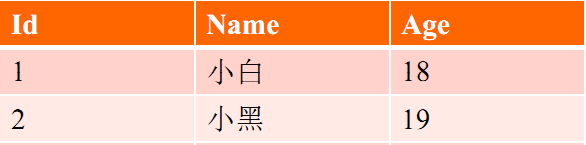
上图中,表的列称为字段(field),表的行成为记录(record)。字段是表的结构,记录是表的数据。
四、MySQL的下载:
官网下载地址:http://www.mysql.com/:
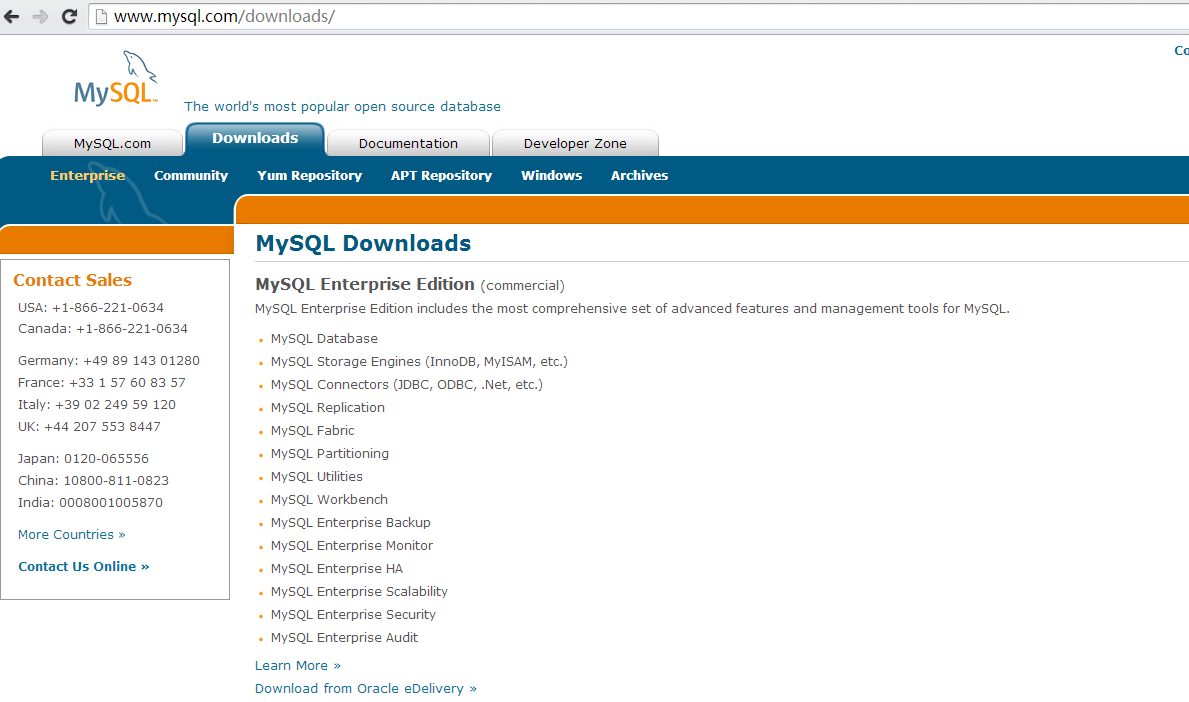
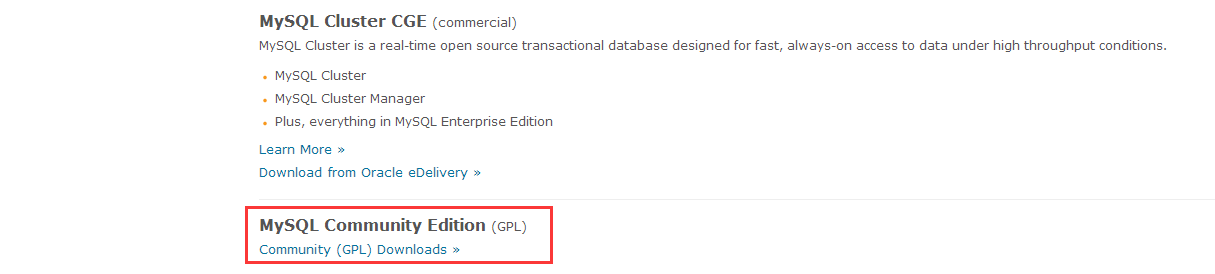
上图中,可以看到MySQL有三个版本:企业版、集群版、社区版。社区版就是我们所需要的版本,GPL是一种开源的协议。点击上图中红框中的链接,进入另外一个界面:

上图中,我们选择红框部分的社区版本进行下载,弹出如下界面:
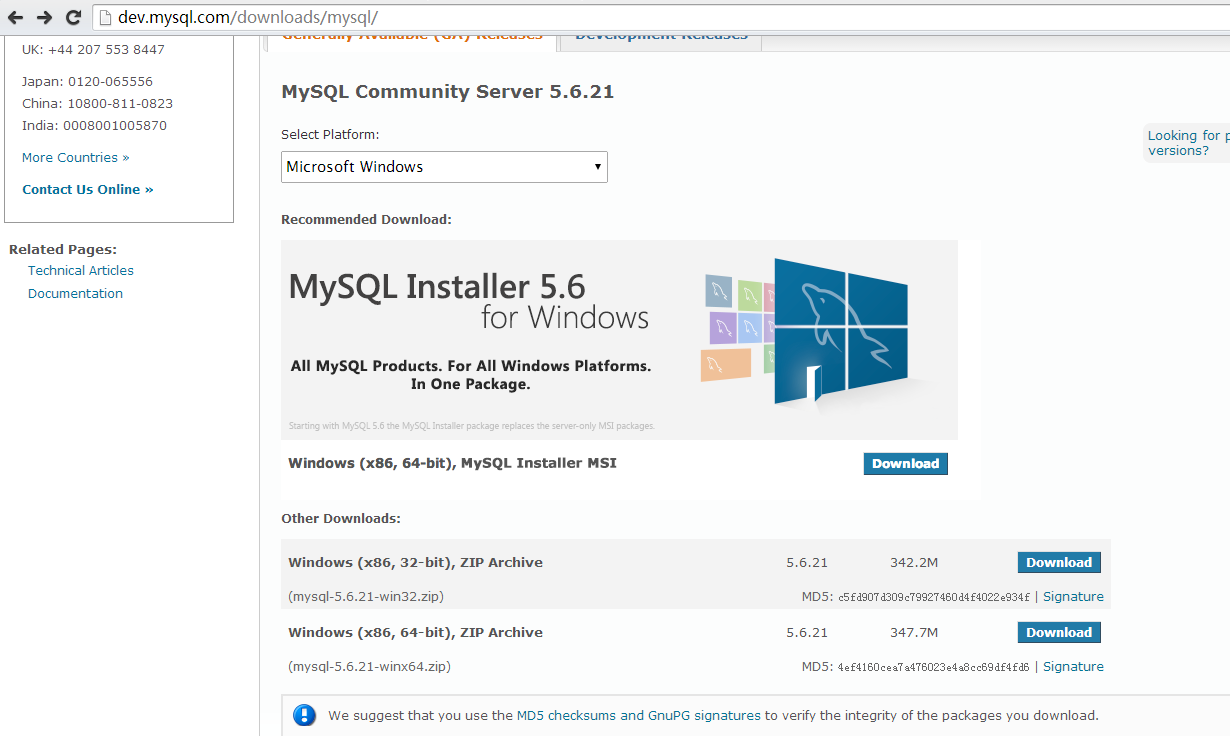
下图中,可以看到MySQL支持许多平台:
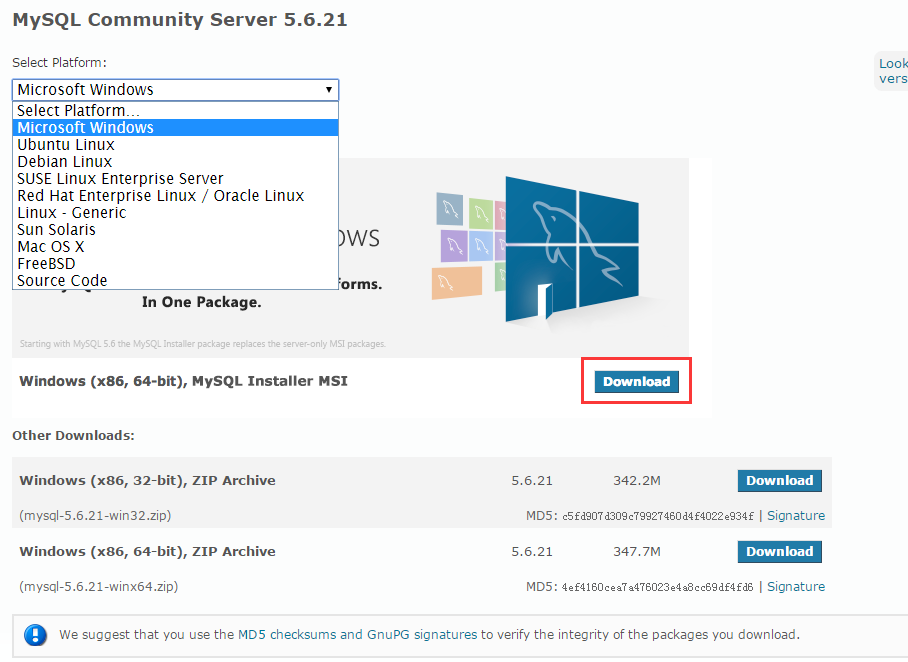
我的操作系统是64位的,我选择对应版本(MSI版)进行下载,点击上图中红框部分的链接,进入如下界面:
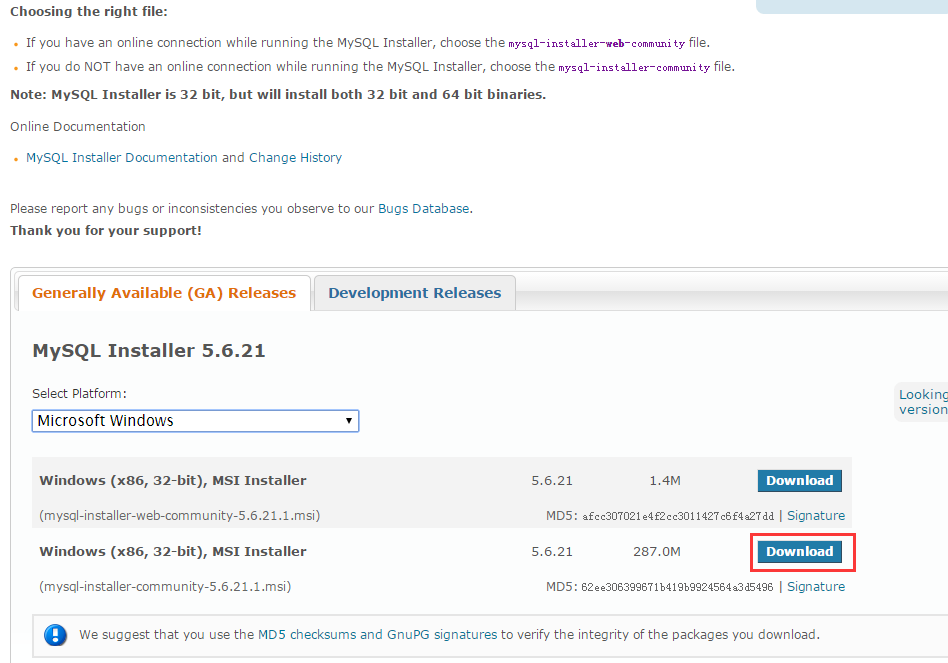
上图中,点击红框部分进行下载,弹出如下界面:
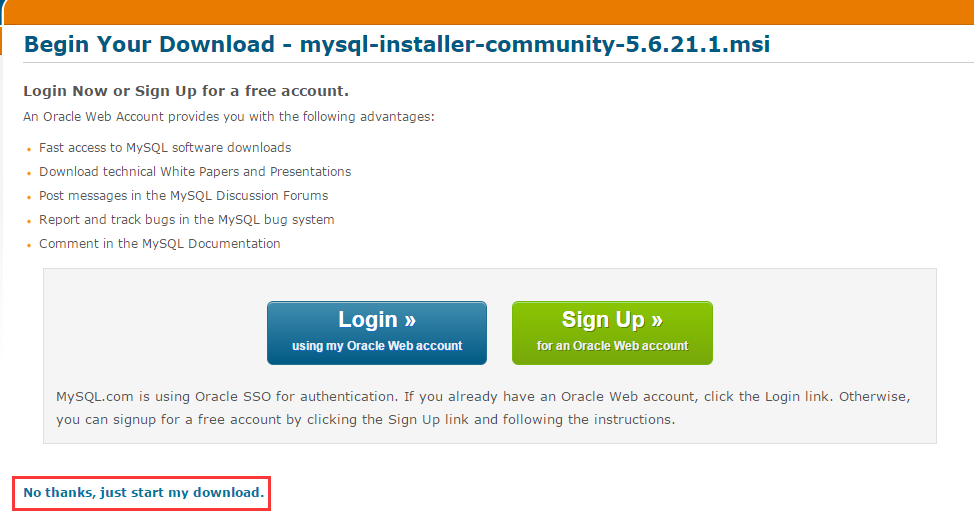
上图中,我们不需要注册,点击红框部分,直接下载即可。
五、MySQL的安装:
双击安装包时,出现了这个错误:
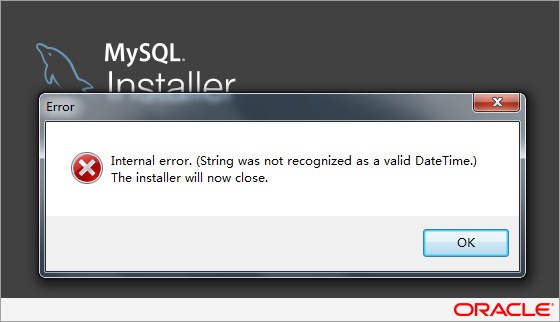
好吧,没想到官网下载的软件都能出问题。算了,我还是下老版本的吧。
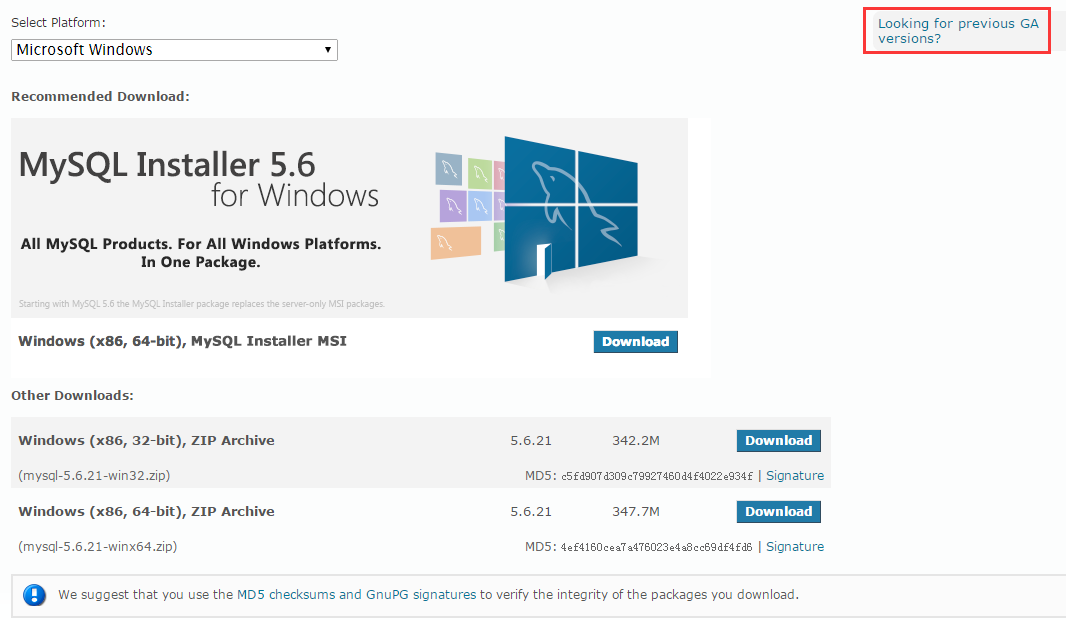
点击上图中红框部分,弹出如下界面:
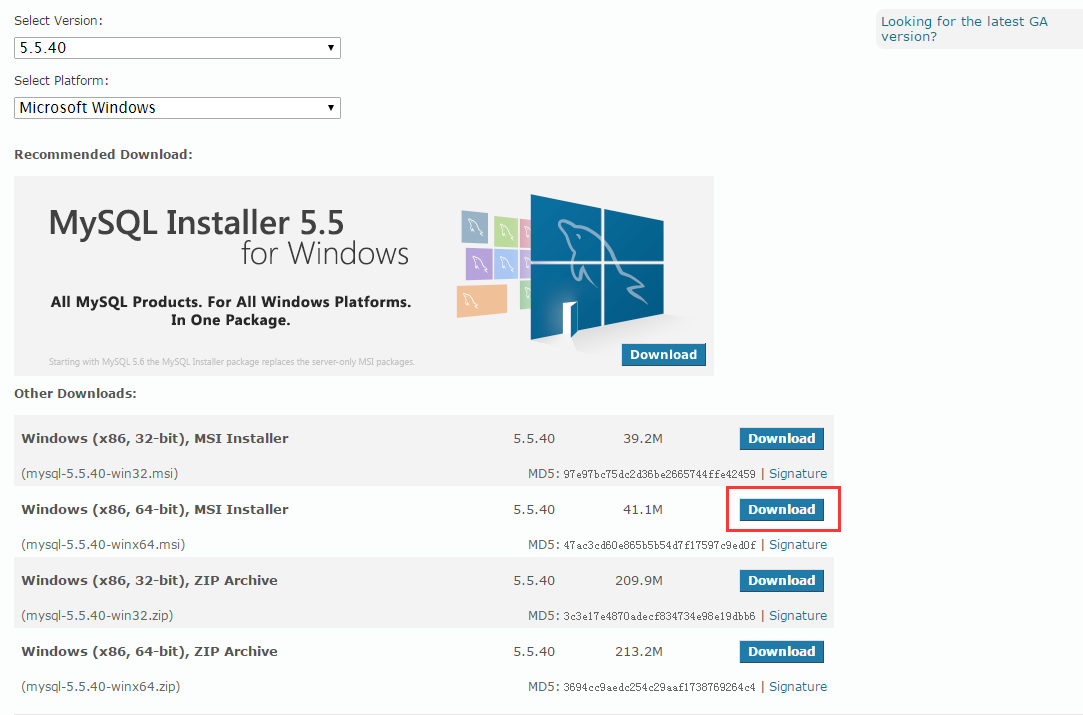
上图中,点击红框部分,弹出如下界面:
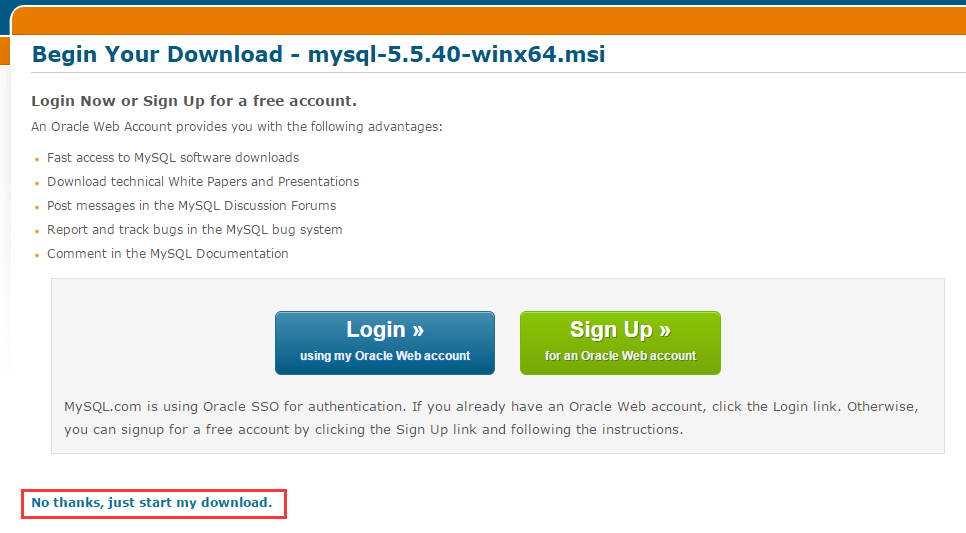
不用注册,直接下载吧。。。
五、MySQL的安装:
软件下载完成后,就开始安装吧。

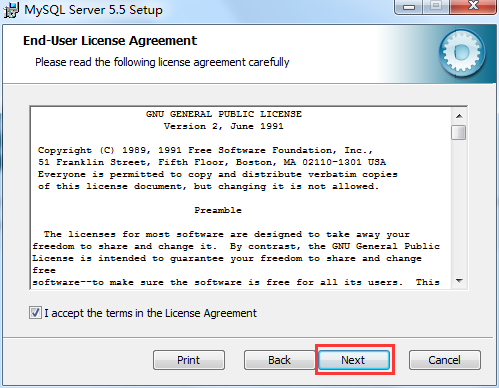
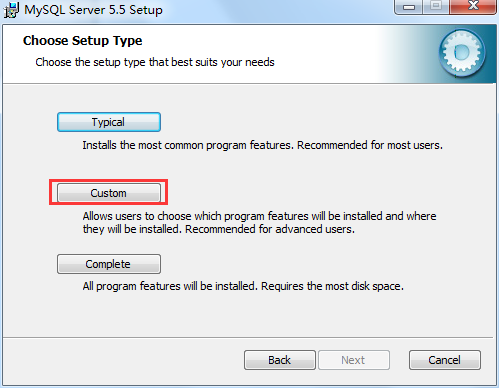
上图中,建议选择第二项的Custom,自定义安装。弹出如下界面:
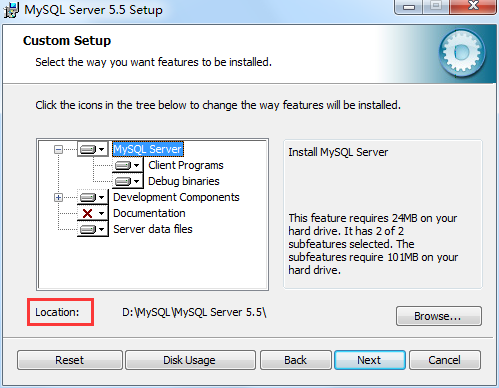
上图中,选择合适的安装路径,点击“继续”:
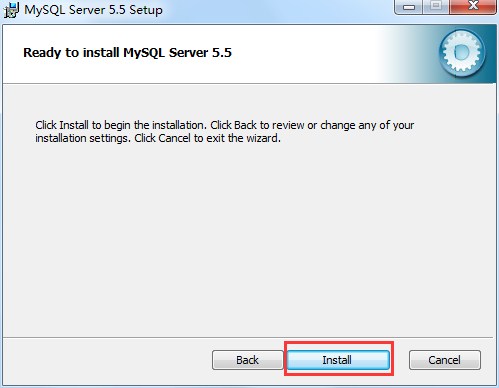
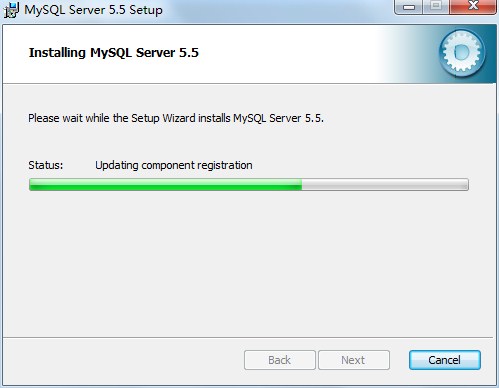
之后跳出另一个对话框,是让我们安装一个可视化的工具:
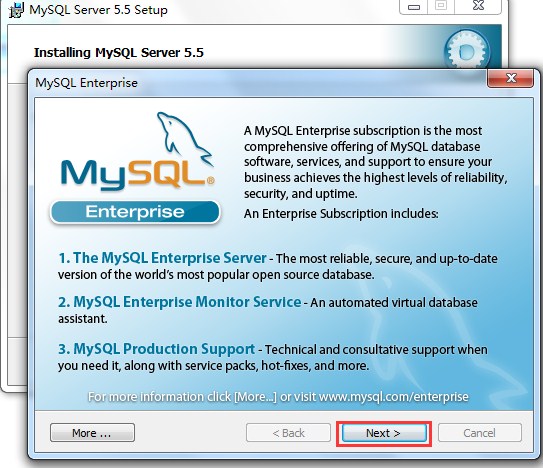
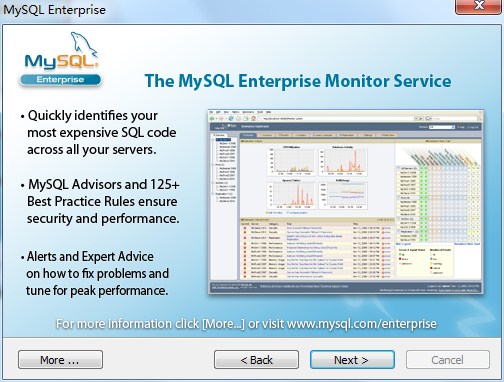
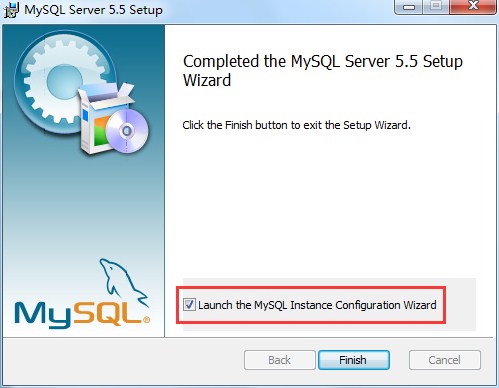
上图中,我们勾选红框部分,然后点击“finish”,进行配置。
六、MySQL的配置:
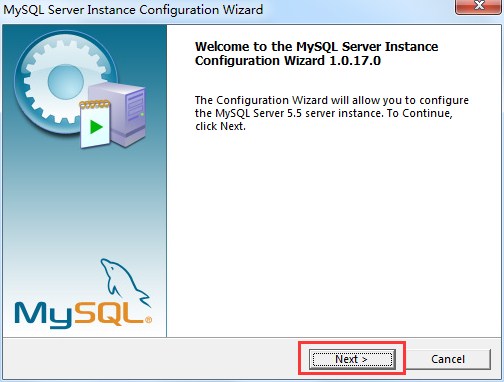
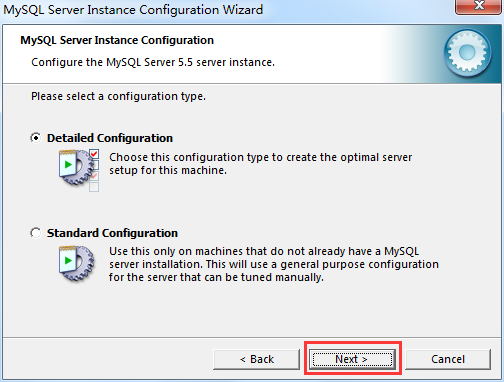
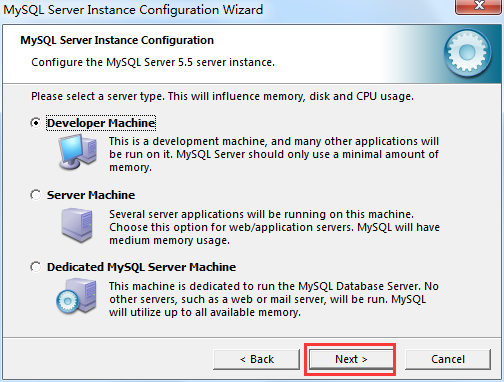
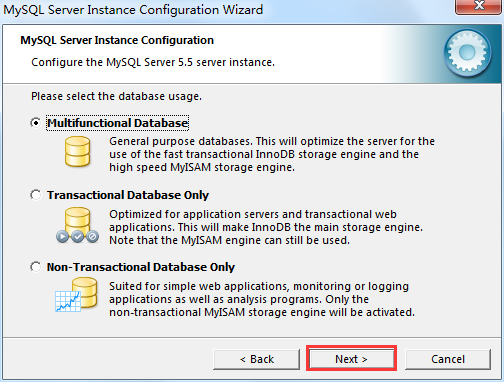
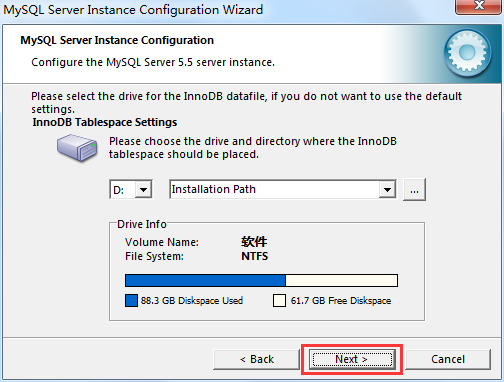
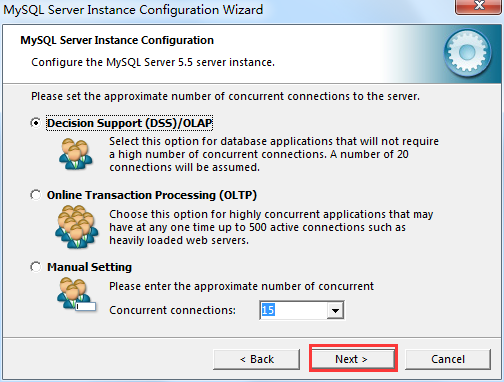
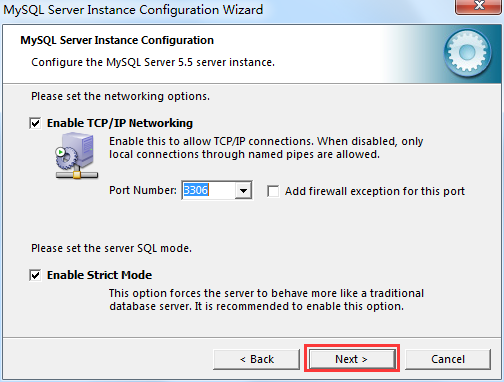
上图的解释:今后在Java开发中,要对这个服务器进行访问,就要涉及到通信的协议,这里使用TCP/IP协议,此时就涉及到了端口,MySQL默认的端口号为3306,使用默认的即可。继续下一步:
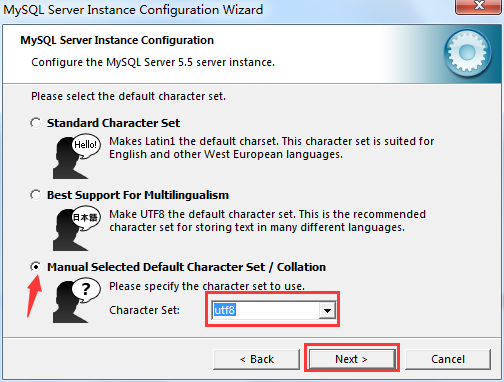
上图中,是选择数据库的编码。第一种是拉丁文,只支持英文,不支持中文;第二种貌似是和日语有关的。这里我们选择第三种:自定义。然后将编码方式设置为:utf-8。下一步:
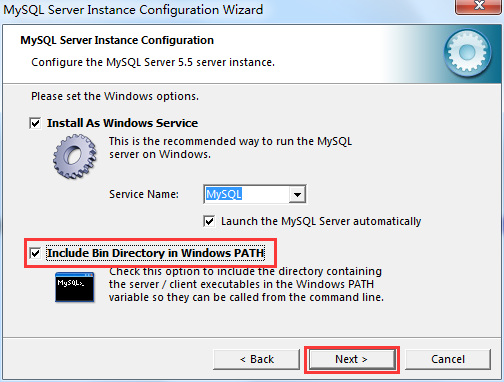
上图中,我们勾选“路径添加到环境变量”,然后继续:
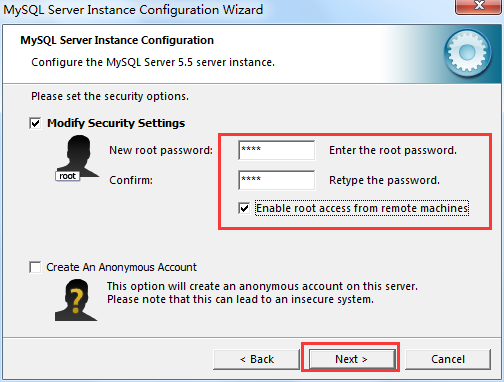
上图中,是给root用户设置密码。这里,我将密码设置为smyh。另外,勾选“允许用户远程(网路)访问”,否则只能在本地访问,继续:
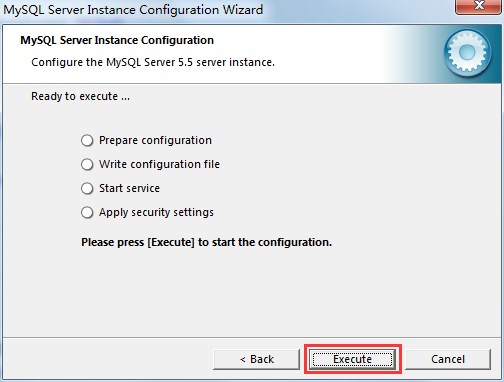
上面的勾会自动打的:
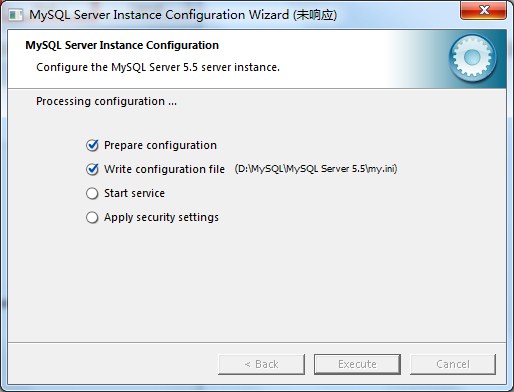
上图中,可以看到,我们的配置被写在了my.ini这个文件中了。
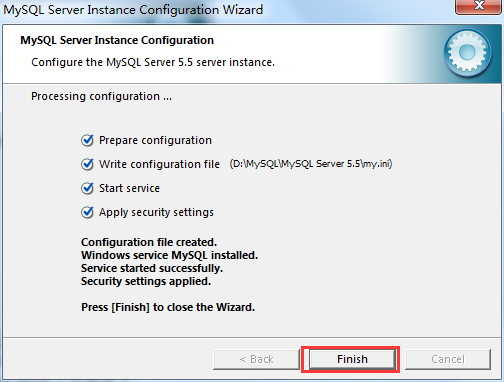
点击finish,完成安装。我们再到对应目录下看一下my.ini文件的内容:
# MySQL Server Instance Configuration File

# ----------------------------------------------------------------------

# Generated by the MySQL Server Instance Configuration Wizard

#

#

# Installation Instructions

# ----------------------------------------------------------------------

#

# On Linux you can copy this file to /etc/my.cnf to set global options,

# mysql-data-dir/my.cnf to set server-specific options

# (@localstatedir@ for this installation) or to

# ~/.my.cnf to set user-specific options.

#

# On Windows you should keep this file in the installation directory

# of your server (e.g. C:\Program Files\MySQL\MySQL Server X.Y). To

# make sure the server reads the config file use the startup option

# "--defaults-file".

#

# To run run the server from the command line, execute this in a

# command line shell, e.g.

# mysqld --defaults-file="C:\Program Files\MySQL\MySQL Server X.Y\my.ini"

#

# To install the server as a Windows service manually, execute this in a

# command line shell, e.g.

# mysqld --install MySQLXY --defaults-file="C:\Program Files\MySQL\MySQL Server X.Y\my.ini"

#

# And then execute this in a command line shell to start the server, e.g.

# net start MySQLXY

#

#

# Guildlines for editing this file

# ----------------------------------------------------------------------

#

# In this file, you can use all long options that the program supports.

# If you want to know the options a program supports, start the program

# with the "--help" option.

#

# More detailed information about the individual options can also be

# found in the manual.

#

#

# CLIENT SECTION

# ----------------------------------------------------------------------

#

# The following options will be read by MySQL client applications.

# Note that only client applications shipped by MySQL are guaranteed

# to read this section. If you want your own MySQL client program to

# honor these values, you need to specify it as an option during the

# MySQL client library initialization.

#

[client]

port=

[mysql]

default-character-set=utf8

# SERVER SECTION

# ----------------------------------------------------------------------

#

# The following options will be read by the MySQL Server. Make sure that

# you have installed the server correctly (see above) so it reads this

# file.

#

[mysqld]

# The TCP/IP Port the MySQL Server will listen on

port=

#Path to installation directory. All paths are usually resolved relative to this.

basedir="D:/MySQL/MySQL Server 5.5/"

#Path to the database root

datadir="C:/ProgramData/MySQL/MySQL Server 5.5/Data/"

# The default character set that will be used when a new schema or table is

# created and no character set is defined

character-set-server=utf8

# The default storage engine that will be used when create new tables when

default-storage-engine=INNODB

# Set the SQL mode to strict

sql-mode="STRICT_TRANS_TABLES,NO_AUTO_CREATE_USER,NO_ENGINE_SUBSTITUTION"

# The maximum amount of concurrent sessions the MySQL server will

# allow. One of these connections will be reserved for a user with

# SUPER privileges to allow the administrator to login even if the

# connection limit has been reached.

max_connections=

# Query cache is used to cache SELECT results and later return them

# without actual executing the same query once again. Having the query

# cache enabled may result in significant speed improvements, if your

# have a lot of identical queries and rarely changing tables. See the

# "Qcache_lowmem_prunes" status variable to check if the current value

# is high enough for your load.

# Note: In case your tables change very often or if your queries are

# textually different every time, the query cache may result in a

# slowdown instead of a performance improvement.

query_cache_size=

# The number of open tables for all threads. Increasing this value

# increases the number of file descriptors that mysqld requires.

# Therefore you have to make sure to set the amount of open files

# allowed to at least  in the variable "open-files-limit" in

# section [mysqld_safe]

table_cache=

# Maximum size for internal (in-memory) temporary tables. If a table

# grows larger than this value, it is automatically converted to disk

# based table This limitation is for a single table. There can be many

# of them.

tmp_table_size=34M

# How many threads we should keep in a cache for reuse. When a client

# disconnects, the client's threads are put in the cache if there aren't

# more than thread_cache_size threads from before.  This greatly reduces

# the amount of thread creations needed if you have a lot of new

# connections. (Normally this doesn't give a notable performance

# improvement if you have a good thread implementation.)

thread_cache_size=

#*** MyISAM Specific options

# The maximum size of the temporary file MySQL is allowed to use while

# recreating the index (during REPAIR, ALTER TABLE or LOAD DATA INFILE.

# If the file-size would be bigger than this, the index will be created

# through the key cache (which is slower).

myisam_max_sort_file_size=100G

# If the temporary file used for fast index creation would be bigger

# than using the key cache by the amount specified here, then prefer the

# key cache method.  This is mainly used to force long character keys in

# large tables to use the slower key cache method to create the index.

myisam_sort_buffer_size=68M

# Size of the Key Buffer, used to cache index blocks for MyISAM tables.

# Do not set it larger than % of your available memory, as some memory

# is also required by the OS to cache rows. Even if you're not using

# MyISAM tables, you should still set it to -64M as it will also be

# used for internal temporary disk tables.

key_buffer_size=55M

# Size of the buffer used for doing full table scans of MyISAM tables.

# Allocated per thread, if a full scan is needed.

read_buffer_size=64K

read_rnd_buffer_size=256K

# This buffer is allocated when MySQL needs to rebuild the index in

# REPAIR, OPTIMZE, ALTER table statements as well as in LOAD DATA INFILE

# into an empty table. It is allocated per thread so be careful with

# large settings.

sort_buffer_size=256K

#*** INNODB Specific options ***

# Use this option if you have a MySQL server with InnoDB support enabled

# but you do not plan to use it. This will save memory and disk space

# and speed up some things.

#skip-innodb

# Additional memory pool that is used by InnoDB to store metadata

# information.  If InnoDB requires more memory for this purpose it will

# start to allocate it from the OS.  As this is fast enough on most

# recent operating systems, you normally do not need to change this

# value. SHOW INNODB STATUS will display the current amount used.

innodb_additional_mem_pool_size=3M

# If set to , InnoDB will flush (fsync) the transaction logs to the

# disk at each commit, which offers full ACID behavior. If you are

# willing to compromise this safety, and you are running small

# transactions, you may set this to  or  to reduce disk I/O to the

# logs. Value  means that the log is only written to the log file and

# the log file flushed to disk approximately once per second. Value

# means the log is written to the log file at each commit, but the log

# file is only flushed to disk approximately once per second.

innodb_flush_log_at_trx_commit=

# The size of the buffer InnoDB uses for buffering log data. As soon as

# it is full, InnoDB will have to flush it to disk. As it is flushed

# once per second anyway, it does not make sense to have it very large

# (even with long transactions).

innodb_log_buffer_size=2M

# InnoDB, unlike MyISAM, uses a buffer pool to cache both indexes and

# row data. The bigger you set this the less disk I/O is needed to

# access data in tables. On a dedicated database server you may set this

# parameter up to % of the machine physical memory size. Do not set it

# too large, though, because competition of the physical memory may

# cause paging in the operating system.  Note that on 32bit systems you

# might be limited to -.5G of user level memory per process, so do not

# set it too high.

innodb_buffer_pool_size=106M

# Size of each log file in a log group. You should set the combined size

# of log files to about %-% of your buffer pool size to avoid

# unneeded buffer pool flush activity on log file overwrite. However,

# note that a larger logfile size will increase the time needed for the

# recovery process.

innodb_log_file_size=53M

# Number of threads allowed inside the InnoDB kernel. The optimal value

# depends highly on the application, hardware as well as the OS

# scheduler properties. A too high value may lead to thread thrashing.

innodb_thread_concurrency=
同时,我们在开始菜单的程序中也能看到已经安装好的程序了:
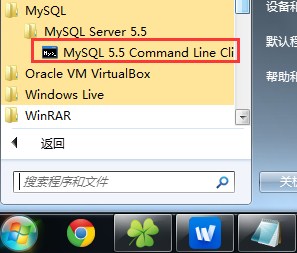
点击它,开始运行:
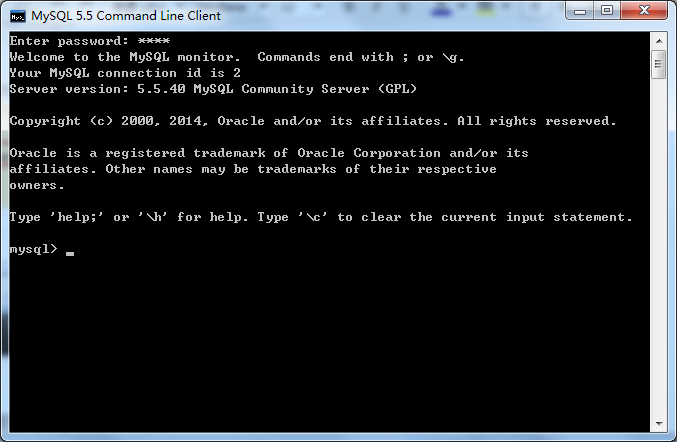
打开”计算机管理“可以看到MySQL的服务已启动:

同时在进程中也可以看到:

五、MySQL的卸载:
1、到控制面板里面先把mysql软件删除;
2、删除mysql的安装目录(如果在其他盘还有设置目录也要删除,空目录也要删除);
3、删除注册表中的以下文件:(按"Win+R"键,输入regedit,进入注册表):
- HKEY_LOCAL_MACHINE/SYSTEM/ControlSet001/Services/Eventlog/Applications/MySQL
- HKEY_LOCAL_MACHINE/SYSTEM/ControlSet002/Services/Eventlog/Applications/MySQL
- HKEY_LOCAL_MACHINE/SYSTEM/CurrentControlSet/Services/Eventlog/Applications/MySQL
有的话全部删除(技巧:用F3循环查找“mysql”);
4、如果是windows 7 系统,还需要找到C:\ProgramData\MYSQL将其删除;如果是XP系统,删除找到C:\Documents and Settings\All Users\Application Data\MYSQL
完成后即可再次安装,不需要重启系统。
MySQL数据库学习笔记(一)----MySQL 5.6.21的安装和配置(setup版)的更多相关文章
- MySQL数据库学习笔记(十二)----开源工具DbUtils的使用(数据库的增删改查)
[声明] 欢迎转载,但请保留文章原始出处→_→ 生命壹号:http://www.cnblogs.com/smyhvae/ 文章来源:http://www.cnblogs.com/smyhvae/p/4 ...
- MySQL数据库学习笔记(十)----JDBC事务处理、封装JDBC工具类
[声明] 欢迎转载,但请保留文章原始出处→_→ 生命壹号:http://www.cnblogs.com/smyhvae/ 文章来源:http://www.cnblogs.com/smyhvae/p/4 ...
- MySQL数据库学习笔记(九)----JDBC的ResultSet接口(查询操作)、PreparedStatement接口重构增删改查(含SQL注入的解释)
[声明] 欢迎转载,但请保留文章原始出处→_→ 生命壹号:http://www.cnblogs.com/smyhvae/ 文章来源:http://www.cnblogs.com/smyhvae/p/4 ...
- Mysql数据库学习笔记之数据库索引(index)
什么是索引: SQL索引有两种,聚集索引和非聚集索引,索引主要目的是提高了SQL Server系统的性能,加快数据的查询速度与减少系统的响应时间. 聚集索引:该索引中键值的逻辑顺序决定了表中相应行的物 ...
- MYSQL数据库学习笔记1
MYSQL数据库学习笔记1 数据库概念 关系数据库 常见数据库软件 SQL SQL的概念 SQL语言分类 数据库操作 创建数据库 查看数据库的定义 删除数据库 修改数据库 创建表 数据类型 约束 ...
- JavaWeb和WebGIS学习笔记(七)——MapGuide Open Source安装、配置以及MapGuide Maestro发布地图——超详细!目前最保姆级的MapGuide上手指南!
JavaWeb和WebGIS学习笔记(七)--MapGuide Open Source安装.配置以及MapGuide Maestro发布地图 超详细!目前最保姆级的MapGuide上手指南! 系列链接 ...
- MySQL数据库学习笔记(六)----MySQL多表查询之外键、表连接、子查询、索引
本章主要内容: 一.外键 二.表连接 三.子查询 四.索引 一.外键: 1.什么是外键 2.外键语法 3.外键的条件 4.添加外键 5.删除外键 1.什么是外键: 主键:是唯一标识一条记录,不能有重复 ...
- MySQL数据库学习笔记----MySQL多表查询之外键、表连接、子查询、索引
本章主要内容: 一.外键 二.表连接 三.子查询 四.索引 一.外键: 1.什么是外键 2.外键语法 3.外键的条件 4.添加外键 5.删除外键 1.什么是外键: 主键:是唯一标识一条记录,不能有重复 ...
- MySQL数据库学习笔记<一>
MySQL基本概念以及简单操作 一.MySQL MySQL是一个关系型数据库管理系统,由瑞典MySQL AB 公司开发,目前属于Oracle 旗下产品.MySQL 是最流行的关系型数据库管理系 ...
- MySQL数据库学习笔记(四)----MySQL聚合函数、控制流程函数(含navicat软件的介绍)
[声明] 欢迎转载,但请保留文章原始出处→_→ 生命壹号:http://www.cnblogs.com/smyhvae/ 文章来源:http://www.cnblogs.com/smyhvae/p/4 ...
随机推荐
- 自定义HttpMessageHandler实现HTTP方法的重写
自定义HttpMessageHandler实现HTTP方法的重写
- 【GOF23设计模式】装饰模式
来源:http://www.bjsxt.com/ 一.[GOF23设计模式]_装饰模式.IO流底层架构.装饰和桥接模式的区别 package com.test.decorator; /** * Com ...
- GDB调试器使用总结
概述:GDB是linux下调试程序的神器,做为linux程序员,如果不能熟练的使用GDB进行程序调试,那将是很失败的事情.强大的功能使GDB的使用也变得比较复杂,如果是初学者肯定会比繁杂的命令吓到.下 ...
- Erlang高阶函数
对于函数式语言来说,函数也想普通的数据类型一样无处不在.函数即可以当成参数进行传递,也可以当成函数的返回值.当我第一次学习函数式编程的时候,我被这样的写法弄的头昏脑涨.下面我举例说明下(例子摘录自Le ...
- MapGIS转Shp文件的单位问题
在MapGIS浏览查看一下数据,各种不习惯:用mapgis自带的转shp功能,属性表会出错:利用名为map2shp的试用版软件可将mapgis格式的数据较为良好转成shp格式.但经常会遇到一个单位问题 ...
- 2015年第14本(英文第10本):The A.B.C. Murders (A.B.C谋杀案)
书名:The ABC Murders 推荐指数:5星 作者:Agatha Christie 单词数:7万 不重复单词数:不详 首万词不重复单词数:不详 蓝思值:740 阅读时间:2015年7月18日 ...
- iOS第三方类库JSPatch(热更新)
---------------------------------------------------------------------------------------------------- ...
- 安卓第六天笔记--ListView
安卓第六天笔记--ListView 1.AdapteView AdapteView 继承ViewGroup它的本质是容器 AdapterView派生了3个子类: AbsListView AbsSpin ...
- 使用JDBC对数据库进行查询的前期准备工作,以及简单的JDBC访问MySQL数据库(Mac)
首先JDBC的前期数据库数据准备: 1,打开链接好MySQL的Workbench软件,新建一个数据库: 2.然后打开数据库对应的代码编辑窗口,建立表和插入数据记录: 3.然后是打开关于javaWeb编 ...
- eclipse创建本地maven
一.下载maven安装包和maven的eclipse插件 apache-maven-3.3.9-bin.zip eclipse-maven-plugin.zip 下载地址:http://pan.bai ...