
Godot UI线程,Task异步和消息弹窗通知
前言
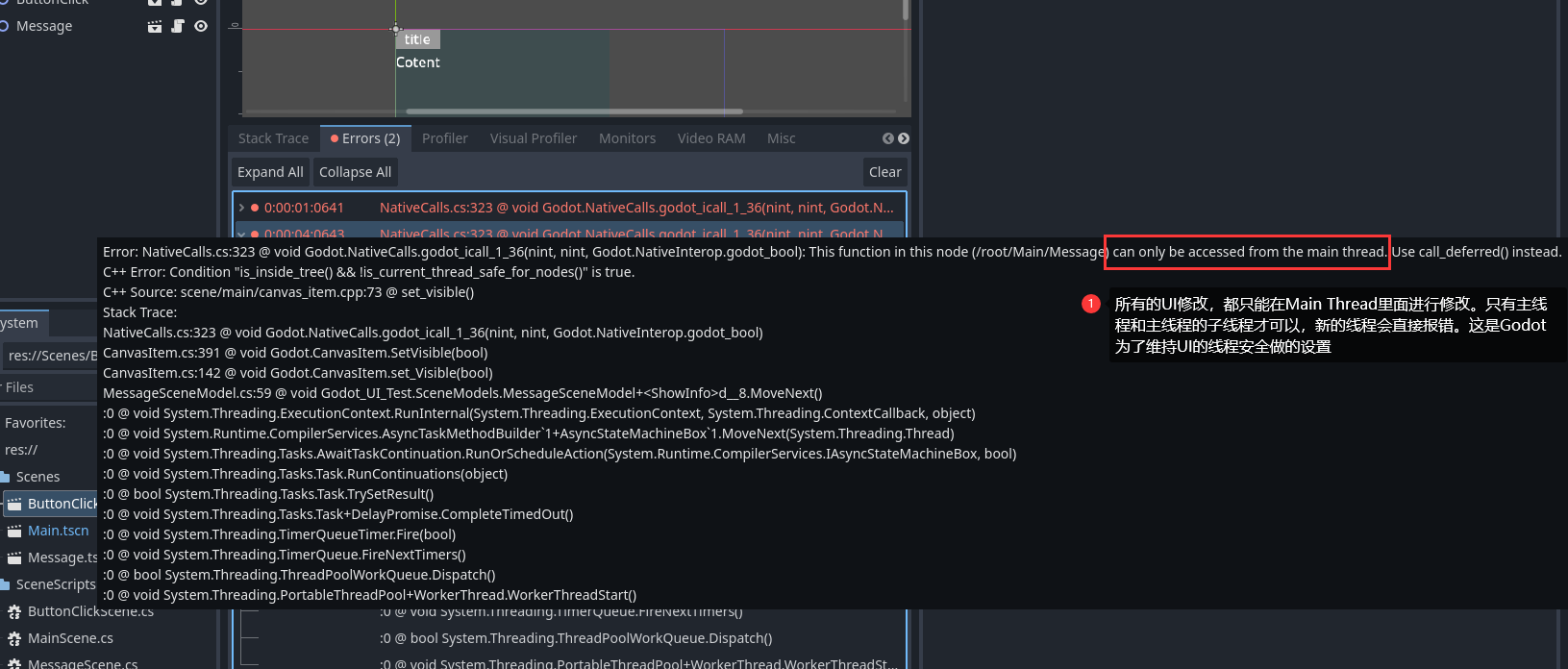
最近我在研究Godot的全局消息,然后发现Godot 也是有UI线程限制的,只能在主线程的子线程里面修改UI。
线程安全

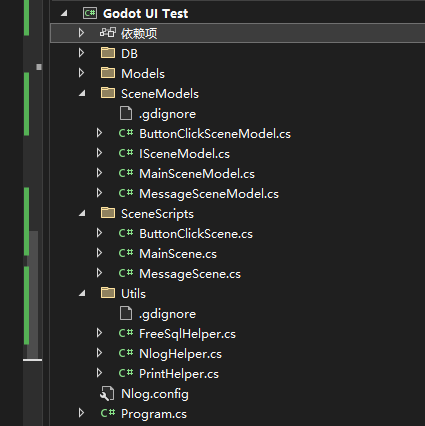
全局消息IOC注入
我之前写过Godot 的IOC注入,这些都是CSDN时期的博客。但是后面CSDN的广告实在是太多了,我就转到博客园里面来了。
Godot.NET C# 工程化开发(1):通用Nuget 导入+ 模板文件导出,包含随机数生成,日志管理,数据库连接等功能
注意,我后面的都是基于我那个IOC框架来写的。
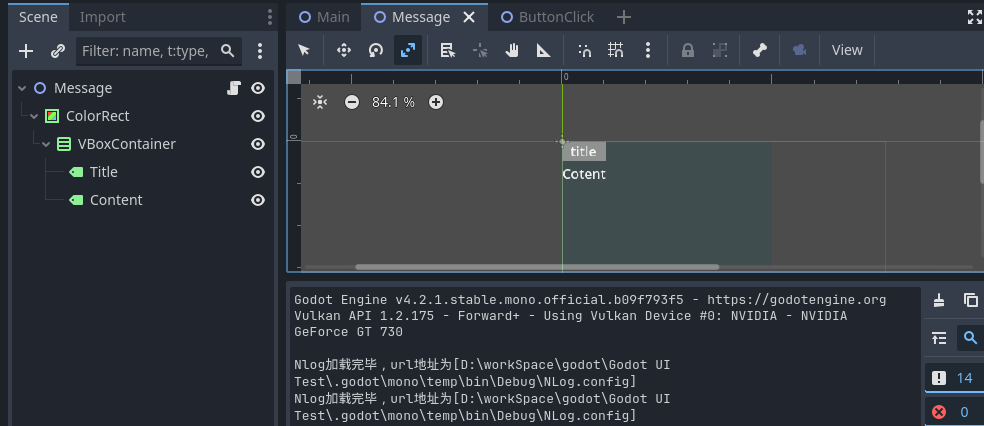
消息窗口搭建
如何修改Label样式可以看我上一篇文章
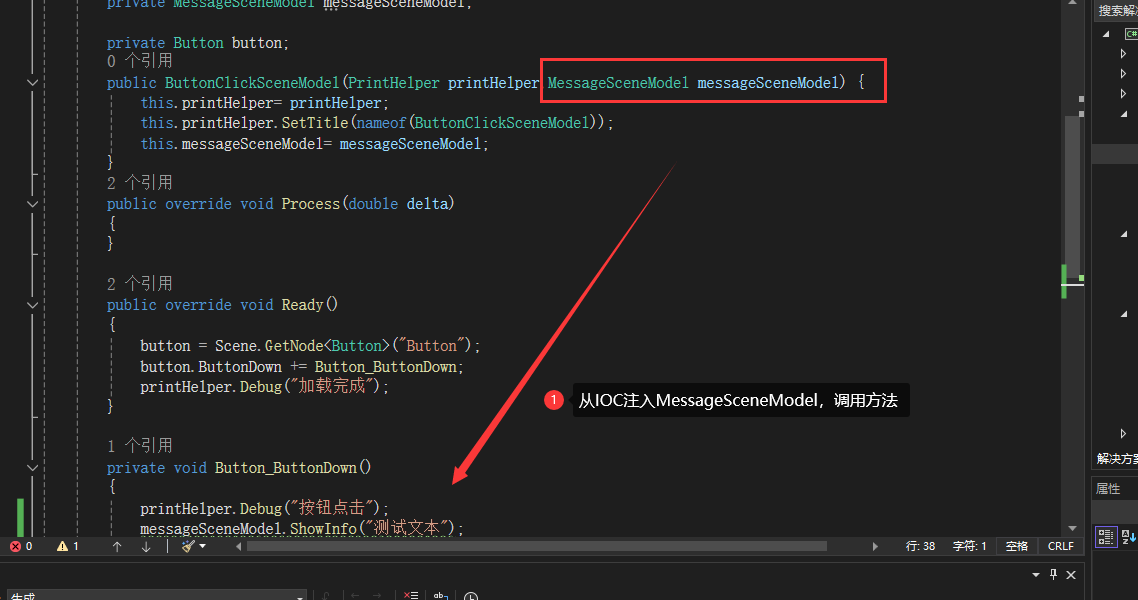
最简单的消息提示
using Godot;

using Godot_UI_Test.Utils;

using Newtonsoft.Json;

using System;

using System.Collections.Generic;

using System.ComponentModel;

using System.Linq;

using System.Reflection.Emit;

using System.Text;

using System.Threading.Tasks;

namespace Godot_UI_Test.SceneModels

{

    public class MessageSceneModel : ISceneModel

    {

        private PrintHelper printHelper;

        private Godot.Label title;

        private Godot.Label content;

        private VBoxContainer container;

        private ColorRect colorRect;

        public MessageSceneModel(PrintHelper printHelper) {

            this.printHelper = printHelper;

            printHelper.SetTitle(nameof(MessageSceneModel));

        }

        public override void Process(double delta)

        {

            //throw new NotImplementedException();

        }

        public override void Ready()

        {

            printHelper.Debug("加载完成");

            colorRect = Scene.GetNode<ColorRect>("ColorRect");

            container = colorRect.GetNode<VBoxContainer>("VBoxContainer");

            title = container.GetNode<Godot.Label>("Title");

            content = container.GetNode<Godot.Label>("Content");

            //同步容器大小

            container.Size = colorRect.Size;

            printHelper.Debug(JsonConvert.SerializeObject(title.Size));

            //默认设置为不可见

            Scene.Visible = false;

            //throw new NotImplementedException();

        }

        /// <summary>

        /// 弹窗延迟退出

        /// </summary>

        /// <param name="message"></param>

        /// <returns></returns>

        public async Task ShowInfo(string message)

        {

            Scene.Visible = true;

            printHelper.Debug("Info打印信息");

            printHelper.Debug(message);

            await Task.Delay(3000);

            Scene.Visible = false;

        }

    }

}
简单使用
虽然有点丑,但是能用

仿Element UI
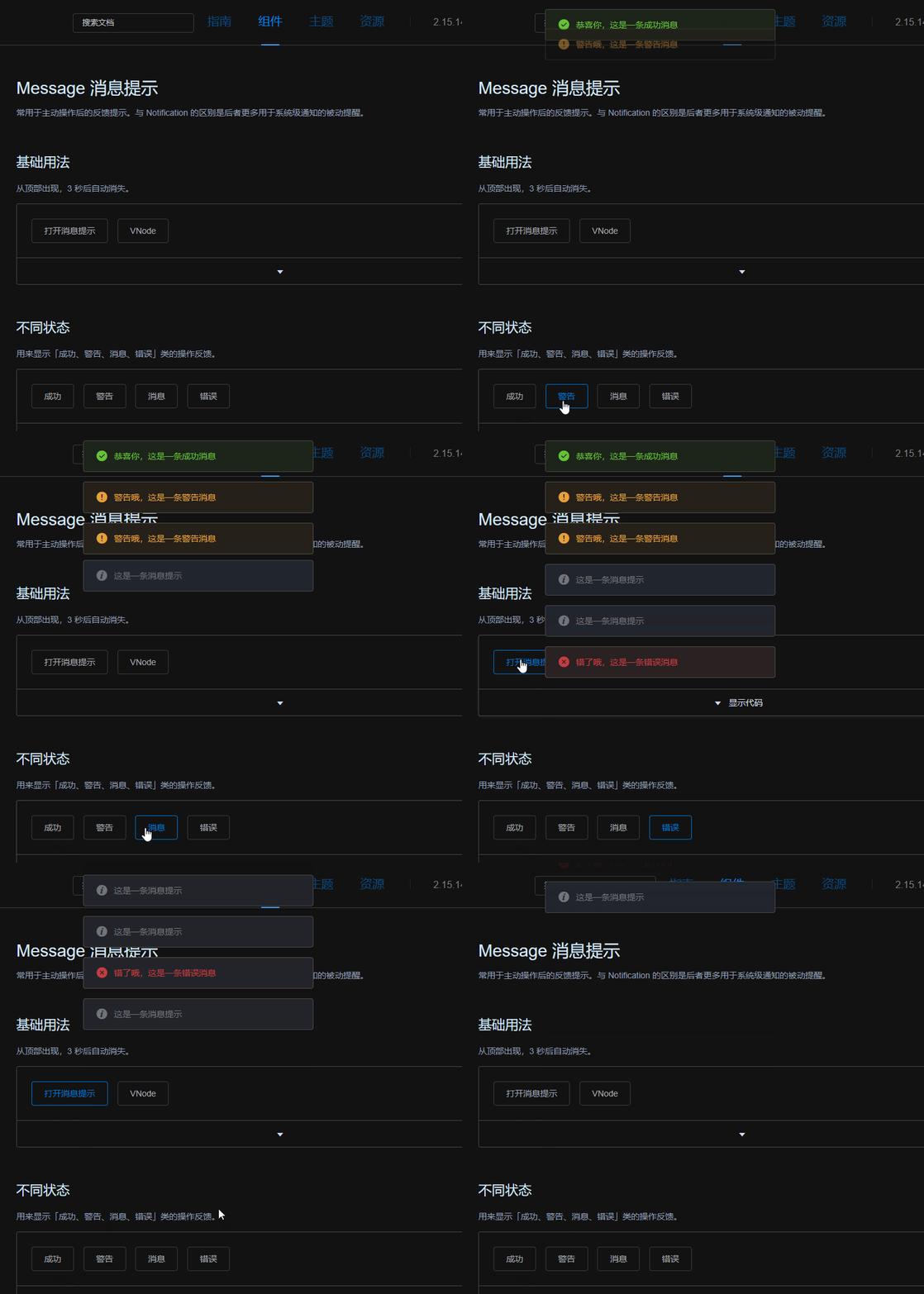
ElementUI 效果
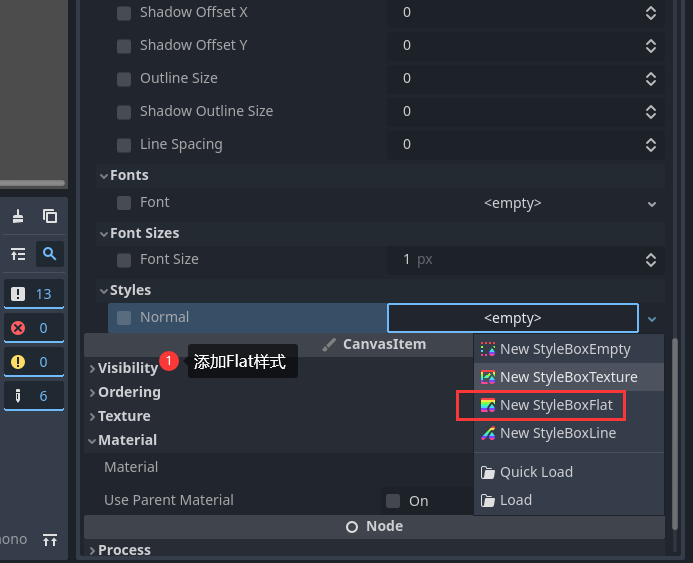
简单的Label样式
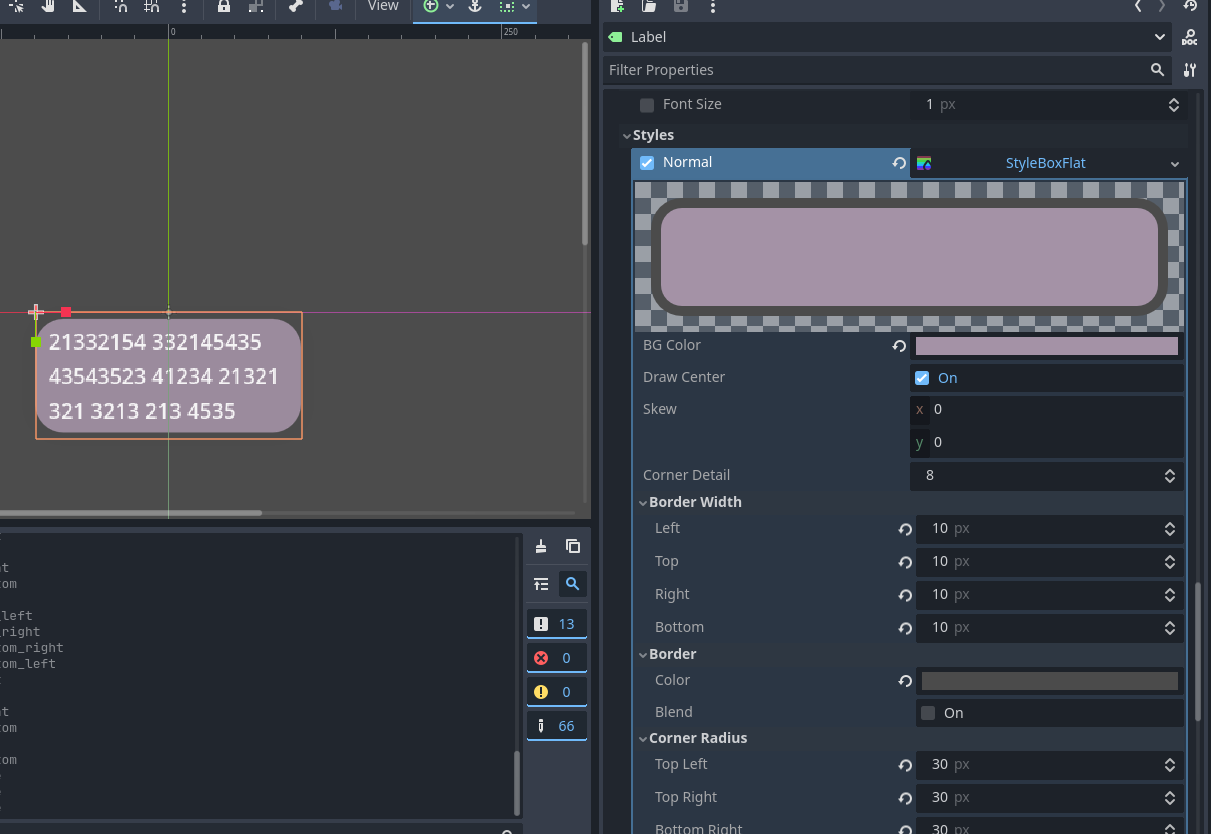
简单的画一下,我就不给具体的参数了,大家点一下就知道了
如何快速加载多个相同节点
如果我们把这个作为场景,又没有那么的复杂。如果用代码生成,写起来很麻烦,也不直观。最好的方法就是复制节点添加。

using Godot;

using Godot_UI_Test.Utils;

using Newtonsoft.Json;

using System;

using System.Collections.Generic;

using System.ComponentModel;

using System.Linq;

using System.Reflection.Emit;

using System.Text;

using System.Threading.Tasks;

namespace Godot_UI_Test.SceneModels

{

    public class MessageSceneModel : ISceneModel

    {

        private PrintHelper printHelper;

        private VBoxContainer vBoxContainer;

        private AssetsHelper assetsHelper;

        private Godot.Label label;

        public MessageSceneModel(PrintHelper printHelper, AssetsHelper assetsHelper)

        {

            this.printHelper = printHelper;

            printHelper.SetTitle(nameof(MessageSceneModel));

            this.assetsHelper = assetsHelper;

        }

        public override void Process(double delta)

        {

            //throw new NotImplementedException();

        }

        public override void Ready()

        {

            printHelper.Debug("加载完成");

            vBoxContainer = Scene.GetNode<VBoxContainer>("VBoxContainer");

            label = Scene.GetNode<Godot.Label>("Label");

            //将vBoxContainer居中,GodotProjectSetting是自己设置的

            vBoxContainer.Position = new Vector2(GodotProjectSetting.Width/4, 10);

            //添加label的靠别,不能直接添加label,因为label已经拥有了父节点

            var newLabel = label.Duplicate() as Godot.Label;

            //显示Label

            newLabel.Visible =true;

            vBoxContainer.AddChild(newLabel.Duplicate());

            vBoxContainer.AddChild(newLabel.Duplicate());

            vBoxContainer.AddChild(newLabel.Duplicate());

            //CreateText("te321");

            //CreateText("te321 3213 321 3434 4 2 41321 st1 te321 3213 321 3434 4 2 41321 st1 te321 3213 321 3434 4 2 41321 st1");

            printHelper.Debug(JsonConvert.SerializeObject(vBoxContainer.Position));

            printHelper.Debug(JsonConvert.SerializeObject(vBoxContainer.GetWindow().Position));

            //Scene.Visible = false;

            //throw new NotImplementedException();

        }

        private void CreateText(string text)

        {

            var res = new Godot.Label();

            res.AddThemeStyleboxOverride("normal", assetsHelper.MessageItemStyle);

            res.AutowrapMode = TextServer.AutowrapMode.WordSmart;

            res.HorizontalAlignment = HorizontalAlignment.Center;

            res.Text = text;

            res.CustomMinimumSize = new Vector2(200, 0);

            label = res;

            vBoxContainer.AddChild(res);

        }

        /// <summary>

        /// 延迟打印

        /// </summary>

        /// <param name="message"></param>

        /// <returns></returns>

        public async Task ShowInfo(string message)

        {

            printHelper.Debug("Info打印信息");

        }

    }

}

修改一下,IOC按钮事件注册
using Godot;

using Godot_UI_Test.Utils;

using Newtonsoft.Json;

using System;

using System.Collections.Generic;

using System.ComponentModel;

using System.Linq;

using System.Reflection.Emit;

using System.Text;

using System.Threading.Tasks;

namespace Godot_UI_Test.SceneModels

{

    public class MessageSceneModel : ISceneModel

    {

        private PrintHelper printHelper;

        private VBoxContainer vBoxContainer;

        private AssetsHelper assetsHelper;

        private Godot.Label label;

        public MessageSceneModel(PrintHelper printHelper, AssetsHelper assetsHelper)

        {

            this.printHelper = printHelper;

            printHelper.SetTitle(nameof(MessageSceneModel));

            this.assetsHelper = assetsHelper;

        }

        public override void Process(double delta)

        {

            //throw new NotImplementedException();

        }

        public override void Ready()

        {

            printHelper.Debug("加载完成");

            vBoxContainer = Scene.GetNode<VBoxContainer>("VBoxContainer");

            label = Scene.GetNode<Godot.Label>("Label");

            //将vBoxContainer居中,GodotProjectSetting是自己设置的

            vBoxContainer.Position = new Vector2(GodotProjectSetting.Width/4, 10);

            //CreateText("te321 3213 321 3434 4 2 41321 st1 te321 3213 321 3434 4 2 41321 st1 te321 3213 321 3434 4 2 41321 st1");

            printHelper.Debug(JsonConvert.SerializeObject(vBoxContainer.Position));

            printHelper.Debug(JsonConvert.SerializeObject(vBoxContainer.GetWindow().Position));

            //Scene.Visible = false;

            //throw new NotImplementedException();

        }

        /// <summary>

        /// 挂载Label

        /// </summary>

        /// <param name="text"></param>

        private Godot.Label CreateText(string text)

        {

            var newLabel = label.Duplicate() as Godot.Label;

            newLabel.Text = text;

            newLabel.Visible=true;

            vBoxContainer.AddChild(newLabel);

            return newLabel;

        }

        /// <summary>

        /// 延迟打印

        /// </summary>

        /// <param name="message"></param>

        /// <returns></returns>

        public async Task ShowInfo(string message)

        {

            printHelper.Debug("Info打印信息");

            var newLabel =  CreateText(message);

            await Task.Delay(3 * 1000);

            newLabel.Free();

        }

    }

}
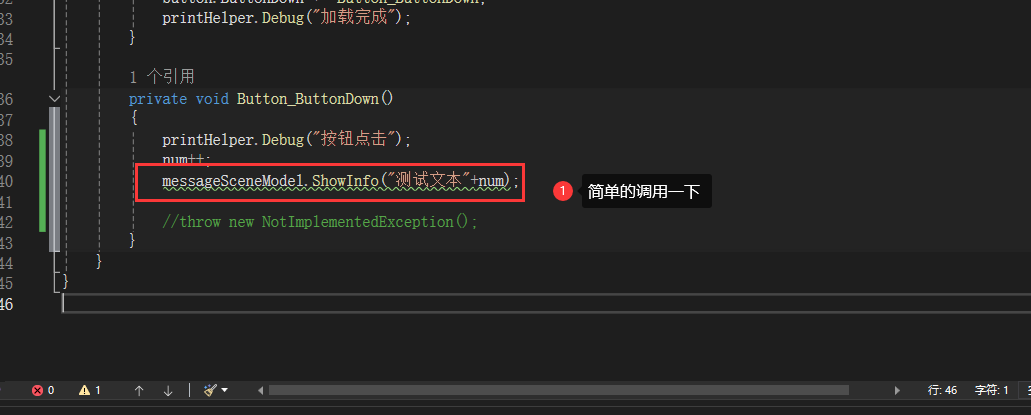
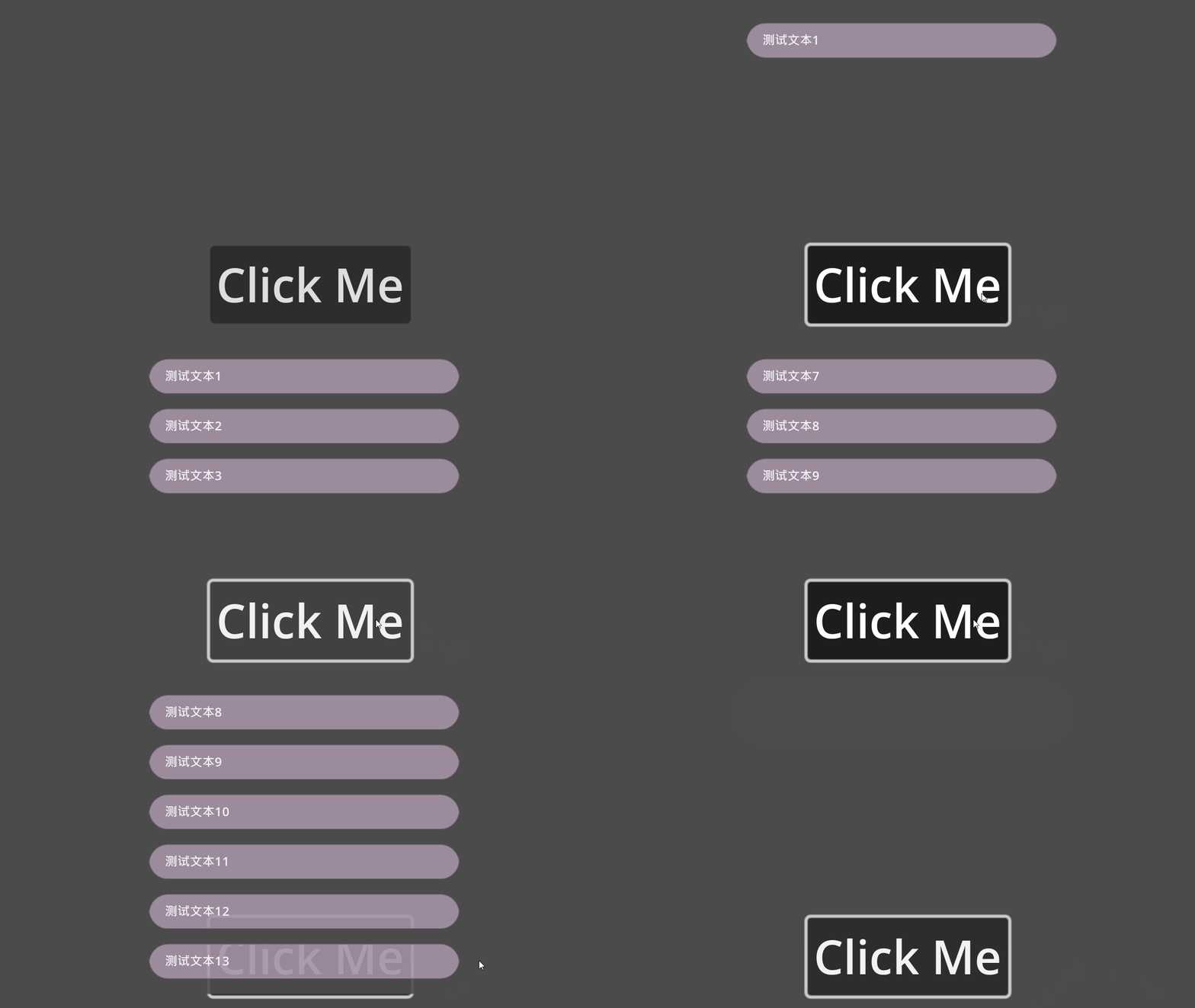
总结
我只是很潦草的实现了消息弹窗这个功能,还没加动画效果。不过这个确实让我学到了很多,尤其是节点挂载这个事情。
Godot UI线程,Task异步和消息弹窗通知的更多相关文章
- Android异步处理一:使用Thread+Handler实现非UI线程更新UI界面
Android应用的开发过程中需要把繁重的任务(IO,网络连接等)放到其他线程中异步执行,达到不阻塞UI的效果. 下面将由浅入深介绍Android进行异步处理的实现方法和系统底层的实现原理. 本文介绍 ...
- 细说UI线程和Windows消息队列(经典)
在Windows应用程序中,窗体是由一种称为“UI线程(User Interface Thread)”的特殊类型的线程创建的. 首先,UI线程是一种“线程”,所以它具有一个线程应该具有的所有特征,比如 ...
- 细说UI线程和Windows消息队列
在 Windows应用程序中,窗体是由一种称为“ UI线程( User Interface Thread)”的特殊类型的线程创建的. 首先, UI线程是一种“线程”,所以它具有一个线程应该具有的所有特 ...
- 【转】细说UI线程和Windows消息队列
在Windows应用程序中,窗体是由一种称为“UI线程(User Interface Thread)”的特殊类型的线程创建的. 首先,UI线程是一种“线程”,所以它具有一个线程应该具有的所有特征,比如 ...
- c#多线程(UI线程,控件显示更新) Invoke和BeginInvoke 区别
如果只是直接使用子线程访问UI控件,直接看内容三,如果想深入了解从内容一看起. 一.Control.Invoke和BeginInvoke方法的区别 先上总结: Control.Invoke 方法 (D ...
- [转] c#多线程(UI线程,控件显示更新) Invoke和BeginInvoke 区别
如果只是直接使用子线程访问UI控件,直接看内容三,如果想深入了解从内容一看起. 一.Control.Invoke和BeginInvoke方法的区别 先上总结: Control.Invoke 方法 (D ...
- 千万别在UI线程上调用Control.Invoke和Control.BeginInvoke,因为这些是依然阻塞UI线程的,造成界面的假死
原文地址:https://www.cnblogs.com/wangchuang/archive/2013/02/20/2918858.html .c# Invoke和BeginInvoke 区别 Co ...
- Android UI线程和非UI线程
Android UI线程和非UI线程 UI线程及Android的单线程模型原则 当应用启动,系统会创建一个主线程(main thread). 这个主线程负责向UI组件分发事件(包括绘制事件),也是在这 ...
- android脚步---如何看log之程序停止运行,和UI线程和非UI线程之间切换
经常运行eclipse时,烧到手机出现,“停止运行”,这时候得通过logcat查log了.一般这种情况属于FATAL EXCEPTION,所以检索FATAL 或者 EXCEPTION,然后往下看几行 ...
- 关于“UI线程”
http://www.cppblog.com/Streamlet/archive/2013/05/05/199999.html 缘起 这是一篇找喷的文章. 由于一些历史原因和人际渊源,周围同事谈论一些 ...
随机推荐
- 【代码更新】SPI时序——AD数模数转换
[代码更新]SPI时序--AD数模数转换 AD芯片手册:https://www.ti.com.cn/cn/lit/ds/symlink/ads8558.pdf?ts=1709473143911& ...
- .Net下的CORS跨域设置
CORS跨域访问问题往往出现在"浏览器客户端"通过ajax调用"服务端API"的时候.而且若是深究原理,还会发现跨域问题其实还分为[简单跨域]与[复杂跨域]这两 ...
- Failed to collect dependencies at com.oneconnect......-Intellij-IDEA-使用maven打包采坑记录
一.问题由来 由于刚开始使用Intellij-IDEA,使用不是很熟练,因此使用过程中出现各种各样的问题.最近开发过程中,准备使用IDEA打包项目发布到测试服务器,报错信息如下: Failed to ...
- 协议SPI:四线同步全双工 W25Qxx
SPI传输速度快80M,富家子弟最简单最快速完成 SCK-时钟 MOSI主机输出(DO),从机输入 MISO(DI) SS Slave Select(CS Chip Select)从机选择线,低电平有 ...
- [置顶]
spring巧用继承解决bean的id相同的问题
先感叹一下:最近的项目真的很奇葩!!! 需求是这样的:我们的项目中引用了两个jar包,这两个jar包是其他项目组提供的,不能修改! 奇葩的是:这两个jar中都需要引用方提供一个相同id的bean,而b ...
- CMake基本配置与注意事项
CMake基本配置与注意事项 目录 CMake基本配置与注意事项 CMake message打印日志 find_library查找一个NDK工具中的库 添加多个源文件 CMake中引用其他的 CMak ...
- 谷歌Linux 运维工程师面试真题
谷歌Linux 运维工程师面试真题 下面是谷歌 Linux 运维工程师面试真题: 1.如何查看当前的 Linux 服务器的运行级别? 答: 'who -r' 和 'runlevel' 命令可以用来查看 ...
- [Linux] 使用du命令查看文件夹空间使用情况
一.摘要 本文介绍了在linux下使用du命令查看文件夹所占空间大小的命令,包括查看当磁盘中所有文件占空间大小.前目录的所占空间大小.当前目录下一级子目录各自所占空间大小等等操作. 二.du命令示例 ...
- 【Leetcode】53. 最大子数组和
题目(链接) 给你一个整数数组nums,请你找出一个具有最大和的连续子数组(子数组最少包含一个元素),返回其最大和. 子数组是数组中的一个连续部分. 示例 1: 输入:nums = [-2,1,-3, ...
- 性能测试系列:高可用测试linux常用命令
一 linux常用 df –h 看磁盘 du –h –max-depth=1 查看当前目录下,各个文件夹大小 ls –lht 查看当前目录下,各个文件大小 top –H –p pid 看进程下线程的资 ...