
1.linux源码安装nginx
- 从官网下载nginx.tar.gz源码包
- 拷贝至Linux系统下进行解压 tar -zxvf nginx.tar.gz
- 进入解压后的目录,需要./configure,此步骤会报多个错,比如没有安装gcc时,要求安装gcc等
- ./confiure
在./configure时,可能会报错,如下:./configure: error: the HTTP rewrite module requires the PCRE library.You can either disable the module by using --without-http_rewrite_module option, or install the PCRE library into the system, or build the PCRE library statically from the source with nginx by using --with-pcre=<path> option.
- 解决办法是安装pcre-devel这个包,yum -y install pcre-devel 为了重写rewrite
- 安装了上面这个包后,还会报错,提示./configure: error: the HTTP gzip module requires the zlib library. You can either disable the module by using --without-http_gzip_module option, or install the zlib library into the system, or build the zlib library statically from the source with nginx
- 此时需要安装zlib-devel包,yum -y install zlib-devel 为了gzip压缩
4.make
5.make install 或者4和5结合在一块,make && make install
6.通过编译安装的程序都会保存在/usr/local目录下,如下:
[root@localhost nginx-1.14.0]# ls /usr/local/nginx/
conf html logs sbin
[root@localhost nginx-1.14.0]#
7.运行命令 ./sbin/nginx就会启动nginx,通过ps -ef | grep nginx 或者通过netstat -anpl | grep 80可以查看进程或者端口状态
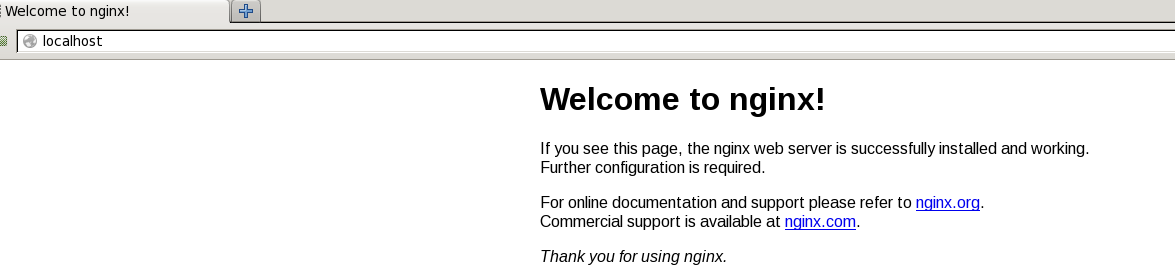
- 访问 firefox localhost:80 ,如果出现如下界面,就表示nginx启动成功:
1.linux源码安装nginx的更多相关文章
- linux源码安装nginx
任务目标:源码安装nginx,作为web服务修改配置文件,让配置生效,验证配置 首先要去官网nginx.org下载一个tar包: tar xvf 解包 进入到解包出来的目录,对configure进行配 ...
- linux 源码安装 Nginx
1.安装前环境准备安装make:# yum -y install gcc automake autoconf libtool make安装g++:# yum install gcc gcc-c++ 2 ...
- Linux 源码安装nginx
编译参数详解:https://www.cnblogs.com/houyongchong/p/compileArgs.html 配置参数详解:https://www.cnblogs.com/houyon ...
- Linux之源码安装nginx,并按照作业一描述的那样去测试使用
作业五:源码安装nginx,并按照作业一描述的那样去测试使用 [root@localhost nginx]# yum install gcc-* glibc-* openssl openssl-dev ...
- 源码安装nginx以及平滑升级
源码安装nginx以及平滑升级 ...
- Linux源码安装JDK1.8
Linux源码安装Java 1.到官网下载 jdk-8u131-linux-x64.tar.gz 官网地址:http://www.oracle.com/technetwork/java/javase/ ...
- 源码安装Nginx以及用systemctl管理
一.源码安装Nginx: 先安装gcc编译器(安装过的可以忽略) [root@localhost ~]# yum -y install gcc gcc-c++ wget 进入src目录 [root@l ...
- mysql-5.5 for linux源码安装
mysql-5.5 for linux源码安装 1.使用Yum安装依赖软件包 # yum install -y gcc gcc-c++ gcc-g77 autoconf automake bison ...
- 工作笔记-- 源码安装nginx
源码安装nginx 1.安装nginx的依赖包 [root@localhost ~]# yum -y install gcc gcc-c++ openssl openssl-devel pcre pc ...
随机推荐
- ios - UILabel_长按复制
1.添加长按的手势 UILongPressGestureRecognizer *longGesture = [[UILongPressGestureRecognizer alloc] initWith ...
- Yii2 Queue队列
github地址:https://github.com/yiisoft/yii2-queue 问题:https://github.com/yiisoft/yii2-queue/issues Jobs ...
- Android开发:拖拽
google官网的training和API两个地方都提到了拖拽的实现,两种方法不太一样. 方法一 training(https://developer.android.com/training/ges ...
- Splitting Pile
Splitting Pile Time limit : 2sec / Memory limit : 256MB Score : 300 points Problem Statement Snuke a ...
- CSS 关于让页面的高度达到电脑屏幕的底部
.sidebar:before {content: "";display: block;width: 190px;position: fixed;bottom: 0;top: 0; ...
- django的ORM中的2个易混点
1.django数据模型中null=True和blank=True的区别 null 是针对数据库而言,如果 null=True, 表示数据库的该字段可以为空,即在Null字段显示为YES. blank ...
- python系列三:python3运算符
'''python 没有自增运算符python 中,变量是以内容为基准而不是像 c 中以变量名为基准,所以只要你的数字内容是5,不管你起什么名字,这个变量的 ID 是相同的,同时也就说明了 pytho ...
- Maven 手动把本地jar安装到本地仓库
首先,你要安装的.jar包要下载下来放在电脑上面,然后maven已经配置好了,如下图: 然后,执行一下命令就可以了 mvn install:install-file -Dfile=path-to-fi ...
- 检测当前的语言环境是否使用了 UTF-8 编码(三篇文章:先用setlocale()设置编码,再用nl_langinfo()进行检测。locale对象可以使用langLocale.name() == "zh_CN"判断)
C/C++程序中,locale(即系统区域设置,即国家或地区设置)将决定程序所使用的当前语言编码.日期格式.数字格式及其它与区域有关的设置,locale设置的正确与否将影响到程序中字符串处理(wcha ...
- 一、2440裸机点亮led
从代码開始(先写一个像普通单片机一样的代码): /********led.c************************/ #define GPFCON (*(volatile unsigned ...