
SpringMVC(五):JSON
本文是按照狂神说的教学视频学习的笔记,强力推荐,教学深入浅出一遍就懂!b站搜索狂神说或点击下面链接
https://space.bilibili.com/95256449?spm_id_from=333.788.b_765f7570696e666f.2
JSON
JSON(JavaScript Object Notation, JS 对象标记) 是一种轻量级的数据交换格式,其实就是前后端交互数据的一种格式。---个人理解其实就是重写toString的格式,只要输出是String类型是JSON格式的就可以了。
在 JavaScript 语言中,一切都是对象。
JSON 是 JavaScript 对象的字符串表示法,它使用文本表示一个 JS 对象的信息,本质是一个字符串。
在一些公司中,如果是前后端分离的,我们就不会在Controller里面直接定向页面,而是传递一个JSON格式的字符串。
示例html
<!DOCTYPE html>
<html lang="en">
<head>
<meta charset="UTF-8">
<title>Title</title>
<script type="text/javascript">
//编写一个JavaScript对象
var user = {
name:"任中沛",
age:3,
sex:"男"
};
//将js对象转换为JSON对象
var json = JSON.stringify(user);
console.log(json);
console.log(user);
//将JSON对象转换为JavaScript对象
var obj = JSON.parse(json);
console.log(obj);
</script>
</head>
<body>
</body>
</html>
通过Jackson工具生成JSON格式
导入依赖
这里使用的是jackson,但是其实还有其他的也能实现
        <!--jackson-->

        <!-- https://mvnrepository.com/artifact/com.fasterxml.jackson.core/jackson-databind -->

        <dependency>

            <groupId>com.fasterxml.jackson.core</groupId>

            <artifactId>jackson-databind</artifactId>

            <version>2.10.3</version>

        </dependency>
测试类
package com.rzp.controller;
import com.fasterxml.jackson.core.JsonProcessingException;
import com.fasterxml.jackson.databind.ObjectMapper;
import com.rzp.pojo.User;
import org.springframework.stereotype.Controller;
import org.springframework.web.bind.annotation.RequestMapping;
import org.springframework.web.bind.annotation.ResponseBody;
@Controller
public class UserController {
//produces ="application/json;charset=utf-8"是为了中文不乱码
@RequestMapping(value = "/j1",produces ="application/json;charset=utf-8")
@ResponseBody //增加ResponseBody,就不会走视图解析器,会直接返回一个字符串
public String json1() throws JsonProcessingException {
ObjectMapper mapper = new ObjectMapper();
//创建一个对象
User user = new User("rzp",3,"男");
//调用Jackson的ObjectMapper对象的writeValueAsString方法,转化为JSON字符串
String str = mapper.writeValueAsString(user);
return str;
}
}
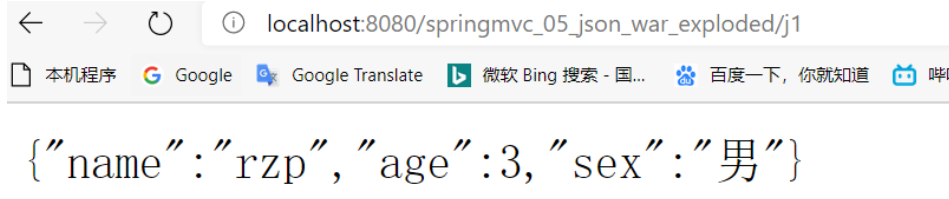
测试结果
可以看到,其实就是一个重写的toString方法,我们自己实现也是可以的。
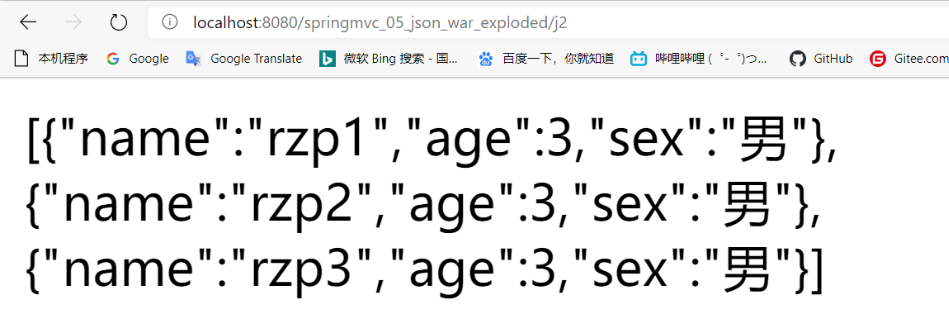
JSON传递List
@RequestMapping("/j2")
public String json2() throws JsonProcessingException {
ObjectMapper mapper = new ObjectMapper();
List userList = new ArrayList();
User user1 = new User("rzp1",3,"男");
User user2 = new User("rzp2",3,"男");
User user3 = new User("rzp3",3,"男");
userList.add(user1);
userList.add(user2);
userList.add(user3);
String str = mapper.writeValueAsString(userList);
return str;
}
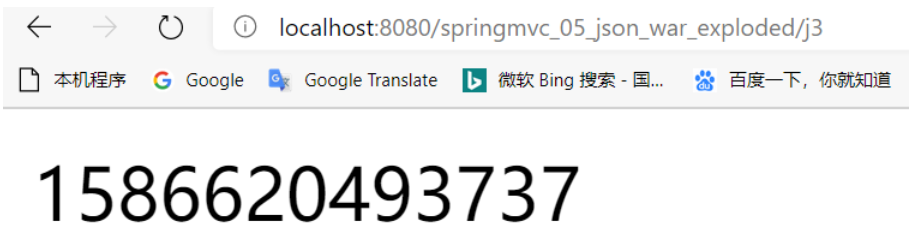
传递日期
传递后默认会解释为时间戳
    @RequestMapping("/j3")

    public String json3() throws JsonProcessingException {

        ObjectMapper mapper = new ObjectMapper();

        Date date = new Date();

        String str = mapper.writeValueAsString(date);

        return str;

    }
如果想传递为可读格式,可以使用SimpleDateFormat直接转换
@RequestMapping("/j3")
public String json3() throws JsonProcessingException {
ObjectMapper mapper = new ObjectMapper();
Date date = new Date();
//自定义日期的格式
SimpleDateFormat sdf = new SimpleDateFormat("yyyy-MM-dd HH:mm:ss");
String str = mapper.writeValueAsString(sdf.format(date));
return str;
}

也可以通过ObjectMapper的设置转换
    @RequestMapping("/j3")

    public String json3() throws JsonProcessingException {

        ObjectMapper mapper = new ObjectMapper();

        //关闭以时间戳形式显示日期

        mapper.configure(SerializationFeature.WRITE_DATES_AS_TIMESTAMPS,false);

        SimpleDateFormat sdf = new SimpleDateFormat("yyyy-MM-dd HH:mm:ss");

        //设定mapper的日期格式

        mapper.setDateFormat(sdf);

        Date date = new Date();

        //自定义日期的格式

//        String str = mapper.writeValueAsString(sdf.format(date));

        String str = mapper.writeValueAsString(date);

        return str;

    }
前后端分离的注解
在上面例子中,我们使用ResponseBody注解,来控制这个类返回的字符串不走视图解析器。除了这个配置方式以外,我们还可以在类上面使用RestController注解。
...

    @ResponseBody //增加ResponseBody,就不会走视图解析器,会直接返回一个字符串

    public String json1() throws JsonProcessingException {

....
RestController
@RestController

public class UserController {

    @RequestMapping(value = "/j1")

    //这种情况就不需要给ResponseBody了

    public String json1() throws JsonProcessingException {

        ObjectMapper mapper = new ObjectMapper();

        User user = new User("rzp",3,"男");

        String str = mapper.writeValueAsString(user);

        return str;

    }

}
封装成utils
public class JsonUtils {

    public static String getJson(ObjectMapper mapper,String dataFormat) throws JsonProcessingException {

        mapper.configure(SerializationFeature.WRITE_DATES_AS_TIMESTAMPS,false);

        SimpleDateFormat sdf = new SimpleDateFormat(dataFormat);

        mapper.setDateFormat(sdf);

        Date date = new Date();

        String str = mapper.writeValueAsString(date);

        return str;

    }

    public static String getJson(ObjectMapper mapper) throws JsonProcessingException {

        return getJson(mapper,"yyyy-MM-dd HH:mm:ss");

    }

    public static String getJson(ObjectMapper mapper,Object object) throws JsonProcessingException {

        return mapper.writeValueAsString(object.toString());

    }

}
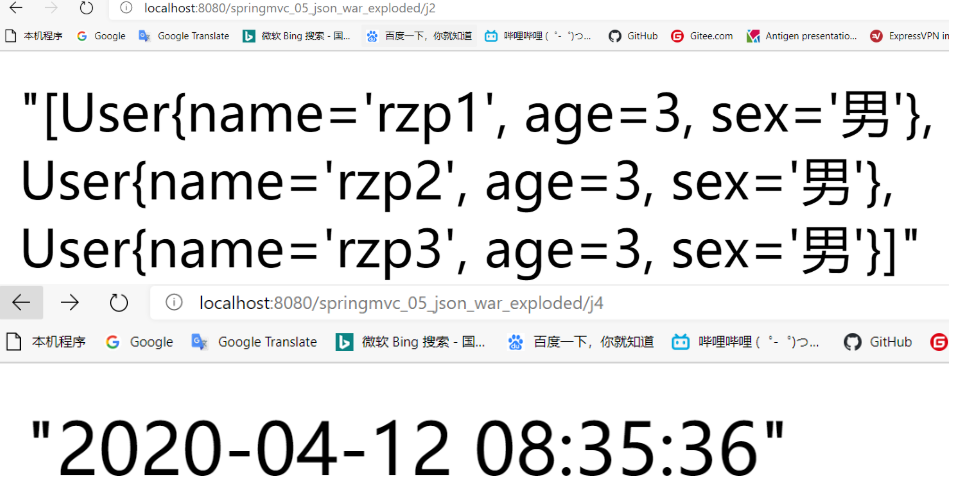
测试
    @RequestMapping("/j4")

    public String json4() throws JsonProcessingException {

        ObjectMapper mapper = new ObjectMapper();

        String str = JsonUtils.getJson(mapper,"yyyy-MM-dd HH:mm:ss");

        return str;

    }

    @RequestMapping("/j2")

    public String json2() throws JsonProcessingException {

        ObjectMapper mapper = new ObjectMapper();

        List userList = new ArrayList();

        User user1 = new User("rzp1",3,"男");

        User user2 = new User("rzp2",3,"男");

        User user3 = new User("rzp3",3,"男");

        userList.add(user1);

        userList.add(user2);

        userList.add(user3);

        return JsonUtils.getJson(mapper,userList);

    }
乱码解决
上面我们通过配置RequestMapping的produces属性来解决乱码,但是这种方式每个方法的都要添加,比较麻烦,SpringMVC还提供了另一种统一的方法。
备注:这里走的是JSON,没有走过滤器,所以上一章中过滤器这里是不起作用的
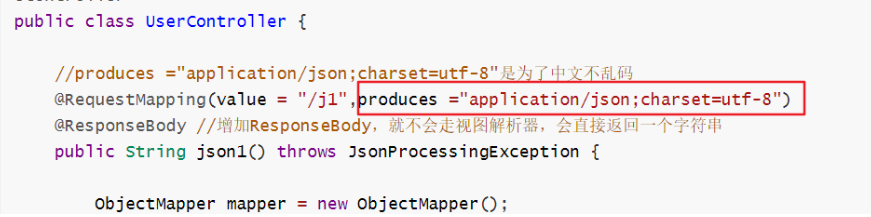
只需要在sprinmvc-servlet.xml的mvc:annotation-driven中配置: <mvc:message-converters register-defaults="true">
<?xml version="1.0" encoding="UTF-8"?>

<beans xmlns="http://www.springframework.org/schema/beans"

       xmlns:xsi="http://www.w3.org/2001/XMLSchema-instance"

       xmlns:context="http://www.springframework.org/schema/context"

       xmlns:aop="http://www.springframework.org/schema/aop"

       xmlns:mvc="http://www.springframework.org/schema/mvc"

       xsi:schemaLocation="http://www.springframework.org/schema/beans

        https://www.springframework.org/schema/beans/spring-beans.xsd

        http://www.springframework.org/schema/aop

        https://www.springframework.org/schema/aop/spring-aop.xsd

        http://www.springframework.org/schema/context

        https://www.springframework.org/schema/context/spring-context.xsd

        http://www.springframework.org/schema/mvc

        https://www.springframework.org/schema/mvc/spring-mvc.xsd">

    <context:component-scan base-package="com.rzp.controller"/>

    <mvc:default-servlet-handler/>

    <!--springmvc 统一解决json中文乱码问题-->

    <mvc:annotation-driven>

        <mvc:message-converters register-defaults="true">

            <bean class="org.springframework.http.converter.StringHttpMessageConverter">

                <constructor-arg value="UTF-8"/>

            </bean>

            <bean class="org.springframework.http.converter.json.MappingJackson2HttpMessageConverter">

                <property name="objectMapper">

                    <bean class="org.springframework.http.converter.json.Jackson2ObjectMapperFactoryBean">

                        <property name="failOnEmptyBeans" value="false"/>

                    </bean>

                </property>

            </bean>

        </mvc:message-converters>

    </mvc:annotation-driven>

    <bean class="org.springframework.web.servlet.view.InternalResourceViewResolver" id="InternalResourceViewResolver">

        <property name="prefix" value="/WEB-INF/jsp/"/>

        <property name="suffix" value=".jsp"/>

    </bean>

</beans>
使用fastjson
fastjson是阿里巴巴开发的转换JSON字符串的工具。
依赖
        <!--fastjson-->

        <dependency>

            <groupId>com.alibaba</groupId>

            <artifactId>fastjson</artifactId>

            <version>1.2.68</version>

        </dependency>
使用更简单,直接使用fastjson里面的JSON类静态方法就可以了
    @RequestMapping("/j5")

    public String json5() throws JsonProcessingException {

        List userList = new ArrayList();

        User user1 = new User("rzp1",3,"男");

        User user2 = new User("rzp2",3,"男");

        User user3 = new User("rzp3",3,"男");

        userList.add(user1);

        userList.add(user2);

        userList.add(user3);

        //调用JSON的静态方法

        String str = JSON.toJSONString(userList);

        return str;

    }
【JSONObject 代表 json 对象 】
JSONObject对应json对象,通过各种形式的get()方法可以获取json对象中的数据,也可利用 诸如size(),isEmpty()等方法获取"键:值"对的个数和判断是否为空。其本质是通过实现Map 接口并调用接口中的方法完成的。
【JSONArray 代表 json 对象数组】内部是有List接口中的方法来完成操作的。
【JSON 代表 JSONObject和JSONArray的转化】
JSON类源码分析与使用
仔细观察这些方法,主要是实现json对象,json对象数组,javabean对象,json字符串之间 的相互转化。
阿里巴巴的工具毕竟是中国人编写的,源码也更适合中国人阅读。
SpringMVC(五):JSON的更多相关文章
- Maven搭建SpringMVC+MyBatis+Json项目(多模块项目)
一.开发环境 Eclipse:eclipse-jee-luna-SR1a-win32; JDK:jdk-8u121-windows-i586.exe; MySql:MySQL Server 5.5; ...
- [.net 面向对象程序设计进阶] (13) 序列化(Serialization)(五) Json 序列化利器 Newtonsoft.Json 及 通用Json类
[.net 面向对象程序设计进阶] (13) 序列化(Serialization)(五) Json 序列化利器 Newtonsoft.Json 及 通用Json类 本节导读: 关于JSON序列化,不能 ...
- SpringMVC学习--json
简介 json数据格式在接口调用中.html页面中较常用,json格式比较简单,解析还比较方便.比如:webservice接口,传输json数据. springmvc与json交互 @RequestB ...
- 【Spring学习笔记-MVC-3.1】SpringMVC返回Json数据-方式1-扩展
<Spring学习笔记-MVC>系列文章,讲解返回json数据的文章共有3篇,分别为: [Spring学习笔记-MVC-3]SpringMVC返回Json数据-方式1:http://www ...
- SpringMVC关于json、xml自动转换的原理研究[附带源码分析 --转
SpringMVC关于json.xml自动转换的原理研究[附带源码分析] 原文地址:http://www.cnblogs.com/fangjian0423/p/springMVC-xml-json-c ...
- springMvc中406错误解决,springMvc使用json出现406 (Not Acceptable)
springMvc中406错误解决, springMvc使用json出现406 (Not Acceptable) >>>>>>>>>>> ...
- springMvc解决json中文乱码
springMvc解决json中文乱码 springMvc解决json中文乱码,springMvc中文乱码,spring中文乱码 >>>>>>>>> ...
- SpringMVC(三)-- 视图和视图解析器、数据格式化标签、数据类型转换、SpringMVC处理JSON数据、文件上传
1.视图和视图解析器 请求处理方法执行完成后,最终返回一个 ModelAndView 对象 对于那些返回 String,View 或 ModeMap 等类型的处理方法,SpringMVC 也会在内部将 ...
- springMVC学习总结(四)springmvc处理json数据类型以及fastjson的使用
springMVC学习总结(四)springmvc处理json数据类型以及fastjson的使用 主要内容: 这篇文章主要是总结之前使用springmv接收json的时候遇到的问题,下面通过前台发送a ...
- springMVC 处理json 及 HttpMessageConverter 接口
一.SpringMVC处理json的使用 1.添加依赖jar包 <dependency> <groupId>com.fasterxml.jackson.core</gro ...
随机推荐
- h5样式
禁止长按默认事件 安卓(android): window.ontouchstart = function(e) { e.preventDefault(); }; 苹果(ios): -webkit-to ...
- Simulink仿真入门到精通(六) Simulink模型保存为图片
6.1 截图保存方式 Ctrl+Alt+A 6.2 拷贝试图方式 Edit→Copy Current View to Clipboard 6.3 saveas函数 用于保存figure或者simuli ...
- 附013.Kubernetes永久存储Rook部署
一 Rook概述 1.1 Ceph简介 Ceph是一种高度可扩展的分布式存储解决方案,提供对象.文件和块存储.在每个存储节点上,将找到Ceph存储对象的文件系统和Ceph OSD(对象存储守护程序)进 ...
- sklearn概述
Simple and efficient tools for predictive data analysis Accessible to everybody, and reusable in var ...
- vscode 对于 md的编写 左侧 大纲 很重要!!
vscode 对于 md的编写 左侧 大纲 很重要!!
- C#读取静态类常量属性和值
1.背景最近项目中有一个需求需要从用户输入的值找到该值随对应的名字,由于其它模块已经定义了一份名字到值的一组常量,所以想借用该定义.2.实现实现的思路是采用C#支持的反射.首先,给出静态类中的常量属性 ...
- 爬虫 | Python下载m3u8视频
目录 从 m3u8 文件中解析出 ts 信息 按时间截取视频 抓取 ts 文件 单文件测试 批量下载 合并 ts 文件 将合并的ts文件转化为视频文件 参考资料: m3u8格式介绍 ts文件格式介绍 ...
- 【简说Python WEB】数据库
目录 [简说Python WEB]数据库 数据库表 docker安装MySQL Flask-SQLAlchemy操纵MySQL数据库 初始化 定义模型 定义关系 数据库的CRUD操作 创建表 inse ...
- 扫描工具-Arachni
./arachni_console #进入命令行模式 ./arachni_web #启用web服务,进入web操作模式 [属于web 应用] http:/ ...
- 微信小程序开发-小程序之间的跳转
前几天开发微信小程序,其中有个需要联动宣传的业务,就是正在开发的小程序跳转到别的小程序去, 然后去看了下大家的做法与看法,总结下这小程序跳转之间应该注意到的几个问题 首先是跳转的方法, https:/ ...