
8.PHP图像处理
PHP图像处理
GD2
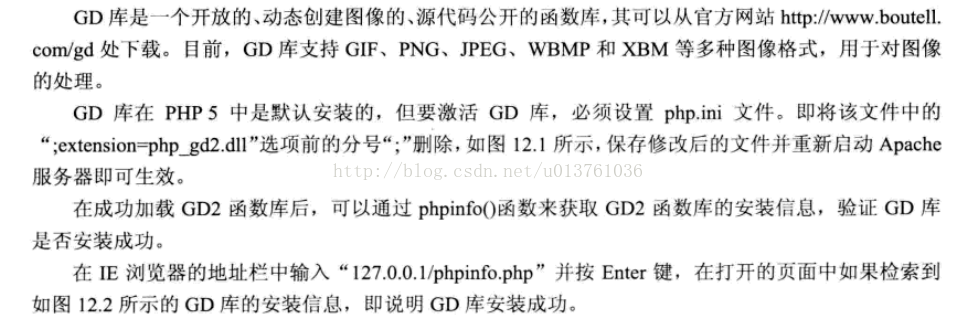
Jpgraph
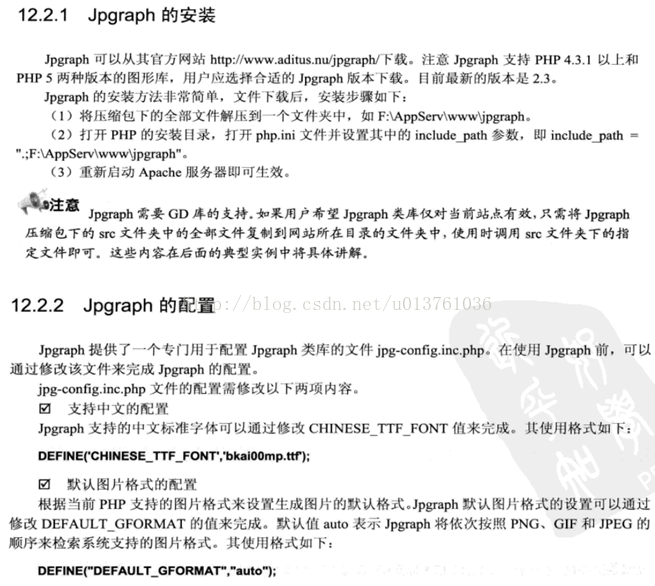
创建一个画布:
<?php
header('content-type:image/gif');
//echo "你好";
$im = imagecreate(200,60);
$white = imagecolorallocate($im ,225 ,66 ,159);
imagegif($im);
?>
显示一张图片
<?php
function LoadPNG($imgname)
{
/* Attempt to open */
$im = @imagecreatefromjpeg($imgname);
/* See if it failed */
if(!$im){
echo "aaa";
/* Create a blank image */
$im = imagecreatetruecolor(150,40);
$bgc = imagecolorallocate($im, 255, 255, 255);
$tc = imagecolorallocate($im, 0, 0, 0);
imagefilledrectangle($im, 0, 0, 150, 40, $bgc);
/* Output an error message */
imagestring($im, 1, 5, 5, 'bb ' . $imgname, $tc);
}
return $im;
}
header('Content-Type: image/jpeg');
$img = LoadPNG('p.jpg');
imagepng($img);
imagedestroy($img);
?>
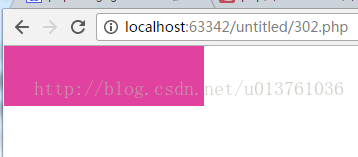
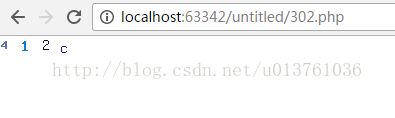
随机生成验证码:
<?php
session_start();
header('Content-Type: image/png');
$image_width = 70;
$image_height = 18;
srand(microtime()*100000);
$new_number = '';
for($i = 0 ;$i < 4 ;$i ++){
$new_number.=dechex(rand(0 ,15));
}
$_SESSION['check_checks'] = $new_number;
$num_image = imagecreate($image_width ,$image_height);
imagecolorallocate($num_image ,255 ,255 ,255);
for($i = 0 ;$i < strlen($_SESSION['check_checks']) ;$i ++){
$font = mt_rand(3 ,5);
$x = mt_rand(1 ,8) + $image_width * $i / 4;
$y = mt_rand(1 ,$image_height / 4);
$color = imagecolorallocate($num_image ,mt_rand(0,100) ,mt_rand(0 ,150) ,mt_rand(0 ,200));
imagestring($num_image ,$font ,$x ,$y,$_SESSION['check_checks'][$i] ,$color);
}
imagepng($num_image);
imagedestroy($num_image);
?>
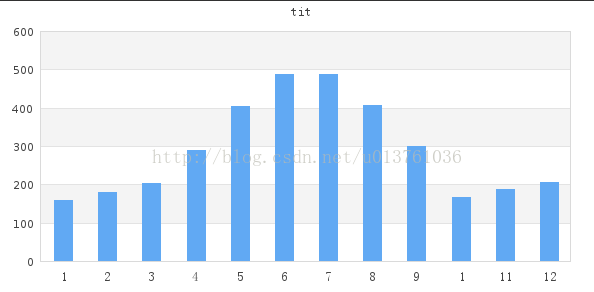
创建一个柱形图
<?php
include ("src/jpgraph.php");
include ("src/jpgraph_bar.php");
$datay = array(160 ,180 ,203 ,289 ,405 ,488 ,489 ,408 ,299 ,166 ,187 ,205);
$graph = new Graph(600 ,300 ,"auto");
$graph -> SetScale("textlin");
$graph -> yaxis -> scale -> SetGrace(20);
$graph -> SetShadow();
$graph -> img -> SetMargin(40 ,30 ,30 ,40);
$bplot = new BarPlot($datay);
$bplot -> SetFillColor('orange');
$bplot -> value -> Show();
$bplot -> value -> SetFormat('%d');
$graph -> Add($bplot);
$graph -> SetMarginColor("lightblue");
$graph -> title -> Set("tit");
$a = array(1 ,2 ,3 ,4 ,5 ,6 ,7 ,8 ,9 ,10 ,11 ,12);
$graph -> xaxis -> SetTickLabels($a);
$graph -> title -> SetFont(FF_SIMSUN);
$graph -> xaxis -> SetFont(FF_SIMSUN);
$graph -> Stroke();
?>
绘制折线图
<?php
include ("src/jpgraph.php");
include ("src/jpgraph_line.php");
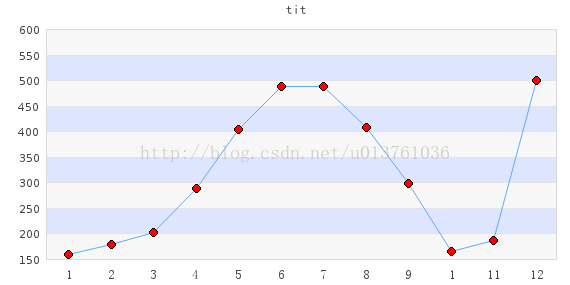
$datay = array(160 ,180 ,203 ,289 ,405 ,488 ,489 ,408 ,299 ,166 ,187 ,500);
$graph = new Graph(600 ,300 ,"auto");
$graph -> img -> SetMargin(50 ,40 ,30 ,40);
$graph -> img -> SetAntiAliasing();
$graph -> SetScale("textlin");
$graph -> SetShadow();
$graph -> title -> Set("tit");
$graph -> title -> SetFont(FF_SIMSUN ,FS_BOLD);
$graph -> SetMarginColor("lightblue");
$graph -> yaxis ->title -> SetFont(FF_SIMSUN);
$graph -> xaxis -> SetPos("min");
$graph -> yaxis -> HideZeroLabel();
$graph -> ygrid -> SetFill(true ,'#EFEFEF@0.5' ,'#BBCCFF@0.5');
$a = array(1 ,2 ,3 ,4 ,5 ,6 ,7 ,8 ,9 ,10 ,11 ,12);
$graph -> xaxis -> SetTickLabels($a);
$graph -> xaxis -> SetFont(FF_SIMSUN);
$graph -> yscale -> SetGrace(20);
$p1 = new LinePlot($datay);
$p1 -> mark -> SetType(MARK_FILLEDCIRCLE);
$p1 -> mark ->SetFillColor('red');
$p1 -> mark ->SetWidth(4);
$p1 -> SetColor('blue');
$p1 -> SetCenter();
$graph -> Add($p1);
$graph -> Stroke();
?>
3D饼状图
<?php
include ("src/jpgraph.php");
include ("src/jpgraph_pie.php");
include ("src/jpgraph_pie3d.php");
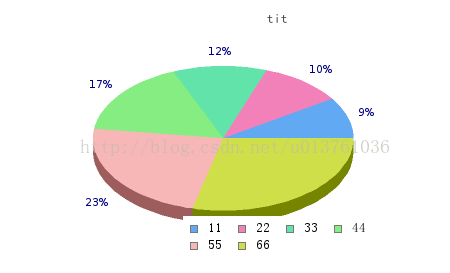
$data = array(160 ,180 ,203 ,289 ,405 ,500 );
$graph = new PieGraph(540 ,260 ,"auto");
$graph -> SetShadow();
$graph -> title -> Set("tit");
$graph -> title -> SetFont(FF_SIMSUN ,FS_BOLD);
$graph -> legend -> SetFont(FF_SIMSUN ,FS_NORMAL);
$p1 = new PiePlot3D($data);
$p1 -> SetLegends(array('11','22','33','44','55','66'));
$targ = array("pie3d_csimex1.php?v=1","pie3d_csimex1.php?v=2","pie3d_csimex1.php?v=3","pie3d_csimex1.php?v=4","pie3d_csimex1.php?v=5","pie3d_csimex1.php?v=6");
$alts = array("val=%d" ,"val=%d" ,"val=%d" ,"val=%d" ,"val=%d" ,"val=%d");
$p1 -> SetCSIMTargets($targ ,$alts);
$p1 -> SetCenter(0.4 ,0.5);
$graph -> Add($p1);
$graph -> StrokeCSIM();
?>
8.PHP图像处理的更多相关文章
- Atitit 图像处理和计算机视觉的分类 三部分 图像处理 图像分析 计算机视觉
Atitit 图像处理和计算机视觉的分类 三部分 图像处理 图像分析 计算机视觉 1.1. 按照当前流行的分类方法,可以分为以下三部分:三部分 图像处理 图像分析 计算机视觉1 1.2. 图像处理需要 ...
- Atitit 图像处理的摩西五经attilax总结
Atitit 图像处理的摩西五经attilax总结 1. 数字图像处理(第三版)1 2. 图像处理基础(第2版)(世界著名计算机教材精选)1 3. 计算机视觉特征提取与图像处理(第三版)2 4. Op ...
- Atitit 图像处理的心得与疑惑 attilax总结
Atitit 图像处理的心得与疑惑 attilax总结 1.1. 使用类库好不好??还是自己实现算法1 1.2. 但是,如果遇到类库体积太大,后者没有合适的算法,那就只能自己开发算法了1 1.3. 如 ...
- Atitit 图像处理 调用opencv 通过java api attilax总结
Atitit 图像处理 调用opencv 通过java api attilax总结 1.1. Opencv java api的支持 opencv2.4.2 就有了对java api的支持1 1. ...
- Atitit MATLAB 图像处理 经典书籍attilax总结
Atitit MATLAB 图像处理 经典书籍attilax总结 1.1. MATLAB数字图像处理1 1.2. <MATLAB实用教程(第二版)>((美)穆尔 著)[简介_书评_在线阅读 ...
- Atitit 图像处理类库大总结attilax qc20
Atitit 图像处理类库大总结attilax qc20 1.1. 选择与组合不同的图像处理类库1 1.2. Halcon 貌似商业工具,功能强大.1 1.3. Openvc Openvc功能也是比 ...
- Atitit MATLAB 图像处理attilax总结
Atitit MATLAB 图像处理attilax总结 1.1. 下载 Matlab7.0官方下载_Matlab2012 v7.0 官方简体中文版-办公软件-系统大全.html1 1.2. Matla ...
- 使用MATLAB对图像处理的几种方法(下)
试验报告 一.试验原理: 图像点处理是图像处理系列的基础,主要用于让我们熟悉Matlab图像处理的编程环境.灰度线性变换和灰度拉伸是对像素灰度值的变换操作,直方图是对像素灰度值的统计,直方图均衡是对 ...
- 使用MATLAB对图像处理的几种方法(上)
实验一图像的滤波处理 一.实验目的 使用MATLAB处理图像,掌握均值滤波器和加权均值滤波器的使用,对比两种滤波器对图像处理结果及系统自带函数和自定义函数性能的比较,体会不同大小的掩模对图像细节的影响 ...
- 图像处理中任意核卷积(matlab中conv2函数)的快速实现。
卷积其实是图像处理中最基本的操作,我们常见的一些算法比如:均值模糊.高斯模糊.锐化.Sobel.拉普拉斯.prewitt边缘检测等等一些和领域相关的算法,都可以通过卷积算法实现.只不过由于这些算法的卷 ...
随机推荐
- redis基础:redis下载安装与配置,redis数据类型使用,redis常用指令,jedis使用,RDB和AOF持久化
知识点梳理 课堂讲义 课程计划 1. REDIS 入 门 (了解) (操作) 2. 数据类型 (重点) (操作) (理解) 3. 常用指令 (操作) 4. Jedis (重点) (操作) ...
- 手工实现一个ThreadPoolExecutor
以下代码的实现逻辑出自于公众号 码农翻身 <你管这破玩意叫线程池?> - PS:刘欣老师在我心中是软件技术行业的大刘. 线程池接口 public interface Executor { ...
- SpringBoot 开发提速神器 Lombok+MybatisPlus+SwaggerUI
导读 Lombok:可以让你的POJO代码特别简洁,不止简单在BO/VO/DTO/DO等大量使用,还有设计模式,对象对比等 MybatisPlus:增加版Mybatis,基础的数据库CRUD.分页等可 ...
- SVHN数据集 Format1 剪裁版
SVHN数据集官网:http://ufldl.stanford.edu/housenumbers/ SVHN数据集官方提供的有两种格式 Format1是那种在街上拍的照片,每张照片的尺寸都不同,然后l ...
- 解决springMVC https环境 jstlview redirect时变为http请求的问题
<property name="redirectHttp10Compatible" value="false" />
- 关于HDFS存储元数据的NameNode持久化存储
NameNode持久化场景引入: 问题:NameNode宕机,导致内存中的文件元数据丢失怎么办?我们知道元数据是存储来内存中的,所以一旦宕机,内存数据是会丢失的,因此为了避免数据丢失,HDFS中出现了 ...
- WorkSkill整理之 java用Scanner 类输入数组并打印
输入不确定长度的数组 import java.util.*; public static void main(String[] args){ System.out.println("请输入一 ...
- Flask面试问题
1,什么是Flask,有什么优点?概念解释Flask是一个Web框架,就是提供一个工具,库和技术来允许你构建一个Web应用程序.这个Web应用程序可以是一些Web页面,博客,wiki,基于Web的日里 ...
- Linux 用户登陆提示This account is currently not available
使用 su 切换到用户 hdfs 时提示:This account is currently not available,使用 hdfs 用户登陆会直接退出 ssh 窗口. 此时可以尝试检查文件 /e ...
- Hznu_oj 2340 你敢一个人过桥吗?
Description 在漆黑的夜里,N位旅行者来到了一座狭窄而且没有护栏的桥边.如果不借助手电筒的话,大家是无论如何也不敢过桥去的.不幸的是,N个人一共只带了一只手电筒,而桥窄得只够让两个人同时过. ...