
简单的switch插件
页面效果:
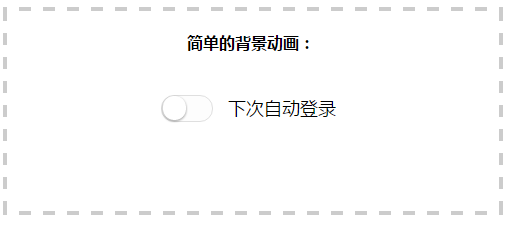
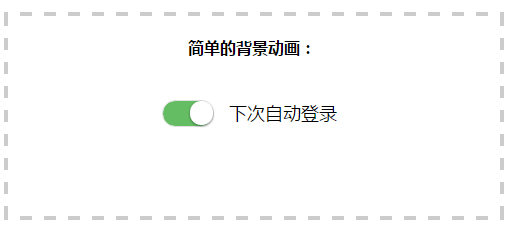
这个switch使用纯CSS实现,小巧简单
css代码
/* switch */

/* 开关样式 */

label.bui-switch-label .bui-switch {

    width: 50px;

    height: 25px;

    position: relative;

    border: 1px solid #dfdfdf;

    background-color: #fdfdfd;

    box-shadow: #dfdfdf 0 0 0 0 inset;

    border-radius: 20px;

    border-top-left-radius: 20px;

    border-top-right-radius: 20px;

    border-bottom-left-radius: 20px;

    border-bottom-right-radius: 20px;

    background-clip: content-box;

    display: inline-block;

    -webkit-appearance: none;

    -webkit-user-select: none;

    -moz-user-select: none;

    -ms-user-select: none;

    user-select: none;

    outline: none;

}

/* 滑块样式 */

label.bui-switch-label .bui-switch:before {

    content: '';

    width: 23px;

    height: 24px;

    position: absolute;

    top: 0px;

    left: 1px;

    border-radius: 20px;

    border-top-left-radius: 20px;

    border-top-right-radius: 20px;

    border-bottom-left-radius: 20px;

    border-bottom-right-radius: 20px;

    background-color: #fff;

    box-shadow: 0 1px 3px rgba(0,0,0,0.4);

}

/* 滑块向右移动距离 */

label.bui-switch-label input:checked + .bui-switch:before {

	left:27px;

}

/* 隐藏原生checkbox */

label.bui-switch-label input {

	position:absolute;

	opacity:0;

	visibility:hidden;

}

/* 滑块向右移动动画 */

label.bui-switch-label.bui-switch-animbg .bui-switch:before {

	-webkit-transition:left 0.3s;

	transition:left 0.3s;

}

/* 滑块向右移动 开关颜色动画 */

label.bui-switch-label.bui-switch-animbg input:checked + .bui-switch {

	box-shadow:#dfdfdf 0 0 0 0 inset;

	background-color:#64bd63;

	-webkit-transition:border-color 0.4s,background-color ease 0.4s;

	transition:border-color 0.4s,background-color ease 0.4s;

}
html
<!doctype html>

<html>

<head>

<meta charset="utf-8">

<title>switch开关按钮</title>

<link rel="stylesheet" type="text/css" href="switch.css">

<script src="https://libs.baidu.com/jquery/1.11.3/jquery.min.js"></script>

</head>

<body>

<div style="border:4px dashed #ccc;text-align:center;height:200px;margin:50px auto;">

	<br>

	<strong>简单的背景动画:</strong>

	<br><br><br>

	<label class="bui-switch-label bui-switch-animbg">

		<input type="checkbox" name="s"><i class="bui-switch"></i>

		<span style="font-size:18px;margin:10px 10px;top:-7px;position:relative;">下次自动登录</span>

	</label>

</div>

<script>

	$("input").click(function(data){

		//获取switch的值

		var ck=$("input[name='s']:checked").length>0?true:false;

		if(ck){

			console.log("switch on ");

		}else{

			console.log("switch off ");

		}

	})

</script>

</body>

</html>
switch开关的值
var ck=$("input[name='s']:checked").length>0?true:false;
这里用到了jquery去获取checkbox的值
改进一下:那就是使用原生的js去操作:
//添加监听

document.getElementById('s').addEventListener("click",function(event){

	//获取switch的值

	var ck=document.querySelector("input[name='s']:checked")==null?true:false;

	console.log(ck);

});
html
<!doctype html>

<html>

<head>

<meta charset="utf-8">

<title>switch开关按钮</title>

<link rel="stylesheet" type="text/css" href="switch.css">

</head>

<body>

<div style="border:4px dashed #ccc;text-align:center;height:200px;margin:50px auto;">

	<br>

	<strong>简单的背景动画:</strong>

	<br><br><br>

	<label class="bui-switch-label bui-switch-animbg">

		<input type="checkbox" name="s" id="s"><i class="bui-switch"></i>

		<span style="font-size:18px;margin:10px 10px;top:-7px;position:relative;">下次自动登录</span>

	</label>

</div>

<script>

	document.getElementById('s').addEventListener("click",function(event){

		//获取switch的值

		var ck=document.querySelector("input[name='s']:checked")==null?true:false;

		console.log(ck);

	});

</script>

</body>

</html>
页面效果:
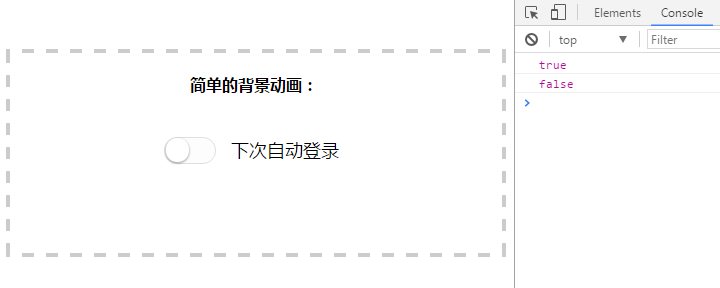
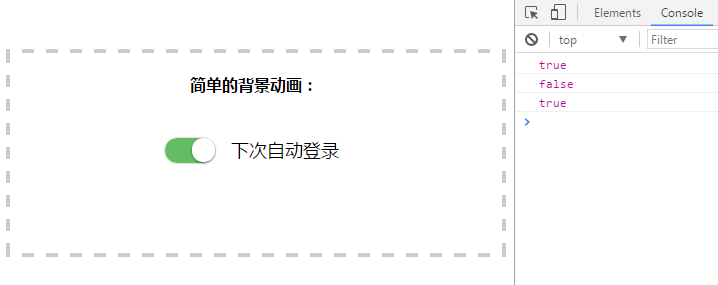
ok,欢迎转载~
喜欢的话,点个赞吧!
简单的switch插件的更多相关文章
- 【UI插件】简单的日历插件(下)—— 学习MVC思想
前言 我们上次写了一个简单的日历插件,但是只是一个半成品,而且做完后发现一些问题,于是我们今天尝试来解决这些问题 PS:距离上次貌似很久了 上次,我们大概遇到哪些问题呢: ① 既然想做一套UI库,那么 ...
- Awesomplete - 零依赖的简单自动完成插件
Awesomplete 是一款超轻量级的,可定制的,简单的自动完成插件,零依赖,使用现代化标准构建.你可以简单地添加 awesomplete 样式,让它自动处理(你仍然可以通过指定 HTML 属性配置 ...
- 接口测试从未如此简单 - Postman (Chrome插件)
接口测试从未如此简单 - Postman (Chrome插件) 一个非常有力的Http Client工具用来测试Web服务的, 我这里来介绍如何用它测试restful web service 注:转载 ...
- 编写一个简单的Jquery插件
1.实现内容 定义一个简单的jquery插件,alert传递进来的参数 2.插件js文件(jquery.showplugin.js) (function ($) { //定义插件中的方法 var me ...
- NSIS:简单按钮美化插件SkinButton,支持透明PNG图片。
原文 NSIS:简单按钮美化插件SkinButton,支持透明PNG图片. 征得作者贾可的同意,特发布按钮美化插件SkinButton. 插件说明: 使用GDI+库写的一个简单按钮美化插件,支持透明P ...
- 手把手制作一个简单的IDEA插件(环境搭建Demo篇)
新建IDEA插件File --> new --> Project--> Intellij PlatForm Plugin-->Next-->填好项目名OK 编写插件新建工 ...
- 实现一个简单的Vue插件
我们先看官方文档对插件的描述 插件通常会为 Vue 添加全局功能.插件的范围没有限制--一般有下面几种: 1.添加全局方法或者属性,如: vue-custom-element 2.添加全局资源:指令/ ...
- 使用jQuery.extend创建一个简单的选项卡插件
选项卡样式如图,请忽略丑陋的样式,样式可以随意更改 主要是基于jquery的extend扩展出的一个简单的选项卡插件,注意:这里封装的类使用的是es6中的class,所以不兼容ie8等低版本浏览器呦! ...
- XMPP即时通讯协议使用(五)——搭建简单的Openfire插件
前言 在开发Openfire插件前需要构建完成服务器源码编辑环境,具体操作步骤请参照Openfire服务器源码编译的了解. 开发简单的Openfire插件 1.已构建完成的Openfire源码结构如下 ...
随机推荐
- ubuntu装openssh-client和openssh-server
1. 修改update源 进入/etc/apt/目录,首先用cp命令将sources.list备份成sources.list.bk,然后复制http://www.cnblogs.com/eastson ...
- 【原创】大叔经验分享(86)hive和mysql数据互导
hive和mysql数据互导,首先想到的是sqoop,并且可以和调度框架(比如oozie等)配合配置定时任务,还有一种更简单的方式是通过spark-sql: CREATE OR REPLACE TEM ...
- Down State Flush Feature
Down State Flush Feature ========================================================== Citrix NetScaler ...
- Map集合中key不存在时使用toString()方法、valueOf()方法和强制转换((String))之间的区别
1.toString()方法 底层代码 public String toString() { return this; } 其返回值为String类型的字符串本身 Map<String, Obj ...
- 卷积神经网络(CNN)的训练过程
卷积神经网络的训练过程 卷积神经网络的训练过程分为两个阶段.第一个阶段是数据由低层次向高层次传播的阶段,即前向传播阶段.另外一个阶段是,当前向传播得出的结果与预期不相符时,将误差从高层次向底层次进行传 ...
- CentOS 7安装VMware Tools
1.启动centos,在此虚拟集中点击VMware Workstation中的虚拟机菜单,点击安装VMware Tools,如果已经安装过点击重新安装VMware Tools 2.查看/dev目录下文 ...
- markdown编辑器抉择经历(做笔记\多系统用户)
之前一段时间,为了找到一款合适的md编辑器可谓是费尽了心思,用了我不少时间才找到一款合适的跨平台的又美观方便的编辑器----马克飞象. 感觉虽然有些编辑器功能很强大,对于使用性单一的用户,比如像我这种 ...
- Oracle查看数据占用的空间和数据文件实际空间的信息
可以使用如下sql: select 'bgdrac' database,t11.username,t11.default_tablespace tablespace_name,segment_size ...
- 解压gz文件有误
tar: This does not look like a tar archive tar: Skipping to next header tar: Exiting with failure st ...
- python+mysql:实现一千万条数据插入数据库
作业要求 构建一个关系模式和课本中的关系movies(title,year,length,movietype,studioname,producerC)一样的关系,名称自定,在这个关系中插入1000万 ...