
简单的switch插件
页面效果:
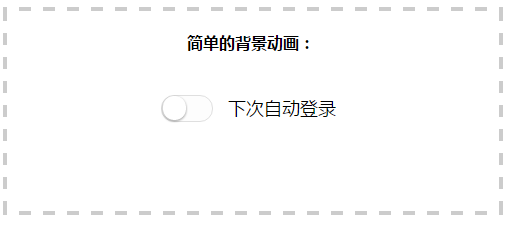
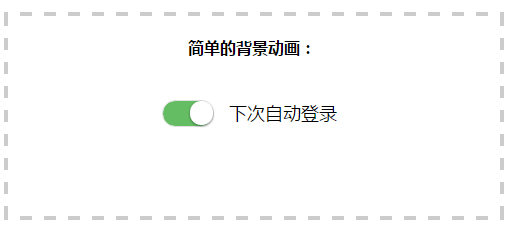
这个switch使用纯CSS实现,小巧简单
css代码
/* switch */

/* 开关样式 */

label.bui-switch-label .bui-switch {

    width: 50px;

    height: 25px;

    position: relative;

    border: 1px solid #dfdfdf;

    background-color: #fdfdfd;

    box-shadow: #dfdfdf 0 0 0 0 inset;

    border-radius: 20px;

    border-top-left-radius: 20px;

    border-top-right-radius: 20px;

    border-bottom-left-radius: 20px;

    border-bottom-right-radius: 20px;

    background-clip: content-box;

    display: inline-block;

    -webkit-appearance: none;

    -webkit-user-select: none;

    -moz-user-select: none;

    -ms-user-select: none;

    user-select: none;

    outline: none;

}

/* 滑块样式 */

label.bui-switch-label .bui-switch:before {

    content: '';

    width: 23px;

    height: 24px;

    position: absolute;

    top: 0px;

    left: 1px;

    border-radius: 20px;

    border-top-left-radius: 20px;

    border-top-right-radius: 20px;

    border-bottom-left-radius: 20px;

    border-bottom-right-radius: 20px;

    background-color: #fff;

    box-shadow: 0 1px 3px rgba(0,0,0,0.4);

}

/* 滑块向右移动距离 */

label.bui-switch-label input:checked + .bui-switch:before {

	left:27px;

}

/* 隐藏原生checkbox */

label.bui-switch-label input {

	position:absolute;

	opacity:0;

	visibility:hidden;

}

/* 滑块向右移动动画 */

label.bui-switch-label.bui-switch-animbg .bui-switch:before {

	-webkit-transition:left 0.3s;

	transition:left 0.3s;

}

/* 滑块向右移动 开关颜色动画 */

label.bui-switch-label.bui-switch-animbg input:checked + .bui-switch {

	box-shadow:#dfdfdf 0 0 0 0 inset;

	background-color:#64bd63;

	-webkit-transition:border-color 0.4s,background-color ease 0.4s;

	transition:border-color 0.4s,background-color ease 0.4s;

}
html
<!doctype html>

<html>

<head>

<meta charset="utf-8">

<title>switch开关按钮</title>

<link rel="stylesheet" type="text/css" href="switch.css">

<script src="https://libs.baidu.com/jquery/1.11.3/jquery.min.js"></script>

</head>

<body>

<div style="border:4px dashed #ccc;text-align:center;height:200px;margin:50px auto;">

	<br>

	<strong>简单的背景动画:</strong>

	<br><br><br>

	<label class="bui-switch-label bui-switch-animbg">

		<input type="checkbox" name="s"><i class="bui-switch"></i>

		<span style="font-size:18px;margin:10px 10px;top:-7px;position:relative;">下次自动登录</span>

	</label>

</div>

<script>

	$("input").click(function(data){

		//获取switch的值

		var ck=$("input[name='s']:checked").length>0?true:false;

		if(ck){

			console.log("switch on ");

		}else{

			console.log("switch off ");

		}

	})

</script>

</body>

</html>
switch开关的值
var ck=$("input[name='s']:checked").length>0?true:false;
这里用到了jquery去获取checkbox的值
改进一下:那就是使用原生的js去操作:
//添加监听

document.getElementById('s').addEventListener("click",function(event){

	//获取switch的值

	var ck=document.querySelector("input[name='s']:checked")==null?true:false;

	console.log(ck);

});
html
<!doctype html>

<html>

<head>

<meta charset="utf-8">

<title>switch开关按钮</title>

<link rel="stylesheet" type="text/css" href="switch.css">

</head>

<body>

<div style="border:4px dashed #ccc;text-align:center;height:200px;margin:50px auto;">

	<br>

	<strong>简单的背景动画:</strong>

	<br><br><br>

	<label class="bui-switch-label bui-switch-animbg">

		<input type="checkbox" name="s" id="s"><i class="bui-switch"></i>

		<span style="font-size:18px;margin:10px 10px;top:-7px;position:relative;">下次自动登录</span>

	</label>

</div>

<script>

	document.getElementById('s').addEventListener("click",function(event){

		//获取switch的值

		var ck=document.querySelector("input[name='s']:checked")==null?true:false;

		console.log(ck);

	});

</script>

</body>

</html>
页面效果:
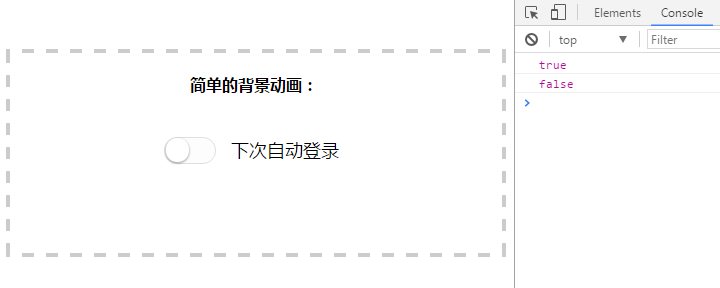
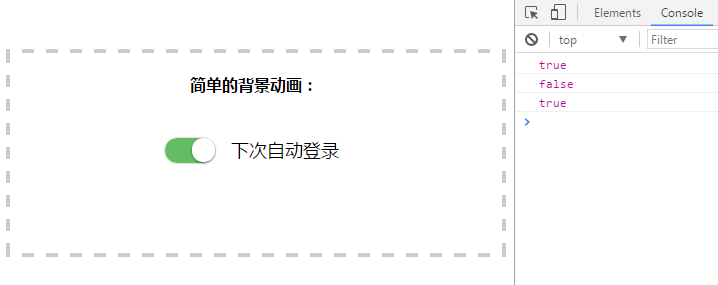
ok,欢迎转载~
喜欢的话,点个赞吧!
简单的switch插件的更多相关文章
- 【UI插件】简单的日历插件(下)—— 学习MVC思想
前言 我们上次写了一个简单的日历插件,但是只是一个半成品,而且做完后发现一些问题,于是我们今天尝试来解决这些问题 PS:距离上次貌似很久了 上次,我们大概遇到哪些问题呢: ① 既然想做一套UI库,那么 ...
- Awesomplete - 零依赖的简单自动完成插件
Awesomplete 是一款超轻量级的,可定制的,简单的自动完成插件,零依赖,使用现代化标准构建.你可以简单地添加 awesomplete 样式,让它自动处理(你仍然可以通过指定 HTML 属性配置 ...
- 接口测试从未如此简单 - Postman (Chrome插件)
接口测试从未如此简单 - Postman (Chrome插件) 一个非常有力的Http Client工具用来测试Web服务的, 我这里来介绍如何用它测试restful web service 注:转载 ...
- 编写一个简单的Jquery插件
1.实现内容 定义一个简单的jquery插件,alert传递进来的参数 2.插件js文件(jquery.showplugin.js) (function ($) { //定义插件中的方法 var me ...
- NSIS:简单按钮美化插件SkinButton,支持透明PNG图片。
原文 NSIS:简单按钮美化插件SkinButton,支持透明PNG图片. 征得作者贾可的同意,特发布按钮美化插件SkinButton. 插件说明: 使用GDI+库写的一个简单按钮美化插件,支持透明P ...
- 手把手制作一个简单的IDEA插件(环境搭建Demo篇)
新建IDEA插件File --> new --> Project--> Intellij PlatForm Plugin-->Next-->填好项目名OK 编写插件新建工 ...
- 实现一个简单的Vue插件
我们先看官方文档对插件的描述 插件通常会为 Vue 添加全局功能.插件的范围没有限制--一般有下面几种: 1.添加全局方法或者属性,如: vue-custom-element 2.添加全局资源:指令/ ...
- 使用jQuery.extend创建一个简单的选项卡插件
选项卡样式如图,请忽略丑陋的样式,样式可以随意更改 主要是基于jquery的extend扩展出的一个简单的选项卡插件,注意:这里封装的类使用的是es6中的class,所以不兼容ie8等低版本浏览器呦! ...
- XMPP即时通讯协议使用(五)——搭建简单的Openfire插件
前言 在开发Openfire插件前需要构建完成服务器源码编辑环境,具体操作步骤请参照Openfire服务器源码编译的了解. 开发简单的Openfire插件 1.已构建完成的Openfire源码结构如下 ...
随机推荐
- Java垃圾回收机制(GC策略)
Java垃圾回收机制(GC策略) 核心:1,哪些是垃圾?[怎么确定这个是垃圾]:2,如何回收垃圾?[怎么更好收垃圾]. Java语言相对于C++等语言有一个自动垃圾回收机制,只用管使用[实例化对象], ...
- Python练习_购物车_day6
第一次代码 (1) 输出商品列表,用户输入序号,显示用户选中的商品. 页面显示 序号 + 商品名称,如: 1 手机 2 电脑 (2): 用户输入选择的商品序号,然后打印商品名称 (3):如果用户输入的 ...
- ligerui.grid.extend.rowSpan
扩展LigerUI的Grid中的相同列合并行功能,代码如下:$.extend($.ligerui.controls.Grid.prototype, { _getHtmlFromData:functio ...
- CritterAI 翻译 Configuration Parameters
翻译自: http://www.critterai.org/projects/nmgen_study/config.html 参考: http://blog.csdn.net/kun1234567/a ...
- $.ajax()属性详解
$.ajax()方法详解 jquery中的ajax方法参数总是记不住,这里记录一下. 1.url: 要求为String类型的参数,(默认为当前页地址)发送请求的地址. 2.type: 要求为Strin ...
- 2 webpack 4 加vue搭建开发环境最终配置
1 package.json { "name": "c", "version": "1.0.0", "desc ...
- SVN配置使用及移植
使用svn作为配置管理工具及其普遍的用于项目开发中,网上有很多关于svn的原理介绍及命令行管理教程.这里仅仅分享下个人配置及使用的过程,不通过命令行,可简单的上手操作.如有遗漏欢迎留言交流. 配置及使 ...
- impdp时报错ORA-39083&ORA-01917
转自:http://www.codes51.com/article/detail_146662.html impdp时报错ORA-39083&ORA-01917ORA-39083: 对象类型 ...
- git的使用(win7 64位)
下载安装 1.官方下载网址:https://git-scm.com/downloads: 2.安装十分简单,按照默认配置,一直点击next,最后点击install,即安装成功: 3.安装成功之后,则自 ...
- cocos发布遇到的问题
学习第二天,用官方的demo进行打包,出现以下问题: 第一个问题: 报错信息:scene 没有保存,请先保存相关信息再进行构建. 解决方案:ctrl+s保存即可,一开始没注意前面的英文是场景的意思 第 ...