
C#自定义Winform无边框窗体
C#自定义Winform无边框窗体
在实际项目中,WinForm窗体或者控件不能满足要求,所以就需要自己设计窗体等,当然设计界面可以用的东西很多,例如WPF、或者一些第三方的库等。本例中将采用WinForm设计一个扁平美观的窗体。
上一篇中我们制作了一个button按钮控件,刚好本例可采用
需要的可以参考:C#自定义Button按钮控件
窗体效果:
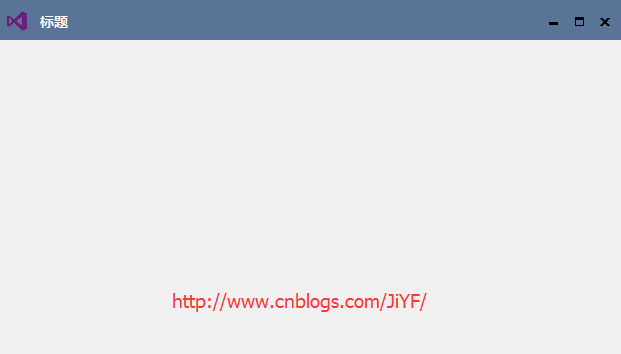
接下来就是窗体的设计
1.添加一个窗体继承原来的窗体Form
public partial class FormEX : Form
2.添加窗体属性
      /// <summary>

         /// 是否允许最大化

         /// </summary>

         private bool maxVisible = true;

         [Description("是否允许最大化")]

         public bool MaxVisible

         {

             get { return maxVisible; }

             set

             {

                 maxVisible = value;

                 if (!maxVisible)

                 {

                     this.btnEXMin.Location = new System.Drawing.Point(this.btnEXMax.Location.X, );

                     this.btnEXMax.Visible = false;

                 }

                 else

                 {

                     this.btnEXMin.Location = new System.Drawing.Point(this.btnEXMax.Location.X - , );

                     this.btnEXMax.Visible = true;

                 }

             }

         }

         /// <summary>

         /// 窗体标题

         /// </summary>

         private string titleText;

         [Description("窗体标题")]

         public string TitleText

         {

             get { return titleText; }

             set

             {

                 titleText = value;

                 title.Text = titleText;

             }

         }

         /// <summary>

         /// 窗体标题是否显示

         /// </summary>

         private bool titleVisible = true;

         [Description("窗体标题是否显示")]

         public bool TitleVisible

         {

             get { return titleVisible; }

             set

             {

                 titleVisible = value;

                 title.Visible = titleVisible;

             }

         }

         /// <summary>

         /// 窗口默认大小

         /// FormSize.NORMAL OR FormSize.MAX

         /// </summary>

         private FormSize defaultFormSize = FormSize.NORMAL;

         [Description("窗口默认大小")]

         public FormSize DefaultFormSize

         {

             get { return defaultFormSize; }

             set

             {

                 defaultFormSize = value;

                 if (defaultFormSize == FormSize.MAX)

                 {

                     //防止遮挡任务栏

                     this.MaximumSize = new Size(Screen.PrimaryScreen.WorkingArea.Width, Screen.PrimaryScreen.WorkingArea.Height);

                     this.WindowState = FormWindowState.Maximized;

                     //最大化图标切换

                     this.btnEXMax.ImageDefault = global::BenNHControl.Properties.Resources.MaxNormal;

                 }

             }

         }
3.窗体大小自由更改
         const int WM_NCHITTEST = 0x0084;

         const int HTLEFT = ;      //左边界

         const int HTRIGHT = ;     //右边界

         const int HTTOP = ;       //上边界

         const int HTTOPLEFT = ;   //左上角

         const int HTTOPRIGHT = ;  //右上角

         const int HTBOTTOM = ;    //下边界

         const int HTBOTTOMLEFT = 0x10;    //左下角

         const int HTBOTTOMRIGHT = ;     //右下角
  protected override void WndProc(ref Message m)

        {

            switch (m.Msg)

            {

                case WM_NCHITTEST:

                    base.WndProc(ref m);

                    Point vPoint = new Point((int)m.LParam & 0xFFFF,

                        (int)m.LParam >>  & 0xFFFF);

                    vPoint = PointToClient(vPoint);

                    if (vPoint.X <= )

                        if (vPoint.Y <= )

                            m.Result = (IntPtr)HTTOPLEFT;

                        else if (vPoint.Y >= ClientSize.Height - )

                            m.Result = (IntPtr)HTBOTTOMLEFT;

                        else m.Result = (IntPtr)HTLEFT;

                    else if (vPoint.X >= ClientSize.Width - )

                        if (vPoint.Y <= )

                            m.Result = (IntPtr)HTTOPRIGHT;

                        else if (vPoint.Y >= ClientSize.Height - )

                            m.Result = (IntPtr)HTBOTTOMRIGHT;

                        else m.Result = (IntPtr)HTRIGHT;

                    else if (vPoint.Y <= )

                        m.Result = (IntPtr)HTTOP;

                    else if (vPoint.Y >= ClientSize.Height - )

                        m.Result = (IntPtr)HTBOTTOM;

                    break;

                default:

                    base.WndProc(ref m);

                    break;

            }

        }
4.窗体按钮等事件添加
  /// <summary>

         /// 最小化按钮事件

         /// </summary>

         /// <param name="sender"></param>

         /// <param name="e"></param>

         private void btnEXMin_ButtonClick(object sender, EventArgs e)

         {

             this.WindowState = FormWindowState.Minimized;

         }

         /// <summary>

         /// 最大化按钮事件

         /// </summary>

         /// <param name="sender"></param>

         /// <param name="e"></param>

         private void btnEXMax_ButtonClick(object sender, EventArgs e)

         {

             this.MaxNormalSwitch();

         }

         /// <summary>

         /// 关闭按钮事件

         /// </summary>

         /// <param name="sender"></param>

         /// <param name="e"></param>

         private void btnEXClose_ButtonClick(object sender, EventArgs e)

         {

             this.Close();

         }

         /// <summary>

         /// 鼠标按下标题栏

         /// </summary>

         /// <param name="sender"></param>

         /// <param name="e"></param>

         private void titleBar_MouseDown(object sender, MouseEventArgs e)

         {

             mPoint = new Point(e.X, e.Y);

         }

         /// <summary>

         /// 鼠标在移动

         /// </summary>

         /// <param name="sender"></param>

         /// <param name="e"></param>

         private void titleBar_MouseMove(object sender, MouseEventArgs e)

         {

             if (e.Button == MouseButtons.Left)

             {

                 this.Location = new Point(this.Location.X + e.X - mPoint.X, this.Location.Y + e.Y - mPoint.Y);

             }

         }

         private void titleBar_DoubleClick(object sender, EventArgs e)

         {

             this.MaxNormalSwitch();

         }

         /// <summary>

         /// 最大化和正常状态切换

         /// </summary>

         private void MaxNormalSwitch()

         {

             if (this.WindowState == FormWindowState.Maximized)//如果当前状态是最大化状态 则窗体需要恢复默认大小

             {

                 this.WindowState = FormWindowState.Normal;

                 //

                 this.btnEXMax.ImageDefault = global::BenNHControl.Properties.Resources.Max;

             }

             else

             {

                 //防止遮挡任务栏

                 this.MaximumSize = new Size(Screen.PrimaryScreen.WorkingArea.Width, Screen.PrimaryScreen.WorkingArea.Height);

                 this.WindowState = FormWindowState.Maximized;

                 //最大化图标切换

                 this.btnEXMax.ImageDefault = global::BenNHControl.Properties.Resources.MaxNormal;

             }

             this.Invalidate();//使重绘

         }

         private void FormEX_Resize(object sender, EventArgs e)

         {

             this.Invalidate();//使重绘

         }
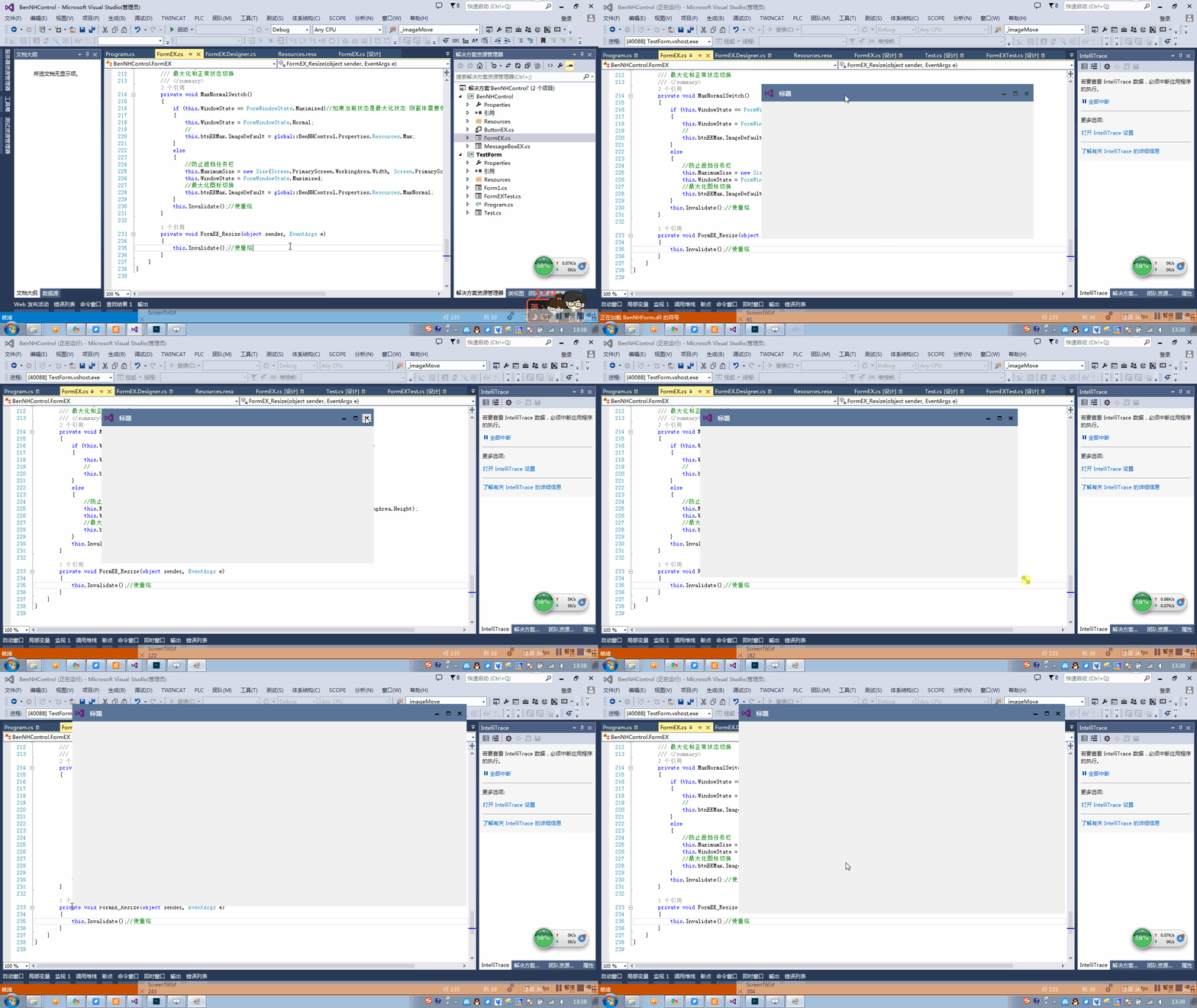
窗体效果展示
工程源程序下载
C#自定义Winform无边框窗体的更多相关文章
- C#自定义按钮、自定义WinForm无边框窗体、自定义MessageBox窗体
C#自定义按钮.自定义WinForm无边框窗体.自定义MessageBox窗体 C#自定义Button按钮控件 效果展示 C#自定义Winform无边框窗体 效果展示 C#自定义无边框MessageB ...
- C#WinForm无边框窗体移动方法、模仿鼠标单击标题栏移动窗体位置
C#WinForm无边框窗体移动方法.模仿鼠标单击标题栏移动窗体位置 这里介绍俩种办法 方法一:直接通过修改窗体位置从而达到移动窗体的效果 方法二:直接伪装发送单击任务栏消息,让应用程序误以为单击任务 ...
- WinForm无边框窗体移动方法
C#WinForm无边框窗体移动方法.模仿鼠标单击标题栏移动窗体位置 这里介绍俩种办法 方法一:直接通过修改窗体位置从而达到移动窗体的效果 方法二:直接伪装发送单击任务栏消息,让应用程序误以为单击任务 ...
- C#WinForm无边框窗体移动----模仿鼠标单击标题栏移动窗体位置
C#WinForm无边框窗体移动方法.模仿鼠标单击标题栏移动窗体位置 这里介绍俩种办法 方法一:直接通过修改窗体位置从而达到移动窗体的效果 方法二:直接伪装发送单击任务栏消息,让应用程序误以为单击任务 ...
- WinForm 无边框窗体和timer控件
一.无边框窗体 1.控制按钮如何制作就是放置可以点击的控件,不局限于使用按钮或是什么别的,只要可以点击能触发点击事件就可以了 做的好看一点,就是鼠标移入,移出,按下三个事件会让按钮改变样式 如何获取图 ...
- WinForm 无边框窗体改变尺寸及移动窗体
#region 无边框窗体移动改变大小 [DllImport("user32.dll")] public static extern bool ReleaseCapture(); ...
- Winform无边框窗体(FormBorderStyle属性设为None)自定义移动
为了界面的好看,有时候需要将窗体FormBorderStyle属性设为None,这样就可以根据自己的喜欢来设计界面.但这样窗体无法进行移动的.而且默认的窗体(FormBorderStyle=Sizab ...
- WinForm - 无边框窗体自定义移动
为了界面的好看,有时候需要将窗体FormBorderStyle属性设为None,这样就可以根据自己的喜欢来设计界面.但这样窗体无法进行移动的.而且默认的窗体(FormBorderStyle=Sizab ...
- Winform无边框窗体的移动和阴影
//窗体移动API [DllImport("user32.dll")] public static extern bool ReleaseCapture(); [DllImport ...
随机推荐
- 状态压缩+矩阵乘法hdu-4332-Constructing Chimney
题目链接: http://acm.hdu.edu.cn/showproblem.php?pid=4332 题目意思: 用1*1*2的长方体构造一个中间为空的底面3*3的立体烟囱. 解题思路: 实际上就 ...
- 使用别名访问MSSQL Express
当MSSQL Express安装成功后,默认只能用 .\sqlexpress 或者 (local)\sqlexpress 有时候我们希望使用(local) 就可以访问,此时就可以利用别名 1.MSSQ ...
- SpringMVC+Thymeleaf +HTML的简单框架
一.问题 项目中需要公众号开发,移动端使用的是H5,但是如果不用前端框架的话,只能考虑JS前端用ajax解析JSON字符串了.今天我们就简单的说下前端框架Thymeleaf如何解决这个问题的: 二.开 ...
- stingray中使用angularjs
引入angularjs 手动启用angularjs 不使用ng-app, 在所有模块和controller定义后挂载启用angularjs function OnLoad() { scroll(0, ...
- 解决javah生成c头文件时找不到android类库的问题
问题描述: cmd下面进入工程的bin/classes下面,执行 javah xxx.xxx.A 生成头文件, 一般来说都是可以成功执行的,但是如果xxx.xxx.A类里面引用了android类库里面 ...
- 【H5动画】谈谈canvas动画的闪烁问题
一般来说,在H5开发中,使用canvas往往只是为了展示一些简单的图表或者简单短小的动画,很少考虑到有闪烁的问题. 最近,在手机QQ魔法表情的项目中,就遇到了奇葩的闪烁问题. 这里说的闪烁,是指动画刚 ...
- 基于SIFT特征的全景图像拼接
基于SIFT特征的全景图像拼接 分类: image Machine learning2013-07-05 13:33 2554人阅读 评论(3) 收藏 举报 基于SIFT特征的全景图像拼接 分类: 计 ...
- 基于Ubuntu搭建Seafile专属网盘
系统要求: Ubuntu 16.04.1 LTS 64 位操作系统 安装 Seafile 服务器 安装依赖环境 在 Debian/Ubuntu 系统下,可以使用以下命令安装 MySQL: sudo a ...
- Swift 栈和堆
前言 Swift 中的数据类型分为引用类型(类)和值类型(枚举.结构体). 引用类型存储在 "堆" 上,值类型存储在 "栈" 上. Swift 管理引用类型采用 ...
- MySQL的reset slave与reset slave all
reset slave是各版本Mysql都有的功能,可以让slave忘记自己在master binary log中的复制位置. reset slave命令主要完成以下工作内容: -删除master.i ...