
可以用 Python 编程语言做哪些神奇好玩的事情?
作者:造数科技
链接:https://www.zhihu.com/question/21395276/answer/219747752
使用Python绘图
我们先来看看,能画出哪样的图
<img src="https://pic2.zhimg.com/v2-a8031dd3c7b213eba1f5b2530d3d79f5_b.png" data-rawwidth="550" data-rawheight="450" class="origin_image zh-lightbox-thumb" width="550" data-original="https://pic2.zhimg.com/v2-a8031dd3c7b213eba1f5b2530d3d79f5_r.png">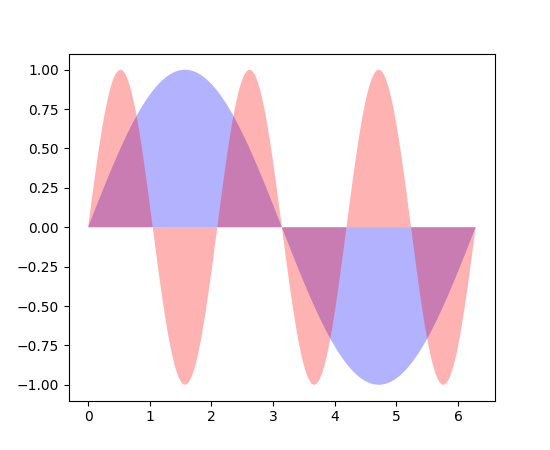
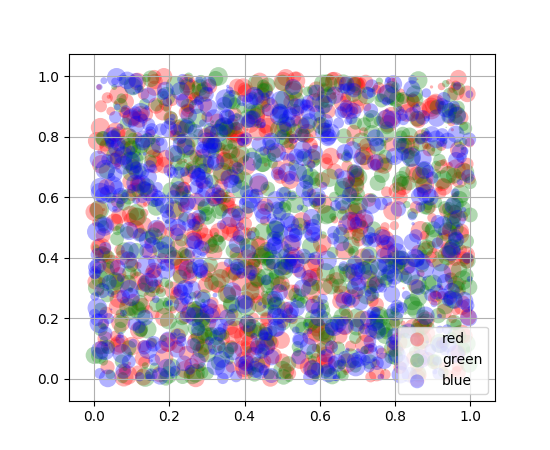
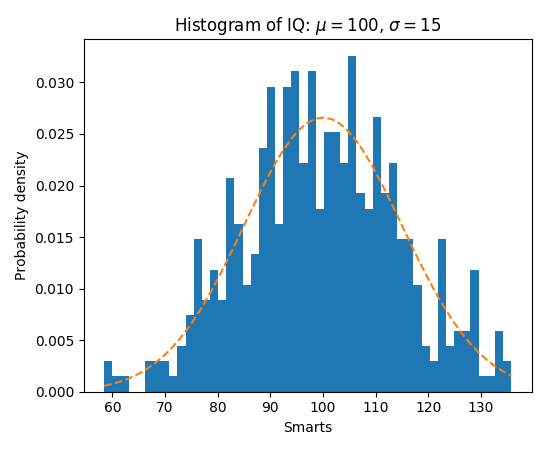
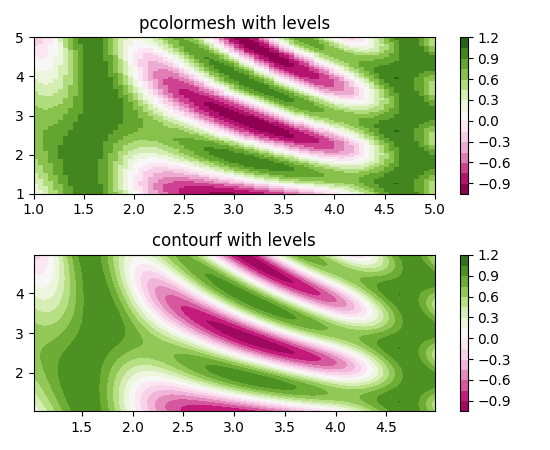
更强大的是,每张图片下都有提供源代码,可以直接拿来用,修改参数即可。

"""

===============

Basic pie chart

===============

Demo of a basic pie chart plus a few additional features.

In addition to the basic pie chart, this demo shows a few optional features:

    * slice labels

    * auto-labeling the percentage

    * offsetting a slice with "explode"

    * drop-shadow

    * custom start angle

Note about the custom start angle:

The default ``startangle`` is 0, which would start the "Frogs" slice on the

positive x-axis. This example sets ``startangle = 90`` such that everything is

rotated counter-clockwise by 90 degrees, and the frog slice starts on the

positive y-axis.

"""

import matplotlib.pyplot as plt

# Pie chart, where the slices will be ordered and plotted counter-clockwise:

labels = 'Frogs', 'Hogs', 'Dogs', 'Logs'

sizes = [15, 30, 45, 10]

explode = (0, 0.1, 0, 0)  # only "explode" the 2nd slice (i.e. 'Hogs')

fig1, ax1 = plt.subplots()

ax1.pie(sizes, explode=explode, labels=labels, autopct='%1.1f%%',

        shadow=True, startangle=90)

ax1.axis('equal')  # Equal aspect ratio ensures that pie is drawn as a circle.

plt.show()
<img src="https://pic3.zhimg.com/v2-f85e431df208c510be1c4a1ef579aaea_b.png" data-rawwidth="800" data-rawheight="900" class="origin_image zh-lightbox-thumb" width="800" data-original="https://pic3.zhimg.com/v2-f85e431df208c510be1c4a1ef579aaea_r.png">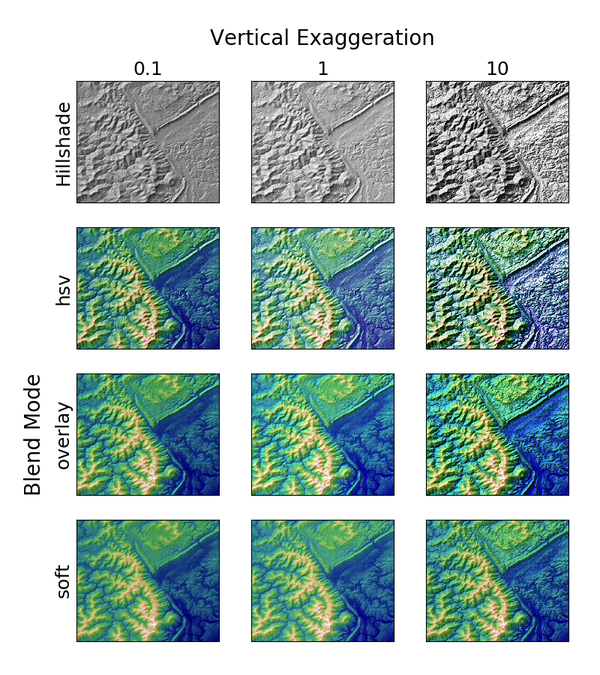
"""

Demonstrates the visual effect of varying blend mode and vertical exaggeration

on "hillshaded" plots.

Note that the "overlay" and "soft" blend modes work well for complex surfaces

such as this example, while the default "hsv" blend mode works best for smooth

surfaces such as many mathematical functions.

In most cases, hillshading is used purely for visual purposes, and *dx*/*dy*

can be safely ignored. In that case, you can tweak *vert_exag* (vertical

exaggeration) by trial and error to give the desired visual effect. However,

this example demonstrates how to use the *dx* and *dy* kwargs to ensure that

the *vert_exag* parameter is the true vertical exaggeration.

"""

import numpy as np

import matplotlib.pyplot as plt

from matplotlib.cbook import get_sample_data

from matplotlib.colors import LightSource

dem = np.load(get_sample_data('jacksboro_fault_dem.npz'))

z = dem['elevation']

#-- Optional dx and dy for accurate vertical exaggeration --------------------

# If you need topographically accurate vertical exaggeration, or you don't want

# to guess at what *vert_exag* should be, you'll need to specify the cellsize

# of the grid (i.e. the *dx* and *dy* parameters).  Otherwise, any *vert_exag*

# value you specify will be relative to the grid spacing of your input data

# (in other words, *dx* and *dy* default to 1.0, and *vert_exag* is calculated

# relative to those parameters).  Similarly, *dx* and *dy* are assumed to be in

# the same units as your input z-values.  Therefore, we'll need to convert the

# given dx and dy from decimal degrees to meters.

dx, dy = dem['dx'], dem['dy']

dy = 111200 * dy

dx = 111200 * dx * np.cos(np.radians(dem['ymin']))

#-----------------------------------------------------------------------------

# Shade from the northwest, with the sun 45 degrees from horizontal

ls = LightSource(azdeg=315, altdeg=45)

cmap = plt.cm.gist_earth

fig, axes = plt.subplots(nrows=4, ncols=3, figsize=(8, 9))

plt.setp(axes.flat, xticks=[], yticks=[])

# Vary vertical exaggeration and blend mode and plot all combinations

for col, ve in zip(axes.T, [0.1, 1, 10]):

    # Show the hillshade intensity image in the first row

    col[0].imshow(ls.hillshade(z, vert_exag=ve, dx=dx, dy=dy), cmap='gray')

    # Place hillshaded plots with different blend modes in the rest of the rows

    for ax, mode in zip(col[1:], ['hsv', 'overlay', 'soft']):

        rgb = ls.shade(z, cmap=cmap, blend_mode=mode,

                       vert_exag=ve, dx=dx, dy=dy)

        ax.imshow(rgb)

# Label rows and columns

for ax, ve in zip(axes[0], [0.1, 1, 10]):

    ax.set_title('{0}'.format(ve), size=18)

for ax, mode in zip(axes[:, 0], ['Hillshade', 'hsv', 'overlay', 'soft']):

    ax.set_ylabel(mode, size=18)

# Group labels...

axes[0, 1].annotate('Vertical Exaggeration', (0.5, 1), xytext=(0, 30),

                    textcoords='offset points', xycoords='axes fraction',

                    ha='center', va='bottom', size=20)

axes[2, 0].annotate('Blend Mode', (0, 0.5), xytext=(-30, 0),

                    textcoords='offset points', xycoords='axes fraction',

                    ha='right', va='center', size=20, rotation=90)

fig.subplots_adjust(bottom=0.05, right=0.95)

plt.show()
图片来自Matplotlib官网 Thumbnail gallery
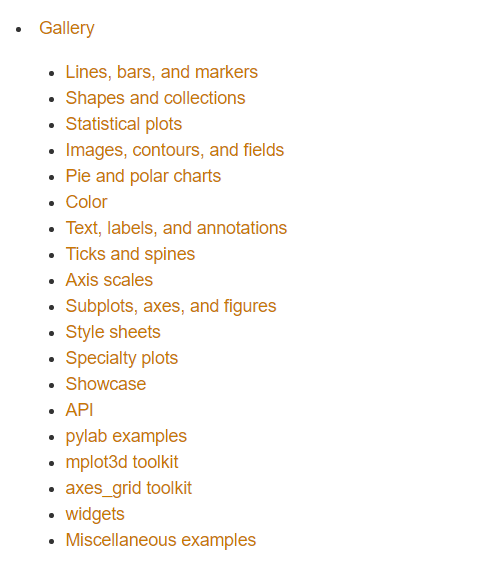
这是图片的索引,可以看看有没有自己需要的
<img src="https://pic1.zhimg.com/v2-1be30f4fb48a08d508a8c354d540dea0_b.png" data-rawwidth="485" data-rawheight="561" class="origin_image zh-lightbox-thumb" width="485" data-original="https://pic1.zhimg.com/v2-1be30f4fb48a08d508a8c354d540dea0_r.png">
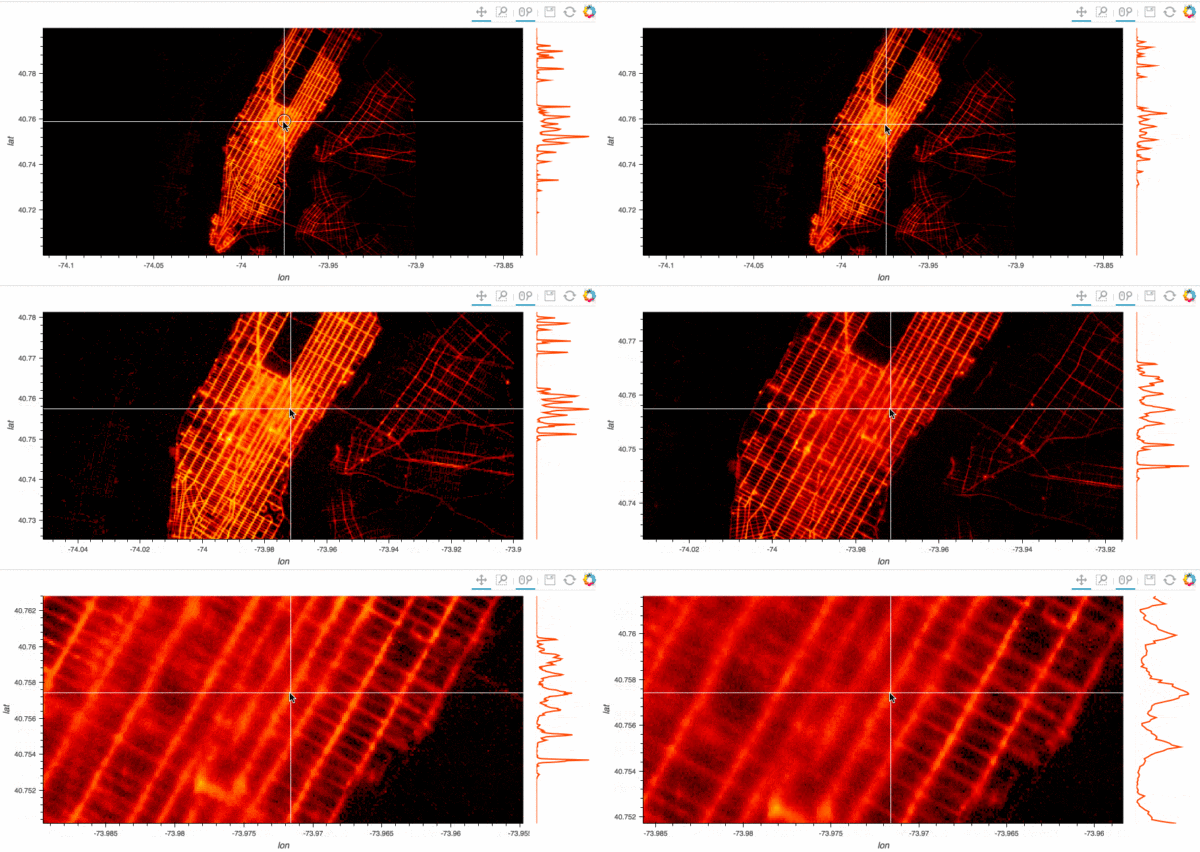
Stop plotting your data - annotate your data and let it visualize itself.
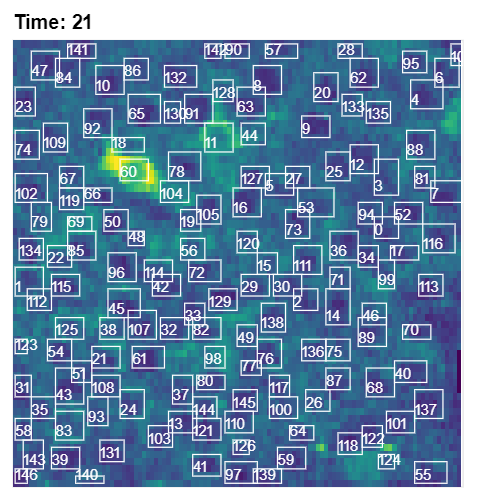
http://holoviews.org/getting_started/Gridded_Datasets.html
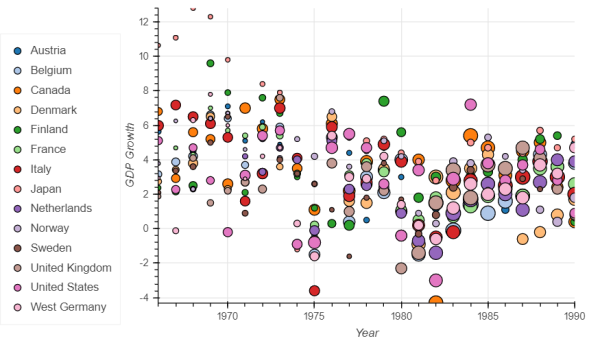
http://holoviews.org/gallery/demos/bokeh/scatter_economic.html
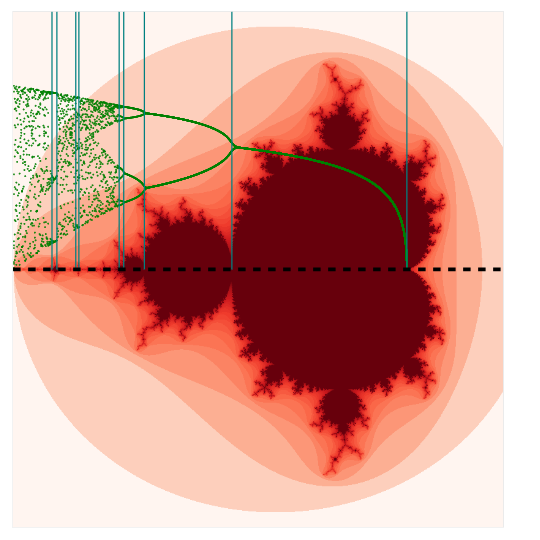
http://holoviews.org/gallery/demos/bokeh/verhulst_mandelbrot.html
<img src="https://pic4.zhimg.com/v2-d305a75b64dcd09e4c889b84d333ca37_b.png" data-rawwidth="500" data-rawheight="500" class="origin_image zh-lightbox-thumb" width="500" data-original="https://pic4.zhimg.com/v2-d305a75b64dcd09e4c889b84d333ca37_r.png">
可以用 Python 编程语言做哪些神奇好玩的事情?的更多相关文章
- 可以用 Python 编程语言做哪些神奇好玩的事情?除了生孩子不能,其他全都行!
坦克大战 源自于一个用Python写各种小游戏的github合集,star数1k.除了坦克大战外,还包含滑雪者.皮卡丘GOGO.贪吃蛇.推箱子.拼图等游戏. 图片转铅笔画 帮助你快速生成属于自己的铅笔 ...
- 孤陋寡闻了吧?Python 居然可以做这30件神奇好玩的事情(附教程)
知乎上有个浏览超过400万的问题:可以用 Python 编程语言做哪些神奇好玩的事情? 我先举一个很不专业的栗子...... 然后再找几个人抬一堆例子来...... 不是很稀饭<复联>嘛, ...
- 你都用python来做什么?
首页发现话题 提问 你都用 Python 来做什么? 关注问题写回答 编程语言 Python 编程 Python 入门 Python 开发 你都用 Python 来做什么? 发现很 ...
- Python 编程语言要掌握的技能之一:使用数字与字符串的技巧
最佳实践 1. 少写数字字面量 “数字字面量(integer literal)” 是指那些直接出现在代码里的数字.它们分布在代码里的各个角落,比如代码 del users[0] 里的 0 就是一个数字 ...
- 3.Python编程语言基础技术框架
3.Python编程语言基础技术框架 3.1查看数据项数据类型 type(name) 3.2查看数据项数据id id(name) 3.3对象引用 备注Python将所有数据存为内存对象 Python中 ...
- 学了Python可以做什么工作
学了Python可以做什么工作 用 Python 写爬虫 据我所知很多初学 Python 的人都是使用它编写爬虫程序.小到抓取一个小黄图网站,大到一个互联网公司的商业应用.通过 Python 入门爬虫 ...
- Python能做什么,自学Python效果怎么样?
短时间掌握一门技能是现代社会的需求.生活节奏越来越快,现在不是大鱼吃小鱼,而是快鱼吃慢鱼的时代,人的时间比机器的时间更值钱.Python作为一种轻量级编程语言,语言简洁开发快,没那么多技巧,受到众多追 ...
- Python 编程语言要掌握的技能之一:编写条件分支代码的技巧
Python 里的分支代码 Python 支持最为常见的 if/else 条件分支语句,不过它缺少在其他编程语言中常见的 switch/case 语句. 除此之外,Python 还为 for/whil ...
- Python 编程语言要掌握的技能之一:善用变量来改善代码质量
如何为变量起名 在计算机科学领域,有一句著名的格言(俏皮话): There are only two hard things in Computer Science: cache invalidati ...
随机推荐
- 38. leetcode 405. Convert a Number to Hexadecimal
405. Convert a Number to Hexadecimal Given an integer, write an algorithm to convert it to hexadecim ...
- 26. leetcode 350. Intersection of Two Arrays II
350. Intersection of Two Arrays II Given two arrays, write a function to compute their intersection. ...
- C#之异步
C#之异步 异步是相对于同步而言.跟多线程不能同一而论.异步简单而言好比一个人两双手可以同时做两件以上不同的事情.多线程好比多个人做不同或相同的事情. 异步跟多线程有什么关系? 异步可以分为CPU异步 ...
- Vmware虚拟机三种网络模式详解
原文来自http://note.youdao.com/share/web/file.html?id=236896997b6ffbaa8e0d92eacd13abbf&type=note 我怕链 ...
- vue指令v-else示例解析
为 v-if 或者 v-else-if 添加 "else 块". <div id="app"> <p v-if="isRender& ...
- 【我的漫漫跨考路】数据结构之单链表线性存储实现 Beta
正文之前 昨天晚上阶段性的完成了一部分数学的复习,所以今天打算撸一撸代码,然后发现提电脑忘指针.所以自己磕磕盼盼,对照了一下网上的代码,总算把线性存储单链表的数据类型实现,给自己写出来了. 废话不多说 ...
- yhTriangle_LinkQueue(队列实现杨辉三角)
#include"LinkQueue.h" void yhTriangle(int n) { LinkQueue<int> A; int s,t; A.Inqueue( ...
- [算法题] Remove Element
题目内容 本题来源:LeetCode Given an array and a value, remove all instances of that value in place and retur ...
- 计蒜客模拟赛D1T3 蒜头君的坐骑:用dfs转移dp
题目链接:https://nanti.jisuanke.com/t/16447 题意: 蒜头君有一只坐骑,人马. 一天,蒜头君骑着他的坐骑走上了一片n*m的大荒野,一开始时,蒜头君在(1,1)点,他要 ...
- MySQL root密码忘记解决
--MySQL root密码忘记的解决办法 -----------------------------------2014/03/14 1.首先确认服务器出于安全的状态,也就是没有人能够任意地连接My ...