
这事没完,继续聊spring cloud stream和kafka的这些小事
上一篇文章讲了如何用spring cloud stream集成kafka,并且跑起来一个demo,如果这一次宣传spring cloud stream的文章,其实到这里就可以啦。但实际上,工程永远不是简单的技术会还是不会的问题,在实际的开发中,我们会遇到很多的细节问题(简称坑),这篇文章,会把其中一些很小的点说一下,算是用实例告诉大家,工程的复杂性,往往体现在实际的繁琐步骤中。
1、group的配置
在发送消息的配置里面,group是不用配置的
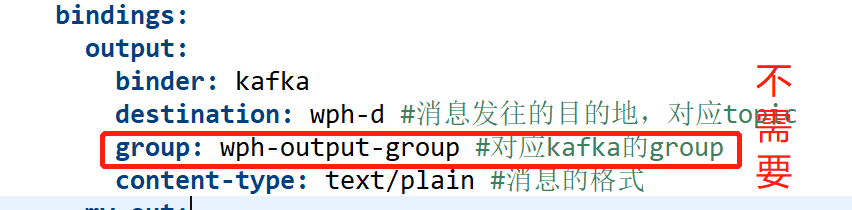
关于这一点的证明,可以在源代码的注释里面看到
org.springframework.cloud.stream.config.BindingProperties

2、修改topic的partitions
配置文件如下
bindings:

        output:

          binder: kafka

          destination: wph-d-2 #消息发往的目的地,对应topic

          content-type: text/plain #消息的格式

          producer:

            partitionCount: 7
partitionCount是用来设置partition的数量,默认是1,如果这个topic已经建了,修改partitionCount无效,会提示错误
Caused by: org.springframework.cloud.stream.provisioning.ProvisioningException: The number of expected partitions was: 7, but 5 have been found instead.Consider either increasing the partition count of the topic or enabling `autoAddPartitions`

	at org.springframework.cloud.stream.binder.kafka.provisioning.KafkaTopicProvisioner.createTopicAndPartitions(KafkaTopicProvisioner.java:384) ~[spring-cloud-stream-binder-kafka-core-3.0.0.M4.jar:3.0.0.M4]

	at org.springframework.cloud.stream.binder.kafka.provisioning.KafkaTopicProvisioner.createTopicIfNecessary(KafkaTopicProvisioner.java:325) ~[spring-cloud-stream-binder-kafka-core-3.0.0.M4.jar:3.0.0.M4]

	at org.springframework.cloud.stream.binder.kafka.provisioning.KafkaTopicProvisioner.createTopic(KafkaTopicProvisioner.java:302) ~[spring-cloud-stream-binder-kafka-core-3.0.0.M4.jar:3.0.0.M4]

	... 14 common frames omitted
根据错误的提示,添加autoAddPartitions
kafka:

        binder:

          brokers: #Kafka的消息中间件服务器地址

          - localhost:9092

          autoAddPartitions: true
再次启动就可以看到partitions数已经改了
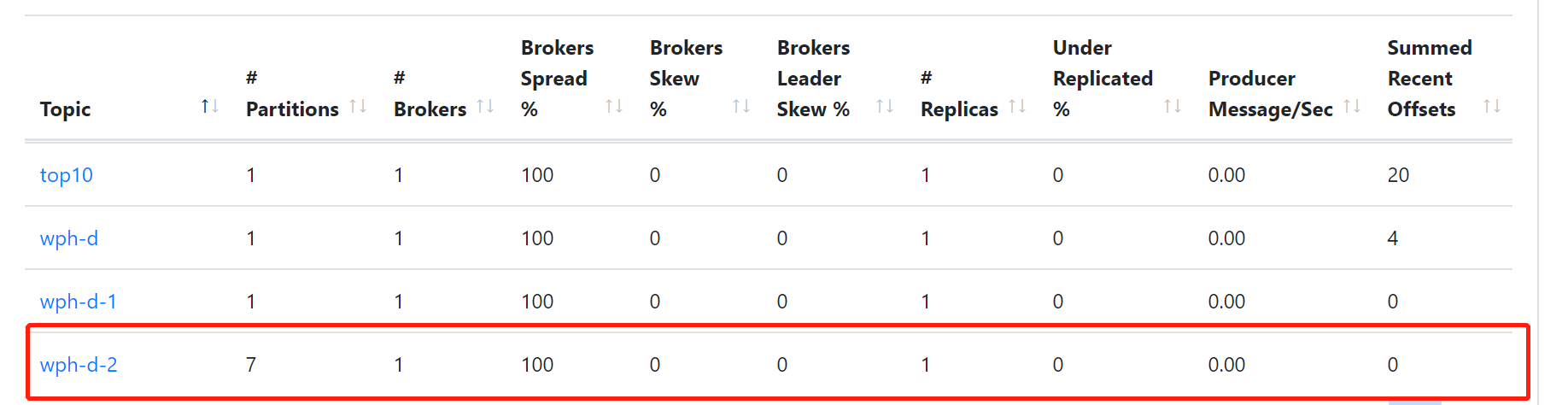
autoAddPartitions属性对应的类是org.springframework.cloud.stream.binder.kafka.properties.KafkaBinderConfigurationProperties
设置partitionCount属性的类是org.springframework.cloud.stream.binder.ProducerProperties
3、发送json报错
用postman发送sendMessage/complexType报错
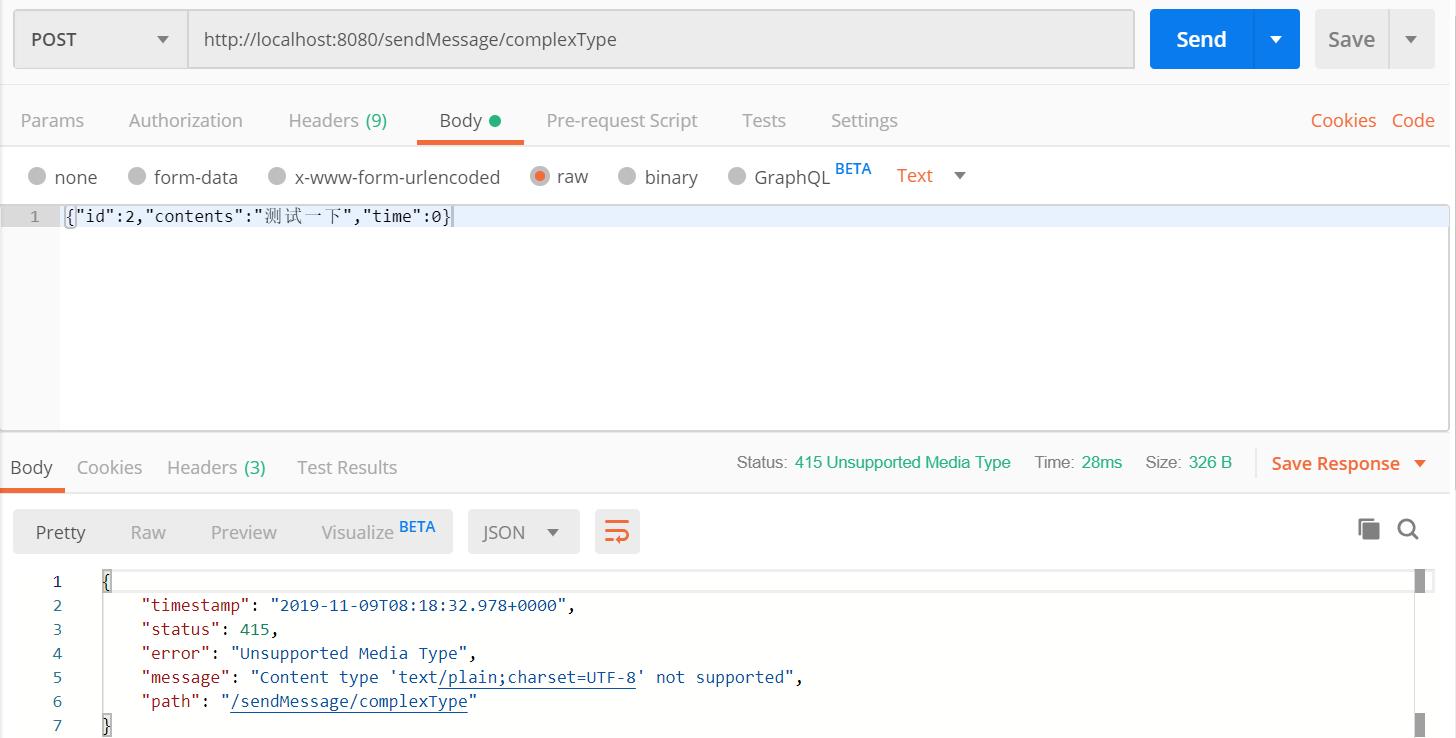
在服务器端的报错内容是:
Resolved [org.springframework.web.HttpMediaTypeNotSupportedException: Content type 'text/plain;charset=UTF-8' not supported]原因是数据传输格式传输错误,要改一下postman发送数据的格式
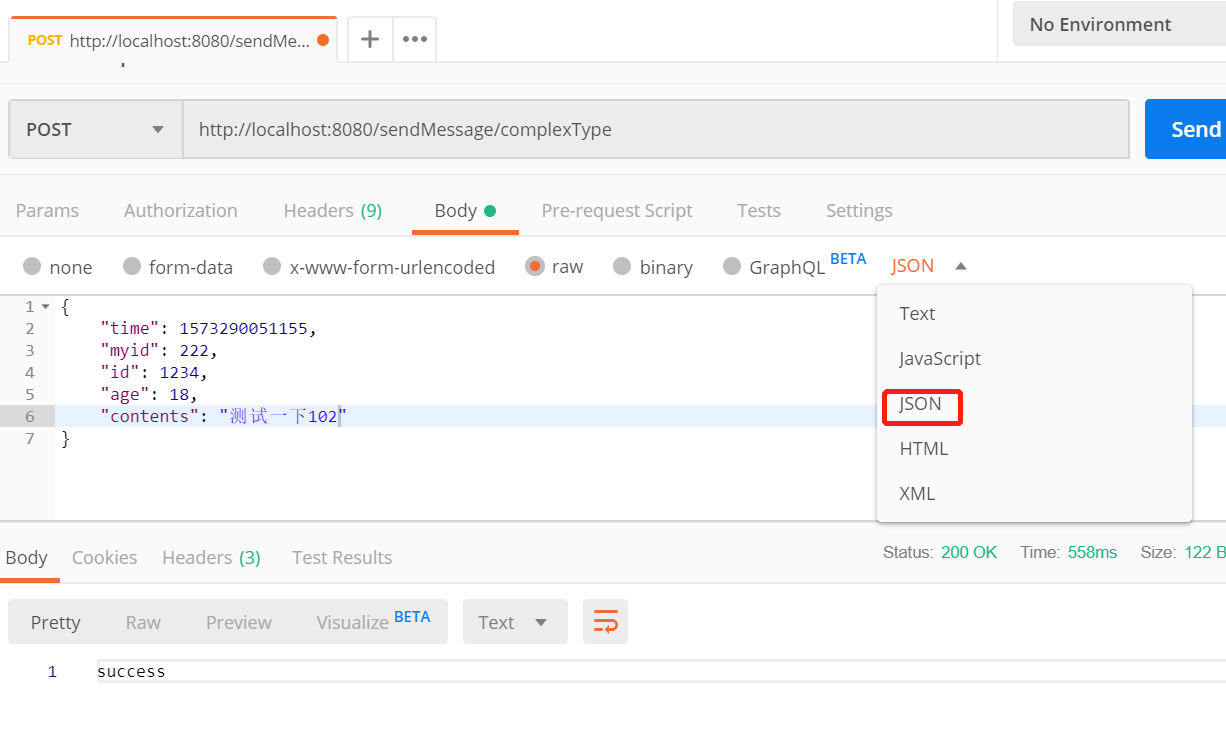
然后就能happy的发出去了

4、正确的发送json并转换成对象
如果我们需要传输json的信息,那么在发送消息端需要设置content-type为json(其实可以不写,默认content-type就是json,后面会讲)
bindings:

        output:

          binder: kafka

          destination: wph-d-2 #消息发往的目的地,对应topic

          content-type: application/json #消息的格式
然后通过producer发送这个消息
@RequestMapping(value = "/sendMessage/complexType", method = RequestMethod.POST)

	public String publishMessageComplextType(@RequestBody ChatMessage payload) {

		logger.info(payload.toString());

		producer.getMysource().output().send(MessageBuilder.withPayload(payload).setHeader("type", "chatMessage").build());

		return "success";

	}
这里需要注意的一点是ChatMessage的field name必须要有getter和settr方法,两者有一就可以了,否则json转换成对象的时候,field name收不到值。
在订阅消息的时候,application.yml里面content-type可以不用配置,这个值默认就是“application/json”,这一点可以在org.springframework.cloud.stream.config.BindingProperties类的注释里面看到

和上面一样,ChatMessage的field name需要有getter或者setter的方法,二者之一就行。
接收json并转换成类的方法如下:
@StreamListener(target = Sink.INPUT, condition = "headers['type']=='chatMessage'")

	public void handle(ChatMessage message) {

		logger.info(message.toString());

}
有坑警告:如果我们把发送消息端的content-type设置成text/plain,消息订阅端的content-type设置成application/json,就会在消息订阅端报这个错误
Caused by: java.lang.IllegalStateException: argument type mismatch

Endpoint [com.wphmoon.kscsclient.Consumer]
如果颠倒过来的话,发送消息端的content-type设置成application/json,消息订阅端设置成text/plain,我实际测试过,是可以收到消息,并且能转换成ChatMessage对象,没有问题。
这事没完,继续聊spring cloud stream和kafka的这些小事的更多相关文章
- 简单聊一聊spring cloud stream和kafka的那点事
Spring Cloud Stream is a framework for building highly scalable event-driven microservices connected ...
- Kafka及Spring Cloud Stream
安装 下载kafka http://mirrors.hust.edu.cn/apache/kafka/2.0.0/kafka_2.11-2.0.0.tgz kafka最为重要三个配置依次为:broke ...
- Spring Cloud Stream教程(二)主要概念
Spring Cloud Stream提供了一些简化了消息驱动的微服务应用程序编写的抽象和原语.本节概述了以下内容: Spring Cloud Stream的应用模型 Binder抽象 持续的发布 - ...
- 细聊Spring Cloud Bus
细聊Spring Cloud Bus Spring 事件驱动模型 因为Spring Cloud Bus的运行机制也是Spring事件驱动模型所以需要先了解相关知识点: 上面图中是Spring事件驱动模 ...
- Spring Cloud Stream同一通道根据消息内容分发不同的消费逻辑
应用场景 有的时候,我们对于同一通道中的消息处理,会通过判断头信息或者消息内容来做一些差异化处理,比如:可能在消息头信息中带入消息版本号,然后通过if判断来执行不同的处理逻辑,其代码结构可能是这样的: ...
- Spring Cloud Stream消费失败后的处理策略(四):重新入队(RabbitMQ)
应用场景 之前我们已经通过<Spring Cloud Stream消费失败后的处理策略(一):自动重试>一文介绍了Spring Cloud Stream默认的消息重试功能.本文将介绍Rab ...
- Spring Cloud Stream消费失败后的处理策略(三):使用DLQ队列(RabbitMQ)
应用场景 前两天我们已经介绍了两种Spring Cloud Stream对消息失败的处理策略: 自动重试:对于一些因环境原因(如:网络抖动等不稳定因素)引发的问题可以起到比较好的作用,提高消息处理的成 ...
- Spring Cloud Stream消费失败后的处理策略(二):自定义错误处理逻辑
应用场景 上一篇<Spring Cloud Stream消费失败后的处理策略(一):自动重试>介绍了默认就会生效的消息重试功能.对于一些因环境原因.网络抖动等不稳定因素引发的问题可以起到比 ...
- Spring Cloud Stream消费失败后的处理策略(一):自动重试
之前写了几篇关于Spring Cloud Stream使用中的常见问题,比如: 如何处理消息重复消费 如何消费自己生产的消息 下面几天就集中来详细聊聊,当消息消费失败之后该如何处理的几种方式.不过不论 ...
随机推荐
- 《Effective Java》 读书笔记(六)避免创建不必要的对象
java 有很多修饰类的属性的关键字:常用的static,final 说说final和static吧,平时在编程的时候,这两个关键字很多时候都觉得可有可无,最多的时候就是他们俩同时出现----定义常量 ...
- 爬虫之scrapy简单案例之猫眼
在爬虫py文件下 class TopSpider(scrapy.Spider): name = 'top' allowed_domains = ['maoyan.com'] start_urls = ...
- JAVA内存溢出与内存泄露
虽然jvm可以通过GC自动回收无用的内存,但是代码不好的话仍然存在内存溢出的风险. 最近在网上搜集了一些资料,现整理如下: —————————————————————————————————————— ...
- Android Drawable 简析
Drawable 是开发中经常用到的一个概念,我们经常用它去设置 View 的背景,背景可以一个颜色值,也可以是一张资源图片,还可以是一个自定义的 Drawable等等.这篇文章就简单说下 Drawa ...
- 在控制器中如何对frxml的控件初始化
如果在控制器中实现Initializable这个接口,并重iInitializable这个方法 对于一个fxml文件来说它首先执行控制器的构造函数,这个时候它是无法对@FXML修饰的方法进行访问的,然 ...
- ajax传出数组到后台
var vote = new Array(); $("input[name='option_name']").each(function(i){ if($(th ...
- 微信 AES 解密报错 Illegal key size 三种解决办法
微信 AES 解密报错 Illegal key size Java 环境 java version "1.8.0_151" Java(TM) SE Runtime Environm ...
- 网站搭建 - IIS 填坑 - 终于建好站了 linux + Windows
之前的IIS可以运行Windows的网页,但是对于php的网页,还是不能够支持,于是决定重新来一遍. (把踩的坑重新描述一下,在下载完php之后,解压后不要急着改文件,跳到最后的页面去改.) 以便能够 ...
- thinkphp分页样式css代码
<style type="text/css"> .Pagination a:hover,.current{background-color: #f54281;borde ...
- PowerMock学习(三)之Mock局部变量
编写powermock用例步骤: 类上面先写这两个注解@RunWith(PowerMockRunner.class).@PrepareForTest(StudentService.class) 先模拟 ...