
[控件] 动态实时设置CAShapeLayer贝塞尔曲线的坐标点
动态实时设置CAShapeLayer贝塞尔曲线的坐标点

效果图:
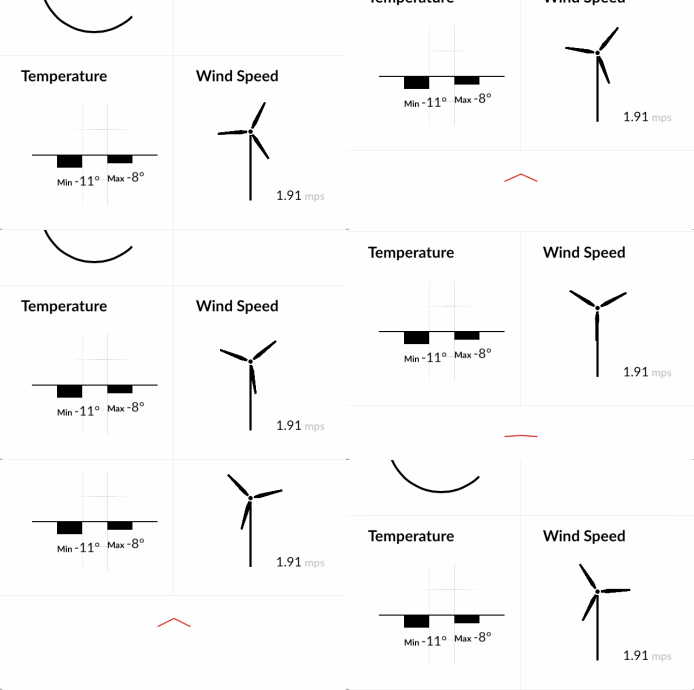
源码:
PathDirectionView.h 与 PathDirectionView.m
//

//  PathDirectionView.h

//  Path

//

//  Created by XianMingYou on 15/2/27.

//  Copyright (c) 2015年 XianMingYou. All rights reserved.

//

#import <UIKit/UIKit.h>

#import "UIView+SetRect.h"

@interface PathDirectionView : UIView

/**

 *  起始点在右边

 */

@property (nonatomic) BOOL  startPointAtRight;

/**

 *  根据百分比显示

 *

 *  @param percent 百分比

 */

- (void)showPercent:(CGFloat)percent;

@end
//

//  PathDirectionView.m

//  Path

//

//  Created by XianMingYou on 15/2/27.

//  Copyright (c) 2015年 XianMingYou. All rights reserved.

//

#import "PathDirectionView.h"

@interface PathDirectionView () {

    CAShapeLayer  *_shapeLayer;

}

@end

@implementation PathDirectionView

/**

 *  修改当前view的backupLayer为CAGradientLayer

 *

 *  @return CAGradientLayer类名字

 */

+ (Class)layerClass {

    return [CAShapeLayer class];

}

- (instancetype)initWithFrame:(CGRect)frame {

    self = [super initWithFrame:frame];

    if (self) {

        _shapeLayer             = (CAShapeLayer *)self.layer;

        _shapeLayer.fillColor   = [[UIColor clearColor] CGColor];

        _shapeLayer.strokeColor = [[UIColor redColor] CGColor];

        _shapeLayer.lineWidth   = .f;

        _shapeLayer.strokeEnd   = .f;

        _shapeLayer.opacity     = .f;

        _shapeLayer.path        = [self createPathWithHeight:];

    }

    return self;

}

/**

 *  创建出贝塞尔曲线

 *

 *  @param height 高度

 *

 *  @return 贝塞尔曲线

 */

- (CGPathRef)createPathWithHeight:(CGFloat)height {

    UIBezierPath *bezierPath = UIBezierPath.bezierPath;

    CGPoint startPoint = CGPointZero;

    CGPoint endPoint   = CGPointZero;

    if (self.startPointAtRight == NO) {

        startPoint = CGPointMake(self.width, height);

        endPoint   = CGPointZero;

    } else {

        startPoint = CGPointMake(, height);

        endPoint   = CGPointMake(self.width, );

    }

    [bezierPath moveToPoint:startPoint];

    [bezierPath addLineToPoint:endPoint];

    return bezierPath.CGPath;

}

- (void)showPercent:(CGFloat)percent {

    if (percent < ) {

        _shapeLayer.path      = [self createPathWithHeight:];

        _shapeLayer.strokeEnd = ;

        _shapeLayer.opacity   = ;

    } else if (percent >=  && percent <= 0.5f) { // [0, 0.5]

        _shapeLayer.path      = [self createPathWithHeight:];

        _shapeLayer.strokeEnd = percent * .f;

        _shapeLayer.opacity   = percent * .f;

    } else if (percent <= .f) { // (0.5, 1]

        CGFloat currentPercent = percent - 0.5f;

        _shapeLayer.path      = [self createPathWithHeight:currentPercent * self.height * ];

        _shapeLayer.strokeEnd = .f;

        _shapeLayer.opacity   = .f;

    } else { // (1, +无穷大)

        _shapeLayer.path      = [self createPathWithHeight:self.height];

        _shapeLayer.strokeEnd = .f;

        _shapeLayer.opacity   = .f;

    }

}

@end
ShowDownView.h 与 ShowDownView.m
//

//  ShowDownView.h

//  Path

//

//  Created by XianMingYou on 15/2/27.

//  Copyright (c) 2015年 XianMingYou. All rights reserved.

//

#import <UIKit/UIKit.h>

#import "PathDirectionView.h"

@interface ShowDownView : UIView

- (void)showPercent:(CGFloat)percent;

@end
//

//  ShowDownView.m

//  Path

//

//  Created by XianMingYou on 15/2/27.

//  Copyright (c) 2015年 XianMingYou. All rights reserved.

//

#import "ShowDownView.h"

@interface ShowDownView ()

@property (nonatomic, strong) PathDirectionView *leftView;

@property (nonatomic, strong) PathDirectionView *rightView;

@end

@implementation ShowDownView

- (instancetype)initWithFrame:(CGRect)frame {

    self = [super initWithFrame:frame];

    if (self) {

        CGFloat width  = frame.size.width / .f;

        CGFloat height = frame.size.height;

        CGRect leftRect  = CGRectMake(, , width, height);

        CGRect rightRect = CGRectMake(width, , width, height);

        self.leftView  = [[PathDirectionView alloc] initWithFrame:leftRect];

        self.rightView = [[PathDirectionView alloc] initWithFrame:rightRect];

        self.rightView.startPointAtRight = YES;

        [self addSubview:self.leftView];

        [self addSubview:self.rightView];

    }

    return self;

}

- (void)showPercent:(CGFloat)percent {

    [self.leftView showPercent:percent];

    [self.rightView showPercent:percent];

}

@end
核心原理:
1. 即时的根据值的变化重新生成path值并赋值给CAShapeLayer
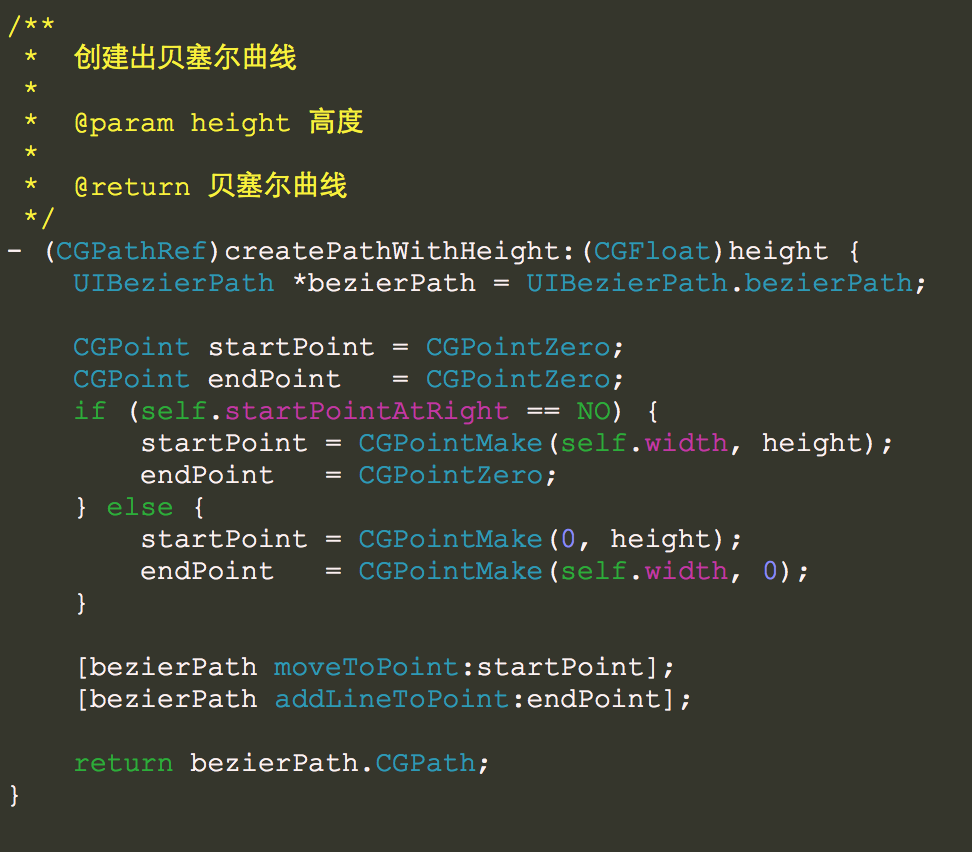
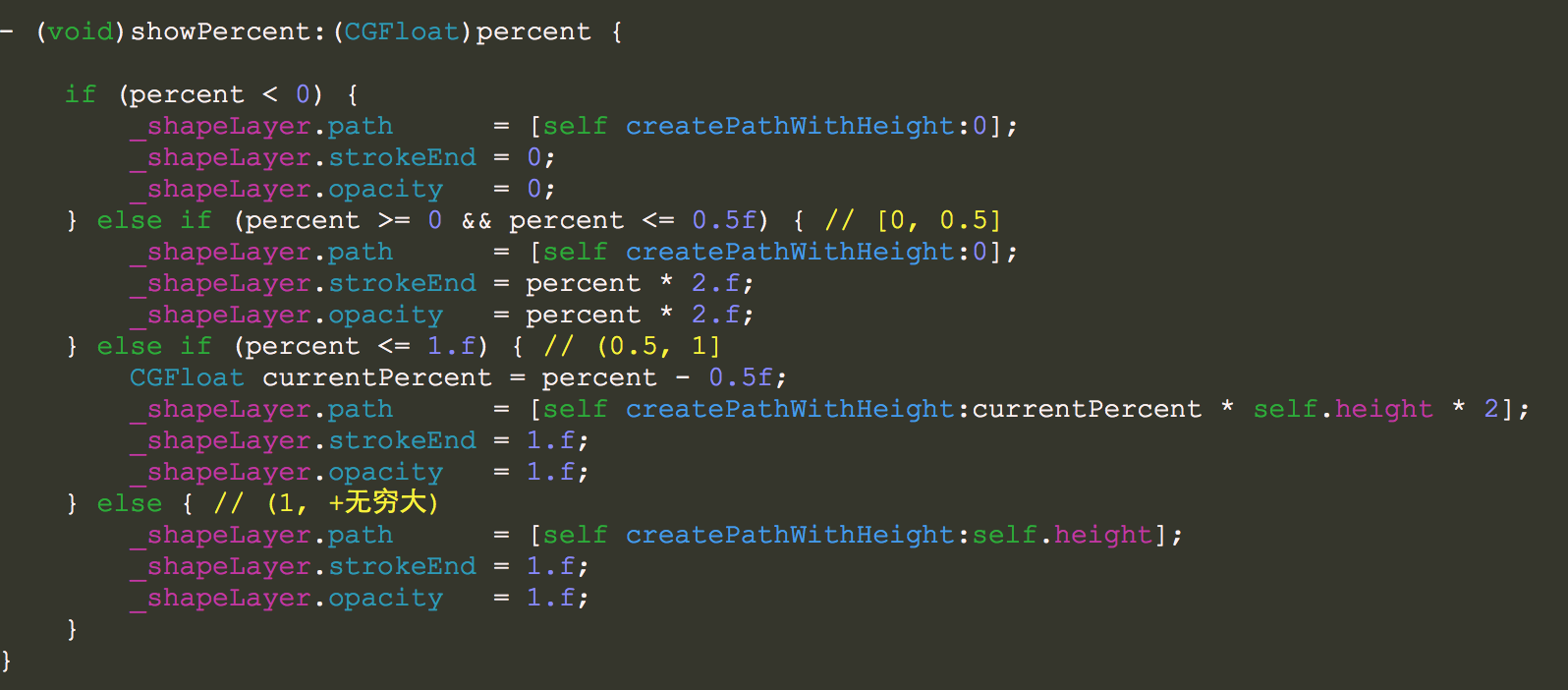
2. 即时的根据值得变化设定strokeEnd值
[控件] 动态实时设置CAShapeLayer贝塞尔曲线的坐标点的更多相关文章
- 为控件Button设置快捷键(组合键)
控件MenuStrip和ContextMenuStrip可通过ShortCcutKeys属性设置快捷键,而控件Button没有ShortcutKey属性,如何为控件Button设置快捷键呢(组合件键) ...
- Delphi HTTPRIO控件怎么设置超时参数
HTTPRIO控件怎么设置超时参数 //HTTPRIO1: THTTPRIO 设置5分钟超时 HTTPRIO1.HTTPWebNode.ConnectTimeout := 5000; Connect ...
- Android中EditText,Button等控件的设置
EditText可以使用:TextView.setEnabled(true)来设置为可编辑,其实很简单,写在这里以便以后自己查看. Button设置可用性:setVisibility(View.VIS ...
- ScrollView子控件高度设置无效
ScrollView子控件高度设置无效 简述 项目中引入了第三方的下拉刷新包PullToRefreshScrollView. 由于我之前布局未考虑下拉刷新功能.后来暂时发现添加上去,发现.子控件的高度 ...
- dev控件ASPxComboBox设置ReadOnly="true"后
dev控件ASPxComboBox设置ReadOnly="true"后,在后台OnCallback事件中赋值前台不显示
- DEV控件ASPxTextBox设置ClientEnabled="false"之后出现的问题
DEV控件ASPxTextBox设置ClientEnabled="false"之后,js中设置文本框的值后,按钮后台点击事件中获取文本框的值为空.
- duilib 修复Text控件无法设置宽度的bug,增加自动加算宽度的属性
转载请说明原出处,谢谢~~: 今天有朋友反映CTextUI控件无法设置宽度,于是修复了这个bug,顺便给Text控件增加了一个自动计算宽度的属性,描述如下 <Attribute name=&qu ...
- 几个关于控件的优先级: UseSystemPasswordChar > PasswordChar > 控件属性设置
using System; using System.Data; using System.Drawing; using System.Text; using System.Windows.Forms ...
- DevExpress 控件中设置分隔符
原文:DevExpress 控件中设置分隔符 版权声明:本文为博主原创文章,遵循CC 4.0 BY-SA版权协议,转载请附上原文出处链接和本声明. 本文链接:https://blog.csdn.net ...
随机推荐
- java主线程结束和子线程结束之间的关系
(一)Main线程是个非守护线程,不能设置成守护线程. 这是因为,main线程是由java虚拟机在启动的时候创建的.main方法开始执行的时候,主线程已经创建好并在运行了.对于运行中的线程,调用Thr ...
- rails中params[:id]与params["id"]分析
写这个帖子的缘由是因为在页面参数传到rails的controller时用params[:]和params[""]都可以取到值: [1] pry(#<BooksControll ...
- 谈谈CSS的浮动问题
浮动的工作原理 浮动元素脱离文档流,不占据空间.浮动元素碰到包含它的边框或者浮动元素的边框则停留. 浮动元素可能引起的问题 1.父元素的高度无法被撑开,影响与父级元素同级的元素 2.与浮动元素同级的非 ...
- 关于Sqlite的一个demo
直接上代码: class DBHelperSqlite { ILog logger = LogManager.GetLogger(System.Reflection.MethodBase.GetC ...
- 【转】Navicat Premium 12破解方法
来源网址:https://www.jianshu.com/p/42a33b0dda9c 1.按步骤安装Navicat Premium,如果没有可以去官网下载:http://www.navicat.co ...
- vue+SSM验证码实现
源码:https://github.com/HannahLihui/StudentManager-SSM/tree/master/SSM-git/StudentManager-SSM-master 1 ...
- java并发编程的艺术(二)---重排序与volatile、final关键字
本文来源于翁舒航的博客,点击即可跳转原文观看!!!(被转载或者拷贝走的内容可能缺失图片.视频等原文的内容) 若网站将链接屏蔽,可直接拷贝原文链接到地址栏跳转观看,原文链接:https://www.cn ...
- Markdown预览功能不可用解决方案
初学者在使用Markdown时也许会遇到这个问题 原因是电脑缺少一个组件,解决方案很简单,安装上就好了,以下是链接 http://markdownpad.com/download/awesomium_ ...
- python之迭代
1.何为迭代: 对于给定list或者tuple,通过for循环来遍历这个list或tuple,这种遍历我们称之为迭代(Iteration). 2.python中利用for...in语句来完成迭代语句: ...
- MyBatis -01- 初识 MyBatis + MyBatis 环境搭建
MyBatis -01- 初识 MyBatis + MyBatis 环境搭建 MyBatis 本是 apache 的一个开源项目 iBatis(iBATIS = "internet" ...