
SQLyog之MySQL客户端的下载、安装和使用(普通版)
本博文的主要内容有
.SQLyog的下载
.SQLyog的安装
.SQLyog的使用
前期,安装这个,不多说
MySQL Server类型之MySQL客户端工具的下载、安装和使用
1、SQLyog的下载
1、进入SQLyog官网, https://www.webyog.com/en 或 https://www.webyog.com/cn (目前,是打不开)
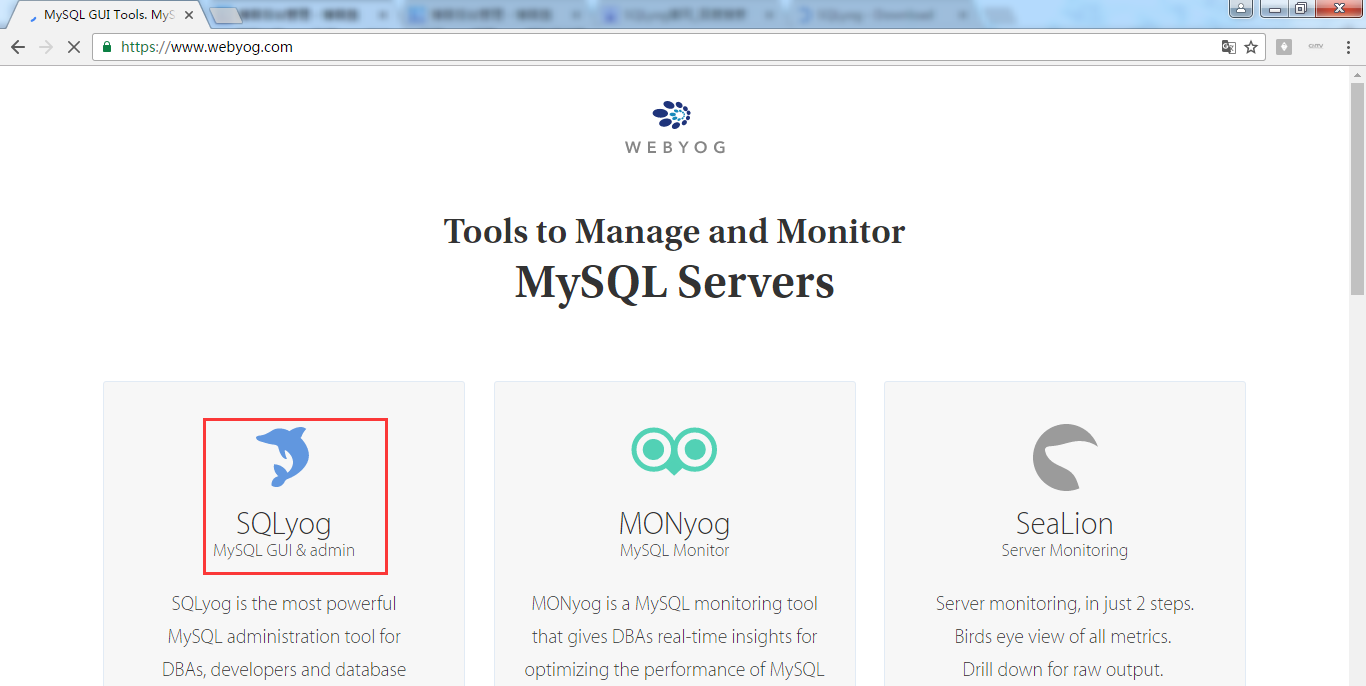
2、打开SQLyog首页后,点击Downloads超链接,进入下载SQLyog产品页面,如下
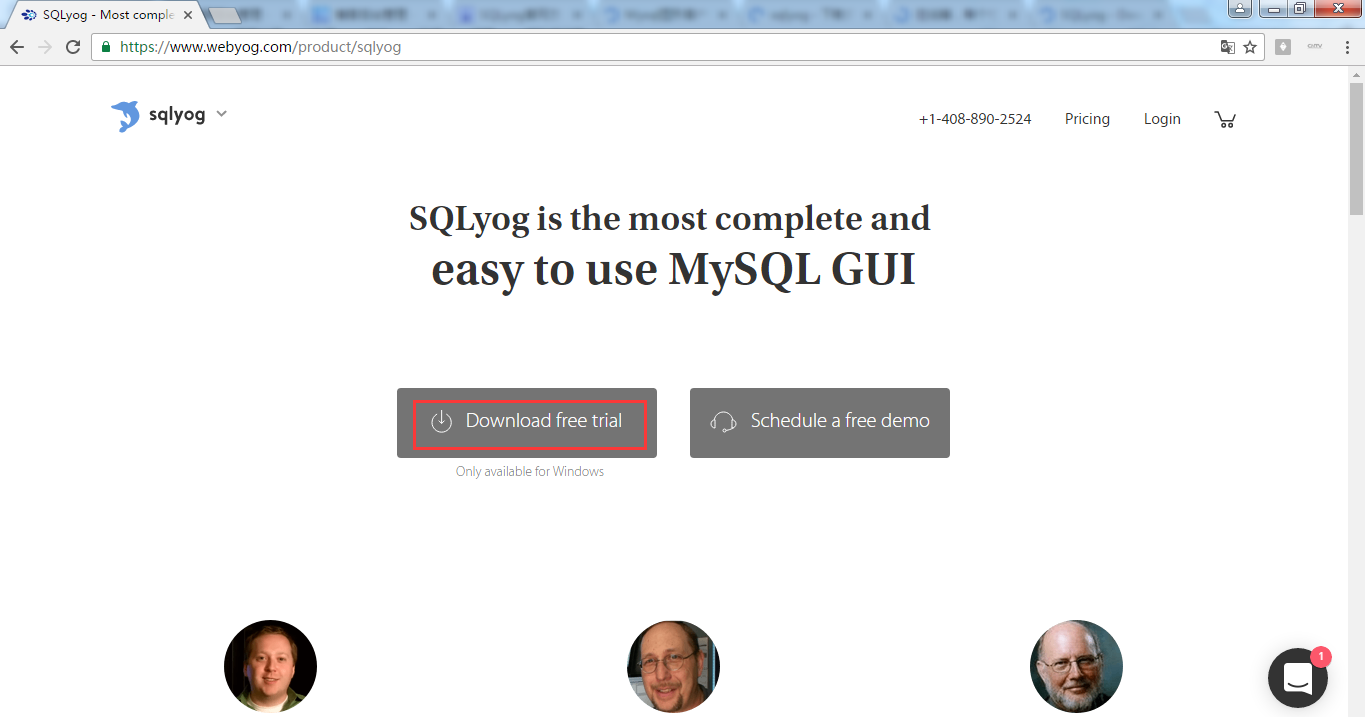
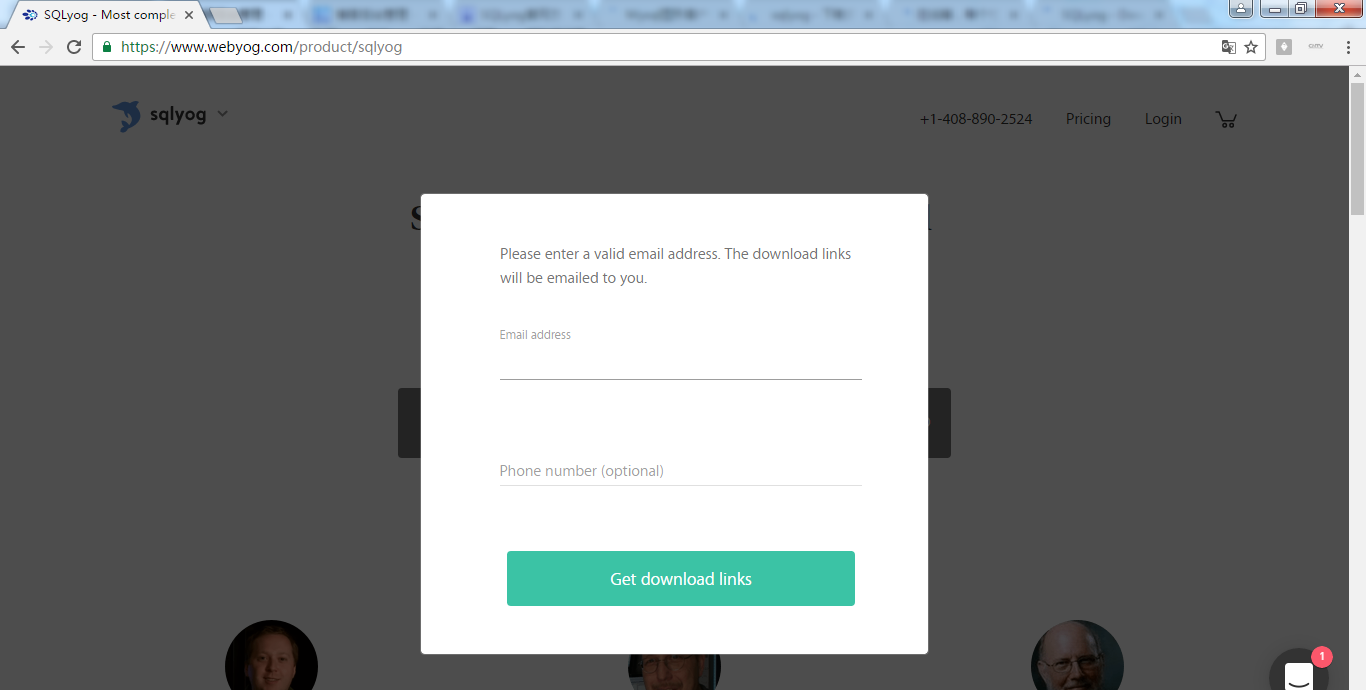
所以,啊,正常途径,是走不通的!
为此,在网上查找了部分资料。
http://download.csdn.net/tag/sqlyog
我尝试,如下,这款
http://download.csdn.net/detail/shel_lee/9650568
http://download.csdn.net/user/shel_lee
特在此,灰常感谢他!
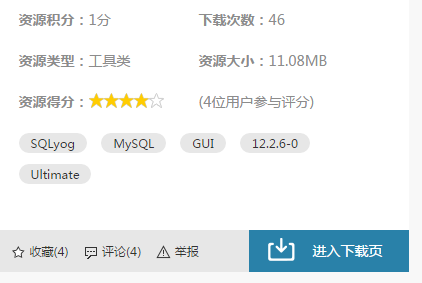
CSDN独家首发:最新SQLyog MySQL GUI x86&x64 12.2.6-0 Ultimate 中文版 带序列号

SQLyog MySQL GUI 12.2.6-0 Ultimate - Regged Version

Exclusive Debut: Shel Lee[CSDN]

查看更新:http://shel_lee.download.csdn.net/

其他版本下载:

SQLyog公共版下载(谷歌):http://code.google.com/p/sqlyog/downloads/list

SQLyog试用版下载(官网):https://www.webyog.com/product/downloads

SQLyog MySQL GUI Ultimate for Windows - MySQL GUI v12.2.6-0 - 32&64 bit

SQLyog MySQL GUI是我常用的一个桌面工具,功能强大,让你有使用MSSQL的感觉,呵呵。

SQLyog是一个易于使用的、快速而简洁的图形化管理MYSQL数据库的工具,它能够在任何地点有效地管理你的数据库!

SQLyog is the most powerful MySQL manager and admin tool, combining the features of MySQL Administrator,

phpMyAdmin and other MySQL Front Ends and MySQL GUI tools.

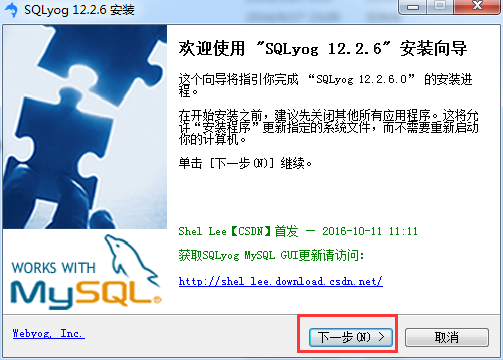
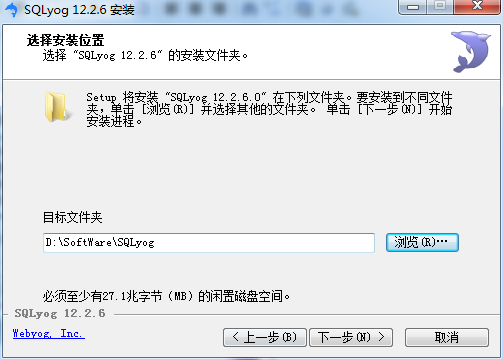
2、SQLyog的安装

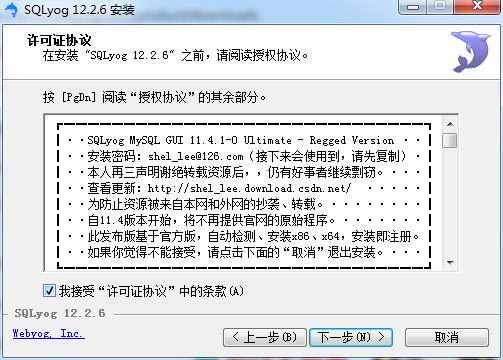
SQLyog MySQL GUI 11.4.1-0 Ultimate - Regged Version ··┃
┃··安装密码:shel_lee@126.com(接下来会使用到,请先复制)·┃
┃··本人再三声明谢绝转载资源后,,仍有好事者继续剽窃。···┃
┃··查看更新:http://shel_lee.download.csdn.net/ ·····┃
┃··为防止资源被来自本网和外网的抄袭、转载。········┃
┃··自11.4版本开始,将不再提供官网的原始程序。·······┃
┃··此发布版基于官方版,自动检测、安装x86、x64,安装即注册。┃
┃··如果你觉得不能接受,请点击下面的“取消”退出安装。···┃
┗━━━━━━━━━━━━━━━━━━━━━━━━━━━━━━┛
License for Registered Users
This registered license is for users who have obtained from Webyog Softworks Private Limited a valid registration code for SQLyog Professional/Enterprise/Ultimate. If you have not obtained a valid registration code for SQLyog Professional/Enterprise/Ultimate, see the section titled License for Trial Users.
Your Agreement to this License
This License only applies to the executable code for the English-language version of the SQLyog Professional/Enterprise/Ultimate software and any accompanying distributable files, data and materials. You should carefully read the following terms and conditions before using, installing, copying, or distributing SQLyog Professional/Enterprise/Ultimate. Unless otherwise agreed in a writing signed by an authorized representative of Webyog Softworks Private Limited ("Webyog"), your use, installation, copying, or distribution of SQLyog Professional/Enterprise/Ultimate indicates your acceptance of this agreement ("License").
Please read the license terms below. If you do not agree to all of the terms and conditions of this License, then do not use, install, copy, or distribute SQLyog Professional/Enterprise/Ultimate. In addition, if you paid a license fee to Webyog or an authorized Webyog reseller, you may return to Webyog or the reseller, as applicable, a copy of the registration code and activation code, if any, and a signed Affidavit of De-Installation and Non-Use within ninety (90) days after purchase, for a full refund of the license fee.
The terms and conditions of this License describe the permitted use and user(s) of each Licensed Copy of SQLyog Professional/Enterprise/Ultimate.
Scope of License
Subject to the terms of this License, Webyog grants to you, for each Licensed Copy, a limited, non-exclusive, non-transferable, royalty-free, license to install and use SQLyog Professional/Enterprise/Ultimate, solely for your personal or internal business purposes.
If you have purchased a single-user license you have the right to install and use a single copy of SQLyog Professional/Enterprise/Ultimate on one computer or workstation. If you have purchased a multi-user license you have the right to install a copy of SQLyog Professional/Enterprise/Ultimate on multiple computers up to the number of "Licensed Copies" that you have acquired, as determined below.
You may not give, transfer or sell copies of SQLyog Professional/Enterprise/Ultimate to your customer(s), or any third party, in whole or in part, nor include copies of SQLyog Professional/Enterprise/Ultimate, in whole or in part, in, or with, products you sell.
Each Licensed Copy may be accessed through a network, provided that you have purchased a Licensed Copy for each workstation that will access SQLyog Professional/Enterprise/Ultimate through the network. For instance, if 7 different workstations will access SQLyog Professional/Enterprise/Ultimate on the network, you must purchase 7 Licensed Copies of SQLyog, regardless of whether the 7 workstations will access SQLyog Professional/Enterprise/Ultimate at different times, or concurrently.
For purposes of this License,
1. if you have paid for a Single-User SQLyog Professional/Enterprise/Ultimate License and received a valid SQLyog Professional/Enterprise/Ultimate Registration Code, you are deemed to have a single "Licensed Copy" of SQLyog Professional/Enterprise/Ultimate, and are authorized to access all software features, including those designated as Professional/Enterprise/Ultimate features;
2. if you have paid for a Multi-User SQLyog Professional/Enterprise/Ultimate License and received a valid SQLyog Professional/Enterprise/Ultimate Registration Code, you or your organization are deemed to have acquired a number of "Licensed Copies" of SQLyog Professional/Enterprise/Ultimate equal to the number specified equal to the number specified on the order confirmation mail, and are authorized to access all software features, including those designated as Professional/Enterprise/Ultimate features.
If you have purchased a Multi-User Professional/Enterprise/Ultimate License, you are responsible for duplicating and distributing SQLyog Professional/Enterprise/Ultimate for use in accordance with the terms of this License, and for monitoring the number of copies of SQLyog Professional/Enterprise/Ultimate installed and used by your organization. For more information regarding multi-user licenses, please visit the Webyog website at www.webyog.com.
All rights of any kind in SQLyog Professional/Enterprise/Ultimate which are not expressly granted in this License are entirely and exclusively reserved to and by Webyog. SQLyog Professional/Enterprise/Ultimate is protected by applicable national and international laws and treaties.
You may use, install and distribute SQLyog Professional/Enterprise/Ultimate solely as expressly provided in this License. You may not rent, lease, loan, sublicense, modify, translate, reverse engineer, decompile, disassemble, or create derivative works based on, SQLyog Professional/Enterprise/Ultimate, in whole or in part, nor permit anyone else to do so. You may not make access to SQLyog Professional/Enterprise/Ultimate available to others in connection with a service bureau, application service provider, or similar business, nor permit anyone else to do so. The license granted hereunder includes no rights in or to the source code version of SQLyog Professional/Enterprise/Ultimate.
Warranty Disclaimers and Liability Limitations
SQLyog Professional/Enterprise/Ultimate, and any and all accompanying software, files, data and materials, are distributed and provided "AS IS" and with no warranties of any kind, whether express or implied, including, without limitation, any warranty of merchantability or fitness for a particular purpose. Neither Webyog nor any of its affiliates or licensors warrant, guarantee, or make any representations regarding the use of, or the results of the use of, SQLyog Professional/Enterprise/Ultimate. Neither Webyog nor any of its affiliates or licensors warrant that the operation of SQLyog Professional/Enterprise/Ultimate will be uninterrupted or error-free. You acknowledge that good data processing procedure dictates that any program, including SQLyog Professional/Enterprise/Ultimate, must be thoroughly tested with non-critical data before there is any reliance on it, and you hereby assume the entire risk of all use of the copies of SQLyog Professional/Enterprise/Ultimate covered by this License. This disclaimer of warranty constitutes an essential part of this License.
Except to the extent expressly prohibited by applicable statutes, Webyog, its affiliates or licensors shall not be liable for any damage or financial loss arising out of the use of, or inability to use, SQLyog Professional/Enterprise/Ultimate. Any liability of Webyog, its affiliates or licensors will be limited exclusively to refund of any license or registration fee paid to Webyog. Except to the extent expressly prohibited by applicable statutes, in no event shall Webyog, or its principals, shareholders, officers, employees, affiliates, licensors, contractors, subsidiaries, or parent organizations, be liable for any direct, indirect, incidental, consequential, special, or punitive damages whatsoever relating to the use of SQLyog Professional/Enterprise/Ultimate, or to your relationship with, Webyog, its affiliates or licensors (including, without limitation, loss or disclosure of data or information, loss of profit, revenue, business opportunity or business advantage, or business interruption), whether based upon a claim or action of contract, warranty, negligence, strict liability, contribution, indemnity, or any other legal theory or cause of action, even if advised of the possibility of such damages.
In addition, in no event does Webyog authorize you or anyone else to use SQLyog Professional/Enterprise/Ultimate in applications or systems where SQLyog Professional/Enterprise/Ultimate's failure to perform can reasonably be expected to result in a significant physical injury, or in loss of property, or loss of life. Any such use is entirely at your own risk, and you agree to hold Webyog, its affiliates or licensors harmless from any and all claims or losses relating to such unauthorized use.
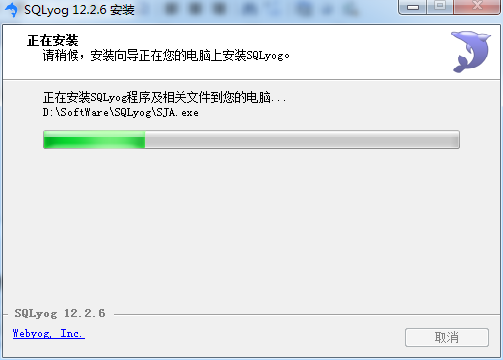
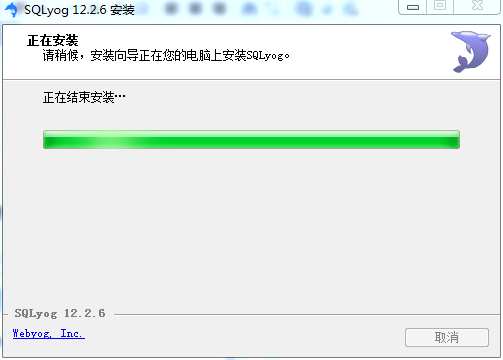
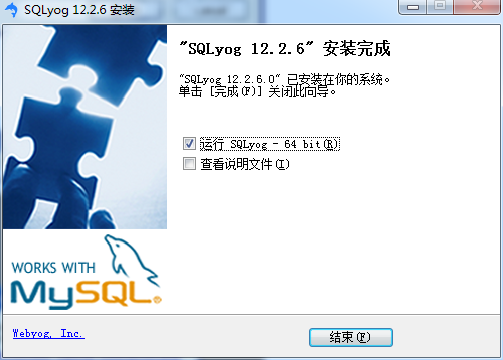
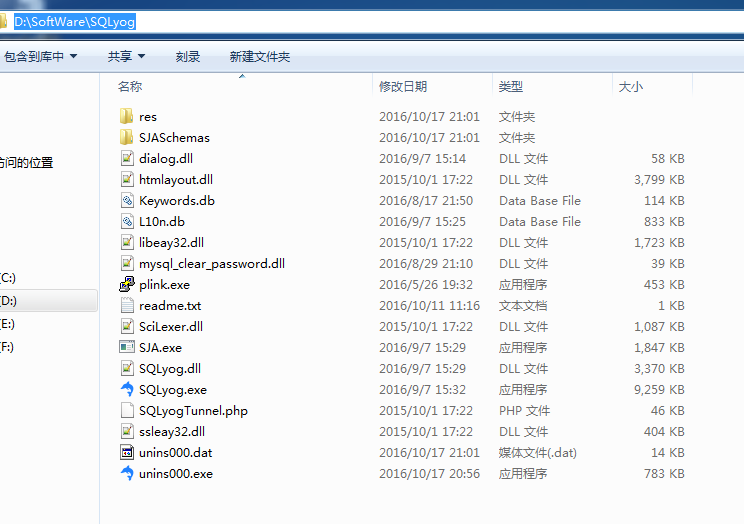


3、 SQLyog的使用
SQLyog客户端软件的功能是非常全面,包含数据库的管理、数据对象管理、数据导入和导出、数据管理等。
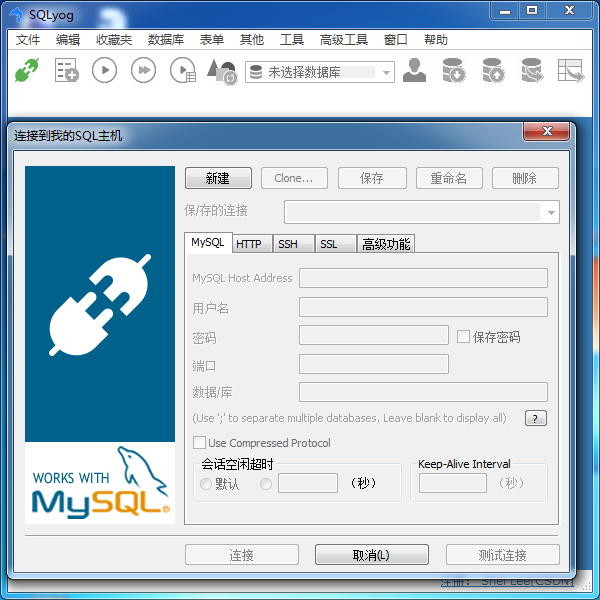
双击SQLyog快捷方式,打开关于该客户端软件的登录界面,正确输入服务器的地址、用户名、密码、端口。点击“链接”按钮,即可连接和登录数据库服务器。
数据库概述、mysql-5.7.11-winx64.zip 的下载、安装、配置和使用(windows里安装)图文详解
先,得启动,
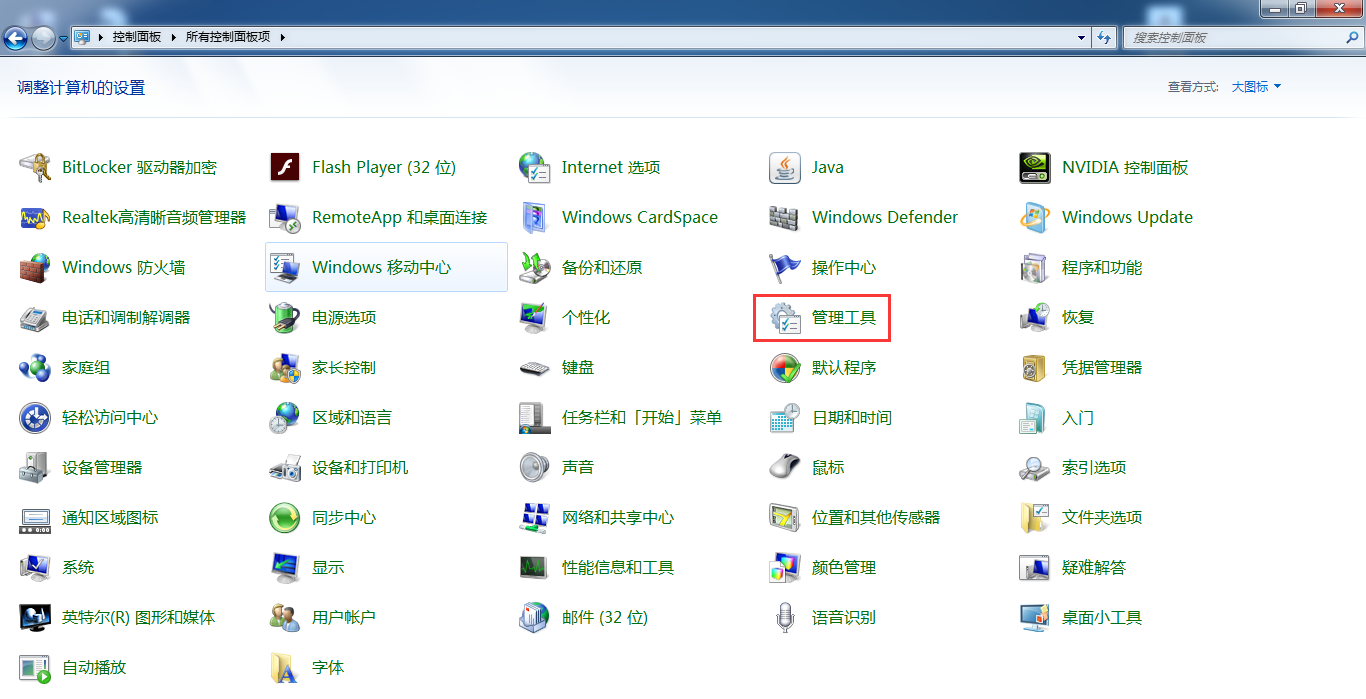

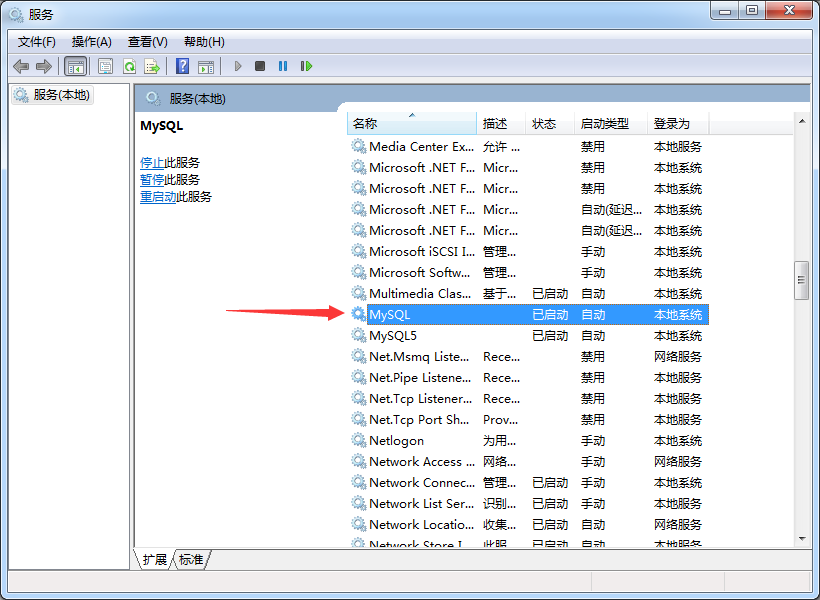
或者,
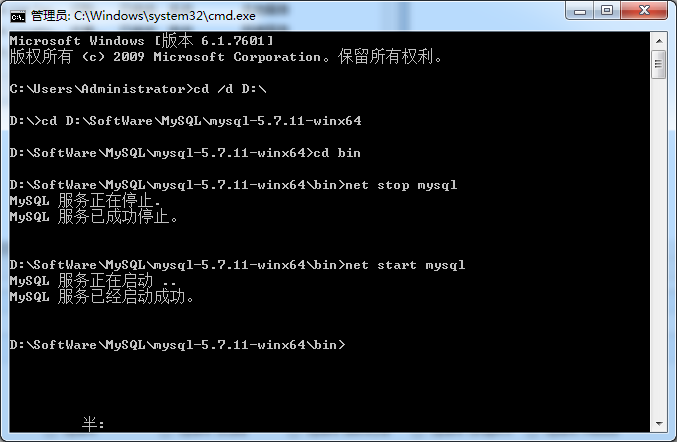
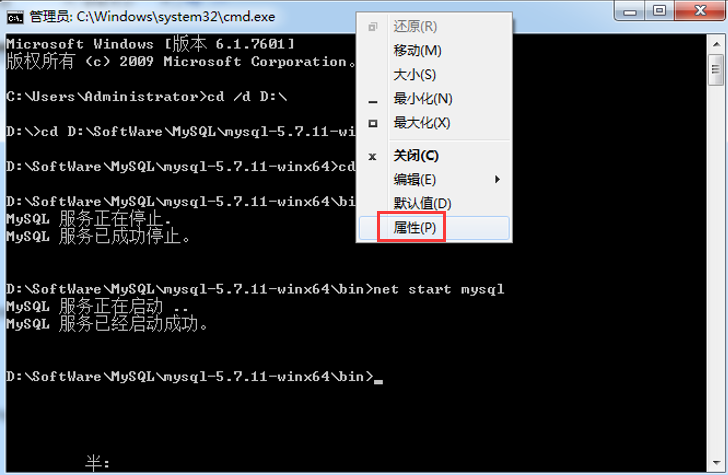
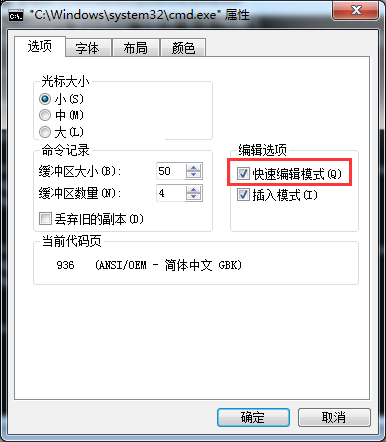
就可以,复制了。
Microsoft Windows [版本 6.1.7601]
版权所有 (c) 2009 Microsoft Corporation。保留所有权利。
C:\Users\Administrator>cd /d D:\
D:\>cd D:\SoftWare\MySQL\mysql-5.7.11-winx64
D:\SoftWare\MySQL\mysql-5.7.11-winx64>cd bin
D:\SoftWare\MySQL\mysql-5.7.11-winx64\bin>net stop mysql
MySQL 服务正在停止.
MySQL 服务已成功停止。
D:\SoftWare\MySQL\mysql-5.7.11-winx64\bin>net start mysql
MySQL 服务正在启动 ..
MySQL 服务已经启动成功。
D:\SoftWare\MySQL\mysql-5.7.11-winx64\bin>
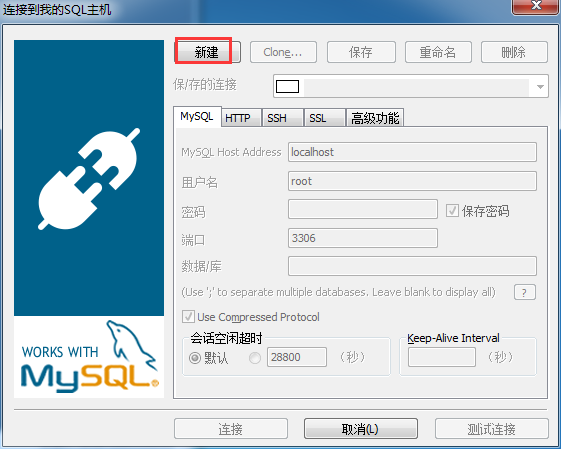
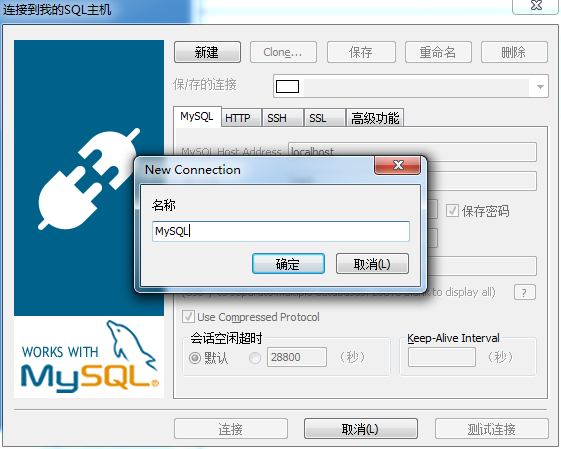
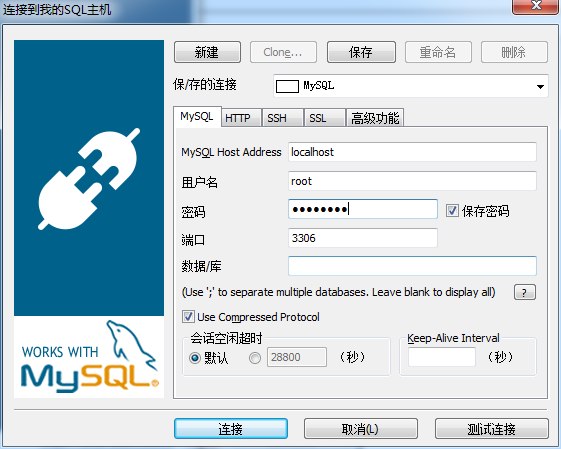

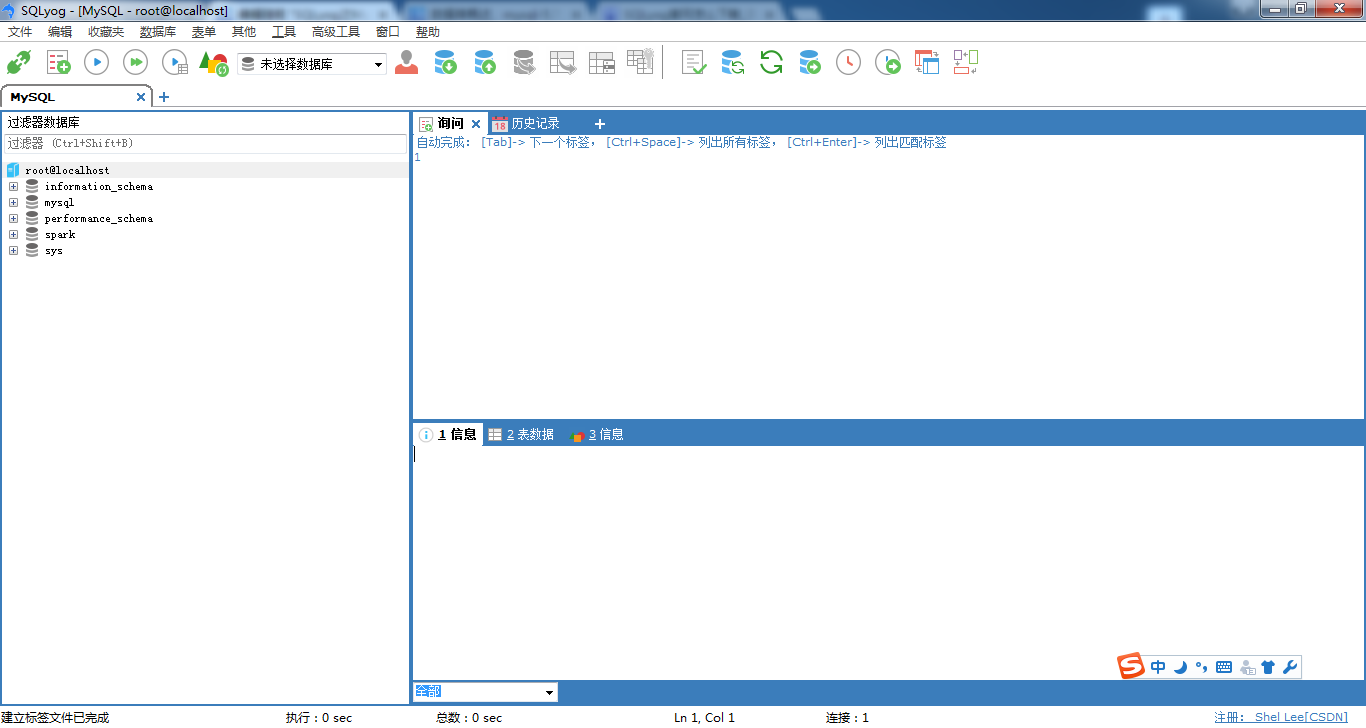
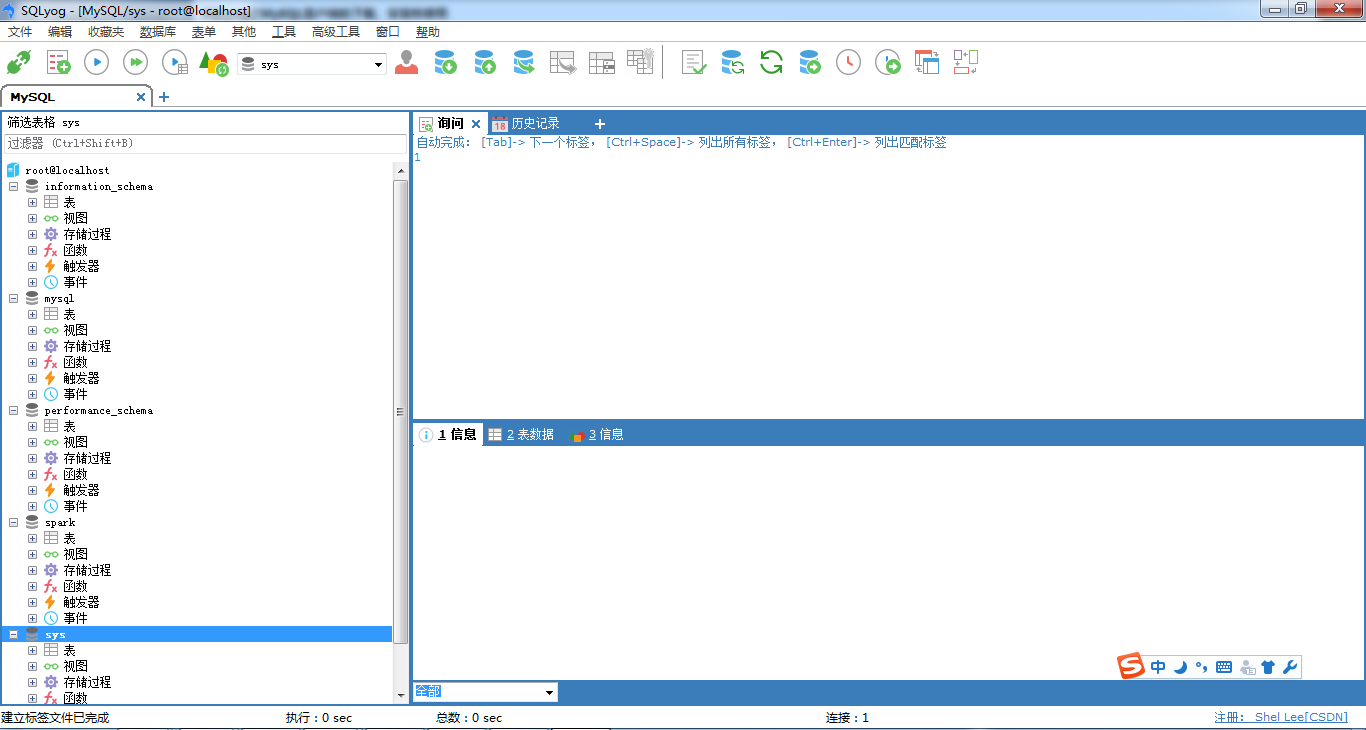
通过上述步骤,即可成功登录MySQL软件。
SQLyog之MySQL客户端的下载、安装和使用(普通版)的更多相关文章
- SQLyog之MySQL客户端的下载、安装和使用
本博文的主要内容有 .SQLyog的下载 .SQLyog的安装 .SQLyog的使用 1.SQLyog的下载 1.进入SQLyog官网, https://www.webyog.com/en 或 ...
- SQLyog之MySQL客户端的下载、安装和使用(旗舰版)(推荐)
不多说,直接上干货! 福利 => 每天都推送 欢迎大家,关注微信扫码并加入我的4个微信公众号: 大数据躺过的坑 Java从入门到架构师 人工智能躺过的坑 ...
- SQLyog之MySQL客户端的下载、安装和使用(企业版)(破解)
本博文的主要内容有 .SQLyog的下载 .SQLyog的安装 .SQLyog的使用 1.SQLyog_Enterprise的下载 比如,我这里,是放在D:\SoftWare 继续
- nodejs下载安装教程(XP版)
Node.js 下载安装教程(XP版) 参考自:https://www.cnblogs.com/zhouyu2017/p/6485265.html(win10版) 一.安装环境 Windows Xp( ...
- Navicat for MySQL之MySQL客户端的下载、安装和使用
前期工作 若需使用Navicat for MySQL,则需要先安装MySQL,在此就不叙述了.具体可见我的博客: mysql-5.7.11-winx64.zip 的下载.安装.配置和使用(window ...
- Navicat Premium之MySQL客户端的下载、安装和使用(博主推荐)
不多说,直接上干货! 前期工作 若需使用Navicat Premium,则需要先安装MySQL,在此就不叙述了.具体可见我的博客: MySQL Server类型之MySQL客户端工具的下载.安装和使用 ...
- 关于Win7 64位 mysql 5.7下载安装问题
1.从官网下载mysql: 网址:http://dev.mysql.com/downloads/mysql/ 这是我们要找的,win7 64位 点击下载: 出现如图所示,我们不必要登录注册,点击红线内 ...
- MySQL数据库的下载安装
目录 一.概述 二.MySQL安装 三.安装成功验证 四.NavicatforMySQL下载及使用 一.MySQL下载 MySQL版本:5.7.17 下载地址:https://dev.mysql.co ...
- SVN(subversion )服务端和客户端的下载安装使用
SVN(subversion)官方网站: http://subversion.apache.org/packages.html 一.服务端下载 1.百度搜关键字:subversion 进入subve ...
随机推荐
- 【docker】【redis】2.docker上设置redis集群---Redis Cluster部署【集群服务】【解决在docker中redis启动后,状态为Restarting,日志报错:Configured to not listen anywhere, exiting.问题】【Waiting for the cluster to join...问题】
参考地址:https://www.cnblogs.com/zhoujinyi/p/6477133.html https://www.cnblogs.com/cxbhakim/p/9151720.htm ...
- NodeJS搭建HTTP服务器
NodeJS本来的用途是编写高性能Web服务器.我们首先在这里重复一下官方文档里的例子,使用NodeJS内置的http模块简单实现一个HTTP服务器. 新建server.js var http = r ...
- 关于DeploymentConfig的思考
为什么是deploymentconfig而不是Kubernetes的deployment 在new-app的时候openshift直接创建了一个deploymentconfig并部署成rc,开始并不理 ...
- postgres--vacuum
vacuum的功能 回收空间 数据库总是不断地在执行删除,更新等操作.良好的空间管理非常重要,能够对性能带来大幅提高. postgresql中执行delete操作后,表中的记录只是被标示为删除状态,并 ...
- 白话空间统计之:Moran's I(莫兰指数)
前两天聊了空间统计学里面的两个经典概念,今天来说说第一篇文章留下的大坑:Moran's I. 首先,Moran's I这个东西.官方叫做:莫兰指数,是澳大利亚统计学家帕特里克·阿尔弗雷德·皮尔斯·莫兰 ...
- SaltStack–Job管理
官方文档:https://docs.saltstack.com/en/2016.11/ref/modules/all/salt.modules.saltutil.html 在SaltStack里面执行 ...
- Druid对比Redshift
Redshift 内部使用了亚马逊取得了授权的ParAccel 实时注入数据 抛开可能的性能不同, 有功能性的不同 Druid 适合分析大数据量的流式数据, 也能够实时加载和聚合数据一般来讲, 传统的 ...
- C# 中的"yield"与 "yield break"使用
yield是C#为了简化遍历操作实现的语法糖,我们知道如果要要某个类型支持遍历就必须要实现系统接口IEnumerable,这个接口后续实现比较繁琐要写一大堆代码才能支持真正的遍历功能.举例说明 usi ...
- [Functional Programming ADT] Create State ADT Based Reducers (applyTo, Maybe)
The typical Redux Reducer is function that takes in the previous state and an action and uses a swit ...
- JDK自带内存及线程分析工具
转载:http://blog.csdn.net/kimylrong/article/details/50970493 查询.监控.分析Java应用程序的时候,我们关注的点主要集中在资源利用,比如CPU ...