
iOS之CAReplicatorLayer属性简介和使用
1、CAReplicatorLayer简介
CAReplicatorLayer用于对图层进行复制,包括图层的动画也能复制!可以看着将某一段事务进行重复!
#import <QuartzCore/CALayer.h>

NS_ASSUME_NONNULL_BEGIN

CA_CLASS_AVAILABLE (10.6, 3.0, 9.0, 2.0)

@interface CAReplicatorLayer : CALayer

//指定图层重复制多少次

@property NSInteger instanceCount;

//设置为YES,图层将保持于CATransformLayer类似的性质和相同的限制

@property BOOL preservesDepth;

//复制延时,一般用在动画上

@property CFTimeInterval instanceDelay;

//3D变换

@property CATransform3D instanceTransform;

//设置多个复制图层的颜色,默认位白色

@property(nullable) CGColorRef instanceColor;

//设置每个复制图层相对上一个复制图层的红色、绿色、蓝色、透明度偏移量

@property float instanceRedOffset;

@property float instanceGreenOffset;

@property float instanceBlueOffset;

@property float instanceAlphaOffset;

@end

NS_ASSUME_NONNULL_END
2、CAReplicatorLayer的简单使用
- (void)cirAction{

    CAShapeLayer *sharLayer = [CAShapeLayer layer];

    sharLayer.backgroundColor = [UIColor redColor].CGColor;

    sharLayer.bounds = CGRectMake(, , , );

    sharLayer.position = CGPointMake(CScreenWidth/, );

    sharLayer.cornerRadius = ;

    CABasicAnimation *ani = [CABasicAnimation animationWithKeyPath:@"transform"];

    ani.toValue = [NSValue valueWithCATransform3D:CATransform3DMakeScale(, , )];

    ani.duration = ;

    CABasicAnimation *ani1 = [CABasicAnimation animationWithKeyPath:@"opacity"];

    ani1.fromValue = @;

    ani1.toValue = @;

    ani1.duration = ;

    CAAnimationGroup *group = [CAAnimationGroup animation];

    group.animations = @[ani,ani1];

    group.duration = ;

    group.repeatCount = HUGE;

    [sharLayer addAnimation:group forKey:nil];

    CAReplicatorLayer *replayer  =[CAReplicatorLayer layer];

    [replayer addSublayer:sharLayer];

    replayer.instanceCount = ;

    replayer.instanceDelay = 0.5;

    [self.showView.layer addSublayer:replayer];

}
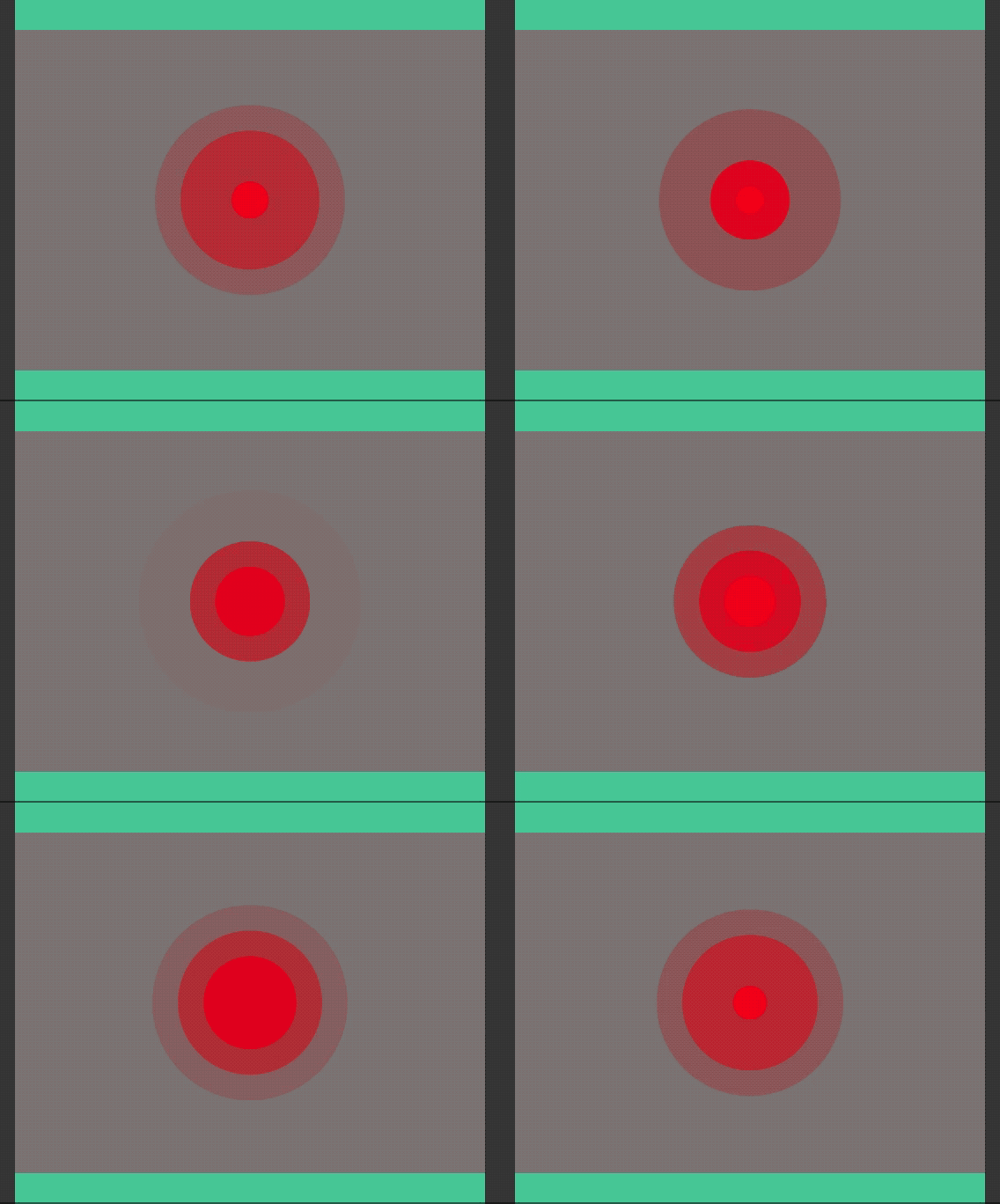
效果图
- (void)alphaAction{

    CAShapeLayer *shapeLayer = [CAShapeLayer layer];

    shapeLayer.backgroundColor = [UIColor redColor].CGColor;

    shapeLayer.bounds = CGRectMake(, , , );

    shapeLayer.position = CGPointMake(CScreenWidth/, );

    shapeLayer.borderColor = [UIColor whiteColor].CGColor;

    shapeLayer.cornerRadius = ;

    shapeLayer.borderWidth = ;

    shapeLayer.transform = CATransform3DMakeScale(., ., .);

    CABasicAnimation *ani = [CABasicAnimation animationWithKeyPath:@"transform"];

    ani.duration = ;

    ani.repeatCount = HUGE;

    ani.fromValue = [NSValue valueWithCATransform3D:CATransform3DMakeScale(, , )];

    ani.toValue = [NSValue valueWithCATransform3D:CATransform3DMakeScale(., ., .)];

    [shapeLayer addAnimation:ani forKey:nil];

    CAReplicatorLayer *repLayer = [CAReplicatorLayer layer];

    repLayer.frame = CGRectMake(, , CScreenWidth, );

    [repLayer addSublayer:shapeLayer];

    repLayer.instanceCount = ;

    repLayer.instanceDelay = .;

    repLayer.instanceTransform = CATransform3DMakeRotation(M_PI/, , , );

    repLayer.instanceAlphaOffset = -0.05;

    [self.showView.layer addSublayer:repLayer];

}
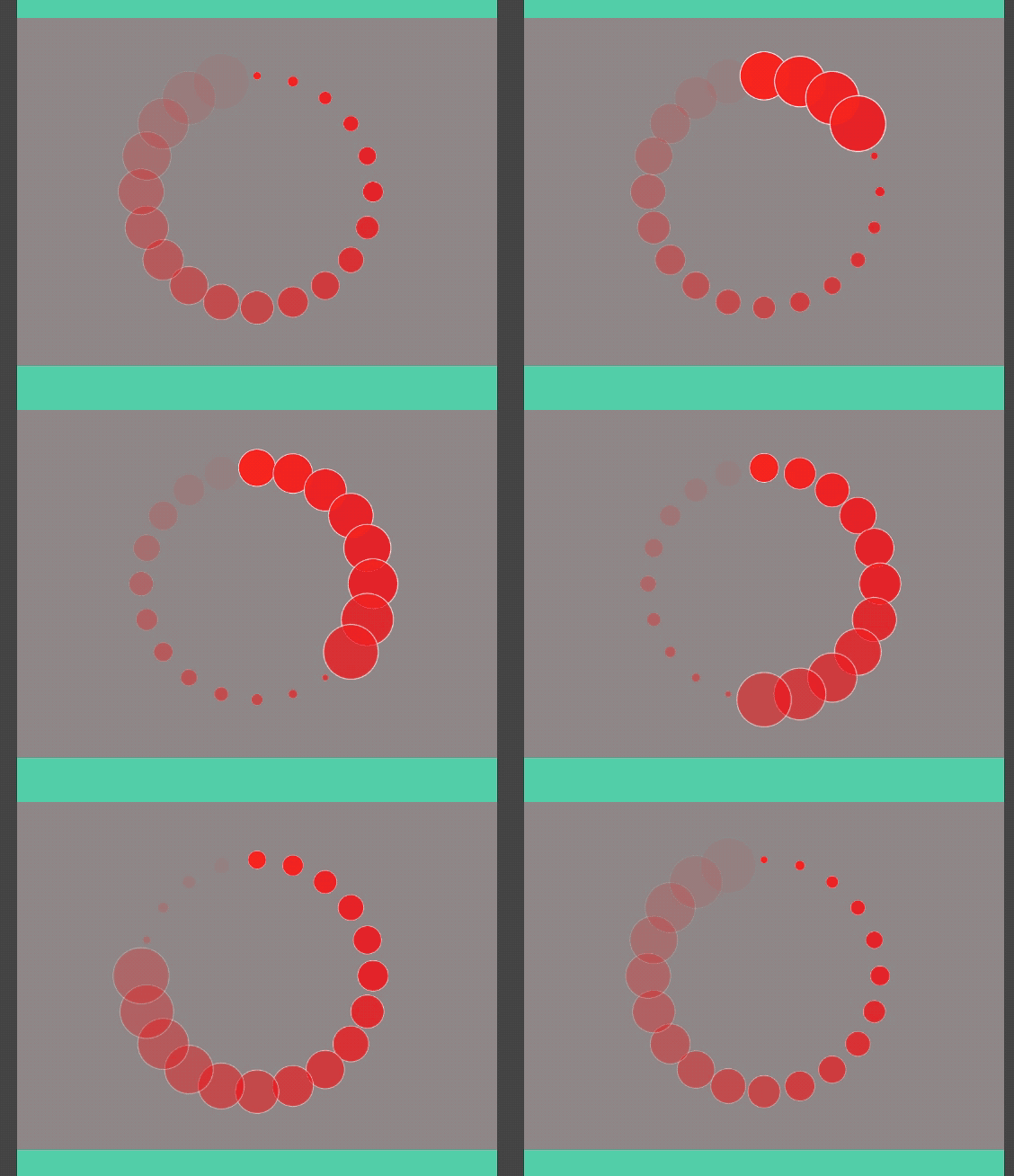
效果图
iOS之CAReplicatorLayer属性简介和使用的更多相关文章
- iOS之CAGradientLayer属性简介和使用
1.CAGradientLayer简介 CAGradientLayer用于制作背景图层的颜色渐变,也就是颜色梯度!相关属性简介: #import <QuartzCore/CALayer.h> ...
- iOS之CAScrollLayer属性简介和使用
1.CAScrollLayer的简介 CAScrollLayer用于显示一个滑动图层的一部分,可以确定滑动方向和可视区域面积,限制不滑出区域外!相关属性如下:其中 /* Scroll the cont ...
- iOS之CALayer属性简介
/* CoreAnimation - CALayer.h Copyright (c) 2006-2017, Apple Inc. All rights reserved. */ #import < ...
- iOS之CATextLayer属性简介
1.CATextLayer简介 CATextLayer快速高效简单地来渲染纯文本.NSAttributedString /* The text layer provides simple text l ...
- iOS之CAShapeLayer属性简介
1.CAShapeLayer需要和贝塞尔曲线一块使用! #import <QuartzCore/CALayer.h> NS_ASSUME_NONNULL_BEGIN CA_CLASS_AV ...
- iOS开发-automaticallyAdjustsScrollViewInsets属性
iOS开发-automaticallyAdjustsScrollViewInsets属性 Available in iOS 7.0 and later. 简单点说就是automaticallyAdju ...
- HTML5 Audio and Video 的新属性简介
前言:HTML5 中 Audio and Video的使用方法比较简单,但就是比较复杂,方法属性多.如果不常用的几乎难以记住,甚至有些人难以区分不同属性和方法的作用,更别说应用了.以下对Audio a ...
- IOS UITableView NSIndexPath属性讲解
IOS UITableView NSIndexPath属性讲解 查看UITableView的帮助文档我们会注意到UITableView有两个Delegate分别为:dataSource和deleg ...
- IOS学习5——属性与成员变量
[转]iOS中属性与成员变量的区别 ios中属性修饰符的作用 1. 属性用property声明 2. 简而言之,对于目前的ios开发,属性和成员变量的区别,完全可以不管. 3. 这个是历史原因造成的. ...
随机推荐
- PHP 常用自定义函数
模拟 POST.GET 请求 /** * 模拟post进行url请求 * @param string $url * @param string $param */ protected function ...
- Frida Android hook native层__system_property_get的最终方案
记录这个问题的起因是,在hook时遇到了修改内容长度,超过原长度时,会出现显示不全的问题. 比如把nexus 5改成nexus 100,只会显示nexus 1. 所以去读了下源码 int __syst ...
- Spring中ApplicationContext加载机制和配置初始化
Spring中ApplicationContext加载机制. 加载器目前有两种选择:ContextLoaderListener和ContextLoaderServlet. ...
- 利用程序随机构造N个已解答的数独棋盘
高级软件工程第二次作业:利用程序随机构造N个已解答的数独棋盘,代码如下: package SudokuGame; /** * 解决这个问题使用的是回溯+剪枝的算法 * 基本思想:不断地将每个格子可填入 ...
- vue项目中路由验证和相应拦截的使用
详解Vue路由钩子及应用场景(小结):https://www.jb51.net/article/127678.htm vue项目中路由验证和相应拦截的使用:https://blog.csdn.net/ ...
- 插件化框架解读之so 文件加载机制(四)
阿里P7移动互联网架构师进阶视频(每日更新中)免费学习请点击:https://space.bilibili.com/474380680 提问 本文的结论是跟着 System.loadlibrary() ...
- c# WInform 自定义导航布局
问题形成原因:软件一般都是左侧树导航或上部菜单导航,做好一个软件后,有的客户可能想用一个页面做导航图像,而各个客户用的功能可能不同,所以导航布局需要自定义. 思路:1.把菜单列出来 2.双击菜单生成一 ...
- luoguP1541 乌龟棋 题解(NOIP2010)
P1541 乌龟棋 题目 #include<iostream> #include<cstdlib> #include<cstdio> #include<cma ...
- linux 服务器,登录出现login incorrect
1.排查是否是登录用户的密码错误 2.查看本机电脑键盘是否有误 3.排查是否是服务器目录全是777权限 注意事项: 原因是您把系统中全部文件的权限改为的777 ,权限混乱,虽然现在可以访问,但是其他文 ...
- 美团2018年CodeM大赛-资格赛
https://www.nowcoder.com/acm/contest/138#question A.下单 水题…… B.可乐 题意:求期望 代码: #include<iostream> ...