
ES6面向对象 动态添加标签页
HTML页面,CSS和JS已经引入,直接复制即可
 <!DOCTYPE html>

 <html lang="en" xmlns="http://www.w3.org/1999/xhtml">

 <head>

     <meta charset="utf-8" />

     <title>ES6</title>

     <link rel="stylesheet" type="text/css" href="http://tab.wuliwu.top/style.css" />

 </head>

 <body>

     <main>

         <h4>

             ES6面向对象 动态添加标签页

         </h4>

         <div class="tabsbox" id="tab">

             <nav class="firstnav">

             <ul>

                 <li class="liactive"><span>标签1</span><span class="iconfont"><img src="https://mychalk.oss-cn-hangzhou.aliyuncs.com/images/cc.png" /></span></li>

                 <li><span>标签2</span><span class="iconfont"><img src="https://mychalk.oss-cn-hangzhou.aliyuncs.com/images/cc.png" /></span></li>

                 <li><span>标签3</span><span class="iconfont"><img src="https://mychalk.oss-cn-hangzhou.aliyuncs.com/images/cc.png" /></span></li>

             </ul>

             <div class="tabadd">

                 <span>+</span>

             </div>

             </nav>

         <div class="tabscon">

             <section class="conactive">内容1</section>

             <section>内容2</section>

             <section>内容3</section>

         </div>

         </div>

     </main>

     <script src="http://tab.wuliwu.top/tab.js"></script>

 </body>

 </html>
HTML代码
CSS
*{

    margin:0;

    padding:0;

}

ul li {

    list-style:none;

}

main{

    width:960px;

    height:500px;

    border-radius:10px;

    margin:50px auto;

}

main h4 {

    height:100px;

    line-height:100px;

    text-align:center;

}

.tabsbox{

    width:900px;

    margin:0 auto;

    height:400px;

    border:1px solid lightsalmon;

    position:relative;

}

nav ul {

    overflow:hidden;

}

nav ul li {

    float:left;

    width:100px;

    height:50px;

    line-height:50px;

    text-align:center;

    border-right:1px solid #ccc;

    position:relative;

}

nav ul li.liactive{

    border-bottom:2px solid #fff;

    z-index:9;

}

#tab input{

    width:80%;

    height:60%;

}

nav ul li span:last-child{

    position:absolute;

    user-select:none;

    font-size:12px;

    top:-10px;

    right:0;

    display:inline-block;

    height:20px;

}

.tabadd {

    position:absolute;

    top:0;

    right:0;

}

.tabadd span{

    display:block;

    width:20px;

    height:20px;

    line-height:20px;

    text-align:center;

    border:1px solid #ccc;

    float:right;

    margin:10px;

    user-select:none;

}

.tabscon{

    width:100%;

    height:300px;

    position:absolute;

    padding:30px;

    top:50px;

    left:0px;

    box-sizing:border-box;

    border-top:1px solid #ccc;

}

.tabscon section,.tabscon section.conactive{

    display:none;

    width:100%;

    height:100%;

}

.tabscon section.conactive{

    display:block;

}
CSS代码点击展开
JS
var that;

class Tab {

    constructor(id) {

        that = this;

        this.main = document.querySelector(id);

        this.add = this.main.querySelector(".tabadd");

        this.ul = this.main.querySelector('.firstnav ul:first-child');

        this.fsection = this.main.querySelector('.tabscon');

        this.init();

    }

    init() {

        this.updateNode();

        //init 初始化操作,绑定相关的绑定事件

        this.add.onclick = this.addTab;

        for (var i = 0; i < this.lis.length; i++) {

            this.lis[i].index = i;//添加一个索引号

            this.lis[i].onclick = this.toggleTab;

            this.remove[i].onclick = this.removeTab;

            this.spans[i].ondblclick = this.editTab;

            this.sections[i].ondblclick = this.editTab;

        }

    }

    //动态添加元素,需要重新获取对应的元素

    updateNode() {

        this.lis = this.main.querySelectorAll("li");

        this.sections = this.main.querySelectorAll("section");

        this.remove = this.main.querySelectorAll('.iconfont');

        this.spans = this.main.querySelectorAll('.firstnav li span:first-child');

    }

    //1.切换功能

    toggleTab() {

        that.clearClass();

        this.className = 'liactive';

        that.sections[this.index].className = 'conactive';

    }

    //清楚所有li和scction的类

    clearClass() {

        for (var i = 0; i < this.lis.length; i++) {

            this.lis[i].className = '';

            that.sections[i].className = '';

        }

    }

    //2.添加功能

    addTab() {

        that.clearClass();

        var random = Math.random();

        var li = '<li class="liactive"><span>新加标签</span><span class="iconfont"><img src="https://mychalk.oss-cn-hangzhou.aliyuncs.com/images/cc.png" /></span></li>';

        var section = '<section class="conactive">内容 ' + random + '</section>';

        that.ul.insertAdjacentHTML('beforeend', li);

        that.fsection.insertAdjacentHTML('beforeend', section);

        that.init();

    }

    //3.删除功能

    removeTab(e) {

        e.stopPropagation();//阻止冒泡 防止出发li 的切换事件

        var index = this.parentNode.index;//获取索引号等于父元素的索引号

        //根据索引号删除对应的li和section  remove()方法可以直接删除指定元素

        that.lis[index].remove();

        that.sections[index].remove();

        that.init();

        //当删除的不是选中状态的li时,原来的选中状态保持不变

        if (document.querySelector('.liactive')) return;

        //当删除选中状态的li时,前一个li处于选定状态

        index--;

        //手动调用点击事件,如果存在索引号则触发,否则不触发点击事件

        that.lis[index] && that.lis[index].click();

    }

    //4.修改功能

    editTab() {

        var str = this.innerHTML;

        //双击禁止选定文字

        window.getSelection ? window.getSelection().removeAllRanges() : document.selection.empty();

        this.innerHTML = '<input type="text" />';

        var input = this.children[0];//定义inpot等于span的第一个子元素

        input.value = str;

        //自动选定文本框内所有文字

        input.select();

        //当我们离开文本框时,将文本框的值给span

        input.onblur = function () {

            this.parentNode.innerHTML = this.value;

        }

        input.onkeyup = function (e) {

            if (e.keyCode === 13) {

                //按下回车键 手动调用表单失去焦点事件

                this.blur();

            }

        }

    }

}

new Tab("#tab");//实例一个对象
JS代码点击展开
初始页面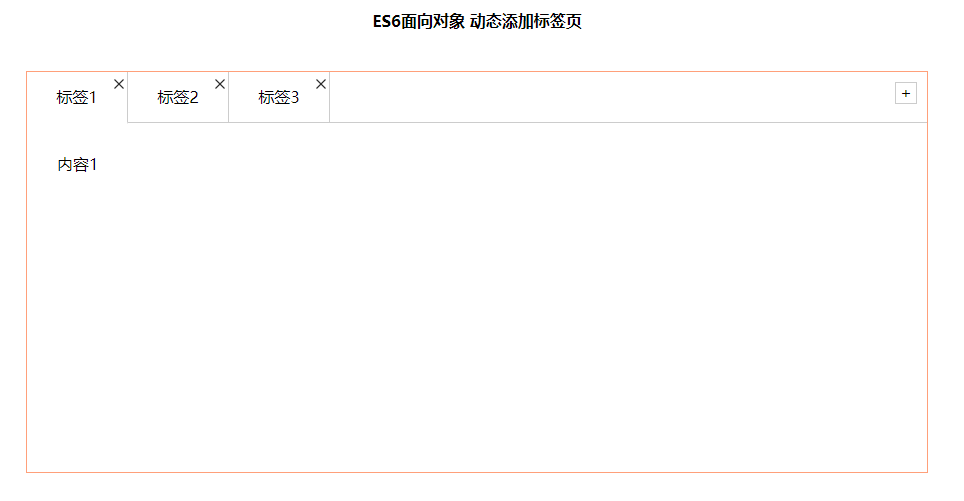
点击标签2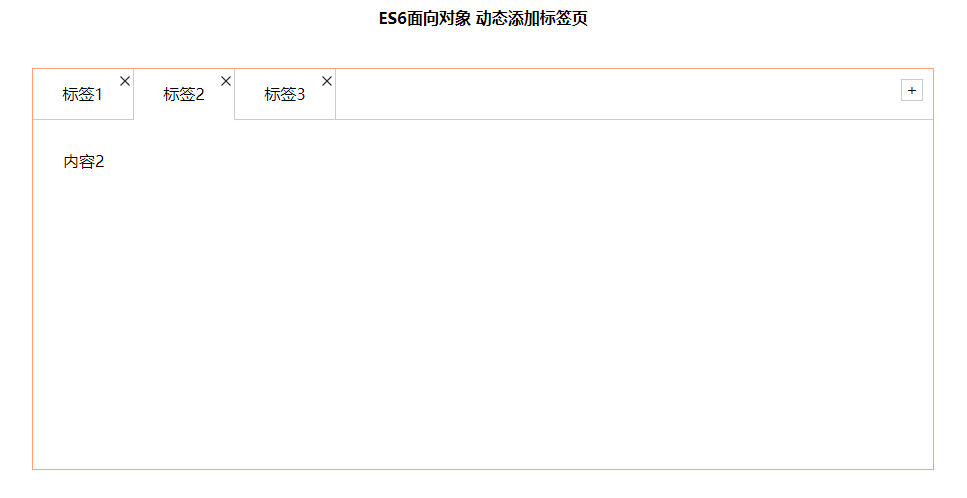
点击添加按钮添加标签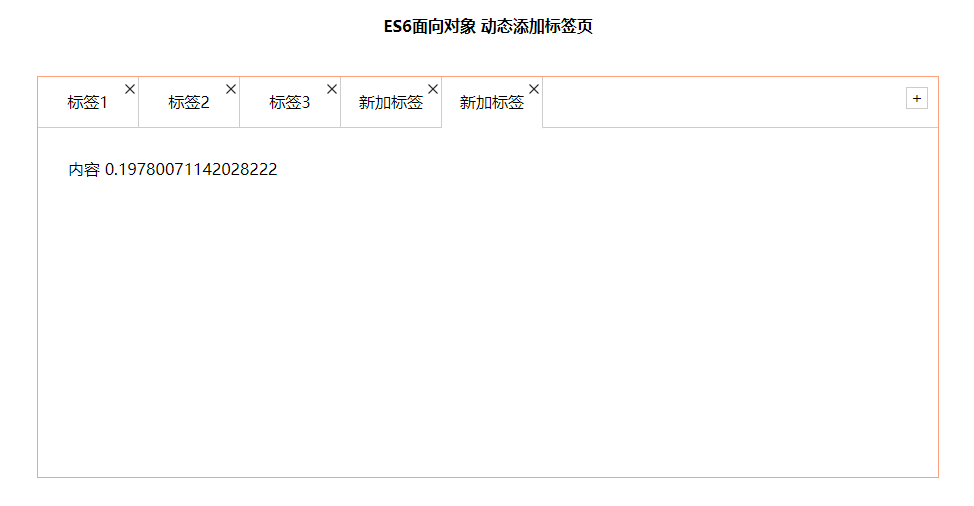
点击叉叉按钮关闭标签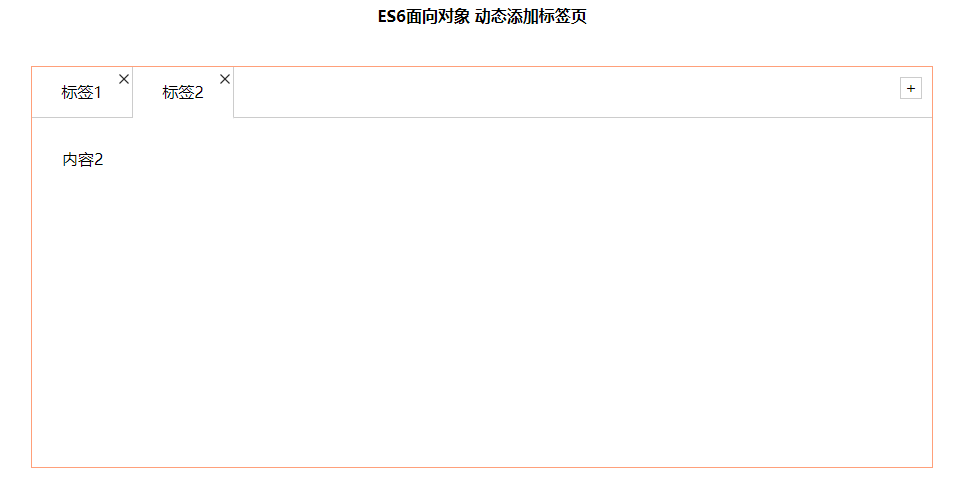
ES6面向对象 动态添加标签页的更多相关文章
- js 面向对象 动态添加标签
有点逻辑 上代码 thml布局 点击查看代码 <!DOCTYPE html> <html lang="en"> <head> <meta ...
- EasyUI创建异步树形菜单和动态添加标签页tab
创建异步树形菜单 创建树形菜单的ul标签 <ul class="easyui-tree" id="treeMenu"> </ul> 写j ...
- EasyUI 布局 - 动态添加标签页(Tabs)
首先导入js <link rel="stylesheet" href="../js/easyui/themes/default/easyui.css"&g ...
- easyui 动态添加标签页,总结
步骤 1:创建 Tabs <div style="margin-bottom:10px"> <a href="#" class="e ...
- EasyUI中动态生成标签页
这是最近学到的内容,当时是有思路但是不知道怎么获取当前的点击对象,就没有实现功能,通过更深入的学习,我知道了不仅仅是Java,Oracle中有一个this,同样的EasyUI中也存在一个this,来获 ...
- C# 后台动态添加标签(span,div) 以及模板添加
很多时候.我们需要在后台用C#代码添加html标签.而不是在html源码中添加. 比如在html源码中简单的一个input 标签 <input type="type" nam ...
- javascript的document中的动态添加标签
document的高级篇中提供了节点操作的函数,具体包括:获取节点,改变节点,删除节点,替换节点,创建节点,添加节点,克隆节点等函数.我们可以利用这些函数动态改变html的节点. 1.JavaScri ...
- FineUI 点击按钮添加标签页
<html xmlns="http://www.w3.org/1999/xhtml"> <head id="Head1" runat=&quo ...
- innerHTML动态添加标签的注意事项
在使用javascript动态添加页面上元素时,我们经常会使用DOM去逐个地将节点添加到文档碎片中,再将整个文档节点添加到DOM树中.其实还有一种方法动态添加元素:innerHTML. 我最近要将一大 ...
随机推荐
- 【Python成长之路】Python爬虫 --requests库爬取网站乱码(\xe4\xb8\xb0\xe5\xa)的解决方法【华为云分享】
[写在前面] 在用requests库对自己的CSDN个人博客(https://blog.csdn.net/yuzipeng)进行爬取时,发现乱码报错(\xe4\xb8\xb0\xe5\xaf\x8c\ ...
- 一统江湖的大前端(8)- velocity.js 运动的姿势(上)
[摘要] 介绍CSS动画和JS动画的基本特点,以及轻量级动画库velocity.js的基本用法. 示例代码托管在:http://www.github.com/dashnowords/blogs 博客园 ...
- 【开发者portal在线开发插件系列三】字符串 及 可变长度字符串
基础篇 基础场景见上面两个帖子,这里单独说明字符串和可变长度字符串的用法. 话不多说,开始今天的演(表)示(演) Profile和插件开发 添加一个string类型的属性: 在插件里添加一条数据上报消 ...
- react文本溢出hover气泡显示全部文本——JS判断文本溢出
需求: 在文本溢出的时候,显示气泡 JS相关知识 // target js元素 const containerLength = target.width; //当前容器的宽度 const textLe ...
- Golang 在电商即时通讯服务建设中的实践
马蜂窝技术原创文章,更多干货请搜索公众号:mfwtech 即时通讯(IM)功能对于电商平台来说非常重要,特别是旅游电商. 从商品复杂性来看,一个旅游商品可能会包括用户在未来一段时间的衣.食.住.行等 ...
- ELK-logstash基本用法
一:logstash介绍 Logstash在elk系统中为数据存储,报表查询和日志解析创建了一个功能强大的管道链.Logstash提供了多种多样的 input,filters,codecs和outpu ...
- Vue中slot插槽的使用
- swoole运行模式加速laravel应用的详细介绍
本篇文章给大家带来的内容是关于swoole运行模式加速laravel应用的详细介绍,有一定的参考价值,有需要的朋友可以参考一下,希望对你有所帮助. 一.Swoole Swoole号称重新定义了PHP, ...
- 约数之和(POJ1845 Sumdiv)
最近应老延的要求再刷<算法进阶指南>(不得不说这本书不错)...这道题花费了较长时间~(当然也因为我太弱了)所以就写个比较易懂的题解啦~ 原题链接:POJ1845 翻译版题目(其实是AcW ...
- python的memory_profiler模块使用
本文主要介绍了python内存分析工具: memory_profiler,可以展示每一行代码执行所增加的内存,方便做内存调优和排除bug memory_profiler是第三方模块,需要安装才能使用 ...