
数据可视化之 tick_params( 参数 )
参考:https://blog.csdn.net/helunqu2017/article/details/78736554/
初学数据可视化,遇到了tick_params() 里面传参数问题,找了一些资料,觉得这个简单明了,非常好用,推荐看下!
1.tick_params语法
Axes.tick_params(axis=’both’, **kwargs)
参数:
axis : {‘x’, ‘y’, ‘both’} Axis on which to operate; default is ‘both’. (axis:轴)
reset : bool If True, set all parameters to defaults before processing other keyword arguments. Default is False.
which : {‘major’, ‘minor’, ‘both’} Default is ‘major’; apply arguments to which ticks.
direction : {‘in’, ‘out’, ‘inout’} Puts ticks inside the axes, outside the axes, or both.
length : float Tick length in points.
width : float Tick width in points.
color : color Tick color; accepts any mpl color spec.
pad : float Distance in points between tick and label.
labelsize : float or str Tick label font size in points or as a string (e.g., ‘large’).
labelcolor : color Tick label color; mpl color spec.
colors : color Changes the tick color and the label color to the same value: mpl color spec.
zorder : float Tick and label zorder.
bottom, top, left, right : bool or {‘on’, ‘off’} controls whether to draw the respective ticks.
labelbottom, labeltop, labelleft, labelright : bool or {‘on’, ‘off’} controls whether to draw the respective tick labels.
labelrotation : float Tick label rotation
2.tick_params例子:
参数axis的值为’x’、’y’、’both’,分别代表设置X轴、Y轴以及同时设置,默认值为’both’。
ax1.tick_params(axis=’x’,width=2,colors=’gold’)
ax2.tick_params(axis=’y’,width=2,colors=’gold’)
ax3.tick_params(axis=’both’,width=2,colors=’gold’) 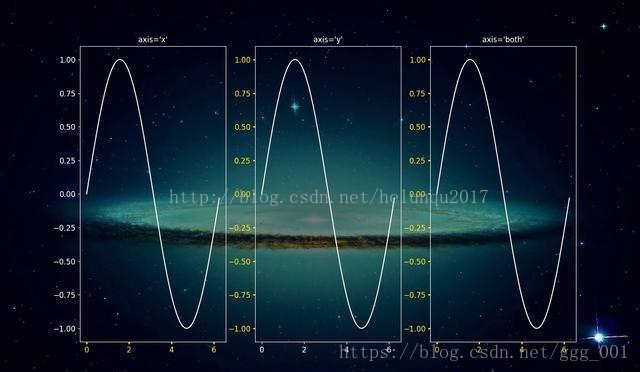
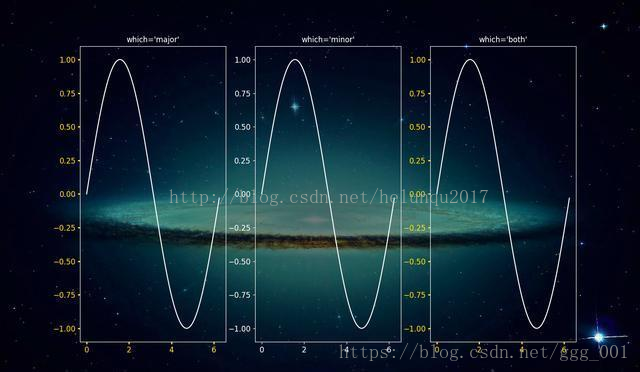
参数which的值为 ‘major’、’minor’、’both’,分别代表设置主刻度线、副刻度线以及同时设置,默认值为’major’ (主刻度线、副刻度线类似于厘米尺。CM与MM的区别)
ax1.tick_params(which=’major’,width=2,colors=’gold’)
ax2.tick_params(which=’minor’,width=2,colors=’gold’)
ax3.tick_params(which=’both’,width=2,colors=’gold’)
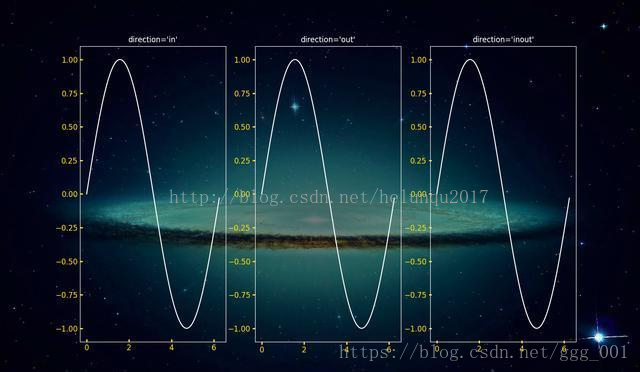
参数direction的值为’in’、’out’、’inout’,分别代表刻度线显示在绘图区内侧、外侧以及同时显示
ax1.tick_params(direction=’in’,width=2,length=4,colors=’gold’)
ax2.tick_params(direction=’out’,width=2,length=4,colors=’gold’)
ax3.tick_params(direction=’inout’,width=2,length=4,colors=’gold’)
length和width
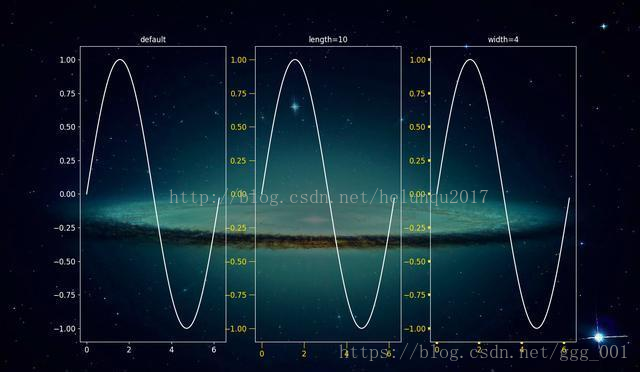
参数length和width分别用于设置刻度线的长度和宽度
ax2.tick_params(width=4,colors=’gold’)
ax3.tick_params(length=10,colors=’gold’)
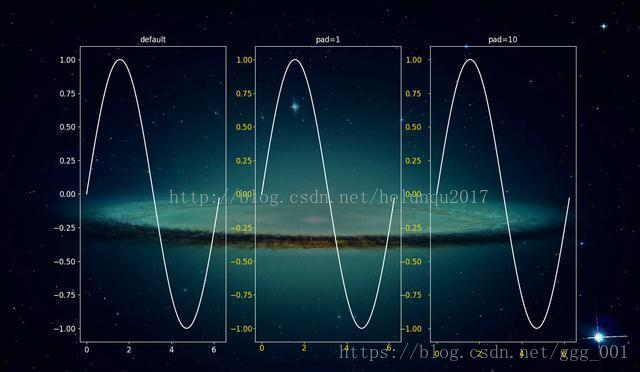
参数pad用于设置刻度线与标签间的距离
ax2.tick_params(pad=1,colors=’gold’)
ax3.tick_params(pad=10,colors=’gold’)
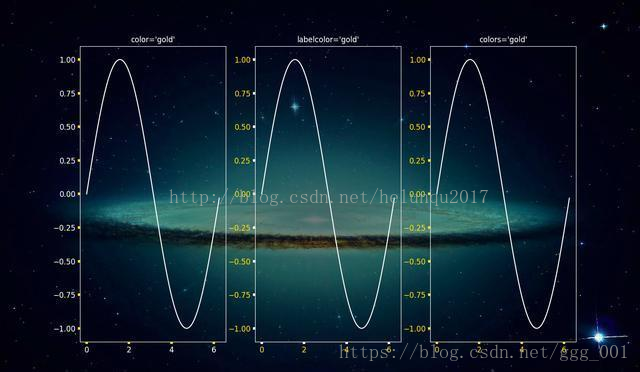
参数color、labelcolor、colors分别用于设置刻度线的颜色、刻度线标签的颜色以及同时设置刻度线及标签颜色
ax1.tick_params(width=4,color=’gold’)
ax2.tick_params(width=4,labelcolor=’gold’)
ax3.tick_params(width=4,colors=’gold’)
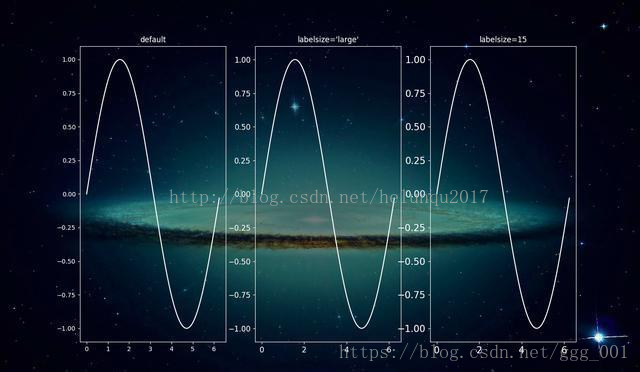
参数labelsize用于设置刻度线标签的字体大小
ax1.tick_params(labelsize=’medium’)
ax2.tick_params(labelsize=’large’)
ax3.tick_params(labelsize=15)
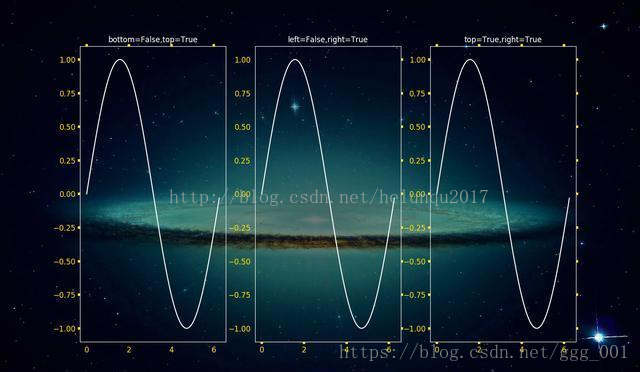
参数bottom, top, left, right的值为布尔值,分别代表设置绘图区四个边框线上的的刻度线是否显示
ax1.tick_params(bottom=False,top=True,width=4,colors=’gold’)
ax2.tick_params(left=False,right=True,width=4,colors=’gold’)
ax3.tick_params(top=True,right=True,width=4,colors=’gold’)
参数labelbottom, labeltop, labelleft, labelright的值为布尔值,分别代表设置绘图区四个边框线上的刻度线标签是否显示
ax1.tick_params(labelbottom=False,labeltop=True,width=4,colors=’gold’)
ax2.tick_params(labelleft=False,labelright=True,width=4,colors=’gold’)
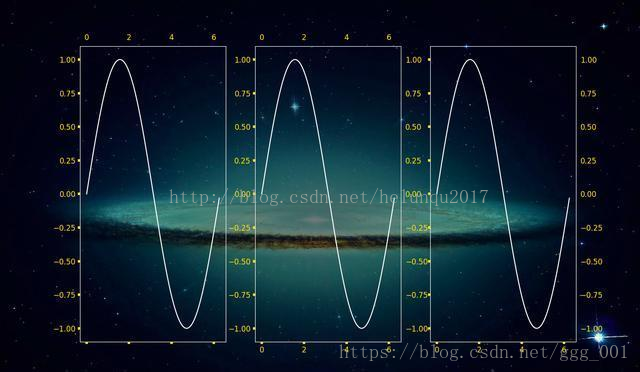
ax3.tick_params(labeltop=True,labelright=True,width=4,colors=’gold’)
数据可视化之 tick_params( 参数 )的更多相关文章
- 【Data Visual】一文搞懂matplotlib数据可视化
一文搞懂matplotlib数据可视化 作者:白宁超 2017年7月19日09:09:07 摘要:数据可视化主要旨在借助于图形化手段,清晰有效地传达与沟通信息.但是,这并不就意味着数据可视化就一定因为 ...
- 【Matplotlib】数据可视化实例分析
数据可视化实例分析 作者:白宁超 2017年7月19日09:09:07 摘要:数据可视化主要旨在借助于图形化手段,清晰有效地传达与沟通信息.但是,这并不就意味着数据可视化就一定因为要实现其功能用途而令 ...
- 基于matplotlib的数据可视化 - 笔记
1 基本绘图 在plot()函数中只有x,y两个量时. import numpy as np import matplotlib.pyplot as plt # 生成曲线上各个点的x,y坐标,然后用一 ...
- (在模仿中精进数据可视化05)疫情期间市值增长top25公司
本文完整代码及数据已上传至我的Github仓库https://github.com/CNFeffery/FefferyViz 1 简介 新冠疫情对很多实体经济带来冲击的同时,也给很多公司带来了新的增长 ...
- 数据可视化案例 | 如何打造数据中心APP产品
意识到数据探索带来的无尽信息,越来越多的企业开始建立自有的数据分析平台,打造数据化产品,实现数据可视化. 在零售商超行业,沃尔玛"啤酒与尿布"的故事已不再是传奇.无论是大数据还是小 ...
- 前端数据可视化echarts.js使用指南
一.开篇 首先这里要感谢一下我的公司,因为公司需求上面的新颖(奇葩)的需求,让我有幸可以学习到一些好玩有趣的前端技术,前端技术中好玩而且比较实用的我想应该要数前端的数据可视化这一方面,目前市面上的数据 ...
- [译]学习IPython进行交互式计算和数据可视化(五)
第四章:交互式绘图接口 本章我们将展示Python的绘图功能以及如何在IPython中交互式地使用它们. NumPy为处理大量的多维数组结构的数据提供了高效的方法.但是看行行列列的数字总不如直接看曲线 ...
- [译]学习IPython进行交互式计算和数据可视化(三)
第二章 在本章中,我们将详细学习IPython相对以Python控制台带来的多种改进.特别的,我们将会进行下面的几个任务: 从IPython中使用系统shell以在shell和Python之间进行强大 ...
- 用ElasticSearch和Protovis实现数据可视化
搜索引擎最重要的目的,嗯,不出意料就是搜索.你传给它一个请求,然后它依照相关性返回你一串匹配的结果.我们可以根据自己的内容创造各种请求结构,试验各种不同的分析器,搜索引擎都会努力尝试提供最好的结果. ...
随机推荐
- [转载]DBMS_LOB
1.LOB背景 在现在的系统开发中,需要存储的已不仅仅是简单的文字信息,也包括一些图片.音像资料或者超长的文本,这要求后台数据库具有存储这些数据的能力,Oracle通过提供LOB对象实现了该功能. 2 ...
- ts --基础类型
声明js的基本类型1.数字let a: number = 2; 2.字符串let aa: string = "22" 3.数组 (1) 数组元素: let b: number[] ...
- Numpy 和 Matplotlib库的学习笔记
Numpy介绍 一个用python实现的科学计算,包括:1.一个强大的N维数组对象Array:2.比较成熟的(广播)函数库:3.用于整合C/C++和Fortran代码的工具包:4.实用的线性代数.傅里 ...
- 外网访问内网SpringBoot
外网访问内网SpringBoot 本地安装了SpringBoot,只能在局域网内访问,怎样从外网也能访问本地SpringBoot? 本文将介绍具体的实现步骤. 1. 准备工作 1.1 安装Java 1 ...
- 施密特正交化 GramSchmidt
施密特正交化 GramSchmidt 施密特正交化的原名是 Gram–Schmidt process,是由Gram和schmidt两个人一起发明的,但是后来因为施密特名气更大,所以该方法被简记为施密特 ...
- MySQL安装时MySQL server一直安装失败日志显示This application requires Visual Studio 2013 Redistributable
使用MySQL社区版的msi包进行安装,试了好多次,别的组件都能正常安装,只有MySQL server的安装状态显示为fail.删除所有安装的程序,包括所依赖的各种Microsoft发布的包,删除所有 ...
- mysql用户管理和pymysql模块
一:mysql用户管理 mysql是一个tcp的服务器,用于操作服务器上的文件数据,接收用户端发送的指令,而接收指令时就 需要考虑安全问题. 在mysql自带的数据库中有4个表是用于用户管理的,分别是 ...
- android studio出现offline情况
1.检查是否打开开发者选项 2.检查手机是否处于传输文件模式
- .NET常用功能
1.判断对象判不为null或不为""或不为"undefined" public static bool isNotNullOrBlank(Object obj) ...
- python 绘制点线
plot(x, y) #默认为蓝色实线 plot(x, y, 'r*') #红色星状标记 plot(x, y, 'go-') #带有圆圈标记的绿线 plot(x, y, 'ks:') #带有正方形标记 ...