
Gitlab安装使用
Gitlab安装使用
1. 为什么要使用gitlab
Git的优点多多这里就不详细介绍了;
Git是版本控制系统,Github是在线的基于Git的代码托管服务;
Github有个小缺陷 (也不能算是缺陷吧), 就是你的repo(repository的缩写,表示“仓库”)都需要public(公开), 如果你想要创建private(私人)的repo, 那得付钱。
Gitlab正好解决这个缺陷,它可以部署到自己的服务器上,在上面创建免费的私人repo。
2. gitlab构成
- Nginx:静态web服务器。
- gitlab-shell:用于处理Git命令和修改authorized keys列表。(Ruby)
- gitlab-workhorse: 轻量级的反向代理服务器。(go)
- logrotate:日志文件管理工具。
- postgresql:数据库。
- redis:缓存数据库。
- sidekiq:用于在后台执行队列任务(异步执行)。(Ruby)
- unicorn:An HTTP server for Rack applications,GitLab Rails应用是托管在这个服务器上面的。(Ruby Web Server,主要使用Ruby编写)
3.安装
3.1 安装环境说明:
CentOS Linux release 7.6.1810 (Core)
IP:192.168.137.121
关闭selinux、firewalld
gitlab-ce-12.1.4
rpm包:下载地址
3.2 源码安装
3.2 rpm安装
下载&安装
# wget --content-disposition https://packages.gitlab.com/gitlab/gitlab-ce/packages/el/7/gitlab-ce-12.1.4-ce.0.el7.x86_64.rpm/download.rpm

# rpm -ivh gitlab-ce-12.1.4-ce.0.el7.x86_64.rpm

#直接安装就好了,rpm包里会包含有gitlab所有依赖的服务

#安装完成后会有gitlab的logo显示
安装完成,如下所示:
rpm -ivh gitlab-ce-12.1.-ce..el7.x86_64.rpm

warning: gitlab-ce-12.1.-ce..el7.x86_64.rpm: Header V4 RSA/SHA1 Signature, key ID f27eab47: NOKEY

Preparing...                          ################################# [%]

Updating / installing...

   :gitlab-ce-12.1.-ce..el7        ################################# [%]

It looks like GitLab has not been configured yet; skipping the upgrade script.

       *.                  *.

      ***                 ***

     *****               *****

    .******             *******

    ********            ********

   ,,,,,,,,,***********,,,,,,,,,

  ,,,,,,,,,,,*********,,,,,,,,,,,

  .,,,,,,,,,,,*******,,,,,,,,,,,,

      ,,,,,,,,,*****,,,,,,,,,.

         ,,,,,,,****,,,,,,

            .,,,***,,,,

                ,*,.

     _______ __  __          __

    / ____(_) /_/ /   ____ _/ /_

   / / __/ / __/ /   / __ `/ __ \

  / /_/ / / /_/ /___/ /_/ / /_/ /

  \____/_/\__/_____/\__,_/_.___/

Thank you for installing GitLab!

GitLab was unable to detect a valid hostname for your instance.

Please configure a URL for your GitLab instance by setting `external_url`

configuration in /etc/gitlab/gitlab.rb file.

Then, you can start your GitLab instance by running the following command:

  sudo gitlab-ctl reconfigure

For a comprehensive list of configuration options please see the Omnibus GitLab readme

https://gitlab.com/gitlab-org/omnibus-gitlab/blob/master/README.md
修改gitlab的url并执行reconfigure
#将url地址通过sed替换为本地ip

# egrep '^(external_url).*' /etc/gitlab/gitlab.rb         # 查看配置

external_url 'http://gitlab.example.com'

# sed -ri 's#^(external_url).*#\1 "http://192.168.137.121"#'  /etc/gitlab/gitlab.rb        # sed命令修改

# egrep '^(external_url).*' /etc/gitlab/gitlab.rb        # 查看已经修改

external_url "http://192.168.137.121"
修改了gitlab.rb配置文件之后一定要执行reconfigure
gitlab-ctl reconfigure
执行reconfigure会经历一段漫长的等待,执行完成如下图:

3.4 docker方式安装
官方文档:https://docs.gitlab.com/omnibus/docker/#install-gitlab-using-docker-compose
说明:
- 使用汉化版镜像, 如果不适应可以换成官方原版镜像
gitlab/gitlab-ce:11.0.2-ce.0 - 项目初始配置+启动很慢, 需要一段时间, 日志中出现
Reconfigured表示启动成功 - 192.168.xxx.xxx 替换为宿主机的IP地址
- 初始管理员帐号密码:
root/lb80h&85 - 该配置为乞丐版, 内存占用2G+ (
worker_processes越多内存占用越大, 默认为 8G ) postgresql为容器中内置的数据库 ( 帐号:gitlab/gitlab), 如果没必要就不用暴露端口了- 邮箱填写用于发送找回密码和通知的发件人帐号 ( 收不到邮件? ), 不想配置就删掉相关配置好了, 不影响正常使用
4. gitlab-web配置
4.1 访问页面开始配置
http://192.168.137.111(默认端口为80)
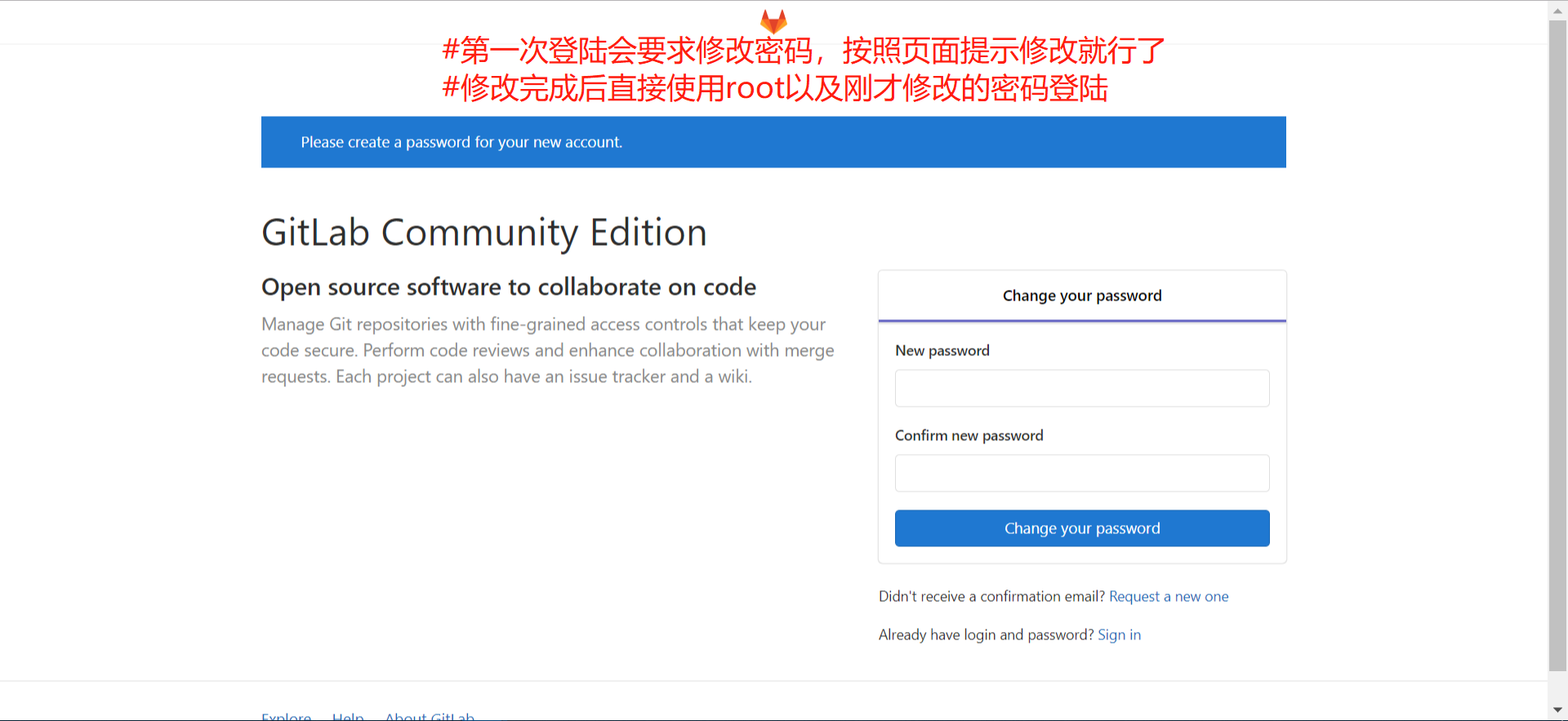
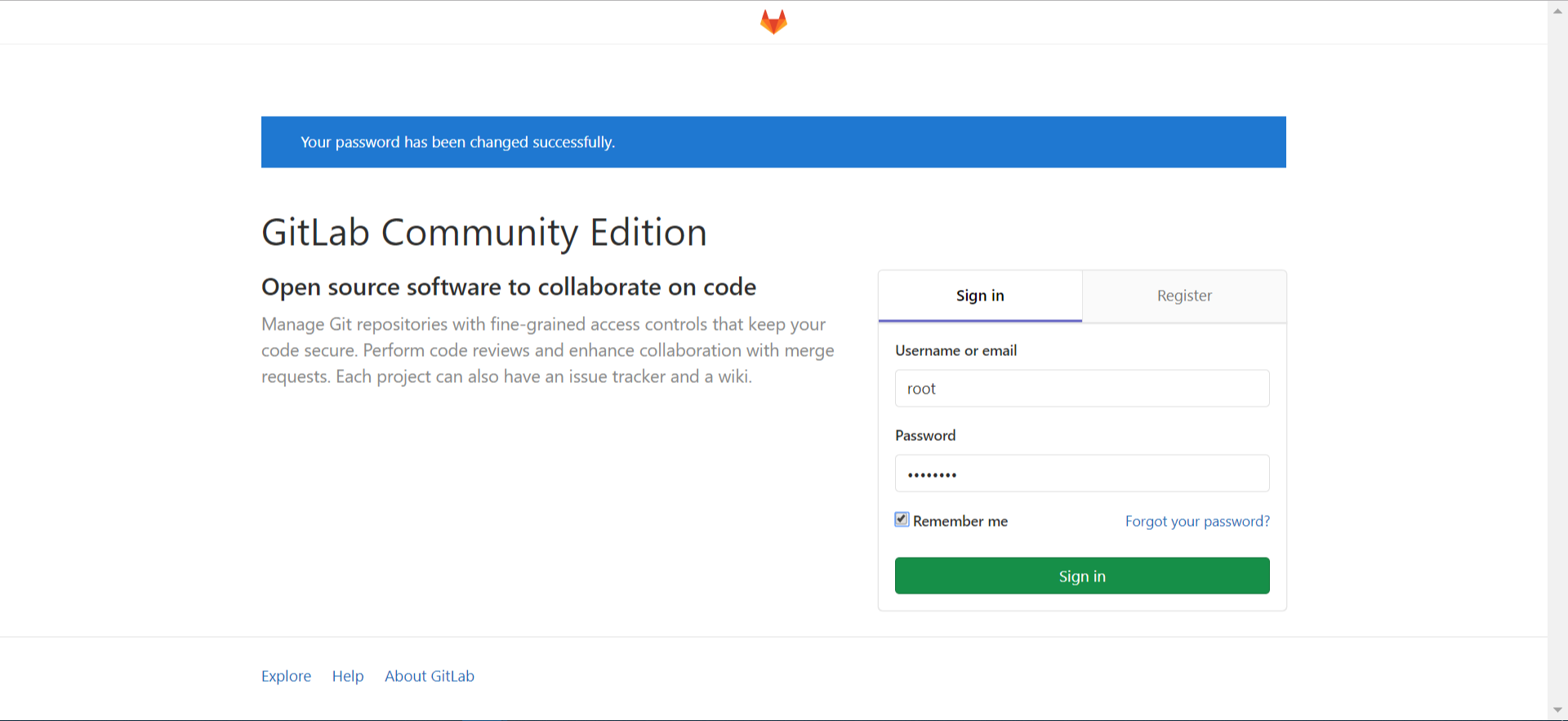
使用谷歌自带的翻译显示中文
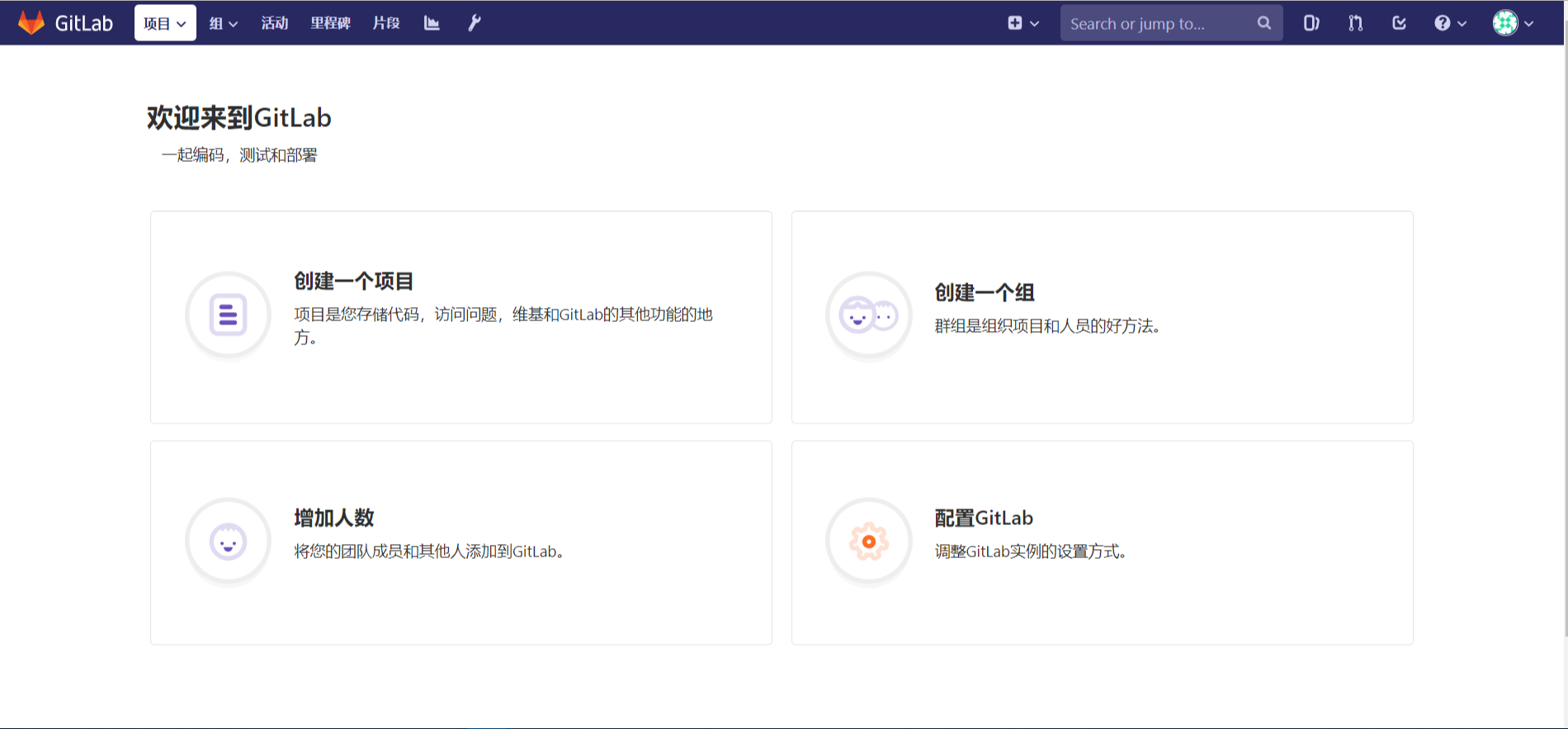
4.2 创建仓库
点击上图的“创建一个项目”
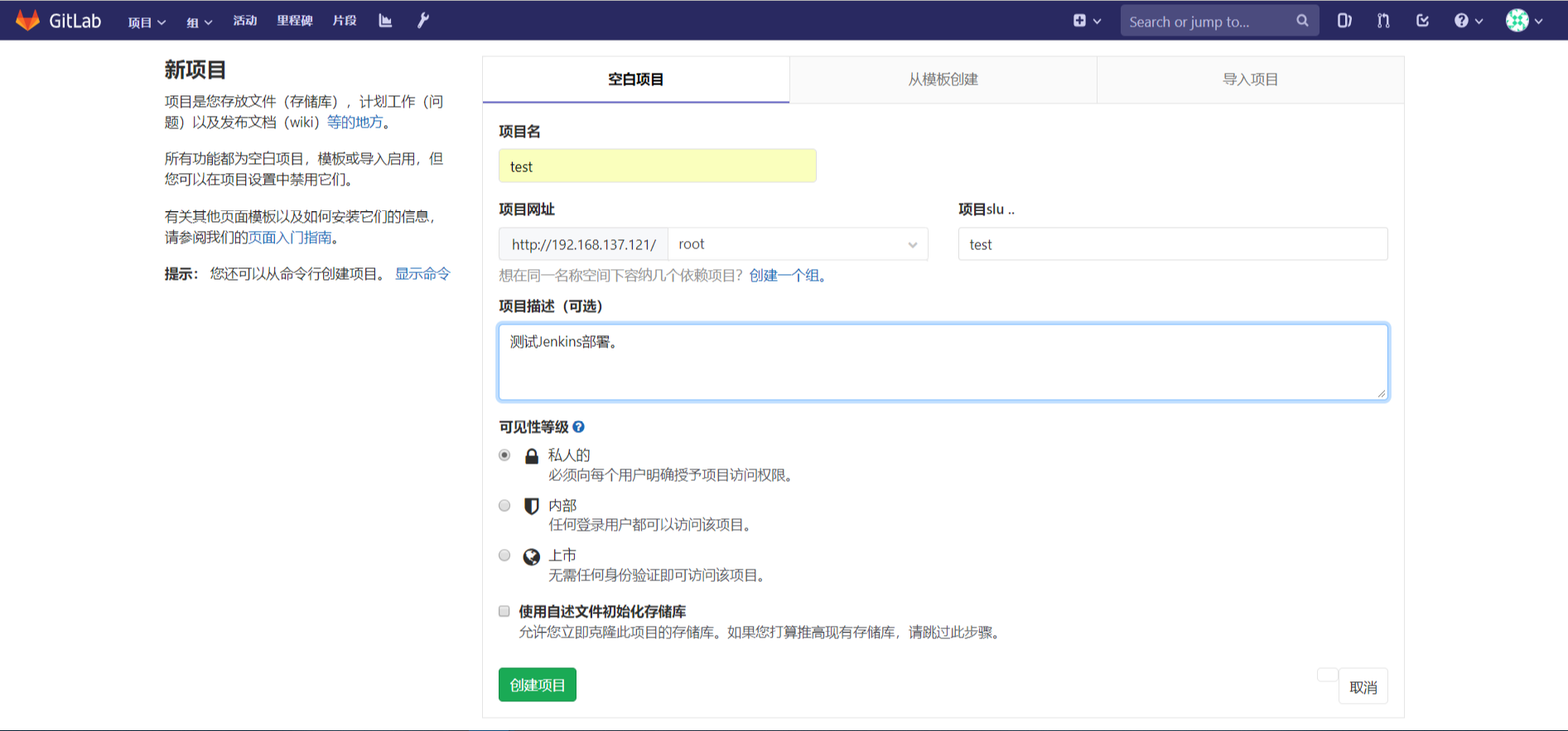
点击创建后将会提示你添加ssh公钥

# 先生成公钥
# ssh-keygen -t rsa

一路回车即可

#cat .ssh/id_rsa.pub,将公钥内容按下图添加

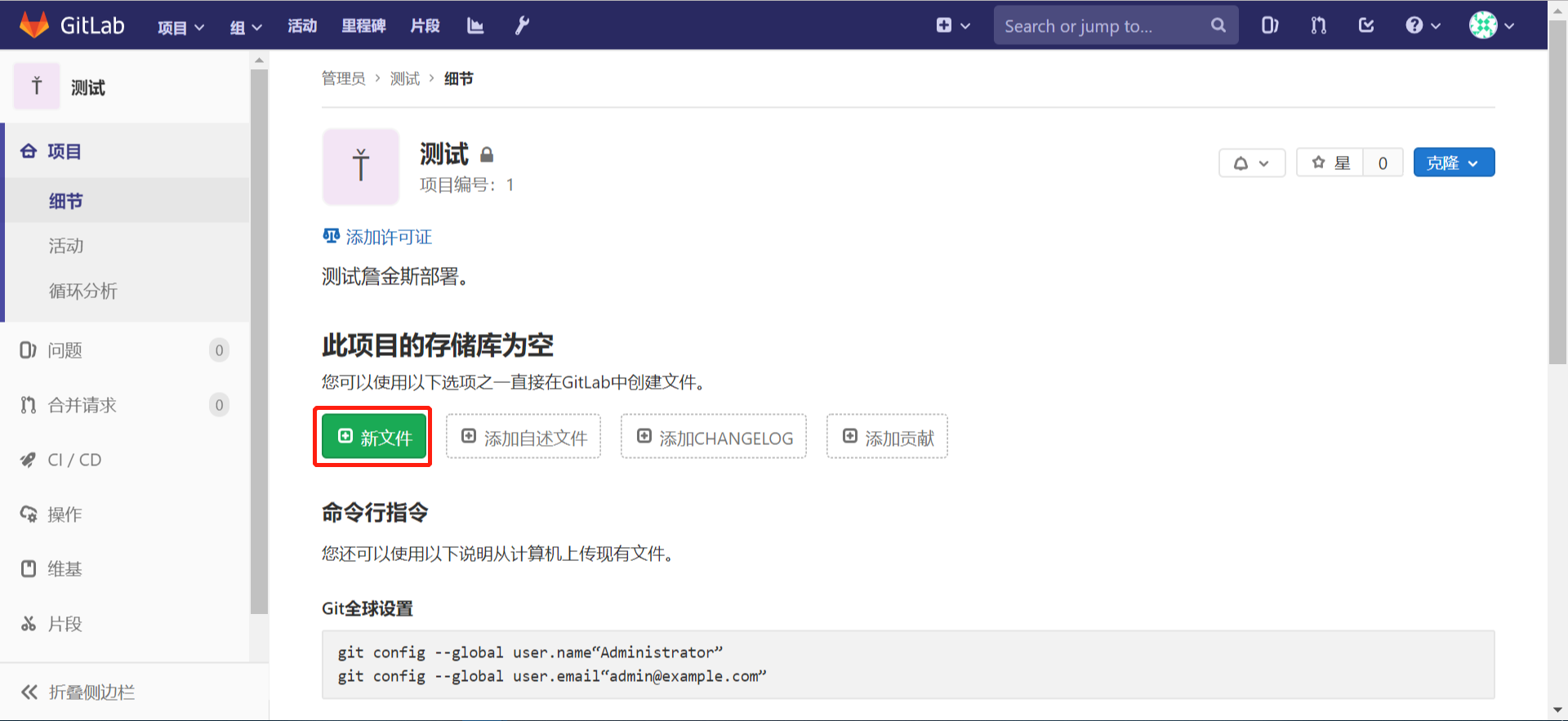
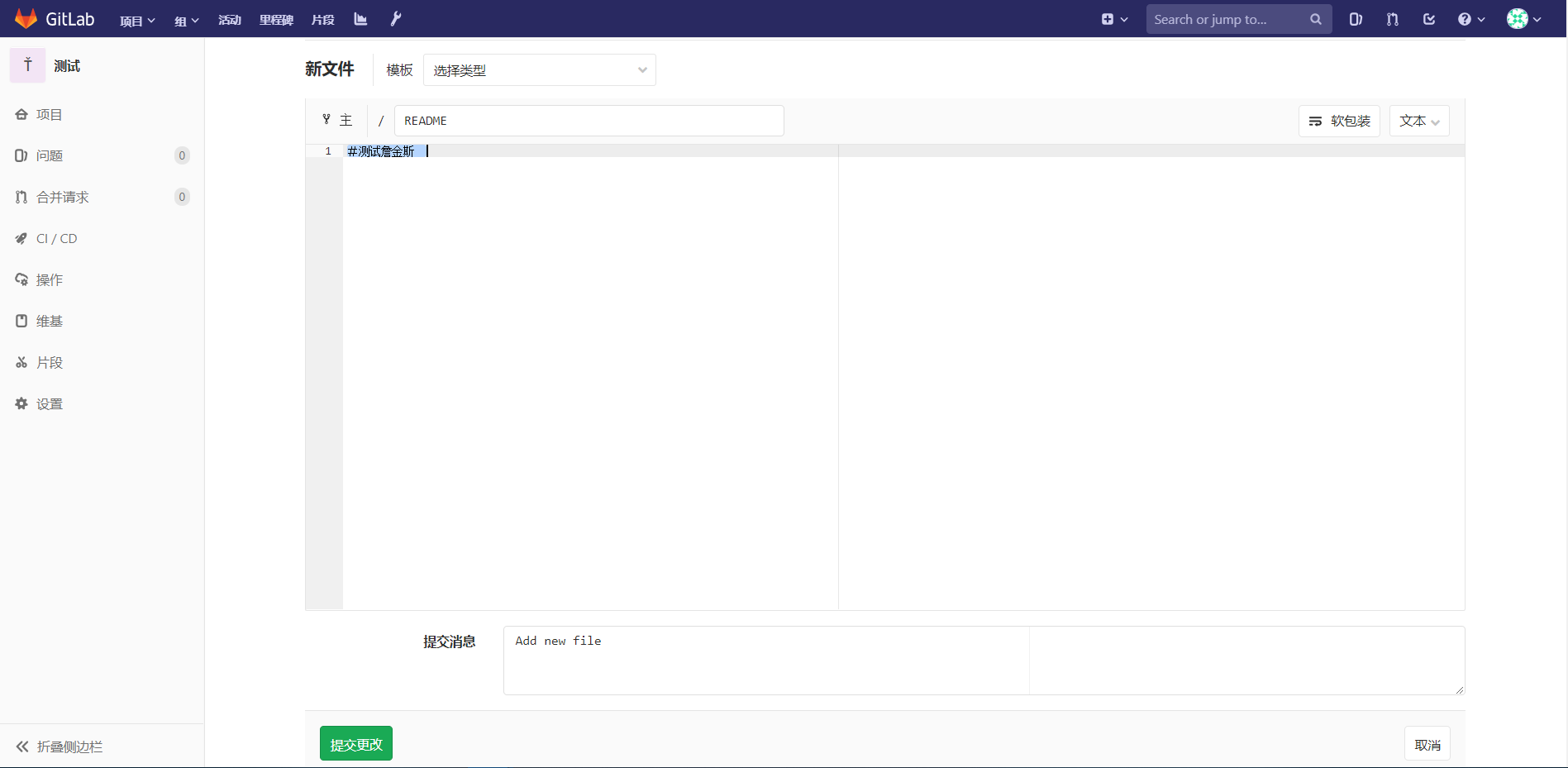
点击添加文件,文件名“README”, 内容:#test-jenkins
4.3 测试
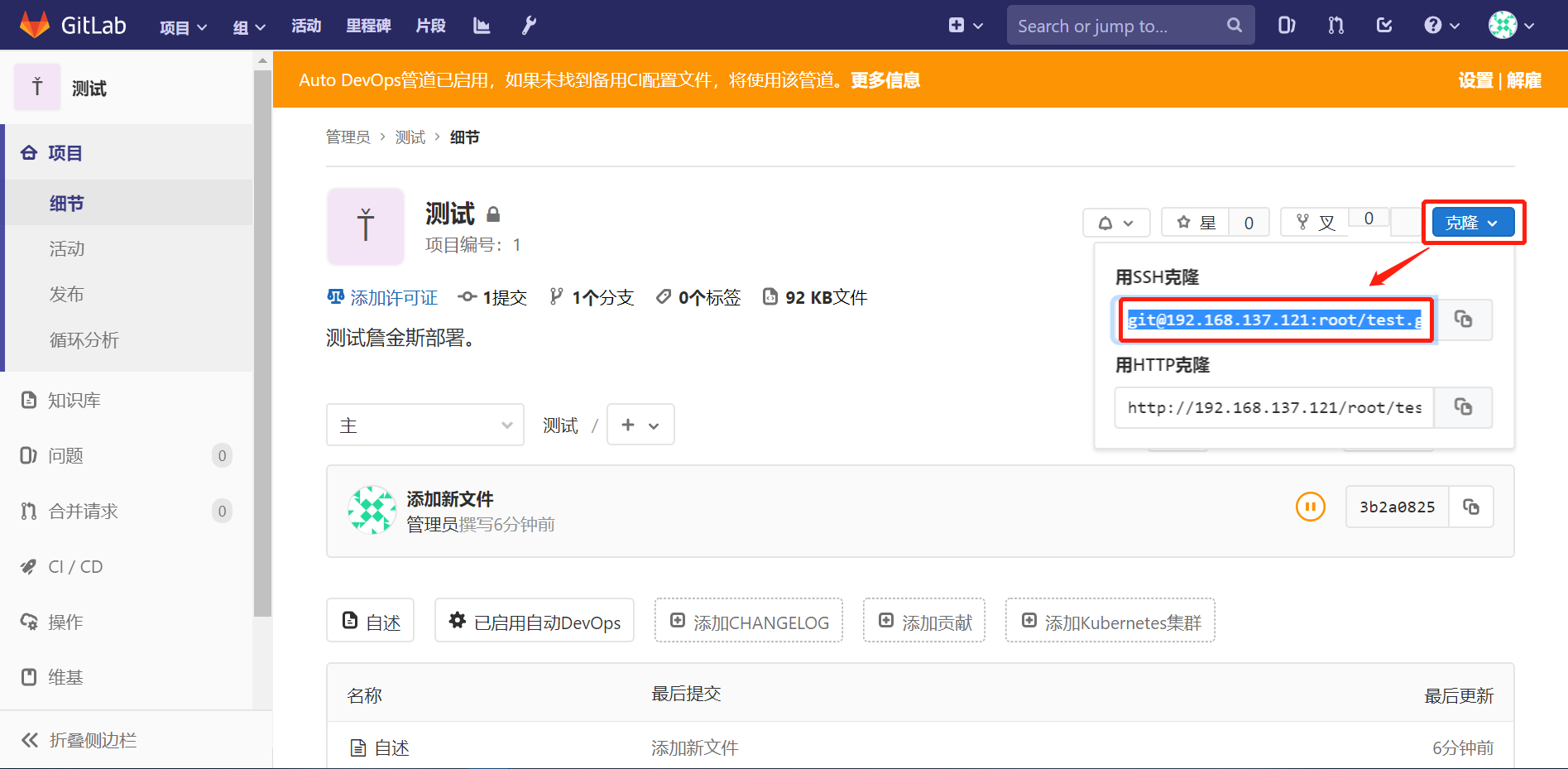
项目地址获取
主机端操作:
[root@master git]# git clone git@192.168.137.121:root/test.git

Cloning into 'test'...

remote: Enumerating objects: , done.

remote: Counting objects: % (/), done.

remote: Total  (delta ), reused  (delta )

Receiving objects: % (/), done.

[root@master git]# ll

total

drwxr-xr-x  root root  Aug   : test

[root@master git]# ll test/

total

-rw-r--r--  root root  Aug   : README

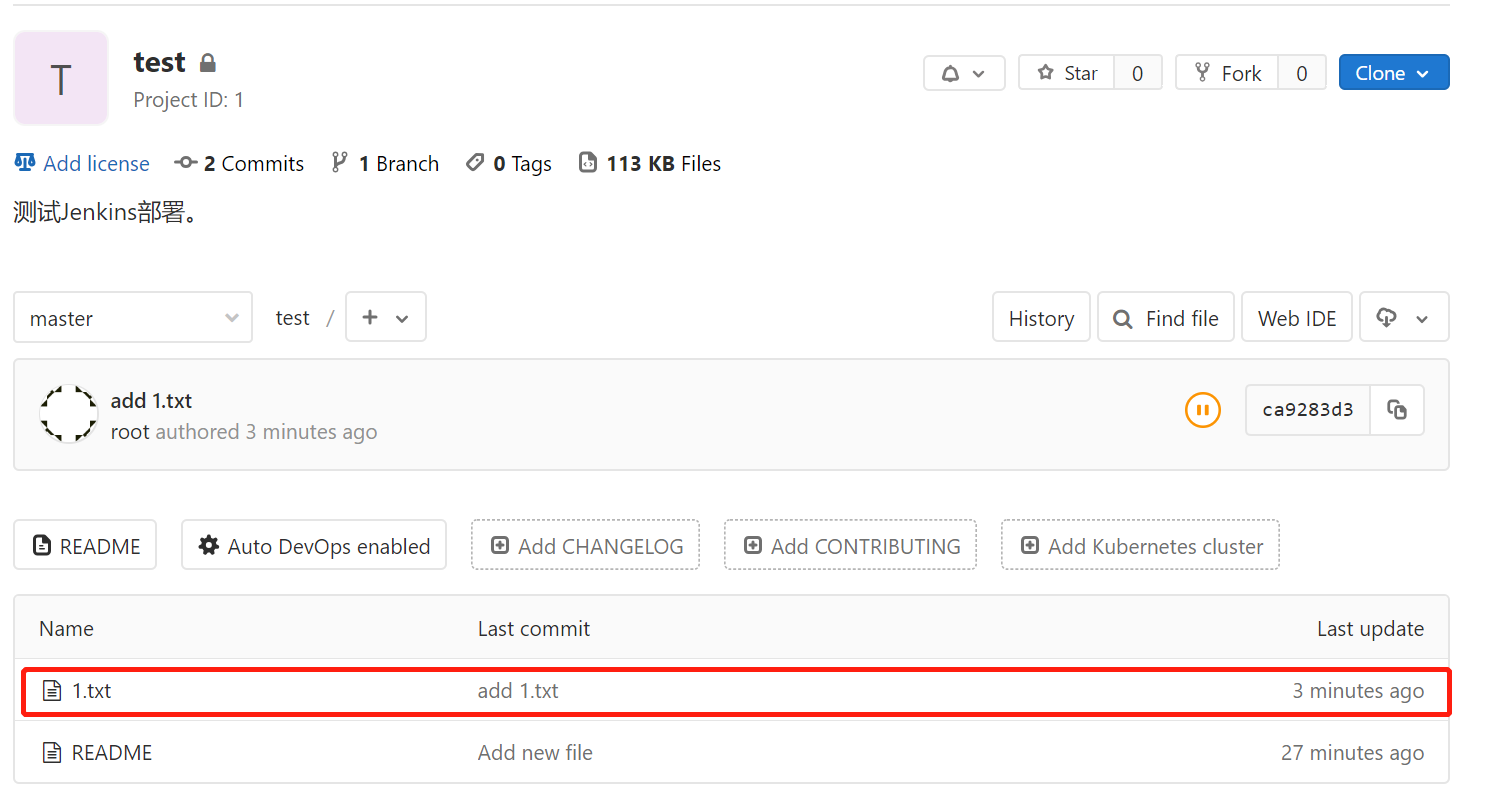
[root@master git]# echo  > test/.txt

[root@master git]# git add test/.txt

[root@master git]# git commit -m "and 1.txt"

[root@master test]# git push

Counting objects: , done.

Delta compression using up to  threads.

Compressing objects: % (/), done.

Writing objects: % (/),  bytes |  bytes/s, done.

Total  (delta ), reused  (delta )

To git@192.168.137.121:root/test.git

   3b2a082..ca9283d  master -> master
完成
5. 错误解决
- 访问web页面时出现502错误
gitlab-ctl start

gitlab-ctl reconfigure

在启动gitlab的时候执行reconfigure之后就可以了。
参考文献
https://www.jianshu.com/p/b04356e014fa
https://www.jianshu.com/p/7e8037c63d63
Gitlab安装使用的更多相关文章
- GitLab安装说明
GitLab,是一个使用 Ruby on Rails 开发的开源应用程序,与Github类似,能够浏览源代码,管理缺陷和注释,非常适合在团队内部使用. gitlab是基于Ruby on Rails的, ...
- Gitlab安装、汉化及使用
环境:centos 关闭防火墙和selinux [root@Gitlab ~]# setenforce [root@Gitlab ~]# service iptables stop && ...
- git\CentOS6.5中gitlab安装教程
一.Git 起源: Git是一个开源的分布式版本控制系统,用于敏捷高效地处理任何或小或大的项目. Git 是 Linus Torvalds 为了帮助管理 Linux 内核开发而开发的一个开放源码的版本 ...
- Ubuntu gitlab安装文档及邮件通知提醒配置
1.安装依赖包,运行命令 sudo apt-get install curl openssh-server ca-certificates postfix 2.由于gitlab官方源可能被“墙”,首先 ...
- gitlab安装随记
gitlab安装 配置yum源 sudo vim /etc/yum.repos.d/gitlab-ce.repo 按照网上别人的例子,修改为清华的源 [gitlab-ce] name=Gitlab C ...
- CentOS 7 环境下GitLab安装及基本配置
新实验室要求重新建设GitLab,对于我来讲,是第一次有机会当元老参与实验室的建设.下面分享我自己的实测经验: 1. 安装依赖软件并设置开机启动 yum install curlpolicycoreu ...
- GitLab安装及使用
GitLab是一个利用 Ruby on Rails 开发的开源应用程序,实现一个自托管的Git项目仓库,可通过Web界面进行访问公开的或者私人项目. GitLab拥有与Github类似的功能,能够浏览 ...
- gitlab之一: gitlab安装配置使用
参考: gitlab 安装和配置 gitlab下载地址: https://mirror.tuna.tsinghua.edu.cn/gitlab-ce/ 官方教程: https://about.gitl ...
- Gitlab安装以及汉化
Gitlab安装以及汉化 系统环境: CentOS 7.5 IP:192.168.1.2 关闭selinux.firewalld gitlab-ce-10.8.4 rpm包:下载地址 一.下载并安装g ...
- GITLAB安装笔记
CentOS 7 最小安装后操作 设置时区timedatectl set-timezone Asia/Shanghai 添加 Gitlab 清华源 vi /etc/yum.repos.d/gitlab ...
随机推荐
- python基础--面向对象基础(类与对象、对象之间的交互和组合、面向对象的命名空间、面向对象的三大特性等)
python基础--面向对象 (1)面向过程VS面向对象 面向过程的程序设计的核心是过程(流水线式思维),过程即解决问题的步骤,面向过程的设计就好比精心设计好一条流水线,考虑周全什么时候处理什么东西. ...
- 想学Python不知道从哪里开始学?|百度网盘免费下载| 这本入门书了解下
百度网盘免费下载:编程小白的第一本 Python 入门书 提取码:s0pc Python是什么 Python是一种计算机程序设计语言,由吉多·范罗苏姆创造,第一版发布于1991年,可以视之为一种改良的 ...
- 使用 MySQLi 和 PDO 向 MySQL 插入多条数据
PHP MySQL 插入多条数据 使用 MySQLi 和 PDO 向 MySQL 插入多条数据 mysqli_multi_query() 函数可用来执行多条SQL语句. 以下实例向 "MyG ...
- Python os.chown() 方法
概述 os.chown() 方法用于更改文件所有者,如果不修改可以设置为 -1, 你需要超级用户权限来执行权限修改操作.高佣联盟 www.cgewang.com 只支持在 Unix 下使用. 语法 c ...
- Python File flush() 方法
概述 flush() 方法是用来刷新缓冲区的,即将缓冲区中的数据立刻写入文件,同时清空缓冲区,不需要是被动的等待输出缓冲区写入.高佣联盟 www.cgewang.com 一般情况下,文件关闭后会自动刷 ...
- Python 三引号
Python 三引号 Python 中三引号可以将复杂的字符串进行赋值.高佣联盟 www.cgewang.com Python 三引号允许一个字符串跨多行,字符串中可以包含换行符.制表符以及其他特殊字 ...
- PHP lstat() 函数
定义和用法 lstat() 函数返回关于文件或符号连接的信息. 该函数将返回一个包含下列元素的数组: [0] 或 [dev] - 设备编号 [1] 或 [ino] - inode 编号 [2] 或 [ ...
- JDK1.8中HashMap的hash算法和寻址算法
JDK 1.8 中 HashMap 的 hash 算法和寻址算法 HashMap 源码 hash() 方法 static final int hash(Object key) { int h; ret ...
- 利用Data Vault对数据仓库进行建模(二)
写在前面 本篇先不讨论Data Vault其本身,因为不见得所有人都接受这个.但是里边有一些很不错的东西跟主流的数据仓库方法是有共同点的,所以这里主要讨论这些共同的方法,在笔者看来,无论是Kimbal ...
- 数据分析学习 third week (7.29~8.4)
概率分布简介 简单地介绍下常用概率分布的理论知识. 基础概念 1.概率 概率直观上是指一个事件发生可能性大小的数量指标 概率的统计定义:在不变的条件下,重复进行$n$次试验,事件$A$发生的频率稳定在 ...