
vue tabBar导航栏设计实现3-进一步抽取tab-item
系列导航
二、vue tabBar导航栏设计实现2-抽取tab-bar
三、vue tabBar导航栏设计实现3-进一步抽取tab-item
四、vue tabBar导航栏设计实现4-再次抽取MainTabBar
tabBar导航栏设计3-进一步抽取tab-item
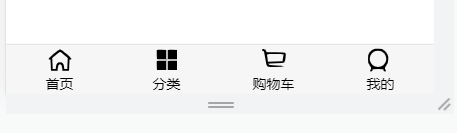
一、本节目标效果
抽取一个tab-bar-item组件负责导航栏的布局
二、代码结构
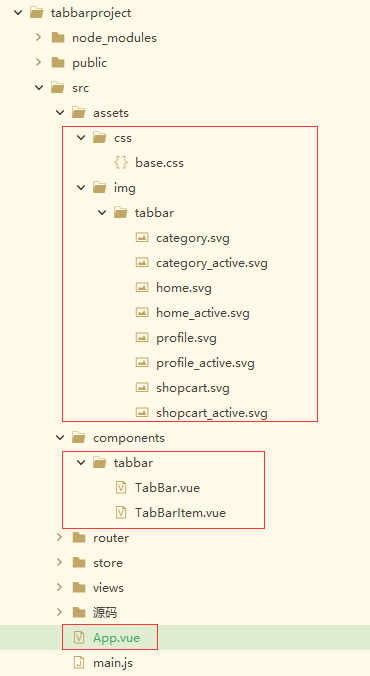
注:主要是标红的几个文件
三、代码
重新编写这几个文件中的代码
App.vue
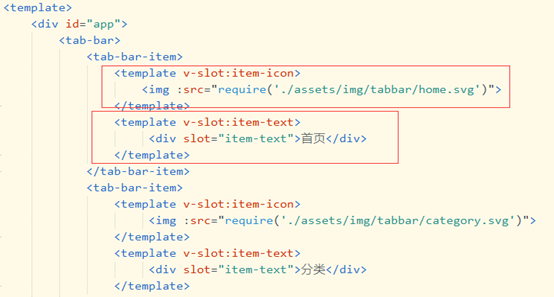
<template>

	<div id="app">

		<tab-bar>

			<tab-bar-item>

				<template v-slot:item-icon>

					<img :src="require('./assets/img/tabbar/home.svg')">

				</template>

				<template v-slot:item-text>

					 <div slot="item-text">首页</div>

				</template>

			</tab-bar-item>

			<tab-bar-item>

				<template v-slot:item-icon>

					 <img :src="require('./assets/img/tabbar/category.svg')">

				</template>

				<template v-slot:item-text>

					 <div slot="item-text">分类</div>

				</template>

			</tab-bar-item>

			<tab-bar-item>

				<template v-slot:item-icon>

					<img :src="require('./assets/img/tabbar/shopcart.svg')">

				</template>

				<template v-slot:item-text>

					<div slot="item-text">购物车</div>

				</template>

			</tab-bar-item>

			<tab-bar-item>

				<template v-slot:item-icon>

					 <img :src="require('./assets/img/tabbar/profile.svg')">

				</template>

				<template v-slot:item-text>

					 <div slot="item-text">我的</div>

				</template>

			</tab-bar-item>

		</tab-bar>

	</div>

</template>

<script>

	import {

		defineComponent

	} from 'vue'

	import TabBar from './components/tabbar/TabBar'

	import TabBarItem from './components/tabbar/TabBarItem'

	export default defineComponent({

		//组件名称

		name: 'App',

		//接收父组件的数据

		props: {},

		components: {

			TabBar,

			TabBarItem

		},

		setup(props, ctx) {

			return {}

		}

	})

</script>

<style lang="scss">

	@import "./assets/css/base.css";

</style>
TabBar.vue
<template>

  <div id="tab-bar">

	  <slot></slot>

  </div>

</template>

<script>

import {defineComponent} from 'vue'

export default defineComponent({

    //组件名称

    name:'TabBar',

    //接收父组件的数据

    props:{

    },

	components: {

	},

    setup(props,ctx){

        return{

        }

    }

})

</script>

<style lang="scss">

  #tab-bar {

    display: flex;

    background-color: #f6f6f6;

    position: fixed;

    left: 0;

    right: 0;

    bottom: 0;

    box-shadow: 0 -1px 1px rgba(100,100,100,.2);

  }

</style>
TabBarItem.vue
<template>

  <div class="tab-bar-item">

    <slot name="item-icon"></slot>

    <slot name="item-text"></slot>

  </div>

</template>

<script>

  import {defineComponent} from 'vue'

  export default defineComponent({

      //组件名称

      name:'TabBarItem',

      //接收父组件的数据

      props:{

      },

  	components: {

  	},

      setup(props,ctx){

          return{

          }

      }

  })

</script>

<style lang="scss">

  .tab-bar-item {

    flex: 1;

    text-align: center;

    height: 49px;

    font-size: 14px;

  }

  .tab-bar-item img {

    width: 24px;

    height: 24px;

    margin-top: 3px;

    vertical-align: middle;

    margin-bottom: 2px;

  }

</style>
base.css
body {

  padding: 0;

  margin: 0;

}
一些图片
四、代码按照步骤解释
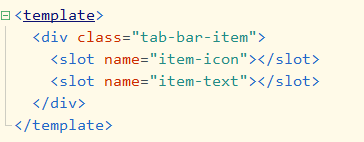
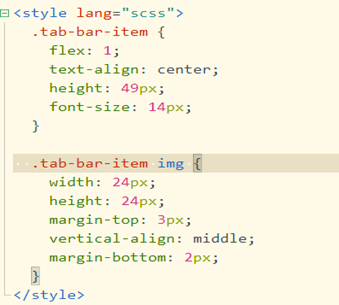
1、抽取TabBarItem组件,利用插槽使该组件独立
2、数据放到App.vue 注:具体看源码 引入TabBar和TabBarItem两个组件
vue tabBar导航栏设计实现3-进一步抽取tab-item的更多相关文章
- 微信小程序------导航栏样式、tabBar导航栏
一:导航栏样式设置 小程序的导航栏样式在app.json中定义. 这里设置导航,背景黑色,文字白色,文字内容测试小程序 app.json内容: { "pages":[ " ...
- 微信小程序入门四: 导航栏样式、tabBar导航栏
实例内容 导航栏样式设置 tabBar导航栏 实例一:导航栏样式设置 小程序的导航栏样式在app.json中定义. 这里设置导航,背景黑色,文字白色,文字内容测试小程序 app.json内容: { & ...
- 超详细Vue实现导航栏绑定内容锚点+滚动动画+vue-router(hash模式可用)
超详细Vue实现导航栏绑定内容锚点+滚动动画+vue-router(hash模式可用) 转载自:https://www.jianshu.com/p/2ad8c8b5bf75 亲测有效~ <tem ...
- Nuxt/Vue自定义导航栏Topbar+标签栏Tabbar组件
基于Vue.js实现自定义Topbar+Tabbar组件|仿咸鱼底部凸起导航 最近一直在倒腾Nuxt项目,由于Nuxt.js是基于Vue.js的服务端渲染框架,只要是会vue,基本能很快上手了. 一般 ...
- 使用vue给导航栏添加链接
如下面的导航栏,使用vue技术给该导航栏增加链接: js代码为: navigation:function(){ new Vue({ el: '#navUl', data: { menuData:{ ' ...
- Flutter - TabBar导航栏切换后,状态丢失
上一篇讲到了 Flutter - BottomNavigationBar底部导航栏切换后,状态丢失 里面提到了TabBar,这儿专门再写一下吧,具体怎么操作,来不让TabBar的状态丢失.毕竟大家99 ...
- 记一次Vue跨导航栏问题解决方案
简述 这篇文章是我项目中,遇到的一个issue,我将解决过程和方法记录下来. 本篇文章基于Vue.js进行的前端页面构建,由于仅涉及前端,将不做数据来源及其他部分的叙述.使用的CSS框架是 Boots ...
- Vue设置导航栏为公共模块并在登录页不显示
1.公共模块的内容可以放在App.vue中但是通常登录页面是不需要导航的,那么就需要规避登录页这时,就可以采用keep-alive结合$route.meta来实现这个功能.keep-alive 是 V ...
- vue 侧边导航栏递归显示
import axios from "axios"; import tabs1 from "../tab_content/tab1.vue"; import m ...
- 新浪微博客户端(1)-实现Tabbar导航栏效果
- (BOOL)application:(UIApplication *)application didFinishLaunchingWithOptions:(NSDictionary *)launc ...
随机推荐
- 吉特日化MES实施--三种浪费
在实施吉特日化MES系统的过程中,遇到各种问题,包括自身问题以及甲方问题,导致项目滞后延期的主要问题分析,汇总三种浪费: (1) 信息传递的浪费: 这个在甲方产品设计以及生产过程中出现的问题,也是我 ...
- [AGC003D] Anticube
Problem Statement Snuke got positive integers $s_1,...,s_N$ from his mother, as a birthday present. ...
- 解决swagger2 --> Illegal DefaultValue null for parameter type integer 保存问题
在pmo.xml中加入两个依赖 <!--增加两个配置--> <dependency> <groupId>io.swagger</groupId> < ...
- 好家伙,这个开源项目硬生生复制了一个 ChatGPT Plus 出来
最近有一款聊天机器人框架 Lobe Chat 火出了天际,它不仅支持多模态,支持语音会话,还有一个强大的 Function Calling 插件生态系统(可以作为 ChatGPT 插件的平替).最重要 ...
- ElasticSearch快照备份、还原
快照备份 备份和还原的前提:在配置文件elasticsearch.yml中设置path.repo path.repo: ["D:\\elasticsearch-6.8.23\\elastic ...
- IntelliJ IDEA下载安装,以及关联gitee
https://www.jetbrains.com.cn/ 点击下载 IntelliJ IDEA Ultimate 旗舰版(收费) IntelliJ IDEA Community 社区版(免费) 安装 ...
- 从零玩转设计模式之单例模式-danlimos
title: 从零玩转设计模式之单例模式 date: 2022-12-12 12:41:03.604 updated: 2022-12-23 15:35:29.0 url: https://www.y ...
- 网安区过年-Log4j2
Log4j2-2021 漏洞原理 Apache Log4j 2 是Java语言的日志处理套件,使用极为广泛.在其2.0到2.14.1版本中存在一处JNDI注入漏洞,攻击者在可以控制日志内容的情况下,通 ...
- 确定了-C#是2023年度的编程语言!
大家好,我是沙漠尽头的狼.在朋友圈看到桂素伟大佬发的喜讯截图,站长赶紧翻译向大家报喜,确定了-C#是2023年度的编程语言! 在TIOBE指数的历史上,C#首次获得了年度编程语言的奖项.祝贺!二十多年 ...
- electron入门之配置镜像加速(四)
electron入门到入土,配置阿里镜像加速.为了防止后面我们打包龟速,需要给electron配置阿里镜像加速 在下面的文件内添加阿里镜像加速,你的文件位置不一定是这个 C:\Program File ...