
flutter 白板工具Twitter IconFacebook Icon
flutter 白板工具
平常桌面上都放着一些草稿纸,因为经常要整理思路、画画草图啥的。这不是电子时代嘛,就觉得在手机、pad上也可以这样写写画画,我看了有很多这种类似的app,功能很简单就一个白板,直接就可以画,工具栏大概包括选画笔颜色、选笔尖大小、选橡皮擦等。
于是我用Flutter简单实现了一个,效果看下图,可以选颜色和笔尖大小:
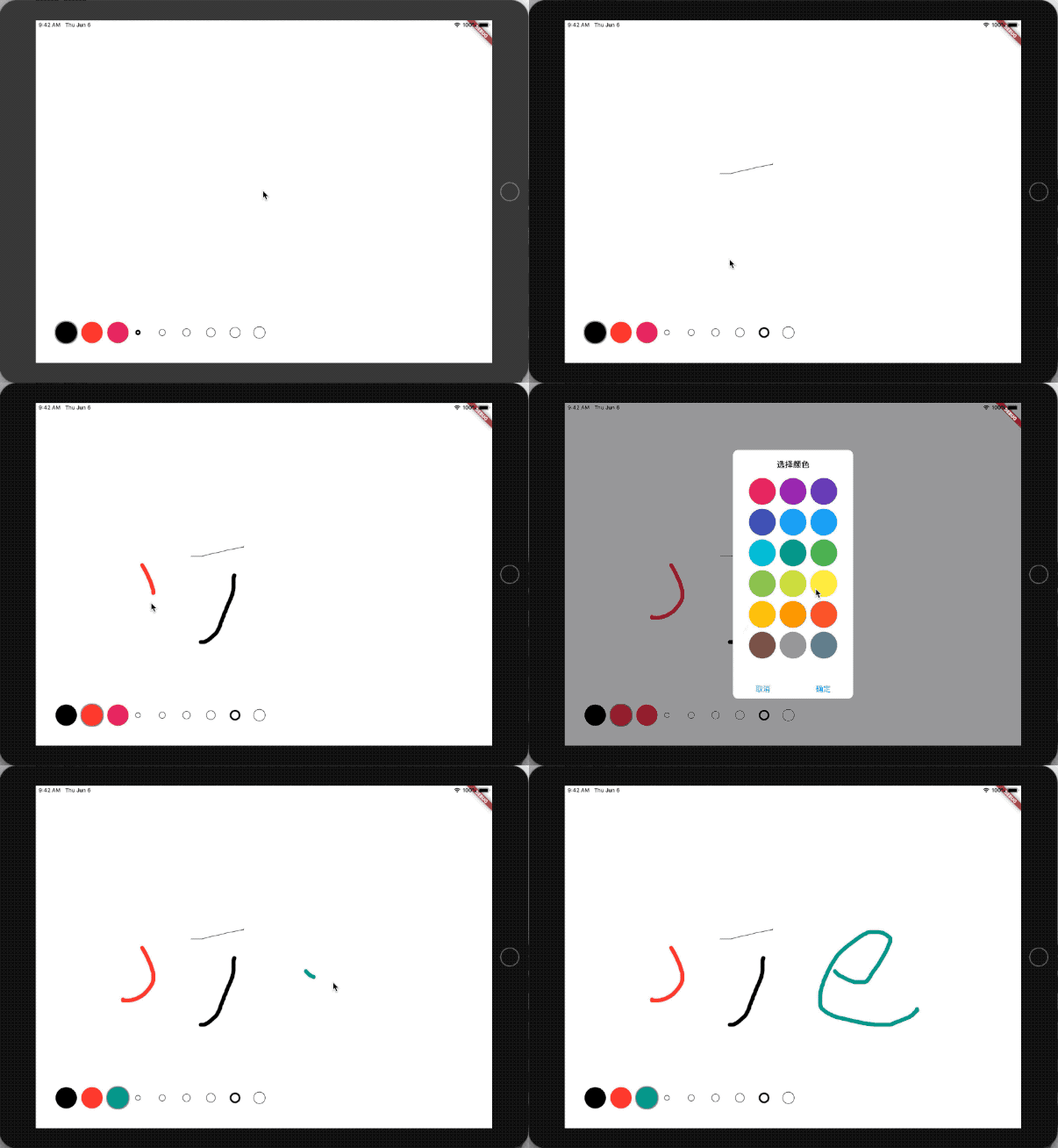
主要思路
整体看这个功能实现不难,其实就是一个普通画板,画板我们可以用一个CustomPainter来做,关于CustomPainter我前面有文章有介绍过《Flutter 学习6:绘制动画》 。
CustomPainter 根据拖动手势,把手指滑动过的坐标画出来,其实就是把点连成线,并且得知道当时的画笔颜色和大小。
那拖动手势当然用GestureDetector啦,拖动的时候用onPanUpdate事件来获取坐标并且把坐标连成线,每次绘画结束就用拖动结束事件来处理onPanEnd 。
具体实现
Flutter一直在主推他的Material主题,跟Google他们自己的Android非常一致,这个主题还提供了很多Widget,给开发App提供了很多便利。但是Flutter官方其实还有一个IOS的主题cupertino,这次我就试着用这个cupertino主题开发这个白板工具。
cupertino主题
主题用法跟Material一样,MaterialApp对应这里用CupertinoApp,Scaffold对应这里用CupertinoPageScaffold。当然还有很多比如CupertinoThemeData、CupertinoNavigationBar、CupertinoDialog等等,但是比起Material主题这里的Widget要少的多了。
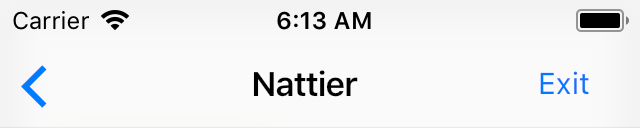
- CupertinoNavigationBar
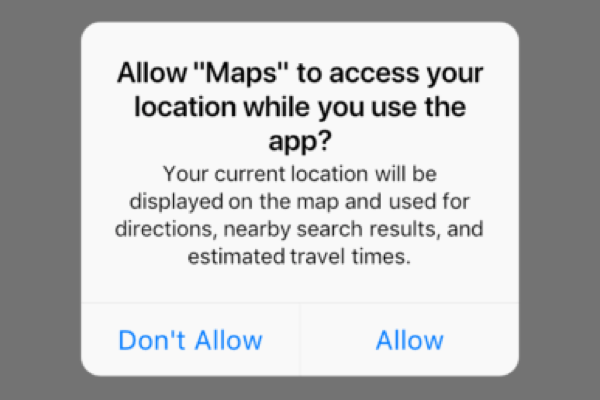
- CupertinoAlertDialog
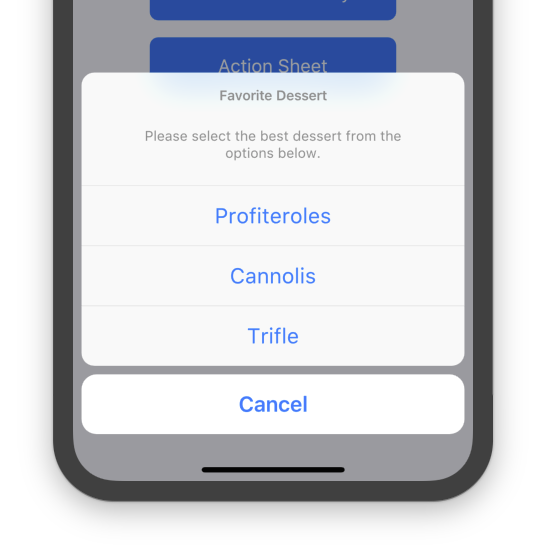
- CupertinoActionSheet
- CupertinoPicker
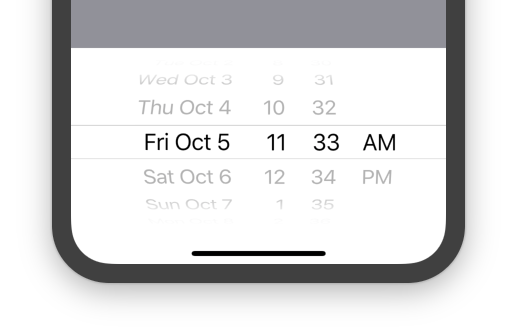
- CupertinoSegmentedControl

CustomPainter
前面思路中说过这里主要是画线,但是因为线条颜色、宽度有变化,所以必须的记录下当时的颜色和大小。于是我写了一个实体类来保存这些数据:
 class WPPainter {

  Offset point;

  Color color;

  double strokeWidth;

  WPPainter(this.point, this.color, this.strokeWidth);

}
然后CustomPainter处理绘画就简单了:
final List<WPPainter> points;

  @override

  void paint(Canvas canvas, Size size) {

    Paint paint = new Paint()..strokeCap = StrokeCap.round;

    for (var i = 0; i < points.length - 1; i++) {

    //null是线条结束标志

      if (points[i] != null && points[i + 1] != null) {

        var wp = points[i];

        var nextWp = points[i + 1];

        paint.color = wp.color;

        paint.strokeWidth = wp.strokeWidth;

        canvas.drawLine(wp.point, nextWp.point, paint);

      }

    }

  }

  @override

  bool shouldRepaint(_MyPainter oldDelegate) {

    return oldDelegate.points != this.points;

  }
上面代码注释说的线条结束标志就是前面思路中介绍的onPanEnd的时候,我们在points中添加一个null,这样就不会把所有的线都连起来了。
添加拖动事件:
onPanUpdate: (detail) {

//计算坐标

    RenderBox referenceBox = context.findRenderObject();

    Offset localPosition =

        referenceBox.globalToLocal(detail.globalPosition大专栏  flutter 白板工具Twitter IconFacebook Icon"o">);

    setState(() {

    //添加坐标

      _points.add(WPPainter(

            localPosition, _paintColor, _paintStokeWidth));

    });

},

//结束标记

onPanEnd: (detail) => _points.add(null),
colorPicker颜色选择器
颜色选择器我这里是弹出一个Dialog,跟原来Material主题下一样,这里也提供了showDialog的方法,不过叫做:showCupertinoDialog
showCupertinoDialog(

    context: context,

    builder: (_) {

      return CupertinoAlertDialog(

        title: Text("选择颜色"),

        content: ColorChooseWidget((color) {

          _tempChooseColor = color;

        }, selectedColor),

        actions: <Widget>[

          CupertinoDialogAction(

            child: Text('取消'),

            onPressed: () {

              Navigator.of(context).pop();

            },

          ),

          CupertinoDialogAction(

            child: Text('确定'),

            isDefaultAction: true,

            onPressed: () {

              chooseColor(_tempChooseColor);

              Navigator.of(context).pop();

            },

          )

        ],

      );

    },

  );
弹出的Dialog内容ColorChooseWidget就是一个GridView 。这里的GridView我本来想根据屏幕大小控制Dialog宽度,然后根据宽度计算GridView的crossAxisCount就是一行放几个颜色。但是后来发现原来CupertinoAlertDialog的宽度是固定死的270
flutter 白板工具Twitter IconFacebook Icon的更多相关文章
- 3D深色金属哥特3D项目工具小图标icon高清设计素材
3D深色金属哥特3D项目工具小图标icon高清设计素材
- Flutter 常用工具类库common_utils
地址:https://pub.flutter-io.cn/packages/common_utils#-readme-tab- Dart常用工具类库 common_utils 1.TimelineUt ...
- Flutter 模拟youtube快进icon
import 'package:flutter/material.dart'; void main() => runApp(MyApp()); class MyApp extends State ...
- 2-7 Flutter开发工具使用指南
这里选择用哪个模拟器运行 Mac系统下可以通过这个Open IOS Siumlator打开IOS模拟器 debug用来调试的 可以创建新的模拟器 选择安卓模拟器的版本 这是sdk的配置 点开就是打开了 ...
- flutter 日志工具类
class LogUtils { //dart.vm.product 环境标识位 Release为true debug 为false static const bool isRelease = con ...
- Flutter 删除AppBar的返回icon
设置automaticallyImplyLeading: false即可,替换可以修改"leading"参数 ... appBar: AppBar( automaticallyIm ...
- Flutter提升开发效率的一些方法和工具
Flutter的环境搭配完之后,就开始Flutter的开发,下面的一些工具和方法,可以省下一些时间. 自己在用的,暂时想到的,就是这些了,总结一下. 1.JSON解析快速生成实体类 根据接口返回的数据 ...
- 【译】使用 Flutter 实现跨平台移动端开发
作者: Mike Bluestein | 原文地址:[https://www.smashingmagazine.com/2018/06/google-flutter-mobile-developm ...
- Flutter 2.8 更新详解
北半球的冬意已至,黄叶与气温均随风而落.年终的最后一个 Flutter 稳定版本 已悄然来到你的面前.让我们向 Flutter 2.8 打声招呼- 本次更新包含了 207 位贡献者和 178 位审核者 ...
随机推荐
- 数据处理——One-Hot Encoding
一.One-Hot Encoding One-Hot编码,又称为一位有效编码,主要是采用位状态寄存器来对个状态进行编码,每个状态都由他独立的寄存器位,并且在任意时候只有一位有效. 在实 ...
- linux复制指定文件
find /somedir -type f|xargs -I {} cp {} . find /somedir -name "*.txt"|xargs -I {} cp {} .
- 37)智能指针(就是自动delete空间)
1)问题引入: 在java或者在C++中,一旦你new一个东西,那么必然有一个delete与之对应,比如: int main() { int* p= new int(): *p=: delete p: ...
- WebServerFactoryCustomizer set the port, address, error pages etc.
package com.ioc; import org.springframework.boot.SpringApplication; import org.springframework.boot. ...
- 绝对定位( Absolute positioning )
绝对定位( Absolute positioning ) 之前在介绍定位体系的时候,已经简单的介绍了绝对定位和固定定位.一般情况下,这两种定位的元素, 在 3D 的可视化模型中,处于浮动元素的上方,或 ...
- C++ malloc()函数的注意点及使用示例
1.malloc()函数的头文件是stdlib.h,其函数声明如下: void* malloc(size_t size); 其中参数size_t size表示动态内存分配空间的大小,以字节为单位. s ...
- 爬虫笔记(九)——安装Fiddler
在ubuntu下不能直接安装Fiddler,我们要先安装mono环境,具体可分为三个步骤: 1. 在终端下输入指令安装mono环境 :sudo apt-get install mono-compl ...
- Java基础的坑
仍会出现NPE 需要改成
- Object.prototype.toString.call(obj).slice(8,-1)
1.Object.prototype.toString() 该方法返回描述某个对象数据类型的字符串,如自定义的对象没有被覆盖,则会返回“[object type]”,其中,type则是实际的对象类型. ...
- wait操作接口
1.等待回收的两个函数wait()和waitpid()函数 1.1 wait(int *status)的用法:阻塞函数,等待任意一个子进程的返回. *wait(NULL):对子进程的结束状态不关心 ...