
spring cloud 通过 ribbon 实现客户端请求的负载均衡(入门级)
项目结构

环境:
idea:2020.1 版
jdk:8
maven:3.6.2
1. 搭建项目
( 1 )父工程:spring_cloud_demo_parent
pom 文件
<?xml version="1.0" encoding="UTF-8"?>

<project xmlns="http://maven.apache.org/POM/4.0.0" xmlns:xsi="http://www.w3.org/2001/XMLSchema-instance"

         xsi:schemaLocation="http://maven.apache.org/POM/4.0.0 https://maven.apache.org/xsd/maven-4.0.0.xsd">

    <modelVersion>4.0.0</modelVersion>

    <modules>

        <module>miscroservice-eureka-server</module>

        <module>miscroservice-eureka-user</module>

        <module>miscroservice-eureka-order</module>

    </modules>

    <parent>

        <groupId>org.springframework.boot</groupId>

        <artifactId>spring-boot-starter-parent</artifactId>

        <version>2.3.0.RELEASE</version>

        <relativePath/> <!-- lookup parent from repository -->

    </parent>

    <groupId>com.kevin.parent</groupId>

    <artifactId>demo_parent</artifactId>

    <version>0.0.1-SNAPSHOT</version>

    <name>demo_parent</name>

    <description>Demo project for Spring Boot</description>

    <packaging>pom</packaging>

    <properties>

        <java.version>1.8</java.version>

        <spring-cloud.version>Hoxton.SR4</spring-cloud.version>

    </properties>

    <dependencyManagement>

        <dependencies>

            <dependency>

                <groupId>org.springframework.cloud</groupId>

                <artifactId>spring-cloud-dependencies</artifactId>

                <version>${spring-cloud.version}</version>

                <type>pom</type>

                <scope>import</scope>

            </dependency>

        </dependencies>

    </dependencyManagement>

    <dependencies>

        <dependency>

            <groupId>org.projectlombok</groupId>

            <artifactId>lombok</artifactId>

            <optional>true</optional>

        </dependency>

        <dependency>

            <groupId>com.alibaba</groupId>

            <artifactId>fastjson</artifactId>

            <version>1.2.68</version>

        </dependency>

    </dependencies>

    <build>

        <plugins>

            <plugin>

                <groupId>org.springframework.boot</groupId>

                <artifactId>spring-boot-maven-plugin</artifactId>

            </plugin>

        </plugins>

    </build>

</project>
( 2 ) 注册中心 eureka: miscroservice-eureka-server
pom 文件
<?xml version="1.0" encoding="UTF-8"?>

<project xmlns="http://maven.apache.org/POM/4.0.0"

         xmlns:xsi="http://www.w3.org/2001/XMLSchema-instance"

         xsi:schemaLocation="http://maven.apache.org/POM/4.0.0 http://maven.apache.org/xsd/maven-4.0.0.xsd">

    <parent>

        <artifactId>demo_parent</artifactId>

        <groupId>com.kevin.parent</groupId>

        <version>0.0.1-SNAPSHOT</version>

    </parent>

    <modelVersion>4.0.0</modelVersion>

    <artifactId>miscroservice-eureka-server</artifactId>

    <dependencies>

        <dependency>

            <groupId>org.springframework.cloud</groupId>

            <artifactId>spring-cloud-starter-eureka-server</artifactId>

            <version>1.4.7.RELEASE</version>

        </dependency>

    </dependencies>

</project>
application.yml 文件:
server:

  port: 8761

eureka:

  instance:  # 实例

    hostname: localhost

  client:

    register-with-eureka: false # 不需要向自己注册

    fetch-registry: false # 不需要向自己检索

    service-url:  #注册中心访问方式

      defaultZone: http://${eureka.instance.hostname}:${server.port}/eureka
( 3 )服务提供者:miscroservice-eureka-order
pom 文件
<?xml version="1.0" encoding="UTF-8"?>

<project xmlns="http://maven.apache.org/POM/4.0.0"

         xmlns:xsi="http://www.w3.org/2001/XMLSchema-instance"

         xsi:schemaLocation="http://maven.apache.org/POM/4.0.0 http://maven.apache.org/xsd/maven-4.0.0.xsd">

    <parent>

        <artifactId>demo_parent</artifactId>

        <groupId>com.kevin.parent</groupId>

        <version>0.0.1-SNAPSHOT</version>

    </parent>

    <modelVersion>4.0.0</modelVersion>

    <artifactId>miscroservice-eureka-order</artifactId>

    <dependencies>

        <dependency>

            <groupId>org.springframework.cloud</groupId>

            <artifactId>spring-cloud-starter-eureka</artifactId>

            <version>1.4.7.RELEASE</version>

        </dependency>

        <dependency>

            <groupId>org.springframework.boot</groupId>

            <artifactId>spring-boot-starter-web</artifactId>

        </dependency>

    </dependencies>

</project>
application.yml:
server:

  port: 7900

eureka:

  instance:

    prefer-ip-address: true # 是否显示主机 ip

  client:

    service-url:

      defaultZone: http://localhost:8761/eureka/

spring:

  application:

    name: miscroservice-eureka-order
( 4 )服务消费者:miscroservice-eureka-user
pom 文件
<?xml version="1.0" encoding="UTF-8"?>

<project xmlns="http://maven.apache.org/POM/4.0.0"

         xmlns:xsi="http://www.w3.org/2001/XMLSchema-instance"

         xsi:schemaLocation="http://maven.apache.org/POM/4.0.0 http://maven.apache.org/xsd/maven-4.0.0.xsd">

    <parent>

        <artifactId>demo_parent</artifactId>

        <groupId>com.kevin.parent</groupId>

        <version>0.0.1-SNAPSHOT</version>

    </parent>

    <modelVersion>4.0.0</modelVersion>

    <artifactId>miscroservice-eureka-user</artifactId>

    <dependencies>

        <dependency>

            <groupId>org.springframework.cloud</groupId>

            <artifactId>spring-cloud-starter-eureka</artifactId>

            <version>1.4.7.RELEASE</version>

        </dependency>

        <dependency>

            <groupId>org.springframework.boot</groupId>

            <artifactId>spring-boot-starter-web</artifactId>

        </dependency>

        <dependency>

            <groupId>org.springframework.cloud</groupId>

            <artifactId>spring-cloud-commons</artifactId>

        </dependency>

    </dependencies>

</project>
application.yml:
server:

  port: 8000

eureka:

  instance:

    prefer-ip-address: false # 是否显示主机的 ip

    instance-id: ${spring.cloud.client.ip-address}:${server.port}  # 将服务实例 id 设置为 ip:端口号形式

  client:

    service-url:

      defaultZone: http://localhost:8761/eureka/  # 指定 eureka 服务地址

spring:

  application:

    name: miscroservice-eureka-user
2. 编写业务代码
( 1 )注册中心 eureka 启动类
package com.kevin.eureka.server;

import org.springframework.boot.SpringApplication;

import org.springframework.boot.autoconfigure.SpringBootApplication;

import org.springframework.cloud.netflix.eureka.server.EnableEurekaServer;

/**

 * @author kevin

 * @version: EurekaApplication.java v 1.0, 2020年05月21日 12:57

 * @Description

 *

 * @EnableEurekaServer 表明该服务是一个 eureka 注册中心服务

 **/

@SpringBootApplication

@EnableEurekaServer

public class EurekaApplication {

    public static void main(String[] args) {

        SpringApplication.run(EurekaApplication.class, args);

    }

}
( 2 )服务提供者
A. 启动类:
package com.kevin.eureka.order;

import org.springframework.boot.SpringApplication;

import org.springframework.boot.autoconfigure.SpringBootApplication;

import org.springframework.cloud.netflix.eureka.EnableEurekaClient;

/**

 * @author kevin

 * @version: OrderApplication.java v 1.0, 2020年05月21日 21:43

 * @Description

 **/

@SpringBootApplication

@EnableEurekaClient

public class OrderApplication {

    public static void main(String[] args) {

        SpringApplication.run(OrderApplication.class, args);

    }

}
B. po:
package com.kevin.eureka.order.po;

import lombok.Data;

import lombok.ToString;

import java.io.Serializable;

/**

 * @author kevin

 * @version: Order.java v 1.0, 2020年05月21日 21:48

 * @Description

 **/

@Data

@ToString

public class Order implements Serializable {

    private String id;

    private Double price;

    private String receiverName;

    private String receiverAddress;

    private String receiverPhone;

}
C. controller
package com.kevin.eureka.order.controller;

import com.alibaba.fastjson.JSON;

import com.kevin.eureka.order.po.Order;

import com.kevin.eureka.order.service.ServiceInfoManager;

import org.springframework.beans.factory.annotation.Autowired;

import org.springframework.web.bind.annotation.PathVariable;

import org.springframework.web.bind.annotation.RequestMapping;

import org.springframework.web.bind.annotation.RestController;

/**

 * @author kevin

 * @version: OrderController.java v 1.0, 2020年05月21日 21:51

 * @Description

 **/

@RestController

public class OrderController {

    @Autowired

    private ServiceInfoManager manager;

    /**

     * 通过 id 查询订单

     *

     * @param id

     * @return

     */

    @RequestMapping("/order/{id}")

    public String findOrderById(@PathVariable String id) {

        int port = manager.getPort();

        System.out.println("port = " + port);

        Order order = new Order();

        order.setId("123");

        order.setPrice(20.00);

        order.setReceiverName("小李");

        order.setReceiverAddress("北京市昌平区");

        order.setReceiverPhone("123456");

        return JSON.toJSONString(order);

    }

}
D. 获取服务端口号
package com.kevin.eureka.order.service;

import org.springframework.beans.factory.annotation.Autowired;

import org.springframework.core.env.Environment;

import org.springframework.stereotype.Component;

/**

 * @author kevin

 * @version: ServiceInfoManager.java v 1.0, 2020年05月22日 10:48

 * @Description

 **/

@Component

public class ServiceInfoManager {

    @Autowired

    private Environment env;

    /**

     * 获取端口号

     *

     * @return

     */

    public int getPort() {

        String s = env.getProperty("server.port");

        return Integer.parseInt(s);

    }

}
( 3 )服务消费者:
A. 启动类
package com.kevin.eureka.user;

import org.springframework.boot.SpringApplication;

import org.springframework.boot.autoconfigure.SpringBootApplication;

import org.springframework.cloud.netflix.eureka.EnableEurekaClient;

/**

 * @author kevin

 * @version: UserApplication.java v 1.0, 2020年05月21日 13:09

 * @Description

 **/

@SpringBootApplication

@EnableEurekaClient

public class UserApplication {

    public static void main(String[] args) {

        SpringApplication.run(UserApplication.class, args);

    }

}
B. controller:
package com.kevin.eureka.user.com.kevin.eureka.controller;

import org.springframework.beans.factory.annotation.Autowired;

import org.springframework.web.bind.annotation.PathVariable;

import org.springframework.web.bind.annotation.RequestMapping;

import org.springframework.web.bind.annotation.RestController;

import org.springframework.web.client.RestTemplate;

/**

 * @author kevin

 * @version: UserController.java v 1.0, 2020年05月22日 10:15

 * @Description

 **/

@RestController

public class UserController {

    public static final String ORD_URL = "http://miscroservice-eureka-order/order/";

    @Autowired

    private RestTemplate restTemplate;

    @RequestMapping("/findOrdersByUser/{id}")

    public String findOrdersByUser(@PathVariable String id) {

        String oId = "123";

        return restTemplate.getForObject(ORD_URL + oId, String.class);

    }

}
C. 配置类
package com.kevin.eureka.user.com.kevin.eureka.config;

import org.springframework.cloud.client.loadbalancer.LoadBalanced;

import org.springframework.context.annotation.Bean;

import org.springframework.context.annotation.Configuration;

import org.springframework.web.client.RestTemplate;

/**

 * @author kevin

 * @version: UserConfig.java v 1.0, 2020年05月22日 10:13

 * @Description

 **/

@Configuration

public class UserConfig {

    @Bean

    @LoadBalanced   // 通过 ribbon 实现客户端请求的负载均衡

    public RestTemplate createResTemp(){

        return new RestTemplate();

    }

}
3. 分别启动 eureka、order、user 服务
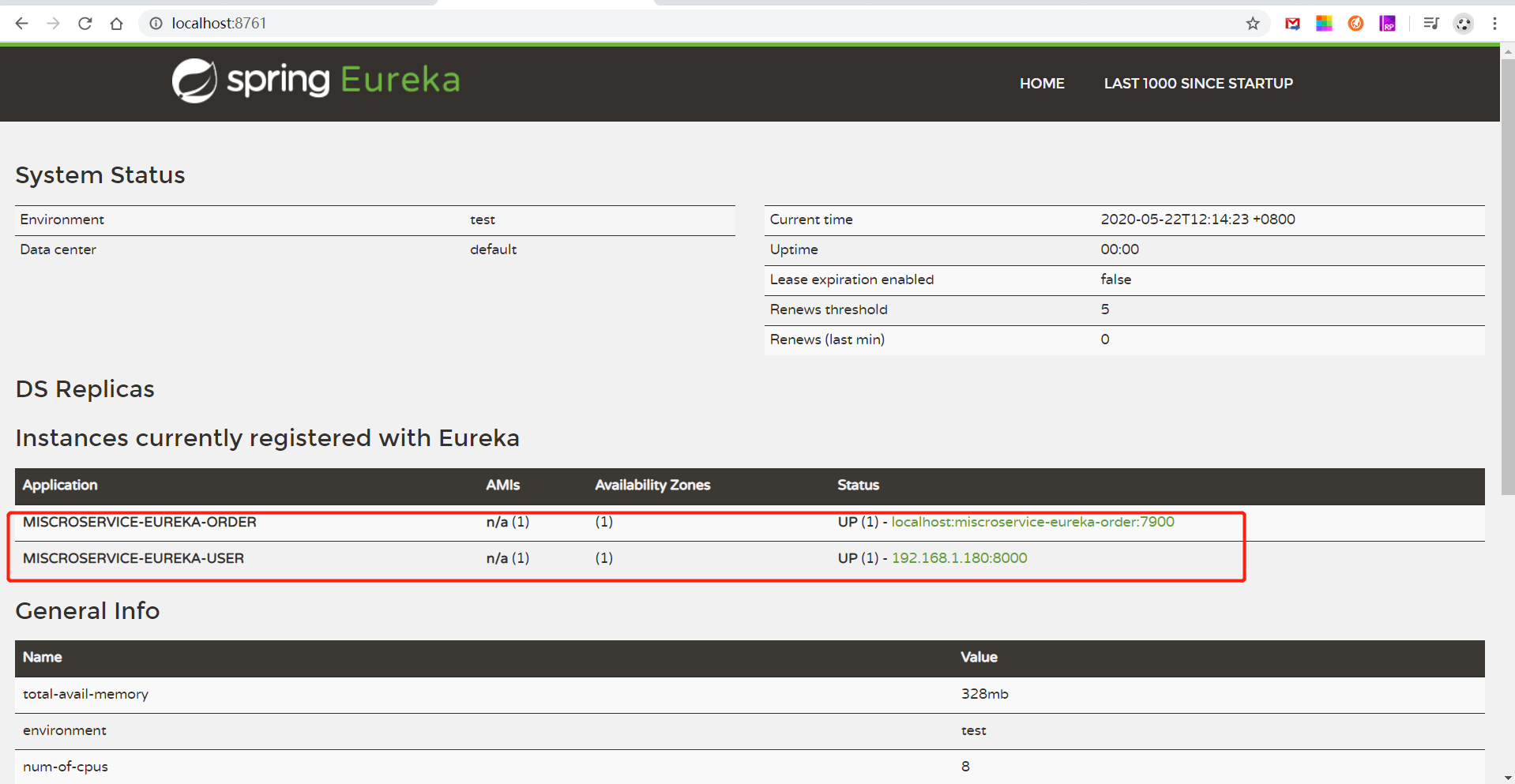
浏览器中打开 http://localhost:8761/ ,可以看到 order、user 服务都已经注册进来
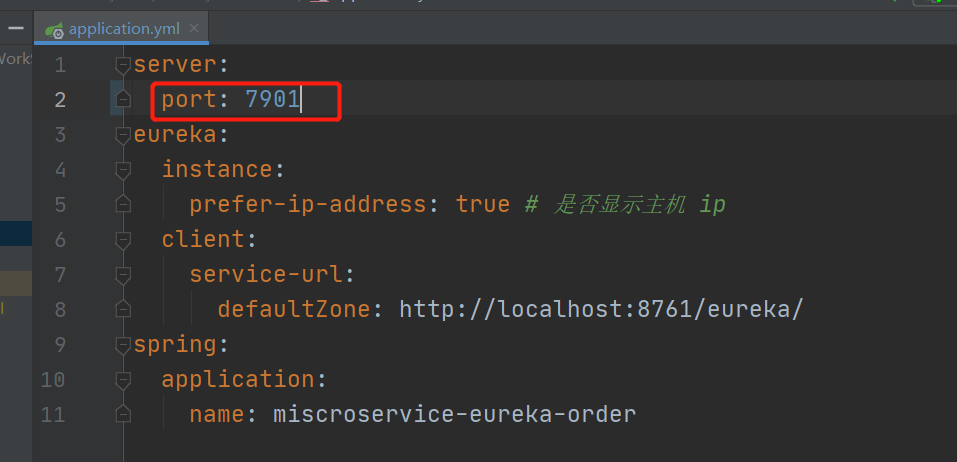
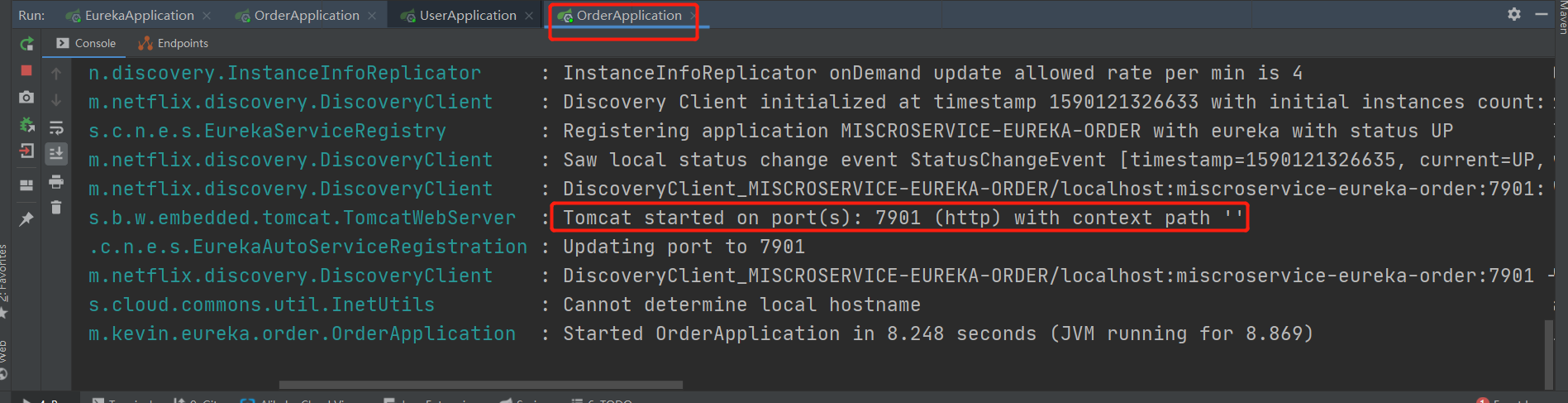
4. 修改 order 端口号为 7901 (不要停止 order 服务)
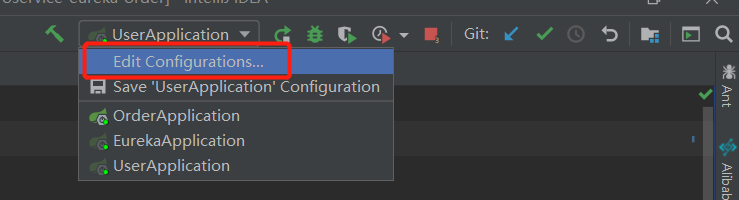
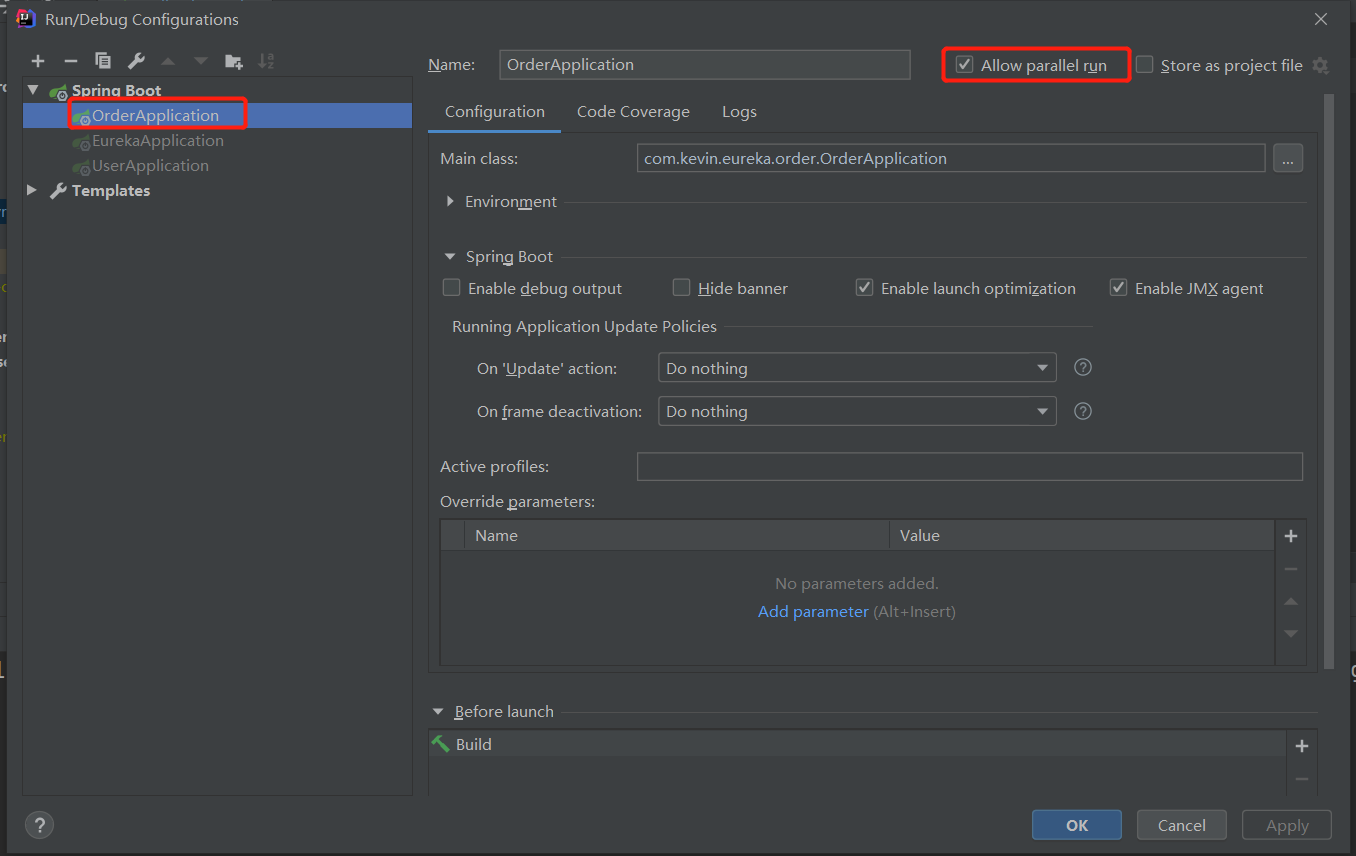
5. 修改idea 配置,由单一启动改为 平行启动,即 将一个服务只能启动一次 改为 可以启动多次
选择 OrderApplication,并 勾上 Allow parallel run
启动 OrderAoolication
查看注册中心

6. postman 测试
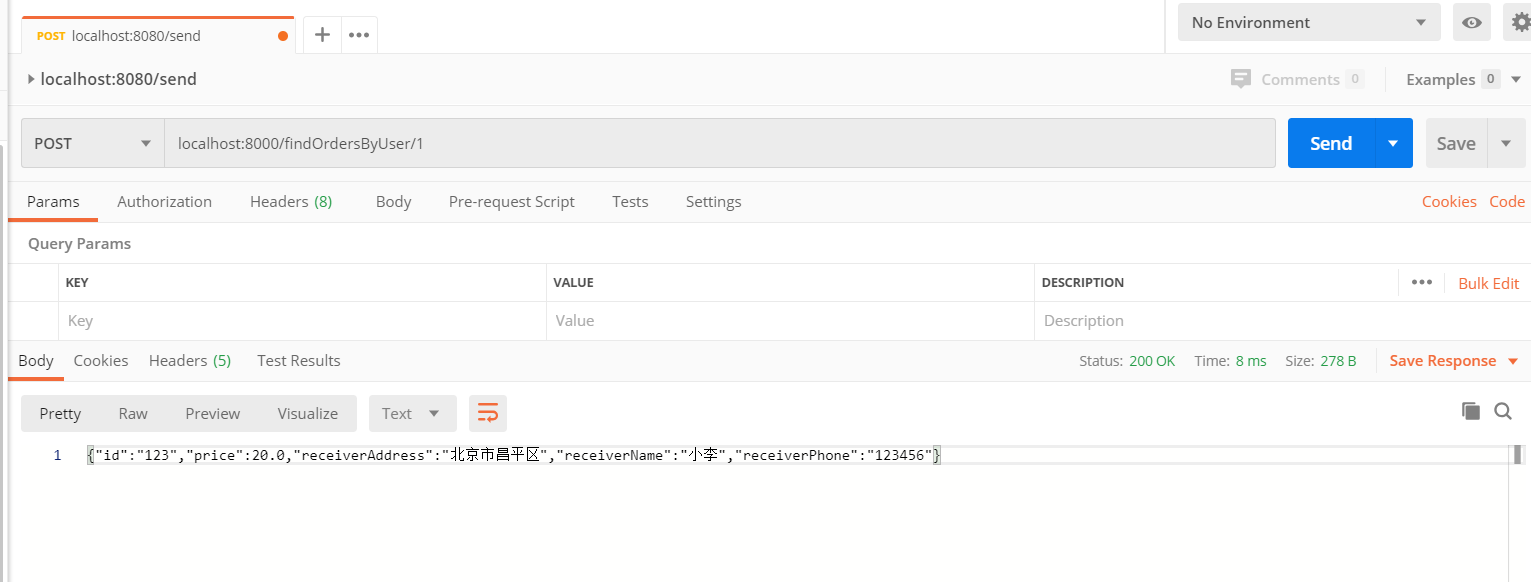
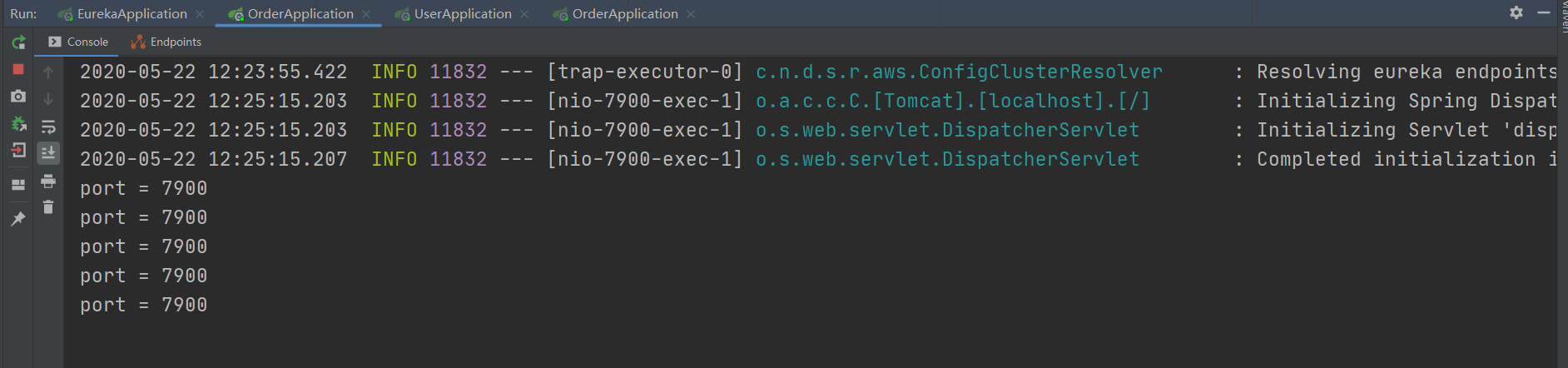
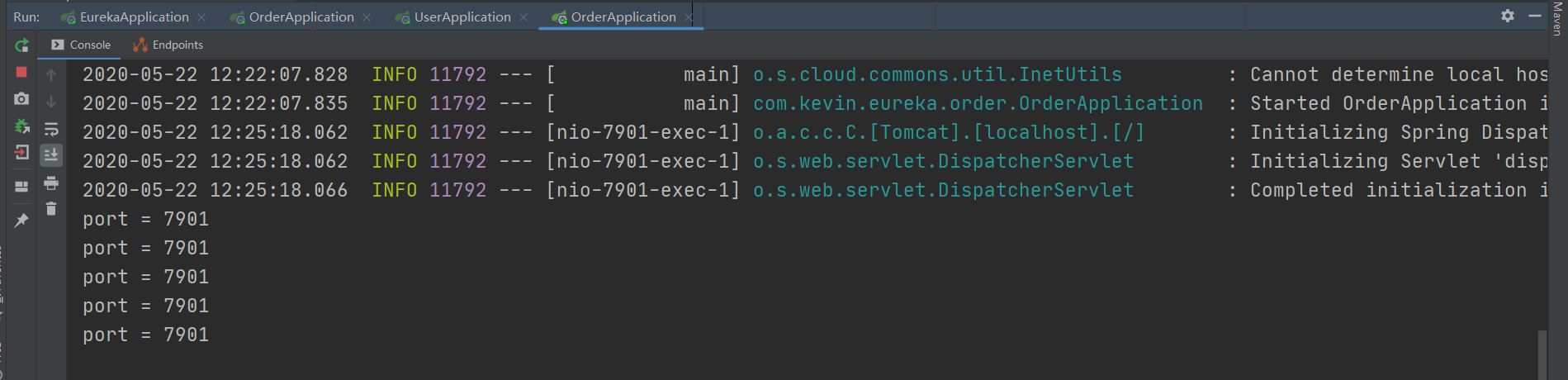
快速按 send,查看 idea 控制台,两个服务都有请求
端口号为 7900 的服务:
端口号为 7901 的服务:
spring cloud 通过 ribbon 实现客户端请求的负载均衡(入门级)的更多相关文章
- 一起来学Spring Cloud | 第三章:服务消费者 (负载均衡Ribbon)
一.负载均衡的简介: 负载均衡是高可用架构的一个关键组件,主要用来提高性能和可用性,通过负载均衡将流量分发到多个服务器,多服务器能够消除单个服务器的故障,减轻单个服务器的访问压力. 1.服务端负载均衡 ...
- Spring Cloud分区发布实践(3) 网关和负载均衡
注意: 因为涉及到配置测试切换, 中间环节需按此文章操作体验, 代码仓库里面的只有最后一步的代码 准备好了微服务, 那我们就来看看网关+负载均衡如何一起工作 新建一个模块hello-gateway, ...
- spring boot 2.0.3+spring cloud (Finchley)2、搭建负载均衡Ribbon (Eureka+Ribbon+RestTemplate)
Ribbon是Netflix公司开源的一个负载均衡组件,将负载均衡逻辑封装在客户端中,运行在客户端的进程里. 本例子是在搭建好eureka的基础上进行的,可参考spring boot 2.0.3+sp ...
- spring cloud使用zuul实现反向代理和负载均衡
首先,这篇文章参考的是http://blog.didispace.com/springcloud5/这位大牛的博客.本人是通过这篇博客来学习zuul的,现在写的博客只是个人在学习时个人的一些感受和理解 ...
- Spring cloud gateway 如何在路由时进行负载均衡
本文为博主原创,转载请注明出处: 1.spring cloud gateway 配置路由 在网关模块的配置文件中配置路由: spring: cloud: gateway: routes: - id: ...
- spring cloud 注册、发现、消费、负载均衡
- spring cloud 使用ribbon简单处理客户端负载均衡
假如我们的multiple服务的访问量剧增,用一个服务已经无法承载, 我们可以把Hello World服务做成一个集群. 很简单,我们只需要复制Hello world服务,同时将原来的端口8762修改 ...
- Spring Cloud第四篇 | 客户端负载均衡Ribbon
本文是Spring Cloud专栏的第四篇文章,了解前三篇文章内容有助于更好的理解本文: Spring Cloud第一篇 | Spring Cloud前言及其常用组件介绍概览 Spring Cl ...
- Spring cloud 之Ribbon(一)基本使用
简介 Spring cloud Ribbon是一个基于HTTP和TCP的客户端负载均衡工具,它是基于Netflix的Riboon实现的.Ribbon是客户端负载均衡器,这有别语例如Nginx服务端负载 ...
随机推荐
- 子查询之 exists 和 in
exists exists用于检查一个子查询是否至少会返回一行数据(即检测行的存在),返回值为boolean型,true或false 语法 exists subquery /* 参数: subquer ...
- 数据库炸了----我就重启了一下啊(Communications link failure)
重启数据库后,数据库大部分时间连不上了:连续请求不会报错,请求间隔时间稍微长一点就会报错报错如图: com.mysql.cj.jdbc.exceptions.CommunicationsExcepti ...
- 由于xftp打开target目录,导致maven编译的时候target目录无法访问,打包失败
由于xftp打开target目录,导致maven编译的时候target目录无法访问,打包失败: 在xftp里关闭target目录就可以了...无时不在的坑
- 【拥抱元宇宙】创建你的第一个Unity程序HelloWorld,并发布
第一个Unity程序--Hello World. 1.需要先下载一个Unity Hub,以及安装Unity编辑器.Unity Hub需要登陆,激活码可以选择个人用户,免费的.免费的无法改变启动画面,其 ...
- SpringCloud升级之路2020.0.x版-38. 实现自定义 WebClient 的 NamedContextFactory
本系列代码地址:https://github.com/JoJoTec/spring-cloud-parent 实现 WeClient 的 NamedContextFactory 我们要实现的是不同微服 ...
- 【华为昇腾】 序言:从昇腾AI软硬件平台聊起
2021年是很值得纪念的一年,从上半年开始跟随导师编写有关华为昇腾软件栈CANN的教材,一年的时间反复迭代 终于快要出版了. 这一系列博客可以视作我从编者的角度,重新梳理的全书思路.明年入职商汤之后要 ...
- [gym102268E]Expected Value
令$X$为移动次数,答案即$\sum_{i=0}^{\infty}P(X>i)$,后者记作$S_{i}$ 关于$S_{i}$,令$f_{i,j}$表示走了$i$步后位于$j$且未到达过$k$的概 ...
- [bzoj1483]梦幻布丁
对于每一个颜色用一个链表存储,并记录下:1.当前某种颜色的真实颜色:2.这种颜色的数量(用于启发式合并的判断):3.当前答案(即有几段),然后对于每一个操作简单处理一下就行了. 1 #include& ...
- 关于uni-app导航栏中 中间大图标的设置
在uni-app的开发过程中,想要将位于中间的图标设置更大,通过一般的更改导航栏图标大小方式实现不了.经过查看官方文档可以发现,我们可以通过midbutton来设置中间tabbar的样式. 但前提是, ...
- 百胜中国使用Rainbond实现云原生落地的实践
百胜中国使用Rainbond实现云原生落地的实践 关于百胜中国 自从1987年第一家餐厅开业以来,截至2021年第二季度,百胜中国在中国大陆的足迹遍布所有省市自治区,在1500多座城镇经营着11023 ...