
iOS强制横屏或强制竖屏
原文链接 https://www.jianshu.com/p/d6cb54d2eaa1
亲测第二种我这边是阔以滴
第一种解决方案(不推荐,直接跳过看第二种解决方案):
//强制转屏

- (void)interfaceOrientation:(UIInterfaceOrientation)orientation

{

    if ([[UIDevice currentDevice] respondsToSelector:@selector(setOrientation:)]) {

        SEL selector  = NSSelectorFromString(@"setOrientation:");

        NSInvocation *invocation = [NSInvocation invocationWithMethodSignature:[UIDevice instanceMethodSignatureForSelector:selector]];

        [invocation setSelector:selector];

        [invocation setTarget:[UIDevice currentDevice]];

        int val = orientation;

        // 从2开始是因为0 1 两个参数已经被selector和target占用

        [invocation setArgument:&val atIndex:2];

        [invocation invoke];

    }

}
强制横屏:
[self interfaceOrientation:UIInterfaceOrientationLandscapeRight];
强制竖屏:
[self interfaceOrientation:UIInterfaceOrientationPortrait];
只在某一个界面提供转屏的解决方法如下AppDelegate.m下操作
-(UIInterfaceOrientationMask)application:(UIApplication *)application supportedInterfaceOrientationsForWindow:(UIWindow *)window {

    NSLog(@"0000000---------%@",NSStringFromClass([[self topViewController] class]));

    if ([NSStringFromClass([[self topViewController] class]) isEqualToString:@"想要提供转屏的控制器的名字"]) {

      //横屏

        return UIInterfaceOrientationMaskLandscapeRight;

    }

      //竖屏

    return UIInterfaceOrientationMaskPortrait;

}

//获取界面最上层的控制器

- (UIViewController*)topViewController {

    return [self topViewControllerWithRootViewController:[UIApplication sharedApplication].keyWindow.rootViewController];

}

//一层一层的进行查找判断

- (UIViewController*)topViewControllerWithRootViewController:(UIViewController*)rootViewController {

    if ([rootViewController isKindOfClass:[UITabBarController class]]) {

        UITabBarController* tabBarController = (UITabBarController*)rootViewController;

        return [self topViewControllerWithRootViewController:tabBarController.selectedViewController];

    } else if ([rootViewController isKindOfClass:[UINavigationController class]]) {

        UINavigationController* nav = (UINavigationController*)rootViewController;

        return [self topViewControllerWithRootViewController:nav.visibleViewController];

    } else if (rootViewController.presentedViewController) {

        UIViewController* presentedViewController = rootViewController.presentedViewController;

        return [self topViewControllerWithRootViewController:presentedViewController];

    } else {

        return rootViewController;

    }

}
如果你的应用的根控制器是Nav就把下面这段代码放到Nav根控制器下,如果是TabVC放到TabVC的下面
- (BOOL)shouldAutorotate{

    return YES;

}

- (UIInterfaceOrientationMask)supportedInterfaceOrientations{

    return UIInterfaceOrientationMaskPortrait;

}
然后在你想横屏的控制器加上这段代码,基本上横屏问题就可以搞定了,前提是你的这个控制器是moda出来的,如果是push的话就要使用上文提到的强制横竖屏的方法,下面这段代码是不起作用的
- (BOOL) shouldAutorotateToInterfaceOrientation:(UIInterfaceOrientation)toInterfaceOrientation {

    return (toInterfaceOrientation == UIInterfaceOrientationLandscapeRight);

}

- (UIInterfaceOrientationMask)supportedInterfaceOrientations {

    return UIInterfaceOrientationMaskLandscapeRight;

}
第二种解决方案:
灵活设置横竖屏,不用区分Push还是Present,都是可以设置。
第一步:
在AppDelegate.h中添加旋转属性

/**

 * 是否允许转向

 */

@property(nonatomic,assign)BOOL allowRotation;
在AppDelegate.m中添加转屏的代理方法

- (UIInterfaceOrientationMask)application:(UIApplication *)application supportedInterfaceOrientationsForWindow:(nullable UIWindow *)window

{

    if (self.allowRotation == YES) {

        //横屏

        return UIInterfaceOrientationMaskLandscape;

    }else{

        //竖屏

        return UIInterfaceOrientationMaskPortrait;

    }

}
第二步:
设置横竖屏的核心方法,我是直接把这个方法添加到了UIDevice的分类中,代码如下:
- UIDevice+TFDevice.h :
#import <UIKit/UIKit.h>

@interface UIDevice (TFDevice)

/**

 * @interfaceOrientation 输入要强制转屏的方向

 */

+ (void)switchNewOrientation:(UIInterfaceOrientation)interfaceOrientation;

@end
- UIDevice+TFDevice.m :
#import "UIDevice+TFDevice.h"

@implementation UIDevice (TFDevice)

+ (void)switchNewOrientation:(UIInterfaceOrientation)interfaceOrientation

{

        NSNumber *resetOrientationTarget = [NSNumber numberWithInt:UIInterfaceOrientationUnknown];

        [[UIDevice currentDevice] setValue:resetOrientationTarget forKey:@"orientation"];

        NSNumber *orientationTarget = [NSNumber numberWithInt:interfaceOrientation];

        [[UIDevice currentDevice] setValue:orientationTarget forKey:@"orientation"];

}

@end
第三步:
在需要设置横屏的控制器的ViewDidLoad中添加下面代码:
- (void)viewDidLoad {

    [super viewDidLoad];

    AppDelegate * appDelegate = (AppDelegate *)[UIApplication sharedApplication].delegate;

    //允许转成横屏

    appDelegate.allowRotation = YES;

    //调用横屏代码

    [UIDevice switchNewOrientation:UIInterfaceOrientationLandscapeRight];

}
第四步 (针对Push出的控制器来说):
需要注意的是push过去的时候变成横屏,pop出去的时候在设置竖屏,此时最好禁用系统的侧滑返回手势。
-(void)viewWillAppear:(BOOL)animated{

    [super viewWillAppear:animated];

    //禁用侧滑手势方法

    self.navigationController.interactivePopGestureRecognizer.enabled = NO;

}

-(void)viewWillDisappear:(BOOL)animated{

    [super viewWillDisappear:animated];

    //禁用侧滑手势方法

    self.navigationController.interactivePopGestureRecognizer.enabled = YES;

}
第五步:
push控制器:
//点击导航栏返回按钮的时候调用,所以Push出的控制器最好禁用侧滑手势:

AppDelegate * appDelegate = (AppDelegate *)[UIApplication sharedApplication].delegate;

appDelegate.allowRotation = NO;//关闭横屏仅允许竖屏

//切换到竖屏

[UIDevice switchNewOrientation:UIInterfaceOrientationPortrait];

[self.navigationController popViewControllerAnimated:YES];
present控制器:
AppDelegate * appDelegate = (AppDelegate *)[UIApplication sharedApplication].delegate;

appDelegate.allowRotation = NO;//关闭横屏仅允许竖屏

//切换到竖屏

[UIDevice switchNewOrientation:UIInterfaceOrientationPortrait];

[self dismissViewControllerAnimated:YES completion:nil];
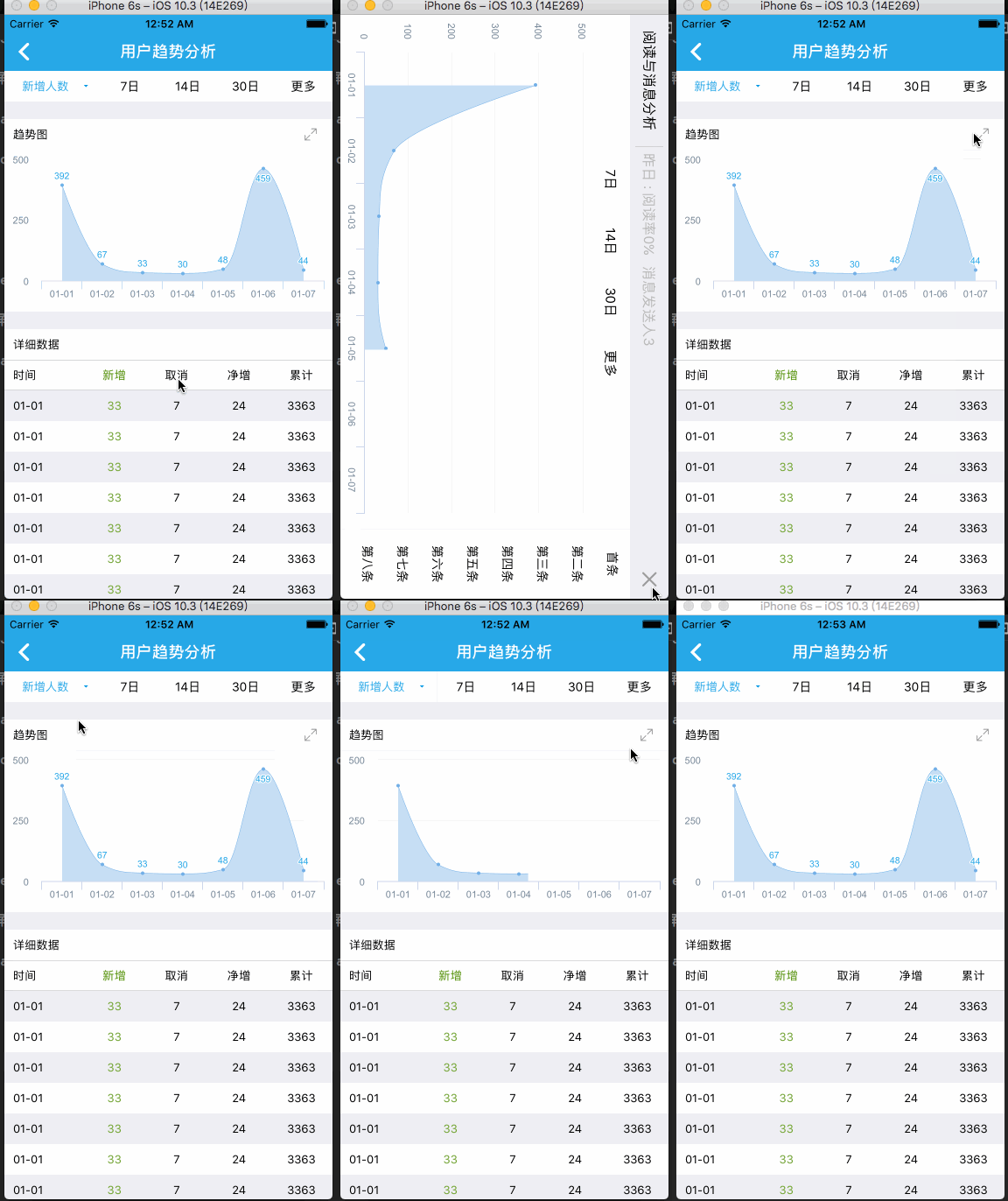
第六步: 上图
iOS强制横屏或强制竖屏的更多相关文章
- iOS的横屏(Landscape)与竖屏(Portrait)InterfaceOrientation
http://www.molotang.com/articles/1530.html 接着上篇写的触摸事件,这次借机会整理下iOS横屏和竖屏的翻转方向支持,即InterfaceOrientation相 ...
- Android开发中如何强制横屏和强制竖屏设置
Android开发中如何强制横屏和强制竖屏设置 强制横屏设置: 按照下面代码示例修改Activity的onResume方法 @Override protected void onResume() { ...
- 二维码识别项目zxing横屏改为竖屏
第1步: 在AndroidManifest中将CaptureActivity的screenOrientation属性做如下修改: android:screenOrientation="por ...
- iOS 工程默认只允许竖屏,在单独界面进行横竖转换,屏幕旋转
只含有 .关于横竖屏的代码 #import "InspectionReportViewController.h" #define SCREEN_WIDTH ([UIScreen m ...
- 单个ViewController支持横屏,其他全竖屏方法-b
如果项目中用了navigationViewController, 那么就应该新建一个uinavigationViewController的子类,然后在这个类里面写上下面的代码,在使用的时候就用自定义的 ...
- iOS应用开发,全局强制竖屏,部分页面允许旋转的处理
目前大多数app都不支持横屏模式,用户不常用,开发起来也麻烦一些.但有些时候,又离不开横屏和竖屏的切换,比如查看视频.图片.文档等,这时又不得不对页面做横屏的处理.下面来教大家如何处理这种场景,方法可 ...
- iOS强制横屏
由于项目需求,需要整个项目页面都是竖屏,唯独一个折线图页面强制性横屏显示. 网上逛了许多帖子,也看了好多大神的提供的方法,都没能够实现本屌丝想要的效果.没办法自己研究自己搞,借鉴各路大神的思路,最后费 ...
- js判断手机浏览器是横屏or竖屏
移动端的浏览器一般都支持window.orientation这个参数,通过这个参数可以判断出手机是处在横屏还是竖屏状态. 从而根据实际需求而执行相应的程序.通过添加监听事件onorientationc ...
- 基于jQuery的判断iPad、iPhone、Android是横屏还是竖屏
function orient() {if (window.orientation == 90 || window.orientation == -90) {//ipad.iphone竖屏:Andri ...
随机推荐
- 在win10中解决 你要以何方式打开此 .xlsx
鼠标右击开始按钮,点击控制面板. 查看方式选择大图标或者小图标. 然后点击“默认程序”. 点击,设置默认程序. 在左侧程序蓝,选择你需要设定的程序.然后点击“将此程序设为默认值”.确定 ...
- pymysql 使用twisted异步插入数据库:基于crawlspider爬取内容保存到本地mysql数据库
本文的前提是实现了整站内容的抓取,然后把抓取的内容保存到数据库. 可以参考另一篇已经实现整站抓取的文章:Scrapy 使用CrawlSpider整站抓取文章内容实现 本文也是基于这篇文章代码基础上实现 ...
- oracle数据库实例,数据库的理解
转自http://www.cnblogs.com/advocate/archive/2010/08/20/1804066.html 加深一下理解 数据库就是一个相片底片 实例就是相纸 一个底片可以冲多 ...
- Django构建简介
MVC框架 MVC:Model View Controller,是软件工程中的一种软件构架模式,把软件系统分为三个基本模型,具有耦合性低.重用性高.生命周期成本低等优点 Model:模型,操作数据库 ...
- django的templatetags
创建tag方式,首先在需要使用tag的app下创建一个templatetags的python包, 然后在包里创建一个tag模块,例如hellotag.py from django import tem ...
- es6冲刺02
1.Symbol es6新增的数据类型 1)概念 提供一个独一无二的值 let a=Symbol() let b=Symbol() 或 let c=Symbol.for('c') let d=Symb ...
- SSD固态硬盘测试工具收集(持续更新)
https://www.crsky.com/zhuanti/gutaiyingpanceshi.html https://www.crsky.com/zhuanti/ssdjiance.html ht ...
- delphi开源JWT
delphi开源JWT 开源GIT地址:https://github.com/paolo-rossi/delphi-jose-jwt JSON Web Token (JWT)是一个开放标准(RFC 7 ...
- sshd服务
SSHD服务 介绍:SSH 协议:安全外壳协议.为 Secure Shell 的缩写.SSH 为建立在应用层和传输层基础上的安全协议. 作用 sshd服务使用SSH协议可以用来进行远程控制, 或在计算 ...
- JS数字指定长度不足前补零的实现
问题描述: 要求输出的数字长度是固定的,如长度为2,数字为1,则输出01,即不够位数就在之前补足0. 解决方法: 方法1 function fn1(num, length) { ret ...