
Springboot的static和templates
static和templates部分参考博客:https://blog.csdn.net/wangb_java/article/details/71775637
热部署参考博客:https://www.cnblogs.com/cx-code/p/8686453.html
SpringBoot里面没有我们之前常规web开发的WebContent(WebApp),它只有src目录
在src/main/resources下面有两个文件夹,static和templates springboot默认 static中放静态页面,而templates中放动态页面
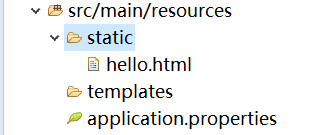
静态页面:
这里我们直接在static放一个hello.html,然后直接输入http://localhost:8080/hello.html便能成功访问
(好像可以新建一个public文件夹,也可以放静态文件)
也可以通过controller跳转:
@Controller

public class HelloController {

    @RequestMapping("/Hi")

    public String sayHello() {

        return "hello.html";

    }

}
然后输入http://localhost:8080/Hi就可以成功访问
动态页面:
动态页面需要先请求服务器,访问后台应用程序,然后再转向到页面,比如访问JSP。spring boot建议不要使用JSP,默认使用Thymeleaf来做动态页面。
现在pom中要添加Thymeleaf组件
<dependency>

    <groupId>org.springframework.boot</groupId>

    <artifactId>spring-boot-starter-thymeleaf</artifactId>

</dependency>
我们先在tempates文件夹中也新建一个hello.html但内容不同,然后先试一下直接访问该页面。输入http://localhost:8080/hello.html:
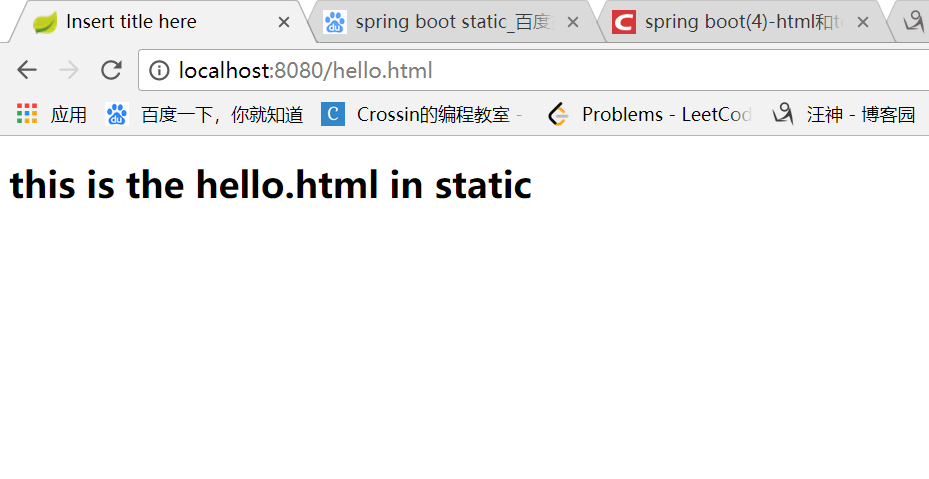
结果显然访问的是静态问价夹里面的那个hello.html
然后我们现在再试一下用controller:
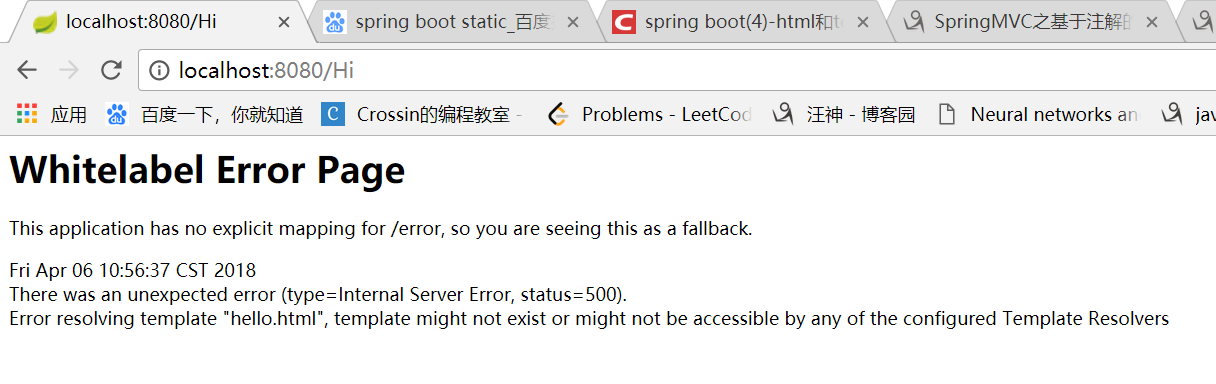
似乎无法访问到hello.html了。。。这是因为:
静态页面的return默认是跳转到/static/index.html,当在pom.xml中引入了thymeleaf组件,动态跳转会覆盖默认的静态跳转,默认就会跳转到/templates/index.html,注意看两者return代码也有区别,动态没有html后缀。
也就是我们要这样改controller:
@Controller

public class HelloController {

    @RequestMapping("/Hi")

    public String sayHello() {

        return "hello";

    }

}
然后就可以成功跳转了
然后我们看看返回一点数据在前端利用Thyemleaf来拿:
@Controller

public class HelloController {

    @RequestMapping("/Hi")

    public ModelAndView sayHello() {

        ModelAndView modelAndView = new ModelAndView();

        modelAndView.setViewName("hello");

        modelAndView.addObject("key", 12345);

        //System.out.println("test");

        return modelAndView;

    }

}
<!DOCTYPE html>

<html>

<head>

<meta charset="UTF-8"/>

<title>Insert title here</title>

</head>

<body>

<h1>this is the hello.html in templates</h1>

<span th:text="${key}"></span>

</body>

</html>
效果:
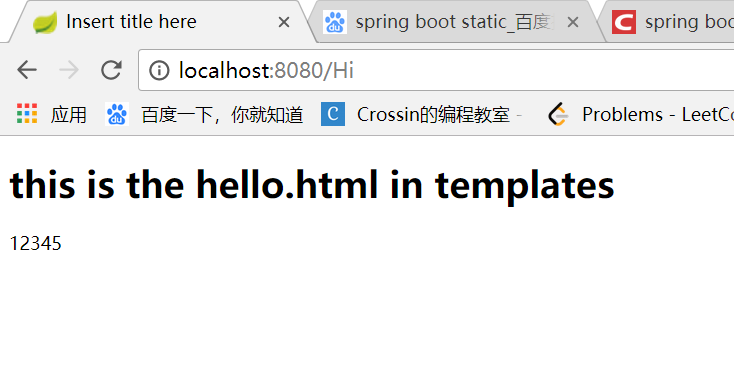
如果不想返回视图,则用@RestController
如果用了静态模板你还想返回static中的页面,那么就要用重定向:
如果在使用动态页面时还想跳转到/static/index.html,可以使用重定向return "redirect:/index.html"。
return "redirect:hello.html";
几点tips:
1.拦截的url最后不要跟视图重合,否则会抛出Circular view path异常,我之前就是
@Controller

public class HelloController {

    @RequestMapping("/hello")

    public String sayHello() {

        return "hello.html";

    }

}
然后就报错说会有个循环视图的错误,反正以后注意就是。
2.每次改完都要重新停止应用,再重新启动很烦~但springboot有个叫热部署的东西,就是说在项目中修改代码可以不用重新停止应用再重新启动,可以自动重启,这里我们用的是devtools:
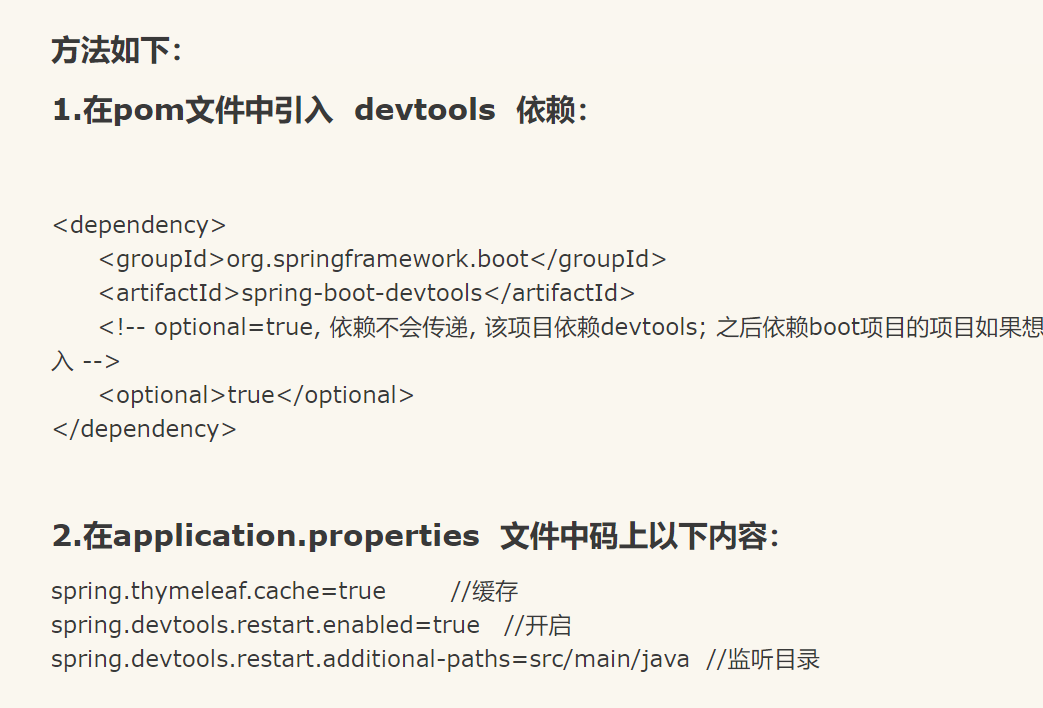
具体见博客:https://www.cnblogs.com/cx-code/p/8686453.html
Springboot的static和templates的更多相关文章
- Springboot的static和templates区别
static和templates部分参考博客:https://blog.csdn.net/wangb_java/article/details/71775637 热部署参考博客:https://www ...
- Django的学习——全局的static和templates的使用
一.问题 首先我们在进行Django框架搭建的时候我们需要建立一个全局的变量,一是为了实现代码的复用,二是为了方便管理,如下图的样式 二.解决 1.修改setting里面的配置文件①templates ...
- springboot整合Thymeleaf模板引擎
引入依赖 需要引入Spring Boot的Thymeleaf启动器依赖. <dependency> <groupId>org.springframework.boot</ ...
- django配置templates、static、media和连接mysql数据库
1.模板文件 # =======templates配置======= if os.path.exists(os.path.join(BASE_DIR, 'templates')) is False: ...
- springboot 详细配置2
# =================================================================== # COMMON SPRING BOOT PROPERTIE ...
- springboot + devtools(热部署)
技术介绍 devtools:是boot的一个热部署工具,当我们修改了classpath下的文件(包括类文件.属性文件.页面等)时,会重新启动应用(由于其采用的双类加载器机制,这个启动会非常快,如果发现 ...
- (二)SpringBoot基础篇- 静态资源的访问及Thymeleaf模板引擎的使用
一.描述 在应用系统开发的过程中,不可避免的需要使用静态资源(浏览器看的懂,他可以有变量,例:HTML页面,css样式文件,文本,属性文件,图片等): 并且SpringBoot内置了Thymeleaf ...
- 补习系列(1)-springboot项目基础搭建课
目录 前言 一.基础结构 二.添加代码 三.应用配置 四.日志配置 五.打包部署 小结 前言 springboot 最近火的不行,目前几乎已经是 spring 家族最耀眼的项目了.抛开微服务.技术社区 ...
- SpringBoot标准Properties
# =================================================================== # COMMON SPRING BOOT PROPERTIE ...
随机推荐
- Xamarin.Forms初始
前言 Xamarin.Forms 为 .NET 开发人员提供一个完整的跨平台 UI 工具包. 在 Visual Studio 中使用 C# 生成完全本机的 Android.iOS 和通用 Window ...
- CSS实现文字内容不被截断当超出指定长度时该字符串自动整体换到下一行
效果图: 1.内容不被截断 span { overflow:hidden; white-space:nowrap; text-overflow:ellipsis; ...
- 【CQ18高一暑假前挑战赛3.5】标程
[A:快速幂相关] #include<bits/stdc++.h> using namespace std; int qpow(int a,int x){ a%=;; while(x){ ...
- BZOJ_3566_[SHOI2014]概率充电器_概率+树形DP
BZOJ_3566_[SHOI2014]概率充电器_概率+树形DP Description 著名的电子产品品牌 SHOI 刚刚发布了引领世界潮流的下一代电子产品——概率充电器: “采用全新纳米级加工技 ...
- Redis GEO 特性在 LBS 中的应用总结
什么是LBS LBS(Location Based Service),基于位置的服务. Redis和GEO Redis 是最热门的 nosql 数据库之一,它的最大特点就是快.所以在 LBS 这种需要 ...
- 使用weui
1 在https://github.com/weui/weui-wxss/下载项目,得到weui.wxss文件 2 把文件放在小程序项目的根目录下 3 在app.wxss中引用weui.wxss文件 ...
- Word2013 在一个页面双列显示
1. 效果图 2. 实现方法 (1) 进入页面布局 (2) 选中要整理的字,选中Columns,然后选择Two
- Algorithms : Programming Assignment 3: Pattern Recognition
Programming Assignment 3: Pattern Recognition 1.题目重述 原题目:Programming Assignment 3: Pattern Recogniti ...
- 技术胖Flutter第四季-20导航的参数传递和接受-1
技术胖Flutter第四季-20导航的参数传递和接受-1 视频地址:https://www.bilibili.com/video/av35800108/?p=21 先安装一个新的插件: Awesome ...
- 转载 关于启用HTTPS的一些经验分享
本文转载自 https://imququ.com/post/sth-about-switch-to-https.html 随着国内网络环境的持续恶化,各种篡改和劫持层出不穷,越来越多的网站选择了全站 ...