
Flutter实战视频-移动电商-62.购物车_首页Provide化 让跳转随心所欲
62.购物车_首页Provide化 让跳转随心所欲
新建provide/currentIndex.dart
内容比较简单,定义一个变量当前页面的索引currentIndex,再定义一个方法改变它的值

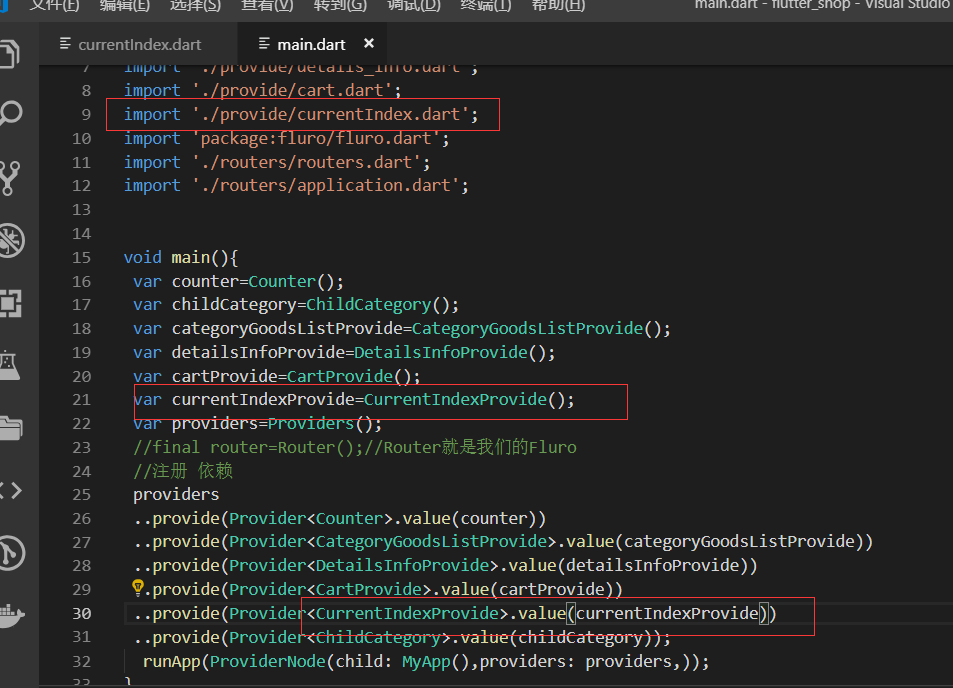
provide全局注册main.dart
index_page.dart
引入provide和currentIndexProvide
然后把首页的代码先都注释掉,之前我们这个页面是一个StateFul的widget,现在我们要改成静态的 原来的一些代码也可以用
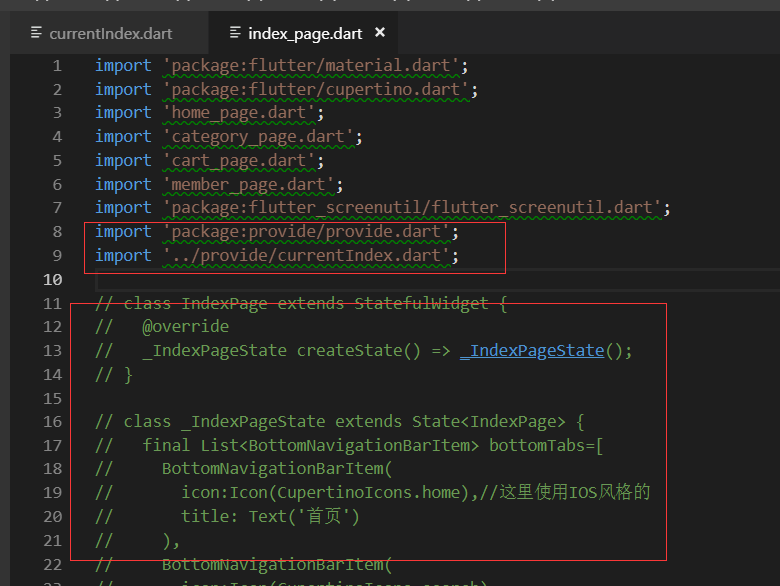
下面开始重写index页面
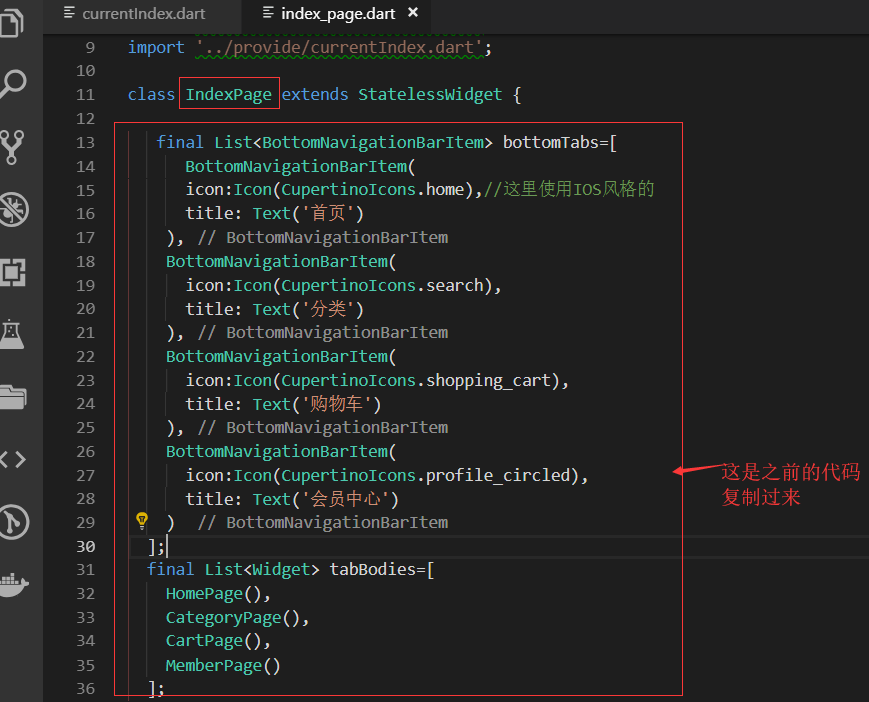
写build内的代码
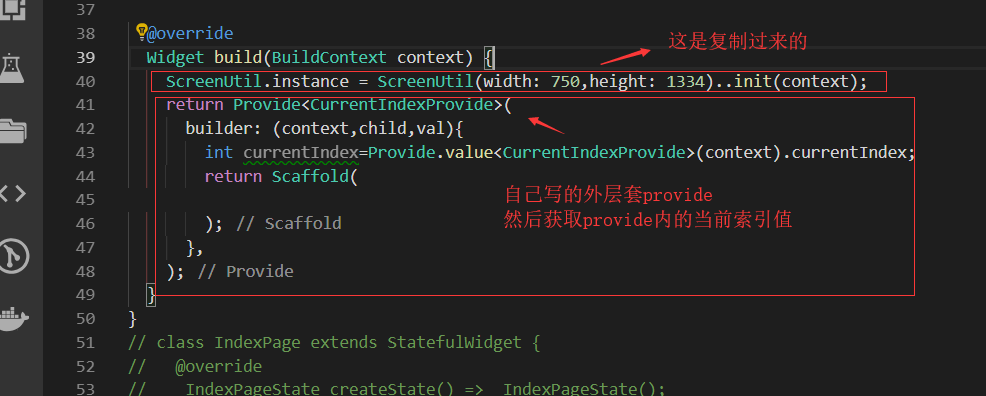
Scaffold的方法从原来注释的代码里面复制过来,setstate的代码注释掉 用不到 了。我们要用provide

点击事件,调用provide里的改变当前索引值的方法
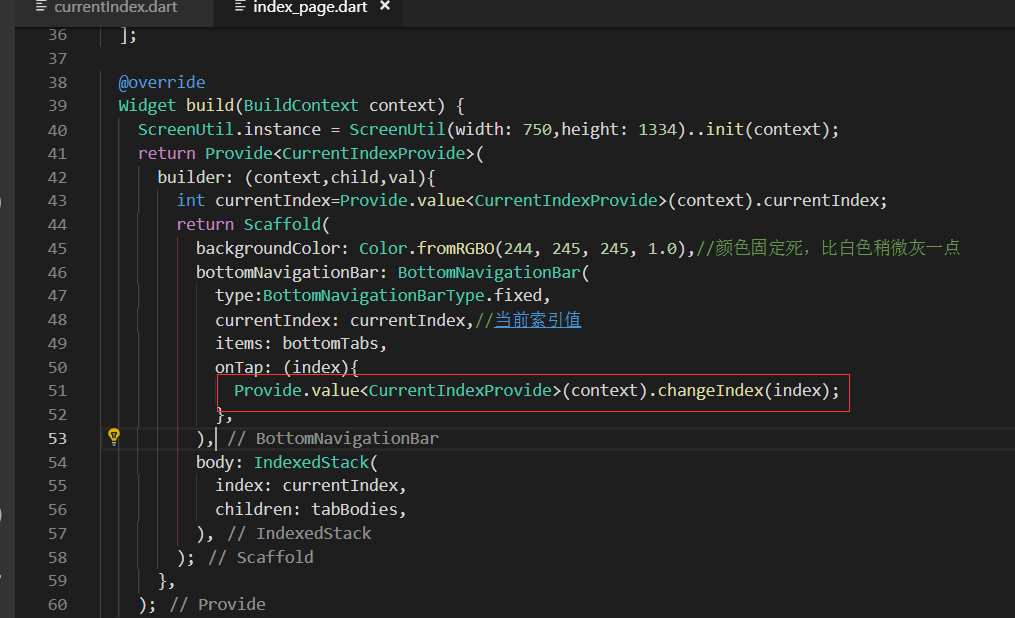
效果展示
测试页面底部栏目的切换
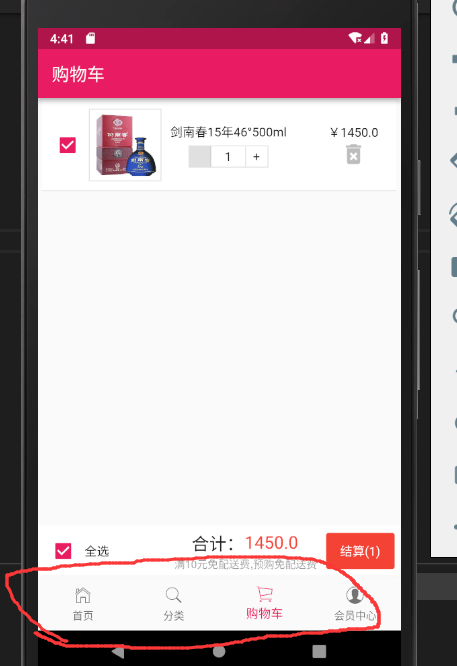
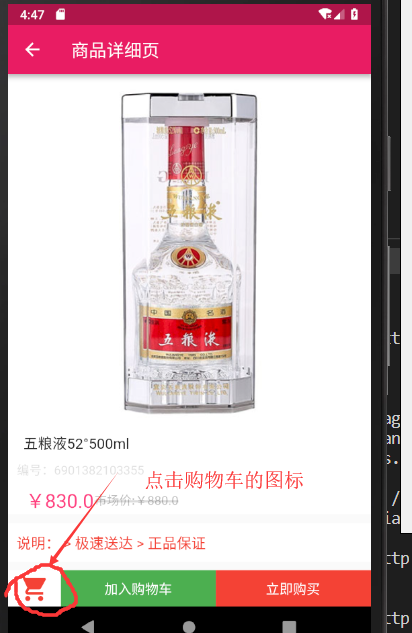
点击详情页面的购物车按钮,跳转到购物车的页面
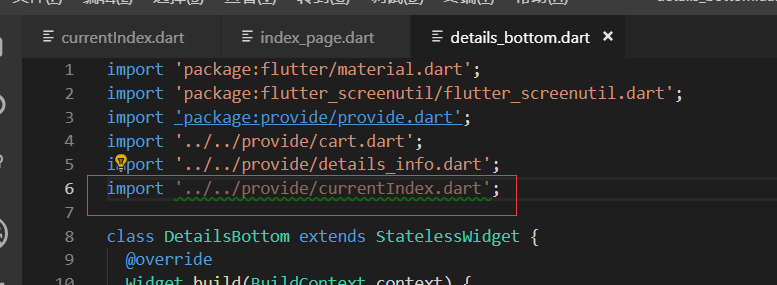
pages/details_page/_bottom.dart
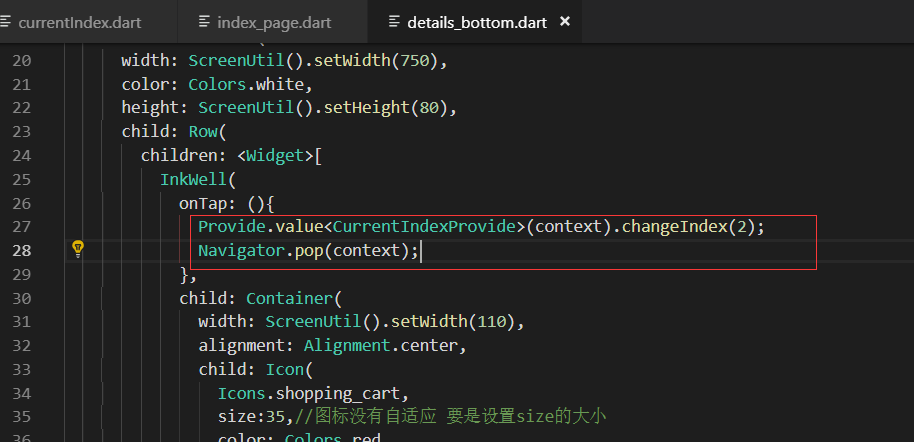
购物车的onTap事件
大R刷新,最终效果展示

最终代码
provide/currentIndex.dart
import 'package:flutter/material.dart';

class CurrentIndexProvide with ChangeNotifier{

  int currentIndex=;

  changeIndex(int newIndex){

    currentIndex=newIndex;

    notifyListeners();//通知

  }

}
pages/index_page.dart
import 'package:flutter/material.dart';

import 'package:flutter/cupertino.dart';

import 'home_page.dart';

import 'category_page.dart';

import 'cart_page.dart';

import 'member_page.dart';

import 'package:flutter_screenutil/flutter_screenutil.dart';

import 'package:provide/provide.dart';

import '../provide/currentIndex.dart';

class IndexPage extends StatelessWidget {

   final List<BottomNavigationBarItem> bottomTabs=[

      BottomNavigationBarItem(

      icon:Icon(CupertinoIcons.home),//这里使用IOS风格的

      title: Text('首页')

    ),

    BottomNavigationBarItem(

      icon:Icon(CupertinoIcons.search),

      title: Text('分类')

    ),

    BottomNavigationBarItem(

      icon:Icon(CupertinoIcons.shopping_cart),

      title: Text('购物车')

    ),

    BottomNavigationBarItem(

      icon:Icon(CupertinoIcons.profile_circled),

      title: Text('会员中心')

    )

  ];

  final List<Widget> tabBodies=[

    HomePage(),

    CategoryPage(),

    CartPage(),

    MemberPage()

  ];

  @override

  Widget build(BuildContext context) {

    ScreenUtil.instance = ScreenUtil(width: ,height: )..init(context);

    return Provide<CurrentIndexProvide>(

      builder: (context,child,val){

        int currentIndex=Provide.value<CurrentIndexProvide>(context).currentIndex;

        return Scaffold(

          backgroundColor: Color.fromRGBO(, , , 1.0),//颜色固定死,比白色稍微灰一点

          bottomNavigationBar: BottomNavigationBar(

            type:BottomNavigationBarType.fixed,

            currentIndex: currentIndex,//当前索引值

            items: bottomTabs,

            onTap: (index){

              Provide.value<CurrentIndexProvide>(context).changeIndex(index);

            },

          ),

          body: IndexedStack(

            index: currentIndex,

            children: tabBodies,

          ),

        );

      },

    );

  }

}
pages/details_page/details_bottom.dart
import 'package:flutter/material.dart';

import 'package:flutter_screenutil/flutter_screenutil.dart';

import 'package:provide/provide.dart';

import '../../provide/cart.dart';

import '../../provide/details_info.dart';

import '../../provide/currentIndex.dart';

class DetailsBottom extends StatelessWidget {

  @override

  Widget build(BuildContext context) {

    var goodsInfo=Provide.value<DetailsInfoProvide>(context).goodsInfo.data.goodInfo;//当前商品的详情

    var goodsId=goodsInfo.goodsId;

    var goodsName=goodsInfo.goodsName;

    var count=;//默认为1

    var price=goodsInfo.presentPrice;

    var images=goodsInfo.image1;

    return Container(

      width: ScreenUtil().setWidth(),

      color: Colors.white,

      height: ScreenUtil().setHeight(),

      child: Row(

        children: <Widget>[

          InkWell(

            onTap: (){

              Provide.value<CurrentIndexProvide>(context).changeIndex();

              Navigator.pop(context);

            },

            child: Container(

              width: ScreenUtil().setWidth(),

              alignment: Alignment.center,

              child: Icon(

                Icons.shopping_cart,

                size:,//图标没有自适应 要是设置size的大小

                color: Colors.red,

              ),

            ),

          ),

          InkWell(

            onTap: () async{

              await Provide.value<CartProvide>(context).save(goodsId, goodsName, count, price, images);

            },

            child: Container(

              alignment: Alignment.center,

              width: ScreenUtil().setWidth(),//750 - 110 再除以2 评分

              height: ScreenUtil().setHeight(),

              color: Colors.green,

              child: Text(

                '加入购物车',

                style:TextStyle(color:Colors.white,fontSize: ScreenUtil().setSp()),

              ),

            ),

          ),

          InkWell(

            onTap: () async{

              await Provide.value<CartProvide>(context).remove();

            },

            child: Container(

              alignment: Alignment.center,

              width: ScreenUtil().setWidth(),//750 - 110 再除以2 评分

              height: ScreenUtil().setHeight(),

              color: Colors.red,

              child: Text(

                '立即购买',

                style:TextStyle(color:Colors.white,fontSize: ScreenUtil().setSp()),

              ),

            ),

          )

        ],

      ),

    );

  }

}
Flutter实战视频-移动电商-62.购物车_首页Provide化 让跳转随心所欲的更多相关文章
- Flutter实战视频-移动电商-52.购物车_数据模型建立和Provide修改
52.购物车_数据模型建立和Provide修改 根据json数据生成模型类 {,"price":830.0,"images":"http://imag ...
- Flutter实战视频-移动电商-53.购物车_商品列表UI框架布局
53.购物车_商品列表UI框架布局 cart_page.dart 清空原来写的持久化的代码; 添加对应的引用,stless生成一个静态的类.建议始终静态的类,防止重复渲染 纠正个错误,上图的CartP ...
- Flutter实战视频-移动电商-54.购物车_商品列表子项布局
54.购物车_商品列表子项布局 子项做成一个单独的页面 新建cartItem.dart文件 新建cart_page文件夹,在里面新建cart_item.dart页面, 页面名字叫做CartItem 定 ...
- Flutter实战视频-移动电商-55.购物车_底部结算栏UI制作
55.购物车_底部结算栏UI制作 主要做下面结算这一栏目 cart_bottom.dart页面 先设置下内边距 拆分成三个子元素 全选 因为有一个文本框和一个全选的text文本,所以这里也用了Row布 ...
- Flutter实战视频-移动电商-56.购物车_商品数量控制区域制作
56.购物车_商品数量控制区域制作 主要做购物车中的数量这里 cart_page文件夹下新建cart_count.dart 减少按钮 因为会有点击事件,所以这里我们使用InkWell. child里面 ...
- Flutter实战视频-移动电商-57.购物车_在Model中增加选中字段
57.购物车_在Model中增加选中字段 先修改model类 model/cartInfo.dart类增加是否选中的属性 修改provide 修改UI部分pages/cart_page/cart_it ...
- Flutter实战视频-移动电商-58.购物车_删除商品功能制作
58.购物车_删除商品功能制作 主要做购物车后面的删除按钮 删除的方法写在provide里面 provide/cart.dart文件 传入goodsId,循环对比,找到后进行移除 //删除单个购物车商 ...
- Flutter实战视频-移动电商-59.购物车_计算商品价格和数量
59.购物车_计算商品价格和数量 本节课主要是加上自动计算的功能 provide/cart.dart 在provide的类里面增加两个变量 cart_bottom.dart 三个组件因为我们都需要套一 ...
- Flutter实战视频-移动电商-60.购物车_全选按钮的交互效果制作
60.购物车_全选按钮的交互效果制作 主要做全选和复选框的这两个功能 provide/cart.dart 业务逻辑写到provide里面 先持久化取出来字符串,把字符串编程list.循环list ca ...
随机推荐
- PHP中使用Redis
Redis是什么 Redis ( REmote DIctionary Server ) , 是一个由Salvatore Sanfilippo写的key-value存储系统. Redis是一个开源的使用 ...
- sap保存时小写字母自己主动转大写字母的解决方法
在实际应用中.ABAP保存数据到后台数据库表中时.会自己主动把前台输入的小写字母自己主动转换为大写字母来保存.有时候客户可能不须要转换,就须要用到以下的方法: 1.找到相应字段的Data ...
- js thiskeyword
相信大家都接触过this了,那么 this究竟是什么意思呢?看其字面意思就是个代词.指代其它的一些东西. 那么我们在程序其中,事实上也是一样.this也是个代词. 比方我们在java其中,this的k ...
- RYU改动监听port Mininet在custom自建拓扑和连接到指定控制器命令解释
1.RYU控制器改动监听port 在ryu/ryu/ofproto以下的ofproto_common.py watermark/2/text/aHR0cDovL2Jsb2cuY3Nkbi5uZXQvc ...
- 封装EF code first用存储过程的分页方法
一年半没有做过MVC的项目了,还是很怀念(因为现在项目还是原来的ASPX),个人还是喜欢mvc,最近又开始重拾MVC,感觉既熟悉又陌生. 记录一下封装好的分页代码 首先先说下 我使用EF codefi ...
- 安装Ubuntn 和 pycharm
Ubuntu安装之python开发 什么??公司要用Ubuntu(乌班图)?不会用??怎么进行python开发??? 乌班图操作系统下载地址:http://releases.ubuntu.com/ ...
- 九度OJ 1086:最小花费 (DP)
时间限制:1 秒 内存限制:32 兆 特殊判题:否 提交:3960 解决:819 题目描述: 在某条线路上有N个火车站,有三种距离的路程,L1,L2,L3,对应的价格为C1,C2,C3.其对应关系如下 ...
- Android wifi 从连接态自动断开的解决办法(dhcp导致)【转】
本文转载自:http://blog.csdn.net/DKBDKBDKB/article/details/38490201 对wifi部分的代码流程已经看了段时间,前两天终于解决了工作中遇到的一个wi ...
- 解决Android Studio Fetching Android SDK component information失败问题【转】
本文转载自:http://blog.csdn.net/isesar/article/details/41908089 Android Studio 安装完成后,如果直接启动,Android Studi ...
- js程序开发-3
<h1>Date()类型</h1> 获取日期和时间 getDate() 获取日 1-31 getDay () 获取星期 0-6 getMonth () 获取月 0-11 get ...