
VB6之HTTP服务器的实现
之前用VBS写过一个,效率和支持比较low,这次闲着没事用VB重写了一次。
当前的实现版本仅支持静态文件的访问(*.html之类),支持访问方式为GET,HTTP状态支持200和404。
两个文件,一个是定义了常用到的函数的模块tools.bas
 'tools.bas

 Private Declare Function GetTickCount Lib "kernel32" () As Long

 Public Const WEB_ROOT As String = "c:\web"

 Public req_types As Object

 Public Function GetHeader(ByVal data As String, ByVal idex As Integer) As Object

 'head [dictionary objet]:

 '   Request,            [dictionary objet] <Method|File|Protocol>

 '   Host,               [string]

 '   Accept-Language,    [string]

 '   *etc

     Set head = CreateObject("scripting.dictionary")

     Set rqst = CreateObject("scripting.dictionary")

     Call head.Add("RemoteHost", Form1.SckHandler(idex).RemoteHostIP)

     Call head.Add("RemotePort", Form1.SckHandler(idex).RemotePort)

     temp = Split(data, vbCrLf)

     'request's method, file and protocol

     rmfp = Split(temp(), " ")

     Call rqst.Add("Method", rmfp())

     Call rqst.Add("File", rmfp())

     Call rqst.Add("Protocol", rmfp())

     Call head.Add("Request", rqst)

     For idex =  To UBound(temp)

         If temp(idex) <> "" Then

             prop = Split(temp(idex), ": ")

             Call head.Add(prop(), prop())

         End If

     Next

     Set GetHeader = head

 End Function

 Public Sub Sleep(ByVal dwDelay As Long)

     limt = GetTickCount() + dwDelay

     Do While GetTickCount < limt

         DoEvents

     Loop

 End Sub

 Function URLDecode(ByVal url As String) As String

 'using the function [decodeURI] from js

     Set js = CreateObject("scriptcontrol")

     js.language = "javascript"

     URLDecode = js.eval("decodeURI('" & url & "')")

     Set js = Nothing

 End Function

 Public Function GetGMTDate() As String

     Dim WEEKDAYS

     Dim MONTHS

     Dim DEFAULT_PAGE

     WEEKDAYS = Array("Sun", "Mon", "Tue", "Wed", "Thu", "Fri", "Sat")

     MONTHS = Array("Jan", "Feb", "Mar", "Apr", "May", "Jun", "Jul", "Aug", "Sept", "Oct", "Nov", "Dec")

     DEFAULT_PAGE = Array("index.html", "index.htm", "main.html", "main.htm")

     date_ = DateAdd("h", -, Now())

     weekday_ = WEEKDAYS(Weekday(date_) - )

     month_ = MONTHS(Month(date_) - )

     day_ = Day(date_): year_ = Year(date_)

     time_ = Right(date_, )

     If Hour(time_) <  Then time_ = "" & time_

     GetGMTDate = weekday_ & ", " & day_ & _

          " " & month_ & " " & year_ & _

          " " & time_ & " GMT"

 End Function

 Public Function url2file(ByVal url As String) As String

     file = URLDecode(url)

 '默认文件为 index.html

     If file = "/" Then file = "/index.html"

     file = Replace(file, "/", "\")

     file = WEB_ROOT & file

     url2file = file

 End Function

 Public Function GetBytes(ByVal file As String, ByRef byts() As Byte) As Long

 'not supported big file which size>2G

         fnum = FreeFile()

         Open file For Binary Access Read As #fnum

             size = LOF(fnum)

             If size =  Then

                 byts = vbCrLf

             Else

                 ReDim byts(size - ) As Byte

                 Get #fnum, , byts

             End If

         Close #fnum

         GetBytes = size

 End Function

 Public Function SetResponseHeader(ByVal file As String, ByVal size As Long) As String

 'get the content-type from extension,

 '   if file has not ext, then set it to .*

     If InStr(file, ".") =  Then file = file & ".*"

     ext = "." & Split(file, ".")()

     ftype = req_types(ext)

     header = "HTTP/1.1 200 OK" & vbCrLf & _

             "Server: http-vb/0.1 vb/6.0" & vbCrLf & _

             "Date: " & GetGMTDate() & vbCrLf & _

             "Content-Type: " & ftype & vbCrLf & _

             "Content-Length: " & size & vbCrLf & vbCrLf

     SetResponseHeader = header

 End Function
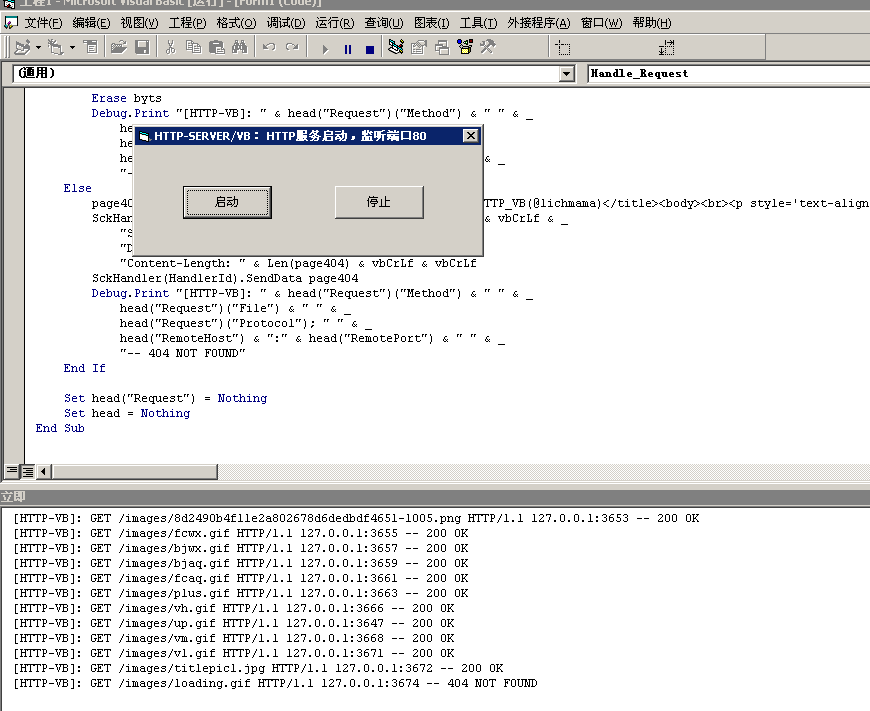
然后是窗体部分,目前日志全部都用的Debug打印的,因此就没专门来写日志输出:
 'code by lichmama

 'winsock 状态常数

 Private Enum WINSOCK_STATE_ENUM

     sckClosed =                '关闭状态

     sckOpen =                  '打开状态

     sckListening =             '侦听状态

     sckConnectionPending =     '连接挂起

     sckResolvingHost =         '解析域名

     sckHostResolved =          '已识别主机

     sckConnecting =            '正在连接

     sckConnected =             '已连接

     sckClosing =               '同级人员正在关闭连接

     sckError =                 '错误

 End Enum

 Private Sub Command1_Click()

     '启动监听

     Call Winsock1.Listen

     Me.Caption = "HTTP-SERVER/VB: HTTP服务启动,监听端口80"

 End Sub

 Private Sub Command2_Click()

     '关闭监听

     Call Winsock1.Close

     For i =  To

         Call SckHandler(i).Close

     Next

     Me.Caption = "HTTP-SERVER/VB: HTTP服务已停止"

 End Sub

 Private Sub Form_Load()

 '当前支持的文件类型

     Set req_types = CreateObject("scripting.dictionary")

     Call req_types.Add(".html", "text/html")

     Call req_types.Add(".htm", "text/html")

     Call req_types.Add(".xml", "text/xml")

     Call req_types.Add(".js", "application/x-javascript")

     Call req_types.Add(".css", "text/css")

     Call req_types.Add(".txt", "text/plain")

     Call req_types.Add(".jpg", "image/jpeg")

     Call req_types.Add(".png", "image/image/png")

     Call req_types.Add(".gif", "image/image/gif")

     Call req_types.Add(".ico", "image/image/x-icon")

     Call req_types.Add(".bmp", "application/x-bmp")

     Call req_types.Add(".*", "application/octet-stream")

     For i =  To

         Call Load(SckHandler(i))

         With SckHandler(i)

             .Protocol = sckTCPProtocol

             .LocalPort =

             .Close

         End With

     Next

     With Winsock1

         .Protocol = sckTCPProtocol

         .Bind , "0.0.0.0"

         .Close

     End With

 End Sub

 Private Sub Form_Unload(Cancel As Integer)

     Winsock1.Close

     For i =  To

         SckHandler(i).Close

     Next

 End Sub

 Private Sub SckHandler_DataArrival(Index As Integer, ByVal bytesTotal As Long)

     Dim buff As String

     Call SckHandler(Index).GetData(buff, vbString, bytesTotal)

     Call Handle_Request(buff, Index)

 End Sub

 Private Sub SckHandler_SendComplete(Index As Integer)

     Call SckHandler(Index).Close

 End Sub

 Private Sub Winsock1_ConnectionRequest(ByVal requestID As Long)

 HANDLER_ENTRANCE_:

     For i =  To

         If SckHandler(i).State <> sckConnected And _

             SckHandler(i).State <> sckConnecting And _

             SckHandler(i).State <> sckClosing Then

             Call SckHandler(i).Accept(requestID)

             Exit Sub

         End If

     Next

     '如果未找到空闲的handler,等待100ms后,继续寻找

     Call Sleep(): GoTo HANDLER_ENTRANCE_

 End Sub

 Private Sub Handle_Request(ByVal req As String, ByVal HandlerId As Integer)

     Dim byts() As Byte

     Set head = GetHeader(req, HandlerId)

     file = url2file(head("Request")("File"))

     fnme = Dir(file)

     If fnme <> "" Then

         size = GetBytes(file, byts)

         SckHandler(HandlerId).SendData SetResponseHeader(file, size)

         SckHandler(HandlerId).SendData byts

         Erase byts

         Debug.Print "[HTTP-VB]: " & head("Request")("Method") & " " & _

             head("Request")("File") & " " & _

             head("Request")("Protocol"); " " & _

             head("RemoteHost") & ":" & head("RemotePort") & " " & _

             "-- 200 OK"

     Else

         page404 = "<!DOCTYPE html><html><head><title>404错误 - HTTP_VB(@lichmama)</title><body><br><p style='text-align:center;font-family:consolas'>""don't busy on trying, maybe you just took a wrong way of opening.""<br>        -- kindly tip from <i style='color:red;font-size:32px'>404</i></p></body></head></html>"

         SckHandler(HandlerId).SendData "HTTP/1.1 404 NOT FOUND" & vbCrLf & _

             "Server: http-vb/0.1 vb/6.0" & vbCrLf & _

             "Date: " & GetGMTDate() & vbCrLf & _

             "Content-Length: " & Len(page404) & vbCrLf & vbCrLf

         SckHandler(HandlerId).SendData page404

         Debug.Print "[HTTP-VB]: " & head("Request")("Method") & " " & _

             head("Request")("File") & " " & _

             head("Request")("Protocol"); " " & _

             head("RemoteHost") & ":" & head("RemotePort") & " " & _

             "-- 404 NOT FOUND"

     End If

     Set head("Request") = Nothing

     Set head = Nothing

 End Sub
最后上两张图,后台:
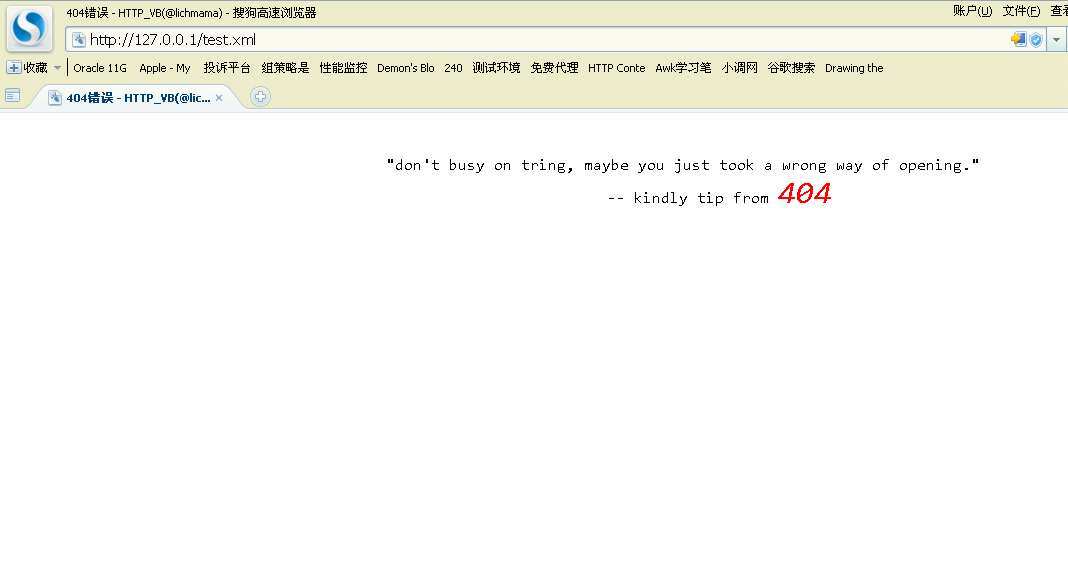
404:
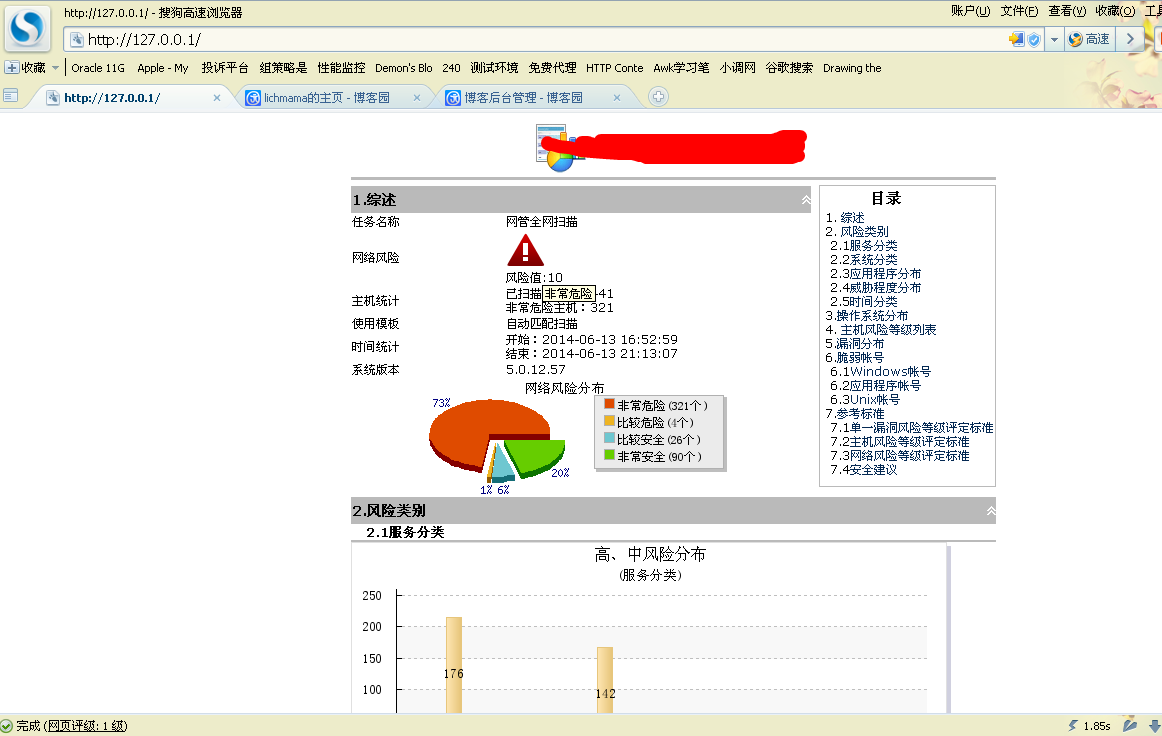
正常访问:
VB6之HTTP服务器的实现的更多相关文章
- VB6之HTTP服务器的实现(二)
接上篇,这次做了小小的改动和提升.增加了对POST的支持和对其他方法(GET和POST之外的)选择405回复.另外,增加了对CGI的支持,目前可以使用C语言来写(是不是好蠢的赶脚).相对于上篇,整体做 ...
- 【VB6】vbRichClient5.cWebServer实现一个简单web服务器
Option Explicit Private WithEvents k As vbRichClient5.cWebServer Private Sub Command1_Click() Set k ...
- 使用VB6制作RTD函数
以前模仿大神在vs里使用c#实现RTD函数功能.(真是很生僻的东东啊)C#制作RTD参考:大神博客跳转.最近想VB里能不能做?就试着做了做,好像基本成了,整套代码有些毛病,勉强能算个样子,暂时不打算再 ...
- 链接服务器"(null)"的 OLE DB 访问接口 "Microsoft.Jet.OLEDB.4.0" 返回了消息 "未指定的错误"。[手稿]
消息 7302,级别 16,状态 1,第 1 行 无法创建链接服务器 "(null)" 的 OLE DB 访问接口 "Microsoft.JET.OLEDB.4.0&qu ...
- 【VB/.NET】Converting VB6 to VB.NET 【Part II】【之四】
第四部分 原文 DLLs, DAO, RDO, ADO, and AD.NET; the History of VB DBs In the early versions of VB, there we ...
- 前端向服务器请求数据并渲染的方式(ajax/jQuery/axios/vue)
原理: jQuery的ajax请求:complete函数一般无论服务器有无数据返回都会显示(成功或者失败都显示数据): return result
- 如何在同一台服务器上部署两个tomcat
因为测试的需要,有时我们必须在同一个服务器上部署两个tomcat,然后去做应用的部署,那么很多同学可能会觉得比较为难,找的资料也比较的不齐全,那么今天华华就来给大家讲讲如何部署2个tomcat,并能够 ...
- VB6 如何连接MYSQL数据库
1 从官网下载MYSQL的ODBC,选择与自己操作系统对应的版本(前提是你安装了MYSQL) http://dev.mysql.com/downloads/connector/odbc/ 2 安装 ...
- App开发:模拟服务器数据接口 - MockApi
为了方便app开发过程中,不受服务器接口的限制,便于客户端功能的快速测试,可以在客户端实现一个模拟服务器数据接口的MockApi模块.本篇文章就尝试为使用gradle的android项目设计实现Moc ...
随机推荐
- Java读写Excel之POI超入门
转自:http://rensanning.iteye.com/blog/1538591 Apache POI 是用Java编写的免费开源的跨平台的 Java API,Apache POI提供API给J ...
- java 学习笔记1 java语言概述及开发环境
高级语言运行机制 高级语言按程序的执行方式分为编译型和解释型两种. java语言比较特殊,Java程序的执行必须经过先编译后解释的步骤. 1 编译生成字节码,只面向JVM(.class) 2Jvm执行 ...
- WCF(远程服务器返回错误: 400 错误的请求)
类似相关问题有以下: WCF- restful接口 POST方式调用报错(远程服务器返回错误: 400 错误的请求) WCF Rest:不使用UriTemplate使用post方式传参解决HTTP40 ...
- Docker - 运行 containers 使用在 swarm 模式下创建的 overlay 模式的 network
前言 在Docker engine v1.12, 使用Swarm可以方便的创建overlay模式的网络,但是它只能被swarm下面的service所使用的,相对于container,这个网络是完全隔离 ...
- cursor 属性
鼠标 样式 default 默认光标(通常是一个箭头) auto 默认.浏览器设置的光标. crosshair 光标呈现为十字线. pointer 光标呈现为指示链接的指针(一只手) move 此光标 ...
- Java集合之Properties
Java集合之Properties
- 【JAVAWEB学习笔记】29_文件的上传------commons-fileupload
今天内容: 文件的上传------commons-fileupload 文件上传和下载的实质:文件的拷贝 文件上传:从本地拷贝到服务器磁盘上 客户端需要编写文件上传表单---->服务端需要编 ...
- Android Studio 工具栏添加常用按钮
本文中 Android Studio 的版本为 android Studio 2.2 ,操作系统为 Windows,如有操作不同,可能是版本差异.在工具栏中添加一些常用的按钮,如设置.DDMS,有利于 ...
- Markdown常用语法对应
这是一遍备忘录,当忘记Markdown的语法的时候,就到这里来参照. 第一部分是markdown的语法,紧接着就是该语法的效果. 代码语法高亮 ```javascript function synta ...
- Mac 上Python多版本切换
Mac上自带了Python2.x的版本,有时需要使用Python3.x版本做开发,但不能删了Python2.x,可能引起系统不稳定,那么就需要安装多个版本的Python. 1.安装Python3.x版 ...