
ios Programming:The Big Nerd Ranch Guid(6th Edition) (Joe Conway & AARON HILLEGASS 著)
Introduction (已看)
Prerequisites
What Has Changed in the Sixth Edition?
Our Teaching Philosophy
How to Use This Book
How This Book Is Ogranized
Style Choices
Typographical Conventions
Necessary Hardware and Software
1. A Simple ios Application (已看)
Creating an Xcode Project
Designing Quiz
Interface Builder
Building the Interface
Creating view objects
Configuring view objects
Running on the simulator
A brief introduction to Auto Layout
Making connections
Creaging the Model Layer
Implementing action methods
Loading the first question
Building the Finished Application
Application Icons
Launch Screen

 import UIKit

 class ViewController: UIViewController {

     @IBOutlet var questionLabel: UILabel!
     @IBOutlet var answerLabel: UILabel!

     let questions: [String] = [
         "From what is cognac made?",
         "What is 7+7?",
         "What is the capital of Vermont?"
     ]
     let answers: [String] = [
         "Grapes",
         ",
         "Montpelier"
     ]

     override func viewDidLoad() {
         super.viewDidLoad()
         questionLabel.text = questions[currentQuestionIndex]
     }

     @IBAction func showNextQuestion(_ sender: UIButton) {
         currentQuestionIndex +=
         if currentQuestionIndex == questions.count {
             currentQuestionIndex =
         }

         let question: String = questions[currentQuestionIndex]
         questionLabel.text = question
         answerLabel.text = "???"
     }

     @IBAction func showAnswer(_ sender: UIButton) {
         let answer: String = answers[currentQuestionIndex]
         answerLabel.text = answer
     }

 }
ViewController
2. The Swift Language (已看)
Types in Swift
Using Standard Types
Inferring types
Specifying types
Literals and subscripting
Initializers
Properties
Instance methods
Optionals
Subscripting dictionaries
Loops and String Interpolation
Enumerations and the Switch Statement
Enumerations and raw values
Exploring Apple's Swift Documentation
3. View and the View Hierarchy (已看)
View Basics
The View Hierarchy
Creating a New Project
View and Frames
Customizing the labels
The Auto Layout System
The alignment rectangle and layout attributes
Constraints
Adding constraints in Interface Builder
Intrinsic content size
Misplaced views
Adding more constraints
Bronze Challenge:More Auto Layout Practice
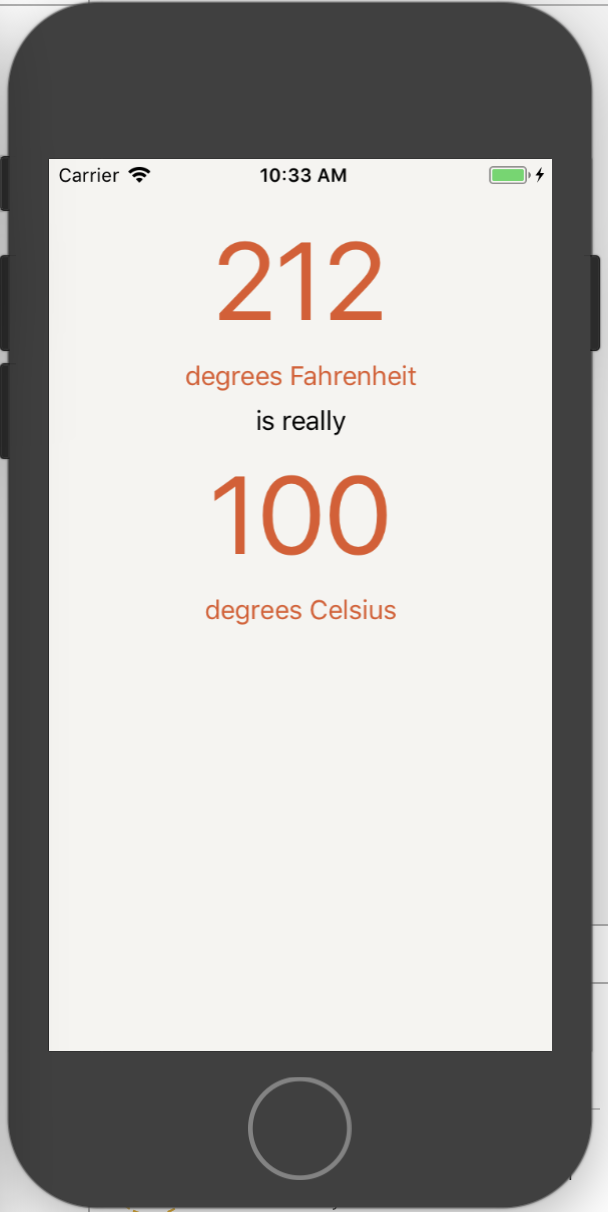
4. Tex Input and Delegation (已看)
Text Editing
Keyboard attributes
Responding to text fiedl changes
Dismissing the keyboard
Implementing the Temperature Conversion
Number formatters
Delegation
Conforming to a protocol
Using a delegate
More on protocols
Bronze Challenge:Disallow Alphabetic Characters
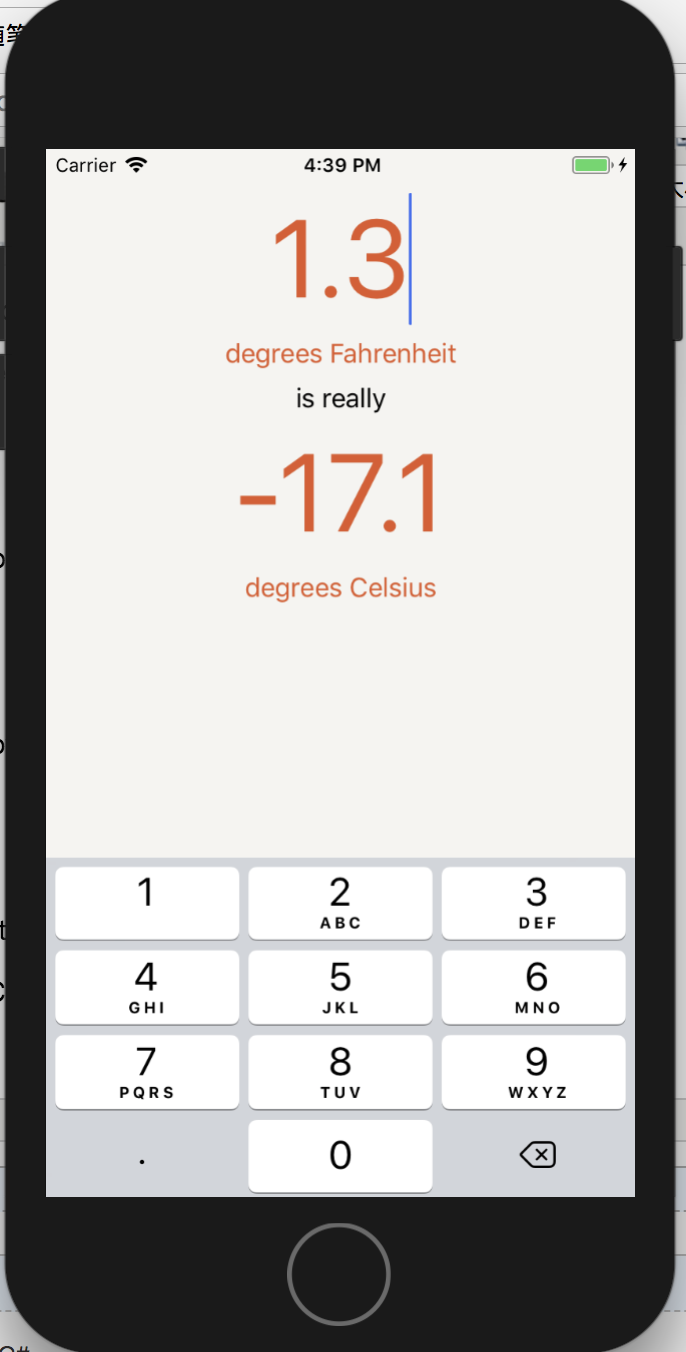
 import UIKit

 class ConversionViewController:UIViewController,UITextFieldDelegate{
     @IBOutlet var celsiusLabel:UILabel!
     @IBOutlet var textField:UITextField!

     override func viewDidLoad(){
         super.viewDidLoad()

         updateCelsiusLabel()
     }

     var fahrenheitValue:Measurement<UnitTemperature>?{
         didSet{
             updateCelsiusLabel()
         }
     }
     var celsiusValue:Measurement<UnitTemperature>? {
         if let fahrenheitValue = fahrenheitValue {
             return fahrenheitValue.converted(to: .celsius)
         } else {
             return nil
         }
     }

     func updateCelsiusLabel(){
         if let celsiusValue = celsiusValue {
             celsiusLabel.text = numberFormatter.string(from:NSNumber(value:celsiusValue.value))
         } else {
             celsiusLabel.text = "???"
         }
     }

     @IBAction func fahrenheitFieldEditingChanged(_ texField:UITextField){
         if let text = textField.text,let value = Double(text){
             fahrenheitValue = Measurement(value:value,unit:.fahrenheit)
         } else {
             fahrenheitValue = nil
         }
     }

     @IBAction func dismissKeyboard(_ sender:UITapGestureRecognizer){
         textField.resignFirstResponder()
     }

     let numberFormatter:NumberFormatter = {
         let nf = NumberFormatter()
         nf.numberStyle = .decimal
         nf.minimumFractionDigits =
         nf.maximumFractionDigits =
         return nf
     }()

     func textField(_ textField:UITextField, shouldChangeCharactersIn range:NSRange,replacementString string:String)->Bool{
         let existingTextHasDecimalSeparator = textField.text?.range(of:".")
         let replacementTextHasDecimalSeparator = string.range(of:".")

         if existingTextHasDecimalSeparator != nil,replacementTextHasDecimalSeparator != nil {
             return false
         } else {
             return true
         }
     }
 }
ConversionViewController
5. View Controllers (已看)
The View of a View Controller
Setting the Initial View Controller
UITabBarController
Tab bar items
Loaded and Appearing Views
Accessing subviews
Interacting with View Controllers and Their Views
Silver Challenge:Dark Mode
For the More Curious:Retina Display
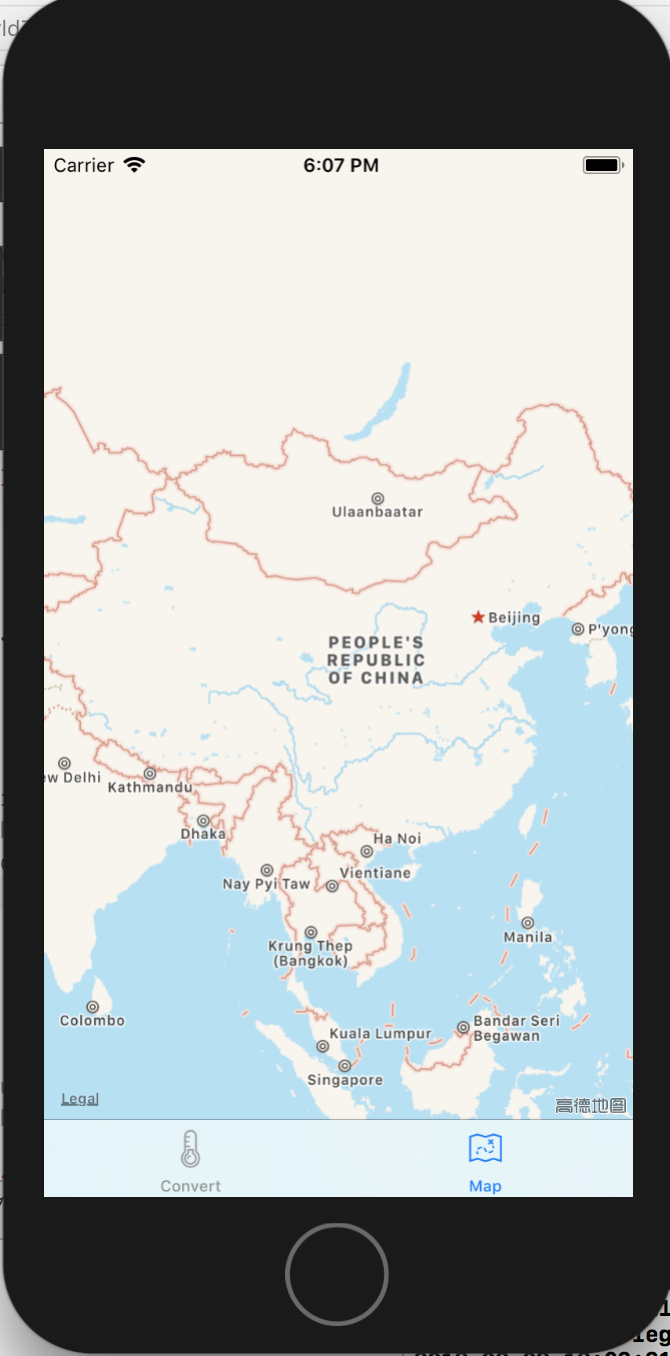
 import UIKit

 class ConversionViewController:UIViewController,UITextFieldDelegate{
     @IBOutlet var celsiusLabel:UILabel!
     @IBOutlet var textField:UITextField!

     override func viewDidLoad(){
         super.viewDidLoad()

         print("ConversionViewController loaded its view.")

         updateCelsiusLabel()
     }

     var fahrenheitValue:Measurement<UnitTemperature>?{
         didSet{
             updateCelsiusLabel()
         }
     }
     var celsiusValue:Measurement<UnitTemperature>? {
         if let fahrenheitValue = fahrenheitValue {
             return fahrenheitValue.converted(to: .celsius)
         } else {
             return nil
         }
     }

     func updateCelsiusLabel(){
         if let celsiusValue = celsiusValue {
             celsiusLabel.text = numberFormatter.string(from:NSNumber(value:celsiusValue.value))
         } else {
             celsiusLabel.text = "???"
         }
     }

     @IBAction func fahrenheitFieldEditingChanged(_ texField:UITextField){
         if let text = textField.text,let value = Double(text){
             fahrenheitValue = Measurement(value:value,unit:.fahrenheit)
         } else {
             fahrenheitValue = nil
         }
     }

     @IBAction func dismissKeyboard(_ sender:UITapGestureRecognizer){
         textField.resignFirstResponder()
     }

     let numberFormatter:NumberFormatter = {
         let nf = NumberFormatter()
         nf.numberStyle = .decimal
         nf.minimumFractionDigits =
         nf.maximumFractionDigits =
         return nf
     }()

     func textField(_ textField:UITextField, shouldChangeCharactersIn range:NSRange,replacementString string:String)->Bool{
         let existingTextHasDecimalSeparator = textField.text?.range(of:".")
         let replacementTextHasDecimalSeparator = string.range(of:".")

         if existingTextHasDecimalSeparator != nil,replacementTextHasDecimalSeparator != nil {
             return false
         } else {
             return true
         }
     }
 }
ConversionViewController
 import UIKit

 class MapViewController:UIViewController {

     override func viewDidLoad(){
         super.viewDidLoad()

         print("MapViewController loaded its view.")
     }
 }
MapViewController
6. Programmatic Views (已看)
Creaing a View Programatically
Programmatic Constraints
Anchors
Activating constraints
Layout guides
Margins
Explicit constraints
Programmatic Controls
Bronze Challenge:Another Tab
Silver Challenge:User's Location
Gold Challenge:Dropping Pins
For the More Curious:NSAutoresizingMaskLayoutConstraint
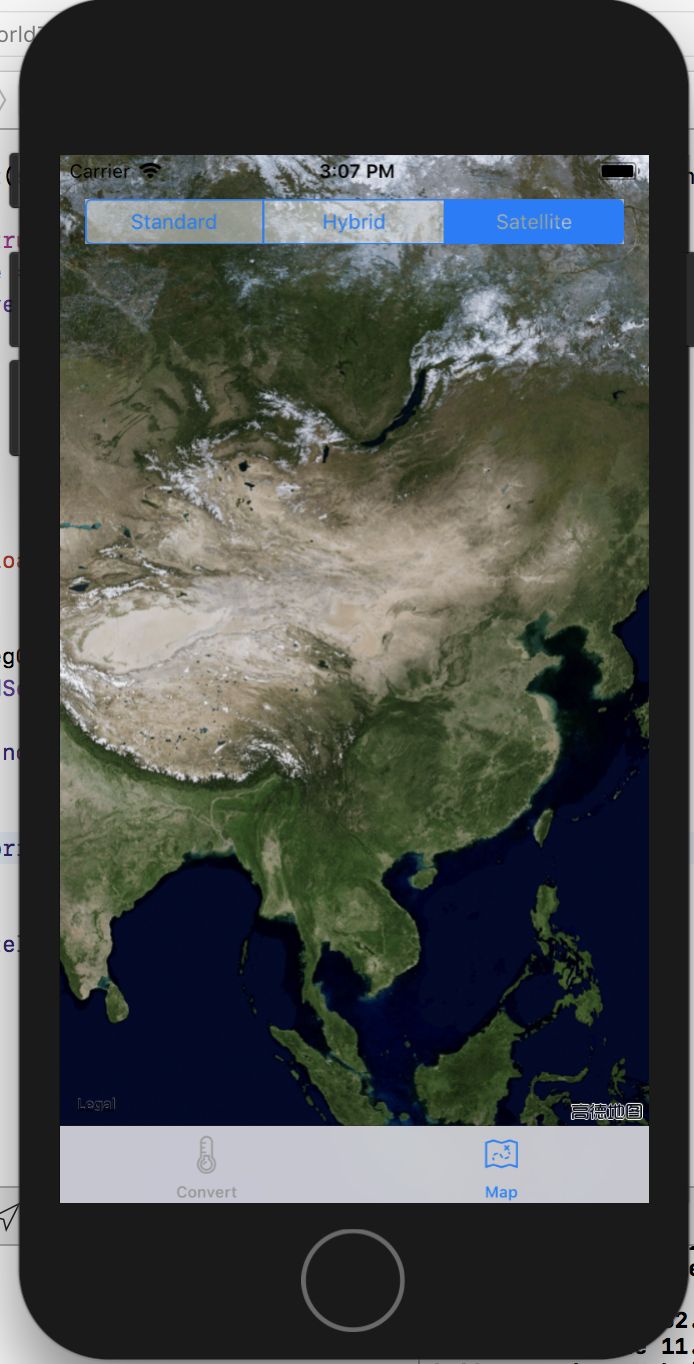
 import UIKit

 class ConversionViewController:UIViewController,UITextFieldDelegate{
     @IBOutlet var celsiusLabel:UILabel!
     @IBOutlet var textField:UITextField!

     override func viewDidLoad(){
         super.viewDidLoad()

         print("ConversionViewController loaded its view.")

         updateCelsiusLabel()
     }

     var fahrenheitValue:Measurement<UnitTemperature>?{
         didSet{
             updateCelsiusLabel()
         }
     }
     var celsiusValue:Measurement<UnitTemperature>? {
         if let fahrenheitValue = fahrenheitValue {
             return fahrenheitValue.converted(to: .celsius)
         } else {
             return nil
         }
     }

     func updateCelsiusLabel(){
         if let celsiusValue = celsiusValue {
             celsiusLabel.text = numberFormatter.string(from:NSNumber(value:celsiusValue.value))
         } else {
             celsiusLabel.text = "???"
         }
     }

     @IBAction func fahrenheitFieldEditingChanged(_ texField:UITextField){
         if let text = textField.text,let value = Double(text){
             fahrenheitValue = Measurement(value:value,unit:.fahrenheit)
         } else {
             fahrenheitValue = nil
         }
     }

     @IBAction func dismissKeyboard(_ sender:UITapGestureRecognizer){
         textField.resignFirstResponder()
     }

     let numberFormatter:NumberFormatter = {
         let nf = NumberFormatter()
         nf.numberStyle = .decimal
         nf.minimumFractionDigits =
         nf.maximumFractionDigits =
         return nf
     }()

     func textField(_ textField:UITextField, shouldChangeCharactersIn range:NSRange,replacementString string:String)->Bool{
         let existingTextHasDecimalSeparator = textField.text?.range(of:".")
         let replacementTextHasDecimalSeparator = string.range(of:".")

         if existingTextHasDecimalSeparator != nil,replacementTextHasDecimalSeparator != nil {
             return false
         } else {
             return true
         }
     }
 }
ConversionViewController
 import UIKit
 import MapKit

 class MapViewController:UIViewController {

     var mapView:MKMapView!

     override func loadView(){
         // Create a map view
         mapView = MKMapView()

         // Set it as *the* view of this view controller
         view = mapView

         let segmentedControl = UISegmentedControl(items:["Standard","Hybrid","Satellite"])
         segmentedControl.backgroundColor = UIColor.white.withAlphaComponent(0.5)
         segmentedControl.selectedSegmentIndex =
         segmentedControl.translatesAutoresizingMaskIntoConstraints = false

         view.addSubview(segmentedControl)

         //let topConstraint = segmentedeControl.topAnchor.constraint(equalTo:view.topAnchor)
         let topConstraint = segmentedControl.topAnchor.constraint(equalTo:topLayoutGuide.bottomAnchor,constant:)

         let margins = view.layoutMarginsGuide
         let leadingConstraint = segmentedControl.leadingAnchor.constraint(equalTo:margins.leadingAnchor)
         let trailingConstraint = segmentedControl.trailingAnchor.constraint(equalTo:margins.trailingAnchor)

         segmentedControl.addTarget(self,action: #selector(MapViewController.mapTypeChanged(_:)),for: .valueChanged)

         topConstraint.isActive = true
         leadingConstraint.isActive = true
         trailingConstraint.isActive = true
     }

     override func viewDidLoad(){
         super.viewDidLoad()

         print("MapViewController loaded its view.")
     }

     @objc func mapTypeChanged(_ segControl:UISegmentedControl){
         switch segControl.selectedSegmentIndex{
         :
             mapView.mapType = .standard
             break;
         :
             mapView.mapType = .hybrid
             break;
         :
             mapView.mapType = .satellite
             break;
         default:
             break;
         }
     }
 }
MapViewController
7. Localization (已看)
Internationalization
Formatters
Base internationalization
Preparing for localization
Localization
NSLocalizedString and strings tables
Bronze Challenge:Another Localization
For the More Curious:Bundle's Role in Internationalization
For the More Curious:Improting and Exporting as XLIFF
8. Controlling Animations
Basic Animations
Closures
Another Label
Animation Completion
Animating Constraints
Timing Functions
Bronze Challenge:Spring Animations
Silver Challenge:Layout Guides
9. Debugging
A Buggy Project
Debugging Basics
Interpreting console messages
Fixing the first bug
Caveman debugging
The Xcode Debugger:LLDB
Setting breakpoints
Stepping through code
The LLDB console
10. UITableView and UITableViewController
Beginning the Homepwner Application
UITableViewController
Subclassing UITableViewController
Creating the Item Class
Custom initializers
UITableView's Data Source
Giving the controller access to the store
Implementing data source methods
UITableViewCells
Creating and retrieving UITableViewCells
Reusing UITableViewCells
Content Insets
Bronze Challenge:Sections
Silver Challenge:Constant Rows
Gold Challenge:Customizing the Table
11. Editing UITableView
Editing Mode
Adding Rows
Deleting Rows
Moving Rows
Displaying User Alerts
Design Patterns
Bronze Challenge:Renaming the Delete Button
Silver Challenge:Preventing Reordering
Gold Challenge:Really Preventing Reordering
12. Subclassing UITableViewCell
Creating ItemCell
Exposing the Properties of ItemCell
Using ItemCell
Dynamic Cell Heights
Dynamic Type
Responding to user changes
Bronze Challenge:Cell Colors
13. Stack Views
Using UIStackView
Implicit constraints
Stack view distribution
Nested stack views
Stack view spacing
Segues
Hooking Up the Content
Passing Data Around
Bronze Challenge:More Stack Views
14. UINavigationController
UINavigationController
Navigating with UINavigationController
Appearing and Disappearing Views
Dismissing the Keyboard
Event handling basics
Dismissing by pressing the Return key
Dismissing by tapping elsewhere
UINavigationBar
Adding buttons to the navigation bar
Bronze Challenge:Displaying a Number Pad
Silver Challenge:A Custom UITextField
Gold Challenge:Pushing More View Controllers
15. Camera
Displaying Images and UIImageView
Adding a camera button
Taking Pictures and UIImagePickerController
Setting the image picker's sourceType
Setting the image picker's delegate
Presenting the image picker modally
Permissions
Saving the image
Creating ImageStore
Giving View Controllers Access to the Image Store
Creating and Using Keys
Wrapping Up ImageStore
Bronze Challenge:Editing an Image
Silver CHallenge:Removing and Image
Gold Challenge:Camera Overlay
For the More Curious:Navigating Implementation Files
// MARK:
16. Saving,Loading,and Application States
Archiving
Application Sandbox
Constructing a file URL
NSKeyedArchiver and NSKeyedUnarchiver
Loading files
Application States and Transitions
Writing to the FileSystem with Data
Error Handling
Bronze Challenge:PNG
For the More Curious:Application State Transitions
For the More Curious:Reading and Writing to the Filesystem
For the More Curious:The Application Bundle
17. Size Classes
Modifying Traits for a Specific Size Class
Bronze Challenge:Stacked Text Field and Labels
18. Touch Events and UIResponder
Touch Events
Creating the TouchTracker Application
Creating the Line Struct
Structs
Value types vs reference types
Creating DrawView
Drawing with DrawView
Turning Touches into Lines
Handling multiple touches
@IBInspectable
Silver Challenge:Colors
GoldChallenge:Circles
For the More Curious:The Responder Chain
For the More Curious:UIControl
19. UIGestureRecognizer and UIMenuController
UIGestureRecognizer Subclasses
Detecting Taps with UITapGestureRecognizer
Multiple Gesture Recognizers
UIMenuController
More Gesture Recognizers
UILongPressGestureRecognizer
UIPanGestureRecognizer and simultaneous recognizers
More on UIGestureRecognizer
Silver Challenge:Mysterious Lines
Gold Challenge:Speed and Size
Platinum Challenge:Colors
For the More Curious:UIMenuController and UIResponderStandardEditActions
20. Web Services
Starting the Photorama Application
Building the URL
Formatting URLs and requests
URLComponents
Sending the Request
URLSession
Modeling the Photo
JSON Data
JSONSerialization
Enumerations and associated values
Parsing JSON data
Downloading and Displaying the Image Data
The Main Thread
Bronze Challenge:Printing the Response Information
Silver Challenge:Fetch Recent Photos from Flickr
For the More Curious:HTTP
21. Collection Views
Displaying the Grid
Collection View Data Source
Customizing the Layout
Creating a Custom UICollectionViewCell
Downloading the Image Data
Extensions
Image caching
Navigating to a Photo
Silver Challenge:Updated Item Sizes
Gold Challenge:Creating a Custom Layout
22. Core Data
Object Graphs
Entities
Modeling entities
Transformable attributes
NSManagedObject and subclasses
NSPersistentContainer
Updating Items
Inserting into the context
Saving changes
Updating the Data Source
Fetch requests and predicates
Bronze Challenge:Photo View Count
For the More Curious:The Core Data Stack
NSManagedObjectModel
NSPersistentStoreCoordinator
NSManagedObjectContext
23. Core Data Relationships
Relationships
Adding Tags to the Interface
Background Tasks
Silver Challenge:Favorites
24. Accessibility
VoiceOver
Testing VoiceOver
Accessibility in Photorama
25. Afterword
What to Do Next
Shameless Plugs
ios Programming:The Big Nerd Ranch Guid(6th Edition) (Joe Conway & AARON HILLEGASS 著)的更多相关文章
- Objective-C Programming The Big Nerd Ranch Guide 笔记 19-37
Properties are either atomic or nonatomic, The difference has to do with multithreading. atomic is t ...
- iOS Programming UIWebView 2
iOS Programming UIWebView 1 Instances of UIWebView render web content. UIWebView可以显示web content. In ...
- iOS Programming Web Services and UIWebView
iOS Programming Web Services and UIWebView The work is divided into two parts. The first is connecti ...
- Head First iOS Programming
内部分享: Head First iOS Programming http://www.slideshare.net/tedzhaoxa/head-first-ios-programming-4606 ...
- iOS Programming Recipe 6: Creating a custom UIView using a Nib
iOS Programming Recipe 6: Creating a custom UIView using a Nib JANUARY 7, 2013 BY MIKETT 12 COMMENTS ...
- iOS Programming Autorotation, Popover Controllers, and Modal View Controllers
iOS Programming Autorotation, Popover Controllers, and Modal View Controllers 自动旋转,Popover 控制器,Moda ...
- iOS Programming Controlling Animations 动画
iOS Programming Controlling Animations 动画 The word "animation" is derived from a Latin wor ...
- iOS Programming UIStoryboard 故事板
iOS Programming UIStoryboard In this chapter, you will use a storyboard instead. Storyboards are a f ...
- iOS Programming NSUserDefaults
iOS Programming NSUserDefaults When you start an app for the first time, it uses its factory settin ...
随机推荐
- Android : apk签名的多种方法以及key的配置
方法一:使用Android SDK中的签名工具给apk签名: (1)Android源码的 build/target/product/security/ 目录下有 media.pk8.media.x50 ...
- 文件上传FormData
<div class="modal-dialog"> <div class="modal-content"> <div class ...
- Docker Kubernetes(K8s)简介
入职了新公司,使用了Docker和K8s,需要有一个基础的了解,对网络上相关信息进行了简单总结. 一Docker 1简介: Docker 将应用程序与该程序的依赖,打包在一个文件里面.运行这个文件,就 ...
- UBUNTU安装 Rabbitvsc可视化版本控制客户端软件
sudo add-apt-repository ppa:rabbitvcs/ppa sudo apt-get update sudo apt-get install rabbitvcs-core ra ...
- Problem B: 平面上的点——Point类 (II)
Description 在数学上,平面直角坐标系上的点用X轴和Y轴上的两个坐标值唯一确定.现在我们封装一个“Point类”来实现平面上的点的操作. 根据“append.cc”,完成Point类的构造方 ...
- 第一个python程序--hello,world
Hello World程序 在linux 下创建一个文件叫hello.py,并输入 print ('hello,word') 然后执行:python3 hello.py ,输出: [root@IDC- ...
- Vue extend 学习
<div id="box"> <aa></aaa> </div> <script> var Aaa = Vue.exte ...
- scrapy爬取动态分页内容
1.任务定义: 爬取某动态分页页面中所有子话题的内容. 所谓"动态分页":是指通过javascript(简称"js")点击实现翻页,很多时候翻页后的页面地址ur ...
- 易混点总结--JS
1.defer与 async 的区别是: defer要等到整个页面在内存中正常渲染结束(DOM 结构完全生成,以及其他脚本执行完成),才会执行:async一旦下载完,渲染引擎就会中断渲染,执行这个脚本 ...
- phpcms pc_base::load
//数据库pc_base::load_model(‘*_model’) 加载数据库模型 (一张表对应一个数据库模型类),即 modle/*_model.class.php每一个数据库模型类都会继承底层 ...