
23、GoAccess分析Nginx日志
1.GoAccess基本概述
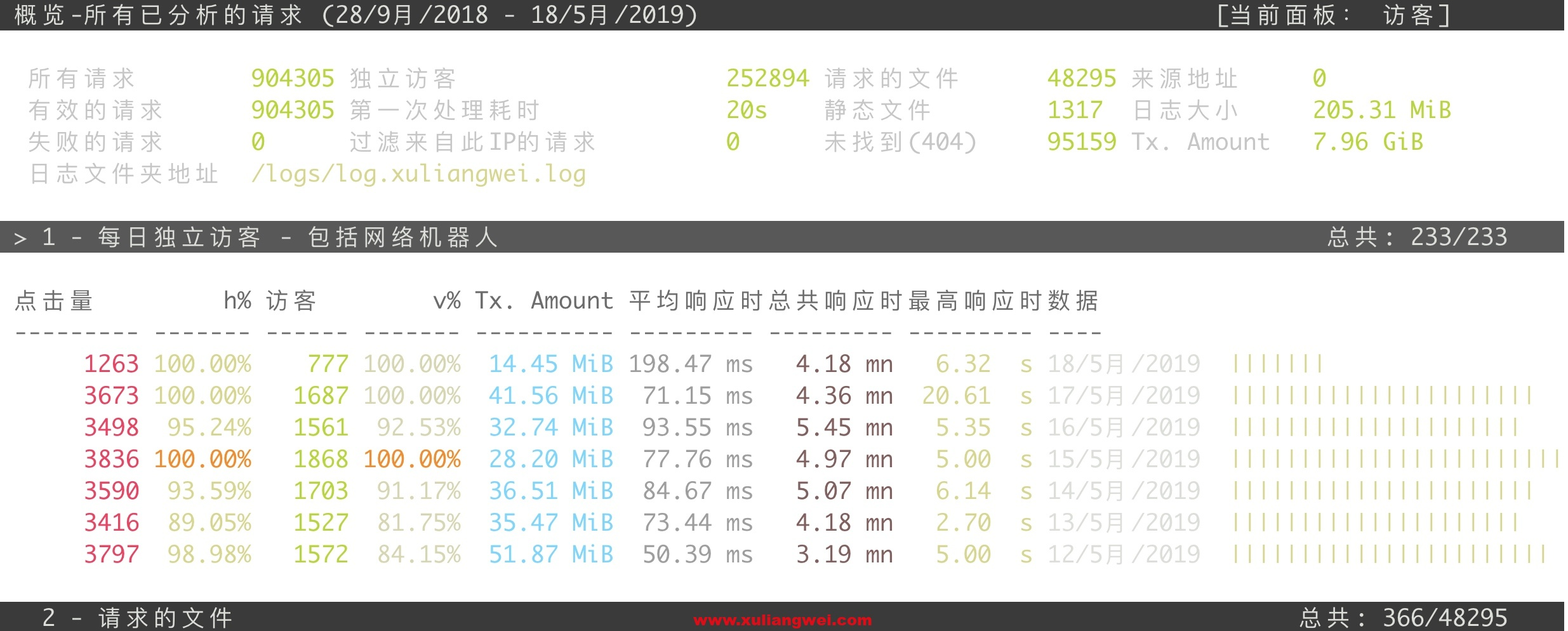
GoAccess是一个基于终端的快速日志分析器。其核心思想是实时快速分析和查看Web服务器统计信息。
1.安装简单;
2.操作容易;
3.界面酷炫;

2.GoAccess安装方式
安装分为yum安装与源码安装,大家可以自行选择,我这里选择使用源码的方式安装
2.1.安装goaccess
[root@xly ~]# wget https://tar.goaccess.io/goaccess-1.3.tar.gz

[root@xly ~]# tar -xzvf goaccess-1.3.tar.gz

[root@xly ~]# cd goaccess-1.3/

[root@xly ~]# yum install -y GeoIP-deve ncurses-devel

[root@xly goaccess-1.3]# ./configure --enable-utf8 --enable-geoip=legacy

[root@xly goaccess-1.3]# make && make install
2.2.goaccess基本使用
指定分析日志

[root@xly ~]# goaccess  -f  /var/log/nginx/access.log

按空格选择 NCSA Combined Log Format

注意: 如果是Nginx默认的日志格式无需调整选中回车即可。

2.3.等待一会时间后,会展示分析的结果

3.GoAccess使用方式
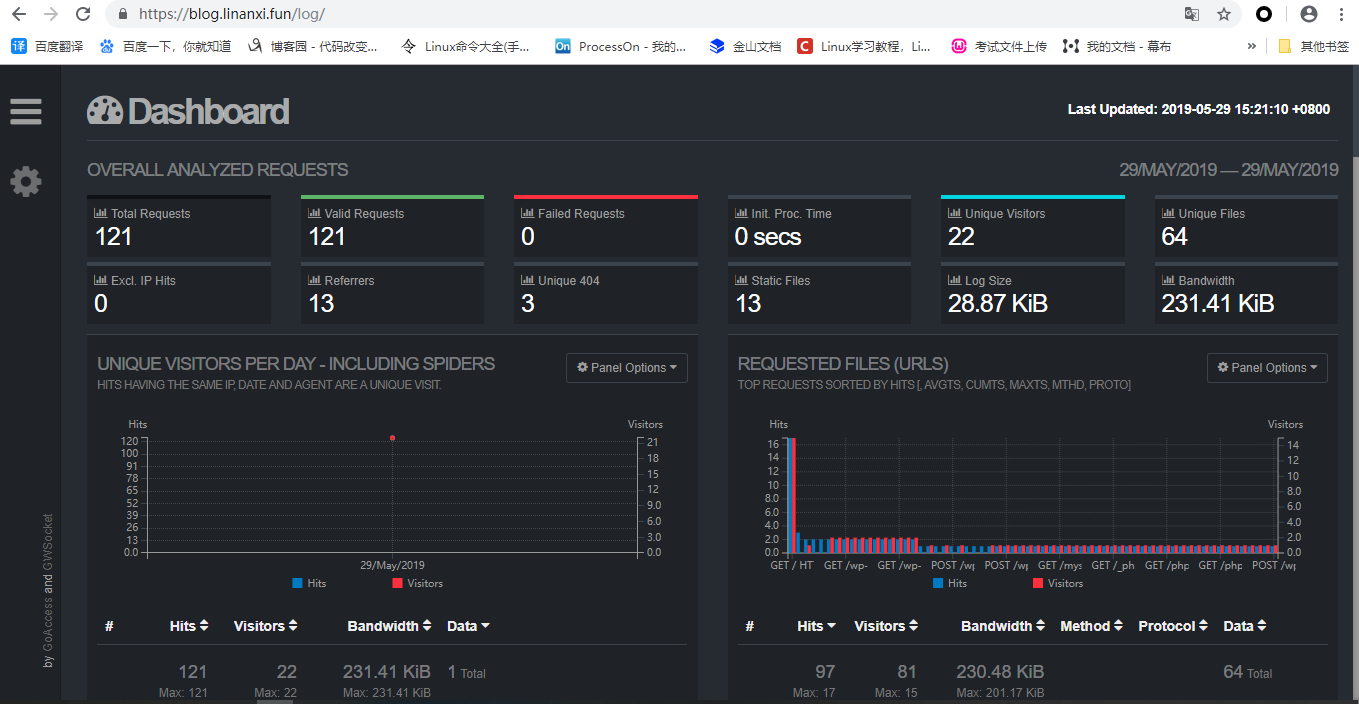
3.1.我们更希望能将此页面保存为HTML,然后通过浏览器访问,那么我们则需要配置日志格式
#搜索并修改如下配置。

[root@xly ~]# mkdir -p  /usr/local/etc/goaccess/

[root@xly ~]# touch /usr/local/etc/goaccess/goaccess.conf

[root@xly ~]# vim /usr/local/etc/goaccess/goaccess.conf

time-format %H:%M:%S

date-format %d/%b/%Y

#NCSA Combined Log Format

log-format %h %^[%d:%t %^] "%r" %s %b "%R" "%u"
3.2.通过命令指定配置,将生成的信息保存为html
#1.测试是否能通过终端直接展示

[root@xly ~]# goaccess -f /var/log/nginx/access.log -p /usr/local/etc/goaccess/goaccess.conf

#2.将分析结果保存为hTML

[root@xly ~]# goaccess /var/log/nginx/access.log -o /code/log/index.html -p /usr/local/etc/goaccess/goaccess.conf

Parsing... [323,899] [53,983/s]
3.3.添加定时任务,每隔30分钟执行一次
[root@xly ~]# crontab -e

#每隔30分钟生成一次html文件

30 * * * * /usr/local/bin/goaccess /var/log/nginx/access.log -o /code/log/index.html -p /usr/local/etc/goaccess/goaccess.conf
3.4.配置一个Nginx虚拟主机,将root指向/code/log,这样可以通过域名去访问html页面
1.虚拟主机,在原有的配置加一个location
	location /log {

		root /code;

		index index.html;

	}
23、GoAccess分析Nginx日志的更多相关文章
- GoAccess分析Nginx日志详解
一.为了提高 GoAccess 分析准确度,建议配置 nginx.conf 的 log_format 项如下: log_format main '$remote_addr - $remote_user ...
- GoAccess 分析 Nginx 日志
0x00 事件 帮助朋友搭建了博客,运行过了一段时间,准备发个网站分析报告给他. 有效的数据只有 Nginx 的访问日志,于是使用决定 GoAccess 工具对这个日志进行分析, 0x01 安装 吾使 ...
- 用GOACCESS分析NGINX日志
参考URL: http://4b3r.com/goaccess-analyze-nginx-access-log/64/ http://jesuspan.sinaapp.com/crontab%E6% ...
- 使用Hive的正则解析器RegexSerDe分析nginx日志
1.环境: hadoop-2.6.0 + apache-hive-1.2.0-bin 2.使用Hive分析nginx日志,站点的訪问日志部分内容为: cat /home/hadoop/hivetest ...
- 烂泥:利用awstats分析nginx日志
本文由ilanniweb提供友情赞助,首发于烂泥行天下 想要获得更多的文章,可以关注我的微信ilanniweb 昨天把nginx的日志进行了切割,关于如何切割nginx日志,可以查看<烂泥:切割 ...
- elk实战分析nginx日志文档
elk实战分析nginx日志文档 架构: kibana <--- es-cluster <--- logstash <--- filebeat 环境准备:192.168.3.1 no ...
- elk平台分析nginx日志的基本搭建
一.elk套件介绍 ELK 由 ElasticSearch . Logstash 和 Kiabana 三个开源工具组成.官方网站: https://www.elastic.co/products El ...
- 一天,python搞个分析NGINX日志的脚本
准备给ZABBIX用的. 统计接口访问字次,平均响应时间,4XX,5XX次数 以后可以再改进.. #!/usr/bin/env python # coding: utf-8 ############# ...
- 利用python分析nginx日志
最近在学习python,写了个脚本分析nginx日志,练练手.写得比较粗糙,但基本功能可以实现. 脚本功能:查找出当天访问次数前十位的IP,并获取该IP来源,并将分析结果发送邮件到指定邮箱. 实现前两 ...
随机推荐
- 关于bootstrap按钮的偏移
<body> <div id="divForm" class="addView"> <div class="form-h ...
- 【转载】WEBRTC基本介绍
“WebRTC,名称源自网页实时通信(Web Real-Time Communication)的缩写,是一个支持网页浏览器进行实时语音对话或视频对话的技术,是谷歌2010年以6820万美元收购Glob ...
- Linux Openssh源码升级
telnet服务 yum install -y telnet-server xinetd systemctl start xinetd systemctl start telnet.socket #监 ...
- js 闭包解决方案
相比很多人都遇见过这样的情况: 给一个ul的所有li绑定行为,在点击时获取其index. 假设结构如下: <body> <ul> <li>0</li> ...
- Android开发实例 Unity显示Toast
Android中的Toast是一种简易的消息提示框. 当视图显示给用户,在应用程序中显示为浮动.和Dialog不一样的是,它永远不会获得焦点,无法被点击.用户将可能是在中间键入别的东西.Toast类的 ...
- js ajax跨域被阻止 CORS 头缺少 'Access-Control-Allow-Origin'(转)
今天ajax请求域名的时候出现 已阻止跨源请求:同源策略禁止读取位于 http://www.zuimeimami.com*****的远程资源.(原因:CORS 头缺少 'Access-Control- ...
- SpringBoot 启动失败 Failed to determine a suitable driver class 问题解决方案
Description: Failed to auto-configure a DataSource: 'spring.datasource.url' is not specified and no ...
- 设计模式:门面模式(Facade)
前面介绍的适配器模式讲的是如何将一个接口转换成客户所需要的另一个接口,它的目的在于 解决接口的不兼容性问题.现在这里有这样一个模式,它的目的在于如何简化接口,它可以将多个类的复杂的一切隐藏在背后, ...
- 300英雄的危机(heroes)
题面 正解与图书馆馆长的考验一致,都是分层图SPFA: #include <iostream> #include <cstdio> #include <cstring&g ...
- Smarty内置函数之config_load
config_load的作用是: 用于从配置文件中加载变量,属性file引入配置文件名,另外若配置文件包含多个部分,可以使用属性section指定从那部分取得变量(若不指定,将会引入失败). 实例: ...